At Home with Tech

Unlock the power of all your technology and learn how to master your photography, computers and smartphone.

Category: family

How to Master your Zoom Meetings to Increase your Impact at Work
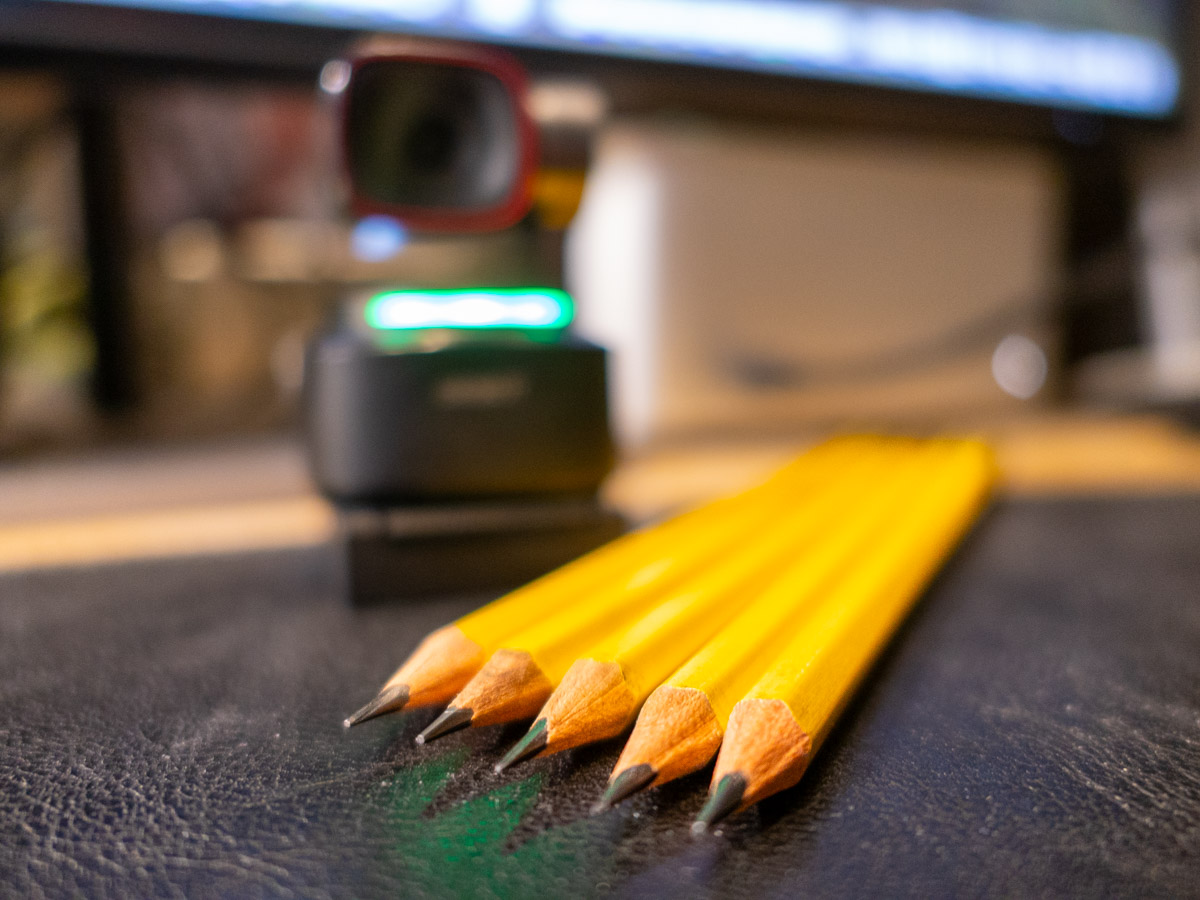
Your webcam can be the most important tool to help you maximize your success at your job. Here’s how to sharpen your pencils for your next remote meeting.

The beginning of the new school year has always held that ‘fresh start’ feel for me. Sure, it’s been a few decades, but now I’m experiencing that vicariously through our son, who’s already in high school. (I just can’t believe it.) During these weeks, I also love the early hints of the cool, crisp feel of New England’s fall season.

It’s all stimuli that activates a deeply encoded message in my brain I learned as a child: “Summer’s over. Now, it’s time to get to work.”

Well, it’s not like I haven’t been working hard over these summer months. Sure, I took some vacation time with the family. (First to Cape Porpoise, Maine. And then to the North Fork of Long Island.) But now… the ramp-up to the end of the calendar year is undeniable.

Winter’s coming. You’d better sharpen your pencils.

Remote Meetings are Important
If you’ve been working from home more during this post-pandemic reality, one way to dust off your lunch box is to tighten up how you show up during your remote meetings on Zoom or Teams. These moments are critical tethers to your work community.

I know we’ve been at this for a few years, but I’ve noticed that some Zoom best-practices haven’t yet become second nature for many of us.

So, here are a few reminders. They will help you master the opportunity to maximize your impact at your job.

You’ve Got to Show Up for your Close Up
If you want to play an active role during a remote meeting, you really need to turn your webcam on. Visual communication is everything.

Sure, your voice is important, but offering all your important visual cues is the best way to connect with everyone else. That’s how to master those moments.

Follow Video Production Best Practices
I know by now you understand the basics of good video production and how they directly correlate to a strong webcam shot.

  • Be sure to have a front-facing light source. (The light from a window works great as long as the sun isn’t directly shining through.)
  • Your webcam should be positioned close to the same level as your face vs. pointing towards the ceiling and looking up your nose. (Yes, that may mean propping your laptop up on a few hardcover books.)
  • Frame your shot to fill the screen with your full head and shoulders. Pointing your webcam too high to just reveal your eyes and the top of your head is silly. (Only showing this incomplete body fragment at the very bottom of your screen is worse than not using your webcam at all.)

Put on a Clean Shirt
Look, I get it. It’s so much easier to keep your pajamas on all day. You may feel that nobody really needs to ‘see’ you. If you’re successfully doing your work, what’s the problem?

The concern is the risk to you slowing devolving into some kind of disconnected ‘chat-bot.’ You’re a human being! That’s supposed to carry some advantages. So, you should really consider showing up as one as much as possible.

Pay for Faster Internet
This has been a tough pill for me to swallow, but your standard internet plan may not offer enough speed for you to properly stream yourself into your Zoom meetings. How many times have you seen others freeze up or their audio feed begin to stutter? That’s because their internet speed is too slow.

It’s happened to me, even though on paper, my internet plan was plenty fast enough. So, I ended up doubling it to a ludicrous speed to fix the problem. What else can you do? (I currently pay for 500 Mbps.)

If you want to show up for your close up, yes… you may have to spend more to do it. I suppose that’s the price you pay for not having to show up in person at the office.

Don’t Disappear
I think success in any career requires staying connected with others. Connection used to be primarily based on in-person interactions. As we drift further away from those norms, I think it’s really easy to eventually disappear in plain sight.

So yes, this is a friendly reminder… and a word of caution. As your new school year begins, remember the importance of your webcam and don’t forget to hang out with your friends.

They really want to SEE you.

Our Computers aren’t Built to Handle so Many Videos and Photos

It’s really simple to create media with our smartphones, and we’ve all become home filmmakers. But it’s becoming increasingly hard to store all the media files. If you’re not worried that you’ll eventually run out of SSD storage space in your Mac, think again. Here’s what you can do about it. (And it won’t take up a lot of desk space.)

A year back, I upgraded from my older 4TB iMac to my new 2TB Mac Studio. My decision to go with only 50% of the internal storage was based on Apple’s more expensive internal SSD drive pricing. (My old iMac had a larger, but slower, spinning hard drive, which is no longer part of the line up.)

I always thought that Apple would forever offer increased internal storage without charging more. (Aren’t we all needing more storage as we document our lives with photos and videos?)

But once Apple moved from HDD spinning drives to next-generation SSD drives, that equation imploded.

  • An Apple Studio with a 4TB SSD costs $1,200 more!
  • You can’t even buy an iMac today with more than 2TB of storage. And that will set you back $600-$800.

Something’s very wrong. We’ve got less to work with and paying more for it.

Still, pricing aside, I successfully deluded myself that didn’t actually need 4TB. (Ha!)

Better Digital Housekeeping?
Sure, I had filled up my old iMac’s 4TB drive, but I told myself that maintaining and transferring all that content from computer to computer was unreasonable. I didn’t need all of it within my internal drive. instead, I would offload much of it to external drives and my G-Technology RAID for long-term storage.

I brainwashed myself that the new 2TB SSD in my Mac Studio should be more than enough once I performed some long-overdue digital housekeeping.

That was just wishful thinking.

Face the Inevitable
Sure, I’ve done some media management, but my goal of a 50% reduction was unobtainable. Within a year, my 2TB internal drive was bursting at the seams. (And we all know that Macs aren’t built to allow you to later upgrade internal storage.)

And Apple hasn’t helped any by continuing to improve its iPhone’s capabilities to generate RAW photos and advanced video codecs (including ProRes files). All this means larger media files.

We’re all filmmakers now with the critical need to house our content libraries somewhere. What did they think was going to happen when we moved these huge files over to our Macs?

iCloud Storage?
Sure, I could export terabytes of my media into Apple’s iCloud ecosystem. But come on… that’s not really a good value proposition.

  • 2TB costs $9.99/month
  • 6TB is $29.99/month

Let’s do the math:
I would have to go with the 6TB plan, which comes out to $360/year. While that is surprisingly competitive with external hard drive pricing, across multiple years… it gets too expensive.

Certainly, $360 x multiple years is more than the one-time cost of buying a companion external drive. I know physical drives won’t last forever, and you’re supposed to upgrade them every few years. So perhaps a future iCloud storage plan could be a reasonable solution… if the pricing comes down.

SSD Drives
But what is today’s answer when your internal drive gets filled up?

Well, that’s simple: You’ve got to buy an external drive and plug it in. (I know I didn’t have to tell you that.)

The real question is what kind of drive?

To match the speed of your internal drive, you’ll want to buy a similar technology. If you’ve got an internal SSD, you should look at getting an external SSD.

So, that’s what I did.

Video Editing
Another question is what you want to do with the drive.

My most demanding task is editing my family videos and personal creative projects, which are all shot in 4K. Many of my video files are generated by my iPhone 15 Pro Max.

Plus, I’ve got:

So, perhaps my video editing needs are more advanced than the average user.

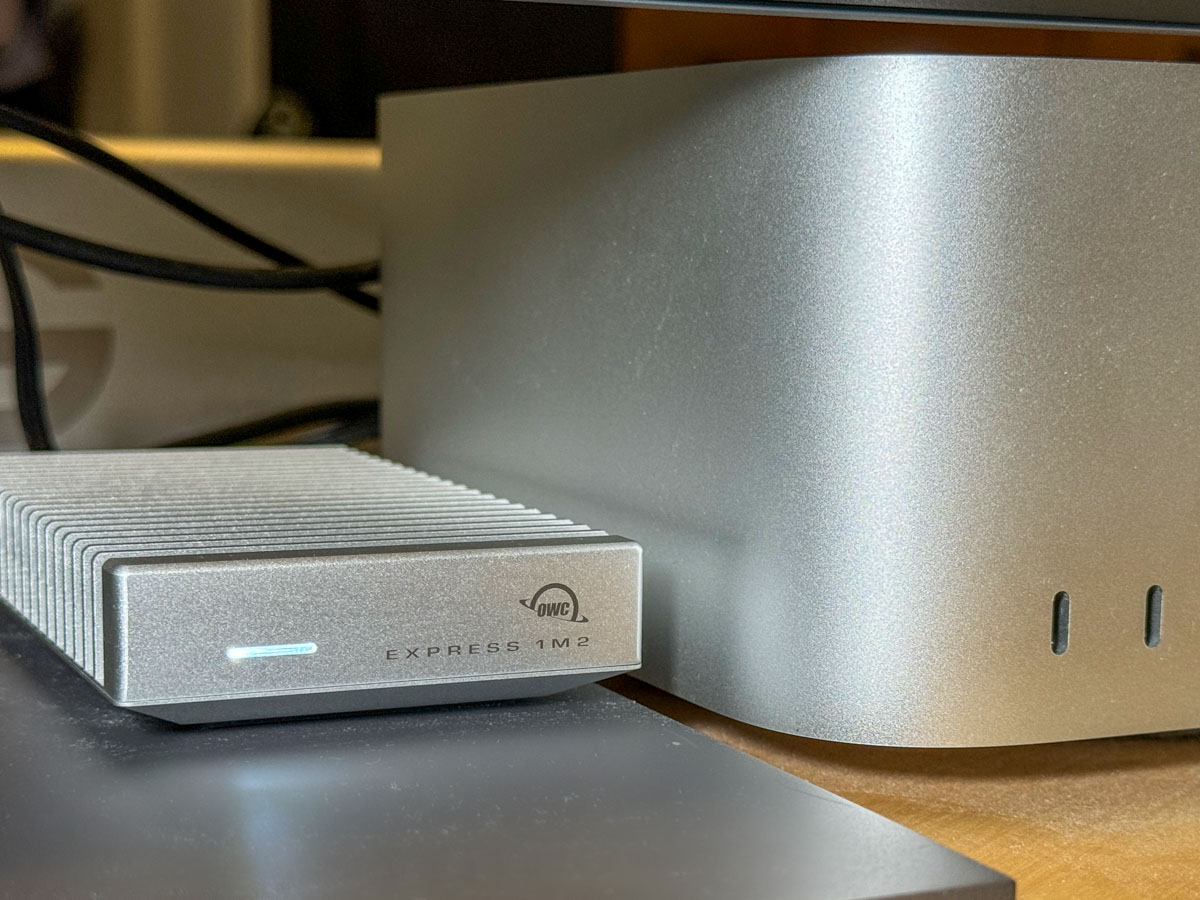
4TB OWC Express 1M2 SSD
All this said, I decided to go with a fast NVMe M.2 SSD. And I wanted to take advantage of the Thunderbolt 4 interface my Mac Studio offers. While there are many Thunderbolt 3 drives on the market, only OWC appears to offer a USB4 drive (same as Thunderbolt 4).

Now, some of you will immediately question my need for such a fast drive, and others will point out that thunderbolt 3 drives are fast enough for my media workflow. I know.

But this is a dizzying choice. So, I figured it’s best to go with a little more oomph than not enough.

So, I landed on the bus-powered 4TB OWC Express 1M2 SSD. (It’s an enclosure with the 4TB NVMe prepopulated.)
This Express 1M2 is blazing-fast, boasting 3200MB/s. It gets positive reviews, it’s compact and so far… it’s working great for me.

The Price for Performance and Peace of Mind
No, it’s not exactly cheap. (Remember, SSD technology is pricy.)

Yes, I could have saved more and bought a less expensive NVMe separately and popped it in an empty OWC 1M2 enclosure. But… I’m a baby.

Really, I just want this thing to work out of the box. Sure, plenty of you may chide me for being so ‘tech-timid.’ But hey… I’m not ‘Mr. At Home with IT.’ I know my limits. I’m not building my drives. I’ll buy them pre-built, thank you very much.

I just want some peace of mind. (Sure, I back up my files, but that’s also a complex equation.)

So, yes, I’m willing to pay a little more.

Build a Big Enough Home for your Files
Let’s review:

  • I bought a new Mac that had 50% of the internal storage of my old Mac
  • I inevitably ran out of space
  • A year later, I spent more money to buy a companion OWC drive for my Mac
  • I plugged it into my Mac Studio via a Thunderbolt 4 port, and I’m back in business

Yes, my story has a happy ending, but I’m not that happy.

Sure, maybe I have more media storage needs than the average bear, but not by that much.

I think today’s new computers simply need more internal storage. The fact that Apple sells its base-level computers with only a 256GB SSD is absolutely silly. (I could choose a stronger word.)

The lesson here is over the years, you’re going to need a bigger hard drive for your computer. And you’re going to pay for it one way or another.

So, plan for the future.

Why Vacation is the Time to Take Care of Business

Nobody wants to pack work for an upcoming vacation, but you might want to bring along some big questions. Here’s why.

I know that vacation time is when you’re supposed to really disconnect and recharge… Absolutely. Spend time with the family… 100%. Catch up on your sleep… Of course. Don’t think about anything… Well, not necessarily.

I don’t know about you, but my little organic CPU normally works hard to keep all the trains in my life running on schedule. Whether for work or family, there are countless details to constantly keep track of. Decisions. Calendars. Deadlines. That’s modern life.

The Big Questions
And despite all the help and efficiencies that technology (and now AI) offers us, it’s not necessarily getting any easier. We’re spread thin. Lots of balls in the air.

We have to prioritize what needs to be done today. Then, tomorrow. Then… later in the week.

But what about the decisions that can affect your life next year or into your next decade?

And that’s the problem. When do you find the time for those?

Well, I must admit that I can have some difficulty carving out brain space to ponder important details for the more distant future.

That’s where vacation time can help.

Create the Space
A little time off will usually give you permission to clear your head from the daily static. Is it best to leave all that empty space alone and let it be? I imagine many would agree. That’s the point of a vacation.

But I think it’s also an amazing opportunity to do some really good thinking.

You’ve cleared your mental plate from all the usual distractions. Now, you have the space to consider some of the big questions. And if you do that, you can start to really take care of business.

Yes, you’re doing work, but you’re working on you and your life. I’d say that’s a pretty good trade off.

You and your Universe
There are any number of ways to properly position yourself into this thinking state that can generate inspiration.

It may be at the crack of dawn with your cup of Joe. Perhaps it’s at the pool with a margarita. Or at the top of a 4,000-footer in New Hampshire.

That’s the purity approach. It’s just you and your universe. Nothing else. And then the answers (or possibilities) can start to materialize.

Sure, I’ve had some of those moments, and yes, they’re magical. But they don’t always show up, even if you set the right conditions for yourself. So, you might need to also set up a more traditional approach.

Stay Plugged In
As much as vacation is the opportunity to leave behind your daily routine, I also like to bring along enough technology to allow me access to my day-to-day details.

The last thing you want to feel is cut off.

So, yes… I bring along my laptop. I make sure I have all my necessary passwords with me. For better or worse, I process much of my life through any number of online connections. So, it’s helpful to have continued access as needed. (Some may be able to accomplish this solely with their smartphone. I just like having a little more visual real estate to work with.)

I think it’s simply about creating a new space for yourself that’s sufficiently tethered to your old space. Fresh but familiar.

Clarity in the Gift Shop
There’s nothing wrong with leaving everything behind, and not considering one single big decision other that how to enjoy your vacation.

But if you also have the opportunity to quietly focus on parts of your life that need a little work, that could lead to the best souvenir you could possibly find.

Clarity.

So, when packing for your next vacation, don’t forget to bring along a few of your big questions. You might just come home with some answers.