At Home with Tech

Unlock the power of all your technology and learn how to master your photography, computers and smartphone.

Category: family

This is my Father’s Final Gift to my Son
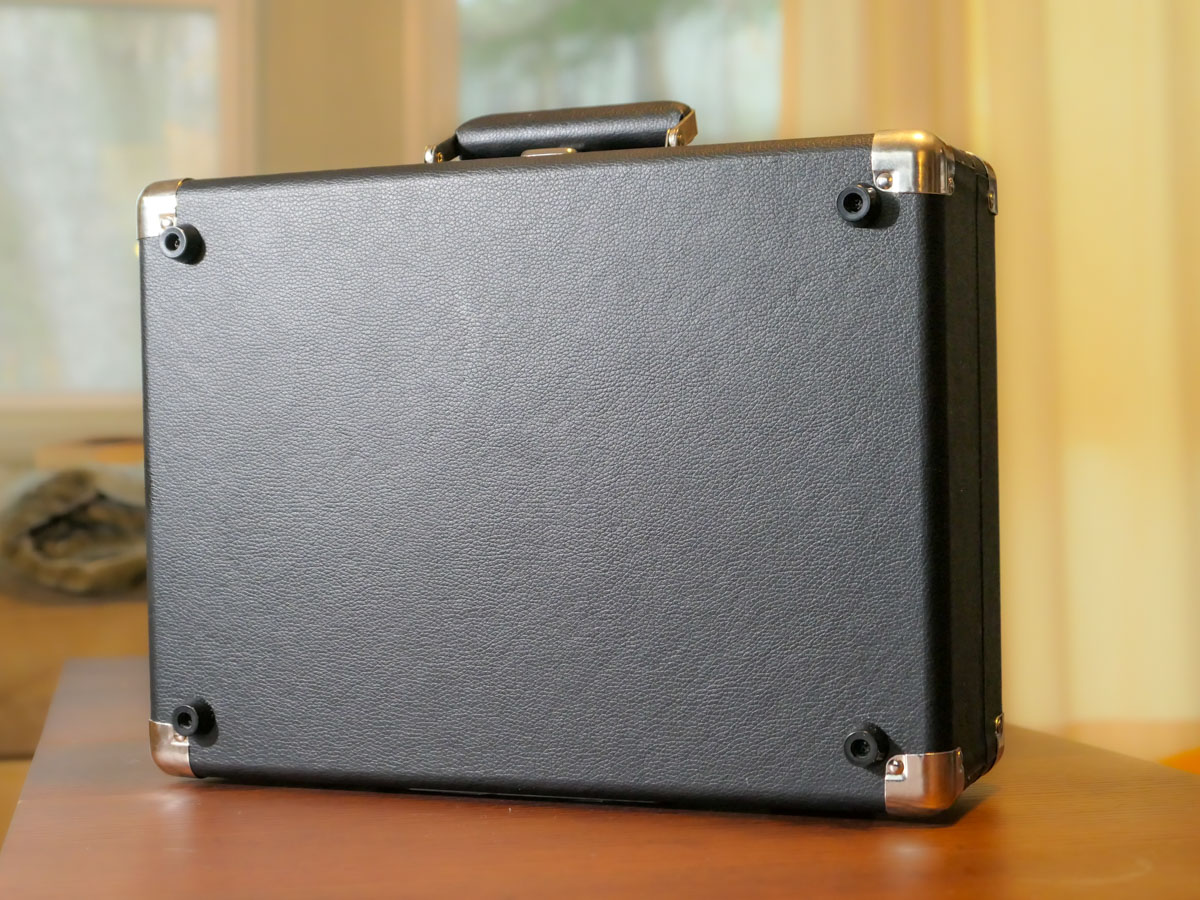
I brought home this locked briefcase I had received as a gift. When I opened it, I realized it was a conduit to one of my father’s greatest passions.

I recently received a portable record player as a gift. It’s an all-in-one device made by Victor that includes little stereo speakers and folds up like a briefcase. This updated nineteenth century music box has Bluetooth connectivity so you can pair it with a portable speaker of your choosing.

This Victor record player certainly seems like a cool gift, right? Plus, I know there are plenty of audiophiles out there who love listening to their record collections on their high-end audio systems. That said, I’m not one of them. I haven’t played a record in decades.

Partially Lost and Mostly Forgotten
I may have an old turntable collecting dust somewhere in our basement. But that’s only because I’ve not been able to part with my old record collection from my childhood. (I think that’s based more on a hoarding instinct I picked up as a kid from my Depression-era parents than on a well thought out collecting strategy.)

My old records have sat stacked in plastic milk crates in the corner of our basement without purpose.

Retrieving my Father’s Record Collection
A year ago, my father passed away. The anniversary is coming up this week. Of course, it’s bringing up a lot of feelings. When I needed to clear out his apartment in New York City last year, I had to go through his own record collection dating back to the 1940s and ‘50s. And do you know where many of them ended up?

That’s right… in my basement. They’ve joined my long-abandoned vinal disks.

I had no idea what I would do with my father’s records. But my father loved his music so much. I just couldn’t let it all disappear.

Introducing Analog Music
Fast forward back to my new Victor record player the day I brought it home. I had received it while I was in New York City. So, it was a bit of a schlep back on the Metro North train.

I was heading right to my basement with it, but then I had an idea. I reversed course and instead walked directly into our family room with the briefcase.

I found both my wife and son reading quietly.

I plopped the record player down with a loud thud on the wooden coffee table next to my son, and then I took a step back.

For a moment, nothing happened. (He was engrossed in his book.) Then, he looked up at me and smiled. Finally, he peered down at the strange object.

“What’s that?”

“Take a look,” I responded.

An Unexpected Turn
Yes, he knew what a record player was, but I don’t think he’s ever used one. My gift included a Crosby, Stills & Nash record. So, I suggested he pull it out of its sleeve. And then the lesson began.

My son is a quick study with his tech. (Yes, he’s faster at navigating our Apple TV than me.) So, we quickly got the record player up and running. It would have been faster if I didn’t take so much time explaining how to avoid scratching the record.
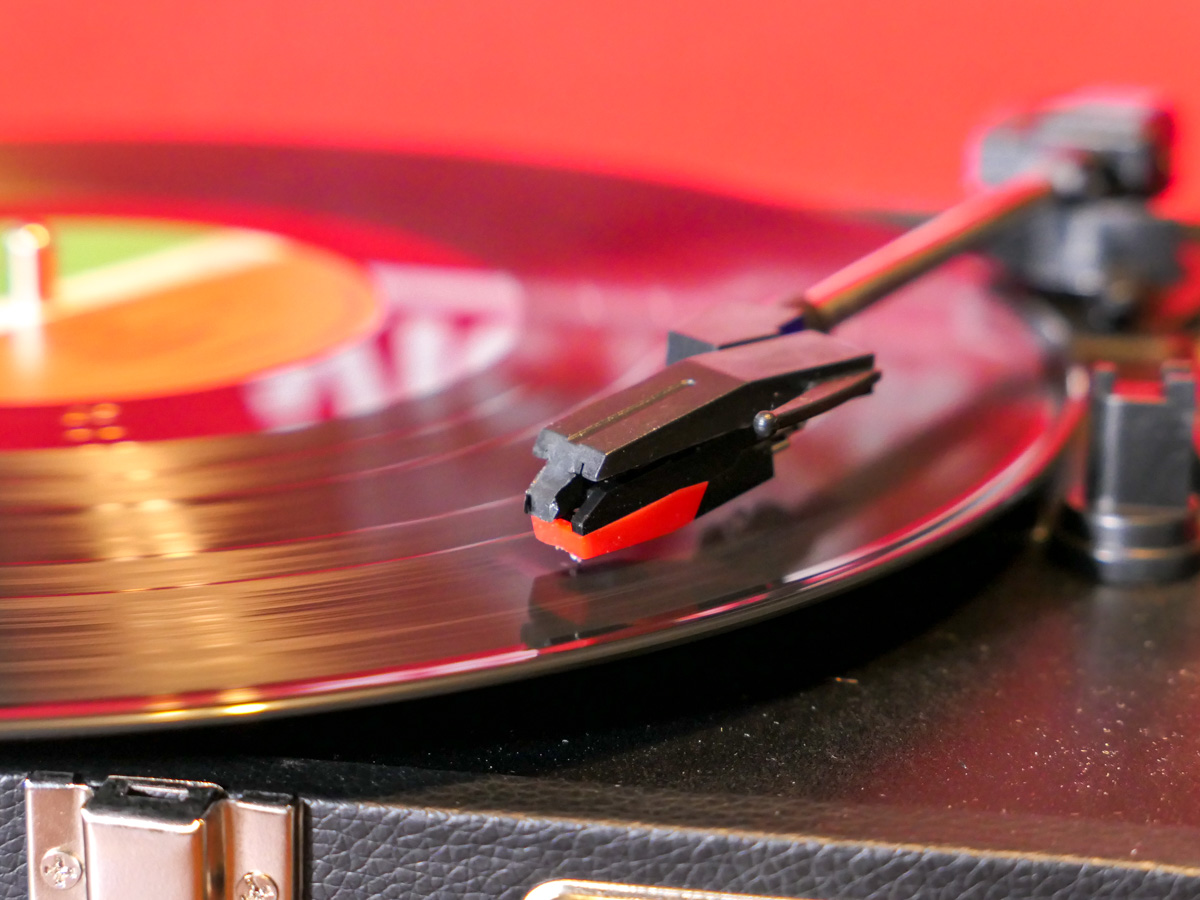
He sat back and listened to the record, taking in the whole analog experience.

The next evening, he asked if we could play the record again. I was a bit surprised that he was still interested. (He had full access to virtually all music ever created through our Apple Music subscription.) But I imagined it must have been more about engaging with this this new “old tech.” So, we got the record player going again.

The third day offered an even bigger moment. He asked if I had any other records he could listen to.

Whoa. Time slowed down for me. I hadn’t expected this.

The Gift of my Father’s Music
So, I asked him to wait for a minute while I walked down to the basement. I came back with Frank Sinatra, Harry Belafonte, Engelbert Humperdinck, “Oklahoma,” “West Side Story” and “The Music Man.”

I handed the LPs over.

“These were Grandpa’s records.”

He stared at them. I sure he was working through some feelings too.

And then one by one… he began to listen to them.

This continued over the next few days. I also started to bring up some of my own records…
Elvis Costello, Jethro Tull, “Yellow Submarine” and “Hotel California.”

But it’s my father’s collection that’s the foundation of what our boy has been consuming.

The record player isn’t going anywhere.

Bashert
My father has been gone for a year already, but his music is suddenly filling our house over this holiday season.

This random gift of ancient tech has served as an unexpected key to unlock so much joy from my dad’s silenced melodies.

I’m not sure I truly understand any of this, but somehow, it was all meant to be.

My father’s music is his final gift to our son.

And to me as well.

Thank you, Dad. I miss you.
Is There a Wireless Charging Stand for iPhone SE?

Even though iPhone SE isn’t built with MagSafe magnets, you can still charge it wirelessly. But it won’t stick to a charging pad. Thus begins my journey for a workable solution.

By now, it shouldn’t be this hard to figure out how to charge up all your gear. But if you’re like my family, you’ve got different versions of the same device (like iPhones) running simultaneously. So, over the years, I’ve collected various chargers that could keep powering newer tech. That’s good, right?

But the charging equation is complicated now that the tech industry sells much of its gear with the ‘bring your own charger’ sales strategy. Then, you’re forced to figure out how to power your new device. You need to immediately run through the compatibility equation with your existing power blocks.

Yesterday’s chargers may not be strong enough to handle today’s power-thirsty tech. And in a family where the kids are likely using older gear than the adults, every charger won’t work across the board.

And the complexity doesn’t stop there. There’s fast-charging technology and wireless-charging to also consider.

Wow. Do you also feel it’s hard keeping up?

Barrett’s Recent iPhone Purchases
Some months back, I had a little kayaking mishap, and my old iPhone XS Max drowned only weeks before iPhone 15s came out.

So, I decided to buy myself a new iPhone SE to hold me over with the plan to later gift it to our 13-year-old son.

For that period, I stuck with the standard Apple 20W USB-C Power Adapter and lightning cable. But when I ordered my new iPhone 15 Pro Max, of course I quickly upgraded to Apple’s MagSafe wireless circular charging pad.

No Click-and-Stick for the SE
When I had a moment to stop fixating on my new flagship iPhone, I turned my attention back to the scrappy but still totally capable new SE. I wondered whether it couldn’t also charge wirelessly. (Yes, I was totally enamored with the belated joy of wireless charging.)

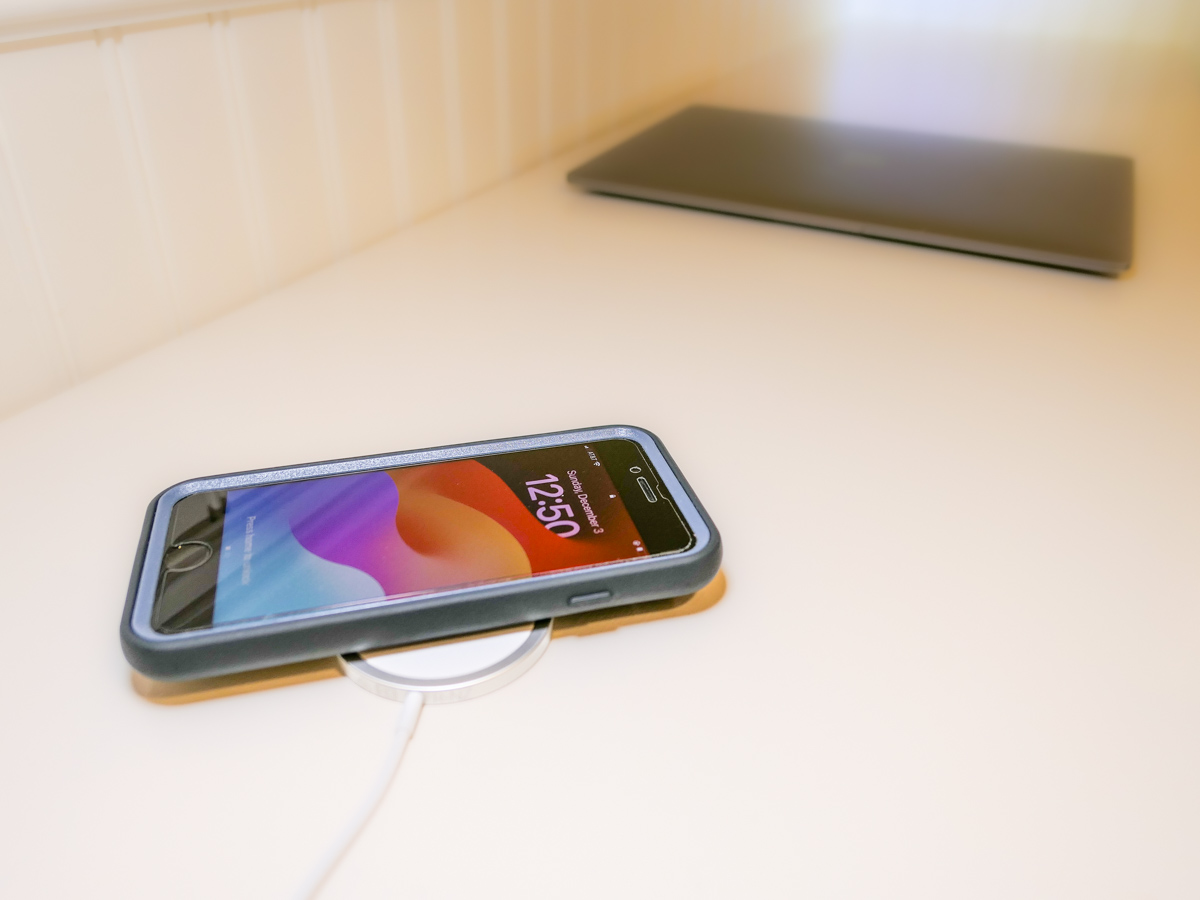
Unfortunately, the basic iPhone SE doesn’t contain the magnets for MagSafe functionality. But yes, it actually can wirelessly charge if placed properly on top of a Qi charger.

That last detail didn’t thrill me. Without that magnetic ‘click-and-stick,’ you can easily miss the charging connection lock by a few millimeters and end up in the morning with a smartphone that’s not ready for the day.

Stand vs. Pad
But I figured if I could find a solution where the iPhone SE fit more snugly into place, like on a stand vs a pad, that could be a better system for charging success.

Unfortunately, Apple does not sell a wireless charging stand without a MagSafe connection requiring iPhone levitation. So, I had to turn to other manufacturers…

Fortunately, I found two brands I trust that offered what I needed.

Anker 313 PowerWave Wireless Charger Stand
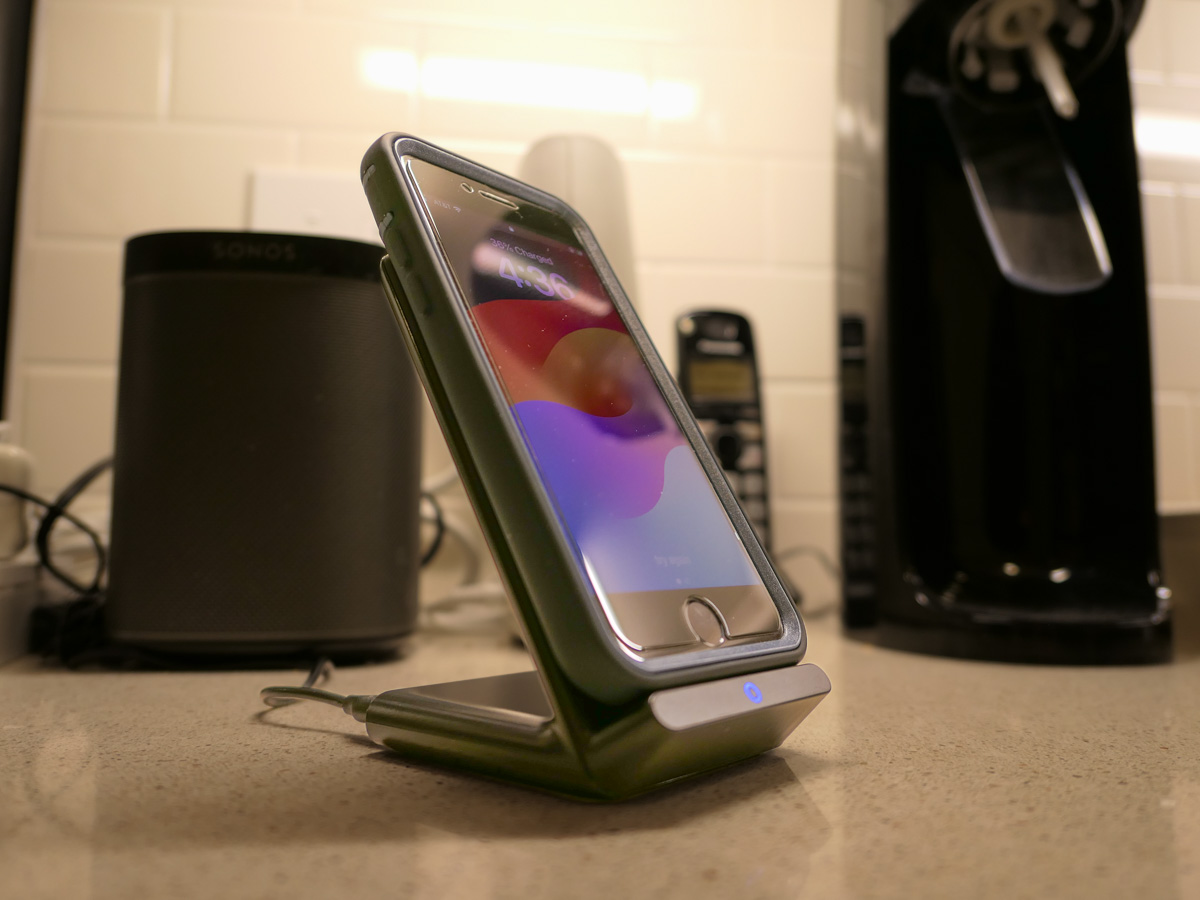
Anker makes a Qi-certified, tilted stand that an iPhone SE can safely lean on without relying on MagSafe.

The stand is boxed with a Micro USB to USB-A cable that connects to a USB-A wall charger. But it doesn’t come with the charger. You’ve got to provide that separately.
Anker states that you can’t use one of your old Apple 5V/1A stock chargers (the original tiny white block). Not powerful enough. You need a minimum of 5V/2A output. An iPad charger will work if you believe in sharing one charger for different devices. (What could go wrong with that plan?)

So, I knew I also needed a new power block.

Anker PowerPort+ 1 with Quick Charge 3.0
I read the fine print on the Anker stand’s power requirements to maximize its capabilities. My mind started to melt.

I immediately searched for a shortcut and landed on Anker’s only small USB-A charger. (All of their other models are USB-C.)

With both stand and charger, the Anker price is $30.38.

Belkin Boost Charge Wireless Charging Stand
Belkin offers an all-in-one solution, which you may feel is more elegant that my MacGyvered Frankenstein Anker plan.

You don’t have to figure out which charger block to buy. A Belkin charger comes packaged with the stand (which is similar to the Anker model, though more rounded).

I Bought the Anker Wireless Charging Package
I think both the Anker and Belkin options are solid choices. That said, the Anker stand and charger is only 30 bucks vs $45 for the Belkin option.

Based on this pricing differential, I went with Anker.
Click.

Fast-Charging is Always Helpful
All I really wanted was an overnight wireless charging solution for our iPhone SE. And now we’ve got that.

But as it turned out, I’ve also put in place a fast-charging solution with the Anker 313 Stand and PowerPort Quick Charger for any number of our current and future devices.

As much as I prefer the overnight charging rule for our son, what could possibly go wrong with that rigid strategy combined with the complexities of busy family life?

We all sometimes need a little quick boost of power in the morning.

And so do our devices.

Is the Lifetouch Digital Package for your Child’s School Photo a Good Deal?

After your kid’s school picture day, it’s time to choose which photo package to buy. Here’s how to figure out what might be best for you.

I have a confession to make. I have dozens of unused Lifetouch school photos of our son still sitting in their original envelopes. They span back over a decade of my middle schooler’s life. What happened?

Quite simply, I ordered more photos than I needed. Each year, I’ve really tried to order to right package for my family. But the truth is the package configurations are supersized with options I don’t need. I’ve never wanted those little 2×3 wallet photos to give out. (Doesn’t a digital picture on a smartphone serve the exact same purpose?)

Sure, an 8×10 print is nice. Even a couple of 5×7’s. But really, it’s the digital file that’s most important to me. Then, I’ve got the keys to do exactly what I want with it. I don’t really need a photo factory churning out a high volume of prints for me. (Caveat: I’ve got a smaller family.)

But of course, Lifetouch wants you to buy prints. That’s their profit margin. So, the digital file is difficult to isolate.

Welcome to the Digital Landscape
Now, Lifetouch (owned by Shutterfly) offers their new Digital Only Package.
Yay! But wait…

It contains two digital versions of the exact same photo. One has the standard blue background. The other offers the background of your choice.

You also get the option to stamp your kid’s name and grade on the front, and the option to allow a Lifetouch artist to retouch your kid’s photo to ‘improve’ it.

Really?

Keep it Real
So, I don’t really want or need a buffed-out photo of my 13-year-old son. He’s perfect. And I say that every kid is perfect. There’s no need to change anything. Seriously. I understand why a parent might want to improve a photo, but that’s not the way your kid looked in that moment.

If you’re buying school portraits every year, like I’ve done, I think it’s best to think of them as a progression of a child’s life over time. That’s their ultimate value. We all have thousands of photos of our children that we’ve taken ourselves. We don’t really need another photo.

But taking the same photo year-over-year… and then putting them together in a montage… I find that’s a magic equation to help tell the story of a person’s early years.

The Basic Package
For $19.99, the Basic Package offers plenty for most needs (unless you have a large family). You get the digital photo file with the basic background (forwarded to your Shutterfly account). Plus. you receive a few prints:

  • 2 – 5×7
  • 2 – 3×5
  • 4 – 2×3

The two 5×7’s are useful, and I can pop them in frames. The rest will sit in the envelope forever.

Still… spending twenty bucks for a portrait, the digital file and a couple usable prints is a good deal.

The Digital Only Package
For $36.99, the Digital Package still only gives you the one portrait. Sure, they say they give you a second digital file with a different background. And that’s true, but I don’t feel that almost doubling the price is worth it for the exact same picture of your child.

No, I don’t need the ‘premium’ touch up treatment, thank you very much.

And I absolutely don’t want his name and grade burned into the image of the digital file. That’s really limiting for future use in my own photo montages of him that I may create. (I just want the ‘clean’ photo.)

Basic is Best
If you compare the two packages and strip away the undesirable pieces, the Basic Package gives you more. You get the digital portrait plus a few hard copies.

The Digital Package effectively gives you the same digital portrait. And that’s it. For almost double the cost.

So, this year, I’m buying the Basic Package.
Click.

Barrett’s Suggestion for Lifetouch
If I were to design a Digital Only Package that I would want to purchase, it would contain four digital files.

  • 2 digital files with the background of my choice
  • 2 duplicate files with the name and grade burned into the image
  • Optional premium retouching service (if you insist)
  • $29.99

You’ve got to believe that eliminating the printing/packaging/delivery costs of physical prints is a huge savings for Lifetouch. Why not beef up the Digital Only Package a bit and bring the price down?

Food for thought, Lifetouch…