At Home with Tech

Unlock the power of all your technology and learn how to master your photography, computers and smartphone.

Category: family

5 Easy Ways to Help your Tech Run Better 

It’s probably time to give some of your tech and digital systems a tune up. And that may mean you need to look under the hood.

The promise of home tech often contains the glow of a ‘set it and forget it’ mentality. The truth is you really shouldn’t leave anything on auto pilot for too long. (Turning on ‘auto updates’ isn’t enough.) You need to check in every so often.

No machine runs flawlessly forever, even the ones without any moving parts. Over time, they need ongoing maintenance. That can also include the digital processes you create for yourself to help organize parts of your life.

Here are five ways that your tech and digital systems can use a little tuning up right now.

#1
Clean the Lint out of your Smartphone’s Charging Port
Have you noticed that your Lightning or USB-C cable isn’t always making a solid connection with your smartphone, and sometimes you wake up to a partially charged device?

That’s because if you usually place your smartphone in your trouser pocket, the lint has slowly been building up into that tiny port. A clue that this micro invasion has occurred is when your cable no longer clicks into the port, and the connection instead feels ‘squishy.’

It’s time to take the end of a paper clip and gently pull out that mini fuzzball that’s hiding at the back end of the port. (I always turn off my iPhone first before beginning the operation.)

#2
Hurry Up and Finish Reviewing your Photos from Last Year
If you’ve got a system set up (like me) where you review and edit your photos before you share them, you’d better set aside some time to finish all that up. Last year’s photos will only retain their value for so long. Beyond archiving and photo book creation, nobody is interested in your old photos. It’s all about what happened today or yesterday (maybe last week).

Sure, having a ‘process’ to select and polish your best photos before sharing them will ensure your audience gets to see your best work, but the downside is you may not have enough time to consistently maintain your perfectionism.

If you marvel at how fast and effortlessly some of your friends share photos, that’s because their process is stripped down to three steps across fifteen seconds.

  • Snap
  • Look
  • Share
  • (Done)

It’s worth considering.

#3
Buy a New Memory Card for your Camera
Do you let all of your photos pile up in your camera’s SD card without taking the time to erase them after transferring the files elsewhere? And then do you decide that’s it’s a good idea to hold onto them as yet another file back-up strategy to protect against some future disaster recovery need?

To be clear, we should simply follow our existing back-up process and then wipe the memory card to free it up for more photo fun.

But, if you have a problem (like me) doing that, the other choice is to simply buy another SD card and start fresh in the New Year. (They’re not that expensive.)

Then, you can pop the old memory card in the drawer, quickly forget about it and then eventually lose it.

When aliens uncover the tiny card in a million years, they’ll transcode its corrupted data, pixel-approximate the missing elements and reconstitute your images. Who knew that humans had three eyes and two noses? What a beautiful family you had! Your legacy is now intact.

#4
Reorganize the Apps on your Smartphone
If you’ve been having difficulty finding certain apps on your smartphone or they’re not where you thought you left them, it’s time to take a few minutes and do a little reorganizing. That can include placing some of your apps into topic folders and perhaps pruning others you haven’t used for a while. (You can always reload them!)

Losing a few long-forgotten apps will also free up memory on your device.

#5
Do those Software Updates
Keeping all of your digital gear current with software updates is an endless process that requires a fair amount of effort and organization. And following an auto-update strategy can sometimes lead to updates that aren’t ready for prime time. I think it’s best to have your tech remind you about the updates, and then you can manually install them. You’ve just got to find the time to do it.

The Doctor is In
Admittedly, all these easy best practices are also chores that are often delayed, sometimes indefinitely.

One way to ensure that you keep up is to set aside an hour a week to handle it all. It may not be enough, but it’ll help you know what needs more attention.

Ignorance is not bliss when it comes to keeping your tech and digital systems healthy.

Otherwise you may find they’ll stop working for you when you least expe

😉
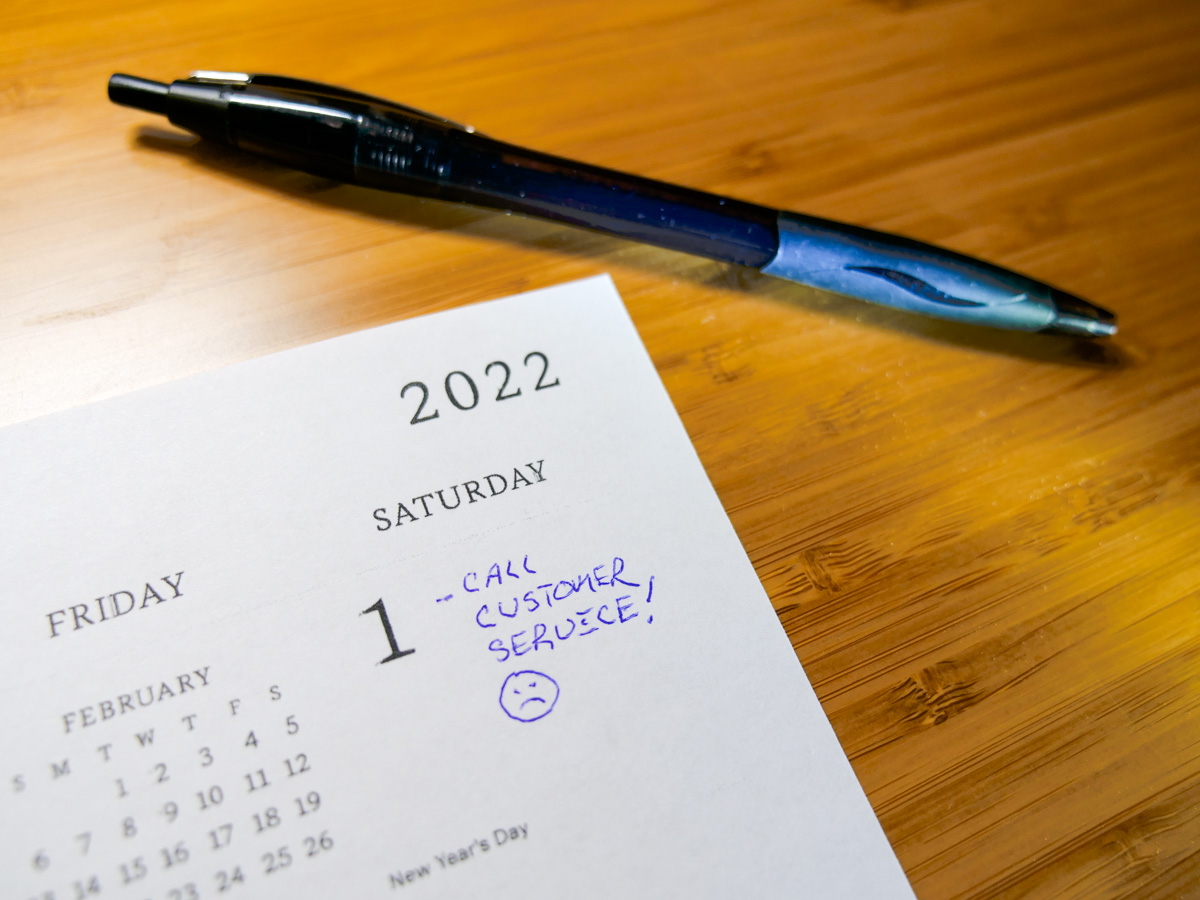
Make a Friend when Calling Customer Service

You have more power than you think to find a happy resolution during your next call to customer service. Here’s how to access it.

Recently, I had a problem with a streaming app for a pay TV service that suddenly wouldn’t recognize my subscription. The app was tethered to my cell phone account as an added benefit, because I’ve maintained a higher-level data plan. The relationship always seemed a bit complex, but it worked… until it didn’t. And of course I realized my subscription had prematurely ‘expired’ right when I pressed play for a family movie night presentation of Peter Jackson’s “The Hobbit: An Unexpected Journey.”

After I wiped egg off my face, I switched apps, and we found something else to stream. Later, I picked up the phone in search of a solution to my misbehaving app.

We all know the proverb that you’ll catch more flies with honey than with vinegar. But it’s also easy to forget when having a frustrating moment with a customer service representative.

Customer Service 1.0
While growing up, I often observed my father apply negative pressure in any number of customer service moments to help mold his desired outcome. I think it was a simpler time when resolutions seemed more achievable, and customers had more power to influence them. But getting angry and threatening to take your business elsewhere is never a sustainable strategy. Even as a kid, I remember feeling that.

Customer Service 2.0
Not to over-generalize, but eventually business trends changed and customer service shifted. We can debate this decline, but I think a key ingredient is added complexity as a result of business efficiencies. Plus, much of the decision-making power has been taken away from the front line of customer service and replaced by the weight of following process.

Your dissatisfaction is likely not the fault of the person on the other end of your phone call. Sure, you may feel a sense of genuine disconnection with the conversation, but there could be other factors you’re not aware of, such as computer systems containing your account info that move much slower than the human mind (how ironic).

Customer Service 3.0
While I’ve been mindful not to practice my father’s bad customer behaviors, that doesn’t mean I’ve succeeded at living on a totally Zen plane when calling customer service. Sure, I get frustrated, just like the rest of us.

But when I made the call to fix my broken streaming app, I had an amazing ‘aha moment’ that changed my entire perspective.

Yes, I ended up speaking to three customer service representatives across two separate phone calls spanning two hours (including waiting on hold for 30 minutes for the first call to begin).

No, it wasn’t a great start. However, the three people I spoke with were all stellar in their positive disposition. They all truly wanted to help me out. Unfortunately, I think none of them had access to all of the information they needed. The third rep had the greatest understanding of the issue, but was still confounded why her technical fixes weren’t working exactly the way they should. Eventually, she moved around a final glitch to MacGyver a solution for me.

It was entirely imperfect, but I appreciated that all three were totally focused on working the problem for me. And, yes my app was reborn.

Throughout this experience, I didn’t see them as adversaries, even though the first two couldn’t solve my tech riddle. Instead, I felt they had joined me on a spontaneous road trip together. And that shifted my attitude.

Together, we needed to locate a hidden variable, and it was buried somewhere in the computer system. No person could totally solve my problem. The machine would need to play nice too.

Make a New Friend
The reality is the computer controls much of the customer service conversation. And if you’re open to this cold truth, that should shift the fundamental relationship between you and the customer service representative. In fact, it should create an alliance. Because it may take both of you to figure the problem out… together.

Your impersonal connection can magically shift. Now, it’s the two of you against the machine. This momentary alliance is powerful, and it can wash away all of the negative impulses you may be feeling.

Because, you can’t get angry at a inscrutable computer system that won’t behave. The only solution is to team up with that other human being on your phone call.

Then, you’ll have a fighting chance to resolve your problem.

Nice is the New Mean
Being civil as a customer is no different than how we should strive to act throughout life. But that’s easy to forget, especially during these pandemic years when patience can be even harder to maintain.

And if you can put aside your past frustrations with customer service, you’ll realize your perceived enemy can be your ally if you actively reach out to create that alliance with the other person.

Your most powerful weapon is simply showing your humanity.

And as we begin another year, remember that this truth applies far beyond customer service interactions.

Treat everyone well. See the big picture. We’re all in this together.

Make a friend.

Happy New Year.

How to Replace a Lost Prepaid Return Shipping Label from Soda Sense

Seltzer alert! If you happen to lose your prepaid shipping sticker for your empty CO2 canisters, here’s where to go to print out a new one.

The Lester family really loves its seltzer water. Whether it’s for lunch or dinner, having some carbonated water can really perk up any meal. So a couple years back, I bought us a SodaStream seltzer maker to minimize the pile up of seltzer cans and bottles to be recycled. (Plus, reducing our daily need for disposal plastics and aluminum is good for the environment!)

Endless Bubbles Program
I also simultaneously signed up with a carbon dioxide canister exchange program from Soda Sense. (Dissolved CO2 is the magic ingredient in bubbly water.) The deal is after you use up two of three CO2 canisters, you mail two back for fresh ones.

You simply place the empty canisters back into their original box with a prepaid shipping sticker and pop the package in the mail. A few days later, a new box with two fresh canisters shows up, and your credit card is automatically charged $44.65. How easy is that?! (SodaStream now offers a similar program.)

I Lost the Prepaid Shipping Label
Everything’s been working great with our Soda Sense relationship until last week. I went to pack up my two used CO2 canisters, and the return prepaid mailing sticker which came in the box was mysteriously missing. I’m sure I lost the sticker somewhere in our basement. (We can also say our cat hid it.)

So now what?

A Complicated Journey to an Easy Solution
I googled the problem, and surprisingly nothing came up. Then, I went to sodasense.com and looked for the answer in the Help section. Nothing.

Really?

I signed into Soda Sense and poked around. I finally clicked on “Update Your Account,” even though I didn’t want to update anything. But I hoped there might be a clue there. And in fact there was!

  • At the bottom of the right column, I spotted, “Email me a replacement label.”

Voilà!

Now was that so hard? Seconds later, I received an email with the new shipping label to print out. (Yes, it’s just another reason why you still need a printer at home.)

I taped the substitute prepaid address label onto my box containing the spent canisters and then walked the package to my mailbox. Finally, I raised that little red flag on the side of the mailbox (how wonderfully analog).

Feeling Bubbly Again
I’m not sure how many people lose their return shipping sticker, but there should be an easy way to print out a new one. And in fact, there is….

It’s just somewhat of a hidden solution. They make you work for it a bit. (Perhaps as a reminder to be more organized?)

But the silver lining is you can then write a blog post about it.

Thank you, Soda Sense. Keep those CO2 canisters coming!