At Home with Tech

Unlock the power of all your technology and learn how to master your photography, computers and smartphone.

Category: pandemic

How to Slow Down the Inevitable End for your Beautiful Tech

Yes, I immediately ruined the sleek beauty of my new Apple Watch by strapping a protective bumper over it. Was that necessary? Here’s what happened the very next day…

Design is a key element for the look of your personal tech. Sure, how your gear works is important, but it sometimes feels like style supersedes function.

So, if a piece of technology is designed to look beautiful, covering it up can be viewed as something of an insult. Or at the very least, you’re certainly not cool.

But the reality we move through every day doesn’t usually contain smooth edges and gleaming surfaces, unmarred by the brutality of existence. Wearing expensive and beautiful personal tech in an unpredictable and messy world creates inevitable danger for your devices.

Let me count the ways I’ve put my tech in harm’s way.

Projectile AirPod
During the latter part of the pandemic, I was walking to work from Grand Central Terminal wearing my Apple AirPods. When I stepped into the crowded office elevator ten minutes later, I temporarily popped on a face mask.

As I exited the elevator onto my floor, I quickly pulled off my mask. That was a mistake.

One of the mask’s ear loops caught the left AirPod, and a rubber-band effect propelled it forward into the elevator-bank hallway.

My AirPod flew towards the wall and hit it hard (with a horrible ‘ping’ impact). It ricocheted onto the floor and then skidded about like a glass marble. I chased after it in horror.

Somehow, my tiny AirPod seemed undamaged.

Apple Watch Scarface
Five years ago, I bought my first Apple Watch. Of course, I immediately bought a plastic bumper for it, which provided a protective raised edge.

I had to ruin my Apple Watch’s sleek beauty in the name of common sense. I often whack my wrist on objects. I felt the watch would simply never survive.

And for years, the bumper worked just fine. Then one day, I looked at my watch to check the time, and I saw a diagonal scratch on its face. There had been no impact that I could recall. The silent attack obviously came head on and avoided the bumper.

It would have been a more crushing moment had it occurred earlier in my Apple Watch’s life, but it was still annoying.

That said, I often spot people living with mutilated smartphones, the spider-cracks spanning entire screens. And these people act oblivious to the damage, since the screens somehow continue to function. (But I know they must be crying inside.)

My Apple Watch’s singular scratch was a laughable inconvenience by comparison.

OtterBox Bumper
I finally said goodbye to that scratch when I recently upgraded to my new Apple Watch Series 9.

And this time, I not only bought a bumper to protect my new Apple Watch’s edges, I found a model with a built-in screen protector. Yes, please!

While not exactly inexpensive, I think the OtterBox Eclipse is well worth its cost for the added screen protection.
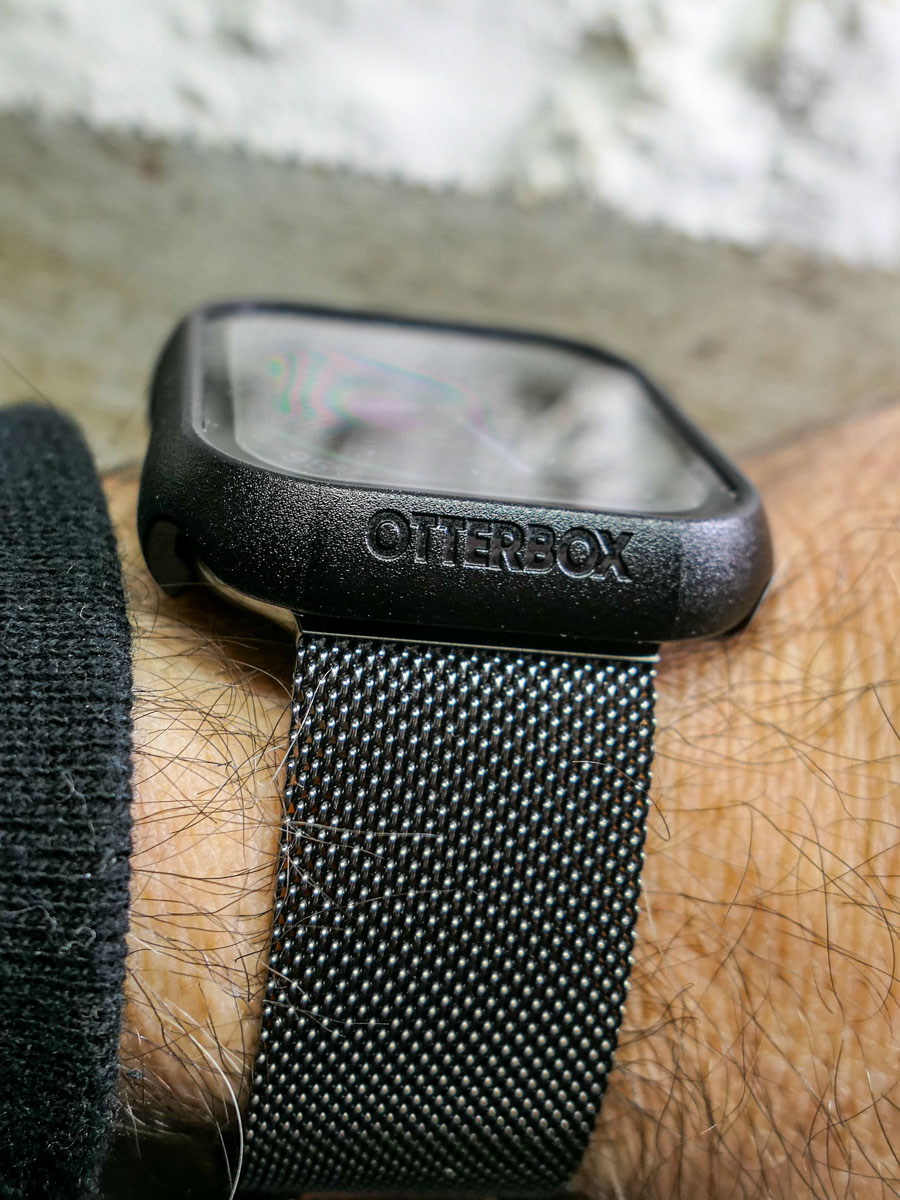
So, I popped on the Eclipse. A warm feeling of invincibility washed over me (silly human).

A Danger at Every Corner
The very next day, I walked up to my closet to pull out my sneakers. I used my left hand, which was sporting my new Apple Watch. My hand almost imperceptibly brushed against the door frame’s edge as it moved in for my sneaks, which were jammed in the left corner.

An hour later, my heart skipped a beat when I realized there was a long horizontal scratch by the OtterBox’s lower edge.

What?! This is day 2 for my new Apple Watch! And I’ve ruined it already?!

I looked closer…

Phew. The scratch was actually on the OtterBox case… not the Apple Watch. (Yay OtterBox!)

And it wasn’t a scratch. It was a whisper-thin line of paint that had rubbed onto the case from my painted door frame as my wrist brushed by.

Was my brand-new OtterBox case now permanently scarred? Not necessarily.

Scrub Up
I quickly set up a mobile tech repair station on my dining room table with a bottle of rubbing alcohol and a folded strip of paper towel. I dabbed an edge of the paper towel into the rubbing alcohol and then very gently ran it over the line of paint on my OtterBox case.

It was critical not to overexpose the OtterBox case to the rubbing alcohol as it could ruin the case’s finish. And of course, I knew not to touch the screen protector with the rubbing alcohol. (I’m not a chemist, but I didn’t want to discover how quickly I could do even more damage.)

My light-touch strategy worked. The paint disappeared, and my OtterBox case looked like new. Life was good again.

Have a Repair Plan
One more word: AppleCare.

You can cover up your tech all you like. Sometimes that’s not going to be enough to protect it. You might say that damage is inevitable. It’s just a matter of when and how.

You can’t control everything, and that’s okay.

No, it’s not a good idea to catapult your AirPod onto a marble wall. Try not to drop your smartphone on a cement sidewalk or whack your Apple Watch onto what feels like a diamond-edged wall corner.

But when you do, having paid a little more for a repair plan certainly helps.

Bumpers for Bumps
After AI takes over the world, I expect personal tech design will no longer focus on physical beauty. I imagine the iPhone 45 may be a gruesome-looking device with sharp wires fused to our skin like a Star Trek Borg interface.

Until then, we must endure the limits of sleek and delicate design for our personal tech and do our best to protect against the bumps of daily existence.

Otherwise, your gear’s ‘End of Life’ may come sooner than you’d prefer.
What to do When your Holiday Gift doesn’t Show up

Packages don’t always arrive on time. Here’s how I try to handle that inevitability.

“Your package is on the way, but running late. We’re sorry for the delay. Now expected December 27 to December 29.”

That’s the email I recently received from Amazon. Yes, the package in question was a holiday gift for our son, and now it wasn’t.

You might think I was upset to receive that disappointing update. I was not.

Expect the Unexpected
I’ve always been something of a last-minute shopper. Try as I may, wrapping up gift purchases comes down to the wire every year. But I’ve always gotten it done. That said, this year was particularly difficult. (More on this in another post.)

As you might expect, online shopping has made the gifting equation easier for me, until it didn’t, when the pandemic and supply-chain issues delayed almost every delivery.

I was retrained to expect disruption.

And when online shopping returned mostly to normal, I wasn’t so quick to assume that ‘promised’ delivery times would always hold up.

So, did I expect some shipping delays and ultimately buy more gifts for our son than needed during my 2022 last-minute shopping sprint? Yes, I did.

And yes, there was a back-up gift ready to go to the front of the line.

Do You have a Back-up Plan?
So no, it was not disappointment I experienced when Amazon shared the bad news with me. I actually felt relief and a bit of joy. I think I even smiled. I was happy that I had successfully hedged against this possibility.

And I knew that I could easily return the package. Or perhaps I’ll keep it as a back-up gift for next year. (How’s that for early planning?)

It’s Not about the Gift
I know that the holidays shouldn’t always be about gift giving. Instead, it’s an opportunity to be with family and friends. It’s a time to connect and sometimes reconnect.

And it’s a time to celebrate who and what you have in your life.

You just don’t know what tomorrow will bring.

And if a gift shows up late, so what? As long as everyone you care about shows up, that’s all that really matters.

Happy holidays, and here’s to smiling at every late package arrival.

How to Improve your Zoom Background at Home

Making sure you’re properly lit in your Zoom shot isn’t always enough. What about the supporting cast in your webcam’s view?

It’s clear we’re at a point where participating in Zoom meetings is a permanent part of home life and a necessary tool to communicate with our world. So, it’s important to create a ‘remote video communications’ home set-up that really works for you and your viewers.

I hope most of us are beyond the chaotic experience of working from home and participating in meetings all day. During those early pandemic months, simply finding a quiet spot to open up your laptop for a Zoom, Skype or Teams meeting was a challenge.

How your shot looked understandably may not have been your priority.

Keeping it Real
But as we’ve settled into our new routines, many of us have improved our Zoom look.

I’m sure you know the basics by now:

  • Make sure you’ve got enough light on your face.
  • Don’t sit with a window behind you.
  • Position your webcam perpendicular to your eyes, not looking up your nose.
  • Declutter your background.

I know many folks are fond of using virtual backgrounds. While that’s okay, I like to keep my shot as authentic as possible.

I’ve tried digital and blurred backgrounds, but I always felt like I was in a science fiction movie.

Can you See my Robots?
So, even though my home office is hardly an ideal space to create the perfect video shot for my Zoom meetings, I’ve continued to tinker with my background throughout these many months.

Recently, I moved the furniture around in my home office, and to a certain extent I’ve created something of a blank canvas to work with.

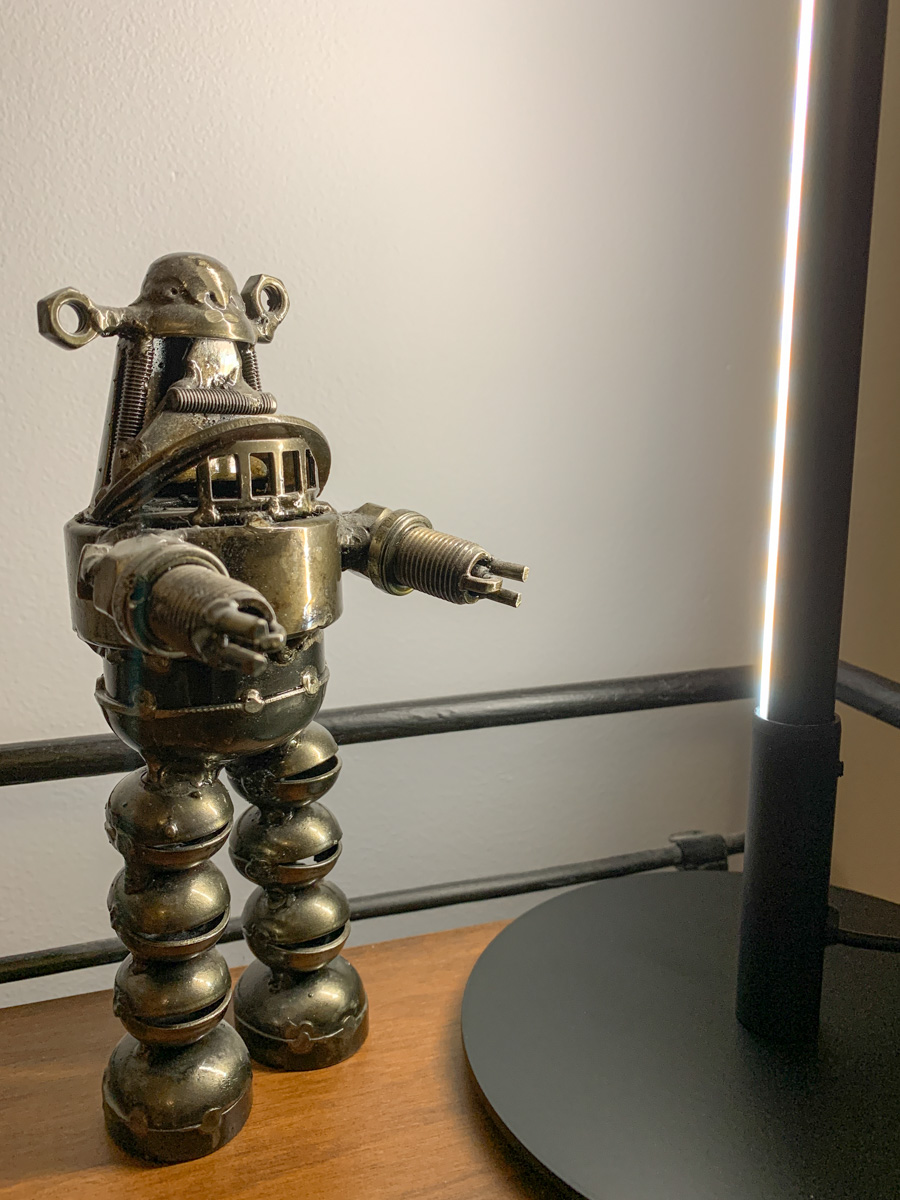
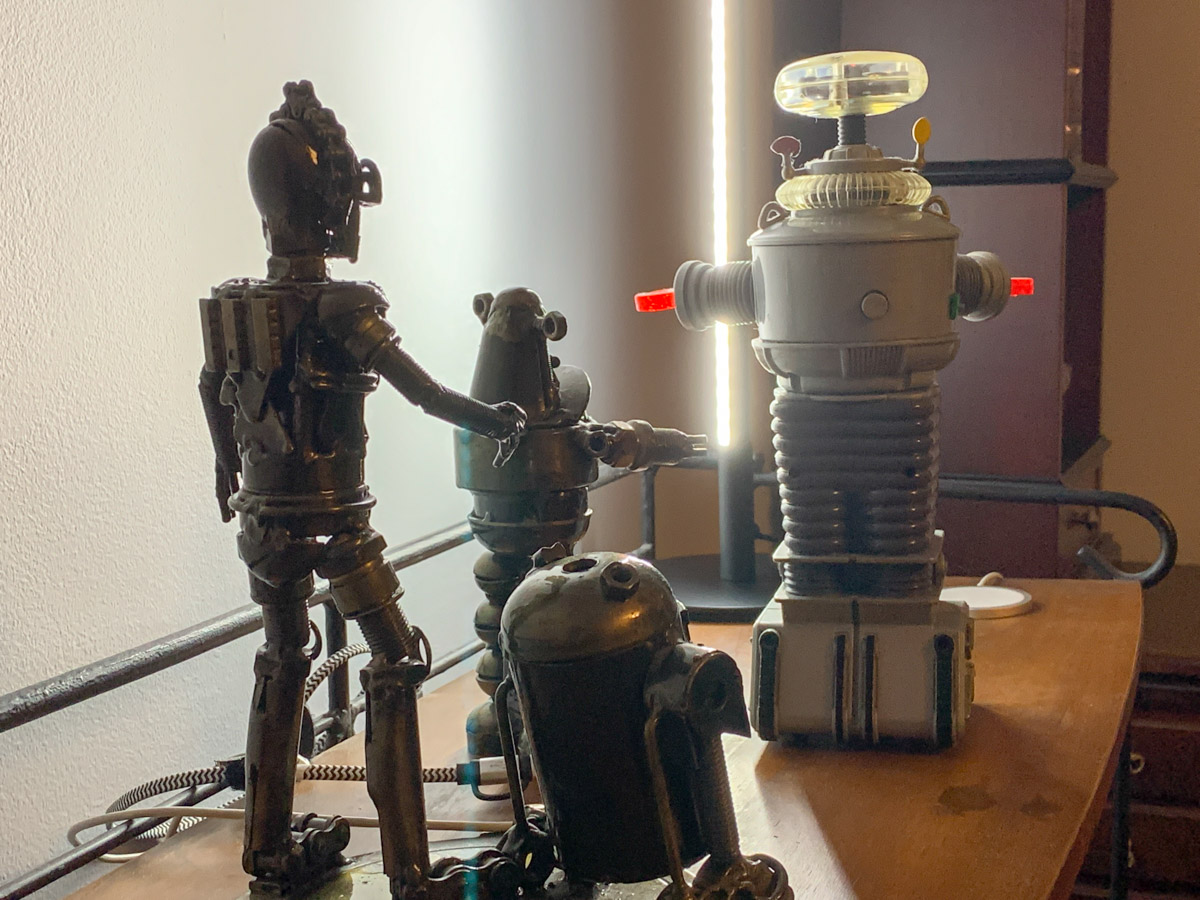
I repositioned a short bookshelf into my Zoom background, and I used the top shelf to display a few robot statues I’ve collected over the years. (R2D2, C3PO, Robby the Robot and Robot from the original “Lost in Space”)

They’re also nice ice breakers as people sometimes ask about them when they spot my metal robots in my Zoom shot.

The only problem is my robots looked like shadows in my background. That’s because my back wall didn’t have a lot of light hitting it.

Time to Add More Light
Like any professional studio TV set, you’ve got to properly light your entire space, and that includes the background. Otherwise your environment will look drab, no matter what it contains.

And webcams are usually happier if your lighting is more even throughout the entire shot. That means you’ll look better and not over exposed.

So, I needed to figure out how to throw more light on that back wall and my little robot display.

Vertical LED Table Lamp
There are any number of ways to do that. A floor lamp next to the bookshelf would be an easy solution. That said, I didn’t want to clutter my background (or my home office). Instead, I looked for a lighting solution with a smaller footprint: some sort of lamp that could sit on the end of the book shelf just outside of my Zoom frame.

I found a small vertical LED table lamp made by Edishine on Amazon.
It was the perfect solution. It added the background fill light I needed without overwhelming my shelf. The lamp’s cold, minimalistic look also blended nicely with my little metal companions.

Think of it more like an under-cabinet lighting solution, but designed as a self-standing vertical glow.

Now, my robots are easy to spot in my Zoom background. Plus the extra light also helps my back wall pop.

Zoom-Optimized Rooms
If you want to really show up for your close up during Zoom meetings from home, you’ve got to do more than light your face and wear a nice shirt. Your environment is an extension of you, and it’s important to give it the same attention as you set up your webcam shot.

That means your whole room (or at least the part people see) needs enough light.

I know we don’t live in TV studios (well, most of us don’t). But I think it’s fair to say that when you think about how to decorate your living spaces moving forward, it’s not crazy to plan for the creation of Zoom-optimized rooms.

It’s not science fiction. Yes, reality has caught up.