At Home with Tech

Unlock the power of all your technology and learn how to master your photography, computers and smartphone.

Category: photography

From Static to Cinematic: How I Added More Motion to my Sunrise Videos

A sunrise timelapse video can be amazing. But unless you’re running your timelapse for a couple hours, the sun doesn’t move enough to make a big impact in your shot. (Plus, after 30 minutes, it’s not really a sunrise anymore.) So, our star is only half of the equation to generate a beautiful timelapse. 

Clouds are the other half. They’re often moving a bit faster, and when sped up by a timelapse, their motion is far more dramatic. Plus, clouds can help provide the deep, reflective coloring distinctive of any great sunrise.

Sure, clouds are technically the supporting players for this opening act, but they can steal the show when they’re in sync with their star.  

Conversely, without properly positioned clouds in your shot, a sunrise timelapse can look… boring.

In Search of the Perfect Timelapse of a Summer Sunrise
For the past few years, I’ve been vacationing in southern Maine by the stunning mud flats in Cape Porpoise. And I’ve woken up at the crack of dawn each morning with the hope of capturing a ‘perfect’ sunrise timelapse. 

I use my little DJI Osmo Pocket 3 gimbal camera, which is a great tool for timelapses. You just set it up on a tripod, program the timelapse sequence, and then it does all the work. It can even add a little panning motion. 

But the odds of success each morning have not been in my favor. 

Stormy Sky
Surprisingly, a stormy cloud mass can make for an interesting sunrise timelapse. But then it’s more about the cloud dance. The sunrise becomes a background player, if you can still see it. This happened during my Sunday timelapse this year.

Blobby Sky
Conversely, too many clouds obscuring Sunday’s sunrise eventually created this milky sky blob.

Barren Sky
My Monday timelapse captured a mostly barren sky and a tiny ball of fire. I felt the few wispy clouds just weren’t enough to fill my digital canvas.

Perfect Sky
As I’ve described, the perfect recipe for a spectacular sunrise timelapse is a good balance of clouds moving about (but not in front of) the rising sun. That finally happened on Thursday.

Anyone will always be at the mercy of the weather. So, if I’m able to capture one great cloud-fused sunrise during a vacation, I feel lucky.

Camera Drone in the Sky
Timelapses add motion through time acceleration. But as I’ve mentioned you need a few clouds to accelerate. If you could add motion to your shot without having to rely on clouds, that could be a better way to get the job done.

Last time, I wrote about my new camera drone, the DJI Flip. And yes, I took with me this year on our vacation to test out.

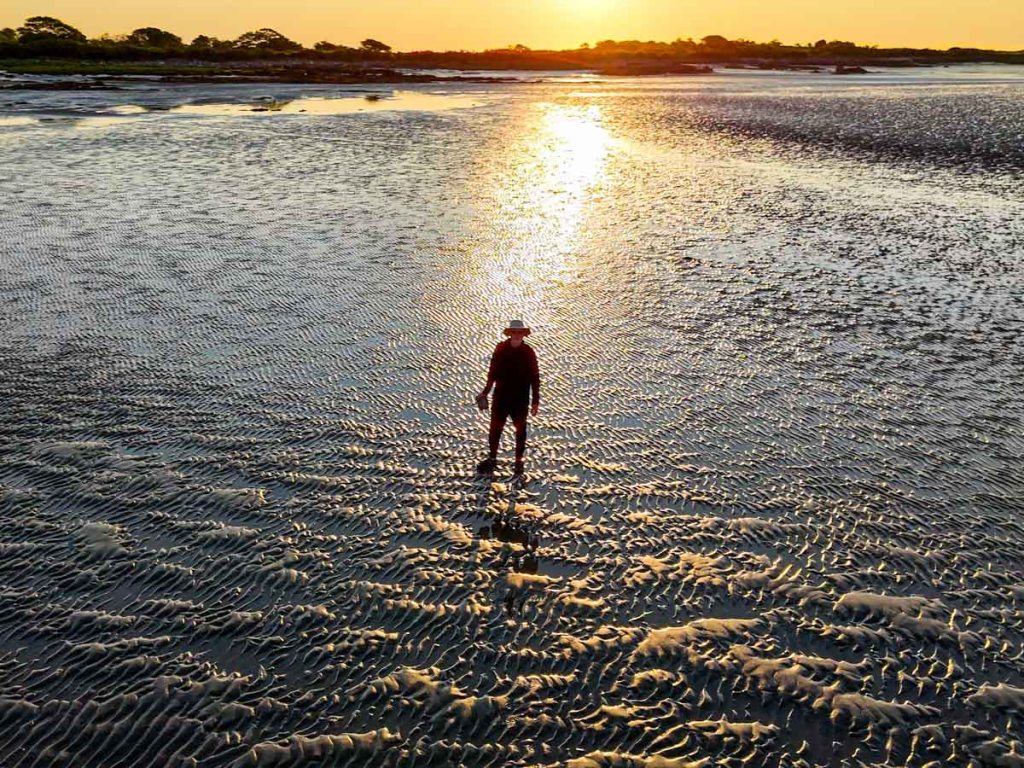
I discovered that a drone beach shot rushing towards the sunrise can be a game changer. It’s not a timelapse, but the drone’s motion through the landscape instantly creates a cinematic video.

No, the clouds don’t move (if there are any), but it doesn’t matter. The dynamic motion zipping across the mud flats blows away any cloud. My camera drone has instantly taken my multi-year sunrise video project to a whole new level. Look at the visual energy it created for my Friday sunrise.

I’m just a novice camera drone operator, but I couldn’t be happier with this clip.

Next time, I’ll share my journey to this successful shot. And believe me, it wasn’t all sunshine.

A Week of Beautiful Sunrises
You may say that every sunrise is perfect. And you’d be right. 

The fact that I got to witness multiple beautiful sunrises on vacation should be my headline. 

But I’ve also chosen to spend that time practicing my creative. 

I know you can never truly capture nature’s perfection. But a sunrise certainly gives you something amazing to point your camera at.

Drones for Dummies: I Bought this DJI Model with Zero Flying Experience

I’ve always been fascinated with drone videography. Over the years, I’ve watched the technology mature away from the professional video market and extend into prosumer and then squarely into the consumer market. And all along, I’ve wanted to buy a video drone for my personal projects. But I’m not a drone pilot. I knew the flying part would be a challenge.

I felt that way, because years back, I tried flying a couple toy drones around the house, with disastrous results. I couldn’t imagine buying a more expensive camera drone to crash in the great outdoors.

Still, I wanted one.

The ability to generate cinematic shots from the sky is a compelling proposition for anyone who has a passion for photography and videography. 

Your Drone Can Fly Itself
Then DJI began building “subject tracking” autonomous flying skills into entry-level drones. First with the DJI Neo (135 grams) and then with the DJI Flip (under 249 grams). With this auto-pilot superpower (called QuickShots), these drones can visually lock onto you and record a variety of programmed flying maneuvers around your body. No human flying skills required. 

So, you can leave the flying part entirely to the drone? Interesting.

Granted, these intelligent shooting modes are limited ways to fly any drone, but it’s certainly a start. Sure, you’ve got to know your preflight steps and provide your drone enough empty space to maneuver in without obstacles. Otherwise, crashes are still possible (more on this later). 

Of course you can still fly these ‘smart’ drones manually, but the QuickShots feature offers an enticing onramp for any drone novice.

Look Ma, No Hands!
Is this cheating? Not actually flying a drone, but giving up the stick to code?

Well, my primary goal is to get the shot I envision. The flying part is more of a means to an end. I see a drone as a gimbal-stabilized camera that flies…not a flying drone with a camera. But of course, I know the two are entirely connected.If DJI can give me training wheels to help get me started, I say that’s a great idea.

So, I took the leap and bought myself a DJI Flip. I chose the upgraded ‘Fly More Combo’ package with 2 extra batteries and the nicer remote controller (RC 2) with its own built-in screen. 

Sub $1,000 Price Point
You can spend as “little” as $439 plus tax on the DJI Flip when paired with the more basic RC-N3 remote controller that uses your smartphone as your flight screen. The Fly More Combo package cost $779. But when you add in a micro-SD card and the 2-year protection plan, plus tax… it creeps closer to $1,000.

Still, that’s not a bad price point considering what drones cost a few years ago.

The DJI Neo is even less expensive… It starts at $199 plus tax.

But the Flip is more advanced with longer fly times and a better camera sensor. It can record 4K/60fps video and slow motion at 4K/100fps.

It’s also got foldable full-coverage propeller guards for added flying protection.

The Flip can snap photos too, but for me it’s all about the video.

Flip Flying 101 = QuickShots
After my DJI Flip arrived, my first step was to learn the preprogrammed flying maneuvers using the DJI Fly app, which I downloaded to my iPhone. You can also activate these short QuickShots directly on the drone by simply togging through button settings. (no phone required).

Another superpower is the Flip can take off and land on your outstretched hand. (Yes, your hand is the take-off pad!)

It’s a nifty trick and greatly simplifies the complexities of take-off and landing.

Shouldn’t Everyone Have a Drone?
I imagine the population of drone owners is relatively steady these days. (If you had a specific need for a drone, you’ve likely bought one by now.) The barrier to entry for new customers like me has been the inability to fly. (Plus, it’s an expensive investment, especially if you think you’re going to crash it.) So, it’s a smart business decision to build auto-piloting skills into entry-level drones to attract video enthusiasts.

Yes, I think this is a whole new market for DJI, and I’m pleased to be a part of it.

Examples of QuickShots
Sure, I’ll invest the time to learn to manually fly my DJI Flip using the RC 2 remote controller. 

In fact, I’ve quickly figured out how to access the QuickShots’ menu on the RC 2. And I generated these nifty shots in the park on an early test flight.

This ‘dronie’ video is a great closer for any number of video ideas.

I just need a mountain background to fully realize this “Sound of Music” moment.

Auto Braking System
Happily, my Flip has a front and bottom-facing infrared sensing system, which enables the drone to auto land and prevents it from flying directly into obstacles. But it’s not a 360-degree obstacle avoidance system like other DJI drones have. 

So, crashes are completely possible. (Of course, I’ve purchased the 2-year protection plan.)

Practice Makes Progress
I know that mastering any new hobby or passion takes time. So, I’ll try not to rush it (or crash it).

Just being able to generate some nifty (though preprogrammed) cinematic shots with the DJI Fly app on my iPhone and the remote controller has been enough to instantly make this novice a functioning camera drone operator.

I couldn’t be more pleased.

Why I Bought a Broken Tripod at an Artists’ Open House Event

My mother lived in the Bridgeport area when she was growing up. She eventually left Connecticut and headed to her life in New York City where she would meet my father. And the rest is Lester history. 

My identity is that of a New Yorker, who now resides in Connecticut, but it’s not lost on me that half of my family’s history hails back to Bridgeport.

Today, Bridgeport hosts thriving artist communities. One place you can find that community is in the American Fabrics Arts Building where artists rent their studios. And a couple times a year, there’s the AmFab open studios event where many of the artists display and sell their paintings and art.

My wife and I often enjoy going for a couple hours. And we did just that this past weekend.

Walking through the Early 20th Century
This time, I found myself particularly attracted to the old building itself. It’s a converted mill originally designed for lace manufacturing in the early 20th century. So, I decided to take a few pictures as we walked about.

2008 Movie Set
Did you know that scenes from the 2008 film “Righteous Kill” with Robert DeNiro and Al Pacino were filmed here? You can see how these two hallway doors were modified for the movie.

A Camera Tripod with No Name
As we continued our exploration, I turned a corner. Off to the left, I spotted a few old camera tripods on a platform. They first seemed part of an art installation, but as I walked closer, I realized they were all for sale. 

One tripod spoke to me. It was a professional model with a spreader on the legs and nice fluid ball head. 

I pulled it down and tested it out. It had a few cobwebs attached to its frame but was otherwise in good shape. The big drawback was this tripod was missing its quick-release plate that you would need to attach a camera onto it. So, I would have to buy that elsewhere.

But I couldn’t figure out the manufacturer, and the seller didn’t know either. That would require more research. (It’s odd that there wasn’t a company name branded onto the frame.)

So, for the moment, it was an unusable tripod. Not quite broken, but useless for now. 

Second Life?
I own a couple of lighter tripods for my timelapses and videos, but this one was beefier. I could use it.

The price: $20.

Hmmm… That’s certainly a great price. (Tripods like this one start in the hundreds and go up from there.) But there’s a good reason for this ‘bargain.’ It would need some additional, unknown spend.

What were the odds that I would eventually find a solution? 
Maybe 50/50.

But I bought it anyway. I wasn’t initially sure why.

One Person’s Trash is Another Person’s Treasure
Then, I carried this mystery tripod over my shoulder as my wife and I walked about the artists’ studios a little longer. I couldn’t be happier.

I can’t paint. I have no idea how to sculpt, and I don’t draw.  But I can snap a photo or two, and I’m working on evolving my timelapse videos.

As I passed by more artists in their studios, nobody batted an eye. It was as if everyone carried a hulking tripod about their day. And then it struck me. It was so obvious.

A brush and paint can take many forms. This tripod was waiting for me. The universe had offered me a tool to practice more of my own art.My creative spirit was energized. Not bad for a couple hours on a weekend.

Unexpected Saturday Afternoon

My wife and I left the AmFab studios, and as we drove out of Bridgeport, I reflected on this place where my family’s history still remains mostly unknown to me. But that’s another story. 

For now, I felt entirely grateful. And yes, it’s time to get to work fixing my new tripod. If anybody recognizes the manufacturer, please let me know!