At Home with Tech

Unlock the power of all your technology and learn how to master your photography, computers and smartphone.

Category: shopping

The Most Important Piece of a Man’s Work Wardrobe to Get Right 

Though business casual will relax your image, looking sharp is still important. If that’s your goal, don’t forget to address this important detail.

As a man, dressing for work shouldn’t be difficult. In fact, it used to be relatively straight forward. If you went into an office, jacket and tie or suit was standard wear. (Remember those days?)

Then, business casual crept in, and ties evaporated. Jackets and jeans were okay. A dressy sneaker category appeared almost overnight. Weekend shirts muscled their way into the work week. Distinct color-matching categories blended together.

It was both liberating and much more complicated to figure out what to wear.

The Years of T-Shirts and Sweats
Then, Covid hit, and so many of us worked remotely. During those years, everyone essentially showed up in their pajamas on their webcams for their Zoom or Teams meetings.

That may be a slight exaggeration, but not by much. Sure, many of us had our ‘Zoom’ shirts at the ready, but not everyone followed that practice.

I’m sure these years were seen as a fashion apocalypse of sorts by many clothing manufacturers.

Back in the Office
Now that life has returned to a sort of post-Covid normal, offices have filled up again. I know the numbers back in the office aren’t quite the same. The reality that I can always find a parking space at my commuter train station, and I no longer have to hunt for the very last seat on the train regularly displays this new reality.

Nevertheless, I am a road warrior again, albeit not daily. And that has been an exceptionally happy change. I love the hybrid experience. It optimizes the efficiency of not losing all those hours to a daily commute, and yet it still allows you to have in-person interactions with work colleagues.

The New Business Casual
For what I’ve observed, dressing for the business casual environment today continues to evolve (or perhaps I should say devolve). I think the idea of fashion flexibility in the workplace is also dependent on your company’s culture.

All this said, if you’re a guy who never wanted to give a lot of thought to this equation, I don’t believe there’s an easy way out anymore. (Yes, all of my Brooks Brothers’ suits are forever banished to the back of my closet.)

You’ve really got to decide on your own style and spend some time (and money) shopping again.

Focus on your Shirt
For me, the most important element of a man’s work look is his shirt. Sure, pants and shoes are important too, but as most people focus on your face when they interact with you (or they should), your shirt is what frames your main visual output.

Of course, you probably want a shirt that fits you properly. And you need to decide on the color and pattern. These days, I prefer brighter and deeper colors. Long gone are my white shirts, and I’ve mostly graduated away from my conservative blues.

Brighter shirts also work better on your Zoom and Teams calls, because they don’t prompt your laptop’s webcam to overexpose your shot.

A Droopy Shirt Collar Can Create a Fashion Failure
Even if you get the right fit, many men’s shirts reveal a hidden problem as soon as you put them on. It’s the collar.

If you don’t button up for a tie, an open collar will often wilt and hang down with the two front corners drooping in asymmetrical positioning.

The droopy collar just looks sloppy. And there’s really no way to fix it.

So, if you want to look professional in your casual look, you need to find shirt brands with collars that don’t completely lose their form without a tie.

The Proper Shirts of Charles Tyrwhitt
My brand of choice is Charles Tyrwhitt. The company is British, and their marketing talks a lot about making a ‘proper’ shirt.

The collars are spread collars, which I think is the secret ingredient. Yes, the aura of a shirt from London gives it charm, but really, it’s the spread collar holding its form all day that makes Charles Tyrwhitt my favorite shirt brand. (I also love their suits.)

I’ve been buying these shirts for years. I’ve frequented their New York City stores, but you can also buy Charles Tyrwhitt shirts online. (Just note that shipping takes some time, as they need to travel from across the pond.)

The Relaxed Look of UNTUCKit
I recently bought a shirt from UNTUCKit for the first time. I’ve heard a lot about this brand from colleagues, and I wanted to pick up a new shirt the weekend ahead of a work conference I was attending.

Schlepping to a Charles Tyrwhitt store in New York City couldn’t be part of my weekend schedule, but UNTUCKit conveniently had a store in my Connecticut mall fifteen minutes away. So, I figured it was finally time to explore UNTUCKit.

Yes, UNTUCKit is the shirt that you can wear untucked, because the bottom of the shirt is shorter than normal. Somewhere in the past few years, the idea of an untucked man’s shirt became an acceptable business casual item, and clearly UNTUCKit has taken advantage of this trend.

I liked the idea of expanding my own business casual look but was still focused on the collar and the entire fit when I walked in the UNTUCKit store.

So let me tell you, I tried on just about every shirt in the store. And that’s because it was difficult finding a shirt that worked for me.

Not because of the collar. Even though these shirts have a standard collar vs spread collars, they held their form relatively well.

It was about finding the right size/fit with the right color. The store didn’t have everything in stock, and shipping wasn’t an option, as I was flying out the next day (the limitations of last-minute shopping).

Anyway, I finally found a good choice with a cool pink and blue check, and I was quite satisfied wearing it during my conference. (That said, I ended up tucking in the shirt! Please don’t tell anyone.)

An Open Collar has to Hold it All Together
Ultimately, regardless of the shirt brand you wear in the office, I believe it’s how the two collar tips position off your neck that make all the difference.

Whether it’s a proper shirt or something that you can leave untucked, it’s all about the collar.

If you want to look sharp and put together in a business casual environment, your open collar absolutely needs to fit with that story.
How to Protect the Camera Lenses on the Back of your iPhone

If you worry about destroying your iPhone’s three camera lenses, you might want to consider buying a case with a lens cover.

In many ways, the most prominent feature of an iPhone is its camera system. Being able to make a phone call these days is almost an afterthought. And those three camera lenses on recent iPhones are fairly large. Long gone are the little lens dots on the back of smartphones.

As I began to consider my daily life with my brand-new iPhone 15 Pro Max, I thought about how to best protect its three lenses from damage. Of course, I know I’ll be constantly placing my new iPhone on various surfaces facing up to maximize its ‘always on’ trick. (Love that!) And in practicing this technique, my iPhone will always rest on its camera lenses.

That doesn’t feel quite right.

A Standard Case Won’t Cover Every Danger
Sure, many iPhone cases have a lip surrounding the lenses that prevent direct contact. Other cases can even out the back side of an iPhone, so it becomes one flat surface without the lens bump. Then, they won’t protrude at all.

But those three lenses are still unprotected and exposed to the grimy elements.

You wouldn’t mistreat any other camera lens that way. You’d have a lens cap for it, right?

What happens to those three iPhone lenses after daily contact with any number of surfaces? Wouldn’t that eventually smudge and scratch them, affecting the optics of all your photos and videos?

Sure, the little camera lenses are natively constructed with sapphire crystal lens covers. Does that make them impervious?

A Genius Perspective
So, I brought my concern to a couple Apple Genius’s when I picked up my iPhone 15 Pro Max at the Apple Store.

One mostly brushed off my question as irrelevant. He said that he simply wipes off his iPhone’s lenses for smudges and they’re ready to go. He said otherwise, he “doesn’t think much about it.”

Whenever I visit an Apple Store looking for answers, I often quiz multiple Geniuses. So, I kept going…

I found another Apple Genius who appeared more analytical. (Maybe it was the glasses.) He told me that all flat clean surfaces were safe to rest an iPhone on. I should just be mindful of avoiding gritty surfaces. Those “might” scratch the camera lenses.

I felt a bit better with that answer. But life isn’t flat and clen. Life is gritty, especially when you least expect it.

An iPhone Case with a Lens Cover
The standard solution of simply wiping off my three little lenses with a microfiber cloth (or my sleeve) just wasn’t going to cut it. I knew I wanted a more comprehensive plan.

Question: Had any iPhone case manufacturers yet designed their cases with a dedicated lens protection solution? After a little quick Googling, I realized that in fact, yes… some of them had.

Though I may be in the minority for wanting this extra protection, I decided to buy an iPhone case that offered a protective lens cover.

Cases for new iPhone models take time to enter the market. So, I looked for a quick and dirty solution to help my iPhone’s lenses avoid the grit.

I found two types of cases built with little plastic covers that shielded the camera lenses. They moved one of two ways:

  • Sliding over and away (left to right)
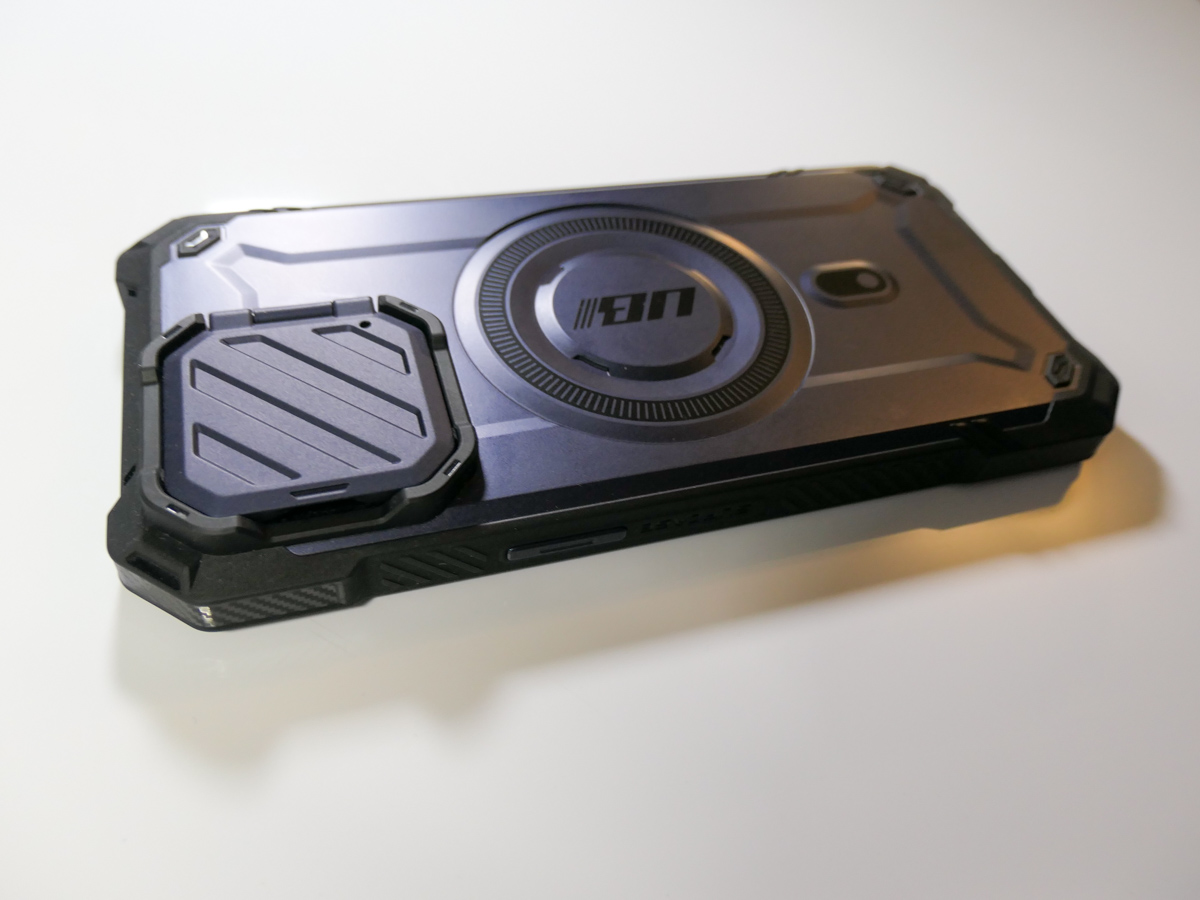
  • Folding over and back (like a little door)

SUPCASE Closed-Door Solution
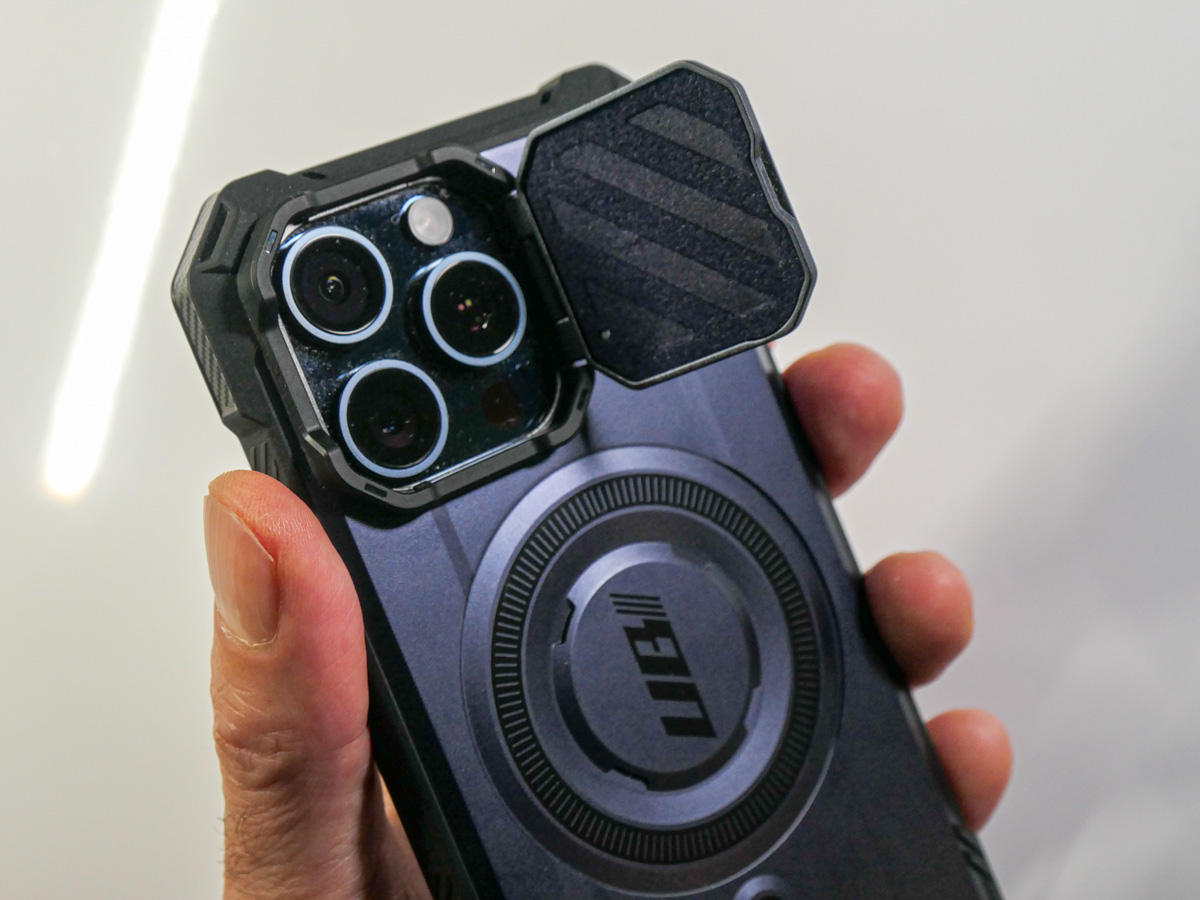
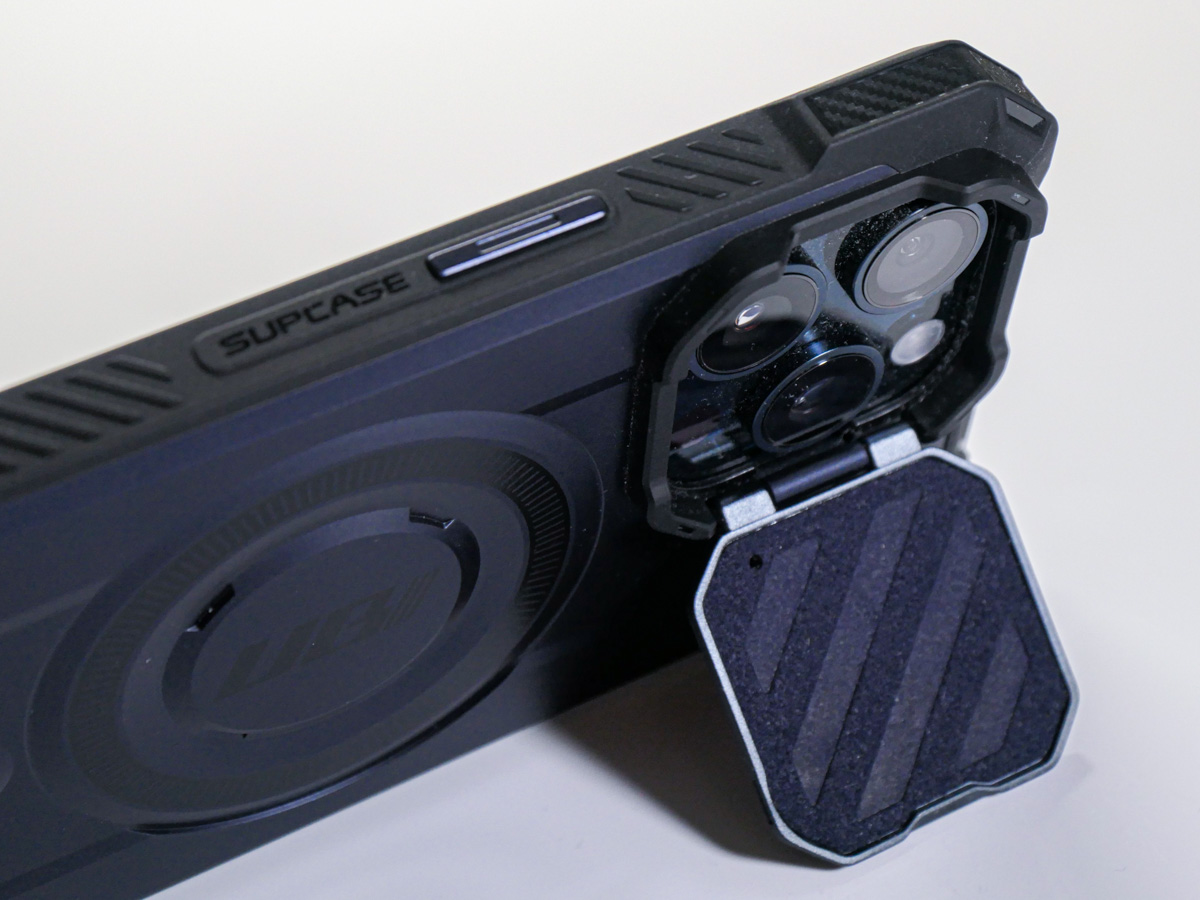
I ended up trying out the tiny door concept with the SUPCASE UBMag XT Case.
Amazon has it for $26.99.
The little lens door locks in place when it’s closed and is appropriately stiff as you move it. (The plastic flap doesn’t swing around when it’s open.) The door can also double as a kickstand for your iPhone.

The SUPCASE allows for MagSafe charging and magnetic grip, and functionally works just fine.

Most importantly, the “closed door” gives me peace of mind as I move my iPhone and its three camera lenses around.
All this said, the lens cover does require the extra step of opening it before taking a photo. So, in those spontaneous moments, you’ll inevitably lose a second or two before getting off your first shot.

Cautious Optimism
I wanted immediate protection for my new iPhone, and for a case in the sub $30 category, this was a solid choice. It’s a good way to begin ahead of other iPhone 15 Pro Max case options entering the market.

Does that mean I’ll eventually upgrade to another case? Perhaps. No case will last through your iPhone’s expected lifetime. My iPhone cases have all shown wear and tear long before that. But isn’t that the whole point?

The case takes the licking, and your iPhone keeps on ticking.
(Wait…that’s another brand.)

Bottom line: My three new camera lenses now have their extra layer of protection. Do they actually need a cover? Who really knows for sure…

But the idea of it certainly makes sense to me.

Case closed.

8 Ways to Quickly Get your New iPhone Up to Speed

I’m the proud owner of my new iPhone 15 Pro Max. Beyond the basic set up, here are the next steps I took and extra purchases I made to quickly unlock my iPhone’s full potential.

Buying a new iPhone and setting it up is easy. But integrating it into the daily routines of your old device is not as simple as you might expect. Sure, migrating apps and data over is straight forward, but’s that’s not everything you need to think about. There are other steps to take and more decisions to make surrounding your core purchase.

It’s been five years since I bought my recently departed, beloved iPhone XS Max, and I found myself a bit rusty on remembering everything I needed to take care of surrounding my iPhone 15 Pro Max purchase.

Here’s my guide with eight tips to help speed the entire process and get you quickly up and running with your next iPhone.

#1
Be Sure to Join the Virtual Line Early on Launch Day
If it’s time to upgrade to your next iPhone, then it makes sense to buy one the day it’s released to maximize its twelve months of being the ‘latest and greatest.’ I bought my iPhone 15 Pro Max online at 8:20am the day of its launch. It arrived a week later, and I picked it up at the Apple Store. Sweet.

But that happy story first required 25 minutes of frustration, persistence and I think a dash of luck.

I sat down at 7:55am EDT in front of my Mac Studio on launch day and promptly waited for the Apple Store to open for business. (Yes, it’s usually down during the hours ahead of a new iPhone going on sale.) The Apple Store didn’t open (for me) until 8:05am. And then it took another fifteen minutes of multiple failed purchasing attempts (as I fought others around the world to be among the first new iPhone owners) before the transaction finally went through. (I’ve had the same challenge over the years when buying an iPhone on day 1.)

Apparently, I just squeaked through before the delivery times began to slip into October and November.

So, it clearly pays to be prompt and close to the front of your virtual line.

#2
Buy More Storage than You Think You’ll Need
Five years ago, I wrote my blog post, “Why Do You Need an iPhone with 512GB of Storage?” And while I recommended the idea of having what was at the time a ridiculous amount of storage, I ended up sticking to 256GB. This time, 512GB was a no brainer for the extra $200.

The choice was whether to spend another $200 on top of that for 1TB.

While I’m enamored with the idea of recording Pro Res video clips, I no longer feel the need to permanently house every piece of media I generate locally on my iPhone. With that strategy, even 1TB storage would eventually not be enough.

The truth is you can’t carry around every digital media file you’ve ever created. And I would also argue why would you? That would be a crippling number of videos and photos to manage.

Sure, I’m always impressed when a parent can pull out their iPhone and quickly flip through tens of thousands of photos to find that one cute photo of their kid from a decade ago. That’s a superpower I don’t have. And I’m willing to bet that no one will be able to retain that capability forever. You can only flip though so many files before your finger falls off.

#3
Buy the 20W USB-C Power Adapter
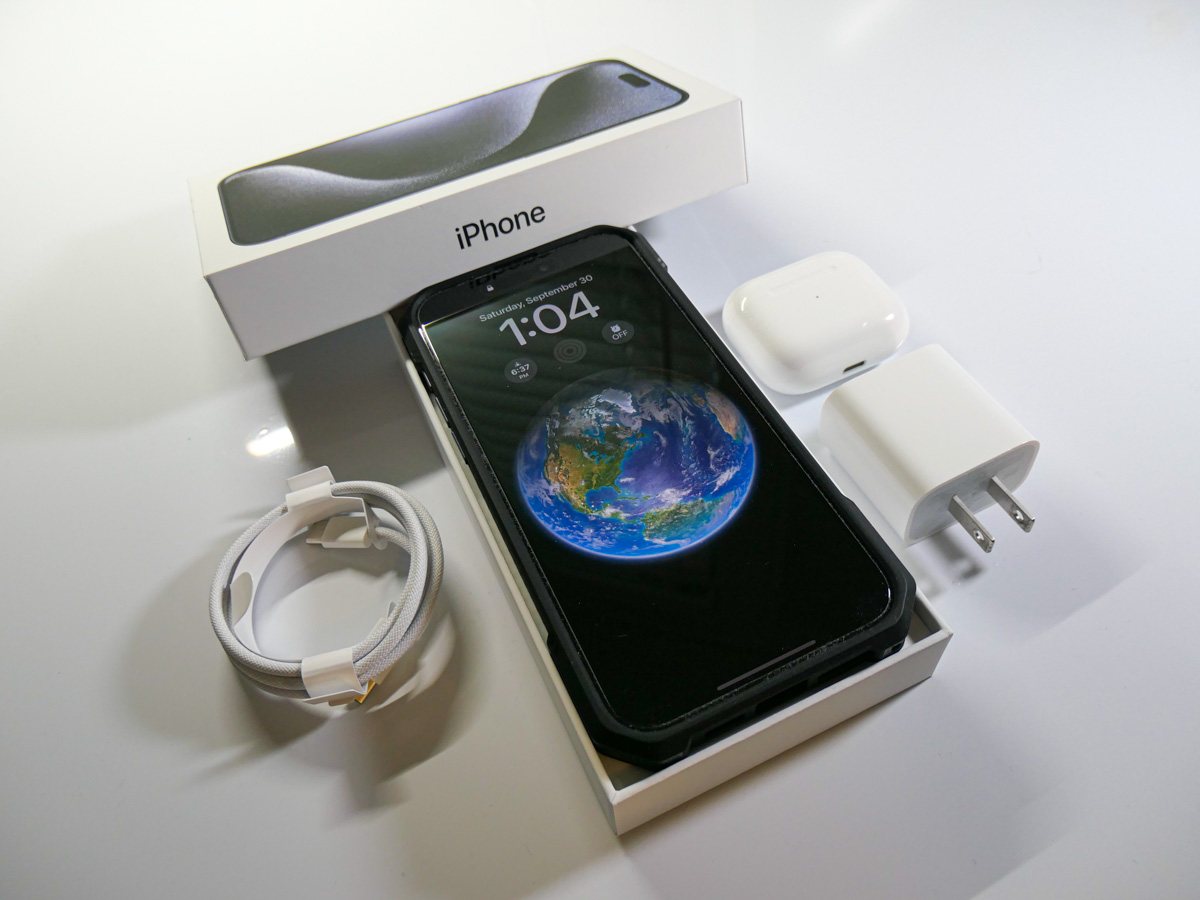
Apple’s 20W USB-C power adapter is the new norm. Goodbye tiny 5W adapter (though it will still work slowly in a pinch). Unfortunately, you don’t get a 20W adapter in your iPhone’s box (just a USB-C cable). So, you’ll need to buy one separately if you don’t already have one.

#4
Replace your Lighting Cables
I’m sure you know by now that the Lightning connector is out, and USB-C is in for the iPhone 15 line. Yes, you do get one USB-C cable in your iPhone’s box, but that’s not going to be enough, right?

You’ll have to replace your existing arsenal of Lightning cables to maintain your new iPhone’s power/charging stations.

And if you intend to continue using your old USB-A chargers, you’ll need to buy some USB-A to USB-C cables.

#5
Buy a Case with a Camera Cover
Choosing a protective case for a new iPhone can easily become a complex decision. Unless you take the path of least resistance and go with an Apple case, it could be weeks of research before you come to a decision (guilty).

I wanted a case ready to go for my iPhone 15 Pro Max (essentially as a temporary solution, if need be). So, I took a chance and ordered one on Amazon before my iPhone arrived. That’s way early, because case manufactures are still guessing a new iPhone’s physical specs at that point. But I did okay.

The case fits really nicely, and its distinguishing feature is its little folding door cover for my iPhone’s three camera lenses.
Protecting those little lenses was on my mind, and this quickly took care of that concern!

#6
Unpair and Pair your Apple Watch
Your Apple Watch is an intensely faithful device. It sticks to only one iPhone at a time. If you think that by simply cloning your old iPhone’s identify into your new iPhone, your Apple Watch will gleefully follow along, you’d be wrong.

Your Apple Watch needs to literally break up with your old iPhone and then marry your new iPhone. So that means first unpairing it. And then pairing it again.

It’s not an especially quick process. So, set aside a half hour or so for this.

#7
Sign Back into your non-Apple Apps
Yes, your iCloud apps will be ready to go. But for everything else… nope.

You’ll need a chunk of time to sign back into the rest of your apps.

#8
Add a MagSafe-Compatible Charger for your Car
And then there’s your iPhone’s car interface. No matter how you connect your iPhone in, you’ll want to consider how it’s positioned in your car (perhaps mounted to your dash). A MagSafe-compatible solution is a good idea for both positioning and charging.

I picked up Belkin’s Magnetic Wireless Car Charger that’s MagSafe-compatible and mounted it to one of the air vents on my dash.
The magnetic grip is plenty strong. The vent mount slides in fine, though it does feel a bit ‘MacGyvery,’ (which in fact it is).

Technically, it’s not an official MagSafe mount and thus doesn’t charge as fast. (Belkin’s upgraded MagSafe model is the real deal, but it’s quite pricy at a hundred bucks!)

This one works just fine.
Click.

For the record, I also saved some money on my Belkin charging mount by buying a used one. I clicked on Amazon’s “Saved with Used – Like New” icon for $41 bucks (same model). It really was like new, and I saved almost twenty bucks. So, if you see that purchasing option, I think it’s a good idea for this type of support tech.

One other note… Some magnetic mounts are just that… magnetic. They don’t offer charging. So, check the fine print when reviewing your choices.

Doing the Work Pays Off
Getting your new iPhone back into the groove of your old device takes some planning and additional spend. Sure, you may have the latest and greatest in your pocket, but no smartphone is an island. It will also need its own accessories to be able to keep up in your orbit.

You’ve taken years to curate the experience you want from your iPhones. Only when everything is literally back in place and properly supported will your next iPhone really feel like… yours.

I recommend making this a weekend project. That’s what I did.

It’s time well spent, and let me tell you, there’s no better feeling than starting a Monday morning with your gleaming piece of new Apple tech operating at its full potential.