At Home with Tech

Unlock the power of all your technology and learn how to master your photography, computers and smartphone.

Category: Tech Diary

How to Pack your Streaming Apps for your Next Vacation Movie Night

After a fun vacation day on the slopes, my family settled in for a movie on our hotel room TV. Here’s how we did that using my existing Apple ecosystem.

I recently returned from a little skiing vacation with my family at Mount Bousquet in Pittsfield, Massachusetts. We hadn’t been on the slopes for a couple years due to the pandemic, so it felt great to practice some downhill again. (That’s our son having fun on a snowboard in my above photo.)

Pack your Apple TV for your Next Vacation
During our time in the hotel room, I tried using a particularly useful vacation tech trick I’d learned a while back. I had brought our Apple TV puck with us with the intent to jack it into the hotel’s WiFi network. This would allow me to access our entire arsenal of streaming apps and create movie nights using the room’s big TV screen. (Doing this effectively sidesteps having to purchase anything additional from a hotel as long as the base-level WiFi can handle streaming.)

Sadly, the streaming apps on my Apple TV didn’t work this time, because the hotel’s WiFi required a multiple-step login process, which the Apple TV couldn’t access beyond the password step.

Fortunately, I had also packed a lightning to HDMI adapter for my iPhone. (It’s always good to have a backup plan, when vacation movie night hangs in the balance.)

Using this dongle, I was able to substitute in my iPhone as the streaming source and connect it directly to our hotel room’s HDTV via its HDMI cable. Then, my iPhone effortlessly served up the Disney movies we wanted via its Disney+ app.

Tech Ethics
You could say my streaming strategy unfairly took advantage of the hotel’s WiFi network, possibly slowing down WiFi speeds for others. But my iPhone ended up tethering to its cellular connection using its AT&T wireless data plan. So I don’t have to debate tech ethics here (not this time).

I pay for unlimited data on my AT&T account. So, in a sense, I’m already paying full price for my movie tickets while streaming. That said, I’m very happy not to be concerned about blowing through any data limits while on vacation!

Ensuring that Screen Time = Family Time
And why all my effort to project a movie onto a hotel room’s TV? Can’t an iPad or iPhone screen suffice during vacation? Not for me and my family. If you’re also a parent with kids, I imagine you might agree that screen time is a complicated topic.

The last thing I want to do is generate more opportunity for little eyeballs to stare at little screens, separate from the larger family focus.

If there is to be movie screen time on vacation, it’s great when it’s part of a larger family activity…experienced together.

Vacation Tech Joy
When bringing extra tech with you to create your family movie nights on vacation, please don’t forget to pack up all of the pieces before you leave. (Adapters have a way of disappearing if you’re not careful.)

And do put the hotel TV cabling back together. The next family may just want to turn on the TV without ‘Frankensteining’ together their own mini movie theater.

Nevertheless, I do enjoy screaming “It’s alive!” whenever I get my vacation TVs to work. A little tech joy always adds to my overall vacation experience.

In fact, I highly recommend it.
How to Save your iPhone when It Runs out of Storage

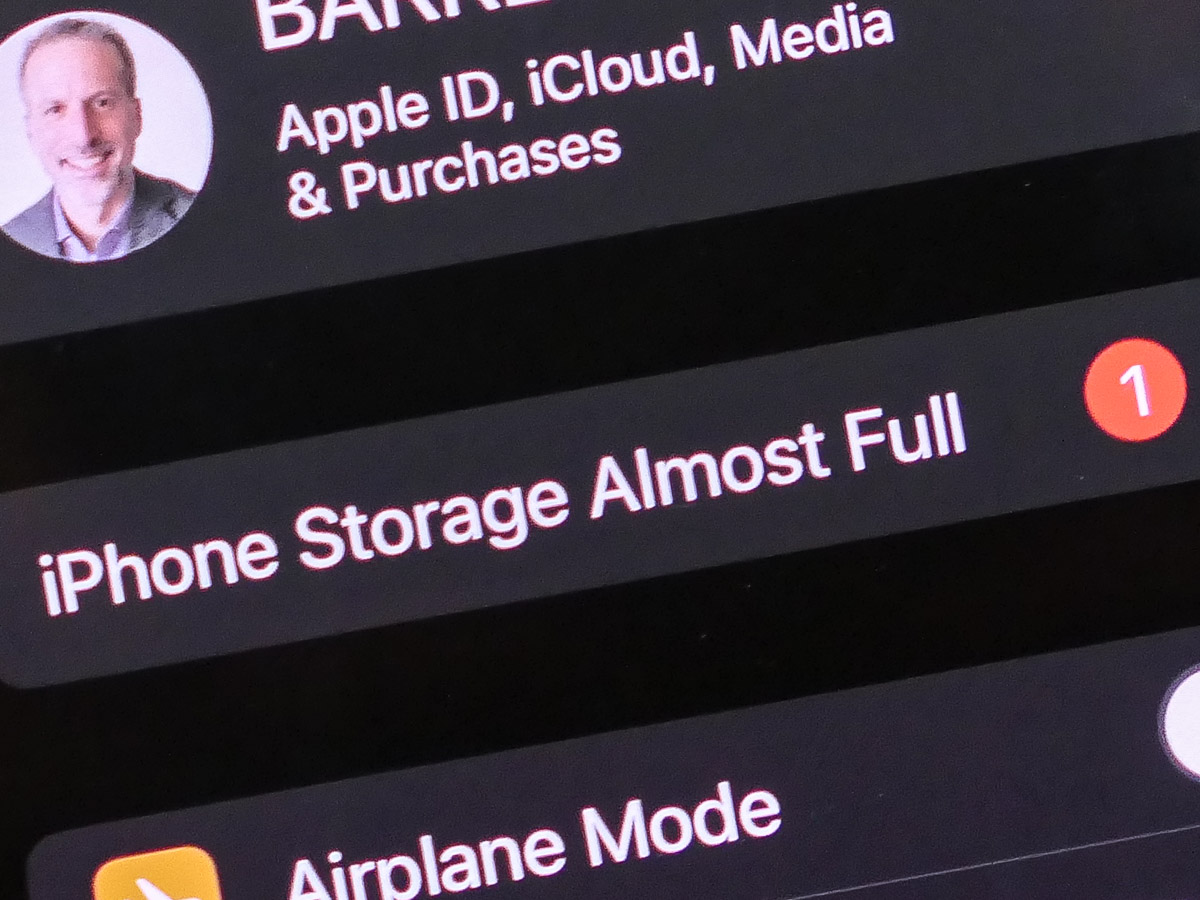
Don’t panic! Take these steps when you see that your iPhone’s storage is almost full.

I once pondered why anyone would ever need an iPhone with 512GB of storage. Now, three years later, I know that answer. My 256GB iPhone is packed, and I want more space. Sure, my media files can (and do) live in any number of clouds or hard drives, but of course there’s a cost with maintaining that solution.

If you’re in the same situation and considering upgrading to a device with 512GB or a whopping terabyte of storage, you probably should look at the other side of the same equation and ask yourself why do you really need to carry around that much data on your smartphone.

Let me answer that one… You don’t.

I don’t. (That said, my next iPhone will have more storage. But honestly, that’s a band-aid solution.)

The real problem and solution has to do with media management.

This is not about having enough space to maintain your media library on your smartphone. It’s about not having enough time over the years to thin out the files you don’t need. You wake up one day to realize you’ve got tens of thousands of disorganized photos and hundreds of home videos dancing about.

They’re clogging up your phone, and the irony is many of them are throwaways, minor variants of better versions. You just never found the time to go back and delete them.

iPhone Storage Almost Full
You can ignore this reality for only so long. Eventually, your device will force you to respond. You have to go through all of your media files and hack away at them.

I’ll go out on a limb and say that nobody really needs tens of thousands of photos to represent their day-to-day lives. So it’s time to roll up your sleeves and put on your media management hat.

The Good News
In the process, you might come across some unexpected fast lanes to free up space.

To do that, first review your iPhone’s storage report:

  • Click on iPhone Storage in Settings.

You’ll see a graph illustrating what types of files are sucking up your phone’s memory. You might spot a category that can be easily cleaned up. I did…

Delete All of your Downloaded Podcasts!
I found that I had 40GB in old downloaded podcasts that I could quickly eliminate. (That was a huge surprise.) I hadn’t realized when I started ‘following’ certain podcasts a couple years back that all of the new episodes would continue to download, regardless whether I ever listened to another one.

40GB gone! Whoa!

So, if you’re a podcast listener, you should definitely check that category.

And don’t forget to change the settings to stop your iPhone from automatically downloading new podcast episodes.

  • Go to the Podcasts Settings on your iPhone
  • Turn off Automatic Downloads: Enable When Following

Your iPhone’s storage report also offers a few quick and easy methods to free up memory, such as offloading unused apps. So don’t miss those opportunities.

But sooner or later you’ll need to face all of those photos and videos. It’s time to do the hard work.

Reversing Course Takes Time
You’ve slowly brought yourself to this precipice. And it may feel like death from a thousand nicks. It’s overwhelming.

So give yourself some time to dig out. Five minutes a day can do wonders. As long as you’re deleting more media files each day than your creating, you’ve found the right path.

Take control. Your smartphone will thank you.

Barrett’s Birthday Photo Project

If you’ve been considering the value of maintaining a folder containing all of your birthday photos across the years, here’s what I’ve experienced with this practice.

Since I can remember, I’ve been a bit obsessed with taking a picture of myself on my birthday. No, not just an action shot during my party or next to my cake. But an image that would be ‘that photo’ to represent this little milestone moment as I begin the next year of my life. I would add it to the other photos that came before it, and this group of pictures would somehow illustrate the totality of my life.

Of course, that’s an impossibly high bar to meet. In fact, this growing batch of photos merely consists of sometimes average pictures on the same day each year. That said, as I review them annually, the images do represent a journey of sorts.

For many of the photos, I tried to show off my age with my fingers, but I eventually ran out of digits. So I gave up that practice.

Take More Control of your Moment
In more recent years, I’ve tried taking self-portraits using the timers on my cameras. This technique essentially allowed me to plan for more advanced selfies.

And now with the smartphone LUMIX Sync app for my Panasonic Lumix GH5 II, I’m able to control my camera with my iPhone. That eliminates the need to sprint in front of my camera before the camera’s countdown runs out.

Find your Photo Early in the Day
This year, I brought my Lumix and little Joby tripod to the front steps of our house at dawn to find my official birthday shot. And I captured the quiet moment as part of my morning magic hour.

This is the time for me when all things are possible. The weight of age melts away.

These are typically the sixty minutes when my creative self is strong, the thoughts flow and I write.

Being Present is the Present
The sun rises behind me. It’s an unseasonably warm 45 degrees, and I wear no coat.

I have my iPhone in my hand just below the frame controlling my GH5 II. I’ve got a little bokeh in my background. It feels like time momentarily slows down. I take the picture.

This moment I create is itself a gift.

And then I walk back into my house moments before my eleven-year-old son wakes up and comes downstairs. He gives me a hug, and we do a little happy-birthday dance together. I walk into the kitchen, and my wife is preparing a special breakfast.

It’s an amazing start to my birthday.

Happy Birthday Barrett
Then, the day unfolded, leading to a small dinner gathering with friends who have been part of our pandemic pod over the past two years.

My morning photo project was no longer the headline for my birthday, but I’m happy that I took care of my little ritual the way that I did.

Later, I added my 2022 birthday picture to the others in my Adobe Lightroom folder. Then, I moved on to create the above photo collage for this blog post. Finally, I closed up my photo project for another year… feeling quite satisfied.

I’ve found this practice is a rewarding way across the years to simply celebrate that the journey continues. I highly recommend it.

Happy birthday to me.