At Home with Tech

Unlock the power of all your technology and learn how to master your photography, computers and smartphone.

Category: Tech Diary

The Struggle Between Good and Good Enough on Zoom
Showing up properly for your next meeting requires a different set of tools and attitude in this Zoom-centric reality. Here’s why it matters.

Over the past year, the Zoom revolution has put the spotlight on home video production to handle content creation for any number of needs including work, web and broadcast.

If you want to create a quality video feed using something less than professional video gear, it’s been demonstrated that you can do that. It takes some cash, though not a boatload of money, compared to what professional gear costs.

You may need to invest in:

  • A good webcam
  • A desktop tripod
  • Lighting that’s soft on your face
  • A decent microphone

Then, make sure you’ve got a real background that’s interesting, but not cluttered. (I’m less excited these days about virtual backgrounds.) And now you’re probably ready to create some decent looking video content.

No, it’s not going to be the same quality as what thousands of dollars of gear can do for you, but it’s not terrible either.

Unnecessary Effort?
But to generate a video and audio feed that’s good, you’ve also got to put in some effort. It’s not only about the gear you’re using. And there’s the rub.

It takes time to set it all up and maximize your shot.

It’s clearly a different level of commitment than opening your laptop and clicking on Zoom (or other video conference apps).

A simple click is still going to get a video and audio signal out to your viewers. And I bet a lot of people would say that’s good enough.

Good enough.

If good enough works for you, why spend money and unnecessary time to make it better?

The Allure of a One-Click Solution
I think that everyone should always try to look their best, both in person and in a virtual environment. Presenting yourself to your world is a life-long task. But I think when using Zoom, that can be a difficult sell.

Sure, if you’re hosting a webinar or doing a live shot for a media company, you probably understand that your video and audio feed should be the best possible.

But I imagine there are countless Zoom moments when people feel it’s not particularly important to do anything more than the bare minimum. Why not just open your laptop and simply click and start your video stream?

It’s good enough.

Why Deal with the Mess?
Whether using your desktop, laptop, tablet or smartphone, technology has given us the ability to do the impossible. Generating a live video feed once took lots of people and expensive production gear to accomplish the same feat through a TV station’s full resources.

Professional video production often looks like a mad scientist’s lab with cables and power cords running askew and bright lights dangling from the ceiling.

You can also create a mess if you’re trying to improve your Zoom game at home when adding in your extra gear. Simple isn’t exactly the way to describe the experience.

On the other hand, simplicity, speed and dare I say… elegance is what comes to mind when you just lift up your laptop screen without any additional video prep, and you’re instantly ready to activate your next Zoom.

That’s hard to beat and a great reason for good enough.

Zoom is Now a Part of Life
In most Zoom situations, why should anyone feel the need to do more? (Heck, even activating your video feed is an step that so many opt out of.)

I like to say you’ve got to show up for your close up. But it’s really more about simply showing up.

This is your life. Like it or not, Zoom is now a necessary part of it.

We are a social species. To be most effective when communicating, people really need to see you. And a terrible representation of your image that barely looks like you isn’t enough. It can say you’re dialing it in. Or worse… You don’t care.

That’s why good enough isn’t good enough.

It’s Time to Shine
Face it. Your life is being televised now.

So put on your Zoom shirt. Set up your Zoom shot. And do your best to fully inhabit your little Zoom box.

Then reach out and connect.

Good.
The Indestructible Dining Room Table

Living with this old dining room table has taught me how to be a better parent. Here’s the story.

When I was growing up, my father constantly hounded me not to jump on the living room couch and to stop spilling my milk on the dining room table.

No, my parents didn’t cover everything with plastic, but our New York City apartment wasn’t really designed to accommodate the usual physical energies of a growing boy. Still, I made it through without causing too much damage.

Now, I’ve got my own son. He’s almost eleven, and I find myself on opposite side of the same equation. Like father, like son?

A Fateful Meeting
Many years ago when I lived in Arlington, Massachusetts, I picked up an old and somewhat beat-up dining room table from the curb. It was abandoned there, the table top and legs, just up the street from where I lived, near the Capitol Theatre.

I carried it home, put it together and then took a closer look at what I had dragged in. It wasn’t really in that bad shape, and the craftmanship was solid. It must have been built in the 1940s and lived in someone’s home across a generation or more.

Then, circumstances clearly changed, and it was cast out, waiting for the garbage truck.

But I saved this table and integrated it into my own life. And it’s stayed with me across my journey and into parenthood.

Reflections of Family Life
It’s lasted far beyond my expectations. I figured it would eventually get replaced with a nicer table, but then a funny thing happened to it during our early parenting years.

To borrow a phrase… it took a licking and kept on ticking.

No matter what kind of abuse it took, it had this seemingly magical quality to bounce right back.

  • Pen and crayon marks? No problem.
  • Fork gouge. Not that noticeable.
  • Water spill? The stain somehow evaporated.

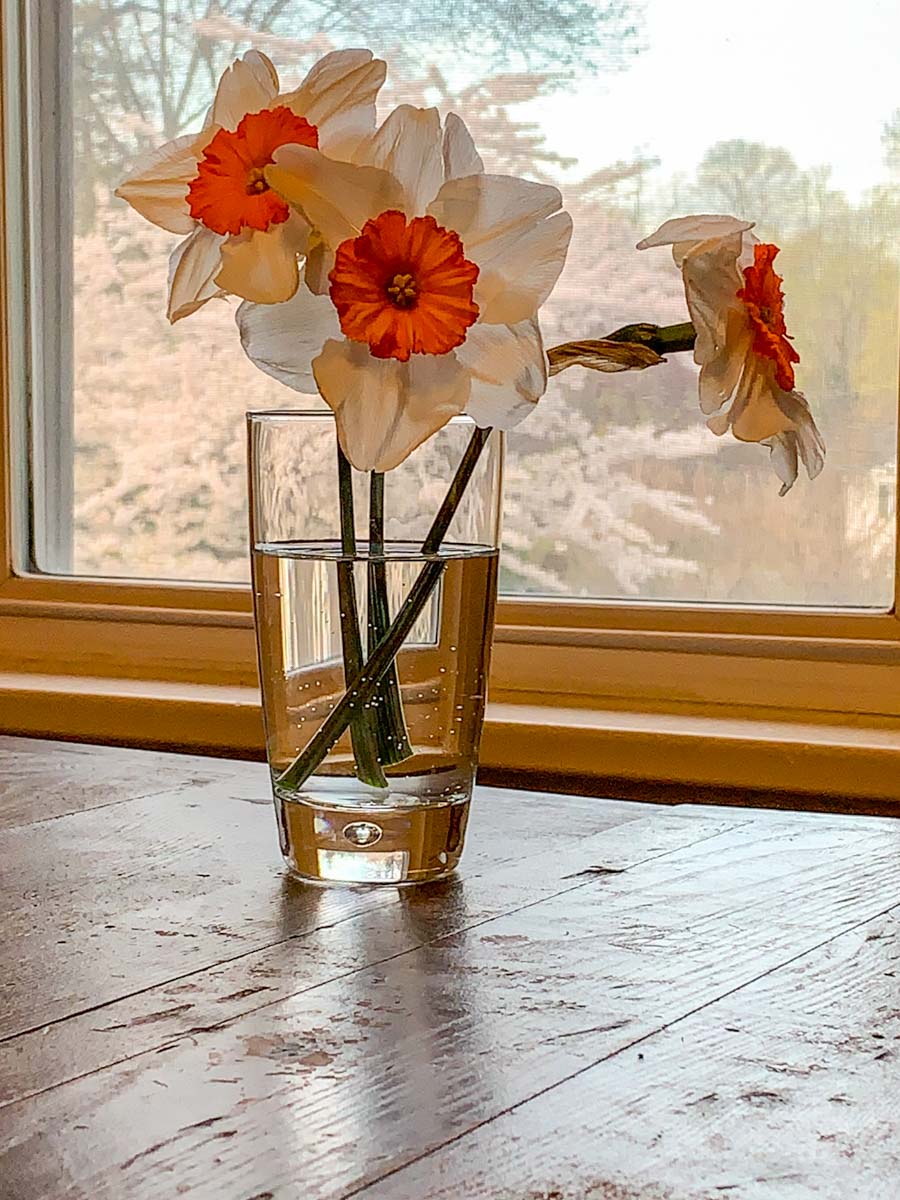
Actually, there were so many little marks, the scars simply began to blend together into a dull, well-worn, distressed look. I’m sure the table sported a uniform shine in the previous century, but now, it simply absorbs the daily life of our growing boy with its own muted elegance.

Learning from your Mistakes
I woke up on Saturday morning and began setting the dining room table for breakfast. Sitting in the middle of the table was a science experiment and magic trick of sorts from the previous evening. Our son had created the illusion of dry bits of paper floating inside a Ziploc bag of water. It was a clever design that, of course, used two Ziploc bags.

My wife and I enjoyed our son’s after-dinner illusion, but unfortunately, we all forgot to make sure it was cleaned up and put away.

Sometime overnight, the bag with the water sprung a leak.

So when I walked over to the table in the morning, there was a huge water stain that spanned the entire length of the dining room table.

In many situations, this would be a game-over moment for a piece of wooden furniture. And for me, it should have prompted a response of significant stress.

But it didn’t.

After observing the pool of water, I walked over to the kitchen to retrieve some paper towels, and then I mopped up the mess. I took another look at the massive wet stain, which I knew would mostly disappear when it dried. I shrugged and went about my breakfast prep.

That’s it.

Yes, I later pointed out the water illusion’s structural failure to my son, and I did suggest that he shouldn’t leave aqua experiments lying about.

But compared to other corrective conversations, it was very Zen.

The Real Value of a Dining Room Table
Parenting is a messy business. Growing up is a messy business. Good messy.

I’ve realized it’s just fine for your dining room table to reflect that.

  • A table for science experiments
  • A table for art projects
  • A table for family Zoom chats
  • And yes, sometimes a table to eat on

I expect that some folks might be horrified with my position on dining room table protection, but I’m so happy letting this table be the surface for so many of our family’s home adventures.

And now, it’s clearly become my own little experiment.

I think one day… a few years down the line, we’ll get the table refinished. It’s certainly earned it!

Life Lessons
Yes, my indestructible dining room table has been an invaluable tool across these years. It’s ongoing presence has also taught me not to worry so much about the little nicks and dings… and water stains.

That’s life.

This lesson has helped me to avoid some of the parenting styles I grew up with. And I’m really thankful for that.

I don’t know who left this magic table for me all those years ago. But whoever you are, thank you!

How to Fix your Ceiling Shot Problem during Zoom Meetings

Using a tabletop tripod to elevate your webcam shot is a great way to help your Zoom viewers experience you eye to eye.

It’s been over a year since the Zoom revolution took over so many parts of our lives. The good news is many of us have mastered the basics of video production while video conferencing from home. But there’s one mistake I see plenty of people still struggling with. To be fair, it’s not entirely their fault. Some blame has to be shared with laptop manufacturers who insist on putting webcams down at the bottom of the laptop screen.

The Evil Ceiling Shot
The resulting problem is your webcam pointing up at your face with the ceiling as the background. The shot is incredibly unflattering. Who wants their viewers staring at their chin or peering up their nostrils?

The fix is not an easy one. You’ve got to find a way to bring your webcam up to a more level position with your eyes. That will create the balanced visual you need.

Stacking a few hardcover books under your laptop can help. If you’ve got a standing desk, it’s time to raise it up all the way. Anything you can do to elevate your webcam will reduce the evil ceiling shot.

You also might want to consider investing in a little more gear to improve the Zoom experience for both you and your viewers.

Time to Buy a Tabletop Tripod
To move your shot high enough to make your webcam parallel with your eyes, you may need to invest in a standalone webcam. And then, most critically, you absolutely have to perch that webcam on a tabletop tripod.

A good tripod that can fit on your desk will be your unsung hero to help create a great video shot for your next Zoom.

The trick is making sure the mini tripod is tall enough to meet your eyes.

There are plenty of inexpensive tabletop tripods out there for webcams and portable LED lights. The problem is many of them are too short, only coming up a few inches. You really need a mini tripod that telescopes up 15 inches or more.

And you should also make sure you don’t choose a model that will take over your desk. It needs to be compact.

In looking to improve my own desk setup with a new tabletop tripod, I found these options to consider:

  • Lume Cube Desktop Light Stand
    30” max height
    $34.95 on Amazon
    The tallest option if you need it, but it’s also more expensive.
  • OrangeMonkie Tripod50
    19.7” max height
    $44.99 on Amazon Prime
    I love this little tripod. Even though it’s the most expensive of the group, it’s a great value. Unfortunately it’s overkill, made for heavier gear. The design will also take up more space on your desk.
  • Neewer Photography Mini Table Top Stands (2)
    20” max height
    $19.99 on Amazon Prime
    The price is right, but you can’t tilt the mount.
  • Ulanzi MT-16 Tripod
    15” max height
    $22.95 on Amazon Prime
    Just tall enough. Comes with a standard 1/4” screw mount and a GoPro mount.

Ulanzi MT-16
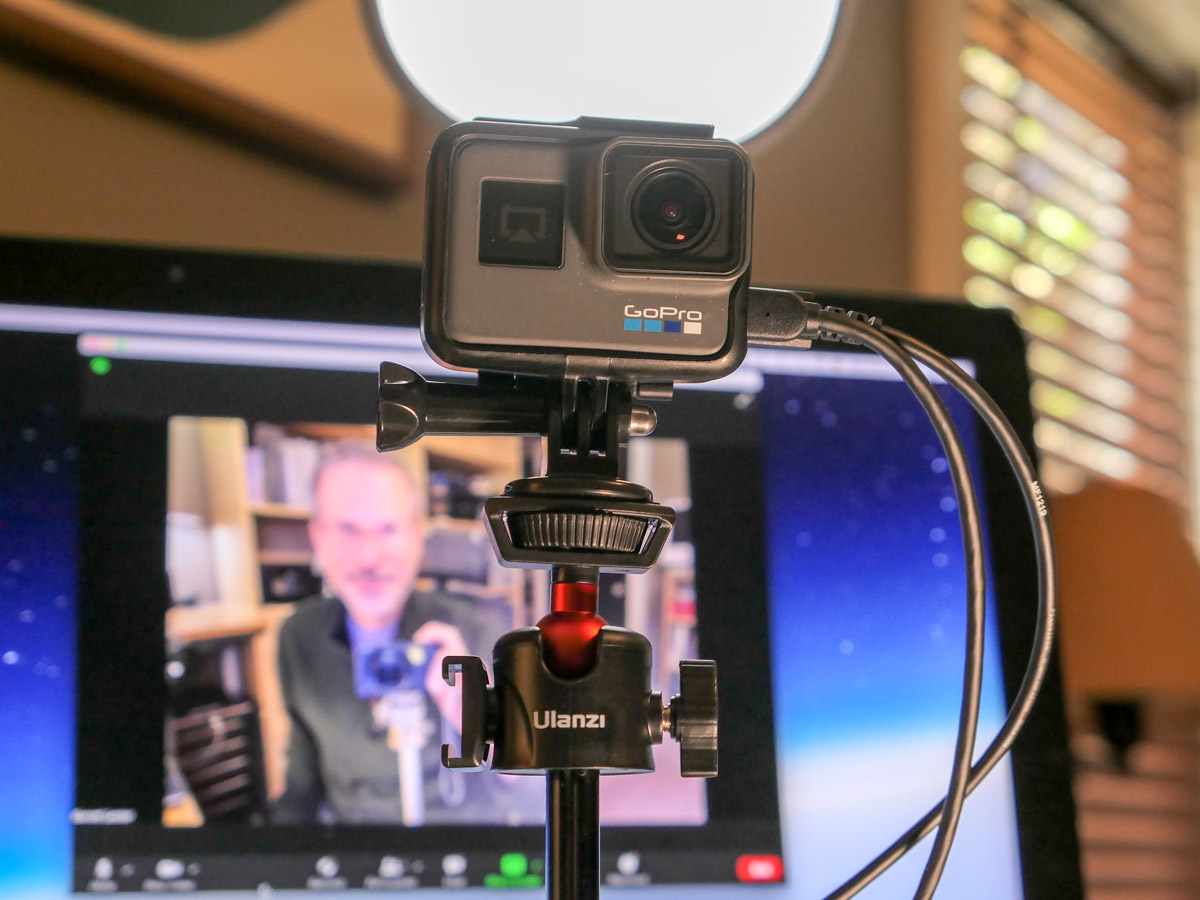
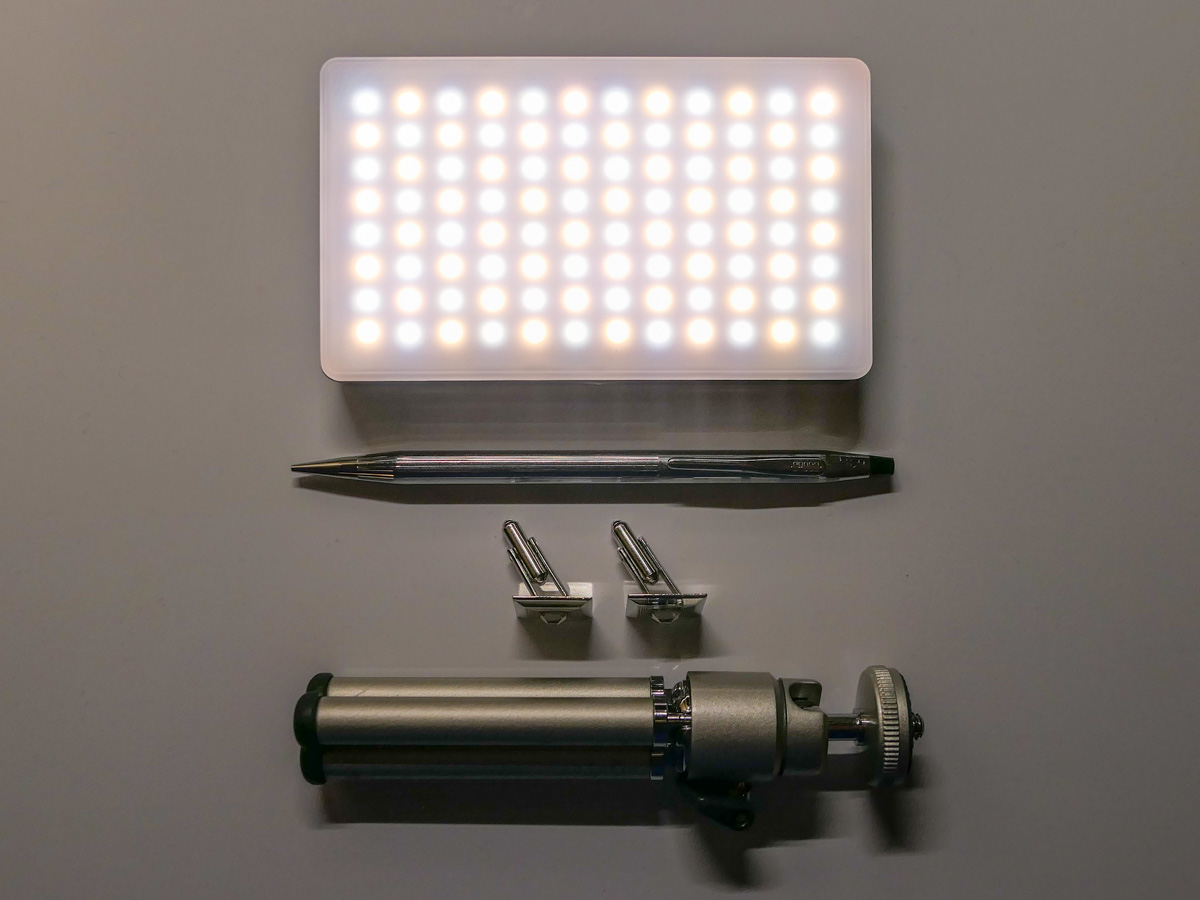
So, I ended up going with the Ulanzi MT-16 tripod. It’s great to support my portable Genaray Powerbank 96 Pocket LED light. It’s also a perfect choice to hold up my GoPro when using it as a webcam.

Yes, GoPros can be repurposed as webcams. To do that trick, you just need an HDMI-out to USB 3.0-in adapter. That interface will connect your GoPro’s video feed to your computer. (I use the Elgato Cam Link 4K.) Once attached, your GoPro is ready to live stream.

Elevate your Zoom Game
Remember, to create your best video shot for your next Zoom, you have to bring your webcam up high enough to meet your eyes. And stacking books under your laptop can only take you so far.

A separate webcam on a desktop tripod can really elevate your Zoom game. (The same goes for portable LED lights. You want your soft light source hitting your face at eye level.)

Using a little tripod will make a big difference!