At Home with Tech

Unlock the power of all your technology and learn how to master your photography, computers and smartphone.

Category: Tech Fixes

Where Are All Your iMessages?
Have you noticed you’re receiving noticeably fewer iMessages on your iPhone recently?  Maybe that’s because you’re not receiving any iMessages.  So what’s the problem…?

Have you noticed you’re receiving noticeably fewer iMessages on your iPhone recently? Maybe that’s because you’re not receiving any iMessages. So what’s the problem…?

I missed a text message from a friend on my iPhone the other day. I realized the problem when I got home and saw the lingering comment glowing on my iPad as an old iMessage.

I looked for it on my iPhone 6 Plus, but it simply wasn’t there…
Strange.

Why was my Wi-Fi iPad receiving iMessages that my iPhone was missing…?

So I decided to take a closer look…

Is iMessage Activated?
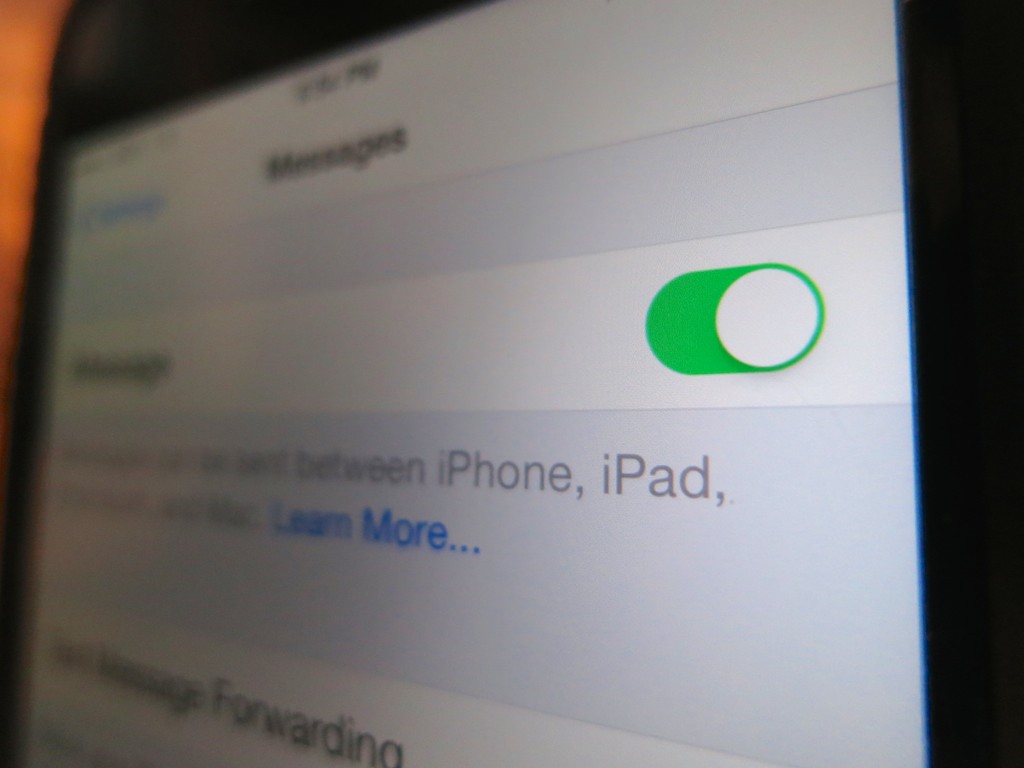
I opened up the ‘Messages’ settings on my iPhone.
The red flag was immediately evident….
I saw that ‘iMessage’ was simply turned off.
(That’s confusing.)

And to rub it in, the Off setting was accompanied by an ‘error’ message.

What?
How did iMessage get deactivated?

Come to think of it, I had recently noticed that some of my texts which would typically travel on the free, ‘blue’ iMessage road to another iDevice were only showing up as normal ‘green’ SMS texts that count against my texting plan.
(Yes, I still have a free-texting limit. Is that too old school?)

I didn’t think much of these little green monsters, because sometimes the blue path gets inexplicably blocked, forcing an iMessage to morph into a standard text.

Why Is iMessage Suddenly Turned Off ?
So I immediately reactivated iMessage on my phone, which required my thumbprint’s touch ID authentication.
(Why was my phone treating me like a stranger?)

More importantly though, I wanted to know why this had all happened in the first place.

I had recently upgraded my iPhone’s operating software to iOS 8.3. Was this the culprit…?

I took a look online at some Apple message boards, and in fact there were others talking about similar problems. But I found no official determination that an iMessage issue had been created by iOS 8.3.

Huh.

Check the Facts Again
Then I did a little more diagnostic research as to when the green texting regression actually cropped up. I tracked my daily texts to my wife, and in fact, they started turning green a month back on April 1.

D’oh!

And that was before iOS 8.3….

It’s possible I did a previous iOS upgrade on that day, but I no longer have any evidence.

All I’m left with is… April Fools!!!
(seriously?)

Don’t Anger the Tech Gods
So what are the lessons learned here…?

  1. Never ignore the playful (and frustrating) power of April Fools’ Day.
  2. It’s probably a good idea to check your iMessage settings every time you upgrade the iOS on your iDevice.
  3. If it takes a month to figure out you’ve got a tech problem, you can’t place all the blame on someone else.

Let’s move on…

What to Do With Your Dormant Domain

This is one of the many dead ends on our glorious world wide web. I’m pointing out this particular one, because it’s what’s left of my never-launched website from years back.   It’s time to take this back to the future!

This is one of the many dead ends on our glorious world wide web.
I’m pointing out this particular one, because it’s what’s left of my never-launched website from years back. It’s time to take this back to the future!

In what now seems like some distant era, I purchased my own .com domain. Yes, once upon a time, I registered barrettlester.com. I was so excited. The power to control your personal brand… worldwide. The possibilities were almost endless. I plunked down some serious coin and paid up for a whole decade.
(The longest option available)

But as Peter Parker has taught us…
“With great power comes great responsibility.”

I quickly constructed a few quaint pages using Apple’s iWeb and
now-defunct MobileMe.
But it was undeniably a homegrown effort.

I stared at my creation, late at night. It would always be imperfect. And like RoboCop before he found his groove, I was unable to pull the trigger.

I never launched barrettlester.com.

Years past. Other projects took precedence
And eventually, I forgot about it…

Do You Need Your Own Domain?
The other day, I received a check-in email from Network Solutions, the domain registrar where my dormant domain is parked. And it reminded me of my little cliffhanger…

I think the problem was I never had a specific goal for my website. I wasn’t promoting a business. And the idea of publicly sharing a more personal reflection now seems entirely sophomoric in today’s more advanced and potentially dangerous online landscape.

Nor have I had a strong reason to pay for a more professionally constructed site.
Ultimately, my LinkedIn profile has largely satisfied my need for a public online identity.

The Power of Blogging
I grabbed my keyboard and nervously typed in my URL for the first time since my son was born. I wasn’t quite sure what I was supposed to see.
(pause)
My computer struggled for a few seconds… Finally, I stared at a cold line of text:

“http/1.1 Service Unavailable.”

Ugh. You’re telling me… I think this was a remnant from my failed launch attempt in the previous decade.

Seeing nothing at all would be better than this sad residual message.

And then it hit me…
I had abandoned my URL, but I had not backed away from asserting my public presence online.

I’ve been blogging every week for the past three years!
I just chose a different name for this endeavor.

Suddenly, the next step seemed quite obvious…

Domain Forwarding Can Fix Your Problem
Not that there’s likely a whole lot of folks out there typing in barrettlester.com. But I realized those who do should be properly redirected to athomewithtech.com.

For better or for worse, that’s where I’m at these days.
Who knows… barrettlester.com could eventually see the light of day… but for now, all it needs to do is simply give a nod to my blog.
(I’ve already done something similar by extending my blog’s identity to include .net, .org, and .info suffixes.)

So I logged onto Network Solutions and clicked on their ‘web-forwarding’ service.
Their cost: $12.99/year.
(another fee!)

But I figured I’ve come this far…

A few clicks later, the domain-forwarding transaction was complete.
And then I promptly stood up and went to bed.
(Domain forwarding takes a little time to take effect.)

The next morning I woke up, got my cup of Joe, and typed in my URL.
And Voila…!

There was my blog.

We’ve All Got Something to Say
Does this feel like a Seinfeld episode?
Let’s review…

I spent some money on my very own URL. Then did nothing with it.
Years later, I paid more money just to hide it in a different way.

It’s all about nothing.
I continue to spend money on seemingly nothing.

But if you’re reading this, that means you’re the Horton to my Who.

“I am here! I am here! I am here! I am here!!!”

Somehow, you heard me.
Possibly now… because you simply remembered my name.

So I’d say a little web forwarding is money well spent.
And a hidden URL can still carry your good name forward…

Yes, I am here.

Five Tech Tips to Keep Your Life in Order

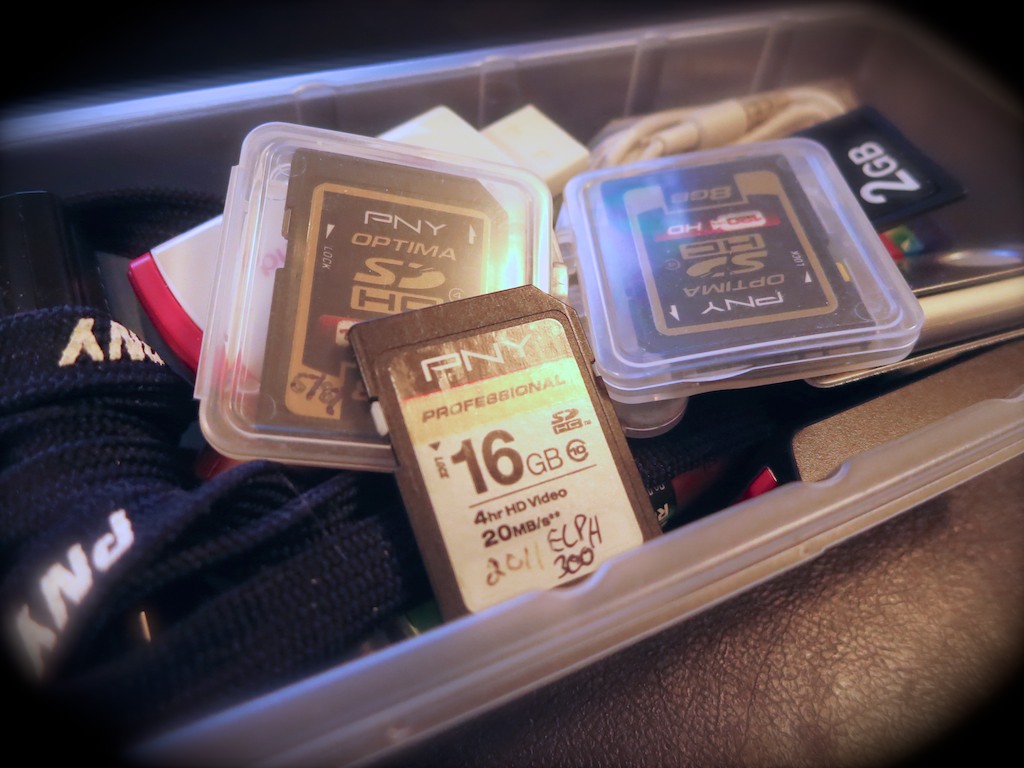
Is this mound of forgotten flash memory a sign of clutter or organization? Well, it depends on what you’ve previously done with the digital files. That’s where the battle to maintain some digital harmony in your life must be fought…

Is this mound of forgotten flash memory a sign of clutter or organization? Well, it depends on what you’ve previously done with the digital files. That’s where the battle to maintain some digital harmony in your life must be fought…

Don’t let cold spring breezes freeze your good intentions to get organized.
For many, the annual cleaning ritual is about to begin. So I propose it’s also a perfect time to tidy up some of your zeroes and ones. Just because your digital files don’t take up a lot of physical space doesn’t mean they’re not cluttering up your life!

1.
Delete Half of Your Email
Have you lost an important email recently? If so, I bet you’ve got too much hanging around.

Let’s face it… you don’t need to hold onto most of your personal email. Much of it is probably unwanted marketing messages anyway.
(Usually from companies you naively gave your email address to in the first place)

And if you’ve got thousands of unread emails stacked up, that’s also a sign it’s time to thin out your in-box.

My favorite way to keep the job manageable is to simply sort by sender, select huge email chunks, and then delete away.
Don’t be shy…
(And it feels so good!)

2.
Organize Your New Family Photo Files at Least Once a Week
There’s really only one way manage the hundreds of photos you’re likely snapping a month:

  • You’ve got to regularly go through them on your computer and organize them into content buckets.
  • And to be really effective, you’ve got to delete the mediocre pics.
    (They’re never going to get any better!)

I think rolling up your sleeves once a week should do it.
Here are a few tips on getting the task done.

3.
Buy a New SD Memory Card for Your Camera
Have you realized that SD cards have become so inexpensive?

Case in point:
On Amazon, I found this
16GB Class 10 SDHC SanDisk flash memory card for $8.10.

Originally, the magic of digital photography was the mind-blowing concept that it didn’t cost you anything to snap a photo. You’d just delete the older photos on the card and your camera could keep on going… forever.

But no matter how much memory your card’s got, it does eventually run out of space.
(Especially if you like recording videos)
Because who’s really got the time to pay attention to how many megs are left?

It takes some ongoing effort to delete the hundreds and sometimes thousands of photo and video files… unless you want to simply clear the whole card and start over.

I don’t know about you, but time is always something I need more of…

Have you ever found yourself struggling to quickly delete the old photos off your camera’s SD card right before you want to capture a priceless moment?
(It’s maddening.)

So here’s a radical concept…

  • Don’t try to keep up with your nearly filled memory card. When it’s time, just replace it.

It’s okay to buy new SD cards every so often to make sure your camera is ready for action. Sure, that’s a bit wasteful, but it’s not like having a tiny stack of old SD cards lying around is going to mess up the house.

Plus, SD cards don’t last forever. So it’s probably a good idea to recycle out the older ones every couple of years.
(You really don’t want to wait until a card with priceless photos turns into an unreadable plastic square.)

4.
Update the Software on Your Computer
Pop Quiz:
How often have you dropped what you’re doing to comply with this message on your screen: “Updates Ready to Install.”

Exactly.

Nobody wants to take the time to update your software.
But you’ve got to do it!

I’m not saying you should be the first to install an update.
(That can also lead to problems…)

But if you wish to keep your computer healthy, updated software should be part of your plan…

5.
Get Rid of Your Old VHS Tapes
If you haven’t yet converted all that old content off your dusty tapes into digital files, it can’t be that important.
VHS is dead tech. Let it all go…

Enough said.

Bonus Tip!
Remember that new piece of tech you recently bought?
Register it online now, while you still know where the receipt is!
You don’t want to lose out on the manufacturer’s warrantee…

The Endless List
If you’ve got all of these digital projects already handled, congratulations.
(You must not be the parent of young children.)

So let me throw one more task onto your ‘to do’ list.
Are you caught up on making all those photo albums you’ve been meaning to create online?

Uh huh.

Get to work…!