At Home with Tech

Unlock the power of all your technology and learn how to master your photography, computers and smartphone.

Category: Tech Fixes

How to Get Your Digital Download of “Frozen”

This disc shouldn’t greet you when you open up your new “Frozen Collector’s Edition” case.  If there aren’t eleven alphanumeric characters slipped into the insert tab, you can’t get the digital download.  But there is another way…

This disc shouldn’t greet you when you open up your new “Frozen Collector’s Edition” case. If there aren’t eleven alphanumeric characters slipped into the insert tab, you can’t get the digital download. But there is another way…

A few weeks back, my four-year-old son spontaneously started singing the Oscar winning, hit song “Let it Go” from the Disney movie blockbuster “Frozen.”

It was a something of a curiosity, because he’d not seen the movie.
(He must have heard the music somewhere.)

So I downloaded the peppy tune in iTunes while he was in the other room and conducted a little experiment…

I began playing it loud enough for him to hear, and sure enough, I heard him begin to sing along…

“Let it go…! Let it go…”

Yep… he really liked that song.

So I decided to buy the whole movie for him.
It felt like an obvious next step.
Plus, it won the Oscar for best animated feature film and
has become the top-grossing animated film in box office history.

(All that said, I was still a little concerned about “Frozen’s” PG rating.
Though I figured… hey, it’s Disney.
Plus, I’d screen it myself first…)

He hadn’t seen it when it came out in the theaters last year, because he wasn’t quite old enough yet to hit the movie multiplex.
(We’ll probably ease into that multimedia milestone with him later this year.)

Say “Yay!” for Digital Downloads
I still like buying Blu-ray Discs that also provide a digital download option from iTunes. That gives me lots of flexibility in choosing how I (we) watch the flick, and I’m willing to pay a little more for the packaged deal.

The problem is the movie studios are making it increasingly difficult to ‘own’ your digital copy and house the file within the confines of your physical kingdom.

Instead, they’d much prefer you park it in their ‘cloud.’
So they’ve developed their own cloud-based streaming services like UltraViolet.

I ran into this problem a while back when I was looking to buy
“The Dark Knight Returns.”

I didn’t want to open up a whole new complicated relationship with UltraViolet.
I just wanted to have “The Dark Night Returns” in iTunes and be done with it…

(I eventually abandoned my quest for a disc and just downloaded the movie on iTunes.)

Supersize My Movie
But when shopping for “Frozen” on Amazon, I noticed deep in the small print a vague ‘mention’ of iTunes as a download option.

I scoured the photo of the Blu-ray Disc box and saw no mention of UltraViolet.
(though there is ‘Disney Movies Anywhere’)

So I figured Disney hadn’t gone completely over to the Dark Side, even though they now totally own it.

So I took a chance…
I bought the “Frozen Collector’s Edition” on Amazon for 25 bucks.
Not such a great bargain… but at least it contained the Blu-ray Disc, a DVD, plus the coveted digital copy…

The file would also come in handy for pre-screening in bits and pieces while on the go.
(Not sure I would have 102 minutes to commit to this task all at once)

Where’s my Digital Copy of “Frozen?”
“Frozen” arrived in its non-descript Amazon brown box, and I eagerly slit it open, ready to extract the magic of Disney from the corporeal disc into my iTunes library.

Next, I snapped open the plastic case….

Inside, I saw an insert promoting the wonders of DisneyMovieRewards.com and how to get the original motion picture soundtrack for only $7 with the attached Magic Code.
(Okay… a little ‘upselling’… nothing wrong with that.)

I kept looking.
But it was not there.

There was no code for the digital download!
That insert was missing.

What?!
(That’s a real bummer.)

Hey, Disney…
How did that little detail get missed?!
For me, that’s as bad as forgetting to put the disc in the case!

Let it go?
NO WAY…!!

In Search of the Missing Code
You’re supposed to go to Disney’s Digital Copy Plus site to redeem your code.
So I figured there must be a help section somewhere.
And indeed I found an email address to send along my complaint and a specific page documenting what I needed to provide to receive a replacement code.
(I guess I’m not the first to encounter this problem.)

And believe me…It was no small task finding all the requested numbers tattooed all over the box and disc.
Here’s what you need to provide to legitimize your request for a code:

  • 6-digit stock number
  • -Disc artwork number
  • -UPC number

So I wrote down all the digits, checked it all twice and sent off my cry for help to Disney…

“We are Happy to Assist You”
The next day I received what seemed to be an automated response.
“Thank You For Contacting Walt Disney Studios Home Entertainment!”
The email was so perky, I half-expected Mickey Mouse to jump out of my screen…

But buried deep in Disney’s message were eleven random alphanumeric characters.

That was it!
MY CODE!!

But my joy was tempered by the next paragraph:

“Since Digital Copy activation codes are subject to expiration, we highly suggest using the above code as soon as possible.”

Understood.
Disney has giveth.
And Disney may taketh away…

I took the warning to heart.
No dillydallying…

Enter the Code
So I copied and pasted the code into the yellow box and waited.
I watched the next URL seemingly struggle to load.
It was as if I had activated some massive back-end protection protocol to ensure I was not scamming Disney.
I thought I sensed a black ops chopper hovering overhead and a thermal scan permeating the room.
(No, it was just the cat purring in the corner.)

But I had the code.
Disney gave me the code!!
This should be straightforward, right?

Guess what?
It was.

The next page finally loaded…
“Success! Your code has been redeemed.”

I was then directed to iTunes and “Frozen” began to download.
(deep sigh)

Don’t Let It Go!
The freeze had ended.
Order was restored in the Lester household.
(though nobody else really knew there was a problem)

And it was finally time to watch the movie!

I will say as annoyed I was with having to go through this unnecessary dance, Disney was pretty quick to resolve the problem.

And coincidentally, the closing lyrics to “Let It Go” seem a fitting end to today’s adventure at home with tech…

“Here I stand
In the light of day
Let the storm rage on…”
The Parking Warrior Finds Salvation with PayByPhone

How do you pay for parking when you’re running for the train? PayByPhone has an app for that!

How do you pay for parking when you’re running for the train?
PayByPhone has an app for that!

Parking garages are vertical Thunderdomes.
They’re all designed by some post-apocalyptic engineer, whose remaining goal in life is to ruin your day and destroy your car.

  • The confusing layout
  • The innumerable cement columns
  • Lots of blind spots
  • And those razor-thin parking spaces

And if it’s a parking garage next to a train station, add in the reality that there’s probably going to be only one spot left for the seven cars trolling the murky wasteland.

Now, to really lock in a stressful parking experience, make sure you’re rushing to catch a train. That means you’re running late, AND now you’ve also got to pay for your parking after besting Master Blaster for the last parking space.

Welcome to my parking gauntlet I’ve recently discovered on my new commute.

The Outsider is Never Welcome
The problem happens when I drive to a garage in a town where I’m technically an ‘outsider.’
And without a resident sticker, I only have access to a fraction of the spaces.
In fact, there are only a handful designated for ‘strangers’ on the very top of this seven-story structure.
So every time I enter the parking garage, I feel like I’m James Bond driving vertically to the roof to find my spot.

Beyond the anxiety of having to replicate a scene out of a high-speed car chase movie, this extra travel distance tacks on precious time to my commute. And when you’ve got a train to catch, that’s usually a problem.

Now add in one final step before you’re free to sprint to the platform to catch your oncoming train:

  • You need to pay for your parking at an automated kiosk.

What?!

Yes, gone are the more civilized days of taking care of this business transaction on the way out of the garage.

And if there’s a line to pay at the machine, you can kiss your first morning meeting goodbye.

I’ll Be Back
Thankfully, this is not my every-day commute, but I now have to go through this parking dance frequently enough to welcome some help wherever I can find it.  (And please don’t ask, “Why don’t you just leave your house five minutes earlier?”)

The other day, I found my parking salvation in the form of an institutional-looking sign posted right next to the payment kiosks…

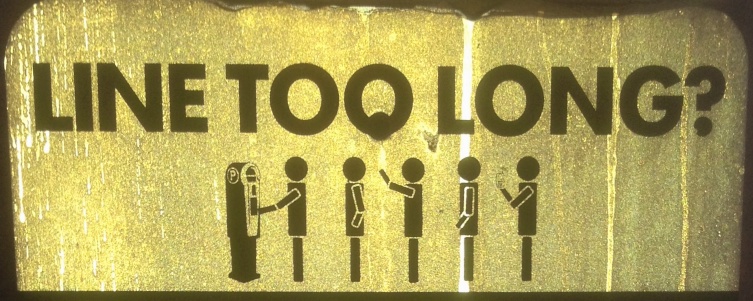
As I walked by, it said, “Lines too long?”
I looked around…
Nobody else was there.
So I ignored the remaining words on its weathered, metallic surface.

But my train was due to arrive in five minutes, and I still had to navigate the
‘T-800 Parkinator.’

Fortunately, three minutes later I was paid up, but really huffing to catch my train.

As it pulled out of the station, I sat back, perspiring in my seat, and decided to check out that eerie sign again when I returned.

Pay by Smartphone
Later that day, I walked back up to the Guardian of Forever.
It was like the deteriorating sign had been waiting for centuries to impart its wisdom on someone.
I focused on the rest of the crumbling words…

Its simple message promoted the wonders of paying for your parking fee via your phone.
(The service was aptly named PayByPhone.)

I had seen this kind of thing before, but had never taken the time to try it out.
Plus I wasn’t sure if I really trusted an automated phone call to pay for my parking.
(I imagine this fear is entirely unfounded.)

But tucked away on the bottom edge of the sign, almost as an afterthought, was the URL – ‘paybyphone.com.’

Wait a minute… what’s this?
Web functionality, too?

And then I also noticed the words, “Add Time Remotely.”
Huh…?

Add Time Remotely

You don’t have to rush back to the garage if you’re running an hour late?
Now that could be really useful…

So later that evening, I jumped onto my computer and navigated to paybyphone.com to check it all out.

It was time to alter my future history…

The PayByPhone App
PayByPhone has really grown out of a phone call-based service.
Once you sign up online, you can pay using your smartphone via text or by using its mobile website- m.paybyphone.com.

And then I saw it… a PayByPhone app for my iPhone.
(Android and BlackBerry too)

And it was at this moment I actually think I heard angels singing.
How cool is this?!!!

The app easily lets you type in your garage and parking space numbers, and then it emails you the receipt for your parking fee.

This is a no brainer!!

So I quickly signed up for my own account, which does includes handing over your credit card and license plate numbers.
(The PayByPhone system tracks your payment through your license plate. So when Judge Dredd walks by, his ‘connected’ handheld device will display that you’ve paid up.)

In less time than it normally takes me to sprint, pull a ligament, and then limp to the train, I was prepared to face my next parking challenge… invigorated with my speedy PayByPhone shortcut.

The Best 35 Cents I Ever Spent
So where’s the catch?

Cost?

Well, PayByPhone has no subscription fee.
Though there could be service charges if you choose to receive text reminders that your parking ‘session’ is due to expire.
(another nifty feature)

And yes, in some cities, there’s a per-transaction service fee…
(35 cents for me… but aren’t a few pennies worth the peace of mind you won’t miss your train?)

The only real downside I see to using PayByPhone is it isn’t universal.
The service lists only 39 cities in the United States.
PayByPhone is also in Canada, the UK and Europe, bringing its reach to over 150 cities.
And it just took over 155,000 parking spaces in Paris.
(Vive La France!)

There are other companies like PayByPhone out there in other communities.
So if you come across one, I highly recommend you check it out.

No More Bad Parking Karma
I know I don’t have the data to back up what I’m about to say, but theoretically, paying for your future parking garage costs using this mobile payment technology will…

  • Save you up to an hour each day (estimated waiting time for the next train)
  • And return years to your life span (no more commuting stress over bad parking karma…)

And as a Road Warrior, who’s now graduated to Parking Warrior,
I say, “Amen to that!!”

Hello, I’d Like to Buy 10,000 Stamps

Online at the post office beats waiting on line at the post office. But is that the best site to buy enough stamps to keep your bills paid?

Online at the post office beats waiting on line at the post office.
But is that the best site to buy enough stamps to keep your bills paid?

It seems I’m always dangerously close to running out of stamps.
And I inevitably have to prepare myself for another ‘adventure’ to the post office.

So, sure… I know we live in a paperless society where so much of our commerce is transacted digitally. But please tell that to the owners of all the bills I still receive in the mail. Yes, I’m a huge fan of online bill payments, but it takes a big commitment to get everyone into the ‘system.’

Sometimes, it’s easier just to reach for a self-stick stamp.

I Want a Real Stamp!
I don’t know about you, but I do not find it especially convenient to just walk into a post office and buy a book of stamps.
(Waiting on line is so analog!)

And purchasing stamps from the automated touch-screen dispenser doesn’t give you the real deal. Recently, these machines have been ‘upgraded’ to spit out this freshly printed but very ordinary sheet of stamps.

Yes, they’re legit, but they seem so…generic.
Something almost out of a kindergarten art project.
Certainly non-collectibles…

Google for Your Stamps
The other morning, I peeled off a little 47-cent ‘Forever’ square and realized I only had two left.

It was time to jump into action.
But I was determined not to get out of my chair.
(Besides, it was still dark out.)

I turned on my iMac.
Its glow powered my resolve.

“Send me stamps,” I whispered evilly.

Nothing.

Then I realized I was momentarily caught in a temporal rift, and I was channeling my future self ten years out.

I sighed and looked around to see if anyone got the joke.
The rest of the family was still asleep.

Oh well…
I lifted my fingers to initiate some Googling…

Amazon’s Deal Isn’t Prime
I figured the U.S. Postal Service must sell stamps online.
And of course they do.
Buying stamps at usps.com… it seems so patriotic.

Problem solved, right?

Well, I happened to notice there would be a shipping fee.
(amount unknown)
And you have to sign up for an account to discover how much that would cost.

Hmmmm….

I’ve been so spoiled by the free shipping convenience of Amazon Prime.
(Though apparently their more expensive $99 Prime charge isn’t enough to prop up Amazon’s sickly profit margins.)

I immediately went to Amazon to find my stamps.
Yup, there they were!
Prime?
Check!

Price: $13.35 for 20 stamps.

My neurons powered up to do the short math.
(uhhhhh)
I reached for the calculator instead.

Their deal turned out to be a little more than 66 cents for a 47-cent stamp.

What?!
That’s a huge mark up!!

No thank you, Amazon.

Office Depot to the Rescue
I can’t be the first person out there looking for a good deal on stamps online.

Google. Google.
Google. Google. Google.

Wait… there!!
Officedepot.com sells stamps.

Their website offered a cool roll of 100 stamps for $47 with free delivery.
(And even I could do that simple math to know the price was right.)

But then I noticed there’s a $1 ‘Processing Fee’ added at checkout.
(D’oh!!)

But I still pulled the trigger, reluctantly.
The convenience of free home delivery was worth the dollar.
(if you can follow that logic)

Uncle Sam Can’t Be Beat
But I still wasn’t 100% satisfied.

So to quench my intellectual thirst,
I went back to Uncle Sam to check out his shipping costs.

Of course, usps.com offered the traditional Forever flag stamps.
(I half expected the site to offer me an apple pie if I spent $50.)

You can order in incremental strips of 20 or 25 stamps.

And in case you suddenly find the urgent need to buy 10,000 stamps, have no fear.
The United States Postal Service has got you covered.
It just takes a click and $4,700.00, and you’re ready to go.
(I’m not kidding.)

ten-thousand-47-cent-forever-stamps

I’m not so sure how many people are clicking for 10,000 stamps, but our government has got them at the ready to ship out to you!

Once I got over considering how long it would take me to go through all those stamps, (I don’t get that many bills!)
I got back to the shipping cost question.

I took the few minutes to sign up with the government.
(Don’t they already know me?)

I experimented by putting in a few different orders into the shopping cart.
And do you know what I discovered about the shipping charge?

  • 25 stamps – $1.25 shipping
  • 50 stamps – $1.25 shipping
  • 75 stamps – $1.25 shipping
  • 100 stamps – $1.25 shipping

The United States government apparently has this great flat-rate shipping deal going with our post office.

Who knew?!!

(Actually, I think it’s a little more to ship your 10,000 stamps.)

Plus, there’s no processing fee to infuriate you!!
(That just comes once a year in April.)

So I immediately felt buyer’s remorse.
But comparing officedepot.com to usps.com… the pricing is actually kind of a wash.

Click-N-Ship
Now I had become an honorary member of the U.S. Postal Service Fan Club,
I figured I should check out the rest of what usps.com had to offer.
And I discovered our nation’s digital post office had a few other tricks up its sleeve…

Did you know….?

  • You can schedule online a free package pickup
    (though it costs $20 if you ask for a specific time window)
  • You can also order mailing and shipping supplies for free
  • And print shipping labels with postage

So for many situations, you don’t ever have to go to the post office ever again!
(Whoah… what a concept.)

Invasion of the Stamp Snatchers
I think usps.com is going right into my favorites folder.

I prefer online artificial intelligence over pod people any day….
Come on… you know what I’m talking about.

It’s not everyone at the post office, mind you…
But every so often when you go up to the counter, the post office guy looks up,
and it’s Donald Sutherland!!

Come to think of it, when you’re online late at night at usps.com, it’s probably a wise move not to fall asleep.

You never know…