At Home with Tech

Unlock the power of all your technology and learn how to master your photography, computers and smartphone.

Category: Tech Fixes

Brother, Can You Spare a Battery to Power my Phone Call?

Is this what your smartphone’s battery icon displays at 3:30pm? You really need help from a Mophie battery case.

Is this what your smartphone’s battery icon displays at 2:55pm? You really need help from a Mophie battery case.

Red Alert!
Smartphone batteries can’t get you though your day anymore.
Everybody out there seems to need a battery with more ‘mAh’ capacity.
(‘milliamp hour’)

Whenever someone shows up for a meeting with me,
the first comment I often get after “Hello!” is
“Can I plug in my phone somewhere?”

Worse yet, they often ask if I can loan them my iPhone charger for a quick hit.
It feels like they’re bumming a digital cigarette off me.
Now, I’m their personal power refueling station?!

Your Smartphone is Hungry!
This isn’t a new problem, but it seems to be getting worse.

Once upon a time, I could get through two days on one iPhone charge.
Then, as I discovered more apps to use, I wasn’t so sure.
So I made it a point to juice up every night.

Now with iOS 7, my little partner seems even hungrier.
I watch its battery percentage icon drain away throughout the day, and I often have to ration my afternoon email check-ins to keep the phone alive until I make it home.

And I don’t really consider myself a power user…

Better Keep that Smartphone in your Pocket
I think the good news is it’s okay to admit you can’t get through your day without a little extra juice…
I’ve always felt I was somehow hiding this deep, dark secret that I couldn’t keep my phone going all day long.

But there’s really no shame in it.
You’re not some sort of malcontent who can’t control your impulses to overuse your smartphone.
(If you are… sorry for calling you out!)

Sure, there are ways to cut back on the power drain:

  • Close unused apps
  • Turn off Wi-Fi and Bluetooth if your not using them
  • Don’t check your email with a poor signal
    (That makes your phone work harder.)

But the truth today seems to be that smartphone batteries just can’t keep up with the normal drain that’s put on them.

So until that problem improves, you’re going to have to take matters into your own hands.

You Need Some Portable Power
Last year, I got the tiny Innergie PocketCell for my iPhone to help keep it alive on the road with me.

This elegant $60 white ‘stick’ is small enough to slip into your back pocket and is great as a portable power back-up solution for lots of your hungry digital devices.  The one big downside is you always have to carry it around with you.

Plus, it’s cumbersome to set up your little digital MASH unit in the wild and execute a power transfusion whenever your smartphone runs low.

Feed your Digital Beast!
So I finally decided it was time to get with the program and upgrade to an augmented and elegant onboard battery solution…

Unfortunately, smartphone manufacturers don’t offer this tech through their own brands.  (That would suggest their technologies are somehow lacking.)

The added juice you need comes hidden in the bodies of
third-party smartphone battery cases.

And the good news is… There’s a lot of choice out there for you.

Size Doesn’t Matter
Sure, battery cases will inevitably make your smartphone’s footprint a bit larger.
But today, that’s not so much of an issue.
In fact, if anything, bigger is better.
iPhone users are drooling over all the larger screens out there.
Have you seen the size of these Phablets?
They’re huge!

So a little extra heft is really not a deal breaker anymore…

Mighty Mophie to the Rescue
A digitally enlightened friend of mine has happily used
the Mophie Juice Pack Plus.
So instead of going through my usual painstaking research before pulling the trigger on a battery case, I quickly settled on the Mophie.

Mophie_juice_pack_plus

Call me impulsive.
Or maybe it’s just the time of year, where you don’t have a lot of spare time to brood over the perfect power accessory for your smartphone.
(If you do, you should know that Mophie also offers a couple other design flavors.)

All my right-brain decision-making aside, Mophie is still highly regarded.

It’s Going to Cost You
Of course there’s a catch…
Convenient battery back up from Mophie doesn’t come cheap:

  • $100 to fuel the 4/4s
  • $120 for the 5/5S
  • $100 if you’ve got the Samsung Galaxy S4

But can you really put a price on having enough power to get you through your day?  Mophie claims to almost double the runtime of your iPhone.
Sweet!

Discovering a Great Last-Minute Tech Gift
What choice do we flawed, digitally dependent humans really have?

  • If you’re going to get caught on a few long phone calls throughout the day
  • If you like to stream a little Hulu video or watch part of a movie you downloaded from iTunes
  • If you pay a fair amount of attention to your email
  • And if you don’t want to plot your day based on where you can plug in

…You really need one of these battery cases.

And who wants to spend this time of year worrying about your power limitations?  Open up your brain space for more important concerns.

Like….
Time is running out and you don’t have all your presents yet!?
If only it was easy to find a great last-minute tech gift.
Wait a minute!

Got to run…
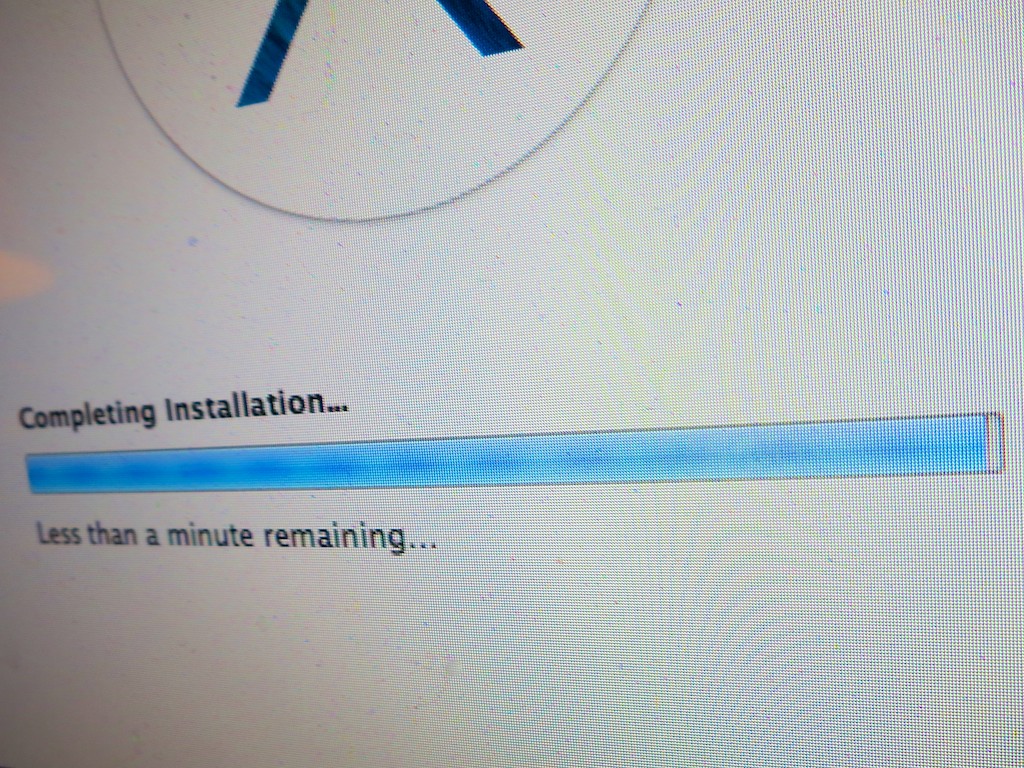
Give your Computer the Gift of Updated Software

“Less than a minute remaining” is the most excruciating message ever invented by software developers. I think the phrase actually makes time slow down. In this moment, your Mavericks OS X upgrade is so close… yet still so far away. Here are three recommended steps to help you get your computer to the finish line…

“Less than a minute remaining” is the most excruciating message ever invented by software developers. I think the phrase actually makes time slow down. In this moment, your Mavericks OS X upgrade is so close… yet still so far away. Here are three recommended steps to help you get your computer to the finish line…

There’s a battle waging deep within your mind.
You may not be aware of it, but subconsciously… it’s always there.

To Update or Not to Update…
Almost every day it seems, your computer prompts you to update its software arsenal.

Some are small updates.
Others are game changers.

But you’ve always got a choice to make.
And the opportunity to update to the latest and greatest carries both a blessing and a curse.

Advantage: Your computer should work better than ever.
You’ve got the best chance for all your software to play nicely on your desktop if every piece is up to date. You generally tend to have problems when you run into ‘compatibility’ issues.

Risk: Your computer ‘blows up.’
Face it… you’re doing brain surgery on your computer.
Sometimes it’s minor.
Occasionally, you’re updating the whole operating system.
Either way, you’re messing with your computer’s noggin.

“It’s Amazing How Productive Doing Nothing Can Be.”
You’ve probably wandered about this thought matrix before:
If it ‘ain’t’ broke, why fix it?
(The above quote from TRON: Legacy says it all.)

And to be frank, the fear of update glitches causing catastrophic computer failure regularly prevents me from going for the update.

And who really ever has ‘the time’ to handle that stressful moment when your computer suddenly goes dark?
(To reduce those odds, it’s always wise to wait a few weeks after significant software updates come out. Let the ‘early adopters’ identify the bugs…)

But sticking your head in the digital sand only works for so long before you realize you’re two operating systems back, and you’ve been fooling yourself that your computer isn’t sluggish.

You can delay your software updates… but only for so long.
The alternative is ultimately computer obsolesce.

Usually something compels you to finally take the plunge on the big software updates.

Finding my Inner Maverick to Upgrade to Mavericks
For me, my Mavericks moment arrived rather suddenly when I tried to update my sluggish Aperture photo editing software, but couldn’t because it required the power of Mavericks.

It was time to welcome in OS X 10.9.
(Buckle up!)

The Saturday Morning Gauntlet
If you’ve got a few spare hours over a weekend to be your computer’s wingman, it’s the perfect opportunity to face this gauntlet together.
(Just make sure an Apple Store is within rescue distance…)

And you’re going to want to nurse your computer through its brain surgery.
So it didn’t hurt when I became housebound this past weekend due to the season’s first snowstorm.

Three Steps to Prepare Your Computer for its Software Update

There are a variety of websites offering step-by-step instructions on how to prepare for an OS upgrade such as.

While they provide an exhaustive list on every step possible to ensure success, it can all become a bit overwhelming.
The complex series of precautions add fuel to the argument of doing nothing at all.

Honestly, I found it too daunting a process to follow every safety suggestion.
(I hope that didn’t anger the tech gods.)

That said, here are three steps I always follow:

  1. Upgrade all your current software via the Software Update utility before taking any big leaps forward.
    (It’s the last time you will use it. In Mavericks, updates are done via the Apple App Store.)
  2. Back everything up on your computer. (Yes, this always bears repeating.)
    I use Time Machine locally with an external hard drive and Backblaze to the Cloud.
  3. Then do some system maintenance in Disk Utility.
    Click on Repair Disk Permissions and Verify Disk to make sure your Mac is healthy enough for its upcoming operation.

Diary of a Nervous Tech Blogger
11:46am: The upgrade begins. Download Mavericks from the App Store.
(Note: I’m working with a 2010 iMac with 2.93 GHz Intel Core i7 processor and 4 GB of RAM.)

12:34pm: Return after snowball fight in my driveway with my three-year-old son. (He wins.)

12:42pm: Official installation begins. Looks like a 44-minute process…
(Go have lunch with the family.)

1:42pm: “Less than one minute remains.”

1:52pm: “Less than one minute remains.”

1:55pm: Look for paper bag to hyperventilate into.

1:59pm: Computer takes pity and moves on to the next screen.

2:15pm: Installation completes. iMac reboots and proudly display’s its new ocean world.
(Apparently ‘galaxies’ are so yesterday.)

2:18pm: Computer complains that I’m missing Java and asks if I want to download the latest version.

“Yes, please.”

2:20pm: Check for more recent software updates for Mavericks.
Only find updates for Mail and iBooks.

2:25pm: Try printing a photo.
-WARNING-
Uh oh! Suddenly, my printer permissions are installed incorrectly!
iMac politely asks if I’d like to fix them.

“Yes, please.”

2:45pm: Successfully upgrade to Aperture 3.5.1.

3:00pm: Blood pressure returns to normal.

The Perfect Gift for the Pseudo Sentient
I’m proud to report that Mavericks has been humming along just fine.
And yes, Aperture does seem to act a little zippier now.
I’d label this little weekend tech project a success.

Half way through the upgrade, I did wonder how my blog post would fare if I had to spend the rest of the weekend trying to breathe life back into my iMac.
Not sure what it would say if my 100th post didn’t make it to the finish line.
(I know life would somehow go on…)

So in this holiday season of giving, why not give a little love to the most important pseudo-sentient entity in your life.

In all the excitement of celebration, just be careful not to spill your cup of Joe on it!

Starving to Stay Connected while Feasting on Smartphone Tech

How difficult is it to understand this?  It’s only a problem if the smiley face shows up instead as the letter ‘J.’  But this could be the least of your smartphone problems when it comes to keeping you feeling comfortably connected to the rest of your life. Especially when you’re away on a trip…

How difficult is it to understand this? It’s only a problem if the smiley face shows up instead as the letter ‘J.’ But this could be the least of your smartphone problems when it comes to keeping you feeling comfortably connected to the rest of your life. Especially when you’re away on a trip…

8:26pm…

“Hello?”

“It’s Barrett.”

“Who?”

“Your husband!”

“I can barely hear you.”

“We just landed.”

“What?”

“Jus w ntd you kno tha I can’t  m do mak ak   fo bap   rit.
…I’ll tell you more later.”

“What?”

“Bye.”

Click

Deep down, we all know the wonders of technology are only as good as the weakest link.

It wasn’t that long ago when mobile phones freed us from our homebound communications tether.
(But those sky high cost-per-minute charges… ouch!)

Eventually, the business model matured and then truly blossomed when phones morphed into email and texting machines.

Today, smartphones connect us in ways unimaginable only a few years back.
That you can talk with and sometimes see your loved ones from almost anywhere is two parsecs shy of science fiction.

Welcome to the World of Words
As smartphones developed each new trick, that capability quickly became the dominant one.

As a result, the near lost art of writing is experiencing an amazing renaissance.
It’s the new normal.
Why would you endure the rigors of a phone call when you can ‘more easily’ email or text someone?

It’s like we’ve already abandoned using the smartphone as a simple voice tool.

Ring, Ring
That said, I have long been a stubborn proponent of the seemingly old fashioned practice of calling up someone instead of forwarding along a bunch of alphanumeric characters and butchered words.

Plus, emotional context is inevitably absent throughout the act of texting.
Though the use of emoticons does help.

And think of all that incessant back and forth of an email chain, often over the course of hours. You’d likely arrive at the same facts as with a one-minute phone conversation.

And remember, your more highly evolved smartphone is not as limited as your grandfather’s Ma Bell indestructible monster. With mobile video enabled technologies like Skype and Apple’s FaceTime, you can enjoy the purity of non-verbal communication cues to help you stay totally in sync with your phone buddy. It’s almost like being in the same room.

Why wouldn’t you want to reach out and touch someone?

What Did You Just Say?
Well, if you don’t have access to a strong connection, that value proposition falls apart pretty quickly…

I’m sure I don’t have to tell you how frustrating it is having a conversation with someone on a spotty cell connection.
Understanding one out of every three words just doesn’t cut it.
And adding video into the equation is immediately hopeless.
You get the first video frame or two, and that’s about it.
Then the call crashes.

Conversely, getting a simple text out into the ether over a mediocre connection feels downright glorious.

Keep it simple. Get it done.
The pleasantries can wait till next time…

In Search of Clarity of Communication on the Go
I’ve just returned from a short business trip to Charlotte, and I clearly stretched the limits of parts of AT&T’s cell phone network in North Carolina.

While waiting at the airport gate, I tried accessing
the voodoo of a Skype video call to watch my son open up a present.

I got about 30 seconds in, and the call tanked.
(though I did get a chance to see a few of his shouts of delight!)

So sure… you’re supposed to have a Wi-Fi connection for optimal Skype results, and I was working it with a mere three bars of signal.
(FaceTime doesn’t even try to operate without Wi-Fi.)
That it connected at all is probably a miracle.

But I also had trouble successfully reaching out
via simple voice communication.
When you can’t hear all of what your wife is saying over a few minute stretch, that quickly becomes a problem.
You can only intuit so much.
And you can only say, “what?” so many times.

So sure, one time I was travelling in the car rental shuttle bus, and my wife was driving down Route 95.
Maybe I should be satisfied the call worked as well as it did.

The Frustration-Free Moment
Our nationwide cellular networks still have their holes, even in metropolitan areas.
And calling from inside thick tall buildings or moving metal cars doesn’t help much.

The truth is… smartphones can’t yet mimic the magic of a Starfleet communicator on the prescient ‘Star Trek.’
(You can’t really have a crystal clear conversation from inside a Horta’s cave with your starship in standard orbit above Janus IV.)

There are limits…

So when my plane landed back at LaGuardia airport, I texted my wife instead of going for a quick phone chat from inside the cabin.

She texted back a question about a contractor’s phone number. I pulled up the contact on my iPhone and texted it to her.

When I received back a happy face emoticon 30 seconds later, I felt this rush of happiness.

After a series of generally splotchy phone connections to my family during my trip, I had finally found some Tech Zen:

  • Simplicity
  • Clarity
  • Accuracy

In this instance there was no need for a call.
Even if my iPhone had access to a strong signal, it would likely be marred by the competing sounds of the plane’s engines blended with the loud, nasally passenger in row 12B.

And trying for a video call…?
Forget about it!

Just because you can access the wonders of your tech, doesn’t mean you should.
Especially if your experience isn’t going to be so wondrous.

Just the Facts, Ma’am!
So finally, I’ve seen the light.
When you’re on the go, texting is the clear leader for straightforward communication.
(as long as you’re not driving!)

When you just care about getting the facts across, it takes all the frustration out of the equation.

Sure… you’ll lose all the personal touches of a phone call.
But how hard is it to interpret a smiley face emoticon?

Well, that is until it shows up as a letter ‘J.’

Agent J
Even the clarity of written communication is not totally immune to misinterpretation.

One morning, while on my trip, one of my colleagues walked over to me with a worried look as he stared at his iPhone. He explained that recently he had been receiving messages that ended mysteriously with an uppercase ‘J.’

He thought it was code for some kind of newfangled valediction.

I had no idea. So we took the question to the rest of the room, which included representation across several generations.
Nobody else had a clue either.

I half expected a Man in Black to walk up with the explanation before he pulled out his neuralyzer.

But we successfully Googled it instead.

Get this… The ‘J’ apparently originated as a smiley face.
But then it got lost in translation on its way to his smartphone.

Some mail clients get confused by a 🙂
and simply replace it by a ‘J’ instead.
It’s something about a smiley becoming an upper case ‘J’ in the ‘Winding’ character world.

Weird.

My Mind to Your Mind
So really, there’s no foolproof way to ensure 100% accuracy when communicating with someone from any distance beyond 4-6 feet.
After that, all bets are off.

Technology can help through the precision of ‘word delivery’ to your phone, but only up to a point. It’s ironic that in a world overflowing with communications technologies, we often feel more disconnected than ever.

Until we master the Vulcan Mind Meld, we’ll have to struggle along as best we can.

J