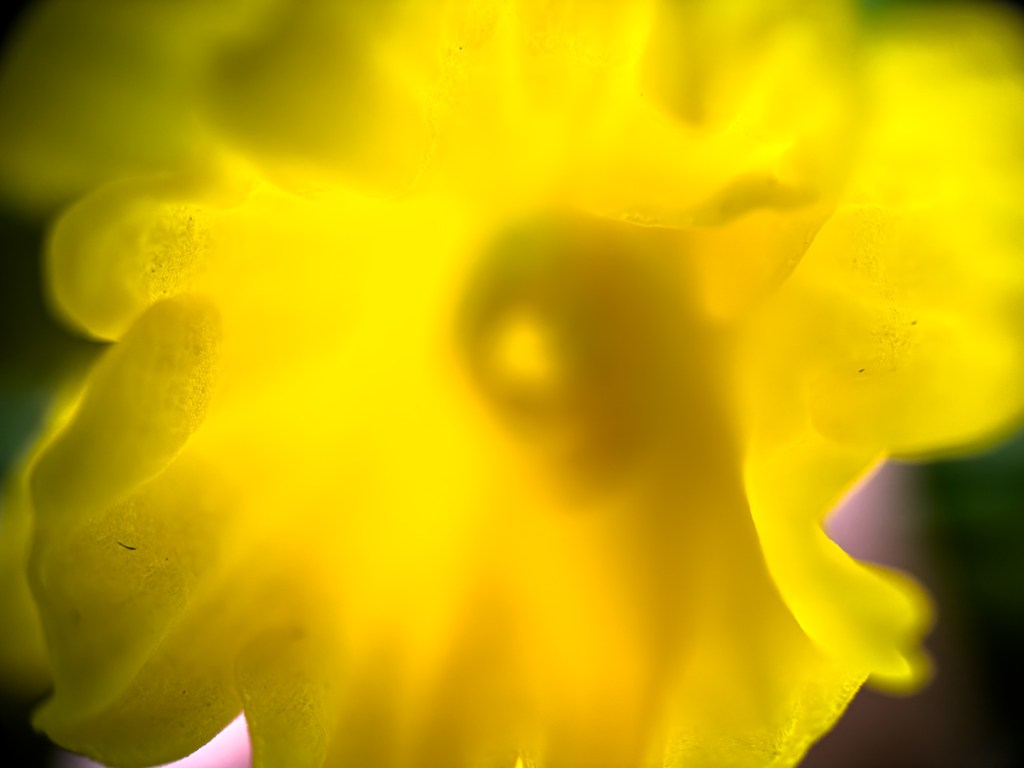
This is a tight shot I snapped of a spring vinca flower that reveals the pent-up energy about to blossom over the landscape. Below are a few more spring pics I captured with my microscope lens mounted to my iPhone.
That anything living can break through the barren, winter-scarred ground always seems like a miracle. Yet, of course as the fading winter releases its brutal grip and the temperatures begin to rise, early spring begins this annual rebirth.
I’m always delighted during these first days before spring really kicks in. That’s when you need to make an effort to spot the signs. Though tiny, they’re everywhere. The trees are still barren, but the first flower buds are already starting to make their move.
Look Closer
I think we’re likely a week or two away from ‘opening day’ here in southern Connecticut. (That’s when you look out the window and almost fall over from the impact of spring’s stunning return.)
I took my Panasonic Lumix mirrorless camera outside this week to take a few early-spring test shots but found my results underwhelming. Maybe it was too soon.
Then, I thought for a moment and realized I just needed to get a little closer to nature’s magic. So, I pulled out my SANDMARC microscope lens for my iPhone and screwed it onto my iPhone case (also made by SANDMARC).
The images I captured were not your typical bright and colorful spring collection. The shots were necessarily darker with my microscope lens pressed close to the flower buds.
But this framing style also created a more intimate result, revealing a view of a young spring not yet fully formed.
Time to Expand the View
My microscope lens provides an especially narrow depth of field. Much of each image blurs away from the tight focal point. As a result, I think I’ve captured more of nature’s organic flow in action.
And this flow will soon burst onto the landscape. Then, it will be easy to expand the view.
I couldn’t be happier being able to see this preview.
It couldn’t hurt to have a bag packed with essential items to take with you in an emergency. Here’s some tech gear to consider for your own go bag and why.
I’ve always tried to pay attention to home safety topics like fire prevention. So far, so good. But you never know where your blind spots might be. Recently, my wife and I had a complementary review of our house’s smoke detectors by two members of our regional Red Cross.
They found a couple gaps and opportunities, which I quickly addressed the following week. While smoke detection and fire avoidance were the key themes to our discussion, they also talked about being ready to immediately evacuate in the event of an emergency.
And they brought up the important topic of having a ‘go bag’ packed and ready to take if the situation prevented returning home for a period.
Go Bags and the Cloud
Of course, there are different types of emergencies ranging from a stove fire to an extended power outage or natural disaster that could force you to leave your home. A go bag, also called a bug-out bag should contain items to help you get through this evacuation period.
While emergency supplies are the priority, the Red Cross team also suggested we might want to think about taking important or irreplaceable documents and photos should our house burn down. (gulp)
They helpfully suggested that I could upload some of that to the cloud to mitigate the risk.
As I nodded in agreement, my brain began to spin.
Are You Ready?
Backing up my important photos to the cloud is a fundamental file maintenance practice I’ve been following for years. But was I ready for this kind of moment? Plus, was this just tip-of-the-iceberg thinking?
I asked myself if I was really prepared to handle a big emergency, leave my home and perhaps not return for a long time.
I don’t think I am. No, not really.
So, it was time to begin closing that gap.
Mountain Bike Duffel Bag
I started by first getting a dedicated go bag to fill up. After doing some research, I decided I liked the structure of a mountain bike duffel bag.
These duffel bags have lots of pockets for organization and easier access than a standard knapsack.
I ended up buying one made by Wildhorn.
Important Tech to Pack
Next, came the packing part. Of course, safety and survival come first. And while I’ve brushed up on which emergency and medical supplies I should include in my go bag, I’m admittedly still a student in this space. So, I’ll leave it to the experts to offer their recommendations.
That said, you’ll likely want to also take along some tech. You might find yourself partially off the grid, but that doesn’t mean you have to cut yourself off without the right tools.
Here’s my tech list that you might want to consider for your own go bag:
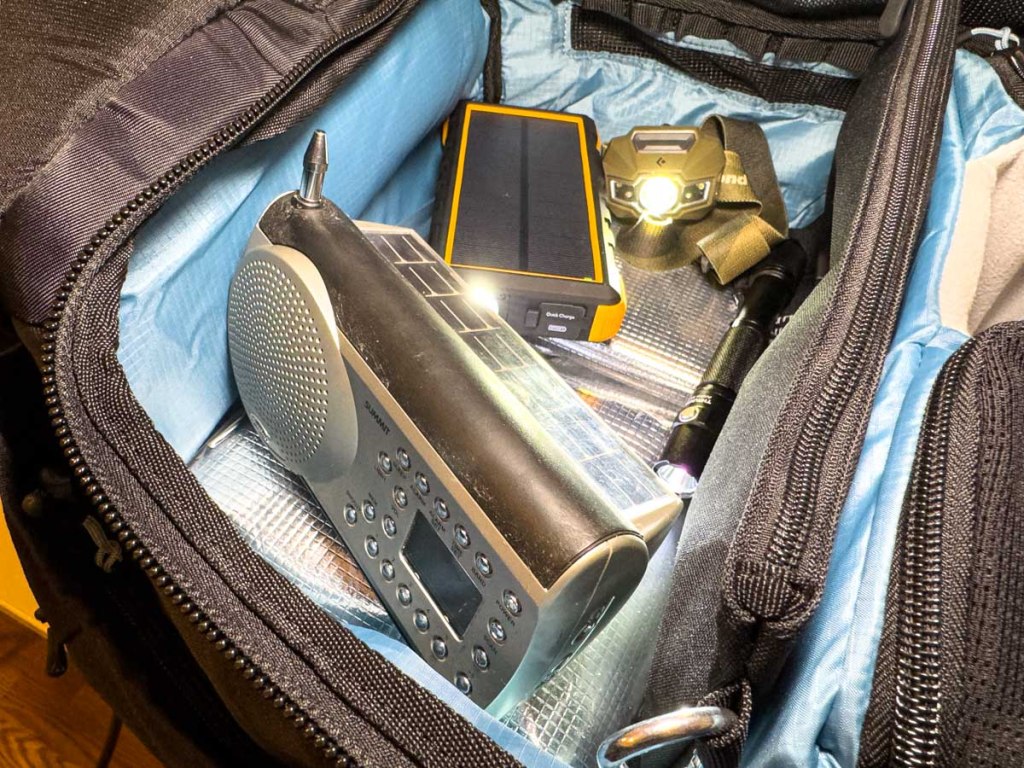
Portable power bank(s) to keep your phone and other tech going (A solar-charging model is optimal.)
Charging cables
Wall charger with USB ports should you be able to plug into power
Portable power strip
Solar or crank-powered radio
Analog watch that can keep ticking more than 24 hours without recharging (My Apple Watch wouldn’t be up to this task.)
A portable hard drive with important files
And of course, a rechargeable flashlight and headlamp
Just Like a Camping Trip?
While I was creating this packing list, I began to realize that the process felt a lot like packing for just another trip, but one that you hope you’ll never go on.
Another, more positive take is this is like prepping for your next camping trip. (There’s a fair amount of crossover.)
On the one hand, you may already have some of this gear at home. But it’s probably best to purchase a duplicate set and then dedicate this ‘emergency’ tech to a permanently packed go bag that you wouldn’t borrow from under normal circumstances.
Get Organized
So now that my go bag is packed, I’ve set it aside and hope that I’ll never have to use it. (It’s like spending money on insurance.) One ongoing detail will be to make sure battery power remains charged up.
Yes, completing this project has provided me a little peace of mind.
But I also know I have more work to do on a variety of fronts. There are many chapters in the book of Organizing your Life.
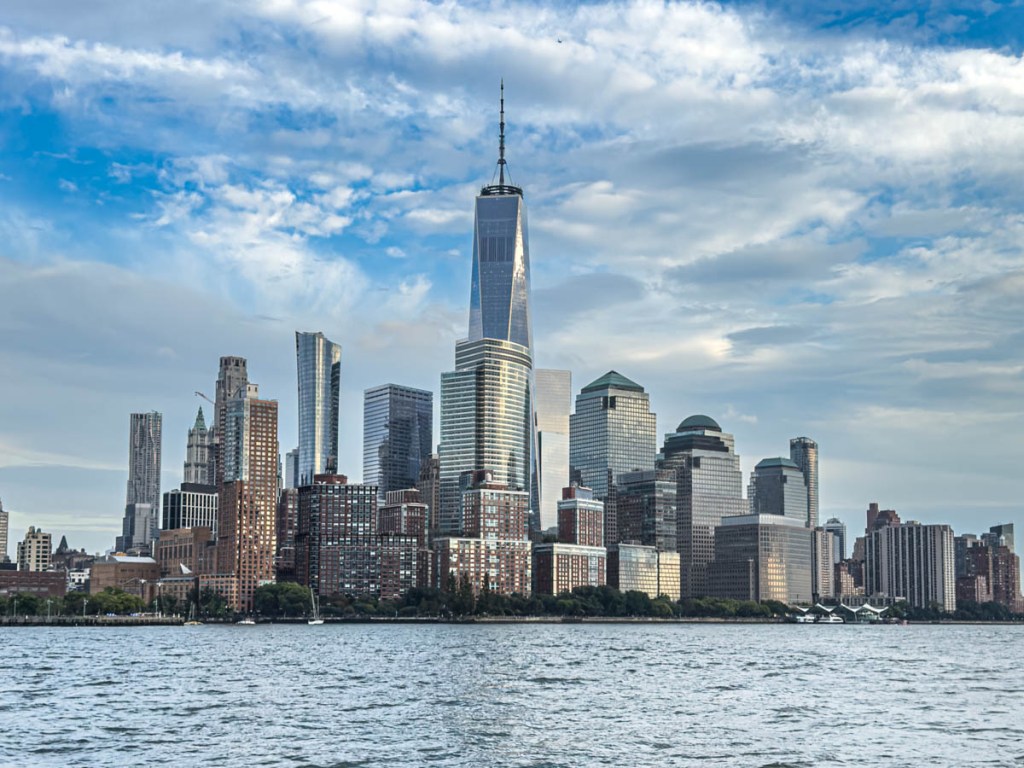
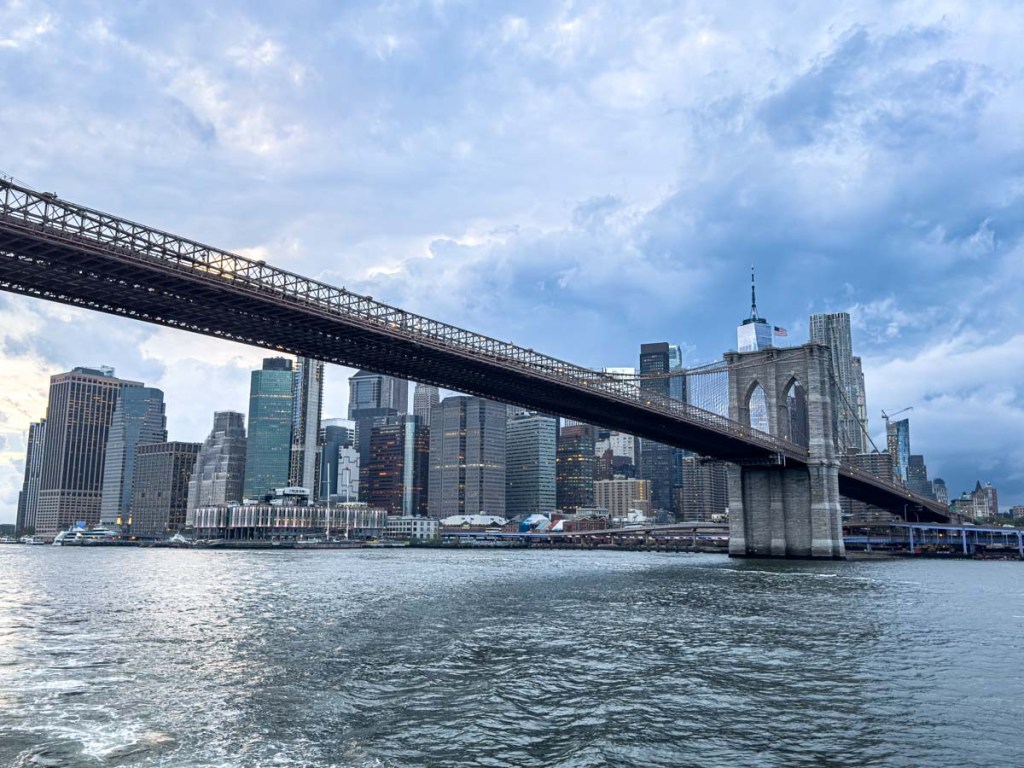
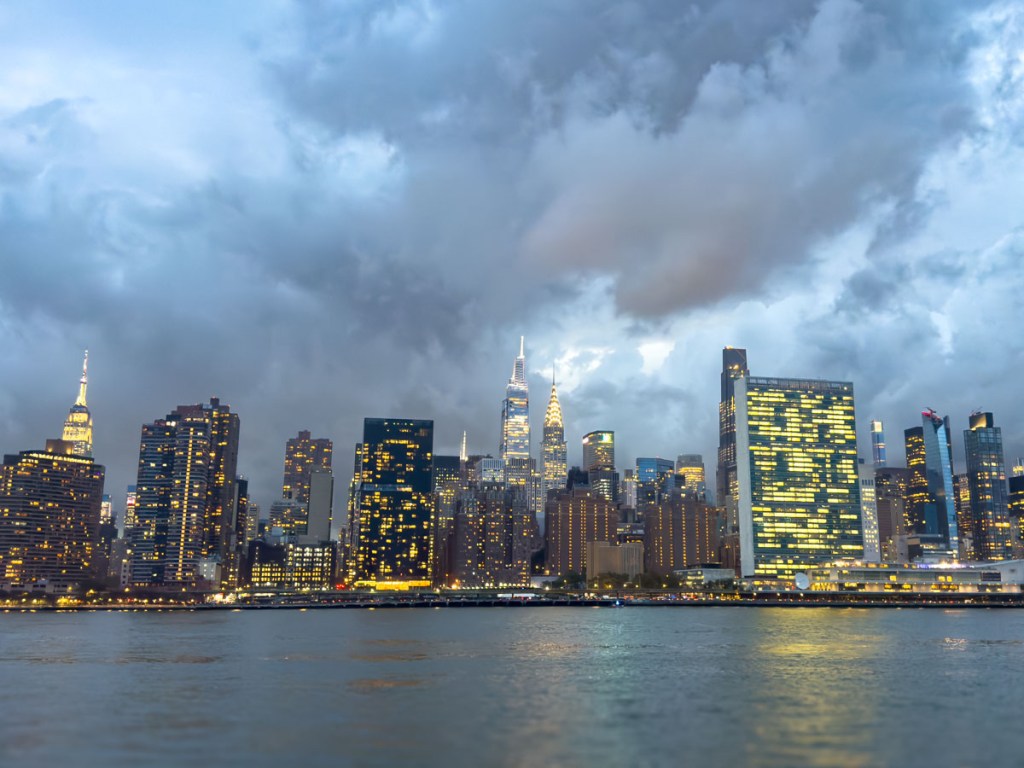
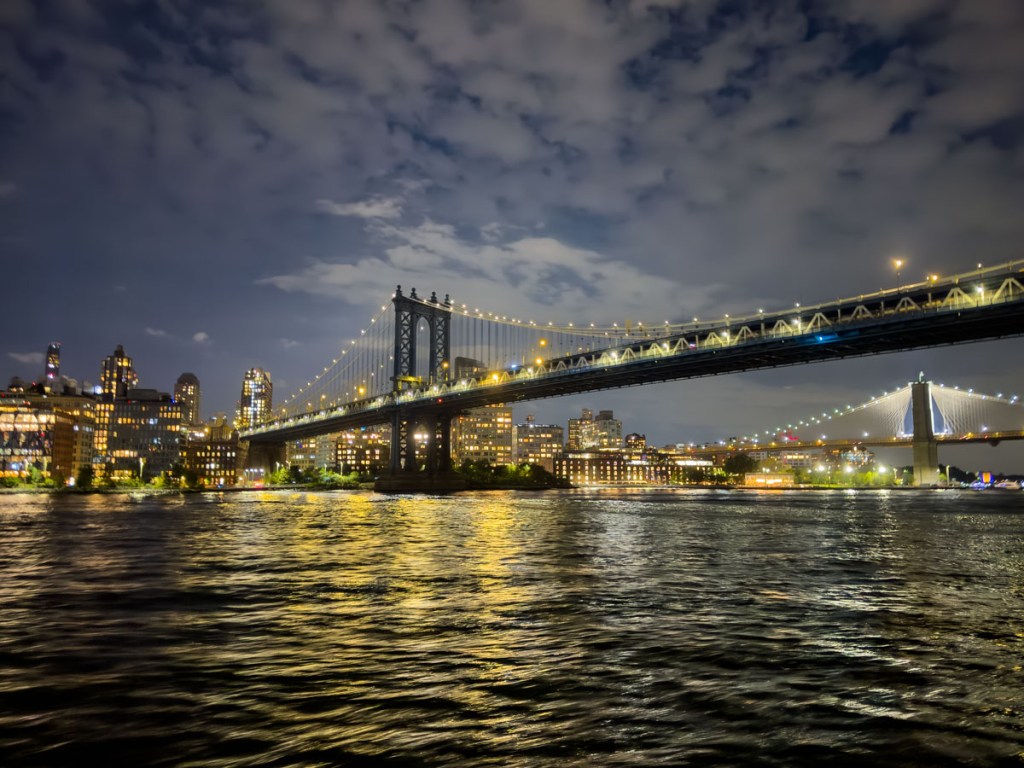
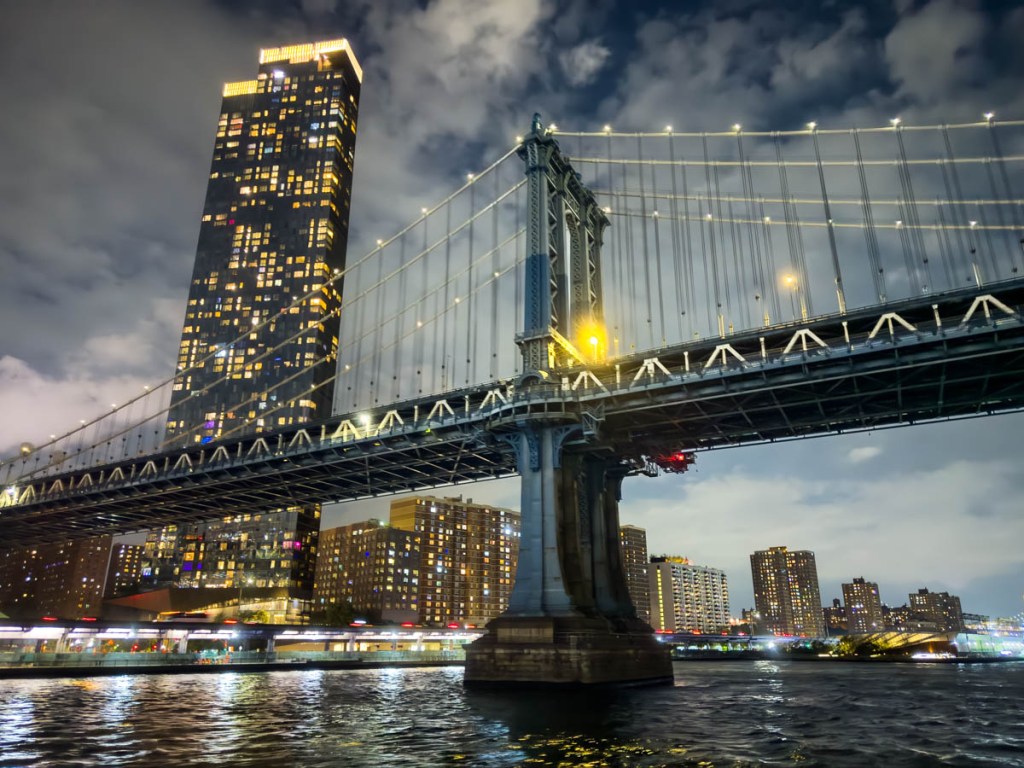
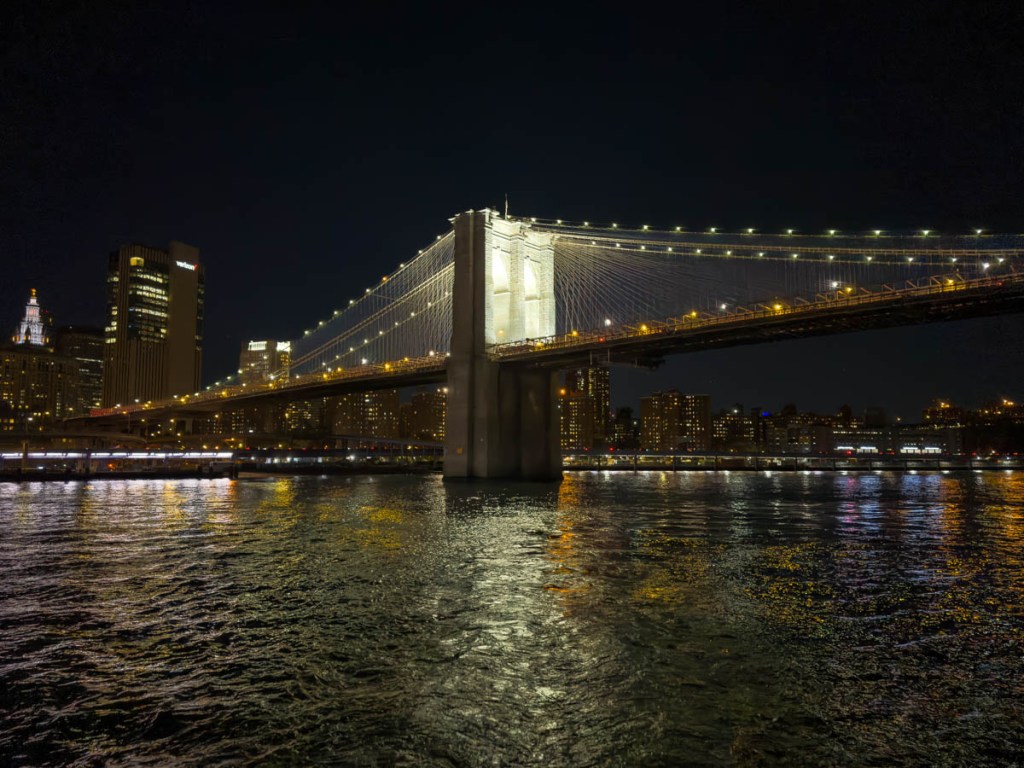
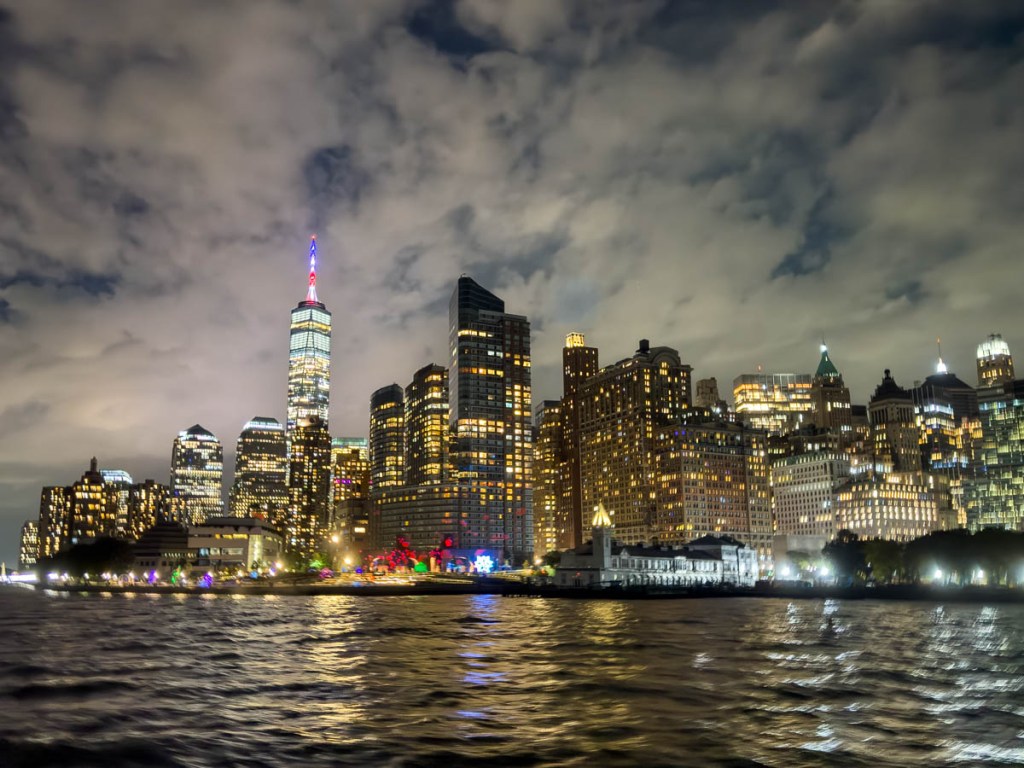
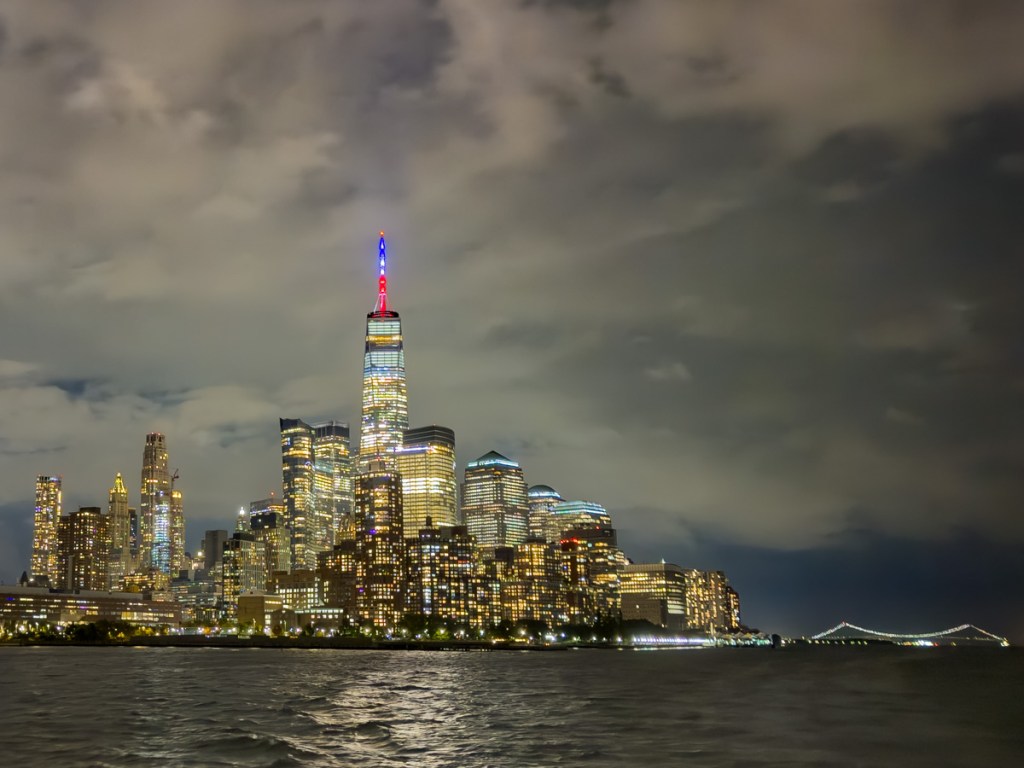
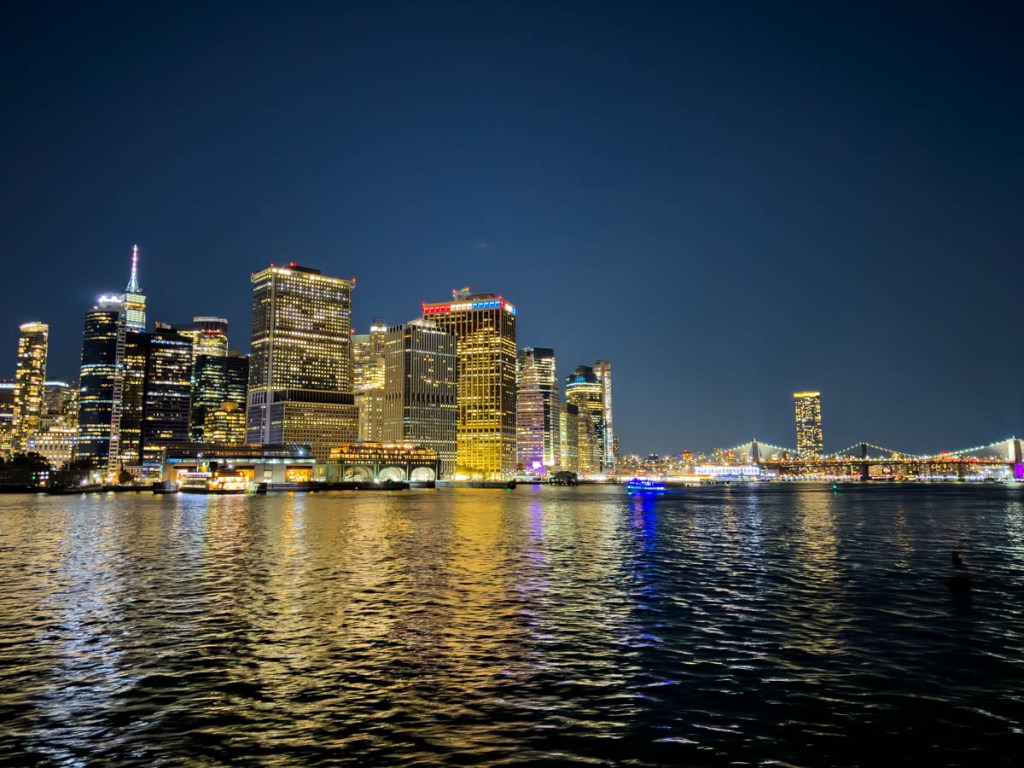
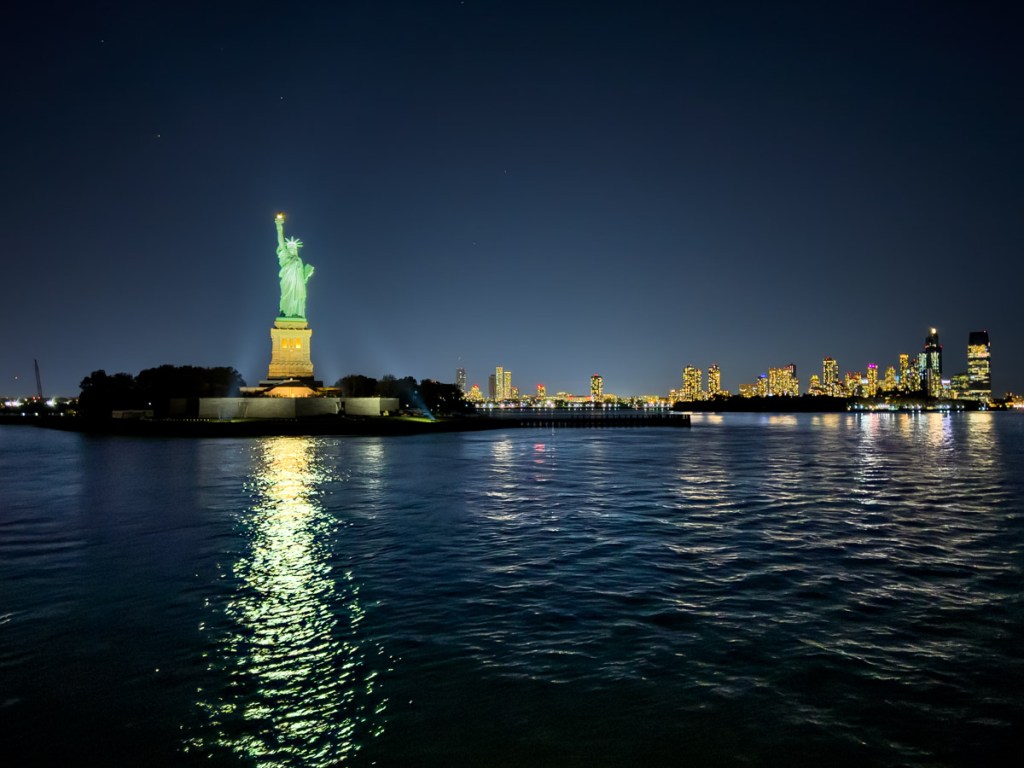
Snapping a series of iconic skyline pictures around Manhattan became more than a photography exercise. It reminded me about my own identity.
When I was a boy growing up in New York City, I remember taking the Circle Line cruise around Manhattan with my mother. I was delighted by the incredible views of the iconic skyline, but it was a blip in my larger experience living in the Big Apple.
Like many New Yorkers, doing touristy activities was usually something left for… tourists.
A Tourist Comes Home
Today I find that ironic and even a bit sad. Even though I live in Connecticut today, I still commute into the city. So, I’ve tried to pay a little more attention to this beautiful metropolis that I permanently identify with and am always connected to.
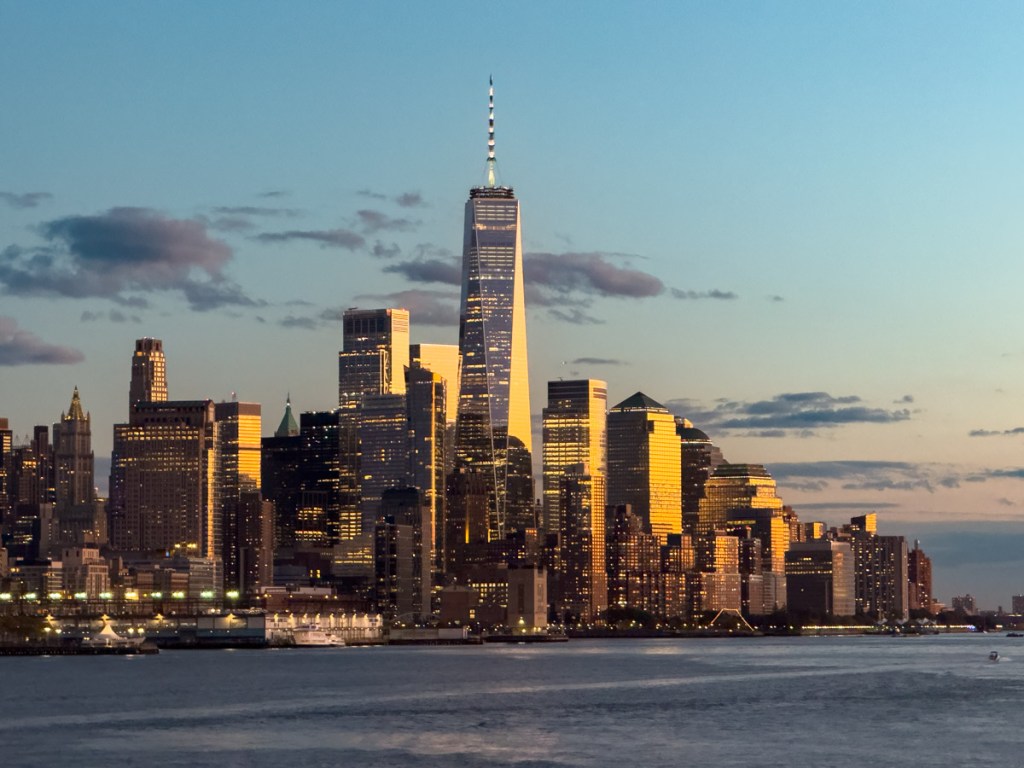
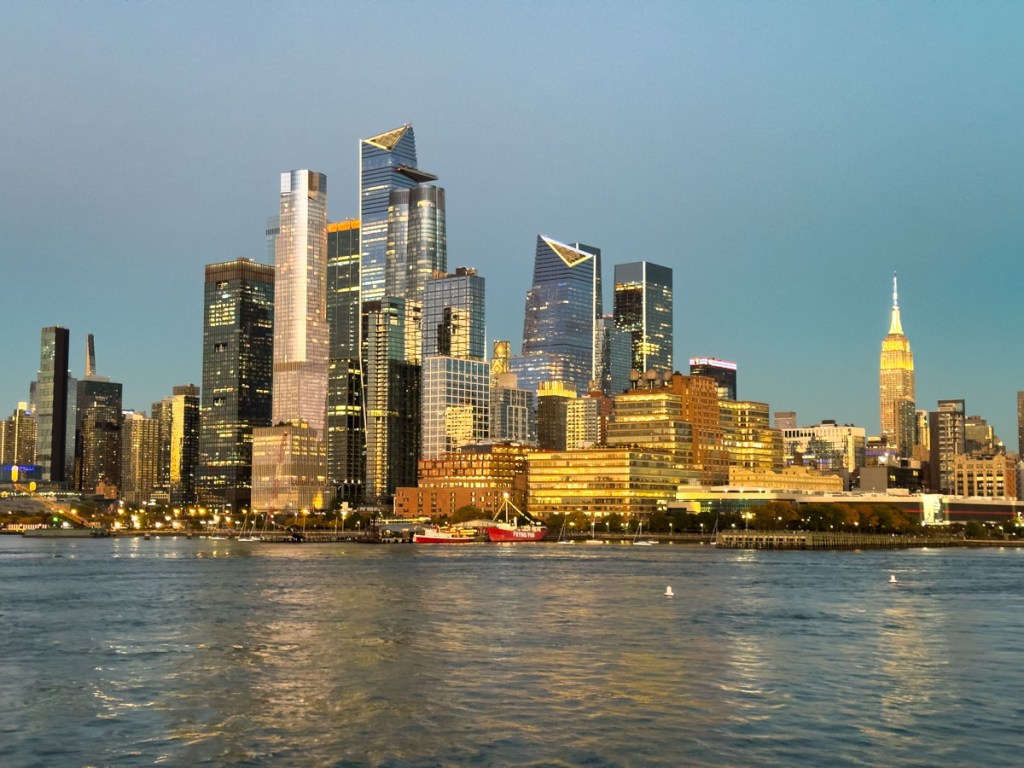
I’ve recently had a couple opportunities to spend time on the water around Manhattan at dusk. And I was excited to see what photos I could capture from the Hudson and East Rivers as the sun set and the skyline lit up.
The Power of iPhone and Adobe Lightroom
I used my iPhone 15 Pro Max to capture these shots. Even in the dark, its software-driven computational photography was able to capture decent images and brighten up the sky and darker regions. It’s actually quite impressive.
Then, I pushed the limits of these images even further using the power of Adobe Lightroom. While the focus of all these shots is all about the Manhattan skyline and bridges, the river and sky occupy half the frame. So, I made the creative choice to make these portions pop a little more than reality offered me.
My Origin Story
So yes, I’m straddling the line a bit between photographer and digital painter. But I don’t think it’s a problem to enhance the glow of the city I love and often define myself by.
It simply represents how I feel about this complex place. And this little photography exercise warmly reminded me that I am forever part of it.
My father used to say New York City is the greatest city in the world. While I know that’s a bit arrogant and certainly invites discussion, you can’t debate the pride that most New Yorkers feel about their hometown.
It is my origin story, and I continue to circle it.








 At Home with Tech