At Home with Tech

Unlock the power of all your technology and learn how to master your photography, computers and smartphone.

Category: Tech How To

How to Turn your Digital Photo Frame into a Memory Portal with Motion

In the same way that an iPhone’s Live Photos functionality can add motion to a frozen photograph, digital photo frames can perform an even better trick if you load them up with short videos. Here’s how I do that.

I’ve never completely understood the value of the ‘Live Photos’ mode on iPhones. These moving photos are tiny videos that represent 1.5 seconds of action before and after you snap your ‘photo.’ So that expanded capture range gives you the flexibility to later select your perfect frame (Key Photo) during those 3 seconds.

Of course, I want to improve my iPhone’s pictures, but working through every Live Photo to identify that one ‘perfect frame’ takes some patience. By the time you do all that, the person next to you can snap the same picture the old-fashioned way by tapping their screen a couple times, quickly select the best (non-Live) one and then share it on social media. (And all this while you’re still carefully identifying your new Key Photo from the original Live Photo.)

The Live Photos feature is a nifty trick but working to maximize each one is not a speedy process.

The Limitation of 3 Seconds
If you just want to enjoy the magic of a Live Photo that contains some action, I suppose that’s fine. But I don’t think three seconds is necessarily long enough. It can be frustrating to only get three seconds to capture a moment. But of course, any longer would make it… a video… which it really is to begin with.

And after taking thousands of Live Photos, you’re going to inevitably eat into your iPhone’s memory reserves.

So, I generally try to leave the Live Photos feature turned off unless I really want to use it.

Still, I think Apple is onto something here.

Creating Extended Live Photos is Even Better
When the Live Photos feature was first introduced, it felt like magic… like the wizardry of the live paintings represented in the “Harry Potter” movies. The only real difference is these live-action framed images lasted for a bit longer… maybe five or six seconds.

These extra few seconds can be important, because they allow for enough time to let the story of a particular moment play out.

And if you didn’t know it, this little magic trick isn’t that fantastical anymore. You can do it today on digital photo frames which have the capability to play videos.

I’ve tried this feature on my home digital picture frames made by Nixplay. They allow for up to 15-second video clips. Their ‘Plus’ subscription plan lets you play up to 2-minute clips. But I think 15 seconds is more than enough.

I’ve purchased a few Nixplay digital frames across the years. I think their current Nixplay 10.1” Wi-Fi Photo Frame is a good place to start.

As for the audio part of the video files, I’m not interested in hearing the sound. (That turns the digital frame into a TV.) I just want to watch the action of a moving photo. And 5-10 seconds is usually plenty of time to properly capture the action of a scene.

I experimented with this extended Live Photo idea a few years back, and the results were eerily cool. That said, getting my short videos onto my Nixplay frames wasn’t exactly straight forward. It took a few steps and required Nixplay’s mobile app. I’ve documented the process in this blog post here.

A New Way to Capture the Moment
Recently, I expanded my practice of intentionally shooting short videos for my Nixplay frames to display alongside regular stills.

I’ve begun shooting 10-15 second videos during family events. These videos are designed to capture what you might think of as “B-Roll” in a documentary. During these moments, ideally no one will look at my camera. But if someone wants to playfully pose, that’s okay too.

And after trimming and adding these new short videos into my frame’s playlist, these clips have immediately transformed my digital photo frames into little time machines that seemingly allow you to peer back into more realistic reflections of the past.

It’s wild.

Turn your Digital Frames into True Memory Portals
In the same way that Apple has evolved the definition of a photo into a Live Photo, why can’t digital photo frames more fully evolve into memory portals that better connect you to the past through 5-10 second video clips?

I’m certainly going to maximize this opportunity on my own digital frames moving forward.

And I’m happy to offer this uncommon pictorial presentation strategy for your consideration.
How to Stop your iPhone from Buzzing All Night Long

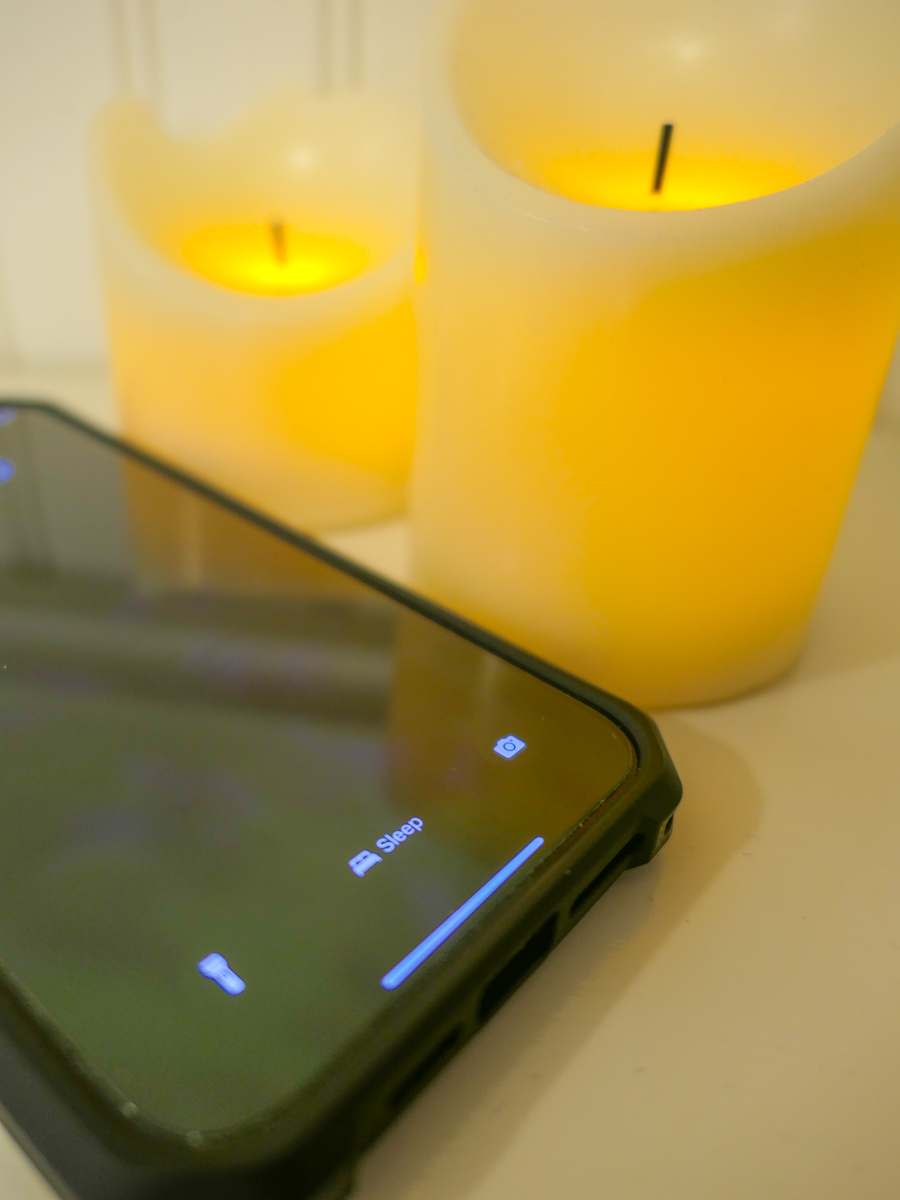
Unless you want to be kept up by your iPhone with endless updates while you’re trying to sleep, you need to give it a bedtime. Here’s how.

I am the Borg. You are the Borg. We are the Borg. Yes, humanity has already been assimilated.

Remember, those evil “Star Trek” cybernetic bad guys who kept running into Captain Picard and wanted to take over the galaxy? The Borg were all wirelessly interconnected and acted in sync like a colony of bees. Their hive mind kept them instantly updated.

Okay. Well, no… we’re not completely moving throughout our day following the constant direction of a unified data stream. But I think the scary reality is only because it’s not unified. (Well, not yet.)

Time to Put your iPhone into Sleep Mode
Our smartphones are constantly bombarding us with various updates…. from family, friends and work to various companies and organizations we’ve touched and shared our personal data with.

These ongoing texts, emails and calls can become a persistent din. It’s like the world is screaming at you. If you wear an Apple Watch with haptic feedback on your wrist, there’s a constant visceral reminder that someone or something wants your attention.

All that noise, noise, noise!

Sure, you have instant access to so much more information, but it comes at a price. (What’s a Borg drone to do?)

And the last thing you need is to have that constant drumbeat interfere with your sleep.

There’s got to be a way to turn it off.

Well, of course there is…

How to Activate Sleep Focus
I realized recently that I really needed to take some action and effectively put my iPhone 15 Pro Max to sleep while I was sleeping. Yes, it was muted, but my iPhone would wake me up with all the buzzing and screen brightening to alert me of something new in the wee hours of the morning.

I needed my REM sleep!

I knew that I could simply move my iPhone to a different room, but I like to charge it up on my nightstand. Fortunately, I can set it and forget it…if it will let me. (I usually don’t wake up in the middle of the night with the need to grab it and see how my blog’s metrics are doing.)

Instead of turning my iPhone off (whoever does that?!), I activated the sleep setting in the Focus App.

Here’s how to do that.

  • Tap on Settings
  • Tap Focus
  • Tap Sleep
  • Set a Schedule

Then you assign a lock screen for this setting. (The trick I think is not to assign it to the screen lock photo that you use throughout your day.)

You can also program exceptions to let certain contacts make it through your Do Not Disturb barrier.

Done.

Now my iPhone goes totally dark at my bedtime and does not respond to any incoming anything throughout the night.

Happiness restored.

Silence in your Sleep Chamber
It’s ironic that we now need to tame our smartphones to prevent them from overwhelming us with too much of what was supposed to be a good thing.

The simple truth is everyone and everything should not have immediate access to your attention.

Even the Borg knew that. They had those cool standing sleep chambers throughout their Borg cube ships where their drones could catch up on their sleep… uninterrupted.

And as we all know, it’s never a good idea to wake up a sleeping Borg.

How to Organize Vacation Photos to Tell a Complete Story

This is the start of our recent trip to Alaska. Here’s why this type of ‘reference photo’ is so important when you want to curate a complete visual story of your vacation.

After a family vacation, I always like to go through my photos and pick out the very best ones. Actually… the best few. (And that’s usually harder to do than you might think.) They’re the ones that really tell the story. And I’m talking under 40-50 pictures.

If you’ve tried a similar exercise, you know what a challenge this can be. Sure, creating a photo book with hundreds of your vacation photos doesn’t require you to choose from all your darlings. But if you’re going to simply show off your photos from your phone to family and friends, their eyes will quickly glaze over after only a dozen of your finger flips.

You’ve got to keep your presentation short. And you should choose the pics that go well together and represent the total arc your trip.

Ideally, they should also visually represent the key information about your travels. Sure, you can audibly fill in the details through a little voice-over support as you share your pictures in the moment. But I think the best collections of family travel photography don’t require that. The photos should stand on their own.

The 3 Categories of Vacation Photos

To create the best collection of vacation photos, you’ll need to take and include three types of shots.

#1 – The Money Shots
It’s obvious that you’ll want to show off your ‘money shots.’ These are your best photos of the ‘place’ you’ve visited. Whether it’s the natural beauty of the wild or a famous urban landscape, those are the photos that anchor your entire trip.

#2 – Your Selfies
And then we all know to snap some selfies along the way (or ask a friendly tourist to take a posed shot of you and your family). You’ve got to include a few of those shots in your collection, right? That’s what makes it your trip.

#3 – Reference Shots
This third category isn’t intuitive, and you’re not going to realize you really need them until you try to put your collection together. I call them reference shots. Think of them as the thread that stitches your whole photo story together. In many ways they’re like an establishing shot in a movie.

These shots provide the context you’ll want for your other photos.

The Boat
For example, on my family’s recent vacation to Alaska, we went on an amazing day cruise on Prince William Sound to get up close and personal with a few glaciers. It was incredible. So sure, I got tons of shots of the glaciers and some shots of my family posing in front of the glaciers. But I almost forgot to get a shot of the boat we were on.
The boat was really a big part of the story… We were on Prince William Sound… and cruised right up to a glacier… and there we are… on this boat. It’s so important to complete the visual sentence.

The Trailhead Marker
Another example: We took the hike of a lifetime right next to Exit Glacier in Kenai Fjords National Park up the Harding Icefield Trail.
The money shots were a couple hours away up the trail, but I intentionally dragged my feet at the beginning of our hike to let everyone in our Backroads group walk ahead of me as I shot the trailhead marker that contained the key details.

The Name of the Place
Ideally, it’s great to find a shot that includes the actual name of your location. That’s so helpful, especially as an opening shot for your visual story.
I found my ‘Alaska’ shot spontaneously as we were biking the Bird to Gird path along the Turnagain Arm. Suddenly an Alaska Railroad train roared by. I braked, grabbed my camera from my belly bag and snapped my photo!

Set Up your Visual Story
These reference shots are easy to forget. But they’re the glue to help group together all your other photos and represent a complete story.

In the same way that any written story has a beginning, middle and end, so should your collection of vacation photos.

Whether you think of them as ‘reference’ or ‘set up’ or ‘establishing’ shots, just a few of them can serve this need exceptionally well. You just have to be mindful to find them along the way.

Don’t Dilly Dally
And if your traveling companions glance at you quizzically the next time you take an extra few beats to snap one of these shots, just remember the value they represent.

Even through you might then have to hoof it to catch up to the rest of your group (guilty), it’s worth it.

Just don’t take too long. Otherwise you’ll risk falling too far behind your own story!