At Home with Tech

Unlock the power of all your technology and learn how to master your photography, computers and smartphone.

Category: Tech Trends

Why Vacation is the Time to Take Care of Business
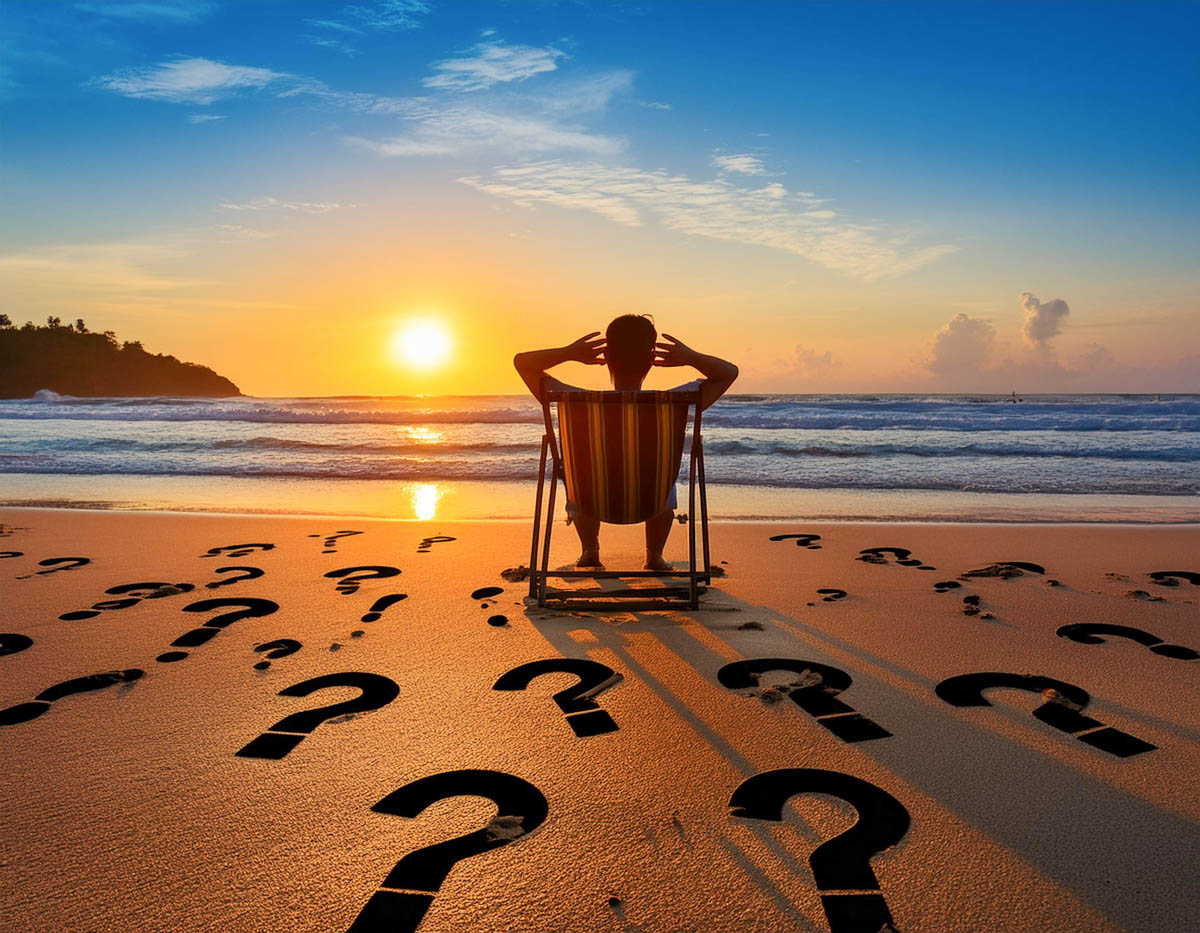
Nobody wants to pack work for an upcoming vacation, but you might want to bring along some big questions. Here’s why.

I know that vacation time is when you’re supposed to really disconnect and recharge… Absolutely. Spend time with the family… 100%. Catch up on your sleep… Of course. Don’t think about anything… Well, not necessarily.

I don’t know about you, but my little organic CPU normally works hard to keep all the trains in my life running on schedule. Whether for work or family, there are countless details to constantly keep track of. Decisions. Calendars. Deadlines. That’s modern life.

The Big Questions
And despite all the help and efficiencies that technology (and now AI) offers us, it’s not necessarily getting any easier. We’re spread thin. Lots of balls in the air.

We have to prioritize what needs to be done today. Then, tomorrow. Then… later in the week.

But what about the decisions that can affect your life next year or into your next decade?

And that’s the problem. When do you find the time for those?

Well, I must admit that I can have some difficulty carving out brain space to ponder important details for the more distant future.

That’s where vacation time can help.

Create the Space
A little time off will usually give you permission to clear your head from the daily static. Is it best to leave all that empty space alone and let it be? I imagine many would agree. That’s the point of a vacation.

But I think it’s also an amazing opportunity to do some really good thinking.

You’ve cleared your mental plate from all the usual distractions. Now, you have the space to consider some of the big questions. And if you do that, you can start to really take care of business.

Yes, you’re doing work, but you’re working on you and your life. I’d say that’s a pretty good trade off.

You and your Universe
There are any number of ways to properly position yourself into this thinking state that can generate inspiration.

It may be at the crack of dawn with your cup of Joe. Perhaps it’s at the pool with a margarita. Or at the top of a 4,000-footer in New Hampshire.

That’s the purity approach. It’s just you and your universe. Nothing else. And then the answers (or possibilities) can start to materialize.

Sure, I’ve had some of those moments, and yes, they’re magical. But they don’t always show up, even if you set the right conditions for yourself. So, you might need to also set up a more traditional approach.

Stay Plugged In
As much as vacation is the opportunity to leave behind your daily routine, I also like to bring along enough technology to allow me access to my day-to-day details.

The last thing you want to feel is cut off.

So, yes… I bring along my laptop. I make sure I have all my necessary passwords with me. For better or worse, I process much of my life through any number of online connections. So, it’s helpful to have continued access as needed. (Some may be able to accomplish this solely with their smartphone. I just like having a little more visual real estate to work with.)

I think it’s simply about creating a new space for yourself that’s sufficiently tethered to your old space. Fresh but familiar.

Clarity in the Gift Shop
There’s nothing wrong with leaving everything behind, and not considering one single big decision other that how to enjoy your vacation.

But if you also have the opportunity to quietly focus on parts of your life that need a little work, that could lead to the best souvenir you could possibly find.

Clarity.

So, when packing for your next vacation, don’t forget to bring along a few of your big questions. You might just come home with some answers.

Why I Woke Up Early on Vacation to Spot the Sunrise Instead of Sleeping In

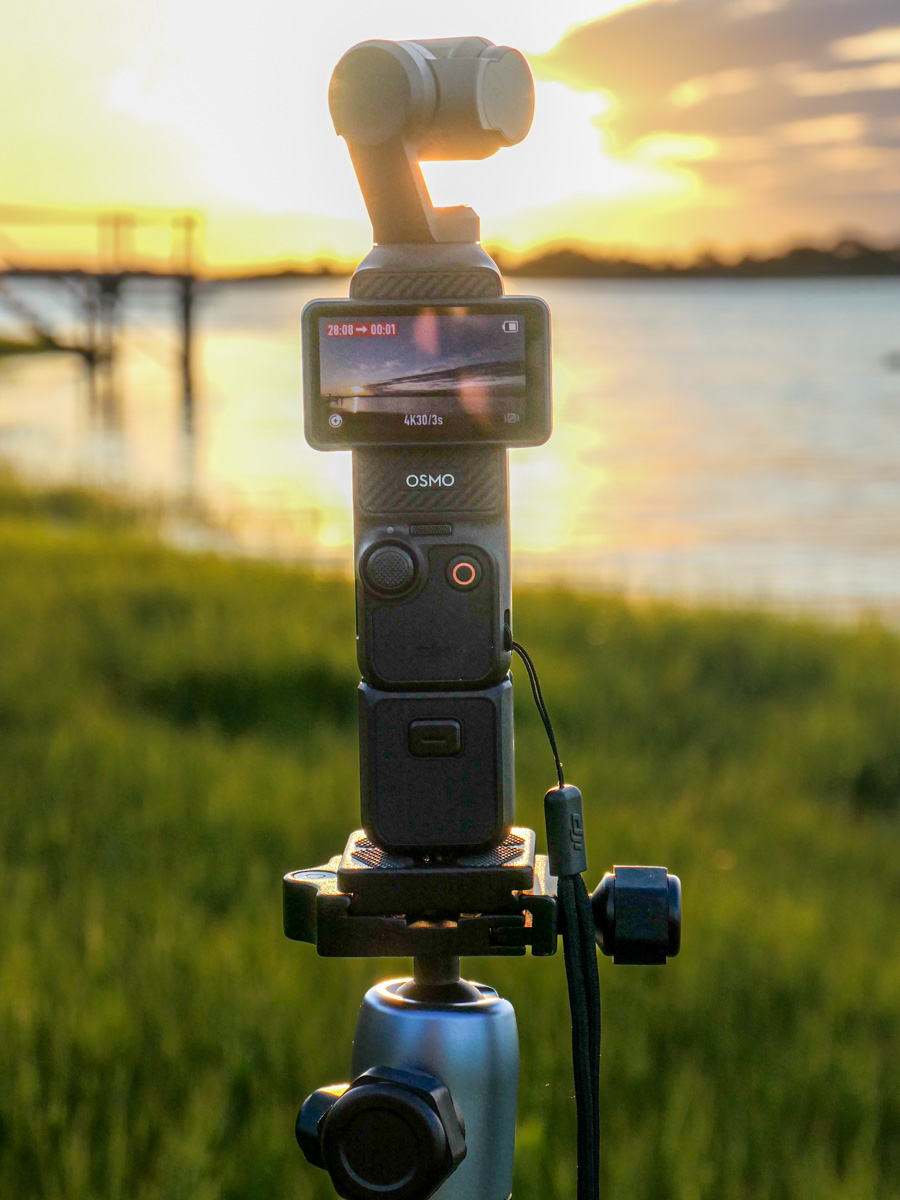
I used the early mornings from my summer vacation to capture timelapses of the sun rising over the mud flats in Cape Porpoise, Maine. Here’s how I set up my photo gear.

Creating a timelapse video of the sunrise is like looking at a snowflake. One is never exactly the same as the next. The sun may arrive on schedule, but the surrounding weather is always the wild card.

Specifically, it’s all about the clouds. They will make or break your sunrise timelapse photography every time. Yes, you don’t want a cloud to be blocking the sun as it makes its grand entrance on the horizon, but that’s only one piece.

Wonderful Clouds
Properly positioned in your shot, clouds are the secret ingredient that can create a spectacular sunrise in a timelapse. They’re always on the move, and a timelapse will speed up their motion. Plus, clouds augment the visual drama by reflecting the orange hues on the horizon and adding stunning contrasts to what can otherwise be a boring blue sky.

But it all must organically come together for your camera at the right time. Every morning doesn’t offer the perfect sunrise. So, repetition is key.

The Magical Mud Flats
Over the past three summers, my family and I have been driving up the Maine coast to the same beach house for a little R&R.

The house overlooks the mud flats of Cape Porpoise near Kennebunkport. And if you walk for 15 seconds to the edge of the ‘flats’ at the crack of dawn, you’re offered a magnificent environmental canvas for the sunrise. (Whether the flats are dry or filled with tidal ocean water, it’s always a stunning view.)

We’ve been sharing this Maine vacation experience with two other families, and each morning while everyone was still asleep, I got up at 4:35am to get my gear in place ahead of the sunrise. (And if you’re concerned that I haven’t been giving myself the opportunity to sleep in and rest up, don’t worry. I caught up on my Z’s during luxurious afternoon vacation naps.)

DJI Osmo Pocket 3
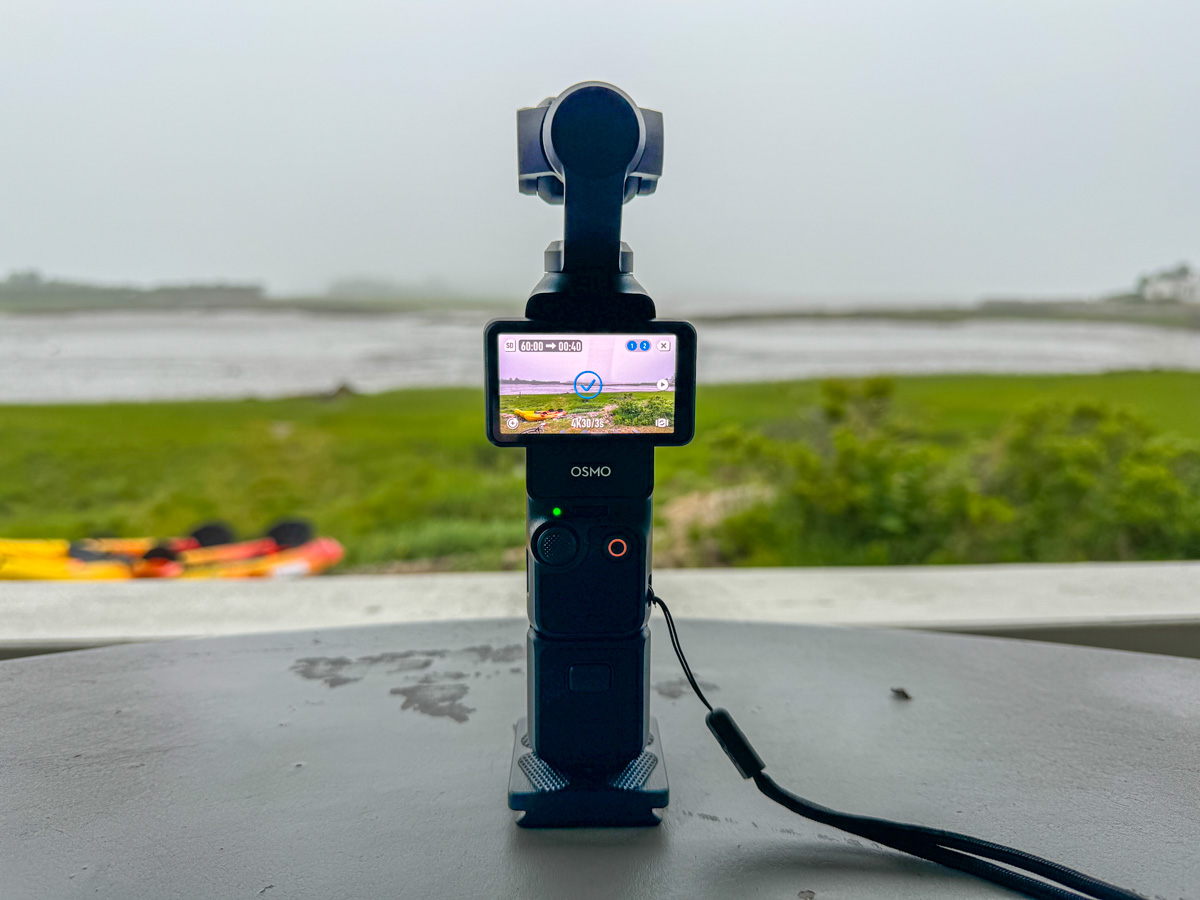
My camera of choice for my ongoing sunrise timelapse project is currently the DJI Osmo Pocket 3. Its superpower is its tiny gimbal design. The lens can be programmed to pan left or right throughout the timelapse sequence. (DJI calls that a ‘motionlapse.’)

I bought the original Osmo Pocket back in 2019, and I’ve just upgraded to the third-generation model (Pocket 3), which among other improvements boasts a larger 1” sensor size for better image quality.
I usually set my timelapses to run for 30 minutes, with each frame set at 3-second intervals. That creates a 20 second timelapse. (Sometimes I double it and go a full hour for a 40-second timelapse.)

I try to start at least 10-15 minutes before the first edge of the sun peeks out, and then I let my Osmo Pocket track the sun during those wonderful early minutes before it becomes too intense for the camera. (I also use a DJI ND16 magnetic filter which acts like sunglasses for the lens.)

Holiday Parade
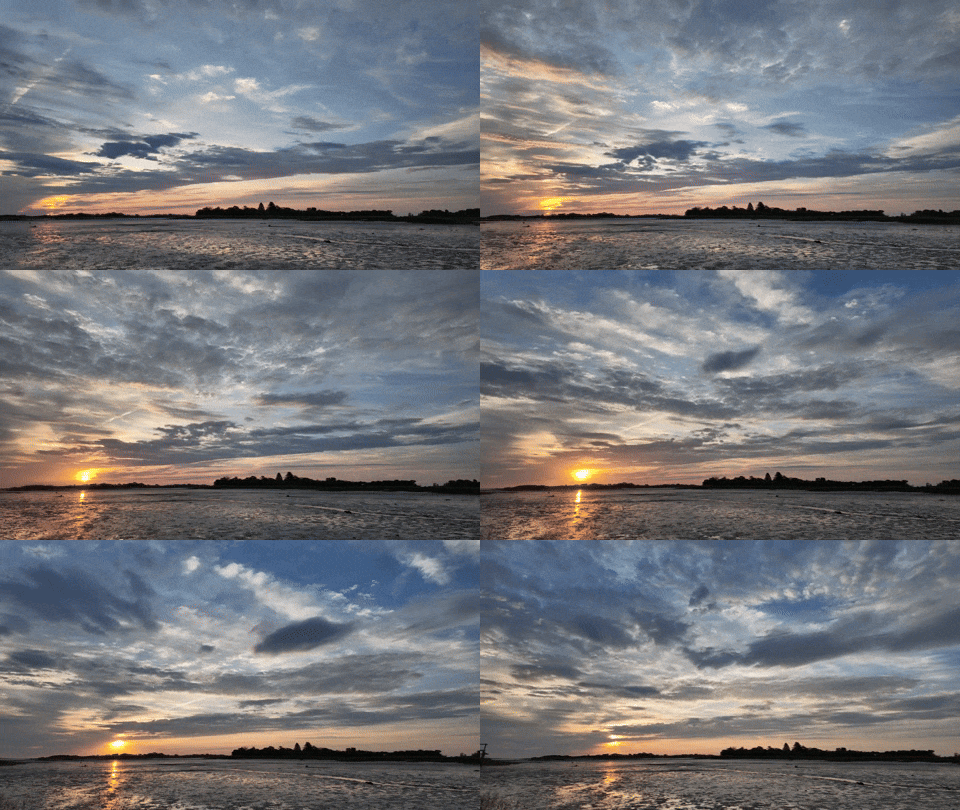
This year, the best sunrise presented itself to my Osmo Pocket 3 on July 4th.

When I stumbled out of bed with my Pocket 3 and tripod, I spotted a few clouds already in good position. I set up my gear at the edge of the flats for the full hour, crossed my fingers and walked away to get a cup of Joe. When I returned, I was so pleased with what I got. The clouds offered up a perfect parade.
My Magic Hour
Waking up early to document sunrises may seem like a counterintuitive vacation activity. But when the opportunity is literally right in front of you, it’s hard to pass up.

Plus, I usually rise on the early side throughout the year for what I call my ‘magic hour’ from 5:30-6:30am. I use this time for my blog writing and photography editing. My mind is fresh, and I find that the creativity flows.

So, waking up 40 minutes earlier for my vacation sunrise timelapse project isn’t such a big change from my usual routine.

Another benefit of greeting the sunrise is the massive sense of accomplishment you get before most people are even awake. I’m a huge believer of ‘doing’ in the morning hours. The rest of the day then feels much fuller.

Tend to your Flame
There’s nothing wrong with waking up late when you’re taking some time off.

But for me, I find happiness practicing my personal photography. Capturing a glorious sunrise always juices my joy factor.

Even capturing the energy of a blustery, cloudy morning brings me great satisfaction.
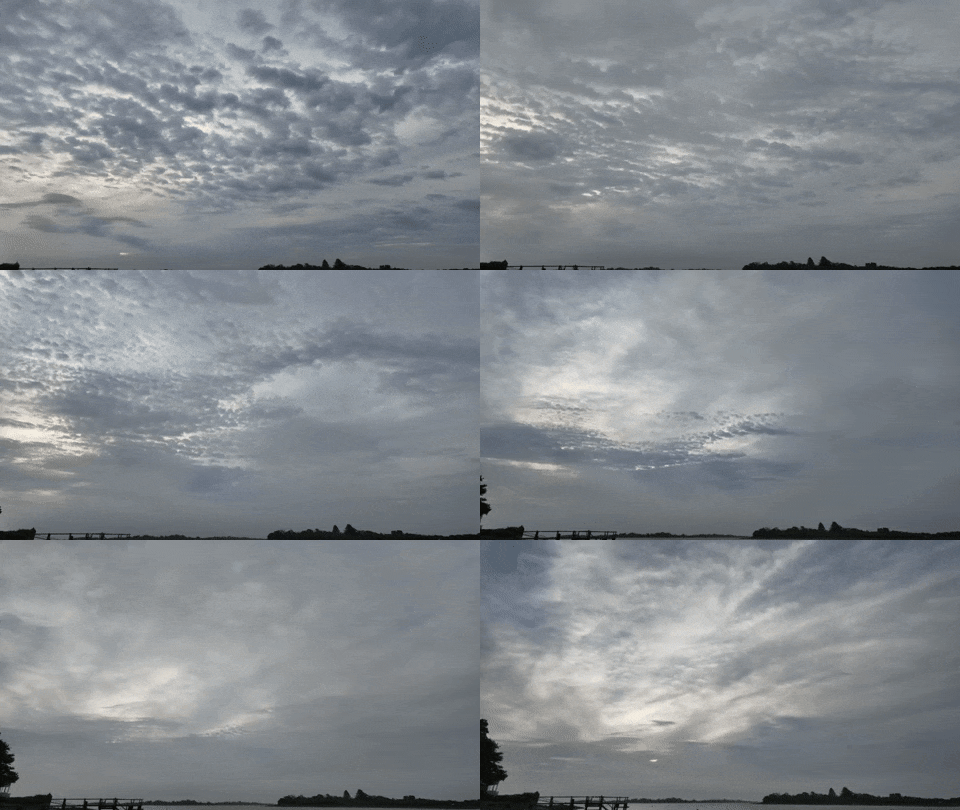
This cloudy morning on day 2 of our Maine vacation obscured the sunrise, but my resulting timelapse still did not disappoint.
It’s about exploring the art of the unexpected. Results will inevitably vary.

Practicing your craft, whatever that may be, will always revitalize your spark.

Why Using iPhone’s Live Photo Feature is Perfect for Vacation

If you snap a vacation photo when your subjects’ eyes are unfortunately blinking, it isn’t necessarily a useless picture. iPhone’s ‘Live Photo’ trick can fix the problem.

The iPhone’s Live Photo feature can unnecessarily waste your phone’s onboard storage. But there are certainly situations when you should turn on the Live Photo mode when taking your pictures.

In fact, vacation time is a prime time to use it.

Don’t Miss the Moment
The iPhone’s ‘Live Photo’ is effectively a mini movie of a moment in time. It isn’t actually a moment at all. It’s 3 seconds!

Having 3 seconds to work with (1.5 seconds before and after you take the photo) allows you to later pick a better frame from that perfect instant you’re trying to capture. This can be especially useful in a group shot if someone’s eyes were unfortunately closed mid-blink.

Choosing a better frame (key photo) from a second before or after can make all the difference.

How to  easily do all this:

  1. Select your photo in your iPhone’s Photos app.
  2. Go into the edit mode and select ‘Live.’
  3. Choose your best frame. (It feels like magic!)

Create a Long Exposure out of a Live Photo
Those 3 seconds from a live photo can also be useful in creating a ‘long exposure’ photo.

If you have a landscape photo you shot that contains moving water, the long exposure blurs together the motion of the water, creating a cool, silky effect. (Just be careful to keep your iPhone steady when taking the photo.)

After you’ve got your Live Photo of your beautiful landscape moment, just go back to it and choose “Long Exposure” in the “Live” drop-down on the top left of the screen.

Voilà!

Here’s an example of my iPhone 15 Pro Max’s Live Photo Long Exposure mode.
This is a shot of a tiny island near Calf Pasture Beach in my town. (And yes, it’s named… Calf Pasture Island.) The water looks so dreamy, right? That’s the Long Exposure mode!

Better Photography
Can today’s iPhone make you a better photographer? Not necessarily. But will its variety of software-based features often get you better pictures?

Absolutely.