At Home with Tech

Unlock the power of all your technology and learn how to master your photography, computers and smartphone.

Category: Tech Trends

Why I Paired this Hard Drive Brand with my New Mac Studio
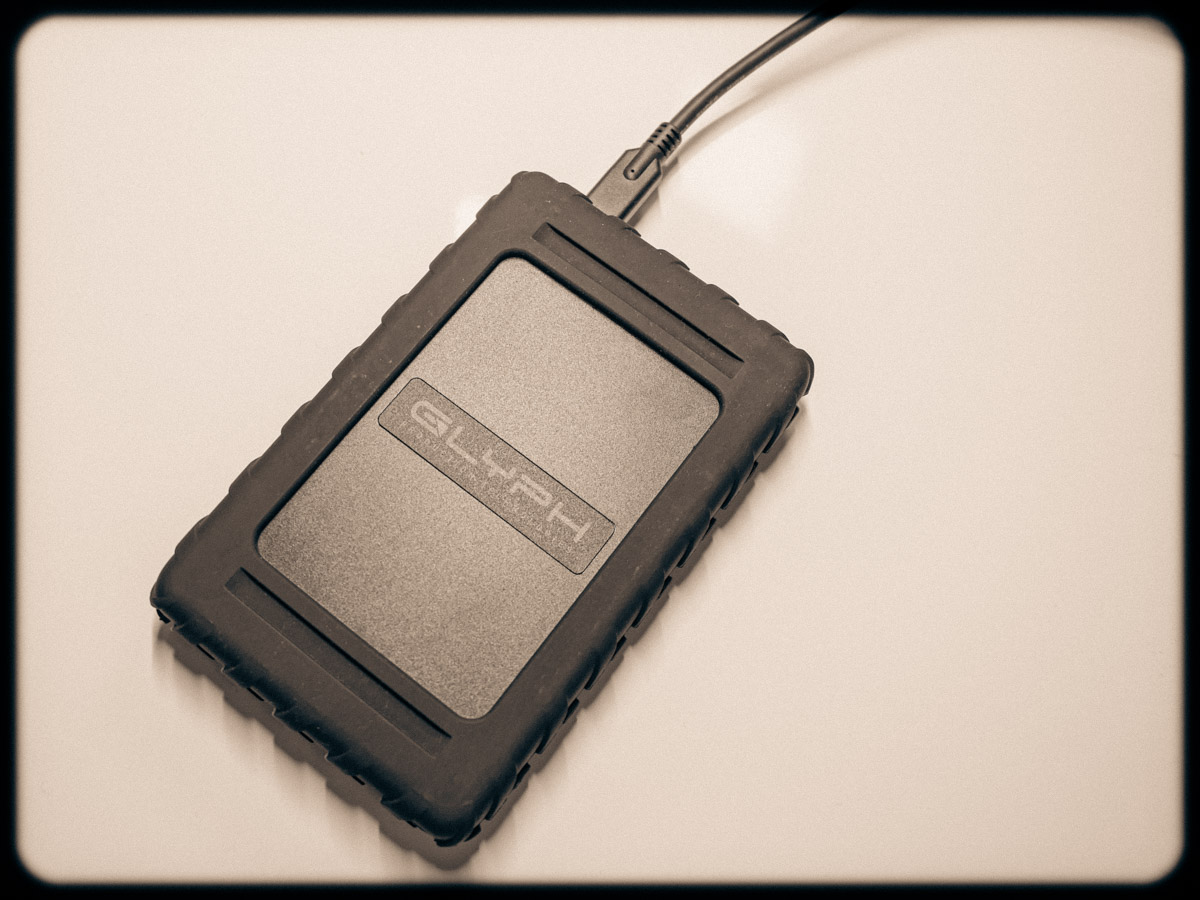
When you buy a new Mac, it’s always a good idea to get a new external hard drive to go with it to handle and back up your files. I decided to go with a new brand, and here’s the drive I chose.

I’ve been a big fan of G-Technology external hard drives for years. I’ve always used G-Tech drives for my iMacs’ Time Machine backups. Plus, I’ve got a G-Raid drive to handle my important video and photo files.

You can’t store everything on your computer’s internal hard drive. So, it’s important to have a reliable external drive solution in place.

Many computer geeks swear by one brand of drives. Mine was always G-Tech.

Goodbye G-Technology
Then G-Technology was bought by Western Digital. And now the G-Tech brand itself is being discontinued in favor of “SanDisk Professional.” Plus, the specific drives I’m looking for are recently hard to find. More importantly, I just logged on to B&H’s website, and some of them are getting terrible reviews (gulp).

Maybe it’s time to find a new best friend in hard drives. I don’t want to be the one to give you a cautionary tale.

Hello Glyph Production Technologies
A few weeks back, I wanted to buy a new external drive to go along with my new Mac Studio. (Yay… Barrett’s new computer!)

And coincidentally, a work colleague happened to tell me about a digital data storage manufacturer that he likes for his MacBook Pro drives. The company is called Glyph Production Technologies.

Yes, Glyph. (I hadn’t heard of them either.)

So, I looked it up, and Glyph has been around for 29 years making lots of external hard drives.

I opened a new window and went back to B&H to review the various Glyph drives.

Glyph Blackbox Plus
I came upon the 4TB SSD Glyph Blackbox Plus for $299.95.

Sure, that’s kind of pricey, but don’t forget it’s an SSD, which makes it faster and supposedly more durable/long lasting. (Yes, I sometimes say a prayer to the computer-protection gods to look kindly over my backups.)

Why not give Glyph a shot, right? (It comes well recommended, and the B&H reviews are good.)
Click.

As I write this, B&H is now temporarily out of stock on its Glyph Blackbox Plus SSD drives, but if you can use the 1TB version, you can find it on Amazon for $99.95.

My New G Drive is a Glyph
Happily, my new Glyph Blackbox Plus has been working just fine (though I would expect it to in its early months/years). The more important factor is to buy into a brand I trust. That of course will also take some time, though I feel I’m off to a good start.

And it doesn’t hurt that I’m apparently in good company.

Ultimately, I’m pleased to report that Glyph is the ‘G’ in my new G Drive relationship.
Why I Bought Apple’s Weakest Mac Studio over the Most Powerful Mac Mini

A beefed-up Mac mini costs the same as the entry-level Mac Studio. Here’s why I think Apple’s Mac Studio is still the better choice.

I just purchased a gleaming new M2 Mac Studio to replace my old 2017 27” iMac at home. And am I pleased with my choice? Well, before I can really answer that, I must reveal that I am still in a bit of shock over the complexities I encountered.

What was once-upon-a-time a seemingly straightforward purchasing process for Apple computers has now evolved into a mind numbing and wallet-crushing evolution of tech-spec choices.

I think part of my problem (and yes, I must consider the possibility) is that I wanted to re-up on a desktop solution. While it feels like many of us long ago moved on to laptops, I’m still stuck in my desktop workflow at home. What can I say… I’ve really liked my all-in-one iMac!

But Apple hasn’t upgraded the iMac line since 2021. Plus, that version only offers a 24” screen. (These eyes need something bigger!)

Why Not a Mac Mini?
What’s that, you say? I should have bought a Mac mini?

Sure, they’re wicked powerful now with the M2 chip. Plus, they’re relatively inexpensive, starting at $599.00.

Yes, that’s what I thought I would do too. But when I reviewed the specs, I knew I would need immediate upgrades to handle the editing of my family videos (many of my clips are 4K).

The Real Price Tag for a Mac Mini
I would certainly have to buy the upgraded M2 Pro version with 16GB of RAM.
That model costs $1,299.00.

But editing 4K video is much easier with 32GB of RAM.
Okay… That’s another $400.00.

512GB of internal storage is a joke. (My old iMac has 3TB!)
Bumping the Mac mini up to a 2TB SSD drive adds $600.00.

So now… that $599 Mac mini has suddenly grown to a price tag of $2,300.00!

Time to Consider the Mac Studio
I was actually about to pull the trigger and buy this super-sized Mac mini, when I realized that I should instead consider Apple’s ‘pro’ Mac Studio computer line.

Many reviewers out there say that the expensive Mac Studio is more than most people need and only for creative professional power users. These reviews then point the reader back to the very capable M2 Mac mini with some not-so-optional upgrades.

But the base-level Mac Studio costs almost the same as a maxed-out Mac mini and offers a bigger bang for the buck…

Price Comparison
For the $1,999 base Mac Studio model:

  • You get the better M2 Max chip.
  • The Mac Studio has the more powerful 12-core CPU and 30-Core GPU vs the Mac mini’s 10-core CPU and 16-core GPU.
  • 32GB of RAM is already included in the Mac Studio.

Of course, I would also have to bump up the silly 512GB of Mac Studio storage to 2TB for another $600.00.

Now we’re at $2,599.00 for my Mac Studio.

And had I totally maxed out the Mac Mini’s chip to the 12-core CPU and 19-core GPU for another $300…

That would make the cost of both machines exactly the same!

$2,599.00.

So, for the same price tag, you can get a maxed-out Mac mini or an entry-level Mac Studio with the same internal storage.

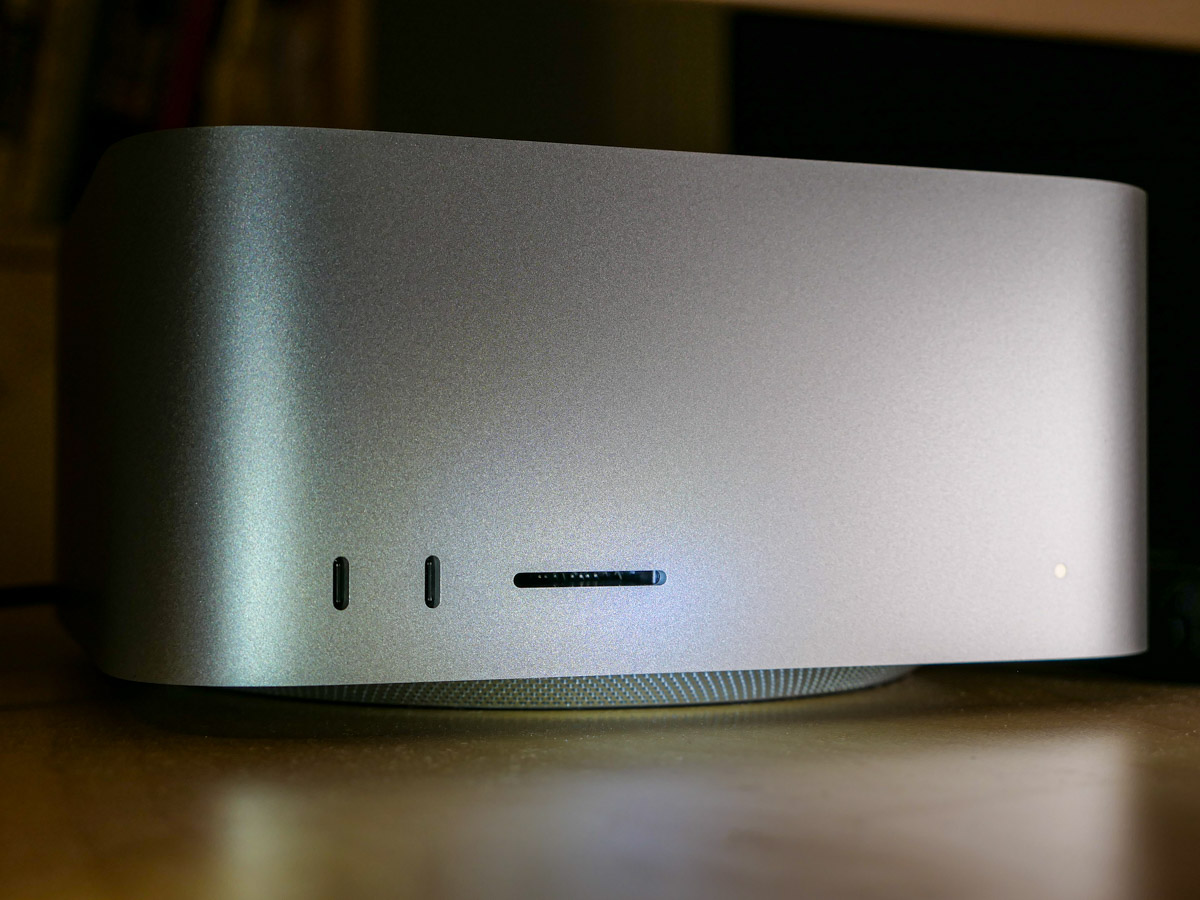
The Mac Studio is better. Period. It’s got more ports and an SDXC card slot. It’s got better specs.

Same price.

When you run the numbers, it’s clear that the weakest Mac Studio beats the most powerful Mac mini.

Same price.

So I Bought the Mac Studio
Sure, I know that a beefed-up Mac mini could handle my relatively simple 4K video editing into the future.

But I also thought about future-proofing my Apple purchases. So, for the exact same amount of money, why wouldn’t anyone not go with the Mac Studio choice…?

Well, that’s what I did.

Click.

Finding Clarity from Confusing Choice
This decision was not straightforward for me. It took time, research and some consensus building.

I learned that sometimes in the Apple ecosystem… less can offer more… for the same price. If this sentence is confusing, now you know how I felt along the way in my purchasing journey.

Happily, I had some help from an Apple Genius during a visit to The Apple Store as well as from a sales rep on the phone from B&H Photo. (Thank you!)

Apple purchases used to be simpler. (Maybe even ‘simple’)
But not anymore.

The good news is I believe I finally came to the right decision for me.
Yes, I am pleased with my choice.

You’ve just got to do your homework.

How Many Family Members Does It Take to Fix a School Chromebook?

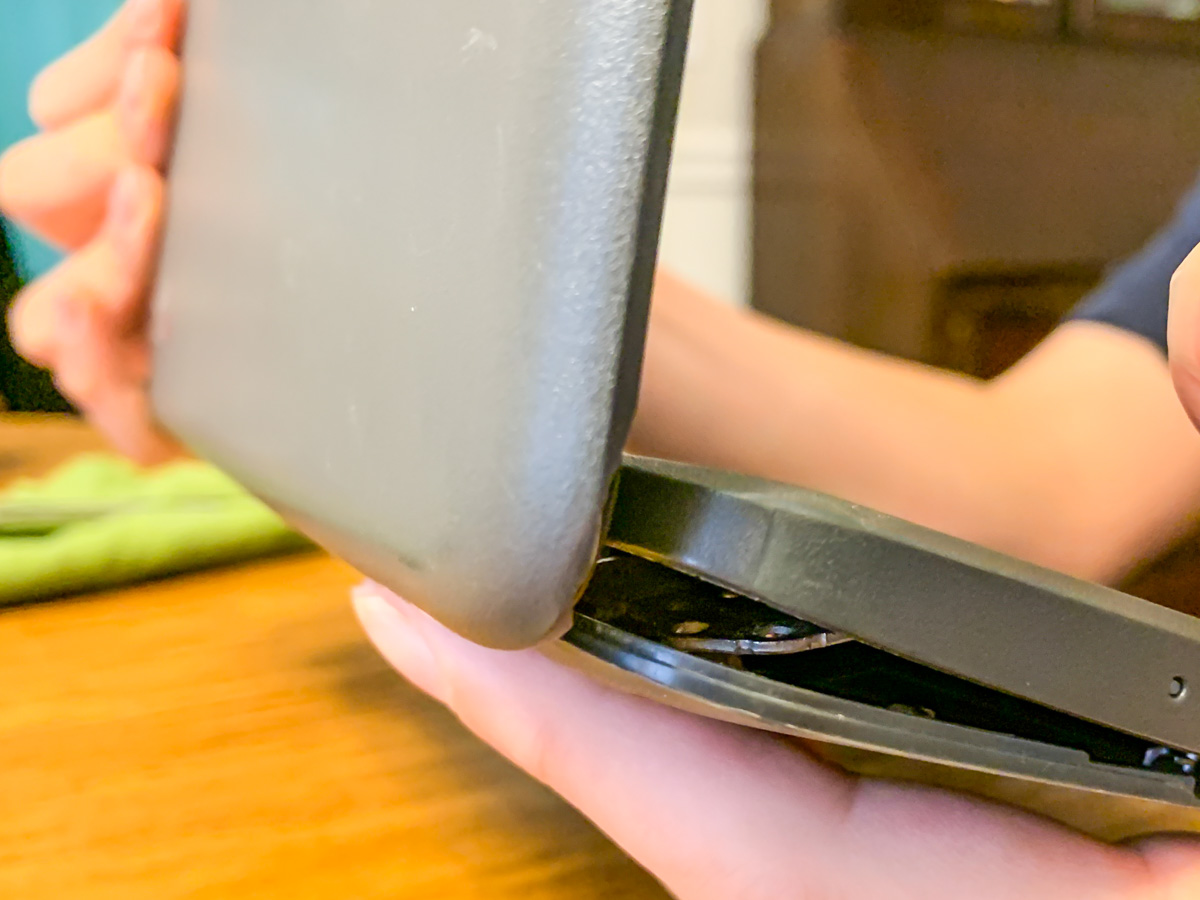
Screws are falling out of my son’s middle-school Chromebook, and this is the result. Help! What’s a dad to do? It’s time to find my inner MacGyver!

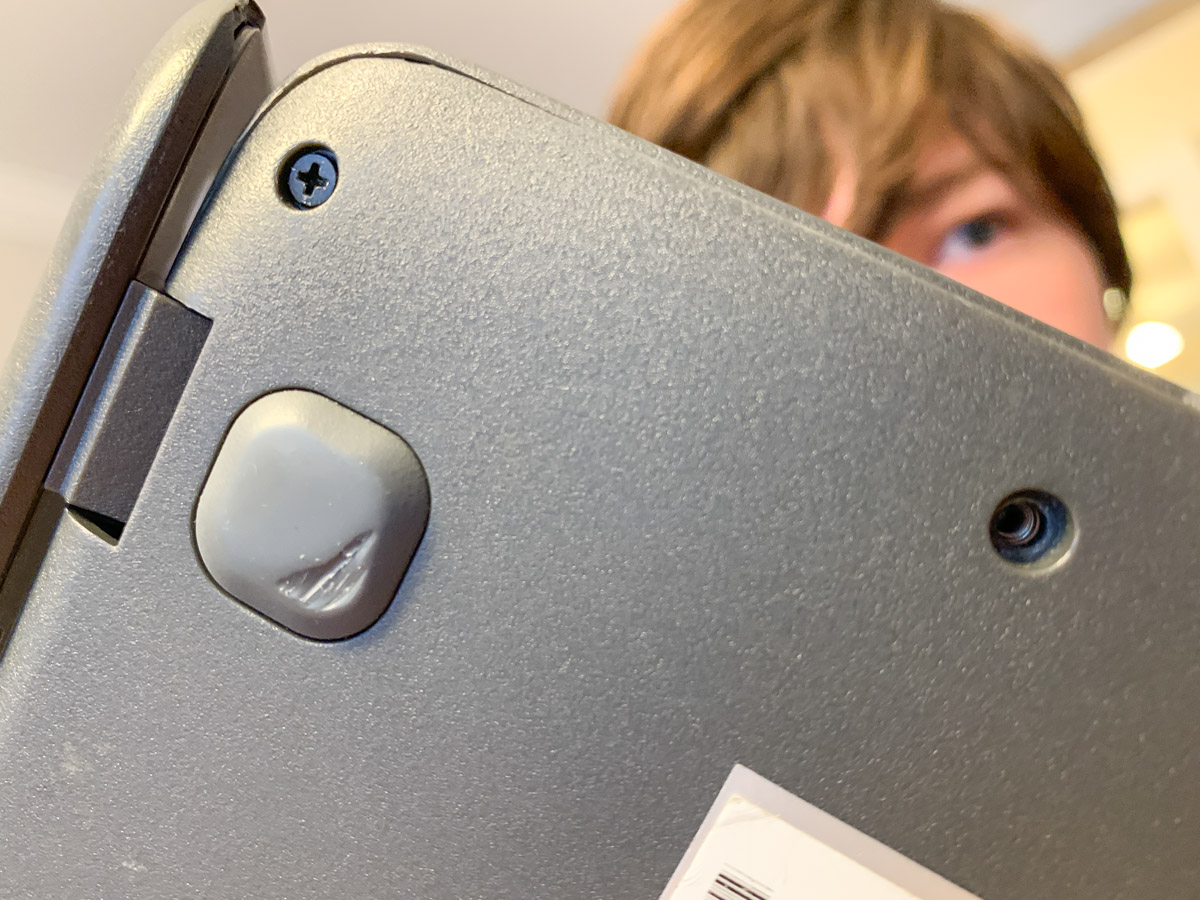
My 7th grader casually informed me the other day that he was missing a couple screws on the bottom of his school Chromebook, and the casing was beginning to separate. (Both holes were in the same corner.)

When I took a look, I realized the problem was more than just a little separation. The entire body and screen misaligned when I tried to flip it open, and the guts of the laptop almost spilled out from the hideous opening like a fresh gunshot wound. I couldn’t even close the screen for fear that I would snap off the hinges.

My son had been dealing with this?!

No Amazon to the Rescue
So I immediately looked up “Chromebook replacement screws” online. There had a be a quick fix for this. But in fact, there wasn’t.

I found that screws dropping out of Chromebooks was a well-documented problem, but there was no one-stop solution to buy a replacement screw for 20 cents. Sure, I could buy hundreds of different-sized laptop screws on Amazon and hope that one of them would work. But that looked like a painful needle in a haystack scenario.

Really?

Time to Get Creative
I turned my head and looked at the calendar: Two weeks to go until the end of the school year. Hmmm…Then it hit me.

I just had to keep that computer together for another few days!

Duct tape? No, that’s a silly idea (though I’m sure I wouldn’t be the first to attempt it).

Did I have another old laptop lying around that I could grab a screw from?
Nope… not one that would fit. (I tried.)

Wait! Maybe I could move out one of the other screws on the back of the Chromebook to fill in one of the corner holes. And then I would keep my fingers crossed that the band-aid maneuver would be a sufficient fix to reseal the body.

Does the Chromebook Survive?
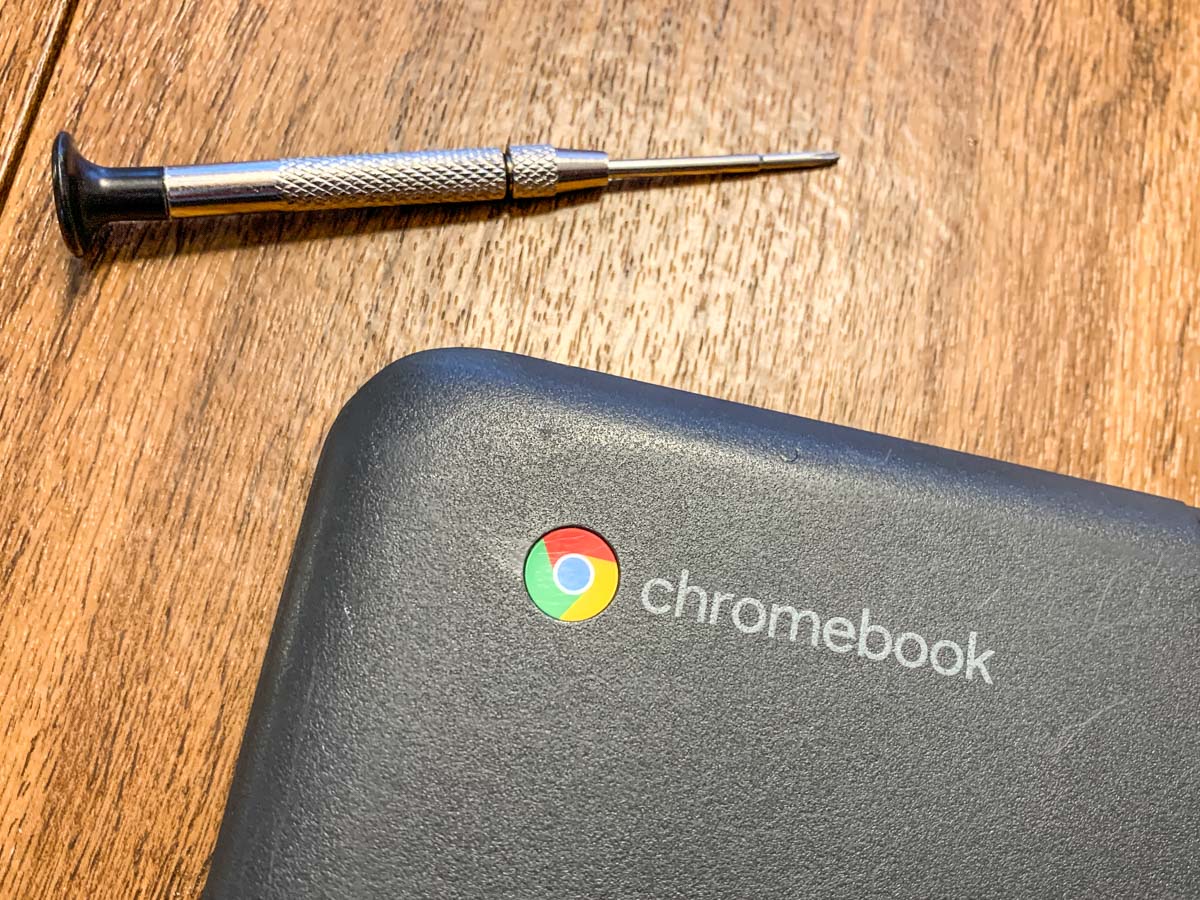
So right before breakfast, my son and I cleared off the dining room table and began the surgery. I let him play the role of Dr. Strange. (This would take a delicate touch and a good dose of magic.)

And guess what? It worked!

The body held shut, and the screen opened up and closed like nothing was ever wrong (though the computer was still missing 2 screws).

For good measure, my son then tightened up a few of the other screws that were loose and also about to fall out. (Whoa!)

Yes, the operation was a success. My boy treated it like an easy homework assignment, and I was slightly stunned that we had seemingly just opened up a Lester father-and-son computer repair business.

A Good Lesson
Sure, he had just moved one screw to a different location on the laptop’s back. You might think this to be an obvious fix. And in hindsight, it was.

But in this computer-centric world we all live in with AI on the cusp of changing everything, just the idea that we can still fix a computer at home with a screwdriver feels refreshingly analog.

And it’s an important reminder of who still runs this planet… for now.