At Home with Tech

Unlock the power of all your technology and learn how to master your photography, computers and smartphone.

Category: Tech Trends

I Found this Lost 1903 Letter from my Ancestor Harry
While going through my father’s belongings, I opened an old file box of papers to throw away. Instead, I found century-old letters that revealed the identities of my great-grandfather’s brothers.

There’s chaos in life. And there’s some inevitable chaos in death. At least that’s been my experience. With the recent passing of my father, I’ve been working hard to keep it all together, both emotionally and logistically.

One perspective my dad shared with me several times in recent years was that after he’s gone, there will be no one for me to talk with about the past. He was referring to his life story, but it also extended out to our larger family history.

Unfortunately many of those details are still not entirely clear to me. And it’s a punishing reality that the keys to that door of knowledge are lost forever.

Missing Pieces of the Past
It’s not like I didn’t try to understand my family history over the years. And yes, I asked my dad on numerous occasions. Sometimes I got different answers. I think that because he was fuzzy on some of the details.

So putting together my family history on my father’s side has always felt like a complex puzzle.

And now he’s gone.

There is Another
Fortunately, there are still ways for me to continue forward in my research.

Thankfully, there’s my first cousin. We’ve already talked a bit about this, and I intend to share my notes with her in the near future.

A few years back, I convinced my father to do a DNA cheek swab, and I signed him up for myheritage.com along with me. My Heritage is an online genealogy platform, which I’ve been using to try to fill in some of the blanks in my ancestry. It’s a slow process, but it’s a helpful tool.

Over the past few weeks, I’ve found some buried treasures of knowledge as I’ve gone through his New York City apartment. For example, I found two letters to my great-grandfather Isaac from his brothers.

One is from 1903 and the other from 1909. I never knew for sure what their names were. Now, I do. They were Gustave, Harry and Julius.

The 1903 Letter
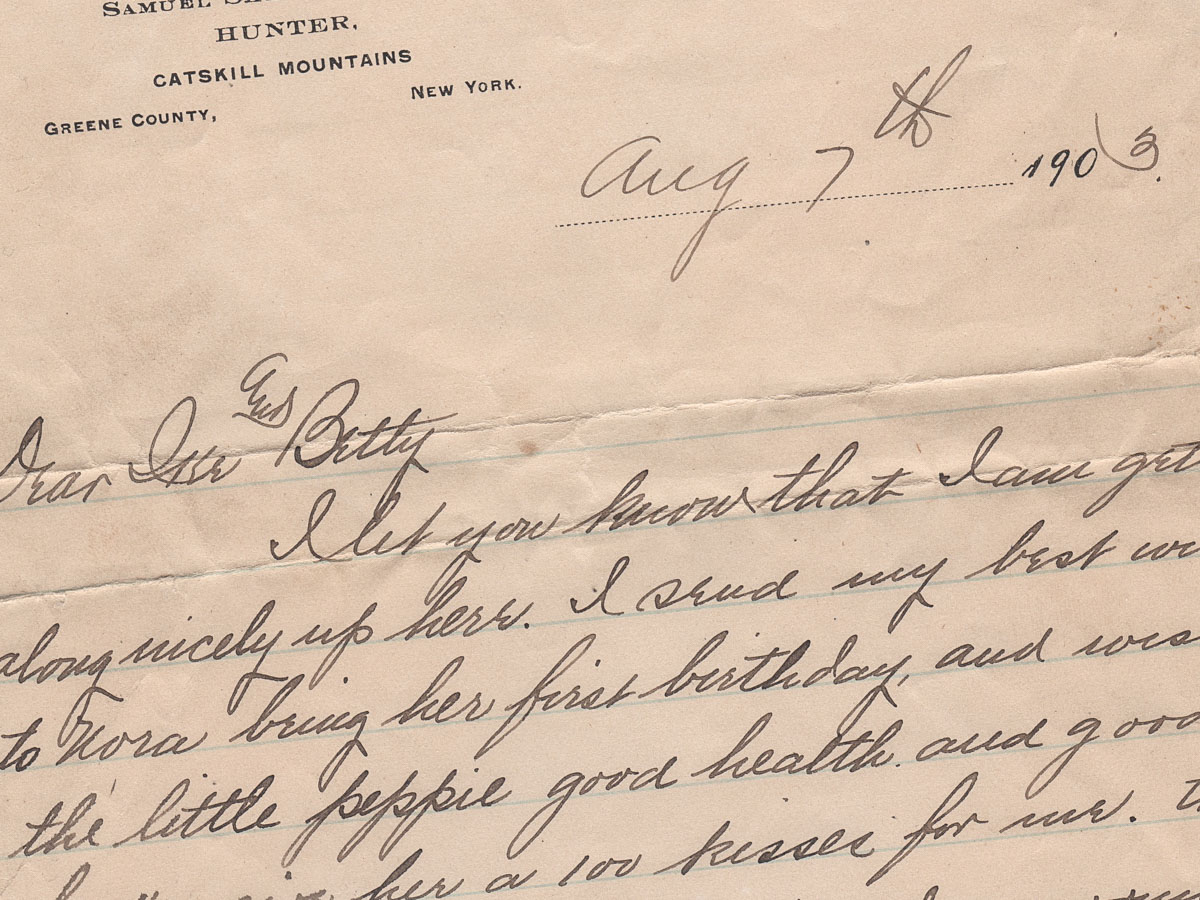
Here’s Harry’s letter to Isaac and his wife when Harry was away in the Catskills during the summer of 1903.
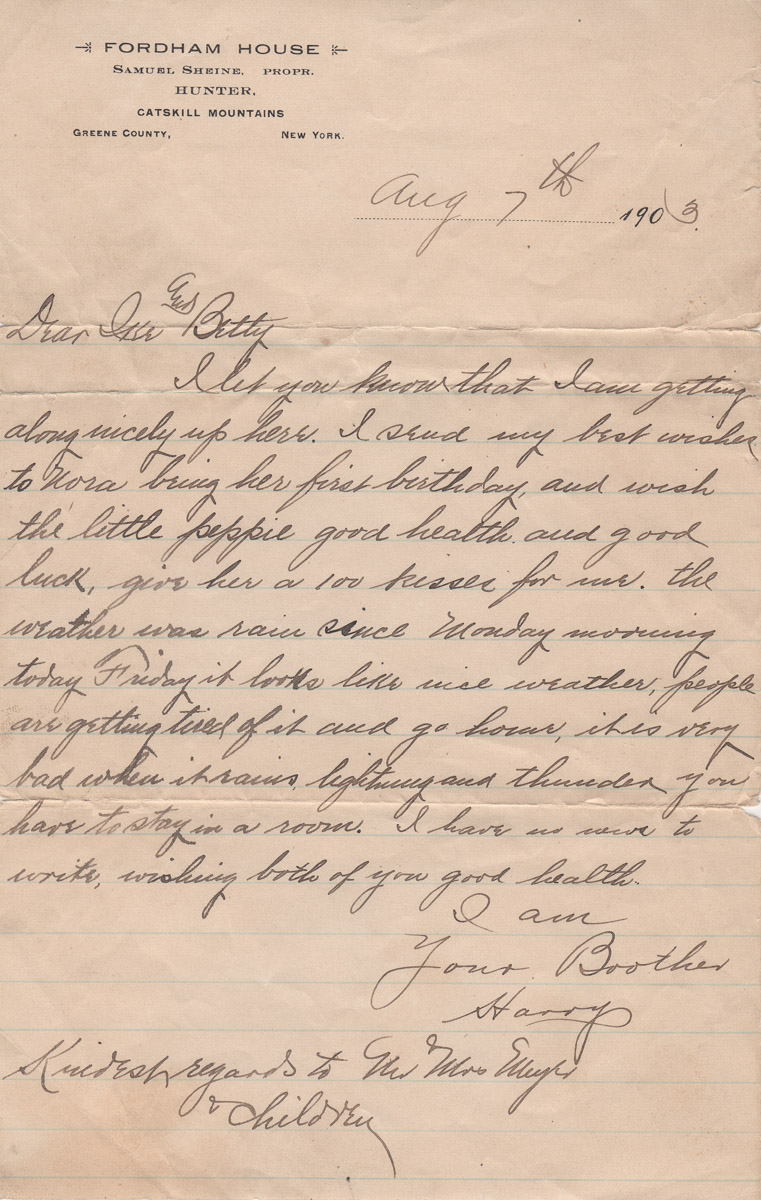
I love his line about giving a 100 kisses to the “little peppie” who just turned one. That was my grandfather’s sister Nora.

I can’t believe I found this amazing sliver from the past from an ancestor who’s name I didn’t even know. That’s priceless.

Building my Digital Archive
Those letters contain casual correspondence. But they were saved by my great-grandfather, passed on and stashed away by my grandfather, and then transferred and forgotten for almost five decades by my father. (Perhaps my dad never even knew he had them. They might have just come in with some other random paperwork from my grandfather after he died.)

This sounds crazy, right? The irony is even with all of the neglect and disorganization, those letters survived for over a century.

Now, I’ve got them.

Of course, I immediately digitized the letters. And then I uploaded them to a cloud folder.

They’ve joined my online family archive. I’ve been building it slowly across the years, but now I feel this huge need to accelerate my efforts.

I’ve talked about digitizing my family’s old photo albums. And I recently begun digitizing some of my father’s analog slides. I’ll also add many of those images to my online family archive.

Trying to Finish the Job that Nobody Really Started
It doesn’t take a psych major to know that my organizing behavior is being driven by my sense of loss. It’s an effort to replace what is gone forever.

But while I’ll never be able to talk with my parents again, there is certainly an independent value to completing a family’s history… as best one can.

And that’s what I’m doing.

When I’m finally done, I’ll focus on how to best preserve it, so the knowledge can be carried forward into the future.

The Challenge of Preserving for the Future
While digital organization is great, I can’t help but wonder how well hard drives and uploaded content in cloud services will withstand the ravages of time.

I think I’ll likely create an analog version (book?) that could make it to the next century in the back of another closet. I’ll also pass forward the original photos and letters that I’ve carefully placed in Print File archival sheet preservers.

And if you’re a descendent of mine reading these words in the 22nd century or beyond… and if you haven’t found the archival preservers or my family history book yet, but you’ve uncovered random pictures of my son as a twelve-year-old boy holding an unidentified cat… that was his pet. The cat’s name?

Zane.

You’re welcome.

What to do When your Holiday Gift doesn’t Show up

Packages don’t always arrive on time. Here’s how I try to handle that inevitability.

“Your package is on the way, but running late. We’re sorry for the delay. Now expected December 27 to December 29.”

That’s the email I recently received from Amazon. Yes, the package in question was a holiday gift for our son, and now it wasn’t.

You might think I was upset to receive that disappointing update. I was not.

Expect the Unexpected
I’ve always been something of a last-minute shopper. Try as I may, wrapping up gift purchases comes down to the wire every year. But I’ve always gotten it done. That said, this year was particularly difficult. (More on this in another post.)

As you might expect, online shopping has made the gifting equation easier for me, until it didn’t, when the pandemic and supply-chain issues delayed almost every delivery.

I was retrained to expect disruption.

And when online shopping returned mostly to normal, I wasn’t so quick to assume that ‘promised’ delivery times would always hold up.

So, did I expect some shipping delays and ultimately buy more gifts for our son than needed during my 2022 last-minute shopping sprint? Yes, I did.

And yes, there was a back-up gift ready to go to the front of the line.

Do You have a Back-up Plan?
So no, it was not disappointment I experienced when Amazon shared the bad news with me. I actually felt relief and a bit of joy. I think I even smiled. I was happy that I had successfully hedged against this possibility.

And I knew that I could easily return the package. Or perhaps I’ll keep it as a back-up gift for next year. (How’s that for early planning?)

It’s Not about the Gift
I know that the holidays shouldn’t always be about gift giving. Instead, it’s an opportunity to be with family and friends. It’s a time to connect and sometimes reconnect.

And it’s a time to celebrate who and what you have in your life.

You just don’t know what tomorrow will bring.

And if a gift shows up late, so what? As long as everyone you care about shows up, that’s all that really matters.

Happy holidays, and here’s to smiling at every late package arrival.

Pair a Bluetooth Keyboard to your Smartphone for your Next Zoom Meeting

If you need to take copious notes on your smartphone during a Zoom meeting, here’s why you may want to add a physical keyboard to the equation.

It’s easy to forget the power and flexibility of our smartphones; often the only limiting factor is the compact size. Yes, the smaller screen is sometimes difficult to work with compared to a laptop. But for me, it’s the miniature keyboard that can be infuriating. It’s simply really hard to type fast.

Recently, I flew to the West Coast on a business trip, and for an hour on one evening, I needed to step away and jump on a personal Zoom call and take notes for the community group.

My first thought was to pack my personal laptop or iPad for the task. But then I looked at my iPhone and wondered if it could actually handle the exercise.

Of course, the Zoom meeting part was easy. It was the simultaneous note taking that would be the challenge. So I tested it out…

Working with Zoom and Microsoft OneNote Simultaneously
I used the Microsoft OneNote app on my iPhone for the note-taking part, and it interfaced just fine with the Zoom app. I simply swiped out of the Zoom meeting and then worked in OneNote. (The Zoom meeting still shows up in a small window.)

Yes, I could tap…tap…tap my notes. But it was not nearly as fast as I knew I would need.

I required a real keyboard. And then it came to me… What about a Bluetooth keyboard?

A Multiversal Solution?
Using a Bluetooth keyboard with an iPad is common, but trying the same trick with a tiny iPhone feels somewhat absurd. Who have you ever seen do that???

Though you might have spotted it while traveling through some other part of the multiverse, some crazy old-school blogger in this reality was now going to give it a try.

Logitech Keys-to-Go Bluetooth Keyboard
While there are a few choices out there, I ended up going with the Logitech Keys-to-Go Bluetooth Keyboard… mostly because it’s featured on Apple’s website. I figured it must work properly if Apple is pushing it, right? (Spoiler alert: The two devices pair just fine, though you do have to push a little harder on the Logitech’s keys.)

At the time of this post, this keyboard was on sale
at Logitech’s website for $49.99.

It’s also on Amazon for the same price.

Click.

A Few Optional Accessories
When it was time to do my Zoom meeting in the field with my new keyboard, I must admit, I had also brought along a little more gear to facilitate a smoother experience.

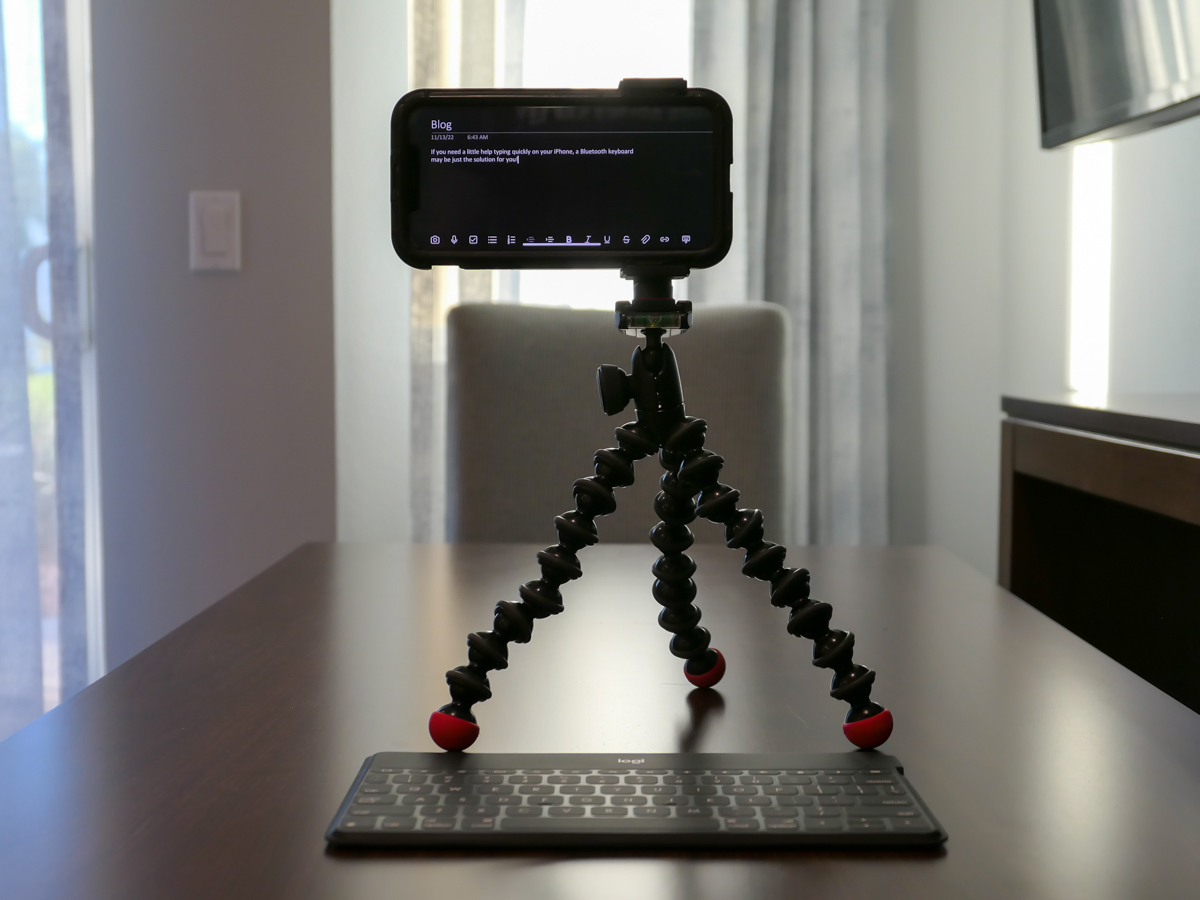
  • I had my small Joby tripod with smartphone grip to mount my iPhone a little higher up. ( I didn’t want the shot pointing up my nose.) The taller positioning also made it easier to read the screen as I typed away.
  • To ensure I wouldn’t run out of juice, I plugged my iPhone into a little portable power (my Anker battery), as a wall plug wasn’t nearby.
  • And of course, I wore my Apple AirPods.
  • My multitasking iPhone stunt went off without a hitch, but if you strip away the optional tech, just the iPhone and Bluetooth keyboard will certainly get the job done.

Add this Technological Distinctiveness to your Own
Not having to pack an extra computer when flying is a game changer. A slim Bluetooth keyboard is hardly a noticeable add to your carry-on luggage, and it’s not an expensive piece of tech you have to worry about being stolen.

It may not be an intuitive pairing, and the tech form factor certainly looks clunky and somewhat absurd (“Star Trek” Borg-like).

That said, adding a physical keyboard to the much smaller iPhone does facilitate much faster typing speeds. So give your thumbs a rest!

I have now happily assimilated this technological distinctiveness.

Borg Barrett transmission ends now.