At Home with Tech

Unlock the power of all your technology and learn how to master your photography, computers and smartphone.

Category: Technology

Why I joined SmugMug to Share and Archive my Photos

SmugMug is not just for professional photographers. Here’s why I decided to sign up for an account.

Keeping track of all my family photos feels like a Herculean effort these days. It’s not getting any easier. Sure, I’ve got photo organizational systems in place: Lightroom, digital backups and cloud storage.

But I often feel like I’m simply maintaining the existence of tens of thousands of photos. (Have you checked lately how many you’ve collected over the years?)

I’m hardly keeping up with my full curation process. Yes, I share photos with family and friends via texts and Dropbox links. I include some of my favorite travel and nature pics on my blog. I even get around occasionally to creating a photo book. One might say from afar that I’m getting the important pieces done.

But I remain unsettled.

Scrolling vs. Flipping
The photos I usually share are individual photos that you can simply flip through one at a time. That’s okay, but I’d really prefer if they could live collectively as a group in an online photo gallery. Then, you’d be able to view them as a collection that you can scroll through. The viewing experience is already optimized. (It’s a big difference.) And if you’d like to look more closely at one photo, you can do that too.

But I didn’t want to take the time to start designing and publishing complex online photo galleries. I needed a drag and drop solution…

After doing a bit of research I decided that SmugMug could help me.

Unlimited Storage
SmugMug is marketed to professional photographers who want to sell their photos online. But SmugMug also can be a powerful tool for handling your family photos. Not only can it generate unlisted online photo galleries to share with your family and friends, you can also create galleries with passwords. The bottom line is you have total control with who can see your photos.

SmugMug’s interface is easy to use, and the online galleries look great.

And get this… SmugMug offers unlimited storage. That’s right… unlimited. So I signed up and got to work.

But I wasn’t done climbing out of my own photo rabbit hole. Not yet.

Less is More
Sure, SmugMug can house all of my photos for permanent archiving, but really why would anyone want access to many tens of thousands of photos that tell my family’s story? No one will have the time. I certainly wouldn’t want to burden my son with that one day.

I’ve been going through, organizing and digitizing hundreds of my father’s photos that contain my family’s history back to the late nineteen century. Believe me… that’s been a lot of work.

My own family photo collection is enormous by comparison. I’m actually nearing 100,000 pics. (You should check how many you’re carrying around.)

Your family’s story can be told in a fraction of that. (And mine can too.)

Preparing for the Next Generation
So these unlisted SmugMug galleries I’ve begun generating will become the backbone of a slimmed-down, curated and optimized Lester family photo history.

It’s permanent, safe and ready to hand over to the future.

What do I mean by that?

Long-Term Strategy
Nothing lasts forever. Back-up hard drives can fail. A curated cloud photo collection seems more resilient to the ravages of time. Sure, no company lasts forever, but you’ve got to put your stake in the ground somewhere.

I’ve purchased my ticket to the future on the SmugMug train.

And yes, the ticket does come with a cost. I signed up for the annual ‘Power’ plan, which is $110/year.

As you multiply that out across (hopefully) many years to come, the price tag will be substantial.

But there’s no solution to store an unlimited number of full-res photos for free. That said, I technically do have that perk with Amazon Photos. But that platform doesn’t really offer a photo gallery solution when sharing links. (And I do sometimes wonder how long Amazon Prime benefits will include its photo division.)

A dedicated photo company feels like a better long-term bet.

Time to Share with the World?
Finally, there’s the other major SmugMug benefit that every photo gallery doesn’t have to be private. SmugMug is designed to create your own public website that features your photos. Being able to show off my public-facing photography is quite appealing.

You may have noticed that beyond my job as the family photographer, I’ve enjoyed sharing my travel and nature photography on my blog.
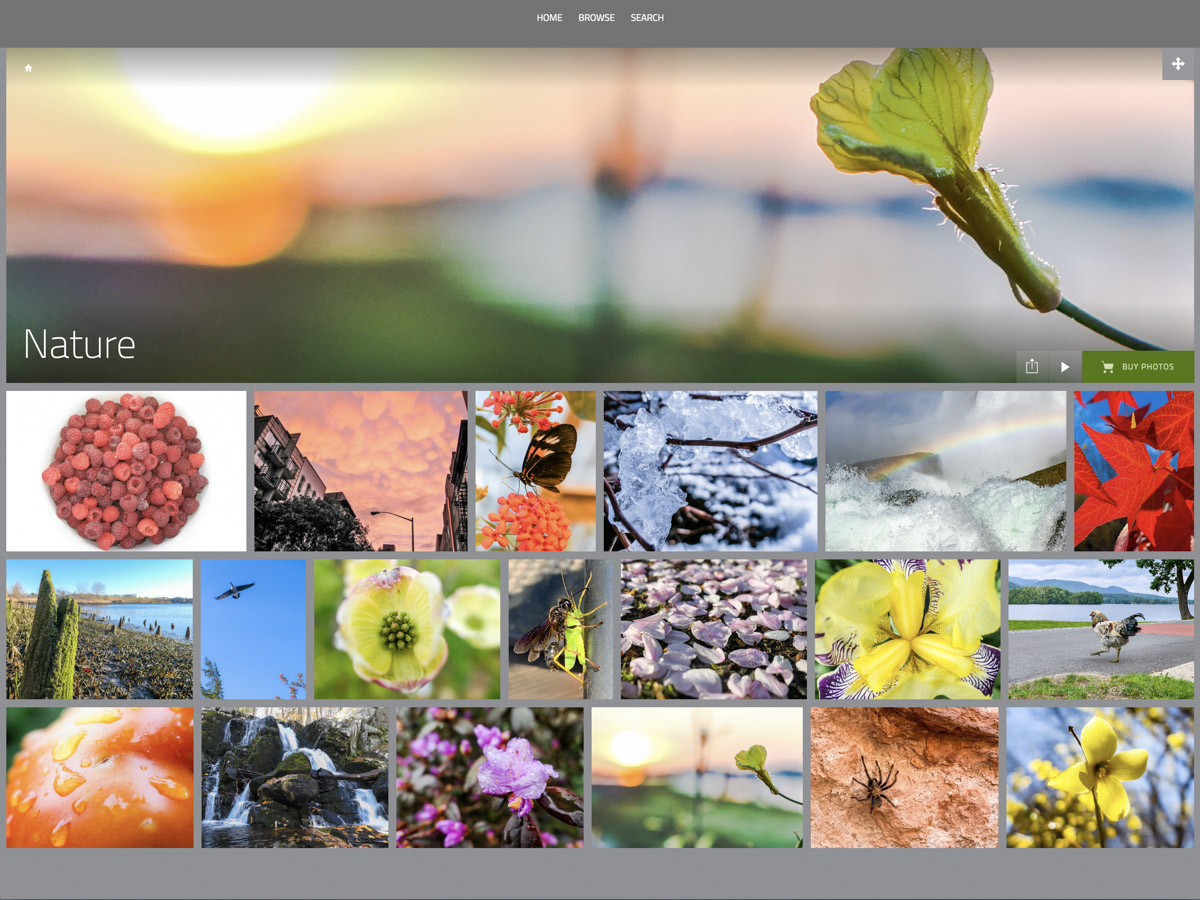
How nice it is that I can also curate these images to share on my SmugMug site.

It’s All Part of the Plan
No, I’m not selling my photos. Not today. No, I’m not a professional photographer. Well, not today.

Does my photography hobby support my professional brand leading video production teams?
It sure does.

Can SmugMug house videos?
It certainly can (up to 3GB files/20 minute length/1080p resolution).

Will my SmugMug site align with my other personal branding efforts?
Absolutely.

Barrett’s SmugMug Site
You can see I’m tad enthusiastic about joining SmugMug.

  • Long-term archiving? Check.
  • Private link sharing? Check.
  • Public website for some of my own work. Check.
  • Setting up for a future handoff to the next generation? Check.

Am I feeling smug? Maybe just a little.

But the truth is any photo curation solution takes a TON of work. And I’ve just begun my SmugMug journey.

If you’re interested in taking a look, you can find it here:
barrettlester.smugmug.com

Hope you like it.
How Many Family Members Does It Take to Fix a School Chromebook?

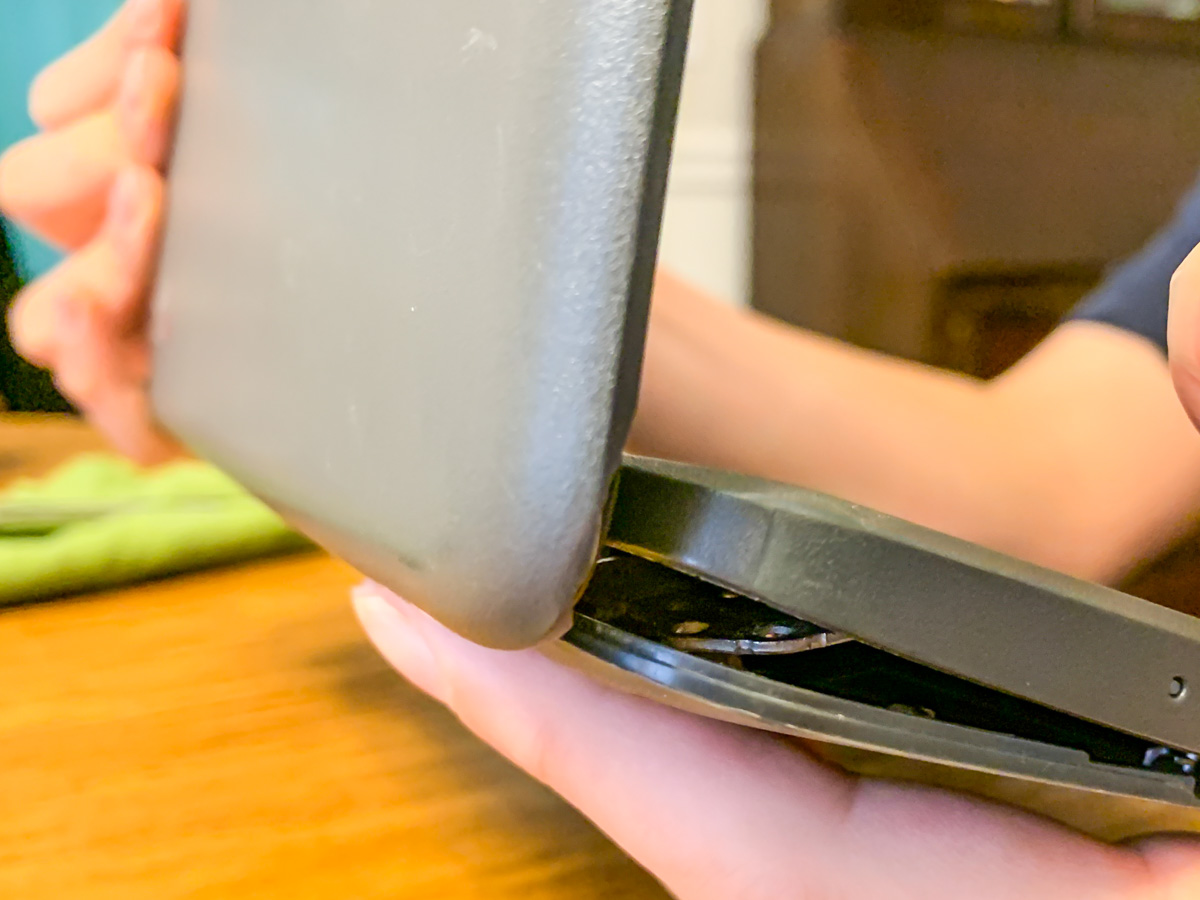
Screws are falling out of my son’s middle-school Chromebook, and this is the result. Help! What’s a dad to do? It’s time to find my inner MacGyver!

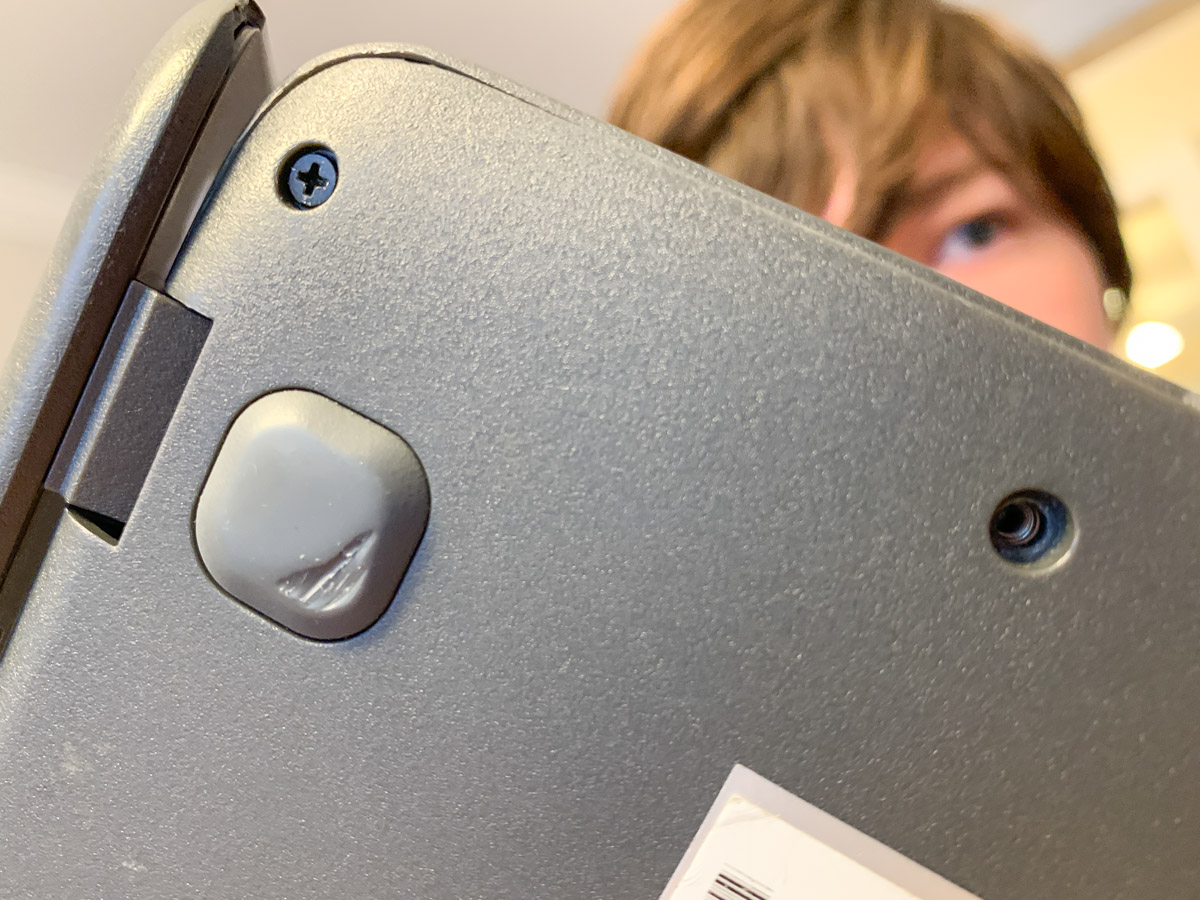
My 7th grader casually informed me the other day that he was missing a couple screws on the bottom of his school Chromebook, and the casing was beginning to separate. (Both holes were in the same corner.)

When I took a look, I realized the problem was more than just a little separation. The entire body and screen misaligned when I tried to flip it open, and the guts of the laptop almost spilled out from the hideous opening like a fresh gunshot wound. I couldn’t even close the screen for fear that I would snap off the hinges.

My son had been dealing with this?!

No Amazon to the Rescue
So I immediately looked up “Chromebook replacement screws” online. There had a be a quick fix for this. But in fact, there wasn’t.

I found that screws dropping out of Chromebooks was a well-documented problem, but there was no one-stop solution to buy a replacement screw for 20 cents. Sure, I could buy hundreds of different-sized laptop screws on Amazon and hope that one of them would work. But that looked like a painful needle in a haystack scenario.

Really?

Time to Get Creative
I turned my head and looked at the calendar: Two weeks to go until the end of the school year. Hmmm…Then it hit me.

I just had to keep that computer together for another few days!

Duct tape? No, that’s a silly idea (though I’m sure I wouldn’t be the first to attempt it).

Did I have another old laptop lying around that I could grab a screw from?
Nope… not one that would fit. (I tried.)

Wait! Maybe I could move out one of the other screws on the back of the Chromebook to fill in one of the corner holes. And then I would keep my fingers crossed that the band-aid maneuver would be a sufficient fix to reseal the body.

Does the Chromebook Survive?
So right before breakfast, my son and I cleared off the dining room table and began the surgery. I let him play the role of Dr. Strange. (This would take a delicate touch and a good dose of magic.)

And guess what? It worked!

The body held shut, and the screen opened up and closed like nothing was ever wrong (though the computer was still missing 2 screws).

For good measure, my son then tightened up a few of the other screws that were loose and also about to fall out. (Whoa!)

Yes, the operation was a success. My boy treated it like an easy homework assignment, and I was slightly stunned that we had seemingly just opened up a Lester father-and-son computer repair business.

A Good Lesson
Sure, he had just moved one screw to a different location on the laptop’s back. You might think this to be an obvious fix. And in hindsight, it was.

But in this computer-centric world we all live in with AI on the cusp of changing everything, just the idea that we can still fix a computer at home with a screwdriver feels refreshingly analog.

And it’s an important reminder of who still runs this planet… for now.

How to Make a Bar Mitzvah Video

Here’s an outtake from the video I created to celebrate our son’s bar mitzvah. I followed a process that prioritized keeping it simple. Here’s how I did that.

Over the years, I think I’ve recorded hundreds (thousands?) of little family video clips. So if you’re wondering, yes, of course I created a video to celebrate our son’s bar mitzvah.

It was a highlights reel of sorts, containing some of his greatest hits to date… at least the ones that I happened to capture on video.

Fortunately, I’ve been diligent over these past thirteen years to label each of my family video clips and organize them into folders by month and year. (That’s a lot of folders!)

Over time, I’ve also created a variety of little ‘finished’ family videos that reflected different moments in our family’s story (birthday parties, vacation trips). These particular videos were especially useful to identify the clips I needed for the bar mitzvah video.

Not a Documentary
So years of good digital organization set me up nicely to begin my project. (I’ve got all of my video files stored in an external G-RAID drive.)

But really, any way I looked at my task, it was still absolutely overwhelming. (And I wasn’t even considering using any photos.)

So instead of trying to accomplish the impossible and somehow jam in every perfect clip to tell the ‘total’ story, I decided instead to enjoy my trip into the past and simply use what I uncovered in my digital archives over the course of several hours during three separate research sessions.

Capture the Spirit
Sure, there were a few video moments that I had specifically remembered and searched for. (My wife also had a few clip requests.) But for the most part, my process of rediscovery organically led me to the clips I used. If I had repeated my exercise the following month, I could have easily collected an entirely different grouping of clips that were just as delightful.

I realized as I went along that the video would mostly reflect these three factors:

  • Our son’s growth across the years
  • His family and friends
  • Some fun moments

It would never be a complete reflection on his life to date. And that was fine.

Keep a Simple Structure
This understanding freed me to focus on creating a video that was simply enjoyable to watch. And it was ‘relatively’ simple to make.

It ran seven and a half minutes. Each clip was 10 to 15 seconds long. And I organized them chronologically (using Final Cut Pro on my iMac) with a date stamp graphic in the bottom of the frame. I think the dates were useful to show the passage of time. I used a couple of his favorite pieces of music to support sections that were more visually oriented. And I popped in a title at the top and a ‘congratulations’ graphic at the back.

Finally, my wife and I recorded a short video message to our son that I included towards the end of the video.

Make a Few Drafts
That was it. I made three drafts before locking the final cut.

The first draft was a just a long string of clips in the right order. The second draft was a shorter version. (Everything can’t make it in. Always remember that less is more.) The third draft added a few more clips that my wife had remembered. (Don’t forget to collaborate!) And the final cut was where I polished it all up.

There are any number of ways to make a bar mitzvah video. This was the path I took.

A Video for the Past and the Future
We showed my finished video to our son, and I think he enjoyed it. He did smile a few times. To be fair, I can understand how he may not be as excited to see his toddler clips as we were. (My wife and I were delighted with the trip down memory lane.)

But beyond celebrating an important milestone for our son, I also see this video as a piece of family history that reflects our son’s first thirteen years. And I hope it’s something he can return to years into the future and enjoy.

My wife and I certainly will!