At Home with Tech

Unlock the power of all your technology and learn how to master your photography, computers and smartphone.

Please Give the Computer on the Phone a Moment to Act More Human
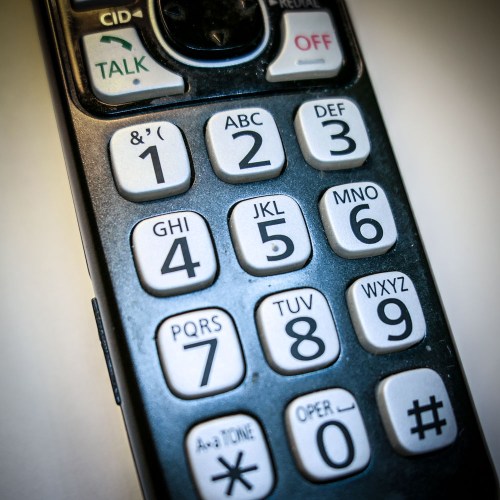
When a computer on the other end of your phone call can’t move fast enough, is that good customer service? Well, it depends…

Customer service call centers are dominated by automated voice response systems, voice recognition, computer-generated voices, and growing AI capabilities. These non-human IVR interfaces are the first line of defense before you can talk with a human being. It’s been that way for years.

And granted, more sophisticated technologies have vastly improved the user experience these days. But it’s still not the same as talking to a real person. Not even close.

So why do voice recordings and computer generated voices pretend like they’re actual people? Do the human designers feel like their cyber creations are somehow totally pulling it off?

Open the Pod Bay Doors, HAL
When I hear the computer “typing” in the background… now that’s just silly.

“Please give me a moment while I submit this.”
Really?
(That’s what the computer lady said when I called the New York Times to set up a vacation suspension before we travelled to Massachusetts to see family over the holidays.)

Is there some laptop computer running down the hallway to get my order into the in-box ahead of a hulking iMac that can’t turn the corner quite as fast?
(That would be fun to watch.)

Seriously, though…
Is there a pause in our ‘conversation,’ because the technology requires the delay?
Or is the delay inserted there just to make me feel more comfortable?
(Because an actual person wouldn’t be able to move any faster)

In a future world ruled by AI, I certainly hope sentient computers aren’t going make us wait around for answers, because they think we’ll like it better that way.

Or maybe they will… just to annoy us.
Because we all know they’ll be able to figure out any question instantaneously.
(Including the fate of humanity… but that’s another conversation.)

Can We Speed it Up, Please?
Look, I certainly understand that the goal is to make this kind of tech feel more approachable to today’s human population.

When I hear a computer’s interactive voice like Amazon’s Alexa, Google Home or Apple’s Siri, and these smart assistants are sounding so real… that’s already amazing, right?

When the day comes where I can’t tell the difference between a computer and a person’s voice on the phone, it’s going to be pretty wild. And that’s a whole other conversation.

If that computer voice wants to throw in some extraneous sounds to lock in the whole reality, I say go for it!

But until then, please don’t do silly things to try to appear human.
That’s what humans do.

Please just be a computer and get the job done better and faster than a person can.
That’s how you’re going to make people happy.

Wait… what?

Innovation, Disruption and the Enduring Value of an Old Tea Kettle

The use of an outdated kitchen tool can be an allegory for happiness in today’s technology-charged culture. My story illustrates why…

Nobody uses stovetop tea kettles anymore.
(You heard it here first.)

I first got a clue when I went shopping for a new kettle a few months back and realized there were only a few models on the market. And the ones I found were poorly designed, making it difficult to touch the handle without burning your fingers. But I figured my particular experience might be an anomaly.
(It was, after all right after the holidays.)

But then something else happened….

A Cup of Hot Tea
Last weekend, my family and I visited my mother-in-law, and she asked if I wanted a cup of tea. Of course, I accepted her offer.

My mother-in-law grew up in Ireland. Serving hot tea is a tradition that goes back generations. And when I say hot tea, I don’t mean like when Star Trek’s Captain Jean Luc Picard says “Tea. Earl Grey… hot!”

I mean HOT!

You’ve got to boil that water! As Mel Brooks might say, it’s not hot…
It’s ludicrous hot!
And then maybe…maybe you can make a decent cup of tea.

And her process of picking up the screaming kettle from the stove and safely transferring its raging contents into her dainty tea pot was always an impeccable skill I rather marveled at. I’d actually grown accustomed to it over the years, and this time I wasn’t paying close attention to her boiling-of-the-water dance.

And when I looked up, I saw her holding an electric kettle.


Electric?! Whoa!!

“What happened to your old kettle?” I asked?

“I bought this one. It’s so much easier to use,” she explained.

“But you’ve been using the other kettle for so many years.”

“This one is better.”

And that was it.
Huh.

Go Electric
It felt like I had just witnessed a sea change for the entire tea kettle industry.

It’s not like electric tea kettles haven’t been around. But I felt they mostly existed for times when you couldn’t use a traditional model.
(And why would you want to take up additional real estate on your kitchen counter?)

Heating up water on a fire… that’s the way our ancestors did it thousands of years ago! How can you improve on primordial perfection?

My Mother-In-Law Understands Innovation
Sure, I’ve seen electric kettles in different houses over the years, but they’ve always had that cool ‘gadget vibe.’ Press a button and BAM you’ve got hot water at the perfect temperature every time.
(It was a fad. It would pass…)

But now… I’d witnessed someone who had grown up and spent decades with the mighty tradition of fire-powered hot water casually cross over to the dark side of tea kettles and go electric.

She easily abandoned this ancient tradition…
Because she found something… easier to use.

Uh huh.

If you’ve got stock in stovetop kettle manufacturers, I advise you to sell it all… right now!

The Sanctuary of Consistency
Look, I know this story about my mother in law isn’t quite as dramatic as I’m portraying. In fact, you might simply say that it’s an obvious example of taking advantage of a not-so-new innovation. If my mother-in-law can easily understand this, but I’m somehow stuck, maybe I should think about changing my blog’s title to ‘At Home with Luddites.’

But hold on for a moment… stick with me.
(I’m not only talking about tea kettles…)

With technology changing the patterns of our lives in so many ways these days, it’s easy to accept disruption as the norm.

Perhaps we’re becoming desensitized to the overall experience of ongoing disruption.

Why am I so bothered by my mother-in-law finally updating her own kettle? I think it’s simply that I cherished the experience of her consistent process. I didn’t know how much I valued it until it changed.

I’ll still get my cup of scalding tea, but I’ll now miss the original ritual, which was admittedly more work for her.

The Big Picture
Technology exists to ‘improve.’ But we often don’t think twice about the related changes that are invariably part of the evolution.

And are these disruptions always a good thing? If so, for who?

Well, if you’re not thinking about it…if you’re just going along with the latest and greatest innovation… then that’s a problem.

Now don’t get me wrong… Change is good. Innovation is great. Just make sure you know why.
You’ve got to pay attention!

Protecting the Tea Kettles in Your Life
Many folks clearly don’t need stovetop tea kettles anymore. But apparently I do. Or at least I value the connected experience to these obsolete clunkers. That’s worth acknowledging.

I’m sure you have something in your life that represents your own ‘tea kettle.’ Don’t be so quick to let go. Make sure you really understand what it means to you before it’s gone and replaced with something ‘better.’

Upgrade Now?
My mother in law is at home with her tech.
Good for her.

Electric tea kettles are superior and are rapidly causing the extinction of their stovetop cousins.
Probably.

Thinking about how technology is changing your life and whether it’s always for the good…
Essential.

That’s being at home with tech.
Otherwise, you’ll eventually become a stranger in someone else’s cozy vison of a better life…

What To Do When Adobe Lightroom 6 Randomly Crashes

When your tenuous photo management process hits a wall, because your software gets glitchy, sometimes an obvious solution actually works. Let’s begin…

I’ll be honest… digital photo management has been a challenge for me since my 7-year-old son was born. I’m the kind of parent who takes way too many family photos and then struggles to organize them, quickly share the best ones and eventually create photo books.
(Sound familiar?)

But I’m trying.

The truth is you’ve just got to put in the time, have an organized plan, and use photo management software that’s right for you.

I switched to Adobe Photoshop Lightroom 6 from Apple’s Aperture a couple years back after Apple retired Aperture and launched the Photos app.

I wanted software that was more powerful than Photos, and Lightroom has indeed proven itself to be a rock star.

At the time, I made the choice to buy a standalone Lightroom 6 license for $149, instead of Lightroom CC, which requires you to pay into a $10/month Adobe Creative Cloud ecosystem.

I figured my one-time DVD purchase would be more economical than the pay-as-you-go model, as long as I used Lightroom for more than 15 months. That was the plan, and I’ve already passed the two year mark. So, yay Barrett.

But I know it’s just a matter of time until I’ll be joining Adobe’s Creative Cloud. It will eventually become unavoidable. For now though, I’ve been enjoying my Lightroom 6.

Until something went very wrong…

Random Crash Alert!
A few weeks back, my Lightroom began randomly crashing. It happened mostly when I wasn’t actually working with it. Lightroom would be open in the background, and then ‘pop,’ it would suddenly disappear. My iMac rushed to create a report to send to both Apple and Adobe, but I didn’t expect any engineers to be calling anytime soon.

I ignored the problem for a while. (Silly me.) But then, it began happening when I was actively using the program. And finally, it crashed while I was importing photos.

So, it was clearly time to do some troubleshooting…

The only recent change to my iMac’s ecosystem was an update to my iMac’s OS High Sierra. (And you know, that seemed to be about the time my troubles began.)

I did some Googling and ran across an insanely obvious question…
Was I running the most up-to-date version of Lightroom 6?

Uhhh…
What?

Huh.

Well, actually… No.
I hadn’t been receiving any notices about updates.
(I’m so used to Apple’s incessant reminders to update my software.)

So, no… I haven’t (ever) updated Lightroom 6.
(Maybe I did right after I installed it.)

Please don’t expel me from the Island of Misfit Toys.

All right…. So guess what I decided to do?

How to Update Adobe Lightroom
If you too are trying to figure this out, you’ll find your Lightroom software updates in the Adobe Application Manager program.
And here’s how to get there…

Go to the ‘Help’ drop down and click on ‘Updates…’
The Adobe Application Manager will open, and this is what you will see…


If you’ve got an update waiting, it’s time to take the blue pill.
From here, it’s straight forward!

Always Backup First
Updating Lightroom is a painless process, although it’s always good to do a backup before you update any important software.

For me, I simply ran Time Machine on my external G-Drive. And I also saved a backup Lightroom catalog file to the G-Drive.
(The catalog houses all the work you do to your photos.)

And guess what? Now that I’m running Lightroom 6.14… everything is…
Just… fine… again.

Yup.
Updating Lightroom did the trick.

Software Conundrum
I know my report ultimately falls under the category of “DUH!”

But can you tell me you’ve never dragged your feet on doing software updates, because you feared unexpected glitches and compatibility issues?

Well, if you wait long enough and do nothing, that’s clearly a problem too.
(And I’m not even talking about security patches.)

Choose your poison.

Lightroom stability: Restored!

#LovingMyDigitalLife