At Home with Tech

Unlock the power of all your technology and learn how to master your photography, computers and smartphone.

The IT Guy is in the Doghouse

Let’s take a little test.  Does any of this sound familiar?

“Honey, our home network is down… again.  Why can’t you fix it so it doesn’t keep happening?”

The phone rings. Your parent is on the other line.
“My printer isn’t working. Can you press a few buttons and make it work again?”

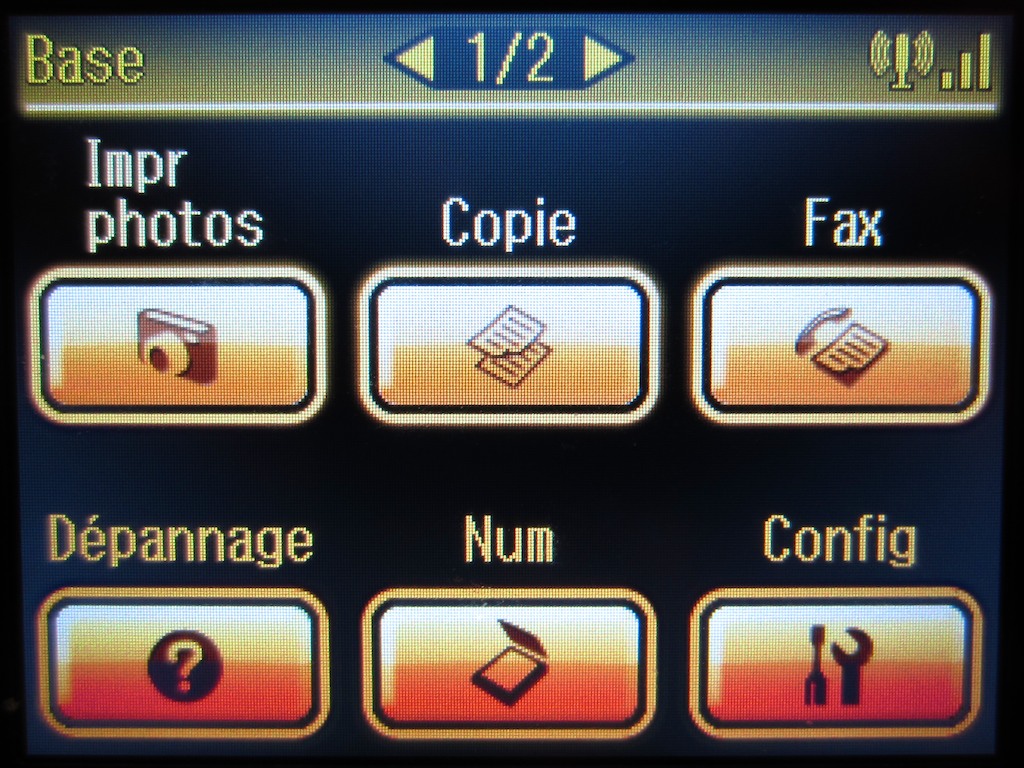
Speaking of computer printers, I turned on my Epson the other day, and found the front LED menu items now glowing in French.  I turned around and my two year old was gleaming at his crowning accomplishment of the day. He had discovered a menu subdirectory I didn’t even know existed!  C’est impossible!

If any of this rings a bell, don’t deny what you know to be true. Embrace it.
You are tech support for your family.

The likely reality is you’re no tech expert. You probably know just a little more than everyone else related to you.
That may not be saying much, but you’re it. You’re what stands between the blissed-out 21st century family and tech anarchy. The thankless job is yours. Own it.

Here are a few tips I’ve found helpful to keeping tech peace on the home front.

Use Remote Access via iChat
My father just turned 79, and he works hard to keep up with technology just like the rest of his generation. The good news is he’s always been into gadgets and early tech. So he was ready for digital living.  In the 80’s, he had the first TV watch from Casio. How cool is that? (It didn’t really work, but I guess that was never the point.)

He was an early Apple adopter before Apple ruled the world. He loves his cell phone. And he does a pretty good job driving his iMac today.
When he does get himself into a little computer pickle, I’ve found that doing screen sharing via iChat is an amazing tool for me to diagnose problems and make the fixes remotely from the comfort of my own desk. No house call required.

I know the videophone thing has been around since the ‘60’s, but now with iChat or Skype, the fact that I can check in and see my Dad whenever I want on my computer screen still seems nothing short of magic.

Your Tech is Only as Strong as its Weakest Link
When my father got his iMac, I suggested he pass on the Bluetooth keyboard and mouse. I love these wireless tools for my own computer, but it’s easy to forget they occasionally need to be re-linked to the computer without reason. Lose the weak link. It’s a worried phone call to you late at night waiting to happen.

Don’t Try to Win the Battle with Older Tech
This is when you really question whether you should be in the family tech support game. You know you have to figure the darn thing out. And it’s driving you crazy. Just because it’s a few years old and no longer playing nicely with your newer tech is no reason to retire it early.

Yes it is.

I know. That’s admitting some level of failure on your part. But the ‘fam’ doesn’t really care about threats to your geek god self-image. They just want the tech in their lives to work. And remember, that’s your problem.

So for the past six years, I’ve been very satisfied with my old Airport Extreme Base Station, which creates the happy glow of my home’s wireless network. The only problem was ever week or two the network went down. Inexplicably. But I realized the simply fix was a quick reboot of the base station. And I just did that by unplugging the Apple unit and then plugging it back in again. A 10-second operation, tops. I theorized the problem evolved from some growing incompatibility with my cable modem. No biggie. I thought.

Long ago, I subscribed to the fortune cookie philosophy of
‘Home tech is imperfect.  Just enjoy that it works.’

Occasionally, my wife would mention the issue in a casual way. I thought more as a point of curiosity. Perhaps an intellectual exercise.
So I didn’t think much of it.
I know I couldn’t cure the glitch, but I could quickly treat it.
Problem solved. Or so I thought.

The fact that the glitch continued… and with growing frequency by some accounts… revealed the truth.  Casual comments evolved and morphed into frustrated reminders.

One night, it was made very clear to me.
The IT guy was now in the doghouse.

So I did some research and confirmed that back in 2009, Apple had upgraded their wireless base stations from the older 802.11g network standard to the newer and faster 802.11n dual band technology

Better range. Less interference. It’s the new thing. In fact, now, it’s already the standard. The cure was there, waiting for me.

Get with it!

So I did. Bought it online, installed it in no time, and voila… no more network problems.  Our home network is humming again.

Why?  I really don’t know.

It just works again.

The official word from ‘BL Tech Support’ is “Product has reached end-of-life status. Replacement ordered and installed. Please fill out the satisfaction survey.”

I confess it’s a pricey choice to simply buy new technology to solve your tech ills, but I rationalized it by saying I had already gotten my money’s worth on my wicked old base station.

More importantly, my wife is happy. She thinks I’m a tech god again.
Harmony has been restored.

Anybody want to buy a perfectly good old Airport Extreme Base Station?

My Mission for the Perfect Picture

Every so often a great picture bumps into me.
Whether I’m able to capture it is another matter.

Now I like to think I can snap a photo.  But I’ve got a little secret to share.
And I’m not proud of it.

I just take lots of pictures.  Lots. Really.  I’m like a machine gun. Eventually, you’ve got to hit something.

With digital photography, it costs you nothing to do just that.
(Managing all those photo files is another story for another day.)
The pocket film camera is a thing of the past, even though my father keeps asking me if I’m using his old Minox spy camera from the 1960s.

Over the past few years, I’ve recruited a couple different cameras to try and satisfy my craving to take the perfect photo.  And believe me, as my boy keeps moving faster and faster, it’s getting harder and harder.

I know part of the problem is taking pictures in low light. We’ll come back to that…

So everyone’s got a pocket camera these days. You can easily pick up a good one for under $200. Some have even broken the $100 barrier.

I prefer Canon cameras. I know that along with Nikons, you pretty much can’t go wrong with a Canon. Kind of like Hertz and Avis. (I’m not saying which is which.)

Also worth mentioning is a couple of my friends are married to the Panasonic Lumix series.

Another reason I’ve stuck with Canon over the years is the functionality is similar from camera to camera, and the movies these cameras capture are all QuickTime files. It’s a format I prefer when editing home movies on my iMac.

So what do I have in my little arsenal these days?

My main pocket camera is the Canon SX230.  The camera is about a year old, but it’s still on the market for about $250.  That’s a little pricey, but you get a huge 14x zoom.  It’s also a little big to jam in your pocket, and I’ve been a little envious of people with those wicked small cameras seemingly the size of a matchbook.

So I splurged and got a smaller Canon pocket camera last month.
The Canon PowerShot Elph 300, an older model that’s still available.  I got a sweetheart Valentine’s Day deal, which was hard to pass up.
The newer Elph 310 is available for $220 at B&H Photo.  ($199 in pink on Amazon)

And why do I need another pocket camera?
(I know my wife is going to be paying special attention to this answer.)
It fits easily into the pocket of my jeans. It’s really tiny. Takes great photos. And with the exception of a flimsy battery door, is pretty tough.
That’s important, because I’m grooming it to take over as my ‘Toddler Cam.’

What?

That’s right, my two year old has his own camera. It’s currently my old Canon Digital Elph SD960 from 2009. He likes pressing all the buttons and snapping lots of photos. He takes amazing self-portraits. (not really)  He also knows how to change all of the settings.  (really)

The truth is, I assigned the SD960 for home duty to be the camera of choice for others to capture my son’s adventures. The problem is somewhere along the way, he annexed it to his toy collection. Now, even though we still use it, it belongs to him. (Disclaimer: I was not present when this unauthorized incident occurred.)

And now the 960 is a mess. Eventually, the entire front fell off like the face of a Terminator. (The guts look shockingly cool.) The body is now being held together like a toddler art project with scotch tape. My original fix was a more manly super-glue repair job. But when I realized I had also super-glued the battery door shut in the process, requiring an hour to chisel the fossilized guck away, I acquiesced to the SpongeBob band-aid solution. But I digress…

So the 960 is still working, but I know its days are numbered. Plus it can’t take a low light picture to save itself. When I come home to see what the little guy has been up to, it’s sometimes like a Big Foot sighting. I know he was there, but the blur is hardly worth framing.

The 960 is actually Toddler Cam 2. The first one was my old Canon G9. This Canon series is a tank of a camera. (The current one is the Canon G12.)  It’s expensive, big, and bulky, but built beefy and strong. I retired it as my main camera before its time, simply because it didn’t take HD videos, and I wanted all my home media to cross over that line together. (I’ll address this issue in another post.)

What happened to Baby Cam 1? One day, the G9 just didn’t turn on anymore. There were no signs of blunt trauma. The tank was just dead. We’ll talk no more of this.  Can you see a pattern forming?

So I’m training the Canon 300 to become Toddler Cam 3.

But my mission to capture the perfect photo moment is not complete.
I still craved that crisp low light photo, and everyone knows you always need the right tool to get the job done. You can’t send a pocket camera out on every mission.

Cue the orchestra and curtains.

Yes, I also have a DSLR. The Canon T1i.
I bought it right before my son was born. (Canon is now up to the T3i.)

It’s got the big sensor, capable of sucking in every bit of available low light.
Plus that old-fashioned looking DSLR lens demands respect from everyone within your perimeter and will solve every photo challenge you’ll ever encounter.

For the most part, it’s been a solid camera.
And I’ve gotten some really nice shots of my son. But…

I still take a lot of blurry low light photos.
What?!

There are two problems.

Problem 1:
It’s the glass. (Excuse me?)
The glass. It’s what people in the business call the lens. Lenses are really expensive. (Hundreds and thousands of dollars.) And the cheaper kit lenses often sold with consumer DSLRs are relatively average. They’re still going to shoot better shots than your pocket cam. But if you really want amazing low light shots, you’re gonna need better glass.

Problem 2:
It’s too big.
Yeah, I know.  This is becoming a circular argument.
But come on! It’s hard lugging a big camera around when you’re also carrying the diaper bag.

I guess I’ll just keep trying.

Uh oh… I think I’m hearing Yoda.
“Try Not.  Do, or do not.  There is no try.”

My Jedi training continues…

Date Night and the 42” Plasma

Parenthood.  You fear you will never watch a movie again.

Yes, there’s the occasional date night where you enter a time machine and go back two years to relive your fun Saturday night hours of 7-11pm.

Catching a movie on TV is logistically much easier.  That said, I discovered my wife and I also don’t have time to do that either.  Our little boy goes to bed close to 8pm.  Then it’s time for dinner, schedule coordination, playroom clean up, taking out the garbage, email, and then sleep.  I know this is not unusual, but I honestly don’t know where the average family finds the time to watch five hours of TV a day.  The math doesn’t add up.

The truth is, I’ve got just one opportunity a week to get my wife to sit down with me at home for two hours and watch a movie.    Saturday night.

And I need to be ready.

Another truth is my wife and I fall into gender stereotyping when it comes to movie preference. Yes, I can cross over to watch the newest, saddest movie that’s winning all the awards, but she usually isn’t into explosions and mayhem.   So when it’s time to talk about watching a movie, I’ve got to select wisely.

It’s a lot of pressure.

Once upon a time, I trusted my army of technological solutions to get me that movie:

Cable with the DVR (plus the HBO and Starz/Encore movie package)
Netflix.  I rode their PR storm and kept both the DVD and streaming plans.
Apple TV
Roku
Yes, and even the fledgling Amazon Prime movie streaming service

My digital army just isn’t getting it done.

Option 1 – Choose a live movie on cable
Result: Statistically impossible

Your only chance is to prerecord a flick on the DVR and offer it up as an option.  But that takes planning.
HBO on demand offers a paltry selection.  I cancelled that a year ago.
Yes, there’s the HBO Go app, but Cablevision (my cable provider) was slow to ink a deal with HBO.  I read a few months ago that it’s coming soon.    I have high hopes.
Pay per view movies- the screen interface is overwhelming and slow.
And I’m not too psyched to pay another $5 on top of an already sizable monthly entertainment investment.

Option 2 – Netflix Streaming
Result: Not for new movies

A lot has already been written about the paltry selection of good newer movies.  Totally agree.  You need to stick to older content.  My wife is fine with that, but my goal is to catch up on movies that we recently missed in the theater.

Option 3 – Apple TV
Result: $5 please

You’re back to the pay per view model again.  But it all goes down a little smoother.  The interface is more elegant.  And just because it’ s an Apple product, I think your budget-minding neurons get blocked.

Option 4 – Roku
Result: Has potential

I bought this economical little hockey puck over the holidays and am just starting to explore its hundreds of channels that you can subscribe to, like Netflix and Amazon Prime.  It’s like a streaming video cable box from the wild wild west, and a little overwhelming.

Option 5 – Netflix DVDs
Result: Bingo!

I know I said preplanning was a thing of the past, but spending a little time at the computer building a preapproved list of movies in ‘your cue’ is almost bullet proof.  You just need passing conversations with the other brain to get the approvals.  Yes, this old model also takes some effort, but the cumulative, occasional effort you put towards this will maintain a movie cue that automatically puts a red envelope in your mailbox.
No, opening the red envelope is no guarantee to success, but you’ve got a good shot.

Option 6 – Blockbuster rentals or buying DVDs at a store
Result: tumbleweeds
Time killer.  No longer on the radar.
Note: You’ll see on the website its trying to reinvent itself.
Still not interested.

So many choices.
What could possibly be wrong with all of this?
Here’s the rub- it takes time to review choice.  Time you don’t have.
Remember, you’re working with two brains.   Different brains.
You sit down to dinner on the couch with the remote in hand.
If it’s fifteen minutes later, and you haven’t agreed on a flick yet, and most of your meal is already gone, the odds of actually starting a movie go down exponentially.

Don’t lose sight of your goal.  Bring choice, but not too much choice.  And whatever you do, don’t take too long!
Good luck.