
Where can You Recycle Old Batteries?

Do you have a battery-disposal problem too? It’s time to stop stashing your spent batteries in old coffee mugs. Here’s what I did.
Old batteries are a problem. You can’t just throw them out in the trash. That’s killing the planet. You’ve got to properly recycle them. (More on that in a moment.)
One way to minimize the problem is to reduce the number of batteries you actually need to dispose of each year. You can do that by converting over to rechargeable batteries.
Time to Buy Rechargeable Batteries
I’ve been slowly traveling this conversion journey to rechargeable power, and I’ve been going with the Eneloop Pro rechargeable battery brand made by Panasonic.
It’s not been an inexpensive initiative.
- An 8-pack of AAA Eneloop Pro batteries goes for $28.88 on Amazon.
- A 4-pack of AA Eneloop Pro batteries costs $21.80.
Plus, you need a dedicated charger.
- I bought an Eneloop 4-bay AA/AAA quick charger for $18.59.
So, it’s something of an investment to get started.
But it’s the right thing to do, and eventually, the battery conversion process will be complete. The stress on your wallet will end, though you do need to eventually replace a recyclable battery.
(This process is not unlike the incandescent/LED lightbulb conversion exercise from a decade back.)
So, when it’s time to recycle a spent battery, where should you go to properly get rid of it? (recyclable or not)
Recycle at the Town Dump
I think most cities and towns have recycling stations or events for this need. For me, this has not been an effortless experience. Whenever I drive over to my city’s DPW dump, I feel like I’ve been transported to a post-apocalyptic Road Warrior market.
Everyone is always very nice, but I’m overwhelmed by the overall experience of mass disposal that’s often accompanied by piercing sounds of crushed metals being hauled away by hulking machines.
Sure, you can drop off your batteries there for recycling, but the process always seems to be a bit different every time I go. Often, I hand my bag of old batteries over to the Overlord of the Dump who’s there to ensure compliance (or doom you to Thunderdome if you don’t follow the rules).
He’s been great, but I do feel like if there’s ever a power struggle in ‘Bartertown,’ the new Overlord may be less obliging. (Years ago, I brought batteries over to a different Overlord. He picked through them, found 3 tiny lithium-ion batteries, and promptly charged me ten bucks for them.
Yep, visiting the dump is always something of an experience.
Bring your Batteries to Staples
Last week, I was reviewing emails at my desk over my morning cup of Joe, and a marketing message from Staples caught my eye.
It said, “New! Recycle your old batteries.”
Really?
Apparently, Staples is in the recycling business and gladly takes your batteries (including Lithium-ion) and lots of old tech. Here’s the list.
There’s a Staples store right down the street from our house. So, I grabbed my current pile of old batteries I stash in an old coffee mug and headed over to test drive this new battery recycling solution.
That was Easy
Not to steal their branded-marketing phrase, but yes, that was easy.
I walked into Staples, headed over to the register counter and asked how I could recycle my bag of old batteries. The woman at the register asked me to hand over the bag and treated the transaction like I was buying an item. I even received points on my Staples account.
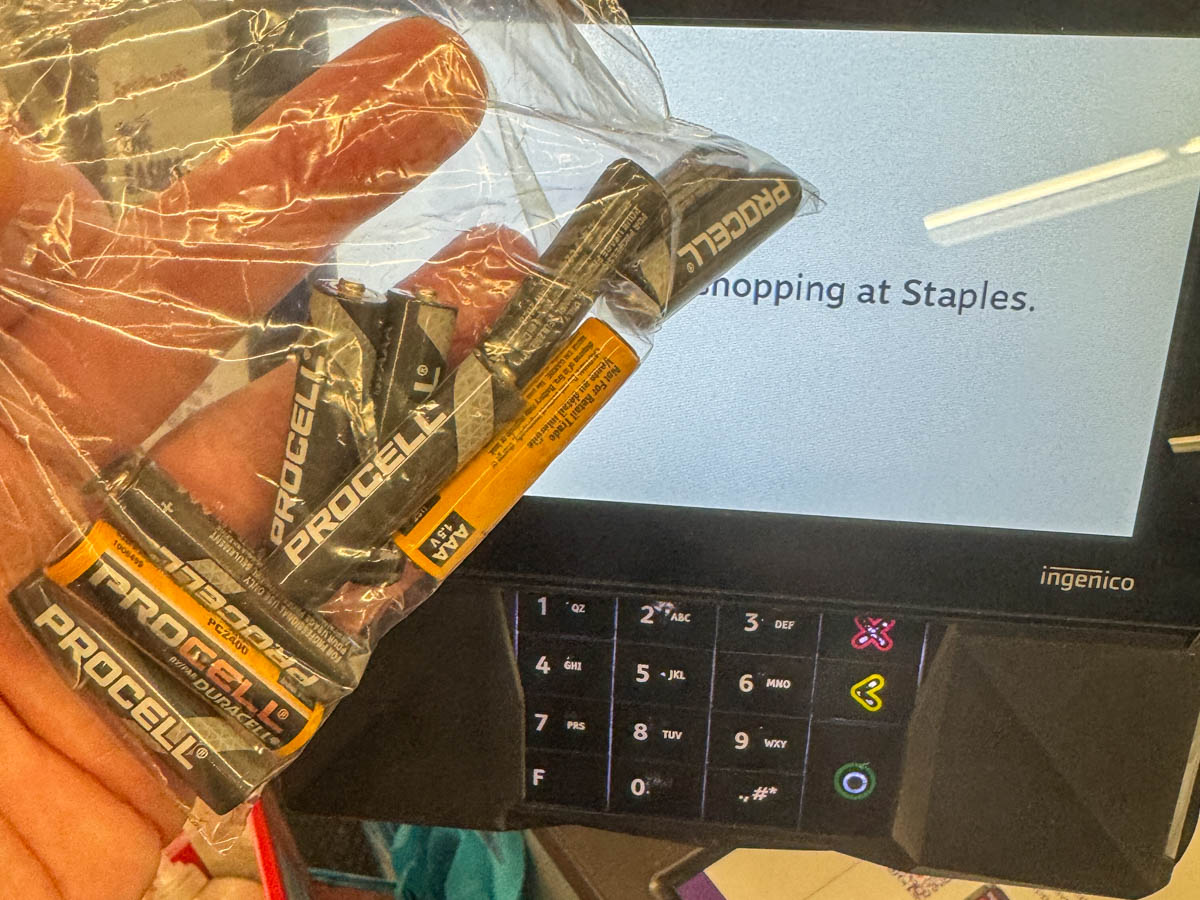 Remarkable.
So, in the words of the Mandalorian, “This is the way.”
Every Day should be Earth Day
If we’re to lead more responsible lives in collectively caring for our planet, it’s important that there are some clear (and hopefully easy) ways to accomplish that.
I’m pleased to report that Eneloop and Staples have helped me solve my battery-recycling challenge.





 At Home with Tech