At Home with Tech

Unlock the power of all your technology and learn how to master your photography, computers and smartphone.

Desk-Friendly Gear to Create Better Zoom Shots
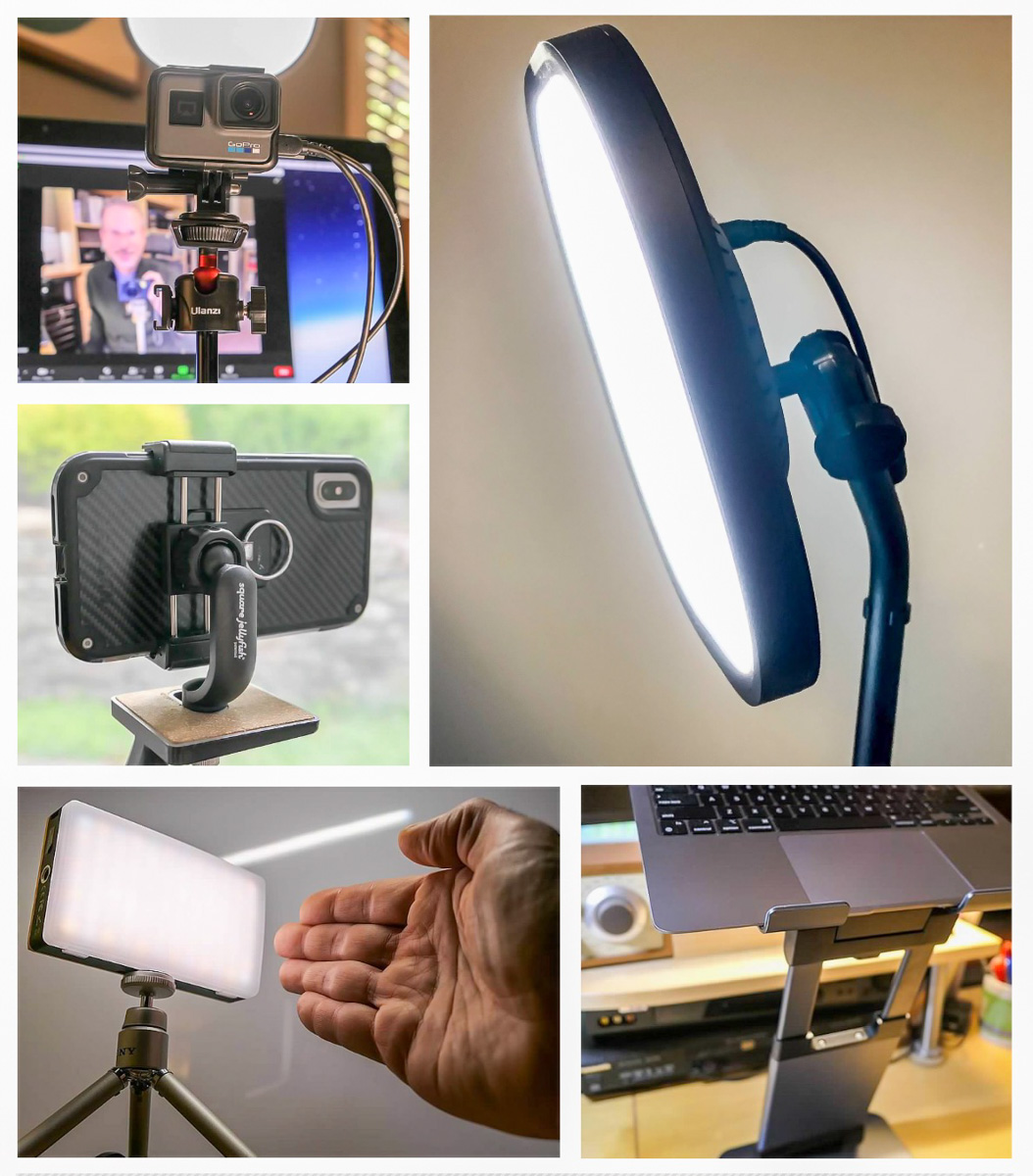
If you’d like to improve your look during Zoom meetings, here’s my list of support gear I’ve added to my home office during the past year.

I’ve blogged frequently throughout the pandemic about Zoom meetings from home. I’ve found that applying my knowledge of video production best practices has been useful in maximizing my own Zoom shots. However, miniaturizing the standard gear of a TV studio to use in a home office environment can be tricky proposition.

That said, there’s plenty of compact consumer gear out there that can help improve the look of your video conferencing feeds without overwhelming your desk.

Here are five key pieces of relatively affordable gear I’ve put in place to help with my own Zoom shots:

1.
Key Light

Sometimes, there’s not a window nearby to offer illumination for your face. Instead, you need to provide your own front-facing light.

I use this soft LED as my main lighting positioned behind my iMac. It’s been performing great for over a year now.

2.
Fill Light
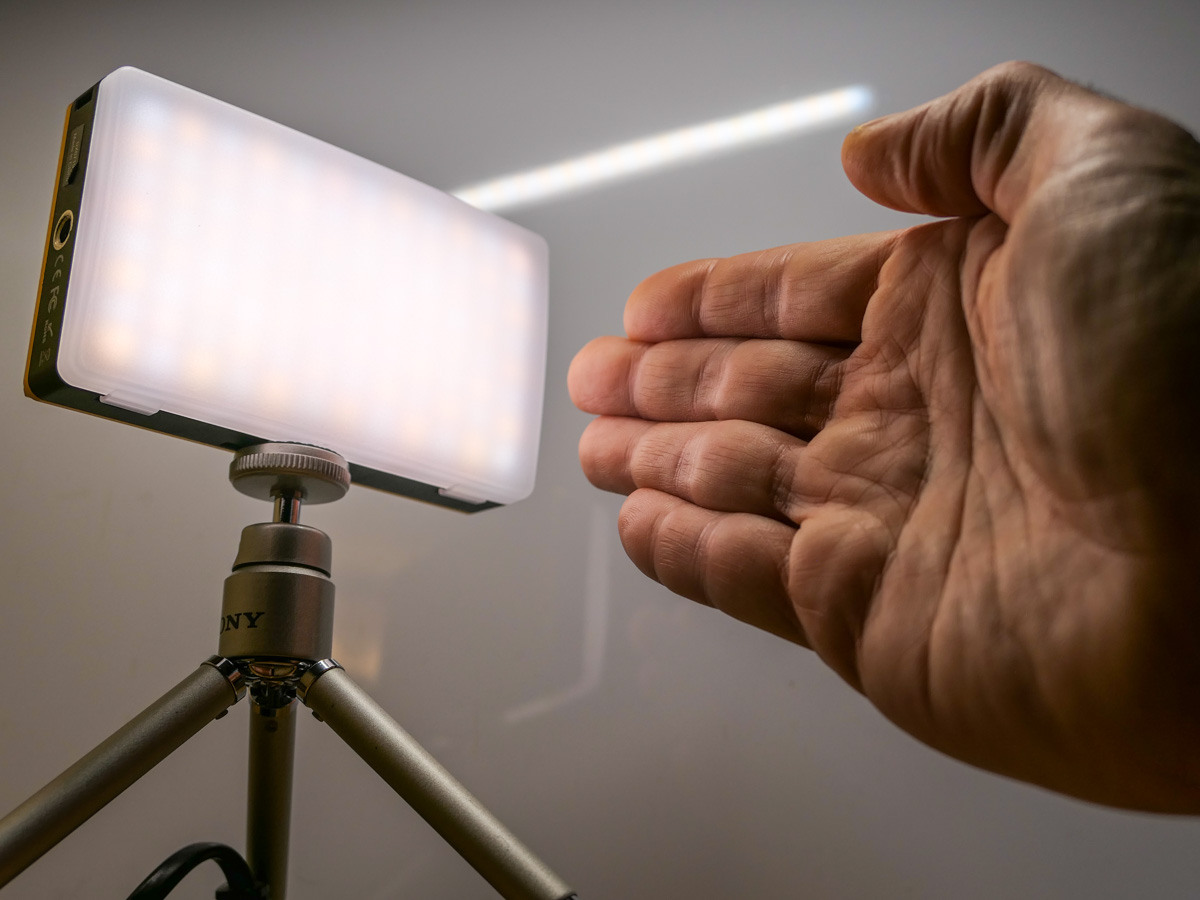
This battery-driven LED is perfect as a side light or for a more portable lighting solution.

It’s more expensive than other pocket LEDs, but it’s powerful and the light output levels are adjustable.

3.
Desk Stand to Elevate Laptop Webcam
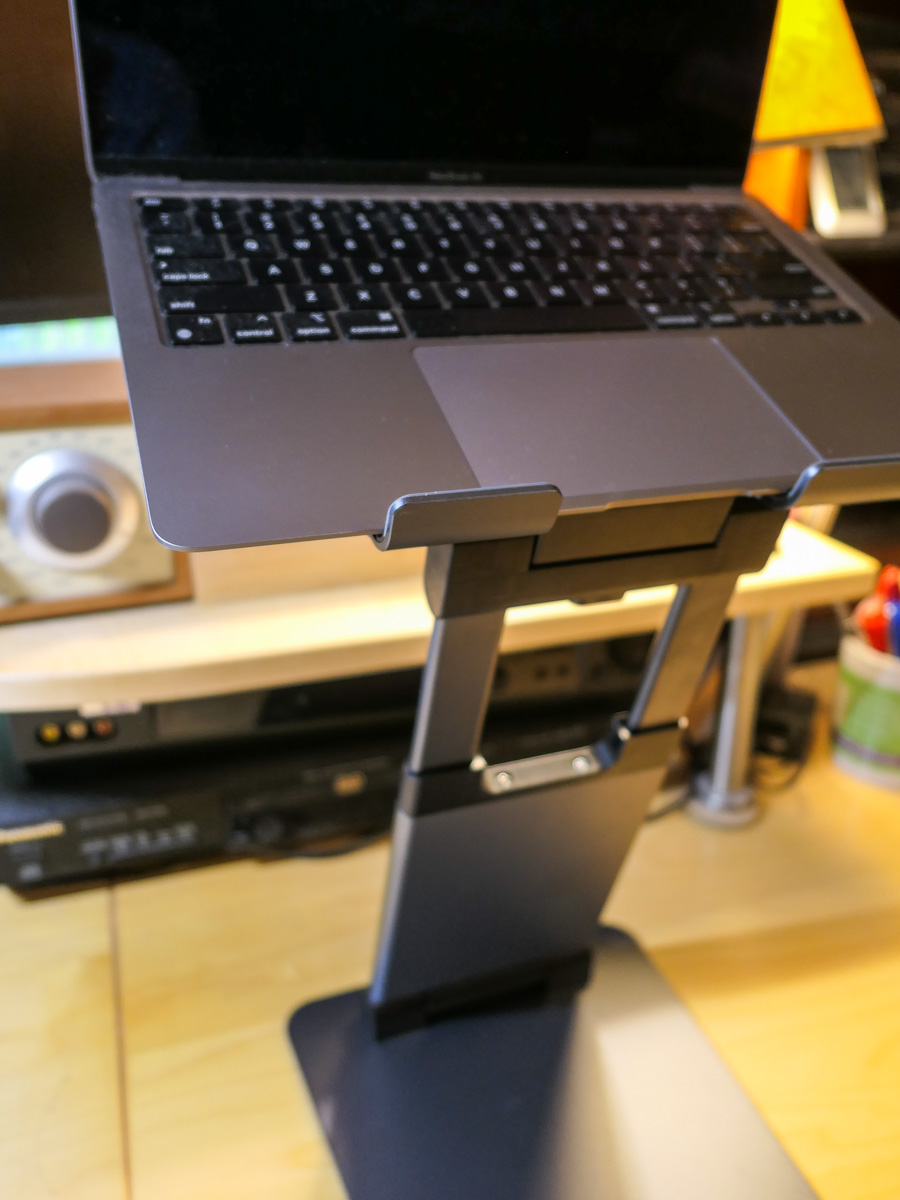
This stand almost magically levitates your laptop, bringing the computer’s webcam closer to eye level.

The resulting height adjustment for your laptop will prevent the dreaded Zoom ceiling shot that looks up your nose!

4.
Tabletop Tripod for your External Webcam
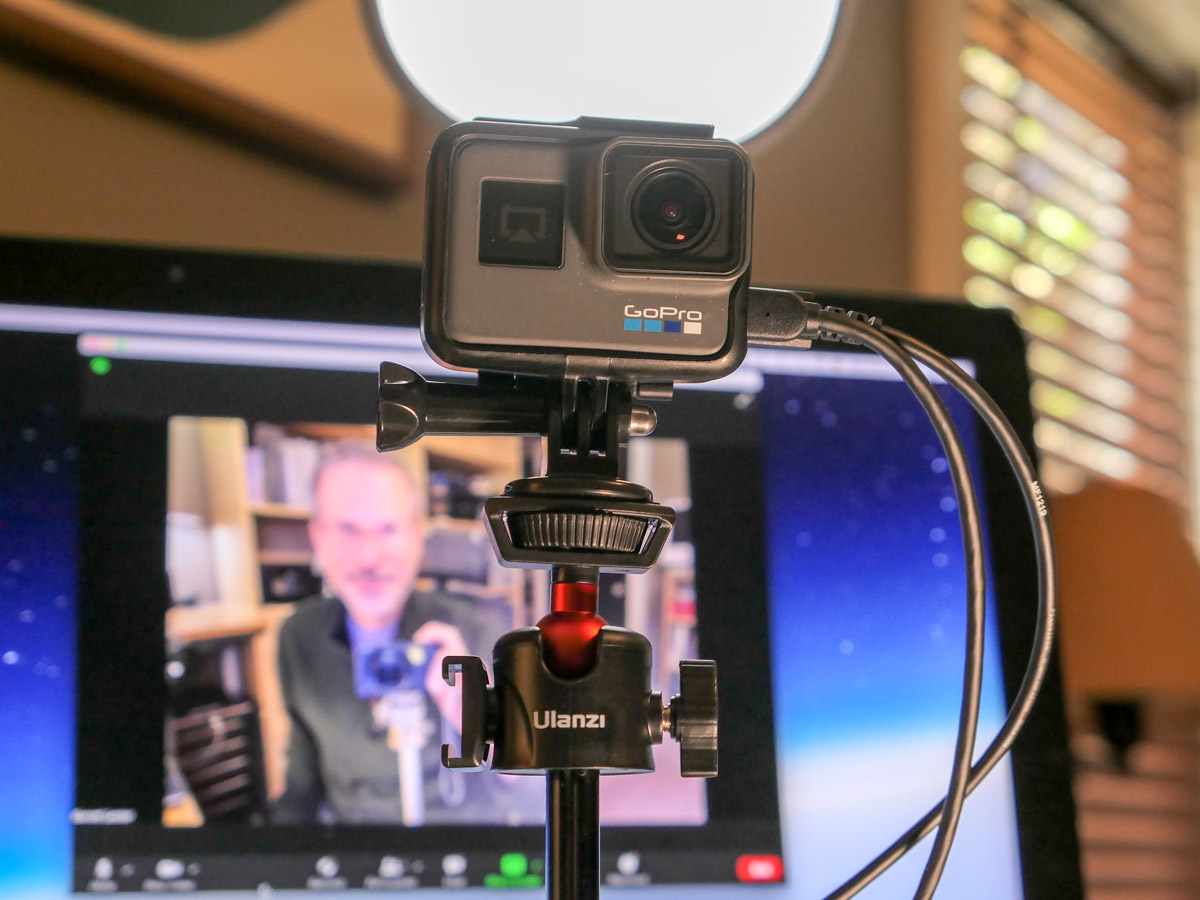
It’s sturdy, but small enough to not take over your desk!

You can pop any webcam onto this baby tripod as long as it uses a standard 1/4” screw mount or GoPro mount.

5.
Smartphone Tripod Adapter
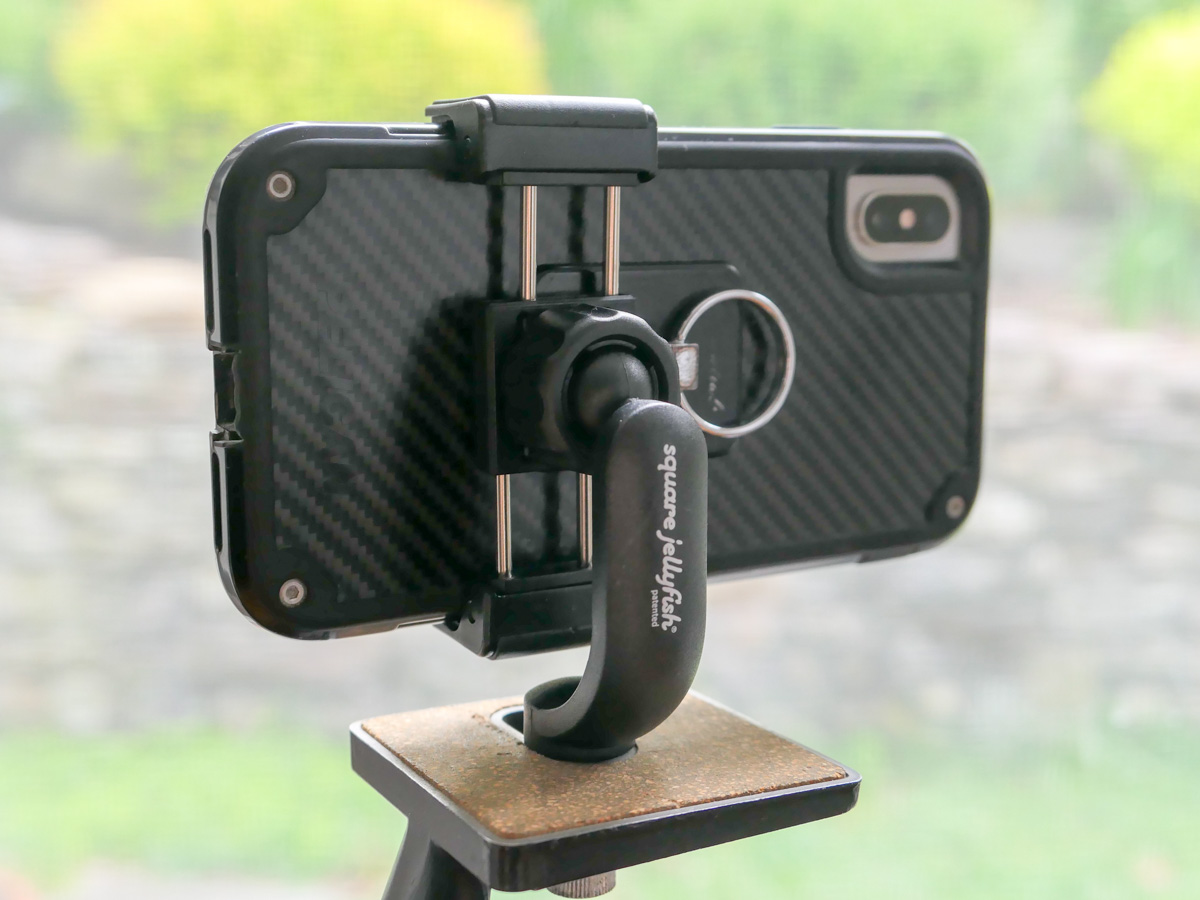
Sometimes, you may have to unexpectedly take your Zoom meeting to another room. A simple way to accomplish that is by using your smartphone.

Mounting your device to a tripod using this grip adaptor will negate the need to hold your phone throughout your meeting.

Zoom Away
Putting in place a few pieces of valuable support gear will go a long way to help improve your image for your next Zoom meeting.

It’s worth the effort.

How to Permanently Elevate your Laptop to Create a Better Zoom Shot

Do you suffer from ‘ceiling shot syndrome’ when using your laptop for video conference meetings? This solution will fix the problem.

If you’re Zooming all day from your laptop on your desk, your computer’s little webcam is probably looking up at you during your video conference meetings. That’s not good, because it’s an unflattering shot. The telltale sign of your up-angle live stream is when your viewers can see your ceiling behind your head instead of a wall.

I like to refer to that unfortunate webcam positioning as ‘ceiling shot syndrome.’

One way to fix the problem is to pile some books under your laptop to help elevate your webcam. Then, it will be able to point at you more horizontally. But that unstable solution is hardly a permanent fix.

It may be time to create a consistent and steady platform for your laptop’s webcam to see you at eye level.

Levitate your Laptop with a Desk Stand
Of course, a standing desk can do the trick. But if your laptop is stuck on a standard desktop, you need another way to bring your laptop up a foot or so.

The solution is to add an adjustable-height laptop desk stand to your home office equation.

It’s important to find a stand that will reposition your laptop’s webcam high enough to meet your face. So, get a ruler and measure from your desk’s surface up.

In my own research, I found three choices that provide more height than most stands out there:

The Right Design
All three have a similar Z-frame design with a relatively compact base, a tilt-forward surface and an expandable mid-section. I like this design, because it gives you flexibility on how high you can position your laptop. And it doesn’t make a massive footprint on your desk.

Plus, it’s nice that they all can fold up for portability and storage.

They all have received really good reviews. So how do you choose? Well, I simply went with the lowest price.

It’s the Nulaxy.

Click.

Say Goodbye to Ceiling Shot Syndrome
Over the past fifteen months, I’ve been using an old printer stand that I’ve had for years. Its sturdy but clunky design appears inspired by 1940s technology. The bigger problem was that it was only able to elevate my laptop a mere six inches.

So, my printer stand was never quite able to succeed in its new mission. And though it gave my laptop some height, I still suffered from ceiling shot syndrome. (Yes, I admit it.)

My Nulaxy will be a big improvement, as the stand will more than double my laptop’s elevation.

It’s always important to be able to look at someone eye to eye… and on a level plane. With the right stand for your laptop, it’s much easier to do that during your Zoom meetings.

A Poem for Dads on Mother’s Day

Photo collages are ideal for creating the perfect holiday card. Here’s how to do it all at home with a poem for easy reference.

What have you been doing with those thousands of family photos you’ve collected over the past years? Posting a few on Instagram or Facebook? That’s great. But what about all of the others?

Well, you can create annual photo books that will capture hundreds of your favorite photos. Those photo books should last through the century (actual mileage may vary). But that’s always a huge project to pull off.

Tackling a smaller version where you’re collecting only 15-20 images is clearly more manageable. How about applying that towards a “photo collage?!”
(Light bulb moment)

Photo collages are perfect for holidays or any occasion to give a physical card.

You just load your photos into a template. (Lots of photo websites like Shutterfly offer this.) You can pay them to print your card, or you can take a screenshot and instantly print out the photo collage card yourself. (That’s what I do.)

In honor of all mothers (and one in particular), here’s my little poem for fathers that doubles as an emergency instruction manual.

Instructions for Fathers on Mother’s Day

That day has arrived
When dads should applaud

With a pile of gifts
Though we are so flawed

But time is fleeting
Delays mute your plans

Amazon is late
Your wish is now sans

You are on your own
Just laptop and pics

A photo collage
That could be the fix

The story is there
For you to now share

You’ve got the photos
For you to declare

Websites will help you
To do this cool trick

Just load it all in
A template is slick

Then print out your card
It’s easy as pie

You’re back in the game
It’s okay to cry

Stuff doesn’t matter
It’s the life you share

Your collage reflects
Each day that you care

Say Happy Mom’s Day
For all that you are

This photo collage
Shows you are my star