At Home with Tech

Unlock the power of all your technology and learn how to master your photography, computers and smartphone.

Why my Magic Hour is my Super Power

This is the story of my favorite time of day and how this found hour became my most productive.

I was born a night owl. And I spent much of my life using late-night hours productively. It felt natural, like I was hard-wired to do that. Mornings, on the other hand, were my kryptonite. And I struggled through them as I ramped up into my day.

Then, about fifteen years ago, I needed to get up earlier as part of a new schedule. The shift was painful. But over time, my body began to adjust. And once I recognized the need to also go to bed earlier to make up for the lost sleep, I began to find a new balance for my daily rhythms.

When I no longer needed to get up at the crack of dawn, I didn’t immediately return to my former schedule. And I found the extra hour to ninety minutes in my mornings.

The Power of my Magic Hour
I explored this time and discovered an amazing benefit. While I thought it would be a period of brain sluggishness, in fact it was the opposite. I was entirely clear headed.

I was sharp and unburdened by all of the clutter that tended to fill up my head throughout the day. You could call it a sense of clarity. I began to call it my magic hour.

It was a time where my creative self was most fully present. And my cognitive productivity levels went through the roof.

Sure, part of that equation was the fact that I had no outside disturbances. (Nobody else was awake yet.) But it was more than that. I had discovered the zone when my brain worked best.

People ask me when I find the time to write this blog. Yep, it’s during my magic hour that begins at 5:30am.

My magic hour became my super power.

Discover and Protect
When our son was born, my magic hour was challenged by a new family schedule. And after things settled a bit, son of Barrett proved himself to be a natural morning person. That also threatened to infringe on my magic hour. But I was able to adjust it back a bit to maintain its integrity.

I think everyone values having enough ‘me’ time. It doesn’t necessarily have to happen before the sun rises. It can be when the clock strikes midnight or when you’re in the middle of a solo activity like commuting.

Everyone should know the best hour when they can be fully in their own head. And then, you’ve got to make the time for that!

The Need for Me-Bubbles
But life during this pandemic is, of course, quite different. Much of our ‘me’ time has evaporated due to the physical compression caused by family units feeling forced to spend as much time at home as possible.

I think a reaction to that is the desire to create virtual ‘me-bubbles,’ and of course, technology can help generate them.

That said, these me-bubbles can’t interfere with others who may be only feet away. So that means using headphones more and not blaring your whole-house speaker system.

Technology can also strengthen certain me-bubbles that you may not want to promote.
(I don’t have to tell you parents about the current pressure for more iPad screen time. It’s a force from your kids that can require the Force to properly keep in check.)

Don’t Become a Bubble Stranger
Yes, creating and protecting quality me time is important. That said, maintaining the right balance at home needs to be part of the equation. You don’t want to inadvertently birth a family of bubble strangers through technology.

To summarize:

  • Magic Hour = Good
  • Brain Clutter = Bad
  • Me Time = Good
  • Bubble Strangers = Bad

Retraining your body for a new sleep schedule = actual results may vary.

Good luck!

6 Ways to Protect your Data and Tech at Home

If you’re looking to beef up the reliability of your digital resources, here’s a list of the gear behind my tech.

With so many daily norms shattered as a result of COVID-19, I’ve discovered the act of online holiday shopping to be a comforting activity. Of course, it’s no less frustrating trying to find the actual deals. But that’s always been a part of the challenge, right?

Right now though, what’s most important to me isn’t what shiny new tech to buy. It’s how to make sure the gear I own continues to work properly. And that’s often about the tech behind the tech.

I thought it could be helpful to share some detail on the support gear that helps to keep my tech going every day. This list isn’t about the coolest hardware. It’s simply about what helps maintain order with my tech at home as well as a sense of stability for my (digital) existence. 

It all about protection and reliability.

1. Backup Drive for your Computer

Cloud storage should now be a major player in your backup plan, but having dependable external drives is still a good strategy. I’m a big fan of G-Technology Drives (owned by Western Digital).

The G-Technology 4TB G-Drive USB 3.0 goes for $129.95 on Amazon.

It’s what I use for my iMac’s Time Machine backups.

2. Portable Backup Drive

Yes, I’m sticking with G-Technology for the portable choice. My go-to drive is the G-Drive Mobile USB-C.

The 4 TB version costs $139 on Amazon.

3. Wireless Mesh Router

If you’re like me, your home WiFi is now tasked with supporting multiple family members throughout the day…and in every corner of your home. To help make sure that your WiFi reaches your entire family perimeter, you need a mesh WiFi system in place.

When I replaced my old Apple AirPort Extreme WiFi router, I went with the two-unit RBK50 mesh WiFi system made by Netgear Orbi. Next to my Sonos speaker in the photo above, it costs $295.19 on Amazon.

4. Smartphone Case

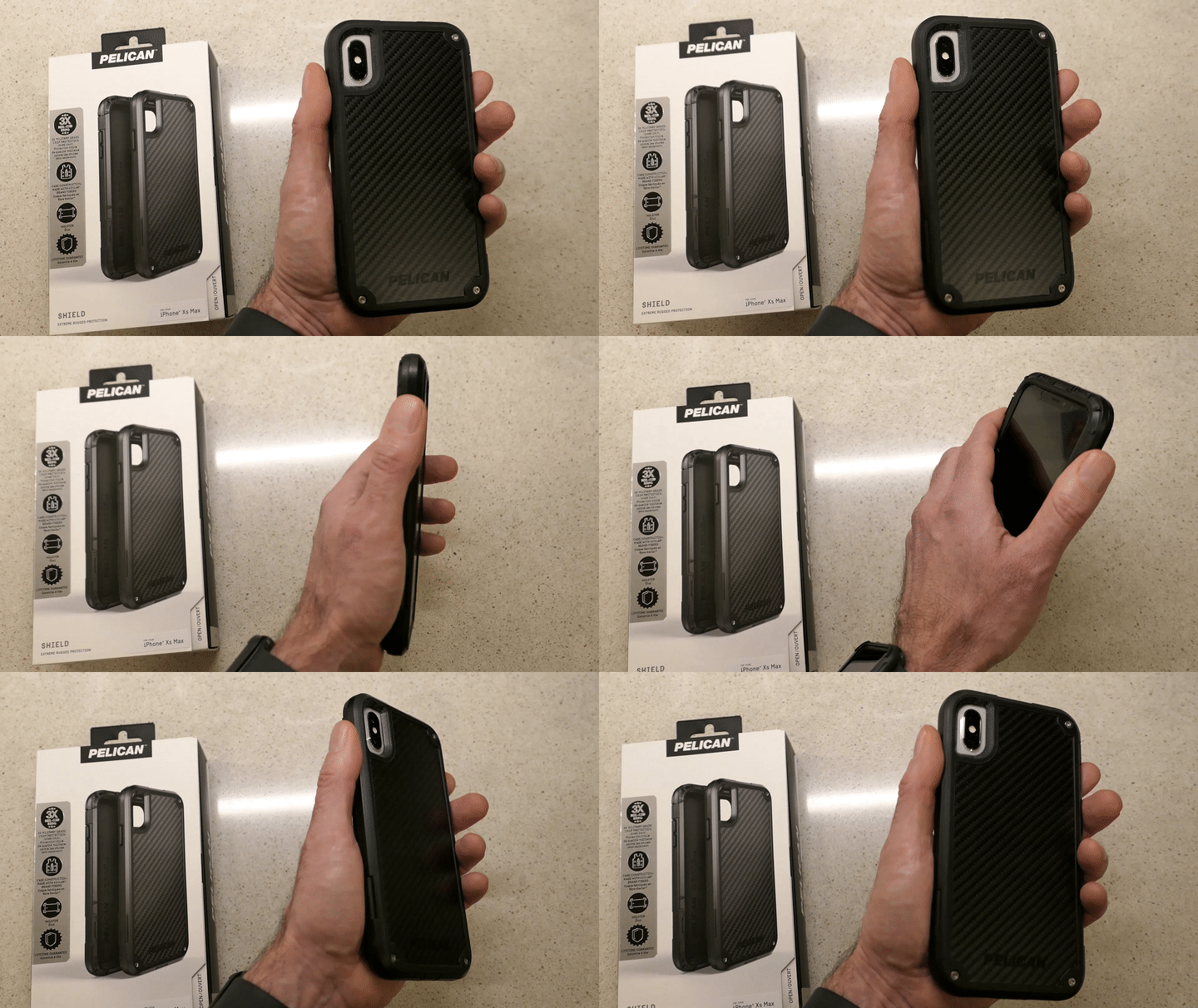
Holding Pelican Shield Case for iPhone XS Max

You really don’t want to deal with a cracked smartphone screen if you can avoid it. I’ve always felt that a solid case is critical to maintaining your smartphone’s structural integrity. 

I’m partial to Pelican cases. The company is best known for its equipment cases that protect gear worth many thousands of dollars. Its smartphone cases are also tough, and the “Shield” model looks like it comes from the alternate universe in the TV series, “Fringe.” 

5. Portable Power Bank for your Smartphone or iPad

You know what happens when one of your portable screens runs out of juice, and a power outlet is nowhere to be found. A little portable power can really save your day.

RAVPower 16,750mAh Power Bank USB External Battery Pack is
$27.99 on Amazon
(This model also comes with a built-in flashlight.)

6. Cloud Backup

I’ve been using Backblaze after CrashPlan broke up with me. So far, so good.

As I mentioned, cloud backup should always be a part of your data protection strategy.

Maintaining Comfort
As we enter this season that promotes comfort and joy, it’s always a useful reminder to have some boring supports in place for your important tech. I’m not sure that will specifically generate joy, but it certainly will maintain comfort.

That’s always on the top of my list.

Why Your Zoom Viewers Can’t Hear You

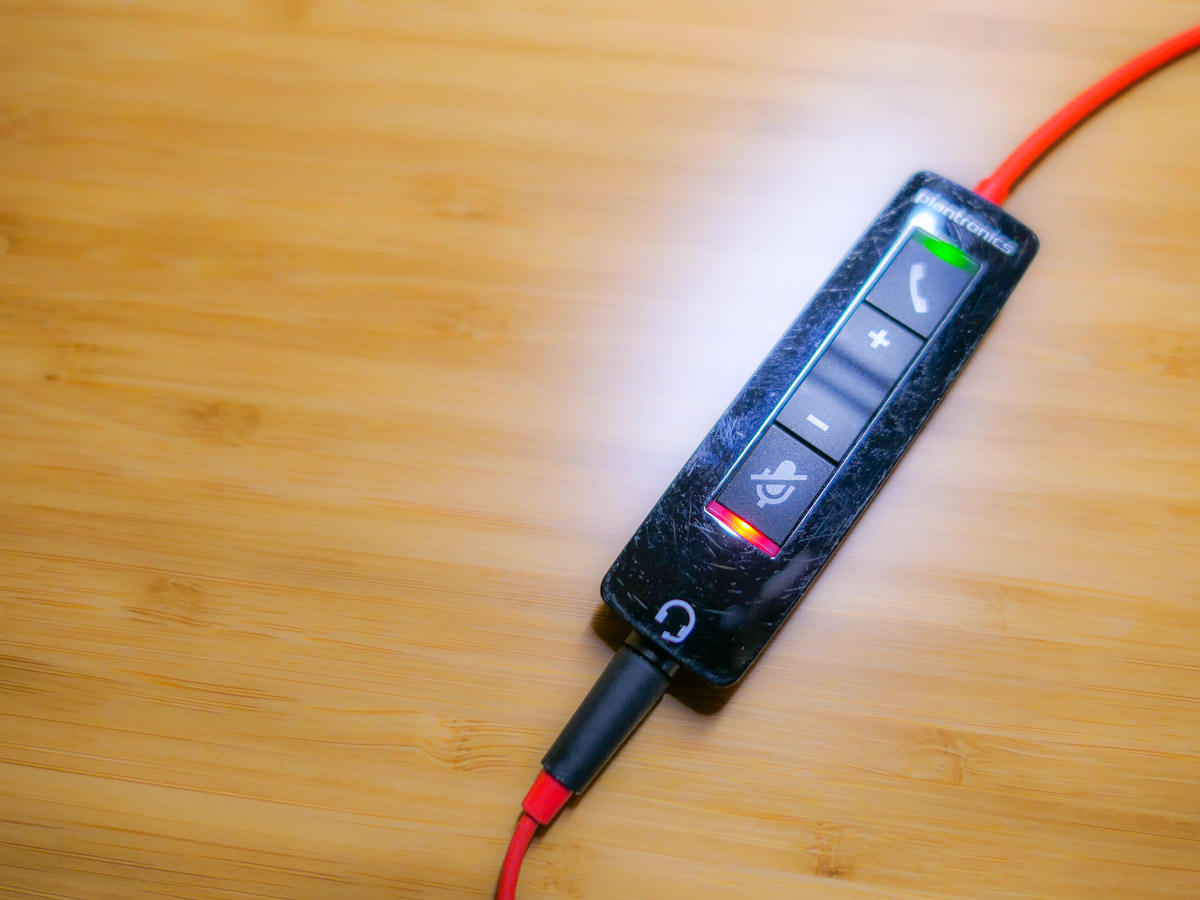
Mismanaging the mute button may seem like a rookie mistake during Zoom calls, but it’s a more frequent problem than you’d expect. Here’s why…

This ‘golden’ age of Zoom has redefined what to expect from daily video communications. Sure, throughout these ongoing months of isolation, there have been any number of ways to improve the quality of our Zoom calls.

And in the Zoom meetings I’ve attended, I’ve observed a growing awareness of video production best practices. That said, there’s one skill that many people still seem to struggle with… handling the mute button.

We Can’t Hear You!
How many times have you heard someone say to a Zoom speaker, “Are you on mute? We can’t hear you! (pause) We still can’t hear you. You’re on mute!”

This epidemic of awkward Zoom silence is partially the result of education campaigns during the early months of the pandemic to mute yourself if you’re not talking in a Zoom meeting.

Remember all of those Zooms that imploded because there were a couple of people who couldn’t mute themselves if their lives depended on it? And then they would jabber away as they talked to their household members, unaware that their microphones were unmuted.

Besides being an embarrassing oops to unknowingly allow everyone to eavesdrop on your life at home, this mistake will also effectively derail any Zoom meeting.

So by now, we’ve learned to mute ourselves to avoid becoming
Zoom Enemy #1.

Expect the Unexpected
It’s certainly better to try to talk on a Zoom while still muted rather than saying something that your Zoom world shouldn’t hear. But it’s still a mistake that anyone should strive to avoid.

At the end of the day, I think the solution comes back to maintaining enough focus on the live elements. For those of us who have tried to ‘master’ Zoom, we’ve instead put a lot of work into our preproduction.

  • The lighting
  • Your background
  • The right microphone

But when our imaginary on-air light pops on, I feel we’ve tended to let down our guard and assume the technology will handle itself.

Keep your Hands on the Virtual Steering Wheel
Live television used to take a whole control room of production experts to ensure success. It’s amazing that Zoom has boiled it down to just a few clicks of your mouse.

That said, someone really needs to pay attention to your Zoom stream while you’re talking. And that person is you.

Any number of problems can crop up.

  • Someone can unknowingly walk into your background, but this now happens so frequently that nobody cares anymore.
  • Your attention might get temporarily diverted, which could require you to first mute your video.
  • You may subsequently forget to unmute your video. That’s not usually a dealbreaker.

But if you lose track of your audio, you’re either the 800-pound gorilla in the virtual room or a Luddite who doesn’t know how to work your microphone.

Don’t Forget to Unmute Yourself
Zoom isn’t really a set-it-and-forget-it technology (well, not yet).

You simply need to train yourself to pay attention your video and especially your audio feeds throughout your personal and professional Zoom calls. And that requires a diligence to be constantly muting and unmuting yourself exactly when you need to focus on the content of what you’re saying.

If you feel like that’s an annoying juggling act, it is. But it’s a small price to pay to step up your Zoom game.

Can you hear me?

Practice your Magic
During this difficult time for so many of us, it’s certainly understandable that there may be tons of distracting elements in your environment that are urgently competing for your attention. Sometimes it can feel like you need a magic wand.

Zooming at home throughout the day brings new meaning to art of multitasking. There’s no perfect solution. But beefing up your Zoom muscle will certainly help you keep all of your balls in the air.

Happy juggling!