
How to Slow Down the Inevitable End for your Beautiful Tech

Yes, I immediately ruined the sleek beauty of my new Apple Watch by strapping a protective bumper over it. Was that necessary? Here’s what happened the very next day…
Design is a key element for the look of your personal tech. Sure, how your gear works is important, but it sometimes feels like style supersedes function.
So, if a piece of technology is designed to look beautiful, covering it up can be viewed as something of an insult. Or at the very least, you’re certainly not cool.
But the reality we move through every day doesn’t usually contain smooth edges and gleaming surfaces, unmarred by the brutality of existence. Wearing expensive and beautiful personal tech in an unpredictable and messy world creates inevitable danger for your devices.
Let me count the ways I’ve put my tech in harm’s way.
Projectile AirPod
During the latter part of the pandemic, I was walking to work from Grand Central Terminal wearing my Apple AirPods. When I stepped into the crowded office elevator ten minutes later, I temporarily popped on a face mask.
As I exited the elevator onto my floor, I quickly pulled off my mask. That was a mistake.
One of the mask’s ear loops caught the left AirPod, and a rubber-band effect propelled it forward into the elevator-bank hallway.
My AirPod flew towards the wall and hit it hard (with a horrible ‘ping’ impact). It ricocheted onto the floor and then skidded about like a glass marble. I chased after it in horror.
Somehow, my tiny AirPod seemed undamaged.
Apple Watch Scarface
Five years ago, I bought my first Apple Watch. Of course, I immediately bought a plastic bumper for it, which provided a protective raised edge.
I had to ruin my Apple Watch’s sleek beauty in the name of common sense. I often whack my wrist on objects. I felt the watch would simply never survive.
And for years, the bumper worked just fine. Then one day, I looked at my watch to check the time, and I saw a diagonal scratch on its face. There had been no impact that I could recall. The silent attack obviously came head on and avoided the bumper.
It would have been a more crushing moment had it occurred earlier in my Apple Watch’s life, but it was still annoying.
That said, I often spot people living with mutilated smartphones, the spider-cracks spanning entire screens. And these people act oblivious to the damage, since the screens somehow continue to function. (But I know they must be crying inside.)
My Apple Watch’s singular scratch was a laughable inconvenience by comparison.
OtterBox Bumper
I finally said goodbye to that scratch when I recently upgraded to my new Apple Watch Series 9.
And this time, I not only bought a bumper to protect my new Apple Watch’s edges, I found a model with a built-in screen protector. Yes, please!
- It’s the OtterBox Eclipse Case.
$39.95 on Amazon
While not exactly inexpensive, I think the OtterBox Eclipse is well worth its cost for the added screen protection.
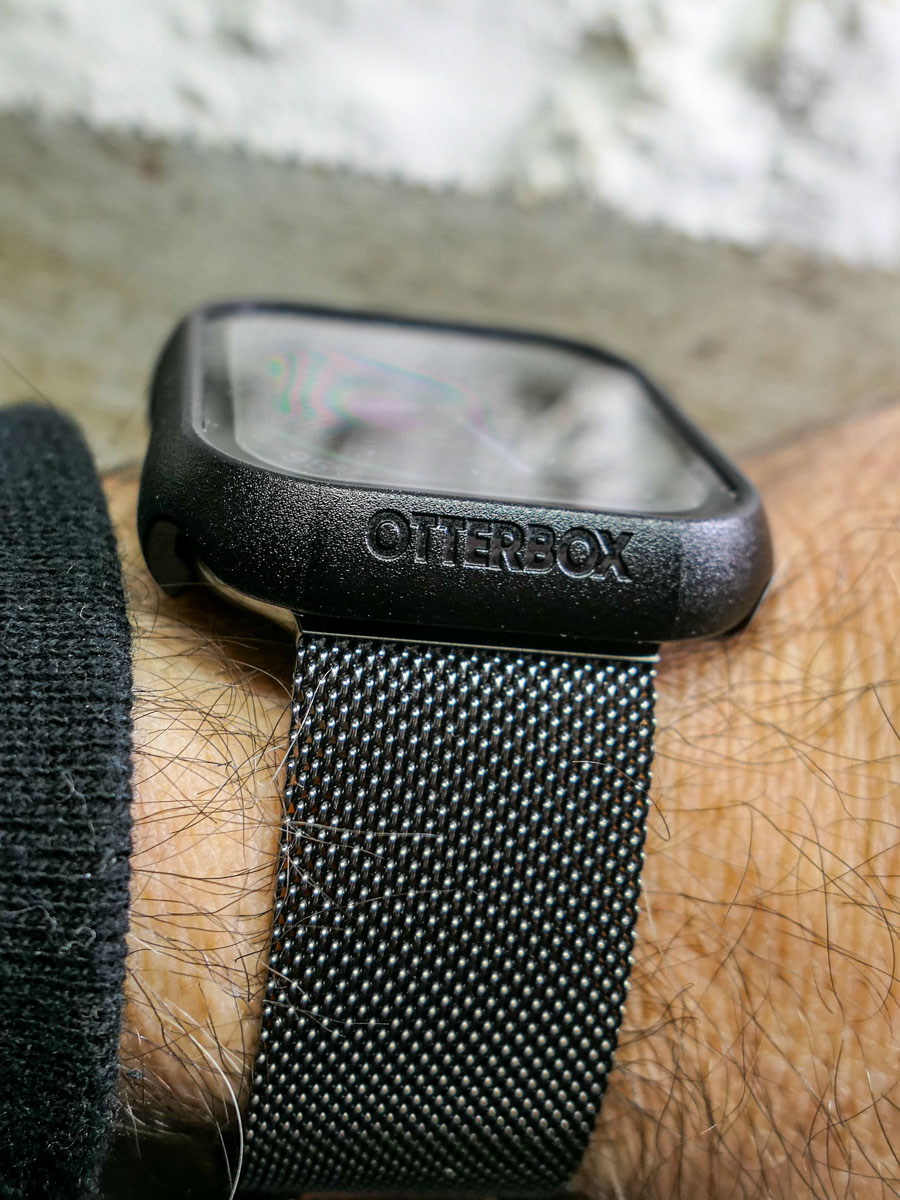 So, I popped on the Eclipse. A warm feeling of invincibility washed over me (silly human).
A Danger at Every Corner
The very next day, I walked up to my closet to pull out my sneakers. I used my left hand, which was sporting my new Apple Watch. My hand almost imperceptibly brushed against the door frame’s edge as it moved in for my sneaks, which were jammed in the left corner.
An hour later, my heart skipped a beat when I realized there was a long horizontal scratch by the OtterBox’s lower edge.
What?! This is day 2 for my new Apple Watch! And I’ve ruined it already?!
I looked closer…
Phew. The scratch was actually on the OtterBox case… not the Apple Watch. (Yay OtterBox!)
And it wasn’t a scratch. It was a whisper-thin line of paint that had rubbed onto the case from my painted door frame as my wrist brushed by.
Was my brand-new OtterBox case now permanently scarred? Not necessarily.
Scrub Up
I quickly set up a mobile tech repair station on my dining room table with a bottle of rubbing alcohol and a folded strip of paper towel. I dabbed an edge of the paper towel into the rubbing alcohol and then very gently ran it over the line of paint on my OtterBox case.
It was critical not to overexpose the OtterBox case to the rubbing alcohol as it could ruin the case’s finish. And of course, I knew not to touch the screen protector with the rubbing alcohol. (I’m not a chemist, but I didn’t want to discover how quickly I could do even more damage.)
My light-touch strategy worked. The paint disappeared, and my OtterBox case looked like new. Life was good again.
Have a Repair Plan
One more word: AppleCare.
You can cover up your tech all you like. Sometimes that’s not going to be enough to protect it. You might say that damage is inevitable. It’s just a matter of when and how.
You can’t control everything, and that’s okay.
No, it’s not a good idea to catapult your AirPod onto a marble wall. Try not to drop your smartphone on a cement sidewalk or whack your Apple Watch onto what feels like a diamond-edged wall corner.
But when you do, having paid a little more for a repair plan certainly helps.
Bumpers for Bumps
After AI takes over the world, I expect personal tech design will no longer focus on physical beauty. I imagine the iPhone 45 may be a gruesome-looking device with sharp wires fused to our skin like a Star Trek Borg interface.
Until then, we must endure the limits of sleek and delicate design for our personal tech and do our best to protect against the bumps of daily existence.
Otherwise, your gear’s ‘End of Life’ may come sooner than you’d prefer.

 At Home with Tech