At Home with Tech

Unlock the power of all your technology and learn how to master your photography, computers and smartphone.

Tag: apple

Our Computers aren’t Built to Handle so Many Videos and Photos

It’s really simple to create media with our smartphones, and we’ve all become home filmmakers. But it’s becoming increasingly hard to store all the media files. If you’re not worried that you’ll eventually run out of SSD storage space in your Mac, think again. Here’s what you can do about it. (And it won’t take up a lot of desk space.)

A year back, I upgraded from my older 4TB iMac to my new 2TB Mac Studio. My decision to go with only 50% of the internal storage was based on Apple’s more expensive internal SSD drive pricing. (My old iMac had a larger, but slower, spinning hard drive, which is no longer part of the line up.)

I always thought that Apple would forever offer increased internal storage without charging more. (Aren’t we all needing more storage as we document our lives with photos and videos?)

But once Apple moved from HDD spinning drives to next-generation SSD drives, that equation imploded.

  • An Apple Studio with a 4TB SSD costs $1,200 more!
  • You can’t even buy an iMac today with more than 2TB of storage. And that will set you back $600-$800.

Something’s very wrong. We’ve got less to work with and paying more for it.

Still, pricing aside, I successfully deluded myself that didn’t actually need 4TB. (Ha!)

Better Digital Housekeeping?
Sure, I had filled up my old iMac’s 4TB drive, but I told myself that maintaining and transferring all that content from computer to computer was unreasonable. I didn’t need all of it within my internal drive. instead, I would offload much of it to external drives and my G-Technology RAID for long-term storage.

I brainwashed myself that the new 2TB SSD in my Mac Studio should be more than enough once I performed some long-overdue digital housekeeping.

That was just wishful thinking.

Face the Inevitable
Sure, I’ve done some media management, but my goal of a 50% reduction was unobtainable. Within a year, my 2TB internal drive was bursting at the seams. (And we all know that Macs aren’t built to allow you to later upgrade internal storage.)

And Apple hasn’t helped any by continuing to improve its iPhone’s capabilities to generate RAW photos and advanced video codecs (including ProRes files). All this means larger media files.

We’re all filmmakers now with the critical need to house our content libraries somewhere. What did they think was going to happen when we moved these huge files over to our Macs?

iCloud Storage?
Sure, I could export terabytes of my media into Apple’s iCloud ecosystem. But come on… that’s not really a good value proposition.

  • 2TB costs $9.99/month
  • 6TB is $29.99/month

Let’s do the math:
I would have to go with the 6TB plan, which comes out to $360/year. While that is surprisingly competitive with external hard drive pricing, across multiple years… it gets too expensive.

Certainly, $360 x multiple years is more than the one-time cost of buying a companion external drive. I know physical drives won’t last forever, and you’re supposed to upgrade them every few years. So perhaps a future iCloud storage plan could be a reasonable solution… if the pricing comes down.

SSD Drives
But what is today’s answer when your internal drive gets filled up?

Well, that’s simple: You’ve got to buy an external drive and plug it in. (I know I didn’t have to tell you that.)

The real question is what kind of drive?

To match the speed of your internal drive, you’ll want to buy a similar technology. If you’ve got an internal SSD, you should look at getting an external SSD.

So, that’s what I did.

Video Editing
Another question is what you want to do with the drive.

My most demanding task is editing my family videos and personal creative projects, which are all shot in 4K. Many of my video files are generated by my iPhone 15 Pro Max.

Plus, I’ve got:

So, perhaps my video editing needs are more advanced than the average user.

4TB OWC Express 1M2 SSD
All this said, I decided to go with a fast NVMe M.2 SSD. And I wanted to take advantage of the Thunderbolt 4 interface my Mac Studio offers. While there are many Thunderbolt 3 drives on the market, only OWC appears to offer a USB4 drive (same as Thunderbolt 4).

Now, some of you will immediately question my need for such a fast drive, and others will point out that thunderbolt 3 drives are fast enough for my media workflow. I know.

But this is a dizzying choice. So, I figured it’s best to go with a little more oomph than not enough.

So, I landed on the bus-powered 4TB OWC Express 1M2 SSD. (It’s an enclosure with the 4TB NVMe prepopulated.)
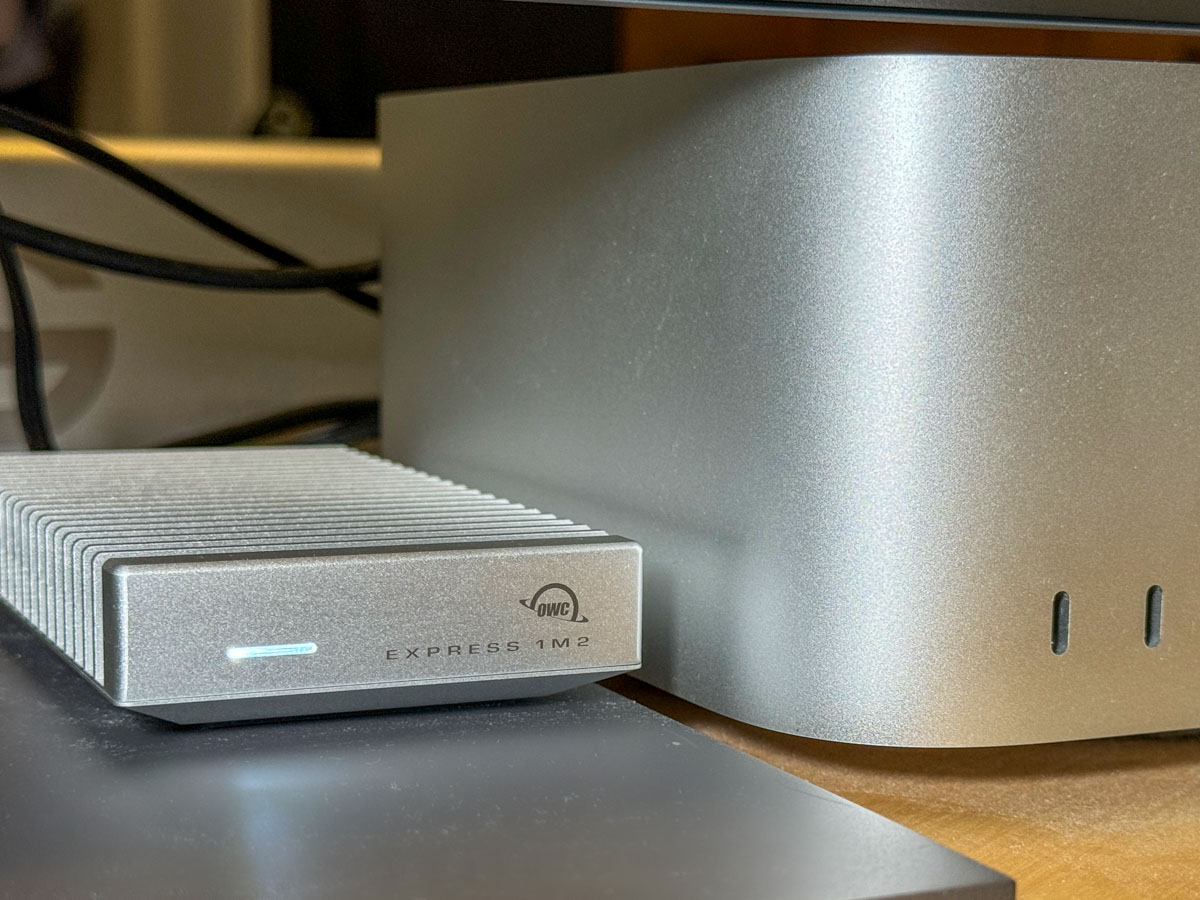
This Express 1M2 is blazing-fast, boasting 3200MB/s. It gets positive reviews, it’s compact and so far… it’s working great for me.

The Price for Performance and Peace of Mind
No, it’s not exactly cheap. (Remember, SSD technology is pricy.)

Yes, I could have saved more and bought a less expensive NVMe separately and popped it in an empty OWC 1M2 enclosure. But… I’m a baby.

Really, I just want this thing to work out of the box. Sure, plenty of you may chide me for being so ‘tech-timid.’ But hey… I’m not ‘Mr. At Home with IT.’ I know my limits. I’m not building my drives. I’ll buy them pre-built, thank you very much.

I just want some peace of mind. (Sure, I back up my files, but that’s also a complex equation.)

So, yes, I’m willing to pay a little more.

Build a Big Enough Home for your Files
Let’s review:

  • I bought a new Mac that had 50% of the internal storage of my old Mac
  • I inevitably ran out of space
  • A year later, I spent more money to buy a companion OWC drive for my Mac
  • I plugged it into my Mac Studio via a Thunderbolt 4 port, and I’m back in business

Yes, my story has a happy ending, but I’m not that happy.

Sure, maybe I have more media storage needs than the average bear, but not by that much.

I think today’s new computers simply need more internal storage. The fact that Apple sells its base-level computers with only a 256GB SSD is absolutely silly. (I could choose a stronger word.)

The lesson here is over the years, you’re going to need a bigger hard drive for your computer. And you’re going to pay for it one way or another.

So, plan for the future.
Will Apple Vision Pro Give Us the Future We Expected?

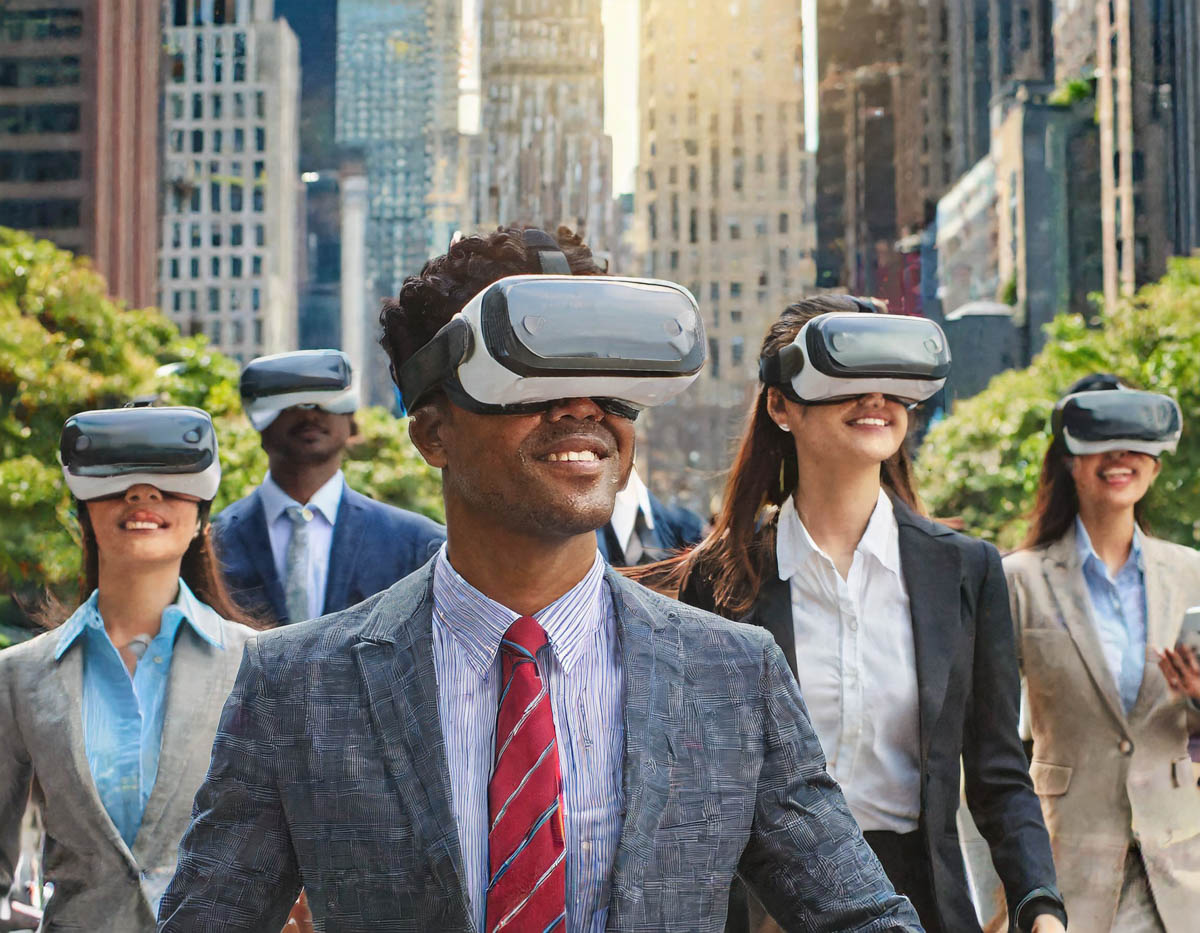
Is Apple’s spatial computing launch leading us to this vision of tomorrow? (Thanks to Adobe Firefly’s generative AI for helping me to visualize.)

No, I’m not running out to buy an Apple Vision Pro. Not yet. Not this year. Not at this price point. Yet I couldn’t be more excited about it. Yes, of course I really crave this mixed-reality headset. And I know that eventually, I’ll be wearing one. And that makes me so happy.

Believing this likelihood helps me reaffirm the possibility that we’ll make it to the promised future one day. Sometimes it still feels so 20th century.

1980, 1999 and 2001 are foundational science fiction dates that reality couldn’t live up to. We don’t have flying cars or undersea cities yet. Electric cars aren’t quite mainstream. We’re even having a hard time getting ourselves back to the moon without crashing.

Sure, I know that remarkable technological innovations do permeate throughout humanity every year. I sometimes just don’t feel it so much on a Monday morning.

Apple Changed my Life
You can say what you want about Apple as a marketing machine and its amazing ability to create an uncontrollable Pavlovian response for each of its new product lines. But its past shiny gear from the future did revolutionize how we computerized and accessorized.

Apple delivered big time.

Now, my Apple tech feels quite normal, and I’ve forgotten that I once existed without my Mac Studio, iPhone 15 Pro Max, Apple Watch, iPad and AirPods.

I couldn’t imagine how to live without these devices, unless I chose to be off grid and banish myself to a tech-free isolation. (Luddites may form a line on the left to debate me on this.)

I need my Apple gear.

The Era of Spatial Computing Begins
Will the Vision Pro eventually become a must-have device too? Well, that’s the question today. The entire VR/AR category has been struggling to go mainstream for years. Maybe rebranding it to ‘spatial computing’ will help. (hmmm)

The Vision Pro won’t benefit quite as much from the FOMO factor. It doesn’t seem so portable to easily transport around for others to see you wearing (even though an Apple commercial demonstrates a happy woman wearing one on a plane).

It’s probably going to be a while until I’m surrounded by an army of Apple Vision Pros on a city street the same way I once experienced hundreds of AirPods orbiting and taunting me while I walked to work.

Thousands of people moving together on the streets of New York City, wearing Apple Vision Pros and experiencing augmented reality.

Now, that’s a vision of the future.

Affordability is Relative
I know today’s Apple Vision Pro is not perfect. It’s version 1. But the reviews I’ve read all agree it’s a huge leap forward compared to past headsets.

Of course, it is. That’s what Apple usually does.

And I know Vision Pro is only going to get better, and hopefully less expensive than its current $3,499 starting cost. Apple isn’t exactly known for dropping its prices, other than creating parallel products with older tech (iPhone SE).

On the other hand, how many thousands of dollars did many of us fork out for those early plasma HDTVs?

And remember that Apple Vision Pro is also a complete standalone computer… not just a mixed-reality headset.

Still, the price point is undeniably a limiting factor. And Apple must know this.

The Future has Arrived
I couldn’t be more excited about a product that I’m not buying, and I expect that I’m not alone.

I’m sure that Tim Cook has a plan to make Apple Vision Pro the next iPhone. And something tells me that V1 is all part of a long-term plan to draft me into the Vision Pro ecosystem.

It’s just a matter of time until I’ll be wearing the future on my face.

Borg Barrett is ready to be assimilated. No resistance from me.

And I’ll be smiling.

How to Stop your iPhone from Buzzing All Night Long

Unless you want to be kept up by your iPhone with endless updates while you’re trying to sleep, you need to give it a bedtime. Here’s how.

I am the Borg. You are the Borg. We are the Borg. Yes, humanity has already been assimilated.

Remember, those evil “Star Trek” cybernetic bad guys who kept running into Captain Picard and wanted to take over the galaxy? The Borg were all wirelessly interconnected and acted in sync like a colony of bees. Their hive mind kept them instantly updated.

Okay. Well, no… we’re not completely moving throughout our day following the constant direction of a unified data stream. But I think the scary reality is only because it’s not unified. (Well, not yet.)

Time to Put your iPhone into Sleep Mode
Our smartphones are constantly bombarding us with various updates…. from family, friends and work to various companies and organizations we’ve touched and shared our personal data with.

These ongoing texts, emails and calls can become a persistent din. It’s like the world is screaming at you. If you wear an Apple Watch with haptic feedback on your wrist, there’s a constant visceral reminder that someone or something wants your attention.

All that noise, noise, noise!

Sure, you have instant access to so much more information, but it comes at a price. (What’s a Borg drone to do?)

And the last thing you need is to have that constant drumbeat interfere with your sleep.

There’s got to be a way to turn it off.

Well, of course there is…

How to Activate Sleep Focus
I realized recently that I really needed to take some action and effectively put my iPhone 15 Pro Max to sleep while I was sleeping. Yes, it was muted, but my iPhone would wake me up with all the buzzing and screen brightening to alert me of something new in the wee hours of the morning.

I needed my REM sleep!

I knew that I could simply move my iPhone to a different room, but I like to charge it up on my nightstand. Fortunately, I can set it and forget it…if it will let me. (I usually don’t wake up in the middle of the night with the need to grab it and see how my blog’s metrics are doing.)

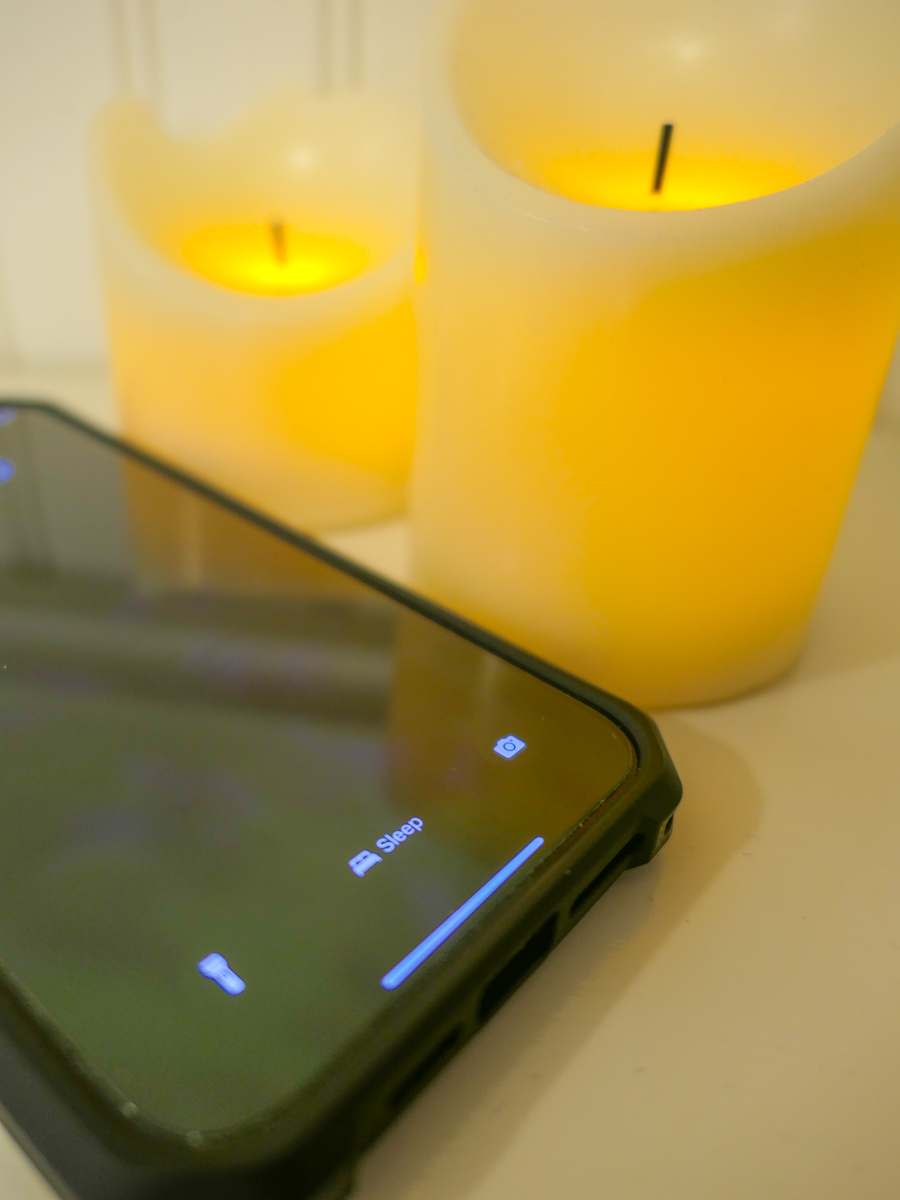
Instead of turning my iPhone off (whoever does that?!), I activated the sleep setting in the Focus App.

Here’s how to do that.

  • Tap on Settings
  • Tap Focus
  • Tap Sleep
  • Set a Schedule

Then you assign a lock screen for this setting. (The trick I think is not to assign it to the screen lock photo that you use throughout your day.)

You can also program exceptions to let certain contacts make it through your Do Not Disturb barrier.

Done.

Now my iPhone goes totally dark at my bedtime and does not respond to any incoming anything throughout the night.

Happiness restored.

Silence in your Sleep Chamber
It’s ironic that we now need to tame our smartphones to prevent them from overwhelming us with too much of what was supposed to be a good thing.

The simple truth is everyone and everything should not have immediate access to your attention.

Even the Borg knew that. They had those cool standing sleep chambers throughout their Borg cube ships where their drones could catch up on their sleep… uninterrupted.

And as we all know, it’s never a good idea to wake up a sleeping Borg.