At Home with Tech

Unlock the power of all your technology and learn how to master your photography, computers and smartphone.

Tag: apple

I Sold My Soul to the Digital Devil
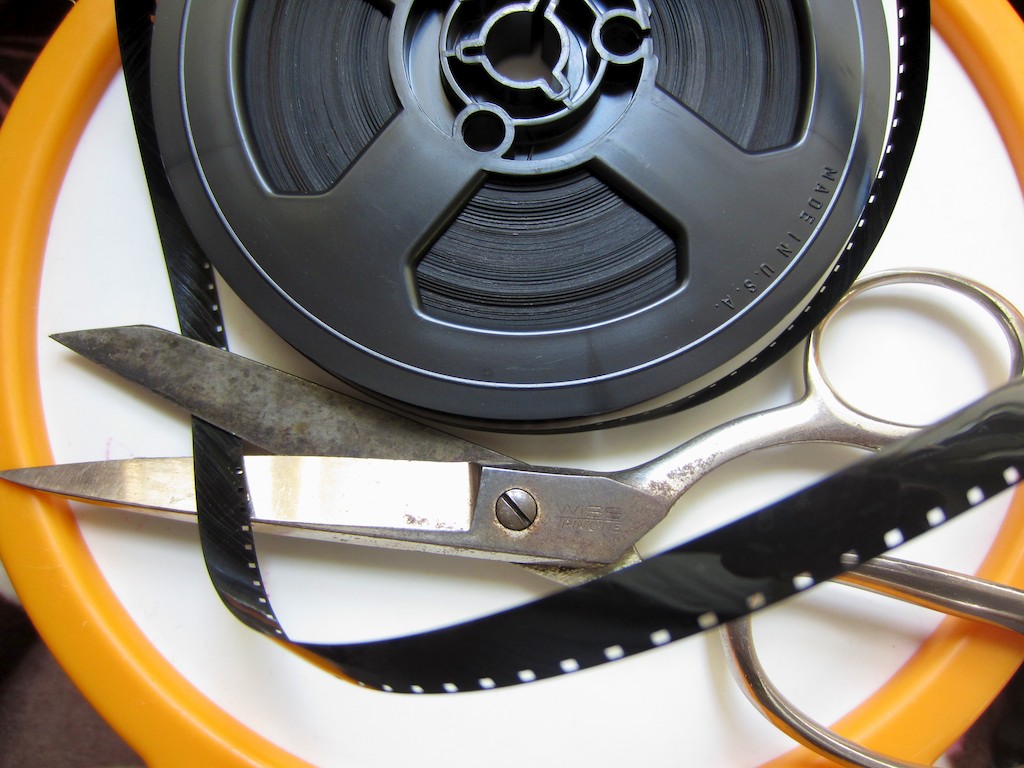
Is Final Cut Pro X sharp enough to erase that evil deal you made to shoot movies on your camera?

If a stranger with a wicked sun burn walked up to you and said you never needed to use your camcorder ever again to record your home movies, you’d take the deal, right?

We all did this a few years back.

The last tape-based camcorder I ever bought was a Sony Mini DV unit back in 2002.

I edited the content by sucking it onto my iMac via FireWire. My editing software was iMovie and then later, Final Cut Pro.
Everything worked just fine, and I was rather chuffed with my little home media studio of the early 21st century.

Then one day, digital cameras started showing up with little red movie record buttons, and everyone suddenly realized you didn’t need tape-based camcorders anymore. Heck, you didn’t even need a camcorder. Cameras could do double duty.

Sure, the video quality wasn’t as good. There were file size limits that restricted how long you could record. And to edit your digital movie files, you had to buy external hard drives to handle the massive movie clip sizes. And the file size problem really exploded when HD recording came into fashion.

You theoretically could save the files forever. But you also had to worry about your hard drives going belly up with all your precious family memories.
(This has occurred to you, hasn’t it?)

But storage, backup, and file corruption concerns aside, I have to admit it’s pretty cool to plug your camera’s little SD card into your computer and watch your movie files quickly transfer over.

So yes, it was a time saver.
Yes, it was easier.
Yes, I liked it way better.
(really)

…BUT
(You knew that was coming.)

There is one problem that nobody ever talked about-

TRANSCODING.
No, not transwarp.
TRANSCODING!

The Deal with the Digital Devil
You must have wondered somewhere along the way how a tiny four gig SD card in a camera could record so much video. Well, it’s called file compression, and that’s your camera’s secret voodoo.

There are a few types of movie recording codecs that perform this tricky task to squeeze your movies small enough to allow them fit onto your camera’s memory card. A few of the more common codecs are H.264, Motion JPEG, and AVCHD.

These highly compressed movie formats create video files that look great when you play them back on your camera or your computer, but you couldn’t edit with them. (That’s buried on page 17 of the contract.)

So what good were these movie files if you couldn’t do anything other than look at them?

The fix here was to reprocess or “transcode” the files into a different video codec that your editing software could actually handle. This meant creating a larger and less compressed duplicate of each movie file that would play nice with your editing software.

Got that?
Just nod your head, and let’s move on.

The Devil is in the Details
As a new daddy, I went about my business editing little movies of my son’s early days by first transcoding every frickin video clip I wanted to edit with.

You can imagine the organization that kind of workflow required.
-Duplicate files.
-External hard drives filling up at triple speed.
-Archiving hell.

I’ll just say my desk at home, let alone my computer’s desktop, does not quite live up to the clean and simple aesthetic of our almost all-digital world.

But you do what you gotta do.
Right?

Was I the only father out there who had a deal with Mephistopheles to make home movies? Nobody else seemed to be talking about it.
(Maybe it’s in the contract. I really never got around to reading mine.)

The Phoenix of Final Cut Pro
A year ago, Apple shocked the digital editing world and killed off its wildly successful Final Cut Pro editing platform. Almost a decade earlier, Final Cut had brought professional non-linear editing to the masses for a fraction of the cost of competing systems.

Then Apple pulled the plug by reinventing Final Cut Pro all over again. The problem is the new version, Final Cut Pro X, is an entirely new program, “built from the ground up.”
It’s not compatible with the old version, Final Cut Pro 7.
(There is no version 8 or 9.)
So you can’t move your old or ongoing editing projects to this new editing platform. Sorry.

I got stuck in the eye of this hurricane, and for the past year I’ve been struggling to decide when to make the transition.

First off, Final Cut Pro X only works on Lion, Apple’s current operating system (and soon to be released Mountain Lion). So I first had to make the Lion upgrade.

Then, there was sooooo much bad press about how inferior this new version of FCP was. Angry editors called it iMovie on steroids. There was a consensus in the professional and semi-professional editing communities that they felt abandoned by this more limited editing platform.

So I wasn’t too eager to jump into the mess.
I’ve got plenty of my own digital messes to clean up!
(plus a few analog ones too)

But Apple kept banging their drum about how much better FCP X really was. They said you simply had to invest a little time to learn the new interface.

But there was one particular FCP X feature that caught my eye.
Apple said you didn’t need to transcode your files anymore.
You could throw just about any video codec at FCP X, and it could work with it.

Bold words.
But still I held off.

Fast forward to our current timeline, and Apple, never standing still, has been busy improving FCP X through multiple software updates.
And there’s a rumor out there that the old FCP 7 platform will cease working with the Mountain Lion OS, coming out later this month.

So I figured it was finally time.

Final Cut Pro X to the Rescue
Last week, I went to Apple’s App Store, which always has a friendly icon waiting eagerly on my iMac’s dock.

I clicked on it and downloaded Apple’s most controversial product since the iPhone 4 ‘Antenna-gate.’ (Remember all that hoopla with the antenna reception problem?)

The time had come to face my digital gauntlet.
I watched my finger make its move to launch Final Cut Pro X.

FCP X quickly sprung to life.
Would the continuity of the Lester family record on video be ensured for eons to come?
(or at least the next couple of years?)
Drum roll please…

Well, of course it worked.
But as I’ve said, the devil is always in the details.

While this is not a product review, let me confirm that FCP X is better and faster in a whole host of ways. It’s also still missing some functionality that was standard with the older version. One example is it takes three steps to blend a transition between two audio tracks instead of the old way, which took one.

I’ll live.

The Big Answer
And what about TRANSCODING?
Remember, Barrett’s holy grail?
Have we forgotten about that already?!

Can Final Cut Pro X edit my native H.264 .MOV files fresh from my Canon SX230 (standard-issue toddler cam) or Canon Elph 300 (in-a-pinch pocket cam)?

Perhaps the question should be,
“Does FCP X WANT to edit with my camera’s native H.264 movie files?”

I don’t think it really does, but it grudgingly will when told to.

FCP X quickly gave me a few opportunities to transcode my imported movies.
Pro Res 422 (a beefy codec) is now FCP X’s default transcoding option.
It was almost like, “Would you like fries with that?”

Clearly Apple’s declaration that ENDS THE ERA OF TRANSCODING has been somewhat exaggerated.

Look, I understand that better ingredients create a tastier pie.
And the same holds true in the digital world. Non-optimized movie files will make FCP X and your Mac work harder. And maybe not all Macs (especially older ones) are up for the task.

But my 2010 iMac is a 2.93 GHz Intel Core i7 with 4 gigs of RAM,
(I’m not bragging) and should be ready for the challenge. Yes?

So I refused all requests to transcode and hit the proverbial red button.
Cue another drum roll…

EUREKA!! It worked!
(And there was much rejoicing in Barrett’s brain.)

Let me proclaim this again loud and clear throughout the land!

I DO NOT NEED TO TRANSCODE MY H.264 .MOV FILES TO EDIT IN FINAL CUT PRO X!

I am free!!

Wait, did I just cut another deal with Beelzebub?
Hmmm. I don’t think so.

So today’s story has a happy ending.
Technology has made my life a little easier.
(Savoring the moment…)

Digital Zen restored.
I am At Home with Tech.

Now please excuse me while I get to work editing my five-month backlog of family videos. I think I’ll be needing to move at transwarp speed to catch up!

Remembering MobileMe

Can we have a moment of silence, please? Okay, now why doesn’t my email work anymore?

This morning I woke up to the cold fact that MobileMe had finally expired.

I’ve been going through the seven stages of grief, because for the past year I knew this day was coming.

Lots of worrying about it for months.
And not doing anything about it since last summer. (Yes, I was in denial.)

My digital life was healthy just the way it was. I had no reason to change.

And for those who have been following my ongoing crisis, you can finally relax.
My family’s computing affairs are in order.

I’ve prepared four family computers for three family members, crossing two generations. I’ve taken down all our MobileMe photo and movie galleries. Not that I had to pull the plug myself, but I didn’t want any of my terminal MobileMe files accidentally locked away in some faraway data prison.

Supposedly deleted back in 2012, but then somehow found and released to the galactic Facebook Federation in 2212. Don’t want my family beach vacation photos to become an exhibit at the Guggenheim 2 on Mars.

All Quiet on the Computer Front?
So after a couple weeks of deleting with purpose, (nothing like a deadline to get you motivated) I erased my final MobileMe media gallery.
With just hours to spare.

Last night, iCloud was hovering over the Lester household and prepared to take over.

But my eyes popped open this morning, and I immediately felt a disturbance in the Force.

I sat down with my cup of Joe in its perfectly balanced coffee mug and checked my email on my iMac using my old Entourage email program.
(Yes, I’m intending to upgrade to Outlook with Office for Mac 2011, but I’ve been a little busy lately trying to beat the iCloud storm in a Prometheus-inspired hurry. Please cut me some slack.)

Instead of hearing the familiar PING of a happily received email, a message popped up on my screen.
“ERROR.”

What?!
It couldn’t be a coincidence.

“Don’t panic,” I told myself as I began looking for a paper bag.
Maybe iCloud simply requires different email preferences in Entourage.

So I checked out Apple’s page on iCloud’s Mail Server tips.
It revealed a slightly different IMAP name than the one I was using for the incoming mail server.

I updated the field with imap.mail.me.com and pressed ENTER.

Immediately something started to happen.
A new message popped up that said,
“EMPTYING CACHE.”
And a number started counting upwards to reflect each of my emails.

This can’t be good.
The little progress bar proceeded quickly.
And when it was all done updating…

ALL MY EMAILS HAD DISAPPEARED.
Brilliant.

But I didn’t panic, because I knew they also now existed in my iCloud account.
(joy)
((really small joy))

I just had to figure out a way to get my email back into Entourage.
So I looked a little closer at the Apple article.

I came across this-
SSL Required: Yes
And Port: 993

My Entourage preferences didn’t have SSL checked and was using Port 143.
(Don’t worry. I don’t know what this really means either.)

So I made the adjustments…
And just as fast as my communications purge began, I was quickly back in business.

Email restored.
Disaster averted.

I looked at my half empty cup of coffee and reflected on the past fifteen minutes.
I didn’t know how to feel.
Relieved? Victorious? Clever? Lucky?

Yes, I had just made it through the slow moving hurricane of a technological seachange, and I still had all my clothes on.

And yes, I dodged a last minute bullet that could have really ruined my Sunday.

Time to celebrate? Not really.
I actually felt rather drained.

Black Eye? You Should See the other Guy.
I am not bristling with accomplishment at my herculean digital spring-cleaning and my unexpected Entourage curve-ball dodge.

I am tired and cranky.
And a little sad and angry, too.

Sad that my friend MobileMe is gone.

Angry that I’ve had to start all over again and find other digital choices to share my life online.

Yes, I’ve already got perfectly good solutions lined up like Flickr, Vimeo, and Dropbox, but I’m still feeling like a ‘pissy poo.’ (Toddler talk creeping into the vocab. Need to watch out for that at work.)

I’ve run a hard race and crossed the finish line just in time to avoid elimination.
And I’ve got nothing to show for it other than a crappy T-shirt that says everything on my computer still works.

Stiff Headwinds
And that’s a problem with technology. It keeps moving forward, even when you don’t want to.

Last week, Facebook changed everyone’s default email addresses on their accounts to a newly-created Facebook email.
I was happy with my old email address, thank you very much.

And as for hardware, forget-about-it.
Today, you’re lucky to hold onto any kind of computer gear for more than three years before numerous software upgrades render it obsolete. (iPad 1 anyone?)

It’s always great to try the next best thing, but then you can’t settle down and get comfortable.

Like it or not, you’ve got to keep up if you’ve decided to play in the digital sandbox.

If next year someone told you that the English language was being rewritten, and replaced with something better, you’d be pretty cross, wouldn’t you?

And then you’d learn English 2.0.
(But not before screaming in potty mouth 3.0.)

Computer technologies are the de facto tools to help you define who you are in today’s 21st century world. They can represent your voice more than your spoken words.

And the more you use them, the more you rely on their smooth functionality.

The Kool Aid is so Refreshing
Is my life better with iCloud?
Today, my address book and calendar on my computer still sync with my iPhone.
But I had that yesterday.

Look, I know that technology offers us huge steps forward on a regular basis.
I’m just cranky that these transitions require so much effort…

The actual iCloud data transfer was a snap. Kudos to Apple.
It was all the necessary prep (OS upgrades/media deleting) that was such a headache.

And I don’t think this is about being a Transitional. This dynamic has got to cut across all the generations…

Cupertino, We have a Problem…
I think the truth is new technology is never as easy to use as the public wants to believe.

Sure Apple makes it easy as long as you’re using one of their new devices.
Google is magic as long as the search results you need show up on the first page.
Facebook brings the world together until it annoys millions with their newest interface tweak.

The marketing gurus have convinced us it’s all so easy even a child can do it.
More and more today, you’d better have a child around to show you how.

iCloud Forever?
My story today is a cautionary tale.

So keep these words of wisdom in mind-
(Movie advice can be very soothing.)

“Everything that has a beginning has an end.”
“You’re your problem, and you’re also your solution.”
“Wax on. Wax off.”

More importantly,
Don’t listen to the marketing sirens out there.
It’s not always a snap.

Life isn’t easy. Why should your virtual life be any different?
Just don’t take technology for granted, and at least it won’t make things worse.

Sometimes your favorite hang out shuts down.
Mourn and move on. That’s life too.

Goodbye, MobileMe.
I really enjoyed our time together.
(sigh)

Think I’ll go have a sandwich now.

The Art of Inaction, Part 2

To Lion or not to Lion? I’ve already pressed the button. Here we go!

Previously on At Home with Tech…
Barrett blogs about finally upgrading to Apple’s Lion operating system so he can use iCloud as a replacement to MobileMe to share his pictures and movies.

He admits his jealousy towards new tech adopters.

He explains his fear about his iMac losing its ability to edit on its old Final Cut Pro platform with Lion.

And he reveals his unrequited love towards Apple.

Barrett sits down to press the Lion “Install” button. The sweat drips off his forehead. He hesitates for another moment.

Close up shot of Barrett’s finger clicking the white wireless Magic Mouse. Shot cuts immediately to black, and we hear the piercing click. The final word of his blog is cut off without explanation.

And then silence.

His readers are left without resolution.

They immediately move on with their day without giving it another thought. There are a trillion more pressing problems to occupy their brain space.

But the smallest morsel of concern is left behind.
Buried deep, the struggle for technology survival at home lurks in all of us.
Finally, their tech curiosity emerges, forcing his readers to return.

Inception achieved.

And now…

Episode 2, Scene 1
We see total black for another three seconds.

Finally, the black slowly dissolves to a fuzzy white. The white starts to come into focus as the shot zooms out slowly to reveal the screen of a 27” iMac.
And we see the little logo.

Joy.

Barrett’s computer is rebooting. It takes its sweet time. An eternity.
Finally the Milky Way Galaxy appears as the desktop background.
Lion has arrived.

Roll opening credits and theme song!

After the Commercial Break
My precious iMac still has a heartbeat. I begin breathing again.

I immediately begin checking the functionality of all my software.

Word- Check.
Entourage- All there. (I know I now need to upgrade to Outlook)
QuickTime- Good.
Safari- No problem.
Aperture- All photos present and accounted for.

Final Cut Pro 7-
I look at the FCP icon. This is the moment of truth.
I wait as it loads.
And wait.

Then…
IT’S THERE!
My family history timeline. Still intact.

To celebrate, I think I might listen to a little music. Click it.
…and then… NOTHING.
Instead, an error message pops up.
“iTunes cannot open, because it was created by a newer version”

Newer version? What does that mean?!
Usually the problem is having an older version of software… not newer!
I start to panic.
My music! My videos!! OMG!

What should I do?! The room starts spinning.
Life is so fragile.

And then I remember to check Software Update to see if my new Lion needs any updates to the other programs in its kingdom.

I check Software Update and see there is indeed an update to iTunes standing by -10.6.1.(7). Plus a couple of other ‘improvements’ like a firmware update.

I immediately perform the downloads, and my iMac automatically reboots.
All good so far.
I click iTunes again and cross all my toes.

THERE IT IS!
As if nothing had ever gone wrong.
I think I hear my iMac say, “What’s the problem?”

Never mind.

I continue the functionality check and notice the batteries on my wireless Magic Trackpad are a little low. So I reach for my Magic Mouse to take over cursor control. My mouse often lies dormant, because I love my trackpad so much, and…

…NOTHING.

Here we go again.

The good news is I don’t panic again.
This is more of an inconvenience than potential disaster.
I’ve found Apple’s Bluetooth devices to sometimes act a little glitchy. It’s one of the reasons I originally bought both the mouse and trackpad. And yes, I even have an older wired mouse that serves as a triple back up. (I don’t mess around!)

I jump online and see a whole bunch of people with Lion and Magic Mouse problems. And there are multiple home remedies offered.

So I get to work.

I try re-pairing the mouse to the iMac. Nope.
I re-verify disk permissions in Disk Utility. No go.
I delete the mouse in Bluetooth and re-introduce it to my iMac. Nada.

Then I reboot my iMac and go back to Bluetooth. The mouse is still listed. Strange.
I thought I had successfully deleted it.
Should I just reconnect it? Maybe third time’s the charm?
BINGO!

Don’t ask questions. I tell myself to just move on.

While the going is good, I run Time Machine to capture all the goodness.
It is curiously a huge back up, since I ran it right before the upgrade. But I’m not sweating the small stuff.

Happy Ending
So that’s pretty much my Lion tale.
With the exception of a couple skips of my heartbeat, I’m still here.
Not so horrible.

But my adventure is just beginning…
Remember, the end game is get to iCloud. And the clock is counting down on that one. Plus, I’m planning on upgrading Office for Mac 2008 to the 2011 version, which includes Outlook. Stay tuned…

Oh yeah… and how does it feel to be running with the pride of cool current operating system users?

Apple’s newest operating system, Mountain Lion is due out this summer.
Here we go again!