Standing on the rocky shore of Goat Island near Cape Porpoise, Maine, I gained a whole new perspective as I flew my little camera drone around this magnificent tower. Here’s my footage. See for yourself.
Goat Island Lighthouse has stood at the edge of the southern Maine coastline for almost two centuries. It wasn’t built to be admired. It was built to be obeyed. Established in 1833 to guard the entrance to Cape Porpoise Harbor, ‘Goat Island Light’ is still an active beacon.
I’ve admired this brick tower for the past five summers during our vacations to the Cape Porpoise coast.
Though Goat Island Lighthouse continues to shine bright at night, the morning sun enhances its beauty and bold elegance.
A Lighthouse, a Kayak, and My Drone
I’ve taken many photos from afar. But this year, I decided it was time to try to capture its rugged strength up close and from the air.
With my preproduction planning complete, I set out in a kayak shortly after first light with my DJI camera drone and headed off to the rocky shore of Goat Island.
As soon as I arrived, I put my little DJI Flip drone in the air and got to work recording short clips. And I’m proud to present my completed video sequence of Goat Island Lighthouse.
My experience capturing these aerial moments was exhilarating. And I’m pleased that my footage benefits from a rousing score I conjured up via Google Flow Music (another remarkable AI-powered creative tool).
Five Summers of Admiring… One Morning of Finally Flying
Creative success is often a team sport. I’d like to thank Kennebunkport Conservation Trust for permission to fly my drone by the lighthouse. And special thanks go to my two friends for accompanying me on my little adventure.
I captured incredible views that few can normally see. I’m still beaming.
A timelapse video has been my method to capture the grandness of a summer sunrise. But without a few properly positioned clouds to glide through the shot, the footage can look flat. Consider using a camera drone instead to provide the dynamic motion you’re looking for. Here are my examples.
A sunrise timelapse video can be amazing. But unless you’re running your timelapse for a couple hours, the sun doesn’t move enough to make a big impact in your shot. (Plus, after 30 minutes, it’s not really a sunrise anymore.) So, our star is only half of the equation to generate a beautiful timelapse.
Clouds are the other half. They’re often moving a bit faster, and when sped up by a timelapse, their motion is far more dramatic. Plus, clouds can help provide the deep, reflective coloring distinctive of any great sunrise.
Sure, clouds are technically the supporting players for this opening act, but they can steal the show when they’re in sync with their star.
Conversely, without properly positioned clouds in your shot, a sunrise timelapse can look… boring.
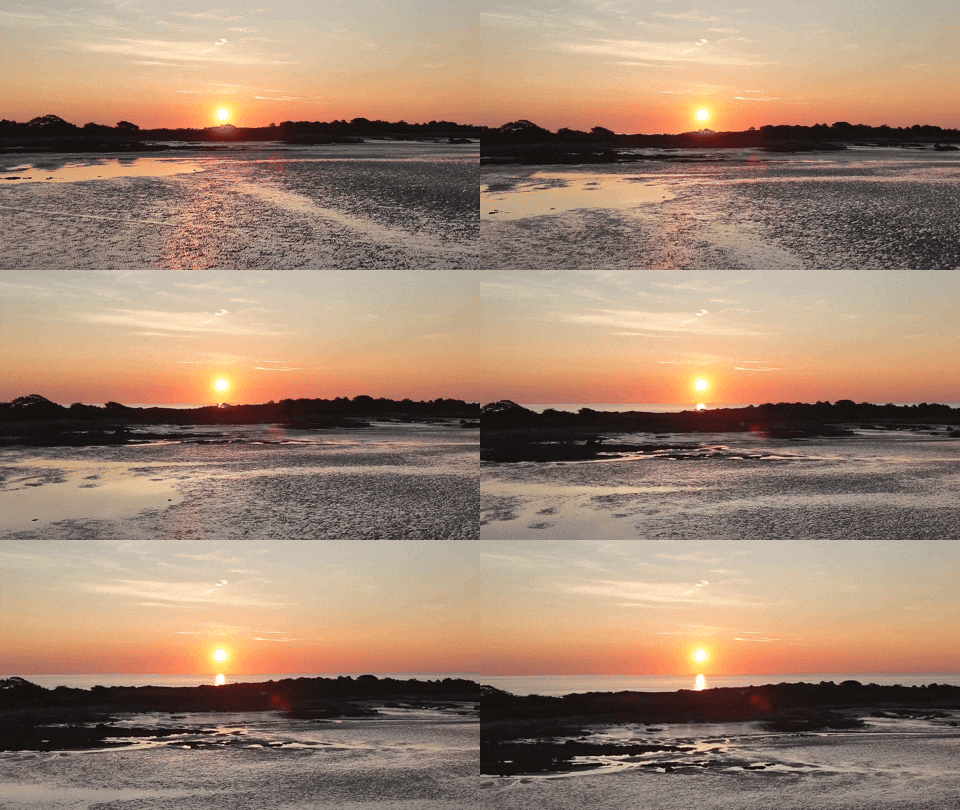
In Search of the Perfect Timelapse of a Summer Sunrise For the past few years, I’ve been vacationing in southern Maine by the stunning mud flats in Cape Porpoise. And I’ve woken up at the crack of dawn each morning with the hope of capturing a ‘perfect’ sunrise timelapse.
I use my little DJI Osmo Pocket 3 gimbal camera, which is a great tool for timelapses. You just set it up on a tripod, program the timelapse sequence, and then it does all the work. It can even add a little panning motion.
But the odds of success each morning have not been in my favor.
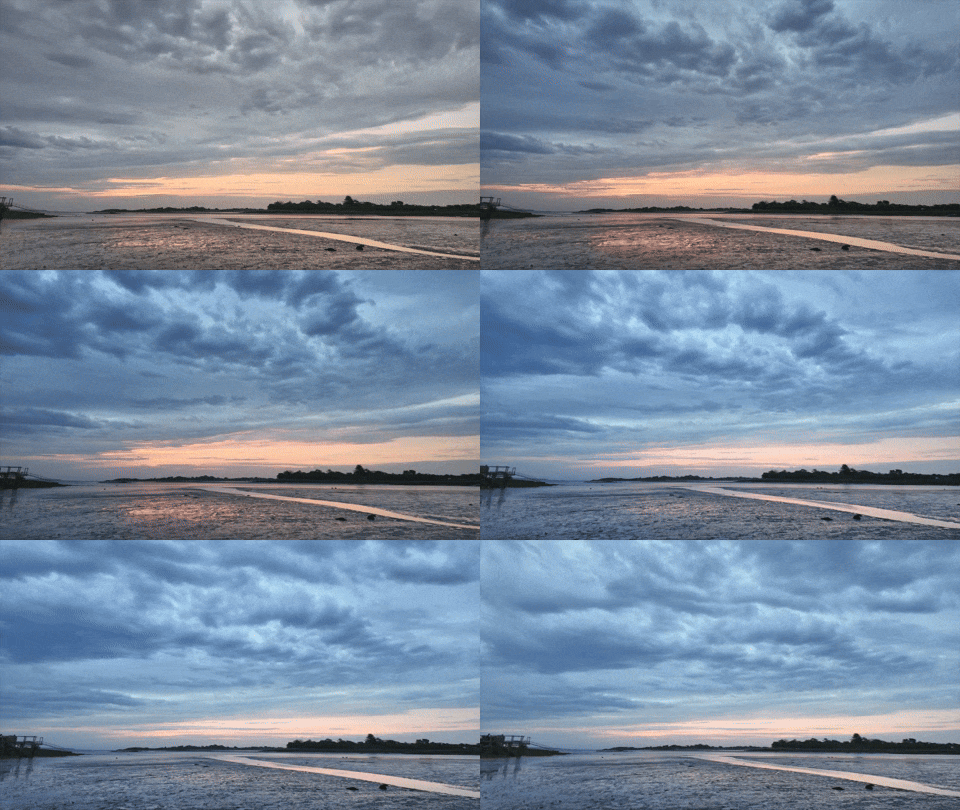
Stormy Sky Surprisingly, a stormy cloud mass can make for an interesting sunrise timelapse. But then it’s more about the cloud dance. The sunrise becomes a background player, if you can still see it. This happened during my Sunday timelapse this year.
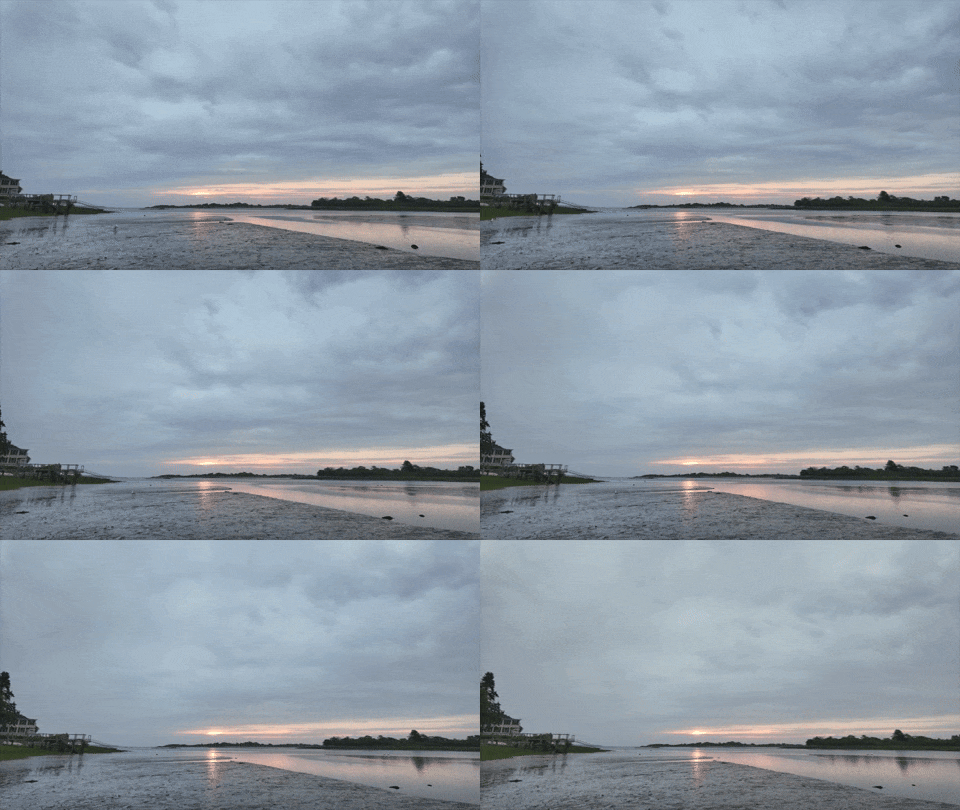
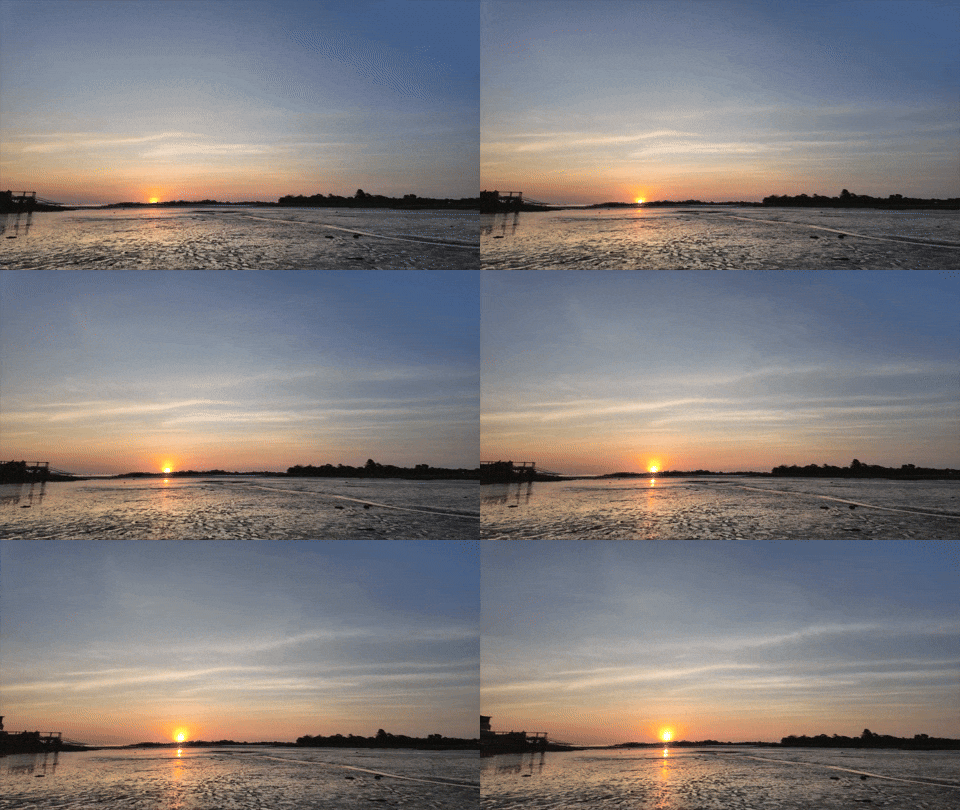
Barren Sky My Monday timelapse captured a mostly barren sky and a tiny ball of fire. I felt the few wispy clouds just weren’t enough to fill my digital canvas.
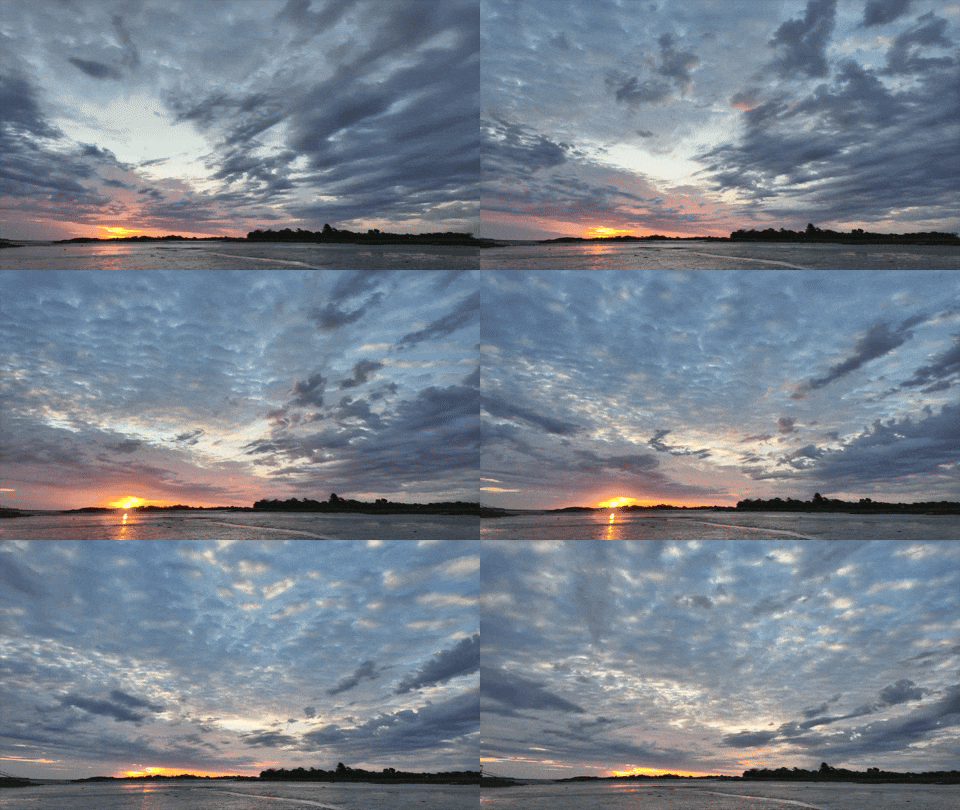
Perfect Sky As I’ve described, the perfect recipe for a spectacular sunrise timelapse is a good balance of clouds moving about (but not in front of) the rising sun. That finally happened on Thursday.
Anyone will always be at the mercy of the weather. So, if I’m able to capture one great cloud-fused sunrise during a vacation, I feel lucky.
Camera Drone in the Sky Timelapses add motion through time acceleration. But as I’ve mentioned you need a few clouds to accelerate. If you could add motion to your shot without having to rely on clouds, that could be a better way to get the job done.
I discovered that a drone beach shot rushing towards the sunrise can be a game changer. It’s not a timelapse, but the drone’s motion through the landscape instantly creates a cinematic video.
No, the clouds don’t move (if there are any), but it doesn’t matter. The dynamic motion zipping across the mud flats blows away any cloud. My camera drone has instantly taken my multi-year sunrise video project to a whole new level. Look at the visual energy it created for my Friday sunrise.
The DJI Flip is a drone built with impressive auto-piloting skills that helped this novice get his aerial videography hobby off the ground. Here’s my story.
I’ve always been fascinated with drone videography. Over the years, I’ve watched the technology mature away from the professional video market and extend into prosumer and then squarely into the consumer market. And all along, I’ve wanted to buy a video drone for my personal projects. But I’m not a drone pilot. I knew the flying part would be a challenge.
I felt that way, because years back, I tried flying a couple toy drones around the house, with disastrous results. I couldn’t imagine buying a more expensive camera drone to crash in the great outdoors.
Still, I wanted one.
The ability to generate cinematic shots from the sky is a compelling proposition for anyone who has a passion for photography and videography.
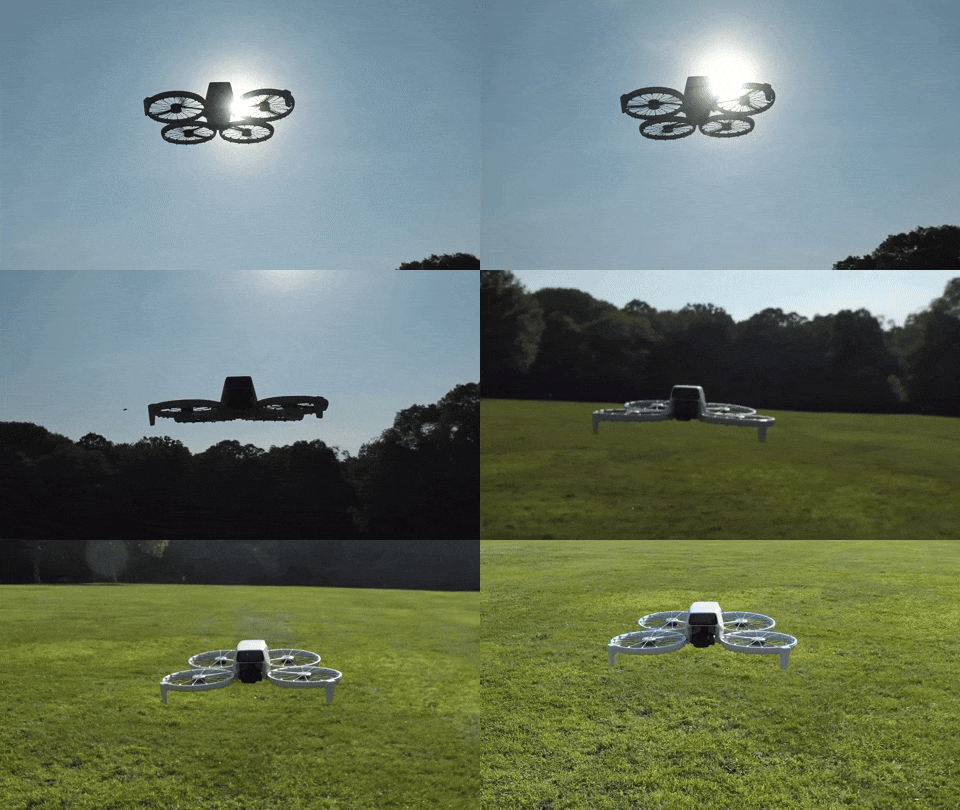
Your Drone Can Fly Itself Then DJI began building “subject tracking” autonomous flying skills into entry-level drones. First with the DJI Neo (135 grams) and then with the DJI Flip (under 249 grams). With this auto-pilot superpower (called QuickShots), these drones can visually lock onto you and record a variety of programmed flying maneuvers around your body. No human flying skills required.
So, you can leave the flying part entirely to the drone? Interesting.
Granted, these intelligent shooting modes are limited ways to fly any drone, but it’s certainly a start. Sure, you’ve got to know your preflight steps and provide your drone enough empty space to maneuver in without obstacles. Otherwise, crashes are still possible (more on this later).
Of course you can still fly these ‘smart’ drones manually, but the QuickShots feature offers an enticing onramp for any drone novice.
Look Ma, No Hands! Is this cheating? Not actually flying a drone, but giving up the stick to code?
Well, my primary goal is to get the shot I envision. The flying part is more of a means to an end. I see a drone as a gimbal-stabilized camera that flies…not a flying drone with a camera. But of course, I know the two are entirely connected.If DJI can give me training wheels to help get me started, I say that’s a great idea.
So, I took the leap and bought myself a DJI Flip. I chose the upgraded ‘Fly More Combo’ package with 2 extra batteries and the nicer remote controller (RC 2) with its own built-in screen.
Sub $1,000 Price Point You can spend as “little” as $439 plus tax on the DJI Flip when paired with the more basic RC-N3 remote controller that uses your smartphone as your flight screen. The Fly More Combo package cost $779. But when you add in a micro-SD card and the 2-year protection plan, plus tax… it creeps closer to $1,000.
Still, that’s not a bad price point considering what drones cost a few years ago.
The DJI Neo is even less expensive… It starts at $199 plus tax.
But the Flip is more advanced with longer fly times and a better camera sensor. It can record 4K/60fps video and slow motion at 4K/100fps.
It’s also got foldable full-coverage propeller guards for added flying protection.
The Flip can snap photos too, but for me it’s all about the video.
Flip Flying 101 = QuickShots After my DJI Flip arrived, my first step was to learn the preprogrammed flying maneuvers using the DJI Fly app, which I downloaded to my iPhone. You can also activate these short QuickShots directly on the drone by simply togging through button settings. (no phone required).
Another superpower is the Flip can take off and land on your outstretched hand. (Yes, your hand is the take-off pad!)
It’s a nifty trick and greatly simplifies the complexities of take-off and landing.
Shouldn’t Everyone Have a Drone? I imagine the population of drone owners is relatively steady these days. (If you had a specific need for a drone, you’ve likely bought one by now.) The barrier to entry for new customers like me has been the inability to fly. (Plus, it’s an expensive investment, especially if you think you’re going to crash it.) So, it’s a smart business decision to build auto-piloting skills into entry-level drones to attract video enthusiasts.
Yes, I think this is a whole new market for DJI, and I’m pleased to be a part of it.
Examples of QuickShots Sure, I’ll invest the time to learn to manually fly my DJI Flip using the RC 2 remote controller.
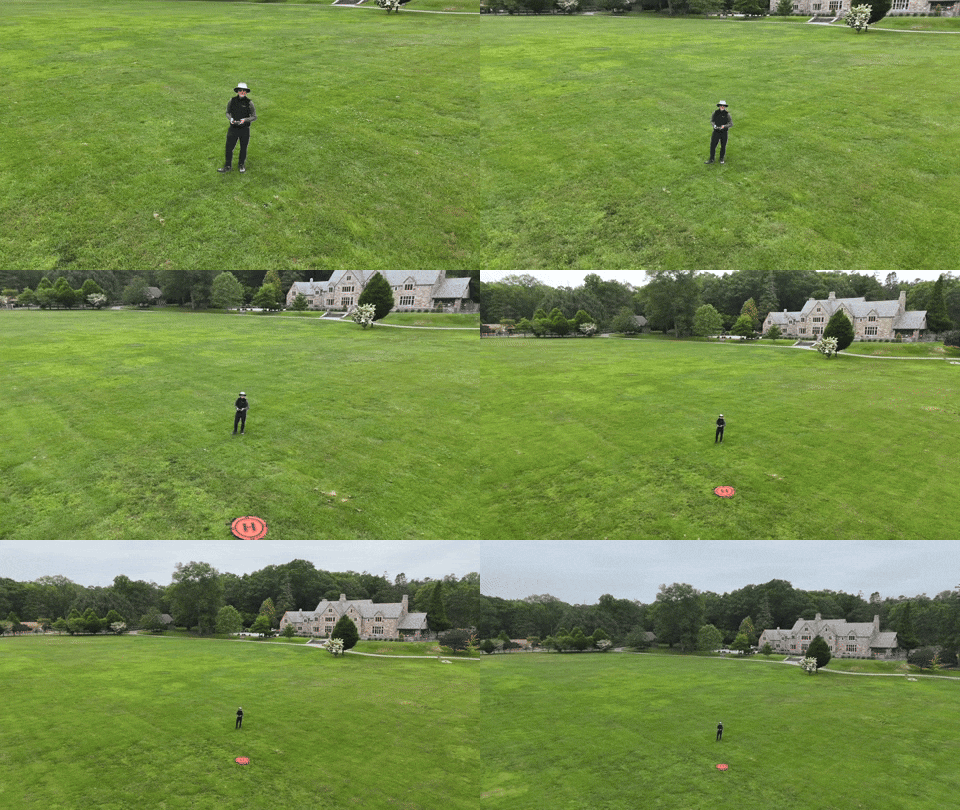
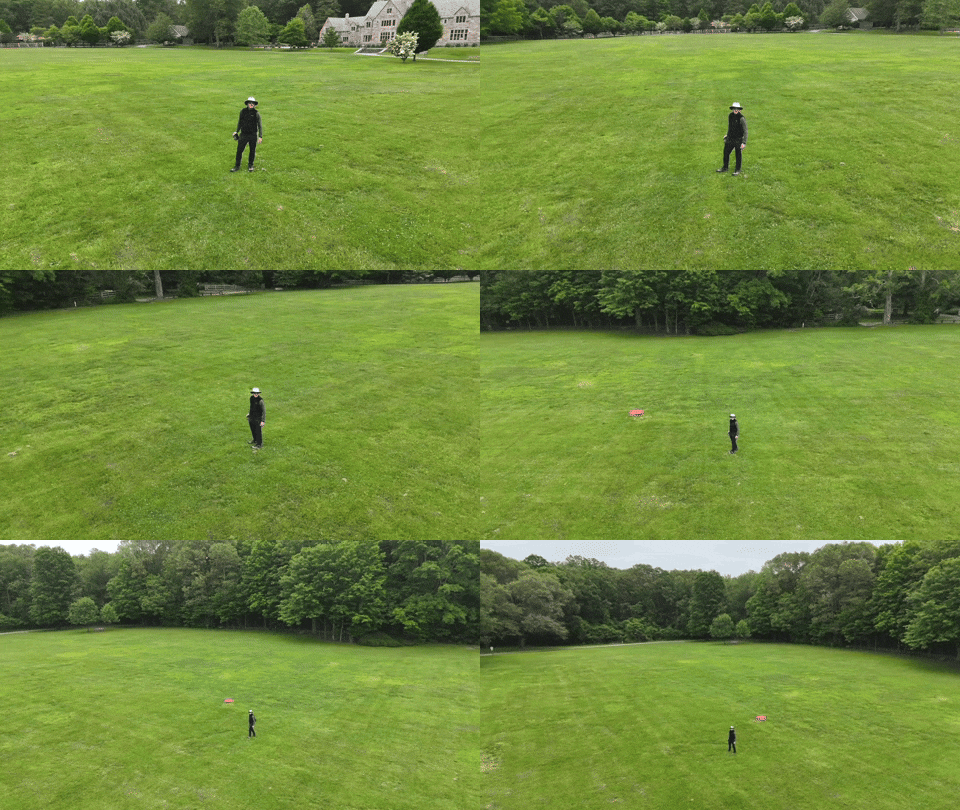
In fact, I’ve quickly figured out how to access the QuickShots’ menu on the RC 2. And I generated these nifty shots in the park on an early test flight.
I just need a mountain background to fully realize this “Sound of Music” moment.
Auto Braking System Happily, my Flip has a front and bottom-facing infrared sensing system, which enables the drone to auto land and prevents it from flying directly into obstacles. But it’s not a 360-degree obstacle avoidance system like other DJI drones have.
So, crashes are completely possible. (Of course, I’ve purchased the 2-year protection plan.)
Practice Makes Progress I know that mastering any new hobby or passion takes time. So, I’ll try not to rush it (or crash it).
Just being able to generate some nifty (though preprogrammed) cinematic shots with the DJI Fly app on my iPhone and the remote controller has been enough to instantly make this novice a functioning camera drone operator.