At Home with Tech

It’s not as complicated as it looks. Tech tips for your life.

Tag: DJI

My Drone Flight Around this Lighthouse Reveals How I Approach Life

Each time I fly my DJI camera drone, I take direction from my creative impulses. But I’ve also learned to be careful too. That strategy helps my drone work succeed relying on a slower confidence, versus the speed of ambition. Here are the results from my flight around Goat Island Lighthouse in Maine.

Lighthouses project a wonderful maverick energy as they sit proudly on the edge of chaos. Needless to say, I love taking photos of any lighthouse I see.

My family and I have vacationed with friends by the magical mudflats of Cape Porpoise, Maine for the past few years, and the place we stay has a beautiful view of Goat Island Lighthouse in the distance.

We’ve kayaked over to the lighthouse a couple times and were fortunate enough to get a tour.

I’ve (of course) taken many photos of this cute beacon in different lighting and weather conditions.


My Drone Videos of Majestic Mudflats

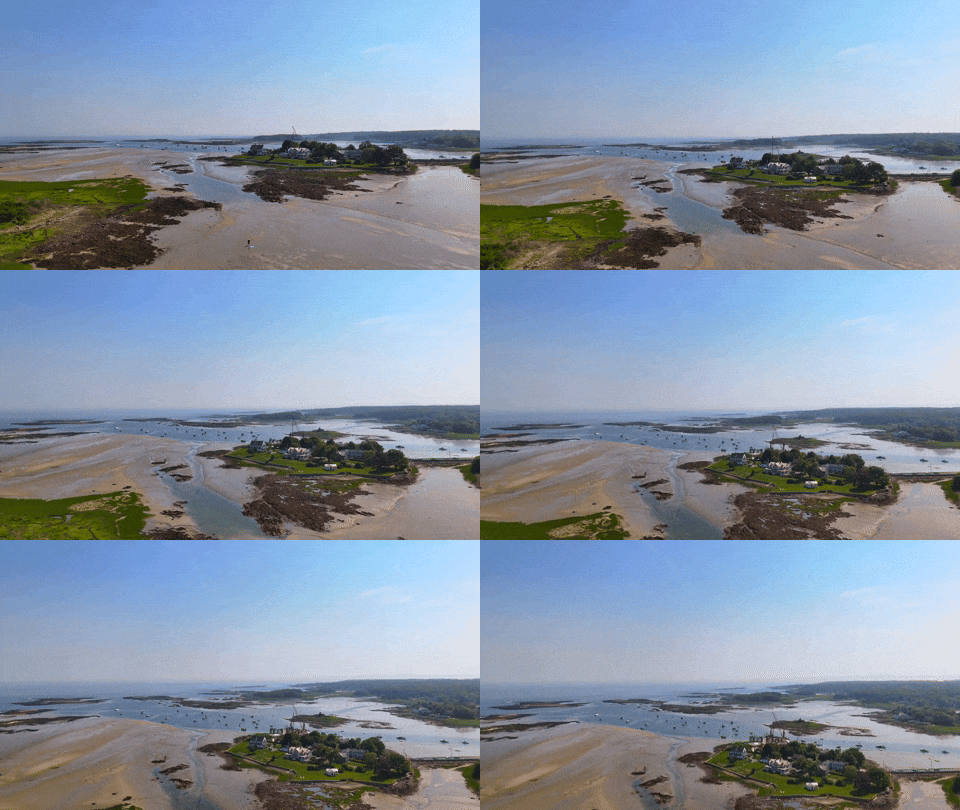
But the mudflats are much closer and always call out to my camera and me as some kind of fantastic alien landscape that needs documenting.  So, when the tide goes out, that’s when my next mission usually begins. 

Last year I flew my DJI Flip camera drone on the majestic flats at low tide to capture some stunning footage at sunrise. 


Planning a Drone-Flying Trip to Goat Island Lighthouse

This year, I wanted to step up my photographic game a bit more and decided on a plan to have my little drone meet Goat Island Lighthouse. For me, this creative project was an ambitious next step. It took planning, accurate timing and complete cooperation from nature. 

After I received permission from the local authority to fly my drone near the lighthouse, I still had to wait for good weather at the appropriate time of day when the tide would remain high enough during both legs of the kayak trip.  

And then there’s the wind. Too much wind isn’t good for drone flying, and there’s often a breeze coming off the ocean.

Happily, all those variables aligned for me on the Wednesday of our vacation week. My mission was set to begin at 7:30am sharp. But with all the pieces properly in place, I knew it still wouldn’t be enough to ensure success.

Maintain Creative Control

As I faced this this self-assigned project, I knew I would need to properly balance my creative vision with what I was confidently capable of doing.

Look, I’m not a professional camera drone pilot. It’s a hobby. I’ve got the certification, but this is not my day job. 

Every time I fly my drone, I work on improving my skills. I’ve also picked up a few tips by watching YouTube videos. But that can be a double-edged sword. All the drone ‘experts’ show off their cool drone maneuvers. “It’s so easy!” they say.

Part of me says, “Sure, I can do that!” Then I remember that moment last year when I backed up my drone into a tree while it was performing a preprogrammed sequence. (No, the DJI Flip doesn’t have rear-avoidance sensing.)

So, I constantly remind myself that I need to stick to the drone moves I confidently know how to execute. The creative impulse to go just a little further or a bit faster is not a recipe for my success.

As I considered my upcoming lighthouse project, my drone’s airtime would have to be slow and sure.

The good news is “slow” can be a great foundation for ‘cinematic’ video. And that’s always my goal.

30 Seconds in Heaven

I’m happy to report I did indeed follow my Barrett flying rules after I kayaked over. I captured some sweet drone video clips of Goat Island Lighthouse on a glorious morning. Take a look at my 33-second montage… 

I put much of this video together using the DJI Fly app on my iPhone and then finished it later using Final Cut Pro on my Mac Studio.

Play the Long Game

I must admit this little success story isn’t only about how I confront the challenges of camera drone flying. It also reflects how I’ve traveled the journey as a creative in my life, both personally and professionally.

Success usually comes from playing the long game.

I’ve always felt this fire within to ‘create.’ And I’ve found that life works best when you maintain ‘control’ of your creativity. That instead of a life where creativity controls you.

I’m sure there are any number of artists out there who may disagree with me. They would correctly point out that true creative success often requires your passion to drive you and your output.

Any limits you place on that prevent you from discovering your true creative self and potential.

Fuel the Creative Spirit

But I have admittedly chosen to travel a different road across these years. It’s a slower path, but it still allows me to explore my creativity… while also being able to come home with my drone in one piece. (And yes, my camera drone also serves as a metaphor here.)

I wake up the next morning with the comfort knowing that I can fly again. Others may capture better-looking footage, but I am satisfied with what the video gods have allowed me to capture. That’s enough to fuel my creative spirit.

And I have the confidence in myself to know that tomorrow’s footage will look even better.

Confidence over Speed

This is a life plan that prioritizes balance. Confidence over speed. Yes, it’s a long game, but one that will still feed those hungry creative impulses.

It’s one strategy for a life of happy flying.

…for your consideration.

My Camera Drone Misadventures: A Cautionary Tale for Beginners

You can only watch so many drone tutorials on YouTube before you simply go for it and put your new camera drone in the air. And let me tell you, it’s completely nerve wracking. It’s not a video game to simply reset when you crash. You’re flying with no net.

There are any number of worse case scenarios to guard against. After you fly a drone for the first time, you immediately understand why the promise of flying cars never materialized.

QuickShots are a Joy
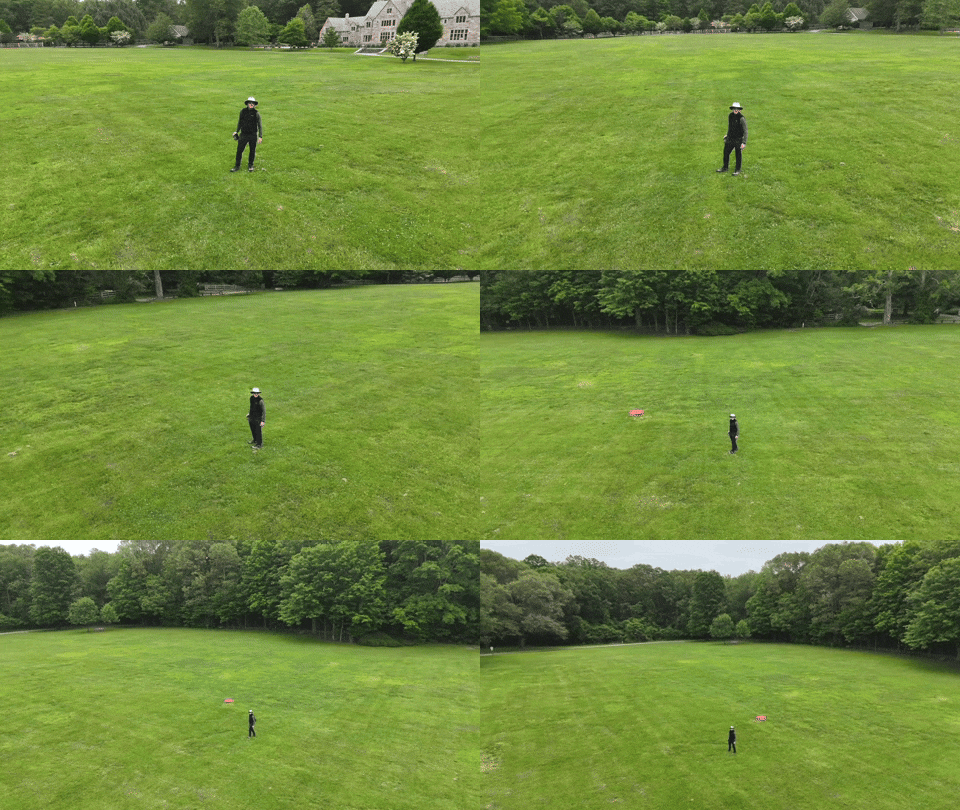
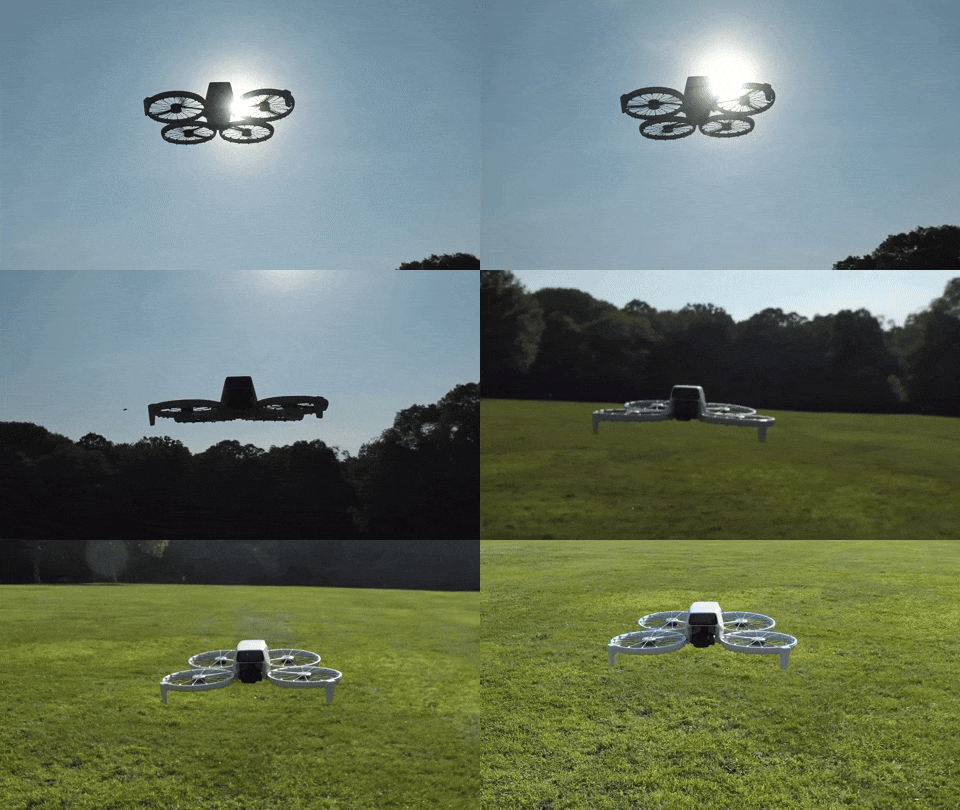
For my DJI Flip’s first test flights, I stuck to the simpler automated QuickShot maneuvers. These are the auto settings where the drone records preset flying sequences using ‘subject tracking.’I took my Flip to a nearby park with plenty of open space, crossed my fingers and hit the fly button. Happily, these tests were a success, and I brought home some impressive footage.

DJI’s QuickShots’ mode was indeed simple to use, as advertised. But I really wasn’t controlling the drone yet. My DJI Flip was effectively flying itself.

The next step was to attempt manual control.

Then, I Crashed my Drone into a Tree
So, I packed my little Flip for our vacation to the coast of Maine in Cape Porpoise. My plan was to use the nearby, vast mud flats as my new training ground. 

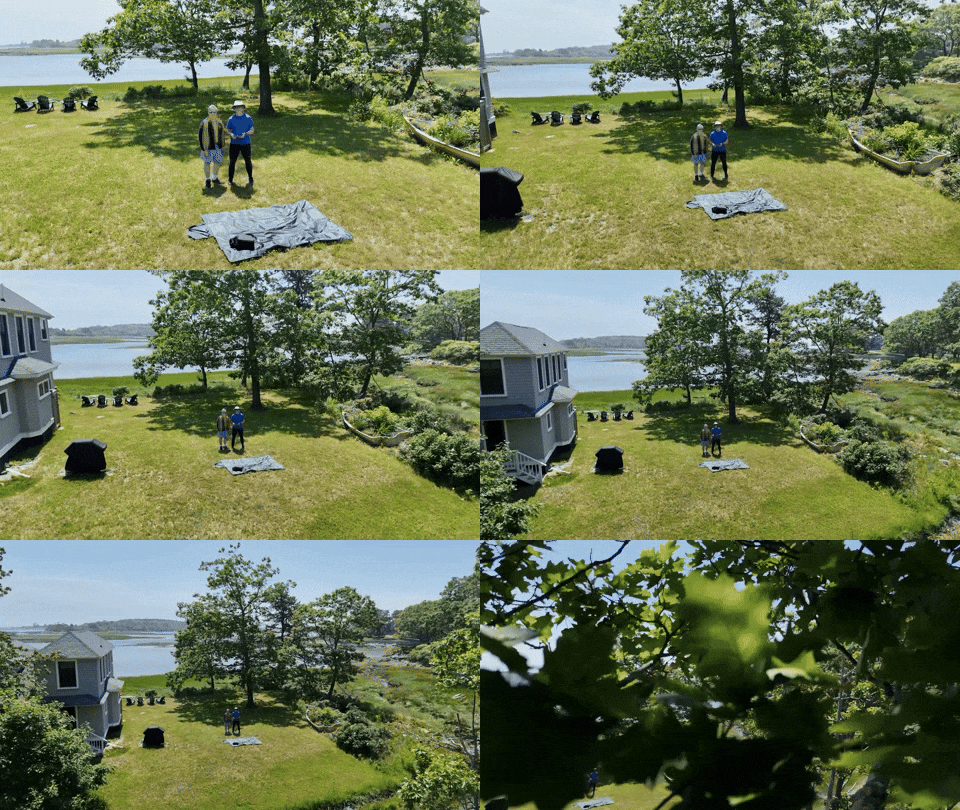
But before trudging onto the mud flats, I wanted to practice a few more QuickShots in the yard next to where we were staying. And that was a mistake. That’s because the distance limits I had set for my previous park flying tests were still in place, and I had forgotten to reset them.Then, when I executed an automated ‘Dronie’ QuickShot with my friend standing next to me, my Flip shot up and quickly began backing up in the air as it auto-tracked us… and it kept backing up… until it rammed into a tree.

The battery catapulted off the drone’s body, and both pieces collapsed to the ground.

No, the DJI Flip doesn’t have rear-sensing capability. No, I didn’t have enough sense to cancel the auto maneuver before it was too late. It all happened so fast.

The crushing sounds of the tree crash and then ground impact were horrifying.

I stood there, frozen. Staring ahead. 

The whole incident took mere seconds, and my flying career was over before it really started. Or so I thought.

My Drone has Nine Lives?
I hurried over to the wreckage. There was the battery, and then a few feet away…the drone. Both appeared to still be intact. Huh.

I picked them up and inspected each for damage, but I couldn’t find any.

So, I snapped the battery back in and returned to the launch zone. I looked at my friend. Would this thing still fly? I pressed the button.

My DJI Flip effortlessly lifted into the air as if the past few minutes had been magically erased.

Huh.

The best I can figure, the battery’s ejection had lightened the drone’s weight, thus reducing the effect of ground impact. And the drone’s four propellor guards had protected it from the tree.

I turned to my friend, and I said, “Well that’s nine lives right there.”

A Drone’s Weakest Element is the Human Factor
It was painfully clear that even in auto pilot mode, my drone required correct human inputs. I thought the tree was far enough away. I was wrong.

Sure, I’m new to drone flying. And the DJI Flip’s intelligent flying modes are designed to help with this limitation, but it’s not fool proof.

And as I later attempted other vacation flight trials, I was painfully aware how often I felt outside my comfort zone.

I Accidentally Sent my Drone into ‘Orbit’ 
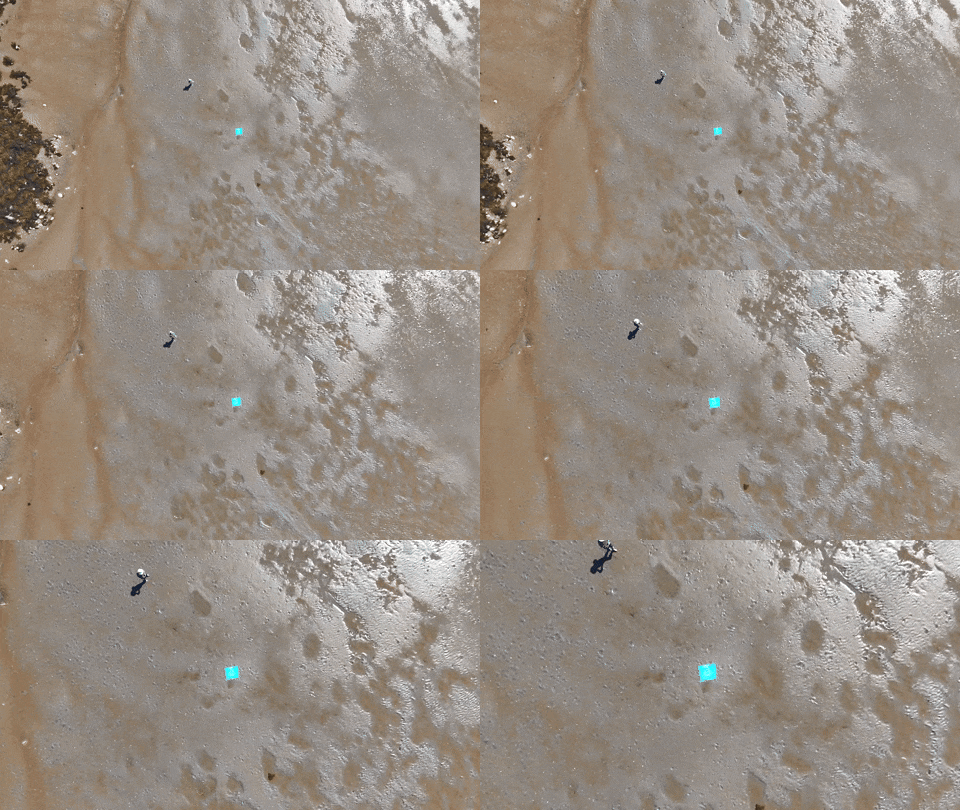
I shouldn’t take credit for this amazing shot above the mud flats, because it was a complete fluke.

I was simply testing the auto ‘Return-to-Home’ function after I manually flew my drone (very cautiously) a couple hundred feet away down the beach line at a twenty-foot altitude. 

Return-to-Home or ‘RTF’ is where the drone automatically flies back to its takeoff point. It’s a handy feature. But I forgot to check the height settings for the return flight. This is an important detail to ensure your drone doesn’t hit any trees on the way back. 

Happily, there are no trees to avoid on mud flats. Unfortunately, I had accidentally left the ‘RTH’ height setting unnecessarily high. 

My Flip suddenly shot up into the sky to reach the preset altitude for its return across the beach. Then, I quickly lost track of it. 

I couldn’t see my Flip anymore. I scanned the sky. My little drone was gone. I began to panic.

But I could still hear its distant whine. I looked down at the screen of my RC 2 remote controller. I was stunned and terrified by what I saw. My drone appeared to be in orbit, and it was beaming back this spectacular view of the coastline. 

In hindsight, I recognize this is what the Flip is designed to do. But this wasn’t my plan. It was a bit windy out, and my intention was to keep my drone relatively close.

Searching the Heavens for my Intrepid Companion
And then, as if on cue, the wind began to pick up. I could hear my Flip’s overhead whine fluctuate as it struggled to maintain its flight control. A gust hit. Then another. 

My adrenaline really began to flow. (I swear I could hear Hans Zimmer music playing in the distance.) What should I do?

I felt the urge to grab back control and to gently lower the drone and fly it back manually. But I wasn’t ready. I didn’t have the skills yet. This was supposed to be just an easy test flight!

I would have to trust the code to bring my drone safely home. And that it did.

I stared at the controller’s screen for what seemed like hours, but the return trip lasted barely two minutes. And the wind was less of a concern than I had feared.Soon, I could see my little flying machine descending from the heavens over me.

Phew.

Everything was just fine. But for those few minutes, I felt totally out of control, though the Flip was in complete control (silly human).

We Still Have a Role in a Camera Drone’s Cockpit
The good news is I performed my unintended orbit test at a time when nobody else was out on the mud flats. I wanted to plan for the unexpected. And that’s exactly what I got. 

The RTH trip was in fact, not that high in the sky. (The DJI Flip is designed to reach a much higher altitude.) I just wasn’t prepared for this moment. And when I couldn’t see the drone, I freaked out.

It’s worth noting that both of my above mistakes (the tree crash and the orbit maneuver) involved incorrectly setting the boundaries of the auto flight modes.

I thought flying my drone manually would be the toughest part of my Jedi flight training. As it turned out, giving up control to the DJI Force too quickly carried its own risks.

I just didn’t know what I didn’t know. Maybe was time to watch a few more YouTube drone flying tutorials.

I was determined to be better prepared for my next all-manual flight tests on the empty mud flats…

Drones for Dummies: I Bought this DJI Model with Zero Flying Experience

I’ve always been fascinated with drone videography. Over the years, I’ve watched the technology mature away from the professional video market and extend into prosumer and then squarely into the consumer market. And all along, I’ve wanted to buy a video drone for my personal projects. But I’m not a drone pilot. I knew the flying part would be a challenge.

I felt that way, because years back, I tried flying a couple toy drones around the house, with disastrous results. I couldn’t imagine buying a more expensive camera drone to crash in the great outdoors.

Still, I wanted one.

The ability to generate cinematic shots from the sky is a compelling proposition for anyone who has a passion for photography and videography. 

Your Drone Can Fly Itself
Then DJI began building “subject tracking” autonomous flying skills into entry-level drones. First with the DJI Neo (135 grams) and then with the DJI Flip (under 249 grams). With this auto-pilot superpower (called QuickShots), these drones can visually lock onto you and record a variety of programmed flying maneuvers around your body. No human flying skills required. 

So, you can leave the flying part entirely to the drone? Interesting.

Granted, these intelligent shooting modes are limited ways to fly any drone, but it’s certainly a start. Sure, you’ve got to know your preflight steps and provide your drone enough empty space to maneuver in without obstacles. Otherwise, crashes are still possible (more on this later). 

Of course you can still fly these ‘smart’ drones manually, but the QuickShots feature offers an enticing onramp for any drone novice.

Look Ma, No Hands!
Is this cheating? Not actually flying a drone, but giving up the stick to code?

Well, my primary goal is to get the shot I envision. The flying part is more of a means to an end. I see a drone as a gimbal-stabilized camera that flies…not a flying drone with a camera. But of course, I know the two are entirely connected.If DJI can give me training wheels to help get me started, I say that’s a great idea.

So, I took the leap and bought myself a DJI Flip. I chose the upgraded ‘Fly More Combo’ package with 2 extra batteries and the nicer remote controller (RC 2) with its own built-in screen. 

Sub $1,000 Price Point
You can spend as “little” as $439 plus tax on the DJI Flip when paired with the more basic RC-N3 remote controller that uses your smartphone as your flight screen. The Fly More Combo package cost $779. But when you add in a micro-SD card and the 2-year protection plan, plus tax… it creeps closer to $1,000.

Still, that’s not a bad price point considering what drones cost a few years ago.

The DJI Neo is even less expensive… It starts at $199 plus tax.

But the Flip is more advanced with longer fly times and a better camera sensor. It can record 4K/60fps video and slow motion at 4K/100fps.

It’s also got foldable full-coverage propeller guards for added flying protection.

The Flip can snap photos too, but for me it’s all about the video.

Flip Flying 101 = QuickShots
After my DJI Flip arrived, my first step was to learn the preprogrammed flying maneuvers using the DJI Fly app, which I downloaded to my iPhone. You can also activate these short QuickShots directly on the drone by simply togging through button settings. (no phone required).

Another superpower is the Flip can take off and land on your outstretched hand. (Yes, your hand is the take-off pad!)

It’s a nifty trick and greatly simplifies the complexities of take-off and landing.

Shouldn’t Everyone Have a Drone?
I imagine the population of drone owners is relatively steady these days. (If you had a specific need for a drone, you’ve likely bought one by now.) The barrier to entry for new customers like me has been the inability to fly. (Plus, it’s an expensive investment, especially if you think you’re going to crash it.) So, it’s a smart business decision to build auto-piloting skills into entry-level drones to attract video enthusiasts.

Yes, I think this is a whole new market for DJI, and I’m pleased to be a part of it.

Examples of QuickShots
Sure, I’ll invest the time to learn to manually fly my DJI Flip using the RC 2 remote controller. 

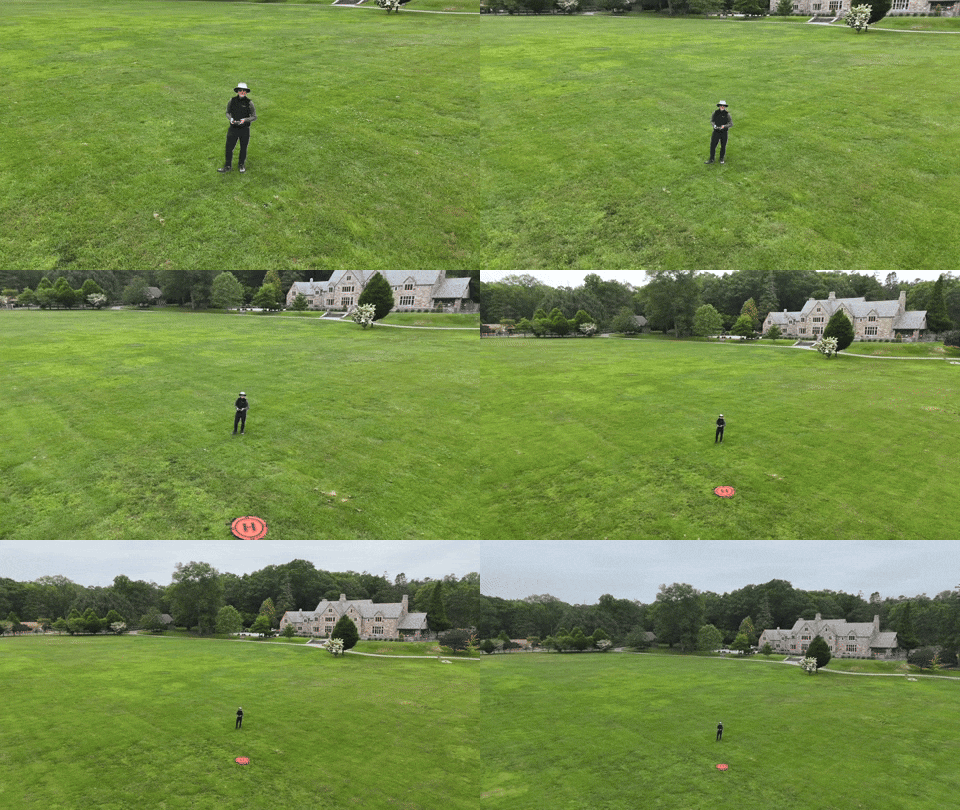
In fact, I’ve quickly figured out how to access the QuickShots’ menu on the RC 2. And I generated these nifty shots in the park on an early test flight.

This ‘dronie’ video is a great closer for any number of video ideas.

I just need a mountain background to fully realize this “Sound of Music” moment.

Auto Braking System
Happily, my Flip has a front and bottom-facing infrared sensing system, which enables the drone to auto land and prevents it from flying directly into obstacles. But it’s not a 360-degree obstacle avoidance system like other DJI drones have. 

So, crashes are completely possible. (Of course, I’ve purchased the 2-year protection plan.)

Practice Makes Progress
I know that mastering any new hobby or passion takes time. So, I’ll try not to rush it (or crash it).

Just being able to generate some nifty (though preprogrammed) cinematic shots with the DJI Fly app on my iPhone and the remote controller has been enough to instantly make this novice a functioning camera drone operator.

I couldn’t be more pleased.