At Home with Tech

Unlock the power of all your technology and learn how to master your photography, computers and smartphone.

Tag: epson multifunction printer

At Home with Paper

Can you imagine a paperless world? Do you aspire to live in one? Are you already there? If not, please find a bit of solace in my flawed journey towards this elusive goal.

Last week, I was boarding a plane to Chicago, and I was flying with a few work colleagues. At the gate, I pulled out my paper boarding pass. My travel companions all whipped out their iPhones. They clicked to their digital boarding passes. Then, they looked at me like I was holding an ancient hieroglyphic tablet.
(And they also offered a few choice words, which I gladly stole for the title of this post.)

Hey, it’s not like l’ve never tried the digital boarding pass thing. I just didn’t get around to checking in online before I got to the airport.
(Isn’t it ironic when you don’t have the time for something that’s designed to save you time?)

And wouldn’t it be funny if I showed up with a digital boarding pass, and my iPhone was out of juice?
(Just saying)

But the truth is I still like using paper.

Memory Jogger
I just find it easier to keep track of a paper receipt that I can throw in one place with other paper receipts during a trip for later T&E reconciliation.
(Are you ready to stone me as a Luddite?)

Sure, digital receipts are cool.
(Like my Uber email receipt for my trip to the airport.)
But then you’ve got to remember to go back later into your email and retrieve them.

When something is already in physical form, it’s not as easy to forget.
(All right… I’m ready to be banished to the prison of analog misfits.)

But seriously…
Paper does have its benefits.

At Home without a Printer?
Five years ago, a friend of mine told me he didn’t own a home printer. He said he simply didn’t need one anymore. I was impressed but also annoyed.

Why?

Because I couldn’t fathom a life without the convenience of a fax/scanner/copier/printer at home.

Fast forward to the present, and you know what?
I still can’t.

Nobody Faxes Anymore?
Does anyone really need a fax machine at home? I just had this conversation last week with my 84-year-old father, when he asked me to ‘fix’ his old HP fax unit.
(It ended up just being out of ink.)

I tried to convince my dad he didn’t need one anymore, but by the time I was finished presenting my case, I had changed my mind.

Because you do.
You think you don’t, but you do.

It’s not a frequent need, for sure… probably just a couple times a year. But at the most unexpected moment, you’ll suddenly need to sign a silly (or important) form and then fax it.

I suppose you could also scan it as a PDF and email it back, but that assumes the recipient’s rules allow for that.

It’s Still Cool to Copy/Scan
Speaking of scanning, if you ever hope to live in a paperless world, you’ll need a scanner to convert all of those precious family archival photos and documents you’ve been holding onto for future generations.

Digital conversion is a huge time suck. So you might have to depend on one of your descendents to finish the job. But I’m sure they’d be mighty thankful if you did your fair share during your lifetime!

And since you can scan, you can also copy.
Tell me that you never need a copy of something.
Enough said…

Printing is Evil
Yes, I’ve progressively reduced the number of pages I’ve printed out over the years. I try to save whatever I need long term as a digital file instead of printing it out and slipping more paper into my bulging file cabinet.
(And then never looking at it again, only to throw it out ten years later)

But other times, I just want a simple, printed page for the moment. Sure, there are digital workarounds. But I can’t imagine they all take fewer steps than just “File” and “Print.”
(And then ‘grab’ and ‘go!’)

Printing is sometimes…. just faster.
(I suddenly feel a digital lighting bolt forming above my head. You should take cover.)

Physical Photos Can Warm Your Heart
And don’t tell me there’s no longer any value to printing up that priceless family photo moment from your weekend trip to the lunar colony.
(Oh… apologies… I think I was channeling fragments of the future via the Force.
I just rewatched “Star Wars: The Empire Strikes” back and Yoda’s famous line, “…There is another.” Am I the last science fiction geek in the galaxy to make the connection that this line is probably super significant to Episode 8?)

But I digress…

Of course your local chain pharmacy can print up your photos for you, but it’s so much easier to print out your one-off pics with your own photo printer.

All-In-One Printers to the Rescue
So that’s why I’m still at home with paper.
Call me crazy.

The good news is one multifunction printer can handle all of the above needs.

I’ve been a big fan of Epson all-in-one printers over the past few years. Epson’s current flagship model, which gives you “photo quality” printing is the
Epson Expression Photo XP-860.
($262.87 on Amazon)

  • Print
  • Copy
  • Scan
  • Fax
  • #Boom

Guilty As Charged!
If you have completely shed the need for paper in your life, I applaud you.
(And please tell me exactly how you do this.)

For everyone else, don’t feel guilty.
(At least not for your ongoing, messy relationship with paper)

It’s still a journey to the paperless world…
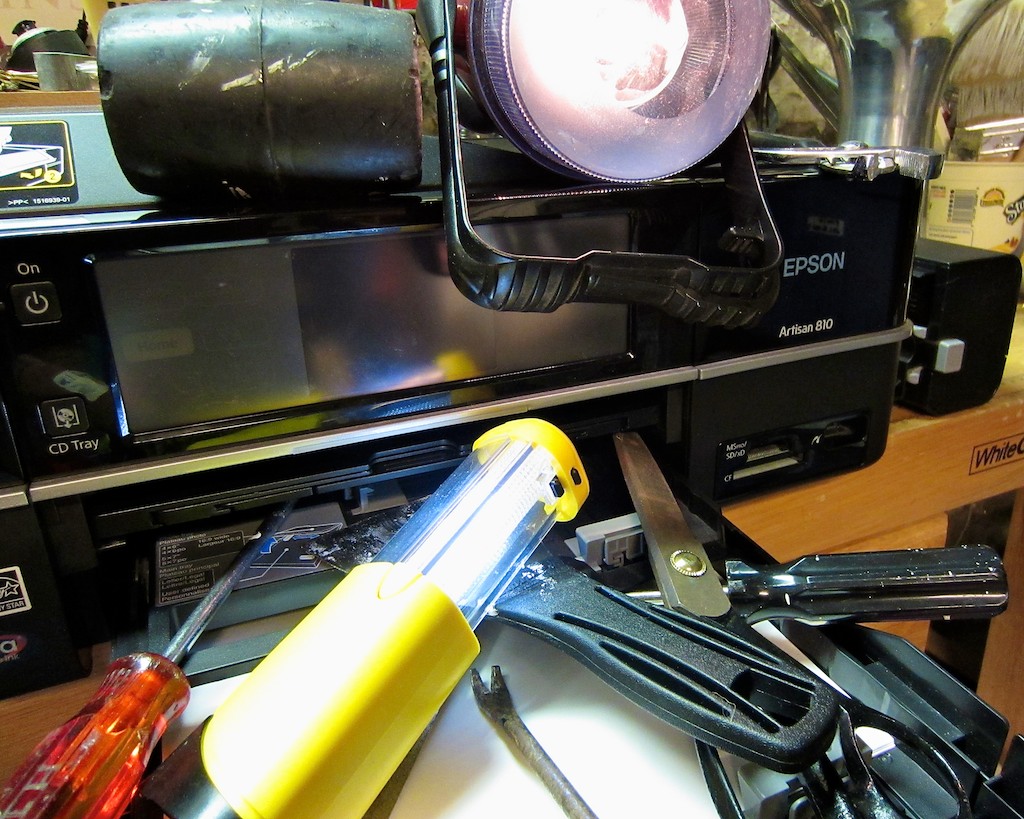
Epson Multifunction Printer vs. Multi-Talented Toddler

My two-year-old son with a shiny penny approached my two-year-old Epson printer and said, “Gagel Flagel!” Translation: “Time to meet your doom!”

If you think a penny is worthless these days, here’s a cautionary tech tale.
Yet another example that demonstrates how fragile your Tech Zen can be…

Today’s Target: My Epson Artisan Printer
So my wonderful toddler likes to press buttons. All buttons.

They call out to him.
“Please press me.”

He’s especially obliging when the buttons are attached to my home tech.
“On” and “off’ are very persuasive commands.
He’s become quite adept at finding these buttons.

Last week, my toddler mastered the functionality of my 2010 Epson multifunction printer/scanner/fax machine. (Artisan 810). I bought it right after he was born, and it’s proven to be a great workhorse for handling my photos, faxes, and copies.

For months, Baby McGyver had been happily turning the Artisan on and off, taking about the amount of time it takes me to run over and applaud his achievement before he does any real damage.
He once had a bit more time at his disposal and quickly reset the Artisan’s language mode to French. For weeks, I had to rely on all my remaining grade school French (Je ne comprends pas) until I had the time to dig into the machine’s menu and return it to our home language.

The Power of the Penny
By now, he’d graduated into the AP class and was working on understanding the Epson’s more advanced functionality. Plus, he brought some tools to the job.

He secretly had a penny he’d found.

He walked up to the printer, while I was happily at my desk, working on my blog.
I wanted to finish up a thought and felt I easily had another five seconds.

Then, he successfully ejected the CD/DVD tray. (Yes, it can print DVD labels.)
At that point, I decided it actually wouldn’t be a bad idea to forget the thought and rescue my printer.

The Epson is located behind my desk and requires a five second journey from my chair. Maybe three seconds at top warp.

I made my move.
But he was quicker.

He had already placed the penny in the tray. And then he pressed the close button.
My Epson ate the penny.
Crunch.

The Artisan began grinding away, attempting to avoid the little intruder. Every illuminated element on the machine blinked in unison to protest.
Finally, my Epson declared that it could proceed no further and needed to be shut down.

My son looked up at me and gleamed with his amazing accomplishment.
(How can you really be mad in that kind of moment?)

Fix or No Fix
But repeated reboots failed to eject the poison, as the penny was securely jammed deep inside my Epson.

After a quick diagnostic, I realized I would need to take much of the printer apart to even locate the area of distress. I decided my odds of successfully repairing my Epson were not promising.

Prognosis: Cancel the surgery; my Epson is a goner.

And paying someone else to repair it was a “no-go” option. Too expensive.

The Easy Button
I am not proud admitting this, but my next move was to open the Staples circular (my favorite place to buy a lot of my home tech).
As if it were waiting for me, there it was… the next generation of my very printer, (the Artisan 837) and it was on sale!

I decided to take the hit and pressed the easy button.

Even though I would have preferred to do the fix myself, I took the easy way out and supported our disposable culture.
Not a good day for the green movement, but I hoped the planet would forgive me this one time.

Warp Drive Restored
I was quickly back in business.
With the exception of a few minor enhancements and menu layout differences, you wouldn’t even know the new unit had taken over.

I even reduced the financial sting by using a few Staples gift cards I had through my Discover credit card rewards program.
For every $20 dollars I earn in cash back, I receive a $25 Staples gift card.
(A very nifty deal!)

So the $199 Epson (originally $299) ended up costing me only $15 out of pocket.
And this included an extra $25 for a year-long product protection plan.
(Sweet)
Though I usually don’t buy extended protection plans, I figured in this particular case, a future assault against my new Epson was not out of the question.

Bad Luck Comes in Threes?
So a puny penny literally felled my mighty all-in-one printer.
And it got me thinking…

What could be next?
Not to be paranoid, but this year, I’ve already had the Cup of Joe scare.
Now, the evil power of the penny.

This near tech-death experience dredged back up a longstanding concern I’ve had about the safety and proper long-term storage of my digital files.
(And this goes beyond the normal risk of damage from any child’s curiosity.)

Sure, I have a back up G-Tech external drive using Apple’s Time Machine. Sure, I’ve got other portable drives where I store other backups of my family’s photo and video history.

But is it enough? (Is it ever enough?)
Still, everything is here at home.
Common tech wisdom suggests I’m supposed to spread the risk around.
But I don’t think I’m about to stash drives around the countryside in friends’ and relatives’ closets.
That seems a bit absurd. (though not entirely illogical)

The Cloud to the Rescue
Hey, what about Cloud storage?
Yes… I could see it now.
All my precious media files sitting safely out of harms way in the Cloud.

So I did a little research.
And of course, the more I read, the more confusing it got.

But I slowly came to the realization that for only about $50/year, you could conceivably safeguard your priceless files offsite in the Cloud.

That’s a $1,000 investment over the next twenty years.
On the other hand, that also works out to less than fourteen cents a day.

Can you think of a better use for your spare change over the next twenty years?

Yes, the power of the penny.
Think about it.

Next time on At Home with Tech-
We’re putting our pennies to work and blasting our big media files off to the Cloud!