At Home with Tech

Unlock the power of all your technology and learn how to master your photography, computers and smartphone.

Tag: family vacation

Timelapses from our Royal Caribbean Cruise to CocoCay and Nassau

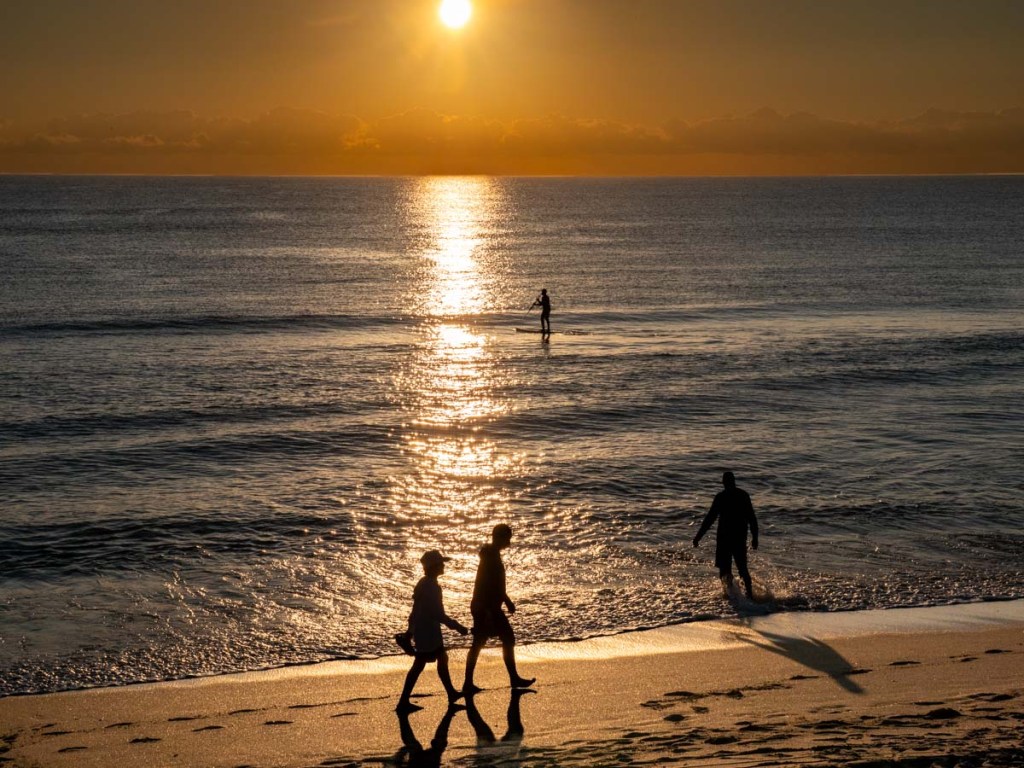
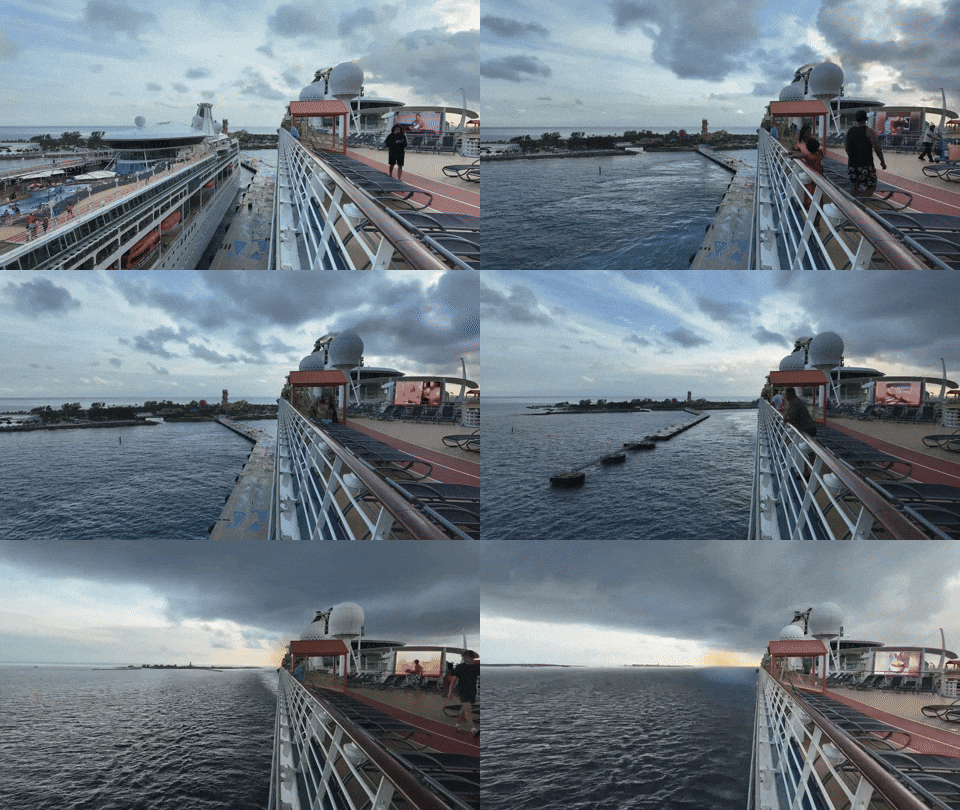
Independence of the Seas and Vision of the Seas docked at CocoCay

I snapped this moment right before my timelapse that captured the Independence of the Seas’ departure from CocoCay during my family’s Caribbean cruise vacation. Below is the full video along with my other timelapses and the challenges I faced creating them.

My family and I have returned from a fun, four-night cruise on Royal Caribbean’s Independence of the Seas. Our itinerary took us out of Miami, spending the first full day at CocoCay and then another at Nassau. The next day, we were on the water, returning to Florida. And then back in Miami on the final morning.

We had a fabulous time, and I’ll be writing more about it and sharing photos in my posts to come.

If you’ve watched some of my timelapse photography in previous blogs posts, you might assume I would try capturing a few timelapse videos during our cruise. And you’d be correct. I brought along my DJI Osmo Pocket 3 gimbal camera and a Joby GorillaPod for the job.

I didn’t have a plan going in, but it quickly became clear what I needed to do.

Don’t Forget to Include your Ship in your Timelapse
I decided that cruise ship timelapses are optimized when they show your vessel moving through the water as it arrives at port or departs. Just capturing a timelapse at sea isn’t as visually dynamic (though if there’s good cloud action, that dance can be really interesting).

Ideally you should simultaneously see the hull of the ship, the water and the port in your framing. The boat anchors the whole shot (and the rest of the imagery moves).

But it’s hard to frame it all in, because that means having to somehow position your camera a foot or so beyond the hull of the ship.

Sure, it’s simple to stretch your arm out to capture a quick photo (don’t drop your phone). But it’s a different story when you need to use a tripod to steady an extended timelapse. Where are you supposed to place it?

Grip the Railing in the Right Place
The trick is to first do a walk around and review the top deck’s railing design. If you’re lucky, you’ll find a part that extends out a bit next to a low-enough glass barrier. (Shooting through glass doesn’t work.)

I found the railing around the Independence of the Seas’ main top deck (12) was not a perfectly oblong design. It did, in fact, jut out in a few places. I found a great spot by the aft, starboard side.

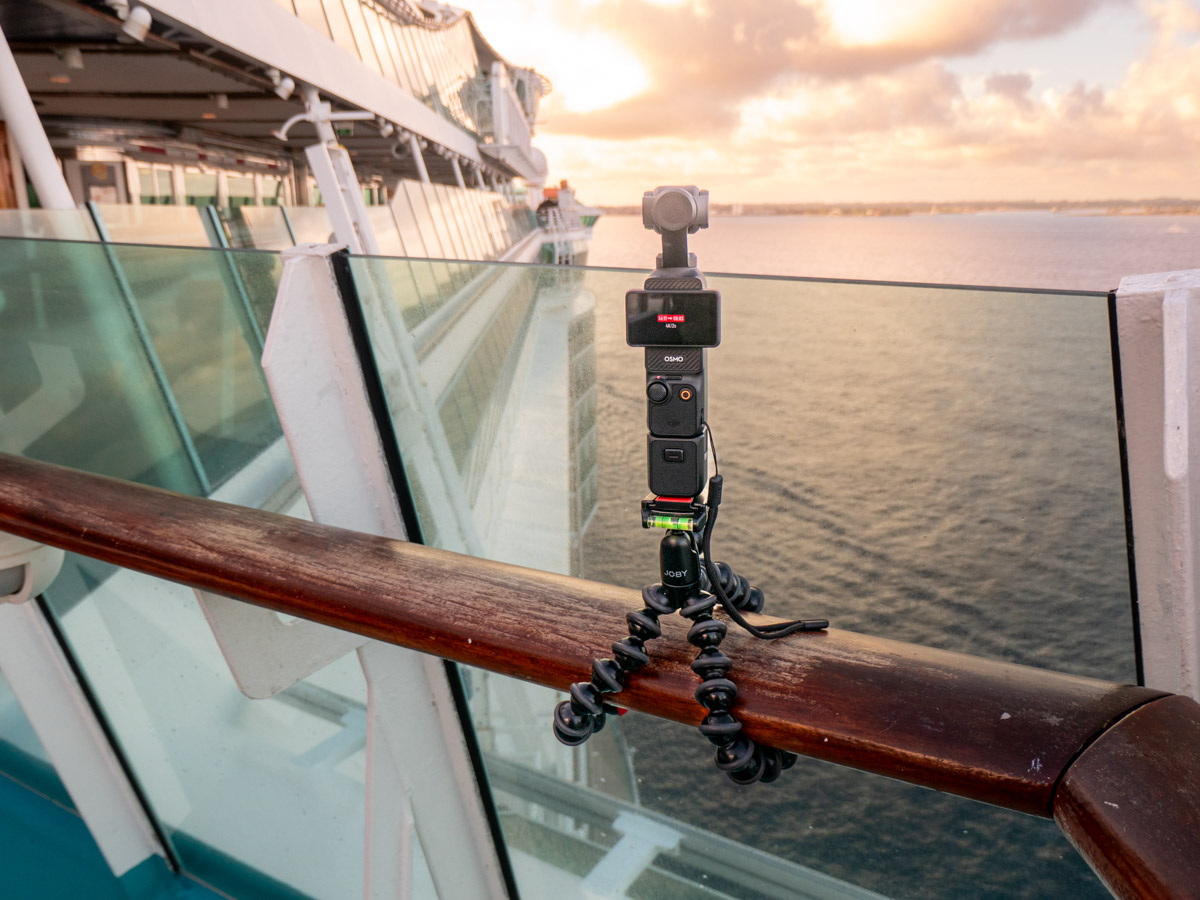
Joby GorillaPod and DJI Osmo Pocket 3 on cruise ship Independence of the SeasMy GorillaPod gripped the railing there for one of my timelapses. Then, I attached the vertical Osmo Pocket, which enabled the Osmo to barely peek over the glass barrier.

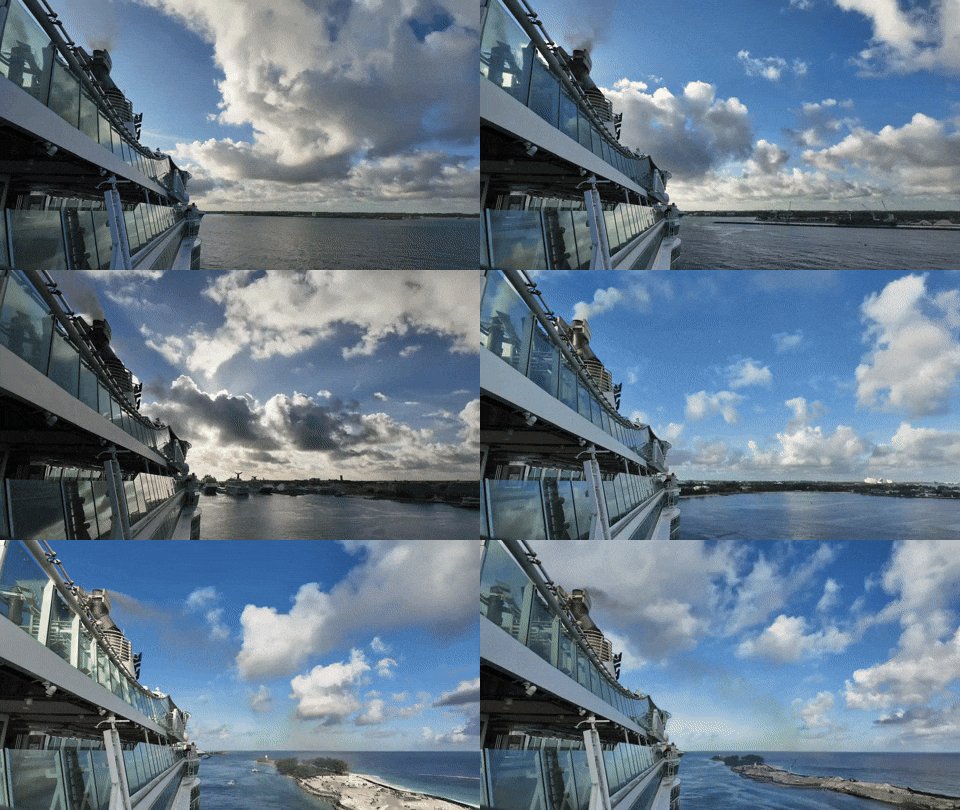
My rig held together as it captured this timelapse which showed our arrival at the Nassau Cruise Port.

Find a Flat Surface for your Tripod
I also discovered that a section of Deck 12’s railing ran by two flat metal surfaces located towards the bow of the ship. These were the foundations for the two circular glass roofs covering the Solarium whirlpools a deck below.

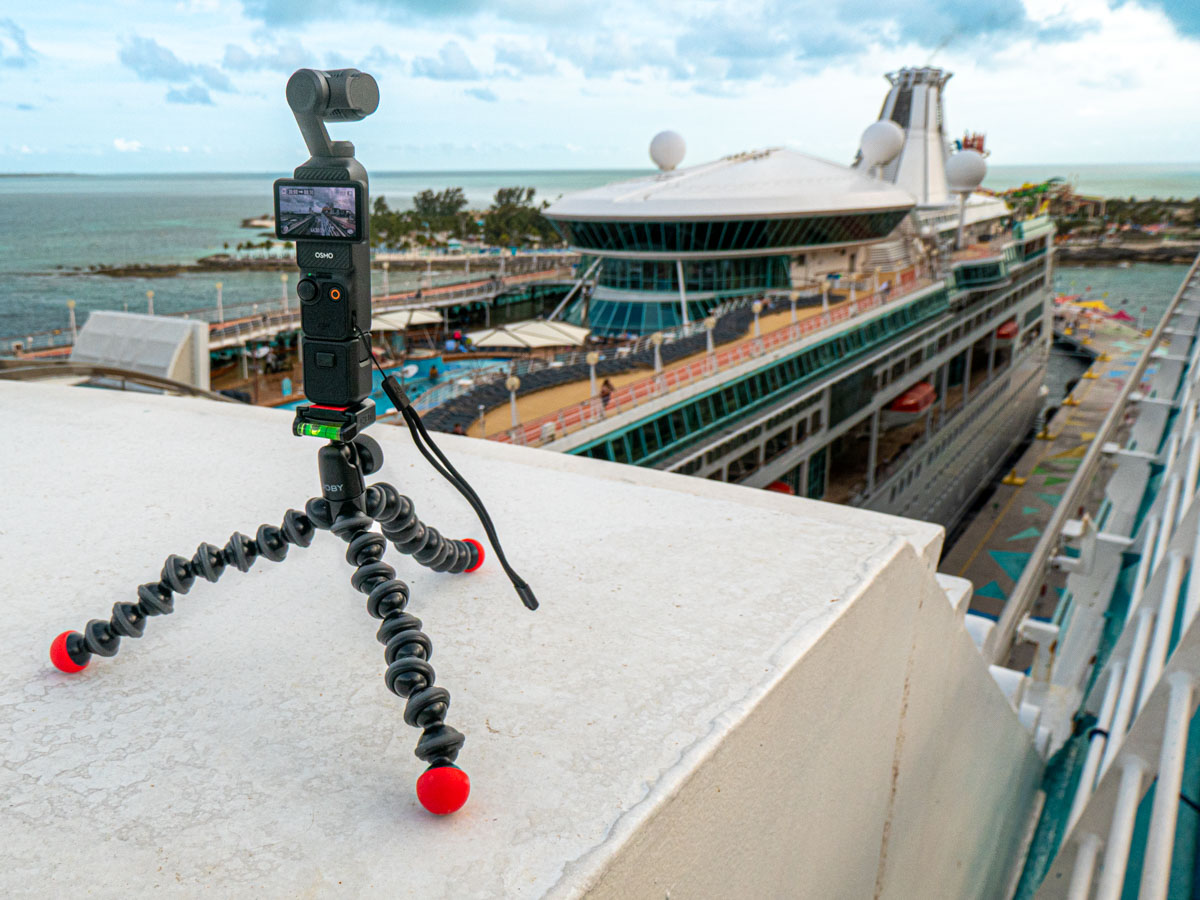
Each provided a perfectly flat surface for my GorillaPod and Osmo Pocket 3.
DJI Osmo Pocket 3 records timelapse from cruise ship Independence of the Seas.So, when I positioned my Joby and gimbal an arm’s length out from the railing, it offered me the ideal perspective (as if my camera was hovering next to the ship).

Here’s my timelapse leaving CocoCay from that vantage point…
It really helped having another ship (Royal Caribbean’s Vision of the Seas) docked there to provide additional visual context.

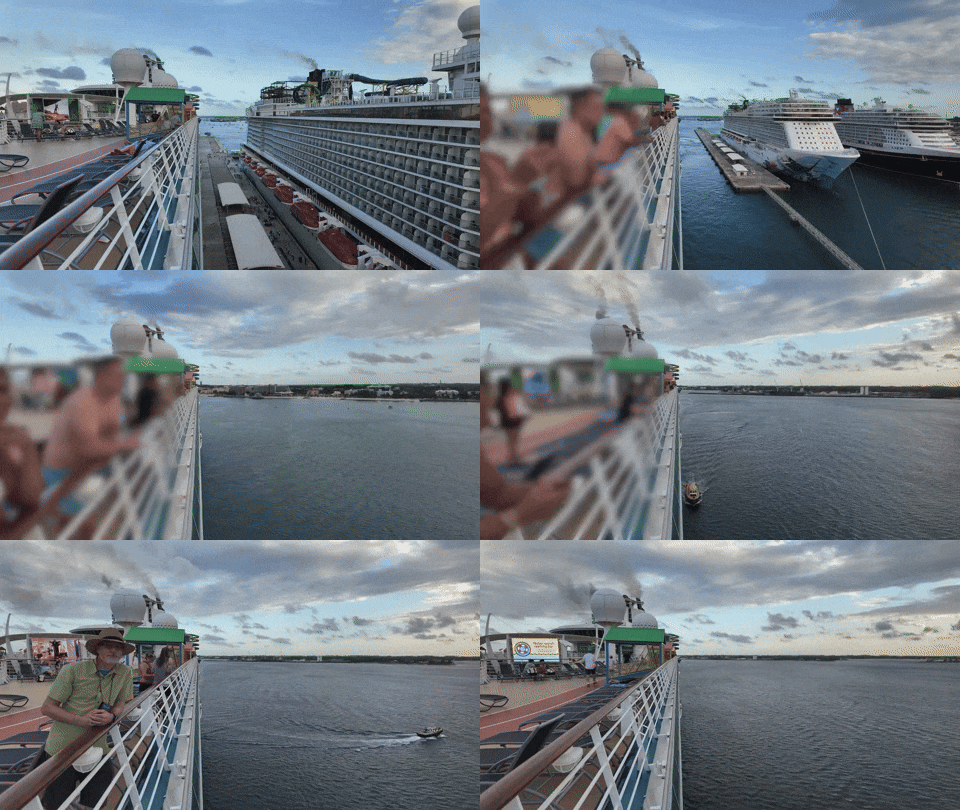
This next timelapse utilized the gimbal’s pan function, showing the view while we were docked in Nassau. (That’s the Disney Wish cruise ship in the shot.)

And here’s our departure from Nassau.
(I added a ‘Gaussian Blur’ on the left section in post to mask a couple of travelers who unknowingly walked into my shot.)
Safety Concerns
I ran these timelapses for up to 30 minutes Each frame was recorded at two second intervals. (I sped up some of my timelapses in post). That’s plenty of time to allow for Murphy’s Law to come into play. For the record, this little vacation hobby of mine was a great way to destroy or lose my gear.

There was a constant wind blowing throughout these timelapses. Gripping the railing with my GorillaPod was an unproven strategy under these conditions. Plus, standing my little tripod all on its own outside the railing on the Solarium roof offered no anchor solution (other than my hand nervously holding onto one of the legs).

A lot can happen with no net.

Tempting Fate for Creative Pursuit
My Osmo Pocket 3 could have easily blown over. A big gust of wind would have carried it overboard and into the drink. (I’m sure this would not have been the first time a camera or a smartphone fell into the ocean during a cruise.)

Happily, none of this happened, and my gear survived.

I’m not sure what it says about me that I put my camera at risk like this. I could say I took a ‘calculated’ risk. But that doesn’t change the variables. I think I just wanted the shot, and I felt compelled to try. Perhaps it simply comes from the creative fire that stirs in me and many of us.

So, should you also choose to try something like this, good luck and be forewarned.

And you might want to consider bringing along a roll of duct tape with you… that couldn’t hurt.

Don’t Forget the Basics for a Relaxing Vacation
Beyond the creative achievement and risks to create my timelapses, this simple exercise served another important purpose.

I had to slow down a few times to focus on this singular activity during our cruise, which offered a thousand other possible distractions. These half-hour immersions helped to focus me on the real star of the show… our majestic ship and its own journey. Strangely, this headline is easy to miss.

Some people hang at the pool all day to unwind. I apparently like to shoot risky timelapse videos to recharge.

All that matters is you travel your own path to relaxation… and satisfaction.

I Discovered a Klingon Prison Planet Hidden in Alaska

While flying over this glacier in the Chugach Mountain Range, fact and fiction merged into one reality, as I was suddenly transported to the Star Trek universe. Here’s what happened.

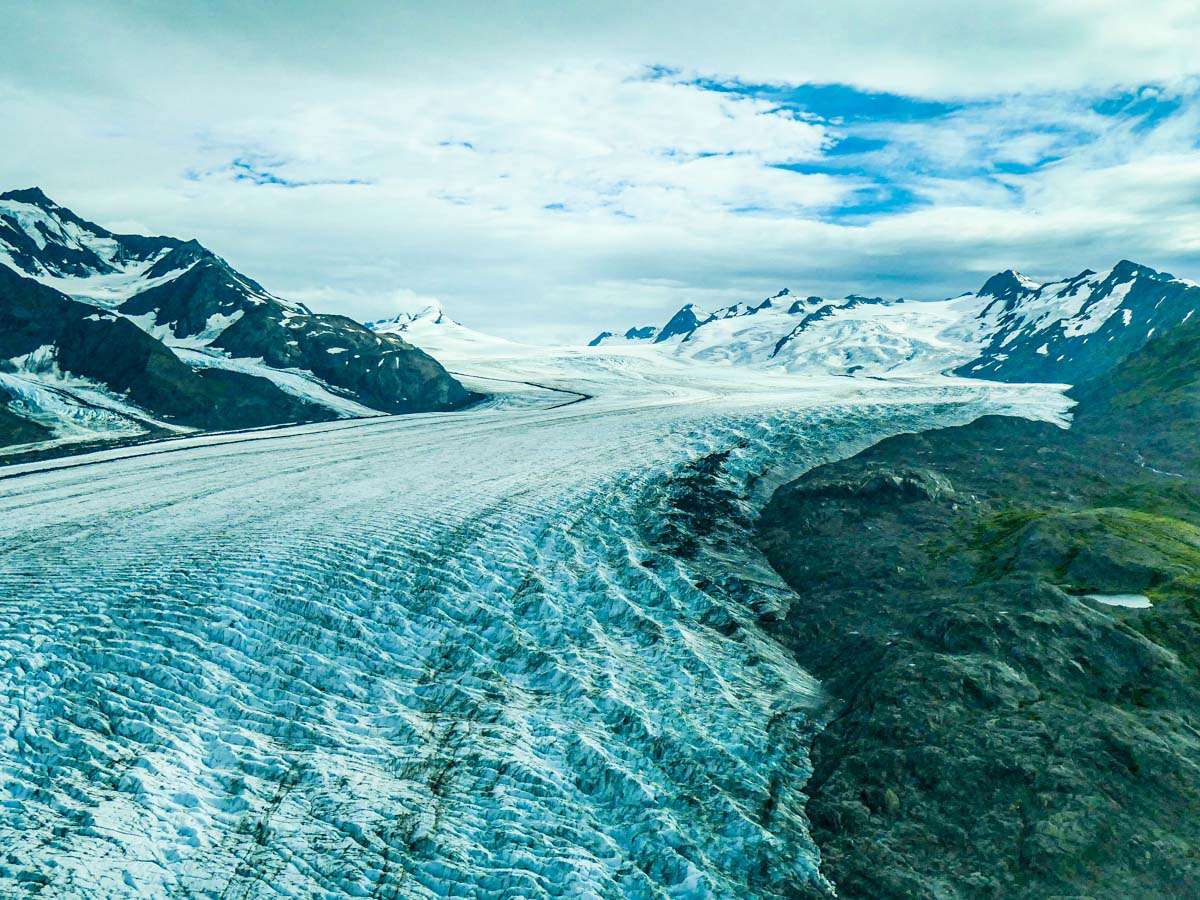
In “Star Trek VI: The Undiscovered Country” (1991), you may recall that Captain Kirk and Dr. McCoy are banished to a Klingon ice planet, and it’s home to a not-so-cozy penal colony. Spoiler alert – They don’t stay there forever. When they break out, Kirk and McCoy have to hoof it on the frozen landscape beyond the Klingon force field to send their distress signal to the Enterprise.

Today’s topic is about that fictional Klingon icy terrain. Turns out it’s not that fictional.

The Elusive Denali
On the last full day of our Alaska trip, my family and I were hoping to take a plane ride up to see the famous Denali (the tallest mountain in North America). Any other transportation route starting from Anchorage would have taken too long for our 10-day itinerary.

The big unknown was if that day would offer decent enough weather conditions to fly around Denali. And apparently, those days are few and far between. We had originally scheduled our Denali plane ride during our very first day in Anchorage. But knowing the atmospheric odds were against us, we had this back-up day planned as well. As it turned out, both days failed the weather test. Fortunately, we were also prepared for that likelihood.

Glacier Flightseeing Tour
So, the backup plan was to take a Knik and Colony Glacier flightseeing tour (by Regal Air) in a tiny Cessna plane through the Chugach Mountain Range.

Whoa! What a ride. It was simply spectacular flying right over these glaciers. Sure, we had already seen a few glaciers while hiking in the Kenai Fjords National Park and during our glacier cruise on Prince William Sound. But doing a flyover was an entirely different adventure.

It’s hard to describe exactly what it’s like to experience a glacier this way. So, let me show you. Here’s some of my GoPro footage from our remarkable flight.


The Undiscovered Country

But as the title of this post suggests, there’s a bit more to my story.

While we were passing over Knik Glacier, our pilot informed us (as a throwaway comment) that below us was where they filmed scenes from one of the Star Trek movies with Captain Kirk.

I quickly turned my attention away from the outside view.

Star Trek? Star Trek? What?! (My Trekkie mind kicked into overdrive.)

“Which one?” I asked.

“I don’t know,” she said. “I think the one with a Klingon planet.”

Klingon? Klingon planet? Klingon glacier? Klingon ice planet?

Holy Pike! It was Rura Penthe! Of course… the Klingon penal planetoid from “Star Trek VI: The Undiscovered Country!”

I blurted it out for everyone to hear above the roar of the Cessna engine. (I felt like I had just won a round of “Jeopardy.”)

The pilot smiled at me. She said with a bit of amusement, “Yes, that sounds right.”

I could tell she wasn’t a Trekkie. But she was clearly a really great pilot. That was good enough for me.

Knik Glacier is my Star Trek Nexus
When we got home, I scrubbed through “Star Trek VI” on my iPhone, and yep, there it was. Knik Glacier.

So yes, my family and I visited Rura Penthe during our Alaska vacation.

It’s a nice place to visit. But I wouldn’t want to stick around for too long.

And don’t forget, the terrain is best viewed either from a Cessna… or a Federation starship.

Best Travel Compact Camera with a Big Zoom

If you want to buy a premium compact camera with a longer zoom for your next trip, there aren’t many choices. Here’s my recommendation.

I’m planning for a vacation where my family and I will be spending most of our time in the great outdoors (rain or shine). We’ll be biking, hiking and kayaking! Based on our active itinerary, I know that besides my GoPro, I’ll only be able to pack a compact camera that’s easy to carry and won’t weigh me down.

A larger-form camera with separate lenses just wouldn’t cut it on this kind of trip. So, I’ll have to leave my Panasonic Lumix GH5 II mirrorless camera at home. (An all-in-one ‘bridge camera’ would also be too large.)

And for this trip, I’ll need a small camera with a bigger zoom than I currently own. (I don’t require a crazy reach to capture the beak of a bird, but I do want to be able to get more than wide vista shots. My old Panasonic Lumix LX10 (which is still on the market) only provides a 3x optical zoom. I want to at least double that…

That kind of camera shouldn’t be so hard to find, right?

Nobody Really Buys that Camera Anymore
Well, the bad news, if you hadn’t heard, is smartphones killed off compact cameras years ago. People simply stopped buying them.

Sure, I get it that today’s smartphones take great pictures. But they don’t yet have powerful zoom capabilities.

That’s where small premium compact cameras with 1” sensors and longer zooms should have thrived. But they didn’t. And camera manufactures stopped updating them four to five years back.

But that doesn’t mean they’re not still being sold. They certainly are.

What’s Old is New Again
But all these cameras represent older technology had the models continued to get upgraded into newer versions (which they weren’t).

So, my first hurdle when researching my options was feeling comfortable buying a new piece of gear that’s a few years old. (Was I a tech neophyte that would make this kind of rookie mistake?)

But when I realized there isn’t a newer compact camera with a longer zoom out there, I found some peace with my situation and stopped feeling like I was living in the wrong universe that had killed off this obviously necessary camera format.

To find my new compact camera with a long optical zoom, I would simply have to go back to the future.

Sony RX100 VII
Sony’s DSC-RX100 VII is the still undisputed king in this now-dead compact camera category. (The entire RX100 line has always ruled.) Every reviewer put the RX100 VII on the top of their list. And for my needs, it has an 8x zoom lens (24-200mm F2.8-4.5). That’s enough oomph.

It’s perfect. And Sony knows it.
So, it still costs $1,300 for this 2019 camera.

1,300 bucks?! Whoa.
I just couldn’t pull the trigger.

Risk/Reward Analysis
I’ll be taking a new camera into something of an adventure vacation that involves tons of outdoor time, rain or shine. I expect it to be a bit messy, and there might be some bumps and bruises along the way.

Sure, I don’t want to ruin any new (old) camera that I bring along. But the idea of accidentally dropping this gem off a cliff or running over it with my bike (I am a bit of a klutz) would worry me throughout our entire trip.

If I’m going to destroy my camera, I want it to cost less. (I accept there are flaws in that thinking.) Plus, I’d prefer to better invest $1,300 on a new lens for my Lumix GH5 II.

Panasonic Lumix DC-ZS200D
So, I regrouped and then gravitated to Panasonic for other options. I’m partial to the Lumix line as I already own an LX10 and my GH5 II. But even without that preexisting positive bias, I quickly realized that the Lumix DC-ZS200D (also known as the TZ200 outside of North America) could be the camera for me.

-It has a nice 1-inch image sensor like the Sony.

-It’s got a 15x optical zoom lens (24-260mm, F2.2-6.4)
That’s almost double the Sony’s reach even though the Lumix’s lens isn’t as fast. That said, I plan on taking most of my photos during the daylight hours. So, I don’t expect to need quite as bright a lens.

-It only $698, which I know is still a pretty penny. But it’s almost half the cost of the Sony, and its price has come down a hundred bucks since it was originally released. (That feels a little more respectful, acknowledging that this is older tech. Thank you, Panasonic.)

No, it doesn’t have a flip screen. (So, my iPhone or GoPro will have to do for selfies.)
No, it’s not weather sealed. (Neither is the Sony.) So, it won’t be taking photos in the rain. (My GoPro will handle that trick.)
But it has what I need…. the zoom.

The zoom. The zoom. The zoom.
It’s all about the zoom.

I made my decision.
Click.

Here’s a 3X zoom shot from my new Lumix ZS200D (72mm), which many mobile phones can also get you.

And here’s the 15x zoom from my Lumix ZS200D (360mm).
Same spot and distance. Big difference, right?

Other Nice Features
Yes, the ZS200D has 4K video at 30fps. Yes, it offers image stabilization. And yes, it has a flash (that could be useful for fill).

And it has the zoom I want.

The reviewers all said it’s a good camera. (No camera is perfect.)
And I think it’s still a good camera, even though it is a few years old.

Amazon sells it for $697.99.

A Few Not-So-Optional Accessories
I also picked up a case to help protect my new camera from the elements. I’ve been happy with my MegaGear case for my Lumix LX-10. So, I bought the version that fits the ZS200D for $39.99.

Of course, the camera doesn’t come with a memory card. I purchased a SanDisk 128GB Extreme PRO UHS-I SDXC Memory Card for $22.99.

Ready for Action
If you want the perfect travel camera with a bigger zoom that’s still really compact, and price is no object… the Sony DSC-RX100 VII is the camera to buy.

But if you’re going to the wilderness and uncharted waters and don’t want to bring such an expensive item along, I believe the Panasonic Lumix DC-ZS200D is the better all-around choice, especially for daytime photos.

It’s still a solid camera, and its extra zoom reach compared to the Sony is a nice plus.

Now, I’ve got my Lumix ZS200, and I’m ready to pack it along with my GoPro HERO11 Black.

I’m ready for our trip… to Alaska!