
Best Way to Quickly Reset your Zoom Shot after You’ve been Kicked out of your Home Office

Here’s a trick that can help you instantly relocate your laptop to another Zoom-friendly location at home when you’ve been unexpectedly banished from your usual room.
By now, we’ve all identified our preferred Zoom meeting locations at home where you can stream yourself to your world. Beyond finding a quiet space that’s not in the middle of your family’s normal traffic patterns, there are other factors that can make a particular corner Zoom/Teams/Google Meet-friendly.
For me, being close to natural light near a window is important. That’s an easy way to properly illuminate your face. That said, it’s not too hard to power up a small battery-powered LED light or a ring light.
Setting up in front of a relatively organized and clutter-free background is always a best practice to demonstrate some visual order and professional look in your shot. You probably don’t want to show off an unmade bed with unfolded towels and underwear fresh from the dryer heaped on top. (Of course, simply use a virtual background for an easy fix.)
The Most Important Detail in a Good Zoom Shot
Fundamentally, the one detail to nail when generating a flattering Zoom shot is to simply position your laptop where its webcam is at the same level as your eyes.
Your webcam should point horizontally to your eyes. It shouldn’t be focused up your nose towards the ceiling. (This unflattering angle is what you’d normally get if you’re sitting at your desk with your laptop). So, you need to somehow elevate your laptop.
One way to MacGyver that is to stack a few hard-cover books and then carefully place your laptop on top.
Always Have a Backup Plan
Angles. Books. Windows. Backgrounds. Who knew we’d be simulating TV live shots from home a few years back? But we’ve adapted.
The only problem is life invariably happens, and you may suddenly find yourself temporarily displaced from your normal Zoom set up. Then you’ve got to wing it and quickly find a flat surface somewhere else in your home to move your laptop for your next Teams meeting in three minutes.
And that can be harder to find than you may think, considering your family’s needs competing for the same spaces. (The inherent challenges of multiple concurrent remote meetings.)
Wouldn’t it be great if you could just magically plop your laptop wherever you wanted, even if there’s nowhere to put it?
 A portable floor laptop stand can do exactly that for you.
Portable Laptop Stand
It’s effectively an articulating standing tray that you can grab with one hand as you escape into another room with your laptop. Think of it as a tripod for your webcam and simultaneously a portable standing desk for your laptop.
Laptop stands are usually designed for presentations on stage or video/media production work, but why can’t you have the same access to this solution for home use?
Another superpower for this kind of stand is it will bring your laptop back to eye level wherever you go, because you can easily adjust its height. No more need to stack books.
And you can fold it up when you’re done.
Time to Choose
Buying one is simple. There are numerous choices online in the $40-$50 range. Some are more expensive, but I don’t think it needs it to be built like a tank to withstand abuse. I know I’ll treat it well at home. I just want it to be steady and not fall over. (That would be bad.)
Amazon has a variety of choices. Here are three options:
- Neewer Deluxe Laptop Stand
$40.59
36”- 51” height - Amazon Basics Multi-Purpose Adjustable Portable Tripod Stand
$44.65
36”- 55” height - Samson LTS50 Laptop Stand
$49.83
30”- 47” height
I bought the Amazon Basics model, not because the Amazon Basics brand screams ‘best quality,’ but because it’s the tallest. So, when I choose to use it while standing, that would be best for my height.
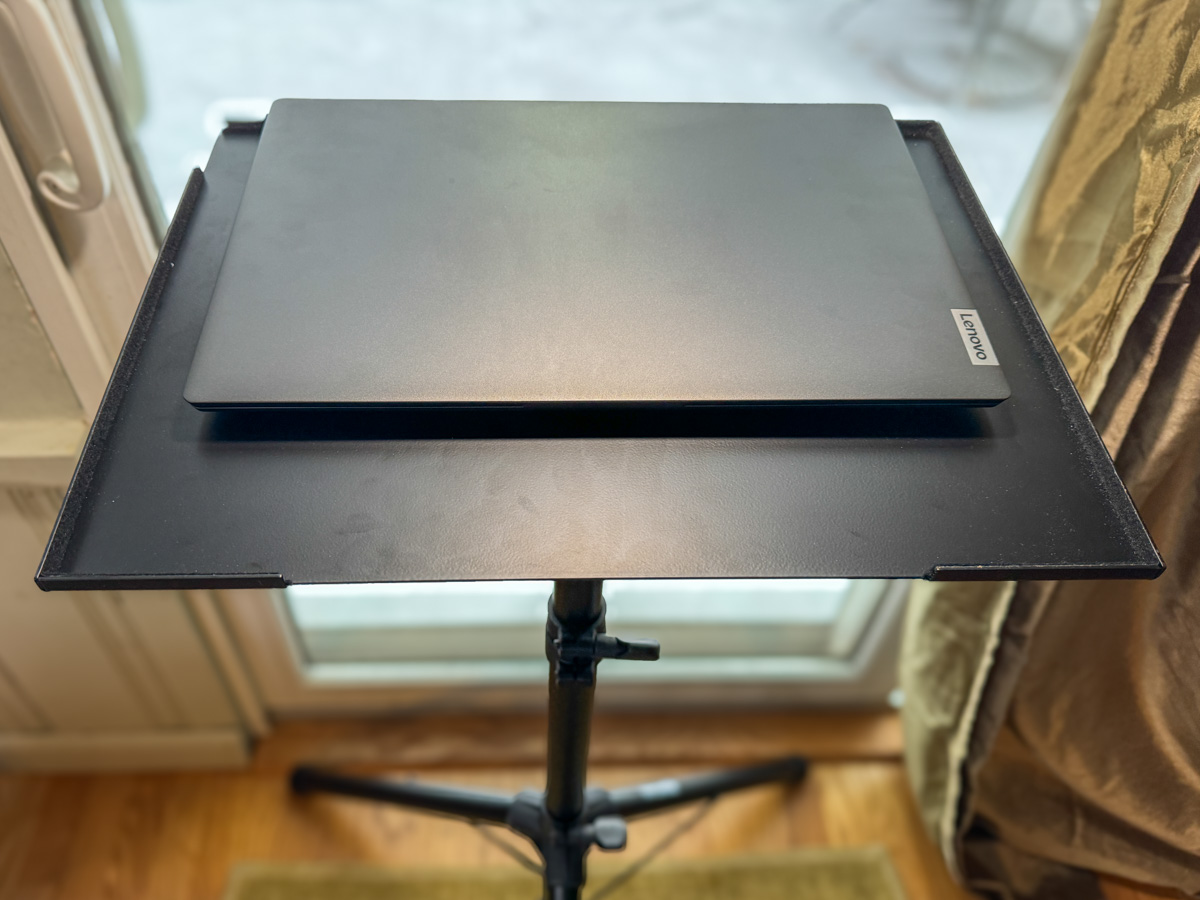 And it works just fine. In fact, it’s plenty beefy at over 10lbs. You can use it for your laptop, portable projector or any other piece of tech that needs a pop-up surface.
The Importance of Maintaining Visual Communication
Of course, you could always choose another path that sidesteps this entire challenge. Just don’t turn on your webcam. I know many folks follow this practice.
But I’ve said it before… If you want to stay connected to your world from the comfort of your home, you’ve got to show up for your close up.
Always keep your webcam on.
And a portable laptop stand can help make that all the easier no matter which room you’ve been banished to!

 At Home with Tech