
How to Protect the Camera Lenses on the Back of your iPhone
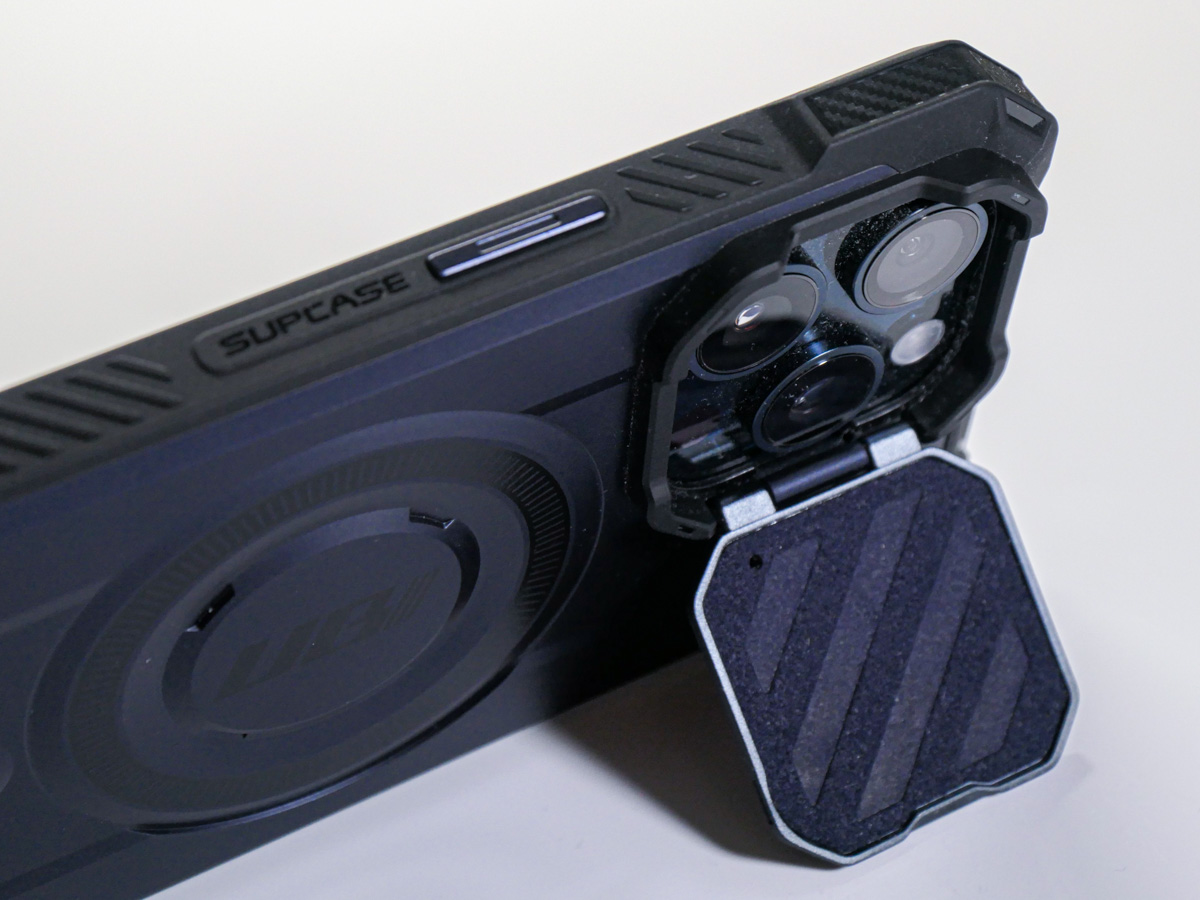
If you worry about destroying your iPhone’s three camera lenses, you might want to consider buying a case with a lens cover.
In many ways, the most prominent feature of an iPhone is its camera system. Being able to make a phone call these days is almost an afterthought. And those three camera lenses on recent iPhones are fairly large. Long gone are the little lens dots on the back of smartphones.
As I began to consider my daily life with my brand-new iPhone 15 Pro Max, I thought about how to best protect its three lenses from damage. Of course, I know I’ll be constantly placing my new iPhone on various surfaces facing up to maximize its ‘always on’ trick. (Love that!) And in practicing this technique, my iPhone will always rest on its camera lenses.
That doesn’t feel quite right.
A Standard Case Won’t Cover Every Danger
Sure, many iPhone cases have a lip surrounding the lenses that prevent direct contact. Other cases can even out the back side of an iPhone, so it becomes one flat surface without the lens bump. Then, they won’t protrude at all.
But those three lenses are still unprotected and exposed to the grimy elements.
You wouldn’t mistreat any other camera lens that way. You’d have a lens cap for it, right?
What happens to those three iPhone lenses after daily contact with any number of surfaces? Wouldn’t that eventually smudge and scratch them, affecting the optics of all your photos and videos?
Sure, the little camera lenses are natively constructed with sapphire crystal lens covers. Does that make them impervious?
A Genius Perspective
So, I brought my concern to a couple Apple Genius’s when I picked up my iPhone 15 Pro Max at the Apple Store.
One mostly brushed off my question as irrelevant. He said that he simply wipes off his iPhone’s lenses for smudges and they’re ready to go. He said otherwise, he “doesn’t think much about it.”
Whenever I visit an Apple Store looking for answers, I often quiz multiple Geniuses. So, I kept going…
I found another Apple Genius who appeared more analytical. (Maybe it was the glasses.) He told me that all flat clean surfaces were safe to rest an iPhone on. I should just be mindful of avoiding gritty surfaces. Those “might” scratch the camera lenses.
I felt a bit better with that answer. But life isn’t flat and clen. Life is gritty, especially when you least expect it.
An iPhone Case with a Lens Cover
The standard solution of simply wiping off my three little lenses with a microfiber cloth (or my sleeve) just wasn’t going to cut it. I knew I wanted a more comprehensive plan.
Question: Had any iPhone case manufacturers yet designed their cases with a dedicated lens protection solution? After a little quick Googling, I realized that in fact, yes… some of them had.
Though I may be in the minority for wanting this extra protection, I decided to buy an iPhone case that offered a protective lens cover.
Cases for new iPhone models take time to enter the market. So, I looked for a quick and dirty solution to help my iPhone’s lenses avoid the grit.
I found two types of cases built with little plastic covers that shielded the camera lenses. They moved one of two ways:
- Sliding over and away (left to right)
- Folding over and back (like a little door)
SUPCASE Closed-Door Solution
I ended up trying out the tiny door concept with the SUPCASE UBMag XT Case.
Amazon has it for $26.99.
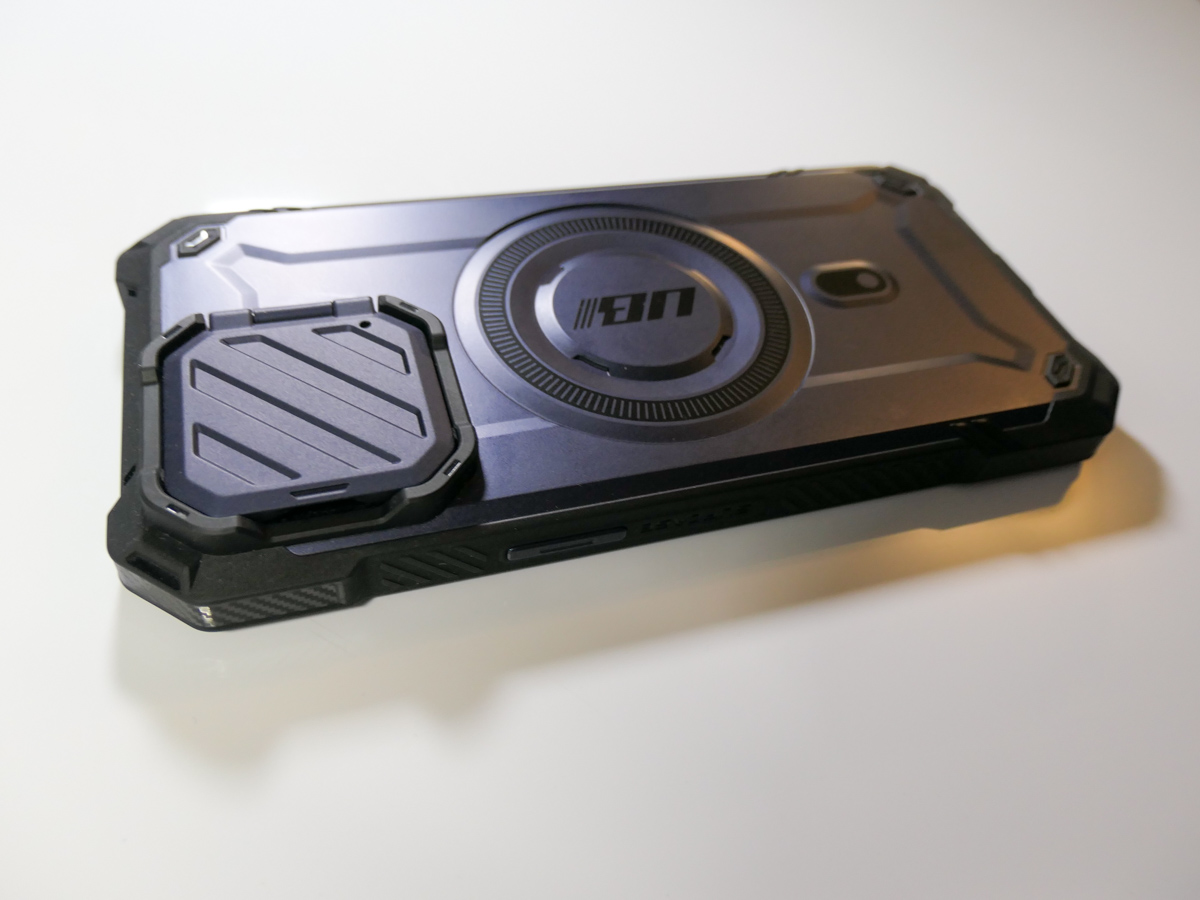 The little lens door locks in place when it’s closed and is appropriately stiff as you move it. (The plastic flap doesn’t swing around when it’s open.) The door can also double as a kickstand for your iPhone.
The SUPCASE allows for MagSafe charging and magnetic grip, and functionally works just fine.
Most importantly, the “closed door” gives me peace of mind as I move my iPhone and its three camera lenses around.
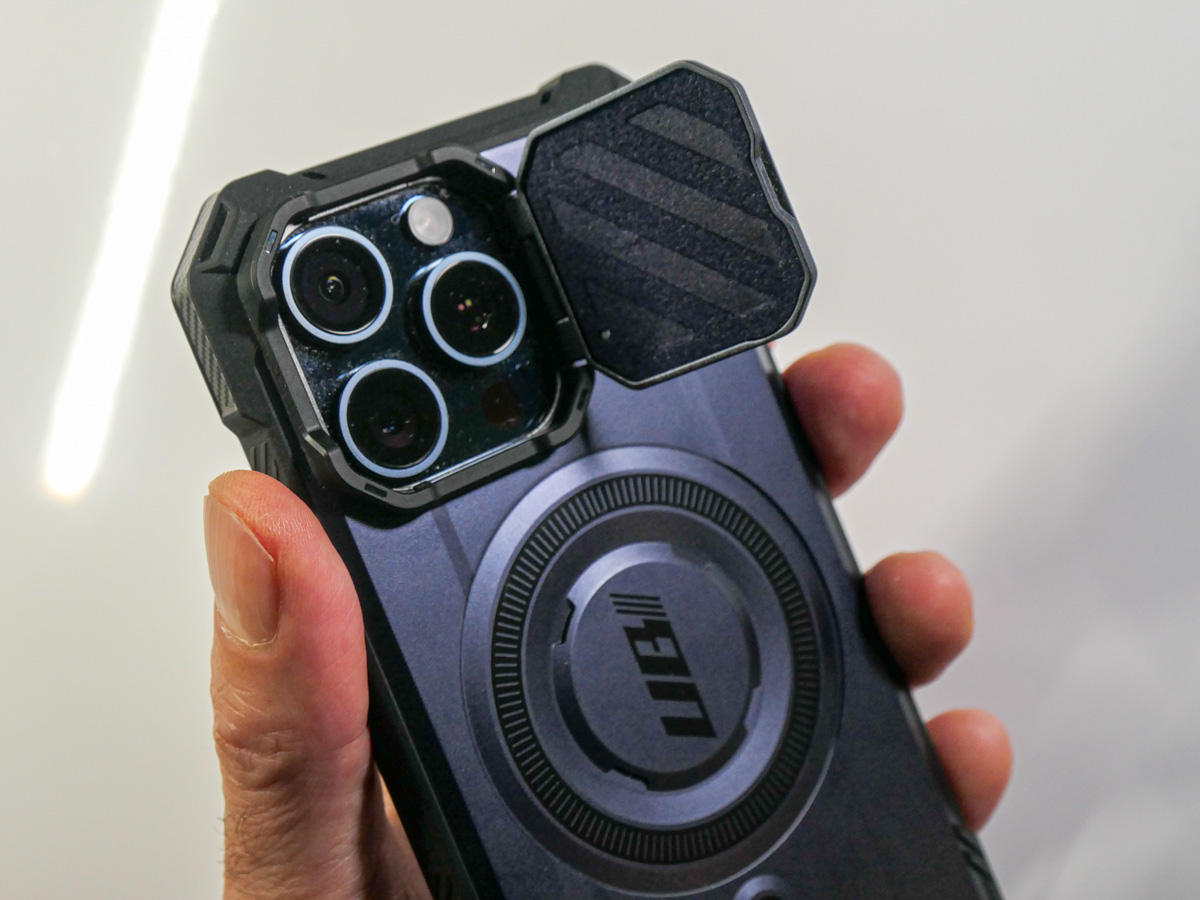 All this said, the lens cover does require the extra step of opening it before taking a photo. So, in those spontaneous moments, you’ll inevitably lose a second or two before getting off your first shot.
Cautious Optimism
I wanted immediate protection for my new iPhone, and for a case in the sub $30 category, this was a solid choice. It’s a good way to begin ahead of other iPhone 15 Pro Max case options entering the market.
Does that mean I’ll eventually upgrade to another case? Perhaps. No case will last through your iPhone’s expected lifetime. My iPhone cases have all shown wear and tear long before that. But isn’t that the whole point?
The case takes the licking, and your iPhone keeps on ticking.
(Wait…that’s another brand.)
Bottom line: My three new camera lenses now have their extra layer of protection. Do they actually need a cover? Who really knows for sure…
But the idea of it certainly makes sense to me.
Case closed.
 At Home with Tech