At Home with Tech

Unlock the power of all your technology and learn how to master your photography, computers and smartphone.

Tag: iPhone SE

4 Smart Strategies for Buying Tech for Your Teen

A teenager wearing wireless headphones stares out of a window onto a city street.
How to go about buying expensive technology for your teenager can be confusing and often a challenge. Here’s what I do.

We all know how expensive personal tech can be. The price points don’t change for your kids and teens. Tech is tech.

As a parent of a teenager in high school, it’s already been a couple years since I faced the reality that toys are for kids, and he’s not really a kid anymore. When I shop for our son, he wants (and often needs) the same tech as I do.

That said, the gear we all use is often available at a variety of price points. So, when shopping for our teen, yes, I’m inclined to first look at the lower end, but I’m also mindful to get him something ‘good.’ 

I don’t want to fall for ‘a deal’ on a model that’s subpar. A bargain is not always good value in the name of trying to save a buck. Not for me. Not for my boy.

So, I do find it a complex balancing act as a parent, and I must admit I carry some baggage to this shopping equation.

My Father Got Me Used Tech
I recall the moments my own father gifted me the tech I craved when I was a kid… a stereo system for my room and later a cool Sony Walkman. What I also still remember was the stereo was in an already-opened box, and my Walkman had an annoying dent in its metal frame (but it worked fine).

Not to diss my dad, who passed away in 2022, but the memories of these slightly used gifts still kick around the back of my brain. 

Sure, he was probably going through the same questions as I am now as a father. And he made some choices. And just so you know, it wasn’t an affordability question. There are a few other details, but they don’t change the facts. Nor do they blunt these feelings decades later.

Finding a deal for yourself is one thing. Shopping for a discount for someone else’s gift can be entirely different. As we go through this topic, I just wanted to reveal this story as I share my own gifting strategies as a dad.

Of course, I look for reasonable and smart ways to buy tech more affordably for my son. But I also don’t want to repeat the gifting mistakes my father did.

So, all this said, here are four ways I’ve been trying to navigate this tech terrain as a father…

#1
Start at the Entry Level

As any number of tech product categories mature, less expensive versions eventually show up. They’re usually not as good. But sometimes… they’re almost as good and often in the ways that matter most. And that’s where I look for gifting opportunities.

I like this approach especially with the brands we already know and love. Apple’s iPhone SE is a great example, and yep, my son has one. I actually bought it for myself as a ‘transition phone’ after I drowned my old iPhone. (That’s a whole other story.) Later, the SE went to him.

Not every entry level choice is the right move. You’ve got to do some homework.

#2
Shop for Yesterday’s Best

Sometimes, last year’s model at a discount is still a great choice. How much better is the newest version really going to be?  

And most importantly, last year’s great model can be a much better choice than a cheaper model that’s brand new. Shopping for price is only one piece of the equation.

I recently applied this shopping strategy for a pair of noise-cancelling wireless headphones for our son.

I went with the older Bowers & Wilkins Px7 S2 Over-Ear Headphones. They received amazing reviews. But there’s a newer model: the Px7 Se. Yes, that’s the latest-and-greatest (unless you must have the even more expensive Px8).

But the discontinued Px7 S2 was still for sale and at a nicely discounted price. So, I bought it. 

I think the Px7 S2 was a really solid choice. And most importantly, my son loves his new headphones.

Always remember to take a look at yesterday’s best.

#3
Don’t Skimp on the Guts of a Computer

We’re an Apple family. So, of course my son has a MacBook. I got him the MacBook Air. No… not the more expensive MacBook Pro. But I made that choice also because the MacBook Air is so good. And I bought the current model at the time. 

Sure, I could have saved a couple hundred dollars on last year’s model. But in this circumstance, I didn’t follow my ‘yesterday’s-best’ strategy. I applied a different shopping strategy for computers. 

I always like to buy the current model with the newest chip. That choice can help the laptop last at least an extra year or more at the back end of its life cycle.

Same rule for me and our son.

#4
Brand Often Matters

Not every model that a well-known brand sells is going to be good. Again, you’ve got to do your homework. But if you’ve got to put your trust somewhere, I think it’s smart to stick with the brands you already know. 

This may seem like an obvious point when it comes to big-ticket items, but for any number of accessories, you’re going to come across plenty of manufacturers you don’t recognize.

Be careful. I’d say it’s not worth taking the risk to save a few bucks. Sure, there are exceptions, but there’s already a fair amount of playing the odds when you shop. Why not stack the odds in your favor?

Shop Smart
Buying tech for your teen should follow the same smart shopping strategies for any purchase:

  • Identify a quality product.
  • Only get the features you need.
  • Then find a good price.

Of course, there’s always the hand-me-down strategy (like My iPhone SE). Nothing really wrong with that (although teen Barrett would probably have taken issue with it).

But if you’re making a purchase, yesterday’s best is usually the perfect place to start your search.
Is There a Wireless Charging Stand for iPhone SE?

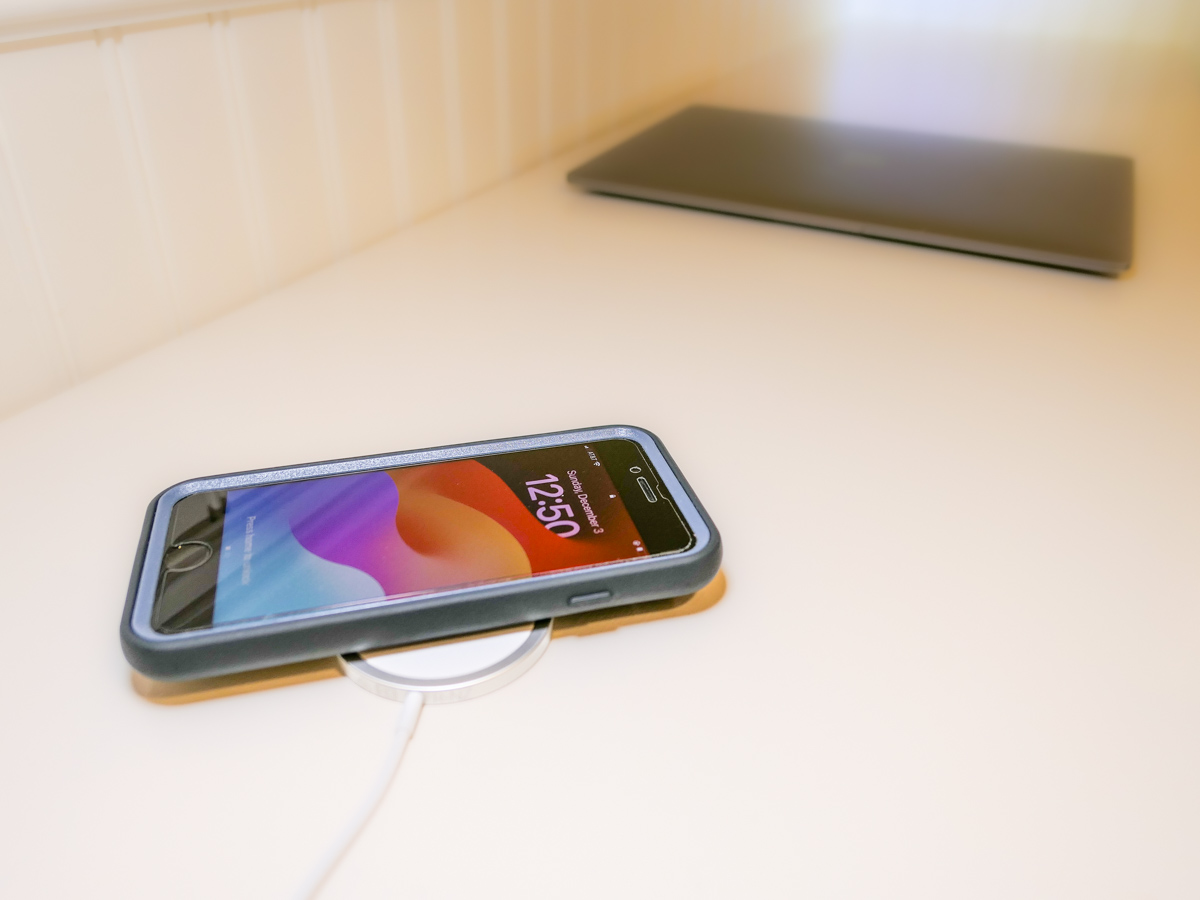
Even though iPhone SE isn’t built with MagSafe magnets, you can still charge it wirelessly. But it won’t stick to a charging pad. Thus begins my journey for a workable solution.

By now, it shouldn’t be this hard to figure out how to charge up all your gear. But if you’re like my family, you’ve got different versions of the same device (like iPhones) running simultaneously. So, over the years, I’ve collected various chargers that could keep powering newer tech. That’s good, right?

But the charging equation is complicated now that the tech industry sells much of its gear with the ‘bring your own charger’ sales strategy. Then, you’re forced to figure out how to power your new device. You need to immediately run through the compatibility equation with your existing power blocks.

Yesterday’s chargers may not be strong enough to handle today’s power-thirsty tech. And in a family where the kids are likely using older gear than the adults, every charger won’t work across the board.

And the complexity doesn’t stop there. There’s fast-charging technology and wireless-charging to also consider.

Wow. Do you also feel it’s hard keeping up?

Barrett’s Recent iPhone Purchases
Some months back, I had a little kayaking mishap, and my old iPhone XS Max drowned only weeks before iPhone 15s came out.

So, I decided to buy myself a new iPhone SE to hold me over with the plan to later gift it to our 13-year-old son.

For that period, I stuck with the standard Apple 20W USB-C Power Adapter and lightning cable. But when I ordered my new iPhone 15 Pro Max, of course I quickly upgraded to Apple’s MagSafe wireless circular charging pad.

No Click-and-Stick for the SE
When I had a moment to stop fixating on my new flagship iPhone, I turned my attention back to the scrappy but still totally capable new SE. I wondered whether it couldn’t also charge wirelessly. (Yes, I was totally enamored with the belated joy of wireless charging.)

Unfortunately, the basic iPhone SE doesn’t contain the magnets for MagSafe functionality. But yes, it actually can wirelessly charge if placed properly on top of a Qi charger.

That last detail didn’t thrill me. Without that magnetic ‘click-and-stick,’ you can easily miss the charging connection lock by a few millimeters and end up in the morning with a smartphone that’s not ready for the day.

Stand vs. Pad
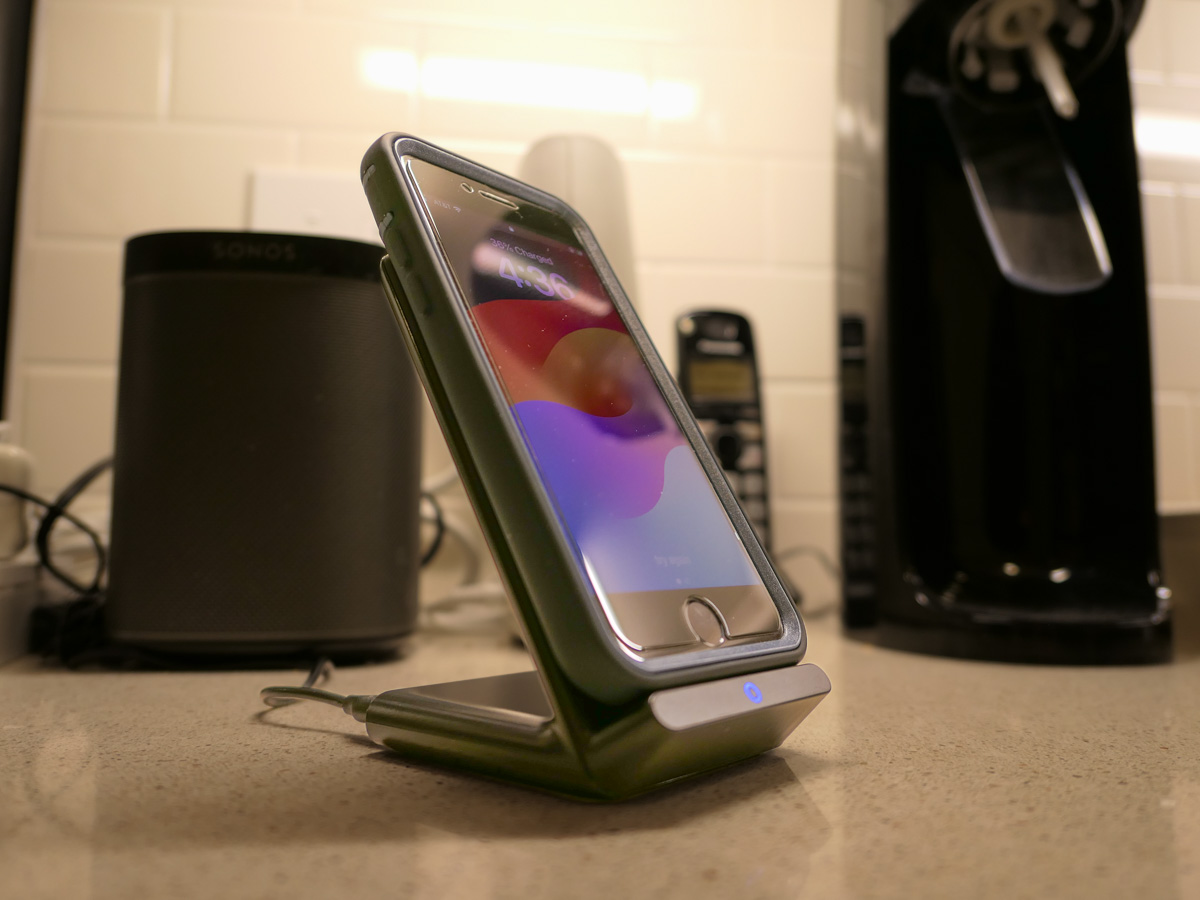
But I figured if I could find a solution where the iPhone SE fit more snugly into place, like on a stand vs a pad, that could be a better system for charging success.

Unfortunately, Apple does not sell a wireless charging stand without a MagSafe connection requiring iPhone levitation. So, I had to turn to other manufacturers…

Fortunately, I found two brands I trust that offered what I needed.

Anker 313 PowerWave Wireless Charger Stand
Anker makes a Qi-certified, tilted stand that an iPhone SE can safely lean on without relying on MagSafe.

The stand is boxed with a Micro USB to USB-A cable that connects to a USB-A wall charger. But it doesn’t come with the charger. You’ve got to provide that separately.
Anker states that you can’t use one of your old Apple 5V/1A stock chargers (the original tiny white block). Not powerful enough. You need a minimum of 5V/2A output. An iPad charger will work if you believe in sharing one charger for different devices. (What could go wrong with that plan?)

So, I knew I also needed a new power block.

Anker PowerPort+ 1 with Quick Charge 3.0
I read the fine print on the Anker stand’s power requirements to maximize its capabilities. My mind started to melt.

I immediately searched for a shortcut and landed on Anker’s only small USB-A charger. (All of their other models are USB-C.)

With both stand and charger, the Anker price is $30.38.

Belkin Boost Charge Wireless Charging Stand
Belkin offers an all-in-one solution, which you may feel is more elegant that my MacGyvered Frankenstein Anker plan.

You don’t have to figure out which charger block to buy. A Belkin charger comes packaged with the stand (which is similar to the Anker model, though more rounded).

I Bought the Anker Wireless Charging Package
I think both the Anker and Belkin options are solid choices. That said, the Anker stand and charger is only 30 bucks vs $45 for the Belkin option.

Based on this pricing differential, I went with Anker.
Click.

Fast-Charging is Always Helpful
All I really wanted was an overnight wireless charging solution for our iPhone SE. And now we’ve got that.

But as it turned out, I’ve also put in place a fast-charging solution with the Anker 313 Stand and PowerPort Quick Charger for any number of our current and future devices.

As much as I prefer the overnight charging rule for our son, what could possibly go wrong with that rigid strategy combined with the complexities of busy family life?

We all sometimes need a little quick boost of power in the morning.

And so do our devices.

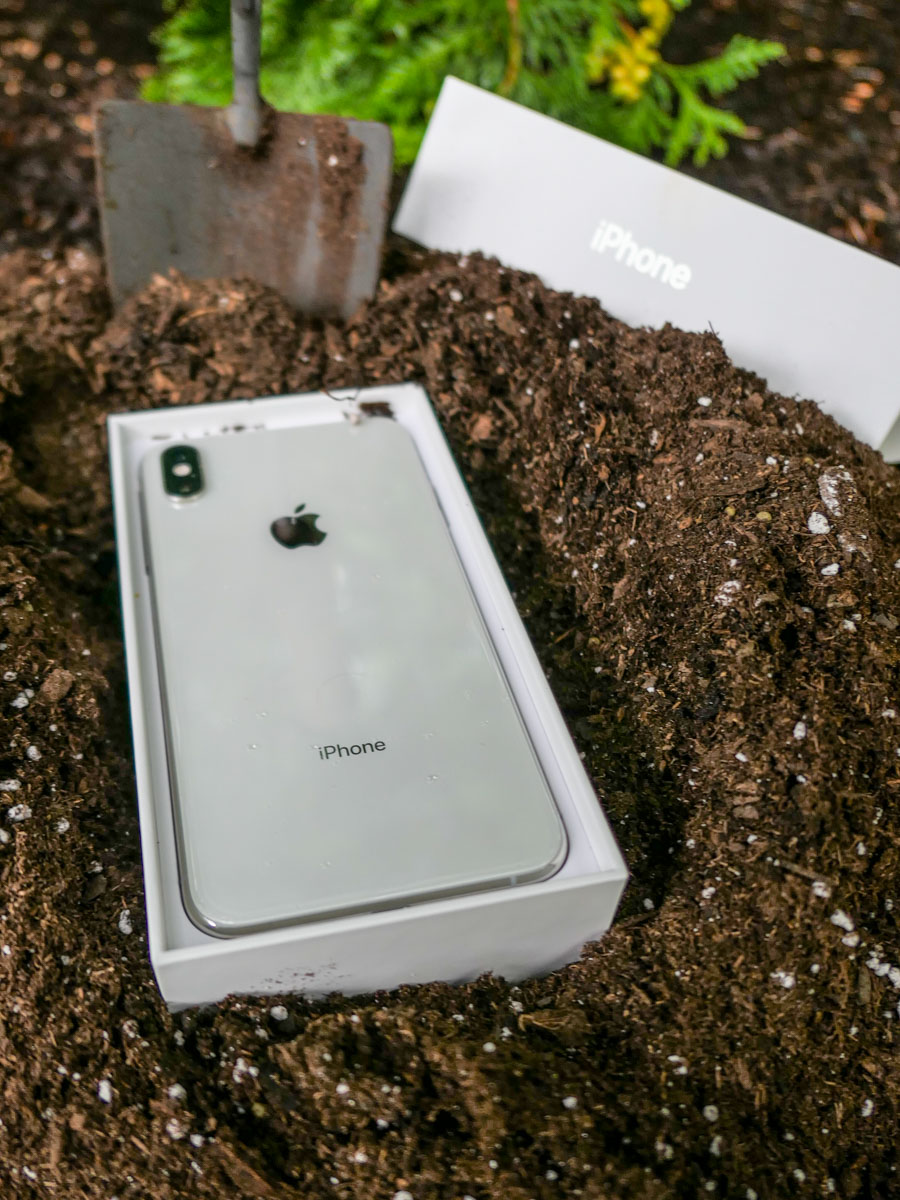
R.I.P. My Dear iPhone

There are any number of ways that an iPhone can die. It’s particularly painful when it’s due to human error. Here’s how I killed mine.

The opening scene fades up on a beautiful shot of my wife and me enjoying an afternoon kayaking excursion while our son is away at sleepaway camp.

It was a sunny, summer Saturday, and we were soaking in our experience. Our kayaking route took us a mile and a half out to a little island near Norwalk, CT.

It was all perfect. But there was turbulence for me ahead.

A Three-Hour Tour
I had taken precautions to protect my iPhone and wallet by stashing them in a water-resistant belly bag.

When we approached the shoreline of the island, we had to, of course, pop out of our kayaks and take a few steps through a foot of water to complete the first half of our journey.

Those fateful steps turned out to be a doozy for me…

The Sinking of the Barrett
I immediately began to lose my footing as I struggled to stand upright. And with each step, I moved into deeper water, continuing to slip on the slick stones beneath. There was also a bit of current that further pulled me off my balance.

I know I can continue to make excuses, but as I’m sure you’ve surmised by now, I simply fell in.

And yes, my belly bag fully submerged in the salty water.

I pulled myself out of the drink as fast as possible, unzipped the bag and peered inside. Both my wallet and iPhone were drenched, although they were not resting in a pool of water. My belly bag had at least prevented that.

I emptied my precious contents and placed them on a flat piece of wood in the sun that was conveniently positioned on the sand in front of me.

My iPhone was blinking the Apple logo, trying to reboot itself.

Uh oh. That wasn’t good.

So, I powered it down, hoping that my iPhone would dry out over the next 24 hours and return to its normal state.

But it didn’t. The next day when I turned it on, my iPhone struggled to boot up and then promptly crashed, regressing back to the Apple logo.

My next step was a desperate visit to Apple’s Genius Bar.

My Experience at Apple’s ER
It felt like I was in an emergency room watching a failed attempt to preserve life. My iPhone lay on a table, plugged in to a diagnostic monitor. Its life was draining away.

The Genius Bar technician grimly evaluated the diagnostic scan. The store manager and a sales specialist watched with me. I signed a waiver allowing my phone to be wiped in a last-ditch effort to bring it back to life.

And then it was over. My iPhone had flatlined.

There was no hope. The Apple Genius called it at 12:33pm.

DOA. Repair not possible.

How to Move On
At 12:34pm on an August Sunday, I had officially lost my beloved iPhone Xs Max, my constant companion for the past five years.

Yes. If you were wondering, I had not just drowned a newer iPhone model. Still, I had paid a whopping $1,249 for it. But time marches on, and my phone was clearly past due for replacement by the ‘Lester Operating Standards.’ And I was looking forward to upgrading to an iPhone 15 model this fall.

Soon. But not soon enough. That window wouldn’t open for another six weeks or so.

Of course, I immediately needed another phone.

But I didn’t want to pull the trigger on an iPhone 14, because that will shortly be last year’s model.

Then, the solution hit me.

I wasn’t the only Lester who required an iPhone. There was another.

The Lester Family Plan
My thirteen-year-old son needed an iPhone, and I was planning on getting him an iPhone SE during my planned Apple Store visit for my iPhone 15. It was to be a father/son trip. We’d get our iPhones together.

But that well-planned moment evaporated the moment my old iPhone died.

Of course, I’d need to buy the iPhone SE now and use it as a bridge for the next two months before handing it over to the next generation.

Yes, that meant a variety of compromises, but I knew I could handle going old school for the next two months.

Everyone at The Apple Store following my predicament approved of my strategic choice and within minutes, I had a new iPhone in my hand.

Error in the Cloning Process
The iPhone SE began sucking in my iCloud data. But I quickly realized something was wrong as it tried to fully replicate its former self.

I had missed a simple step in my iCloud back-up planning. And now, that would cost me.

Next time, I’ll explain what I did wrong, and how you can avoid my fate…