At Home with Tech

Unlock the power of all your technology and learn how to master your photography, computers and smartphone.

Tag: nature

How to Use an Apple Watch as a Remote to Snap a Better iPhone Photo

If you should come upon an amazing vista and desire a picture of yourself using your iPhone’s rear-facing camera, you can use your Apple Watch as a remote viewfinder to frame the shot. Here’s how.

I’ve often found when using my iPhone’s camera that one of my biggest challenges has been framing enough of the environment into a selfie pic. This has been especially difficult when I’m also trying to jam several people in. Sure, capturing all of the faces is hard enough, but if you can’t see where everyone is, the picture has limited value.

Of course, the solution is to move the iPhone to a distance beyond your arm’s length, which will get you the wider shot. But then, it’s not a selfie anymore. Well, not exactly. Let’s call it an ‘extended selfie.’

But how do you take the picture if you can’t touch your iPhone?

Camera Remote App
If you also have an Apple Watch, you can use it as a remote for your iPhone’s camera. The Apple Watch’s native Camera Remote app essentially controls your iPhone’s camera and offers a convenient 3-second countdown after you tap the shutter button. That should give you plenty of time after your look down at your Apple Watch and tap it to then look up at your iPhone’s camera in the distance.

Easy Activation
To turn on your Apple Watch’s Camera Remote app, you can simply proclaim to your iPhone, “Hey Siri, take a picture.” Or if it’s too noisy around you, you can also tap the app’s icon on your Apple Watch’s screen.

The Value of Using a Remote Viewfinder
This Apple Watch app can control the front or rear-facing iPhone camera. So that means you can take advantage of the better quality of your rear-facing camera for your extended selfie. That’s because even though you can’t see your iPhone’s screen when using the rear camera, you can still frame the shot using your Apple Watch. It effectively becomes a remote viewfinder.

Removing Yourself from the Picture
Using the Camera Remote app also opens up plenty of photographic options beyond selfies. If you’re able to position yourself far from your iPhone (but close enough to maintain the Bluetooth connection), you can erase your presence from the environment. And that should allow you to capture more natural moments.

Bring Along a Tripod
All of these options will give your iPhone photography a lot more flexibility. That said, you should also bring along a tripod. Propping your iPhone up against an object to get the right angle can be a really difficult and potentially risky exercise for your iPhone.

I know that using a tripod doesn’t exactly match up with the spontaneity of pulling your iPhone out of your pocket to take a quick shot. But a little Joby tripod with an iPhone grip should fit easily enough into any bag or backpack.

Shooting Beyond the Distance of a Selfie Stick
Yes, using a selfie stick can also help to get the shot you want. But performing this remote Apple Watch trick will offer even more opportunity to create a really great photo.

Just be careful not to put your iPhone in harm’s way… now that you no longer maintain physical contact with it. (I’ve have a tendency to do that with my cameras.)

To date, I’ve been successful protecting my iPhone while using it as a camera and found that using my Apple Watch as a remote viewfinder is a nifty tool to enhance my iPhone’s photos.

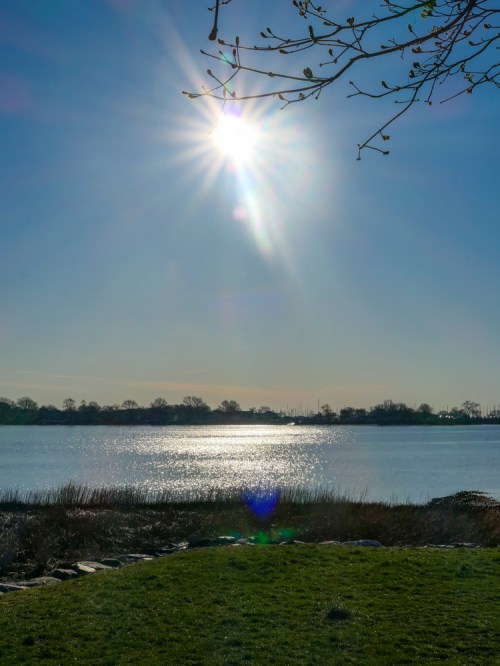
Nature, Technology, and the New Year

This photomosaic is my homage to the opposing elements that have helped to maintain my balance throughout the pandemic.

I don’t usually think of nature and technology as being cut from the same cosmic cloth. But together, they’ve done so much to help me endure all of the disconnection caused by the pandemic. Over the past year, I’ve found it remarkable to see how much these opposite elements have been able to fuel both the spirit as well as some simple daily essentials.

For me, there’s been a huge need to rebuild connection points that have been shattered throughout all of the disruptions.

Too Much Zoom?
I don’t have to tell you how much Zoom and other video conference platforms have helped to maintain face-to-face communication throughout all parts of our lives.

But unrestricted by life’s former patterns, our computers have also beckoned for our extended attention without regard to former boundaries. Zoom fatigue was the term we gave to the resulting drain on our life force.

Choosing to break away from the digital siren’s glow and step outside for a simple walk has been critical to maintaining sanity. Doing a nature walk is even better. For me, it’s been a great way to refresh and remember what’s really important in life.

Back to the Future
Leaning on both nature and technology helped me to keep it together in 2020. It’s about maintaining balance. And for me, I did that by better balancing my time between the two.

There were also ways to positively engage with both simultaneously. I found that snapping more nature photos and time-lapse sunrise videos was a joyous connective tether.

As we look to a better 2021, we should continue to weave together the impact of these two contrary forces. Eventually, there will be a next new normal after the pandemic ends. That life should continue to reflect our healthier balance with both technology and nature. (That’s my New Year’s resolution.)

And if your harmony isn’t quite there yet, now’s a great time to get started!

I wish you a safe and healthy 2021.

How Sheltering at Home Helped Me to Find Spring

So, this is a story that boils down to simply opening your eyes and paying attention to your surroundings. But sometimes it takes a pandemic to help you reshuffle your priorities…

It’s important to look for bright spots as we travel through this COVID-19 alternate reality.

For me, one of the few upsides has been the opportunity to pay more attention to the wonders of the early days of springtime, when nature starts to kick it into high gear. Those wonderful buds suddenly appear and the colors begin to pop. Before you know it, there are flowers everywhere.

But it happens so quickly. During every other year I can remember, I never paid enough attention to it all. I was too busy moving and driving and focused elsewhere. And then the renewal would be gone. The greens not so bright. The tree blossoms all gone. Till the following year.

Well, 2020, of course, has been different. Social distancing and sheltering at home provided the perfect opportunity for me to simply look out the window and actually see spring taking hold.

And I’m also happy to report that I took advantage of the early morning hours over the past weeks to get out and capture a few video time-lapses and nature b-roll with my DJI Osmo Pocket camera.

Yes, I tracked the early spring that I discovered all around me and then edited the imagery together in under a minute. My little video project made me smile. Perhaps it will do the same for you. Please take a look.

This year, I didn’t miss spring.
And I am glad.

I pledge not to forget this practice next year, when I hope life has returned to normal for all of us.