At Home with Tech

Unlock the power of all your technology and learn how to master your photography, computers and smartphone.

Tag: Nest

Is Nest Protect Worth It?
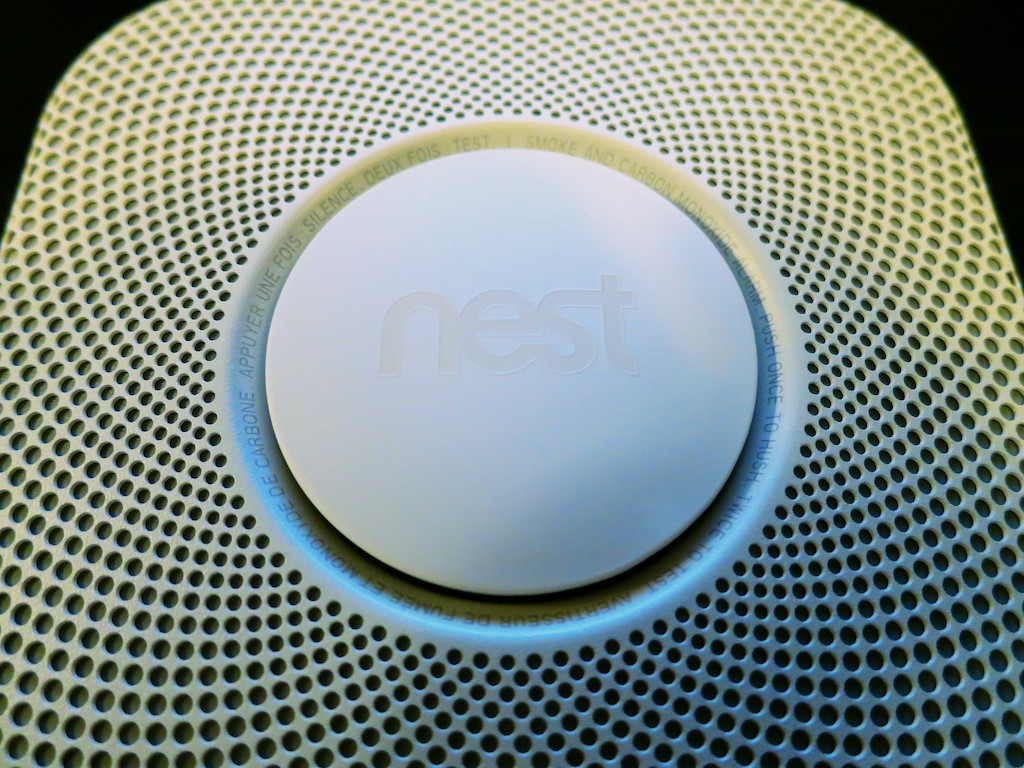
Stop being angry with your smoke and CO detector and consider getting a Nest Protect. But it’s a costly upgrade…

Stop being angry with your smoke and CO detector and consider getting a Nest Protect. But it’s a costly upgrade…

I came home from work on Thursday to learn there was a sudden breakdown in my house’s smoke alarm and carbon monoxide-sensing infrastructure. Apparently, the 9-volt battery powering the CO detector in my son’s room decided to suddenly quit, causing the tiny unit to emit a piercing ‘chirp.’

In an attempt to stop the deafening repetition, the smoke detector on the ceiling outside my son’s room was incorrectly identified as the culprit.

And let me simply say… in all the confusion, ‘someone’ broke the smoke detector away from its plastic circular mount.
(Names have been removed to protect the ‘innocent.’)
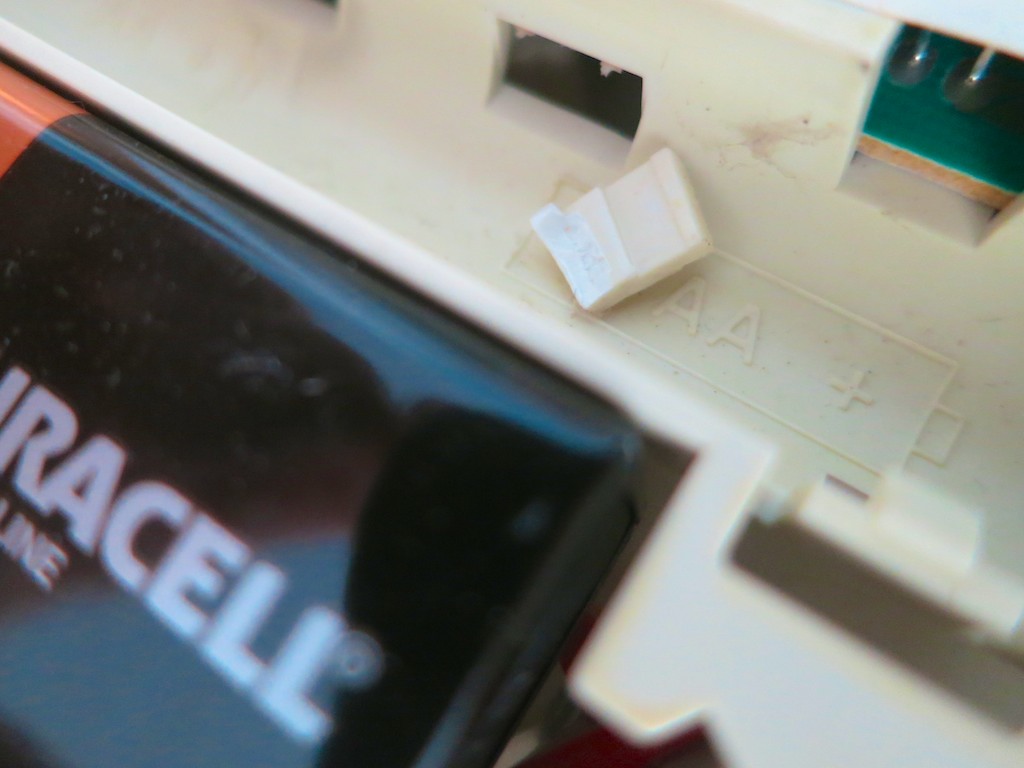
Broken Smoke Detector Tab


When it became clear that the wounded disc wasn’t the correct target, the CO detector’s horn was properly identified as the disruptor.
(Its dying battery securely jammed inside)

What’s a family to do when good home tech goes bad, threatening your child’s night-time rituals on the way to bed?

The next morning, as soon as my four-year-old son woke up, he ran downstairs to tell me what had happened.
“Mama put it somewhere where we would never hear it.”

It was banished to the garage.

Time to Make Some Lemonade
Of course, my wife had already relayed the ‘incident’ to me the night before.

And how did I feel about all of this?
(I’m not particularly known for my flexible attitude on home-tech malfunctions.)

I should have been sad.
Annoyed.
The essential order of my little kingdom compromised by a bad battery.
But I wasn’t.

I was thrilled.

I had been waiting for this particular moment for life to throw a few lemons at me.  Looking for a reason to replace this smoke detector that had actually been taunting me for years.
(Whenever I’d cook a steak in the kitchen below, the slightest whiff would set it off.)

But a typical battery-driven smoke detector rarely stops working. Sometimes, it just annoys you… till you find a reason to throw it away.
(Usually because one of the delicate plastic latches breaks away when you’re pulling it down)

Now I had my excuse.
An excuse to buy a Nest Protect.

Thank you, family!

Hello, Nest Protect!
Nest Protect is a relatively expensive smoke and CO detector and alarm created by the makers of the Nest Learning Thermostat.
(now owned by Google)

But this $119 smart device is exceptionally cool!

  • You can purchase either a long-life, battery-powered unit or the wired 120V version, which also uses batteries for back up.
  • The six included L91 batteries are supposed to power the device for ‘years.’
  • It’s Wi-Fi enabled.
  • That means it can communicate with the Nest Thermostat in your home.
    If there’s a CO problem, the Nest Thermostat will automatically turn off your furnace.
    And Nest Protect senses your presence, which improves the Auto-Away feature of the Nest Thermostat. Sometimes mine forgets I’m home when I’m typing away in my office.
    (The wired Nest Protect is a better for this, because it gives the thermostat immediate feedback.)
  • Nest Protect talks to you in lieu of those vague chirps and explains if there’s smoke or carbon monoxide present and which room the problem exists in.
    (If you own multiple units)
  • It also uses circular color cues on its face to communicate.
    (green, white, orange and red)
  • It momentarily glows green when you turn your lights out at night, indicating all is well.
    (How civilized)
  • It can evaluate the ‘situation’ and give you a friendly ‘heads up’ notification or a full-on ‘Emergency!’
    (complete with loud horn)
  • Nest Protect lights your way at night by glowing white as you walk by it.
    (This feature can also be turned off if you like.)
  • You can keep track of it from anywhere with the Nest Mobile app, and it will send your smartphone a message if there’s a problem.

Welcome Home
Did I mention that $99 is rather expensive, regardless how cutting-edge Nest Protect is?

By comparison, Kidde makes a $33 device that senses both smoke and CO.
But Nest Protect does buy you a whole new level of connection.
(Plus, I had a Best Buy gift card I needed to use…)

A year and a half ago, you may recall I purchased my Nest Learning Thermostat.
Overall, I’ve been satisfied.
(That said, there have been a couple of glitches recently, but I’m sticking with my Nest. In fact, I’m doubling down…)

It was time to add onto my Nest ecosystem…
I hurried over to Best Buy and eagerly brought my new Nest Protect home.
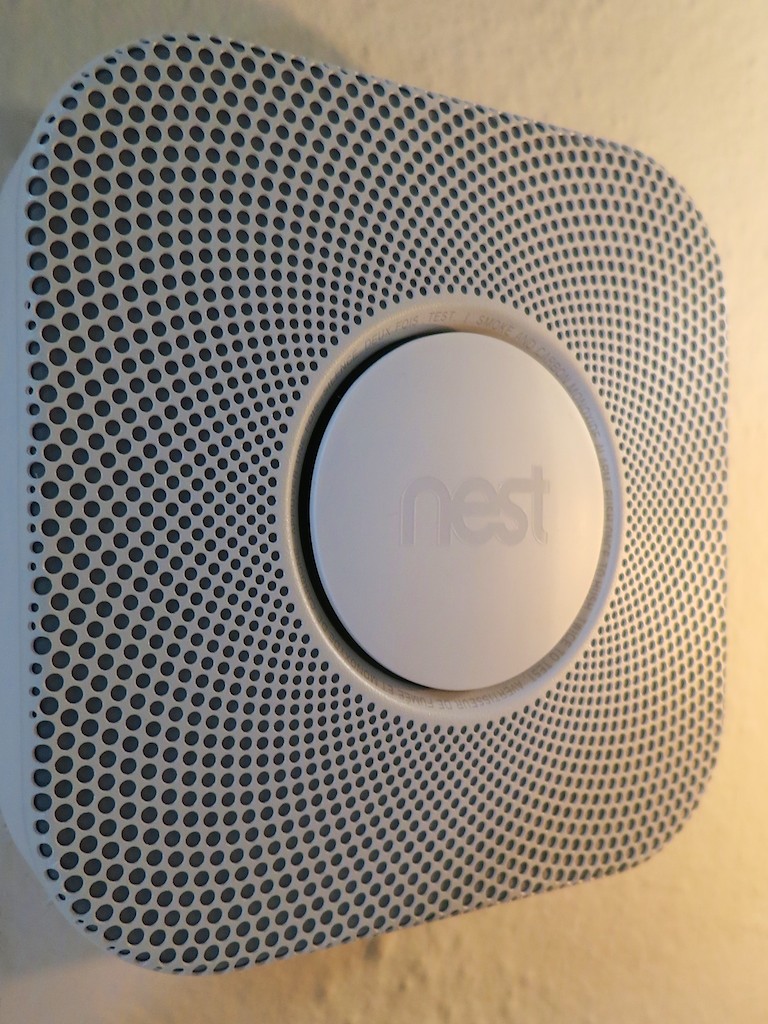
My Installed Nest Protect


Installing it was a snap!
A few pointers:

  • You can only set up your Nest Protect with an iPhone, iPad or Android device.
  • You’ll first need to download the free Nest Mobile app.
  • You’ll be scanning the QR code on the back of the Nest with your phone.
    (cool)
  • And then temporarily connecting the two together via Wi-Fi.
    (Yes, the Nest emits its own tiny Wi-Fi bubble for this particular occasion.)
  • Finally, you’ll be connecting the Nest Connect to your home’s Wi-Fi network.
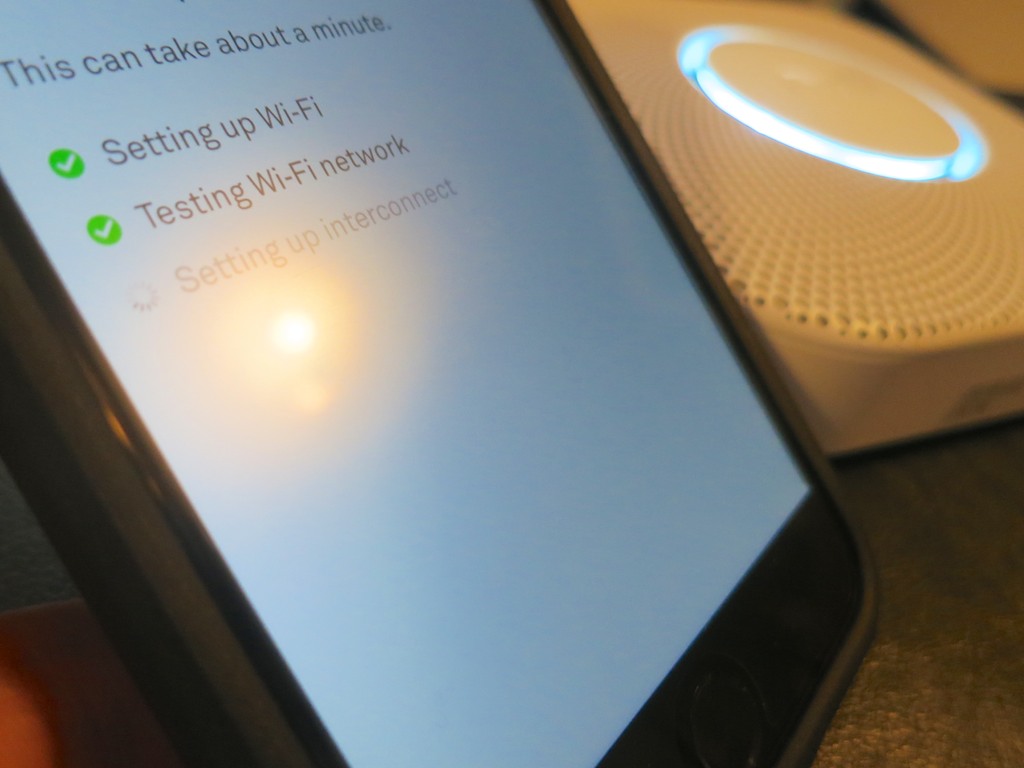
Setting Up Nest Protect


I was done with the activation process in five minutes. The installation on my upstairs ceiling simply involved unscrewing my old smoke detector’s mounting plate and screwing in the Nest’s mount.

WARNING:
As nifty as the Nest Protect is, its plastic mount works on the same principal as any smoke detector. It has plastic tabs to grip the unit. If you twist the Nest Protect on with too much force, you can break the tabs off. Just be careful…

Nothing Lasts Forever
One other cautionary note:
In the small print at the end of the manual, which you don’t need to read, you’ll discover that Nest Protect only lasts for seven years.
(I don’t think any smoke/CO detector is designed to work forever.)

Much like a “Blade Runner” replicant, this particular tech will self terminate.
(It’s supposed to give you two-week’s notice.)

I’m sure I’ll prefer a little more warning…
Maybe, I’ll set myself a calendar reminder for 2022.

Impulse Purchase?
So to summarize:
A 9-volt battery goes south. And the next day, I buy a Nest Protect.
I know… it doesn’t make complete sense.
But I was looking for an excuse to try out a Nest Protect, and I found it.

That said, I’ve got several other old-school smoke detectors around the house, and now, I’ll need to consider whether I should continue with my Nest Protect upgrade program.

It is all worth it?

I’d like to think my home is a bit safer.
It sure feels a little more fun to live in…

And isn’t that what living at home with tech should be all about?

Click.
Can You Afford to Give Your Smart Thermostat a Second Chance?

It’s impossible to completely hedge against all technical meltdowns that might afflict your home and by association… you. By the way, have you double-checked your Nest Thermostat lately?

It’s impossible to completely hedge against all technical meltdowns that might afflict your home and by association… you. By the way, have you double-checked your Nest Thermostat lately?

I woke up in a panic at 6:01 a.m. on New Year’s Day.
My body sensed something was not right. (No, not a hangover)
I pulled off the comforter and quickly sat up in bed. It felt cold. Very cold…

I ran downstairs to check out the temperature and approached my
fabulous Nest Learning Thermostat. But my ‘smart’ thermostat failed to recognize my presence with its motion sensor, and it remained dark.

I then pushed in its circular face to manually activate it. Instead of happily popping on with a bright reading of the temperature, it simply displayed the cold message that I had to take it off its base and reattach it.

I think that’s code for there’s a problem somewhere…

Emergency Nest Surgery?
I thought about how to actually take my Nest off its base on the wall, never having done that. (You’re just supposed to pull.)

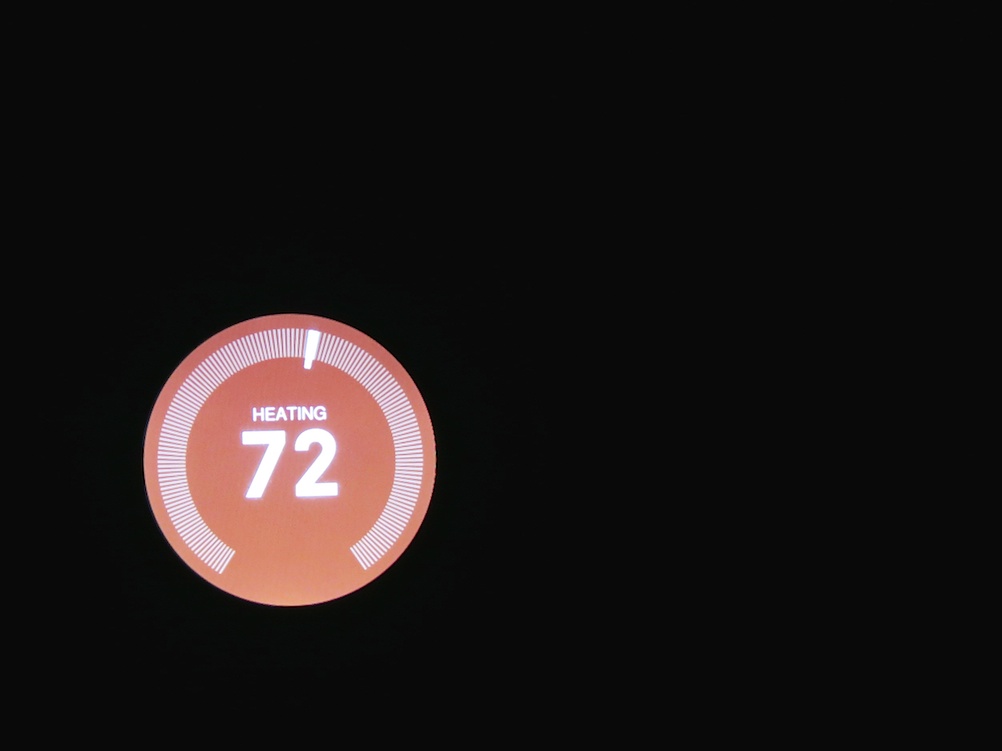
Then, fifteen seconds later… I heard the heat rumble on. I turned my gaze back to my ‘intelligent’ circle, which now looked completely normal. It glowed a chilly 62 degrees and its immediate plan to get the temperature back up to 72.

I never had the chance to yank my Nest off the wall to reboot it.
It just started working again.

I ran over to my iMac, which had recently had its own trip into the ‘Tech Netherworld.’ I furiously started Googling, looking for an explanation for this disturbing Nest anomaly. It quickly became apparent that there’s a small army of folks out there with their own Nest issues.
(But I found no smoking guns for my Nest’s troubles…)

I was able to confirm that my Nest’s message suggested some connection problem, though my experience pointed to its self-repair without human intervention.
(other than the touch of my finger)

I wondered if there had been some automatic software update that night, which was the culprit. In fact, this all going down in the early hours on the first calendar day of 2015 didn’t feel like a coincidence.
(Anyone else out there wake up cold on New Year’s Day?)

I walked back to my Nest and looked at my former champ.
I was a little heartbroken.
It stared back at me.

It had been intuitively managing my home’s temperature for almost eighteen months.
I trusted it.
Now, it was just another piece of glitchy tech for me to worry about.

I started thinking about what would happen if this kind of meltdown happened again when the family was away for a few days.
My house would become an Ice Station Zebra!

The only sure way to prevent this disaster would be to kill off my circular HAL before it happens.

“Daisy… Daisy…” my Nest would flicker in its final moments as I disconnected the last wire.

Have a Cup of Joe
I pondered this future, and then I walked into the kitchen to make some coffee and cool down.
(I mean warm up.)

At least the coffee maker still worked…
But even an innocent cup of coffee can become dangerous Tech Kryptonite.
(Your tech is never really safe…)

And I went about the rest of my day, which did not include replacing my Nest with a $20 dumb thermostat from 1955.

Smart Human?
Now, it’s almost three weeks later, and my Nest is still solidly in place. It has demonstrated zero defects since the little ‘incident.’
And I have still taken no action against it.

And you know what…?
I’ve decided to give my little Nest a second chance.

Not because I have such a blind commitment to my tech, but because it would be a pain to replace.
And it’s been working just fine…

You’re welcome to point to this moment of human error when I blog in a few months that my house froze up, but that is only one of many possible futures.

Is It Smart to Trust Smart Tech?
No, I don’t know what happened to my ‘mostly-smart’ Nest. And that’s really frustrating. But an analog thermostat can fail too. Or my heating system can go on the fritz all by itself…

I thought about whether I should blog about my Nest blip and initially considered running silent, because I don’t really know what had happened.
And I don’t really have any solutions.
(How embarrassing is that?)

But now with a little distance and an ongoing toasty house, I’ve discovered my conclusion…
Sometimes there are no answers.
And that’s okay.
(really)

Yes, there are steps you should take to minimize your home tech problems.
But if you want to completely hedge against all tech failure, then you really can’t risk using any technology.

And what kind of fun is that?!

So take a deep breath.
(I did.)

Help your tech stay healthy.
(where you can)

And go on and live your life…
(Just keep a sweater handy!)

Comfort Data to Feed Your Vacation Zen

What's it going to take to make your next vacation as carefree as a three year old experiences it?  Well, you'll need a little tech at your side to maintain a small but steady stream of ‘Comfort Data.’

What’s it going to take to make your next vacation as carefree as a three year old experiences it? Well, you’ll need a little tech at your side to maintain a small but steady stream of ‘Comfort Data.’

As we’ve arrived at the unofficial end of summer, I think it fitting to conclude my season-long investigation on the nexus between:

  • House
  • Weather
  • Home tech
  • and my blood pressure!

Consider this…
You take one last look at your house as you drive away on your late-summer vacation.
You’ve staged your home for low-occupancy use.
(The cats will hopefully use the time to catch up on some sleep…)

But your castle is essentially on its own.
Who knows what tomorrow will bring…
Natural disaster. Power outage. Alien attack.

As you turn the corner towards your relaxing journey, you smile at your family and secretly wonder if you will ever see your house again… in one piece.
(A slightly catastrophic perspective… but don’t tell me the thought has never crossed your mind.)

Are you enjoying your Vacation Zen yet?

Your Tech Always Comes Along for the Ride
Disconnecting from your daily routine is the foundation of recharging yourself on vacation. And that usually means putting down the work BlackBerry and personal smartphone.
But hey, how many of you spend zero time with your iPhone or Droid while soaking up your summer sun?

Exactly.
You’re not disconnected at all.
And you like it that way…

  • Send that text
  • Update your Facebook page
  • Make the phone call

The digital ‘wish you were here’ moments fly off your digits.

So if you continue to keep in touch with every part of your life, why can’t you use the same tech to monitor your house’s life signs?

Well, of course you can…

Comfort Data
I’m back from more beach R&R, and I’m happy to report my house is still in one piece.
(I know you’d be worried for me.)
More importantly, I didn’t have to wait to get home to arrive at this conclusion.  I received enough ‘Comfort Data’ via my iPhone along the way.

I’ve been enjoying the benefits of having made my house a ‘wee bit’ smarter.
Now it shares its vital signs wherever I go.

And this ongoing evolution helped to make this vacation more relaxing than my earlier summer jaunt…

Let’s review my three tech muses that now feed my Comfort Data stream…

Nest – Keeping It Cool
Recently, I installed a Nest Learning Thermostat to give me remote access to my home’s HVAC system.
This vacation was the perfect opportunity to see if my pricey investment was worth it.

Each beach morning, I sat down with my cup of Joe, reflecting a bit while the early sun illuminated the calm water, and then I opened up the Nest app on my iPhone to confirm my house was as temperate as my current surroundings.

(All my windows were closed at home to avoid the possibility of wind-swept rain damage. But that choice also removed the opportunity for my house to breath in all that chilly late-summer night air.
So my Nest really needed to keep things cool without running my AC 24/7.)

The Nest app powered up and showed me the current temperature in my living room. It knew I was away, because it didn’t sense any movement.
(Apparently, its software algorithms can filter out cats.)
Nest was holding the temperature steady just under my ‘Auto-Away’ setting.

Sweet!

Leaving Eyes Behind with Your Foscam
So Nest can make you Lord of the Temperature, but you’re still blind to everything else happening at home.
Well, not exactly…
Remember that Foscam IP baby monitor camera I installed last year…?

  • I walked it downstairs before the trip, so I could take a remote peek at the homestead while building sandcastles with my son
  • I also moved a digital thermometer next to the Foscam so the IP camera could visually confirm my Nest was behaving

This back-up temperature check gave me additional peace of mind to know the cats were comfortable and getting their beauty sleep.

One time, as I was having some fun remotely panning the Foscam about the room, I spotted one of my two felines studying the sudden movement.

I immediately froze the camera so as not to incite more interest and a direct encounter.
(My Foscam didn’t have the optional ‘anti-cat force field’ installed.)

Finally, the simple fact I could successfully monitor the happy status of my Foscam confirmed my home was still getting juice from the street.

Dark Sky Looks for Trouble Overhead
So if you were wondering… no, I wasn’t continuously preoccupied with my offsite tech throughout my vacation.

There was plenty of room left to apply the power of tech to my present environment…

I was forced to navigate a dodgy weather day at the beach, and I really needed some hyper-local weather forecasting.

My friend suggested I try a weather app called Dark Sky, which was created by a couple of cool-looking dudes via
a successful Kickstarter campaign.
(The name sounds like a bad sci-fi movie on late night TV.)

This app’s trick is to take real-time data from the National Weather Service, pair it with your specific location and offer you an accurate rain report for the next hour right where you are.

I downloaded Dark Sky from iTunes for $3.99 and gave it its first test drive the final morning of our trip as I was packing up the car with all our family gear.

The clouds looked a little ominous, and of course, I was curious to see if I’d be schlepping out all our gear in the rain…

I asked Dark Sky…
‘All clear for the next hour!’

So I took my time.

Ten minutes later, the droplets began bouncing off my head.
D’oh!

To be fair, it only rained for the next five minutes, and then it stopped.
The rest of the day’s precipitation held off till later that afternoon as per the forecast.
(An errant rain cloud in need of a diaper change?)

Clearly this rain predictor app wasn’t completely infallible, but it wasn’t entirely wrong either.

I gave it another try last week during lunch at work. I needed to run an errand, and it was pouring out. Dark Sky displayed there was no end to the storm for the next hour.
So I dashed out after waiting as long as I could.

As I made my return protected by my trusty Tumi umbrella, the heavy rain subsided to a drizzle.
While waiting for a red light on Sixth Avenue to change, I felt curious what Dark Sky had to say…

It was ready to impress and let me know we were in a window of drizzle for the next ten minutes.
(eerily accurate)

Okay, this app wasn’t so bad after all…

It’s Getting Chilly Already
So there you have it… my summer… made a bit more relaxing through the power of home tech.

Yes, it’s always a little sad when you have to say hello to September.

But the good news is you can keep some of that summer glow with you
year round with all your Comfort Data.

You’re going to need it…
Old Man Winter isn’t that far off!