At Home with Tech

Unlock the power of all your technology and learn how to master your photography, computers and smartphone.

Tag: photo negatives

How to Quickly Turn a Scanned Negative into a Positive Image on a Mac

If you think a 90-year-old negative is a lost cause, think again. Here’s how to bring it back to life.

Sure, photo negatives aren’t cool anymore. They represent 19th century technology. Most of us aren’t housing a roll of Kodachrome in our camera bags these days. I get it.

But there’s well over a century of family history locked away in millions of shoe boxes in the back of closets… all in those negative strips. There should be a way to rescue them.

Correction:
There should be an easy way to rescue them and quickly bring the negative images back to life into positive form.

I’ve been traveling that complex journey for the past months since I’ve taken ownership of all of my family’s photo archives (shoe boxes) after my father passed away.

Digital Conversion
So, I bought a slide and negative converter to handle the bulk of the work.

It’s fast. It’s a one-click solution. The results are mostly solid.

But the Wolverine couldn’t capture the full real estate of the larger negatives dating back to the 1930s (2 ½” x 3 ¾”).

I turned to my old flatbed scanner to handle the large negatives. But then I needed a way (an easy way!) to transform each negative into its positive doppelganger.

Adobe Solutions
There are any number of tutorials on YouTube that demonstrate how to do that in Adobe Lightroom or Photoshop, and they all promote the concept of how easy and fun it is.

‘Fun’ is code for it’s not really that quick. Sure, it may be relatively easy, but it still requires about five minutes of fiddling to bring the image to life in the positive universe.

A few minutes may not seem like a lot of time, but fiddling is not a precise exercise, and five minutes can easily turn into fifteen.

Apple Photos (OS X):
As a Mac user, I wanted to see if I could find a native solution without having to rely on the muscle of Adobe. The good news is I found a couple good options.

If you already use the Apple Photos app on your Mac, you can do the conversion right there. It’s not quite one click. But it’s straight forward. Let’s give it a shot using a negative of my grandmother Rae from 1935 with my father and uncle. (My dad is the tiny one!)

  • Upload your negative into Apple Photos.
  • Select it.
  • Click on ‘Edit.’

Select the ‘Curves’ drop down.
You’ll see a histogram of the photo with a straight white line positioned diagonally from bottom left to top right.

To invert the negative image to its positive version:
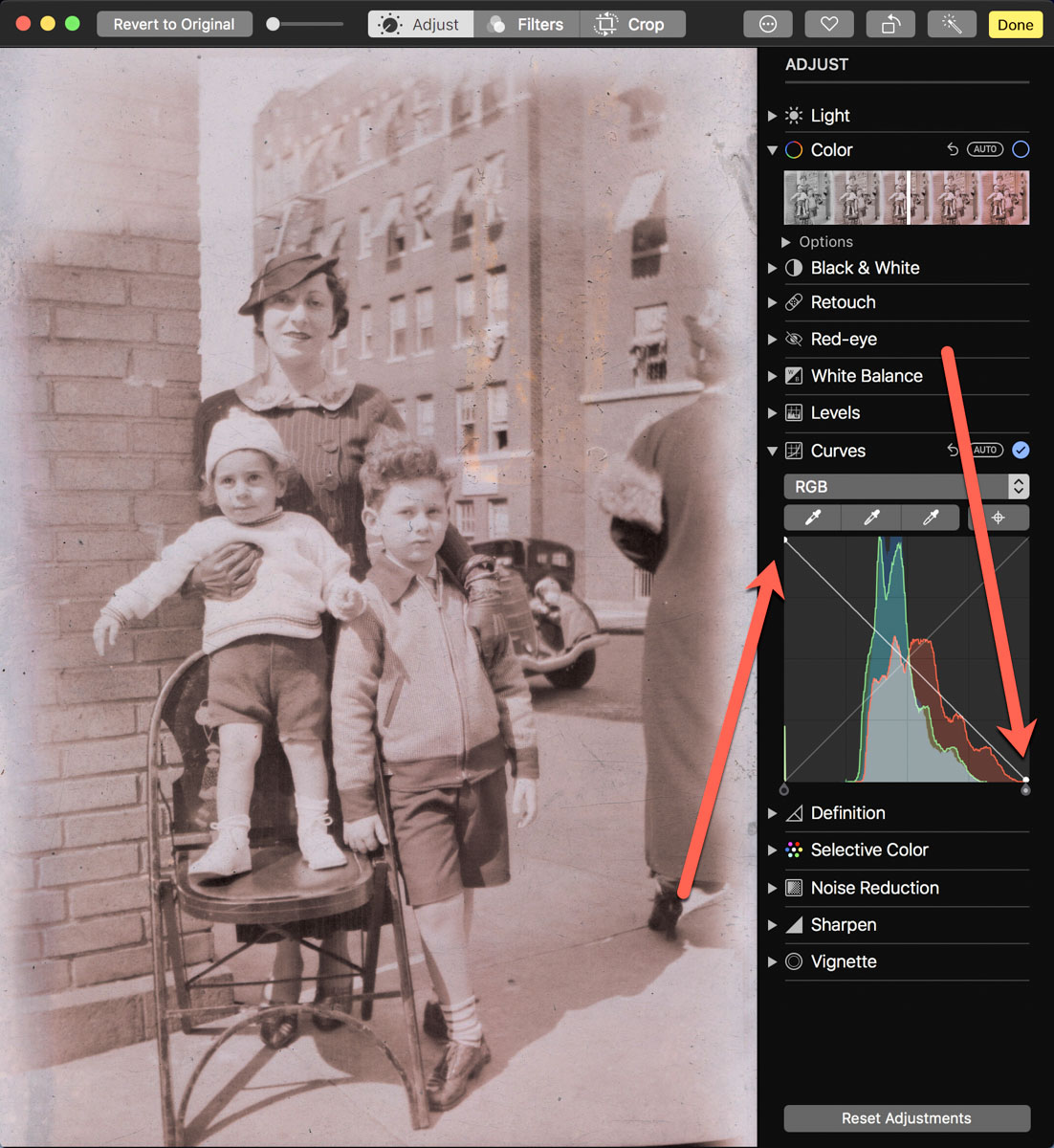
Click on the bottom left of the line and drag it all the way to the top left. Then click on the top right of the line and drag it to the bottom right.

Voilà! Your negative image is now inverted and displays in positive form.

Then, you can continue to tweak the image from there as you choose. (And that’s where you can go down the rabbit hole of tweaking.)

Using Apple Photos to perform this trick is actually quite similar to Adobe Lightroom’s interface.

Preview App
You can also use Apple’s ‘Preview’ app to bring your negatives back to the positive universe.

It’s a near-identical exercise:

  • Select ‘Tools.’
  • Then ‘Adjust Color.’

Can You Invert a Negative Image in One Click?
Okay. None of these options are one-click solutions. So, Is there one? I figured any number of online photo management websites must have a negative-reversal filter built in.

I checked out Shutterfly, Google Photos, Amazon Photos and Canva.

Nope.

Yes, there are apps out there that promote the ability to reverse a negative in one click. But after giving it some more thought, I just didn’t want to add yet another piece of software into my workflow.

So, I canceled my adventure down this particular rabbit hole. Enduring a few clicks to turn a negative into a positive image will suffice.

Diagonal-Line Maneuver
The truth is I already do most of my photo management work in Adobe Lightroom. The diagonal-line maneuver in the Tone Curve section works just fine (just like with Apple’s ‘Photos’ and ‘Preview’ apps).

The good news is there’s a choice on the software to use if you don’t want to take the Adobe path.

And now I need to get back to work on my time machine. There’s still almost a century of negatives to go through.

I’m bringing the past back to life, one image at a time.

I’d say maybe that’s worth the five minutes.
How to Prevent your Family’s Identity from Being Washed Away by Time

As I’ve attempted to curate my father’s photos, I’ve realized I’ve also taken on the much larger burden of organizing undated photos of my ancestors. It’s like putting together a puzzle with many of the pieces permanently missing.

I’ve continued to review and digitize the photo archive that I found in my father’s apartment after he passed away three months ago. I use the word ‘archive’ loosely.

Beyond the several large photo albums my mom curated for the three of us as I grew up, my extended family’s photo history was scattered about in various envelopes and small boxes. There was almost no organization, other than some photos being grouped together.

Some were still in envelopes with their matching old-time negatives. Other negative strips were unaligned and stuffed elsewhere. Almost none of it had any identifying information or key dates.

Please Do your Homework
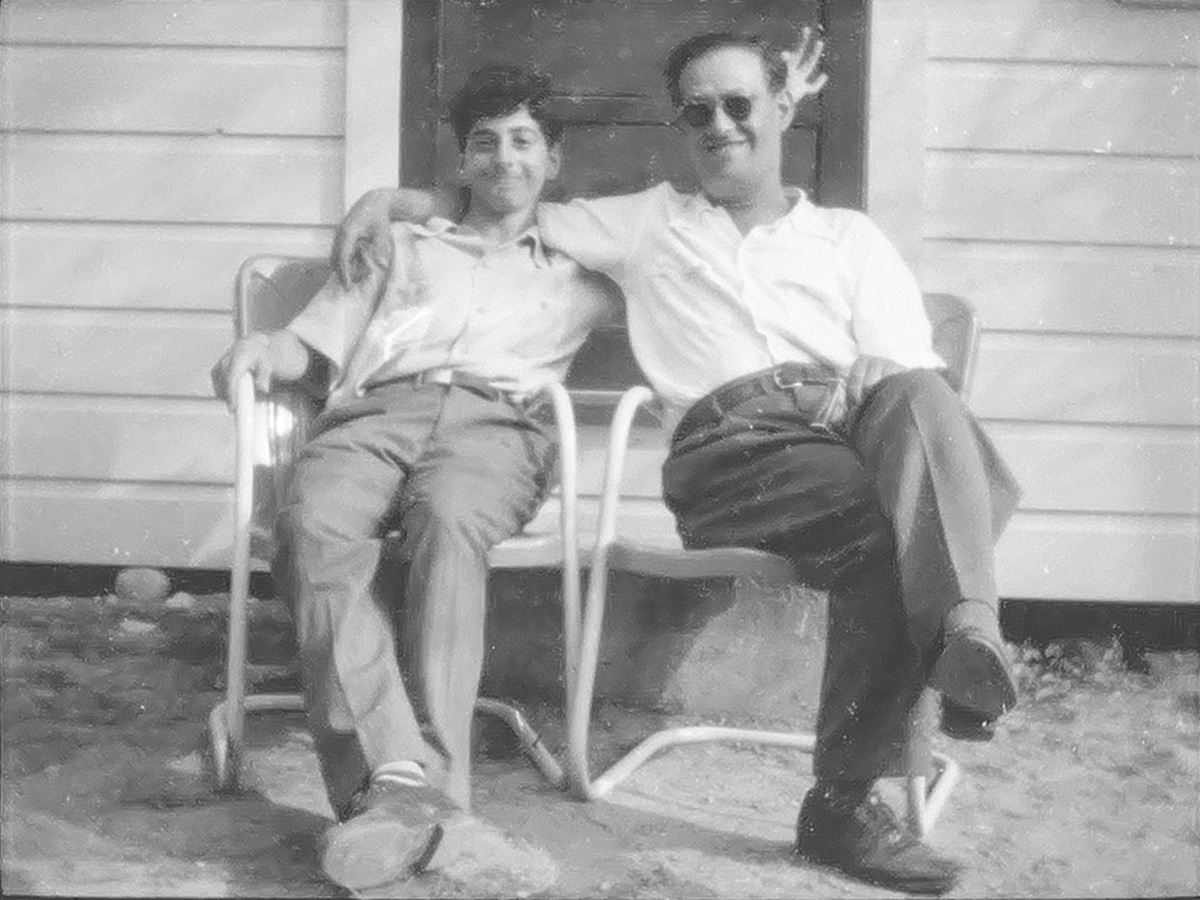
The good news is this wasn’t the first time I had seen any of the pictures, like this photo of my father and grandfather on their trip to visit Plymouth Rock in Massachusetts.
I did previously know where some of the family treasure lived. I had talked with my father about a fair number of these photos, and I had made copies of the old prints with my iPhone. So, I had some information, but not the whole picture.

But across these recent weeks, it’s still been like a puzzle, trying to figure so much out. The most frustrating part of this massive exercise is simply date stamping the pictures and putting them into a chronological order.

Many of my decisions have been based on how old people look in the shots. That’s been easiest when reviewing photos of my father and his brother as children. But it’s still guess work.

It would be so much easier if someone had simply written the who, when and where on the back of the photo. Even just the year would be gold.

Find the Family Historian
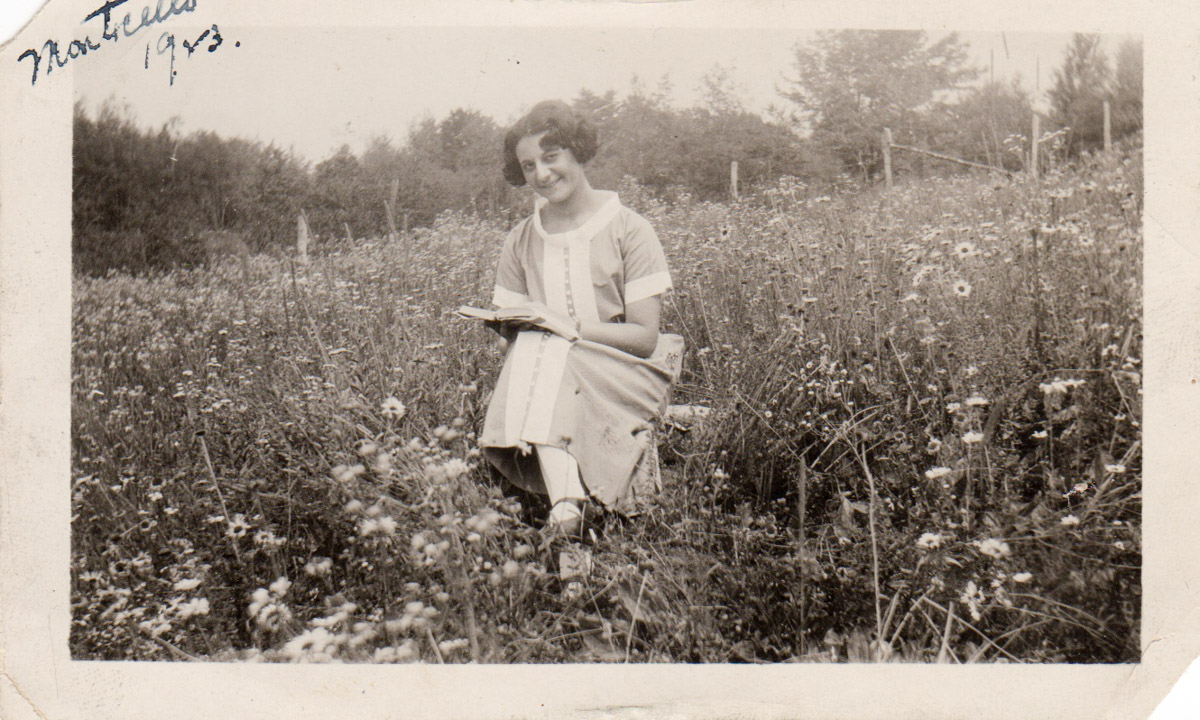
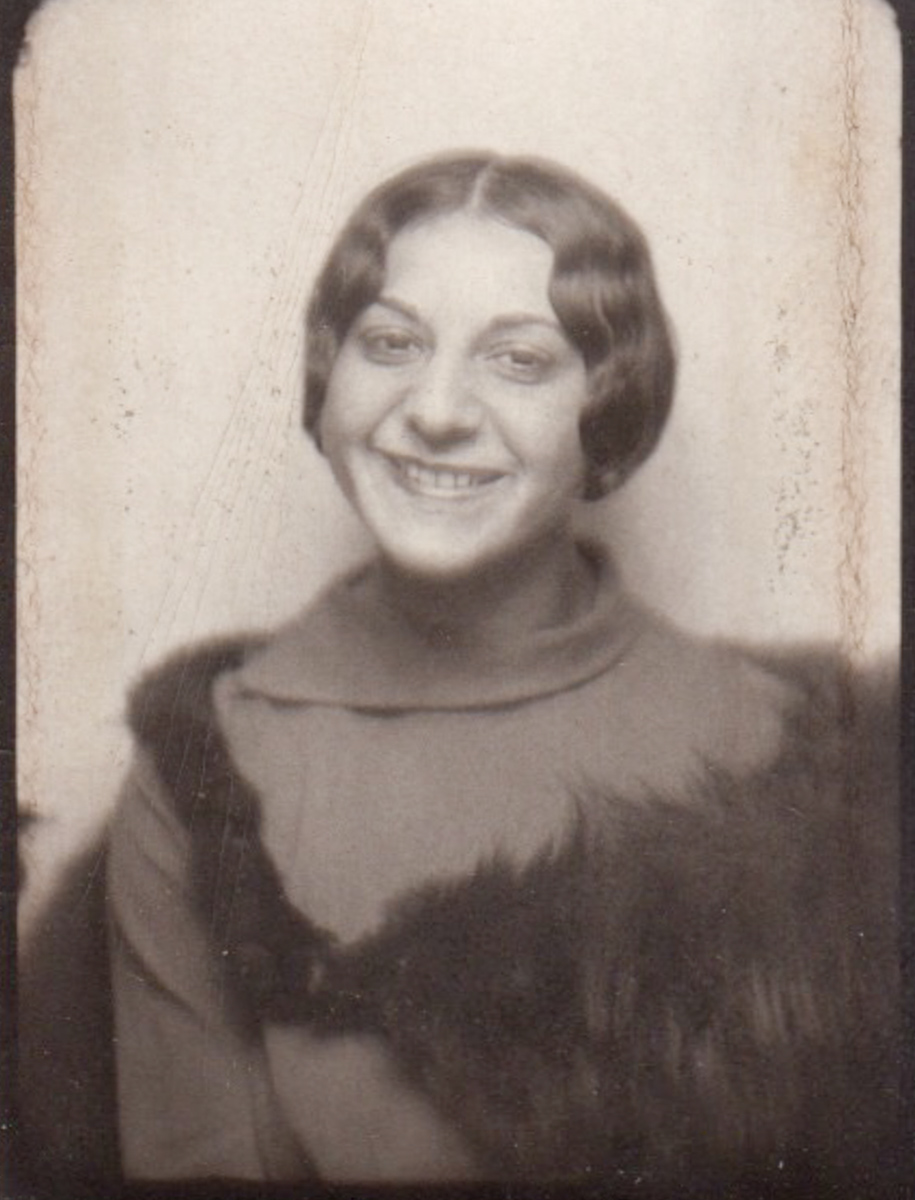
Photos of my grandmother Rae and her familyThrough the clouds that mask many of the details of my family’s visual history before I was born, there is one sunny spot that offers stunning clarity.

It’s owned by my father’s mother Rae.

My grandmother’s life was tragically cut short in her 30’s when my father was just a young child. So, I don’t really know much about Rae other than she was a teacher. But I’ve found photos of her that reveal other pieces of her life, ranging from her teenage years up until the time she died. And she dated many of her photos along with where she was.
Wow. I have to give a huge shout out to my grandmother for the important breadcrumbs she left behind for me.
Thank you, Rae. I can only imagine the visual story of our family you would have curated had you lived longer.

Dust off the Negatives
I’ve been using my Wolverine F2D Titan Film to Digital Converter to bring back to life the images buried in the old negatives I found. My efforts have revealed remarkable scenes I’ve never seen before.

Even though you’d think there would be matching photos for these negatives, I’ve only uncovered a few. Perhaps back then, people printed out just a couple of photos from a group of negatives. Or maybe the photos and their albums are simply long gone.

But the negatives survived. Though ignored, they were somehow passed down for almost a century. Now, I’ve got them, and I feel like I’ve accessed a time machine. I’ve opened a portal into the past.
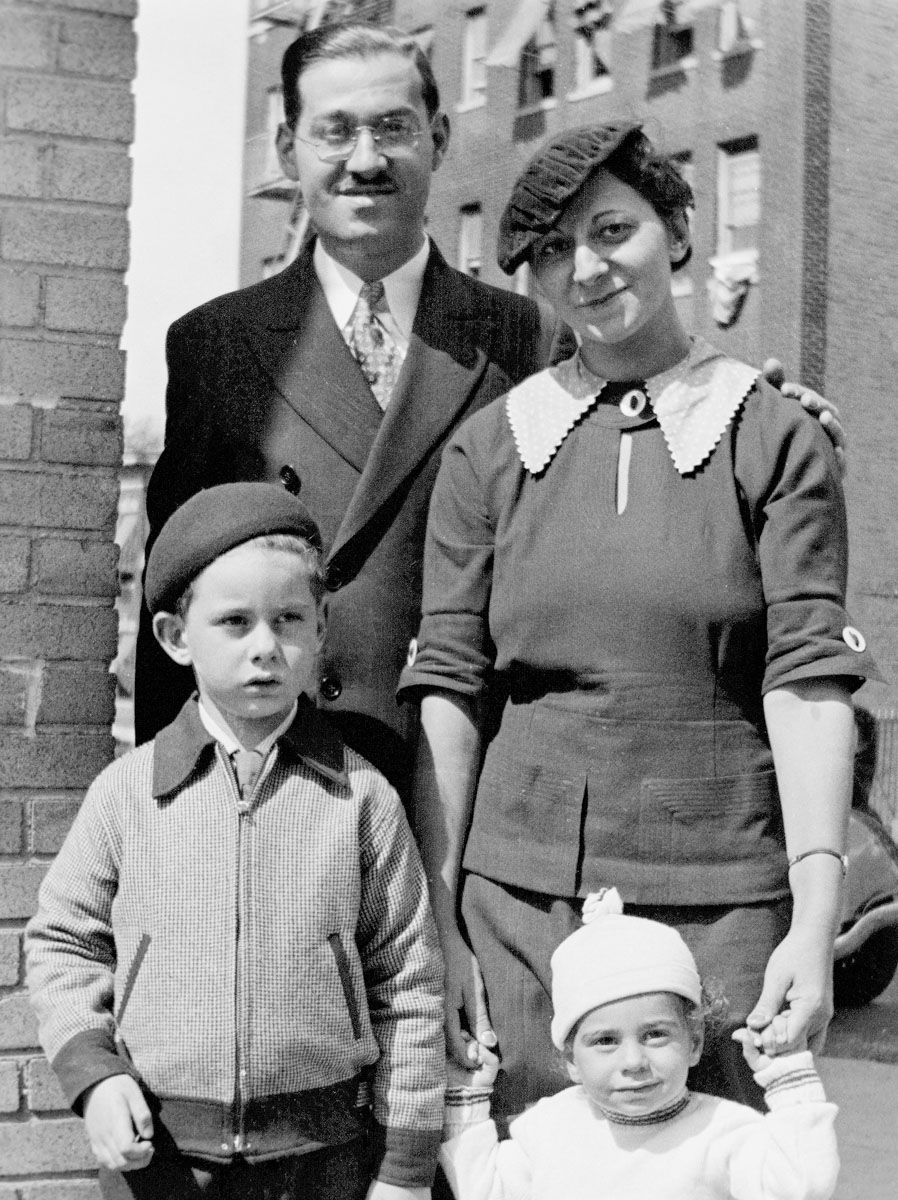
Here’s a converted negative of my father’s family in the mid 1930s… my grandmother Rae with my grandfather along with my uncle and my father as children. (My dad’s the tiny one!)

Something tells me that Rae orchestrated this family portrait. She understood the importance of it all. (I think she would have really liked Instagram.)

Fill in the Gaps
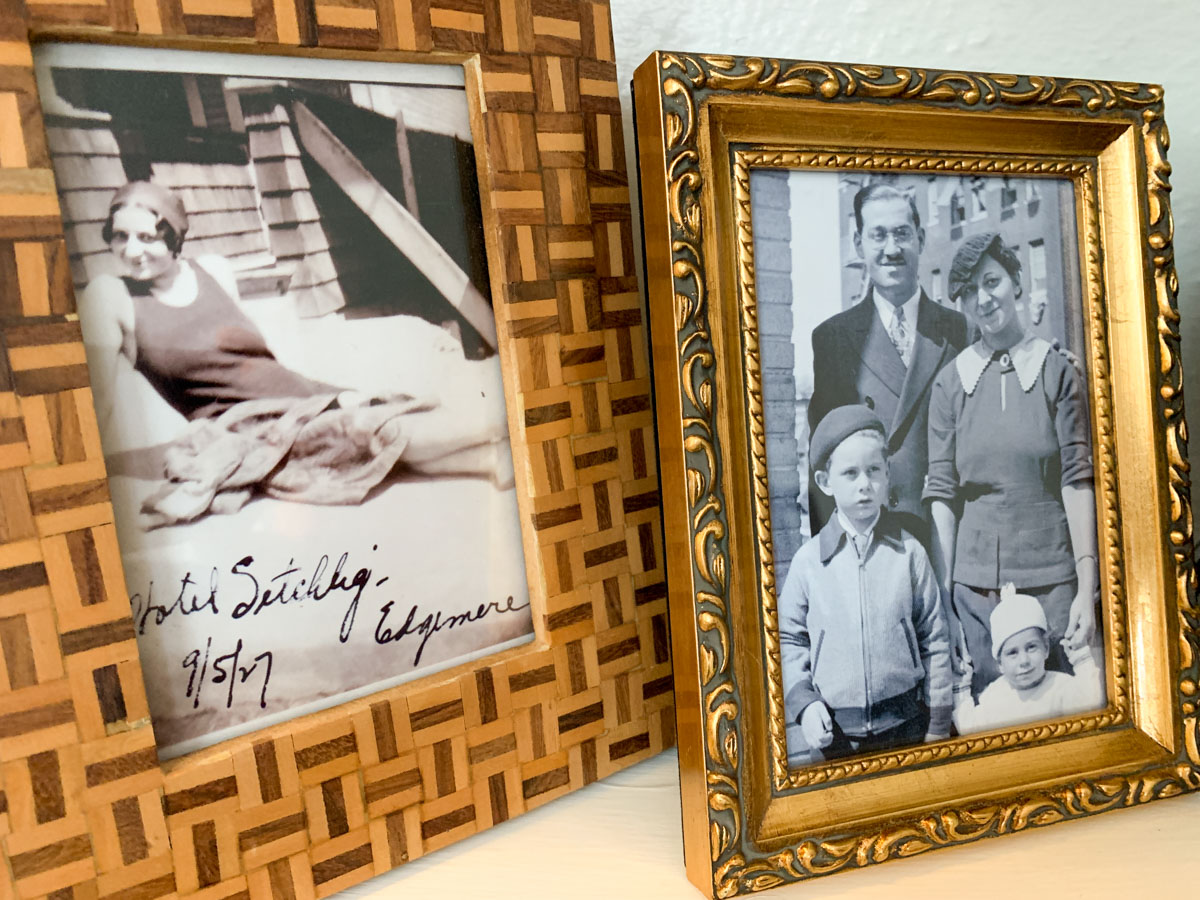
As you might imagine, I immediately printed out and framed Rae’s family portrait. I placed the frame on a shelf next to our fireplace. And then I stepped back and took it in.

It was a bright spot in the storm of the past few months.

But something still bothered me.

Time to Start Leaving Breadcrumbs
Later in the week as I worked on digitizing other photos, it finally came to me. I had printed out and popped Rae’s family portrait into its frame, but I had made the same mistake as most all of my ancestors had… save Rae.

I didn’t write anything on the back of the photo!

I spend so much time curating my own digital family archive. Who knows how well it will survive the ravages of time, especially after I’m gone. But what about that photo I just threw in the frame?

Of course, that’s going to be the picture that somehow survives into the 22nd century. And perhaps my great grandchild will open up the frame looking for information on the back of the photo regarding these strangers.

I really hope that’s not the story, and somehow I can do better to ensure my family’s visual history gets properly passed forward.

But…

Create a Letter in a Bottle
I walked back to our fireplace and picked up the frame… I mean I picked up my little time machine. I opened it up, flipped the photo over and wrote in the critical details.

I put the frame back together and returned it to its spot. This extra step took only 15 seconds, but it tethered the image to its past and prevents the identities of these precious people from being washed away by time.

I stepped back again, but now I saw something else.

I could see Rae’s family photo in a glass bottle, floating away in a vast ocean. It was properly provisioned for its long journey into the future.

Bon voyage.