At Home with Tech

Unlock the power of all your technology and learn how to master your photography, computers and smartphone.

Tag: photography

Drones for Dummies: I Bought this DJI Model with Zero Flying Experience
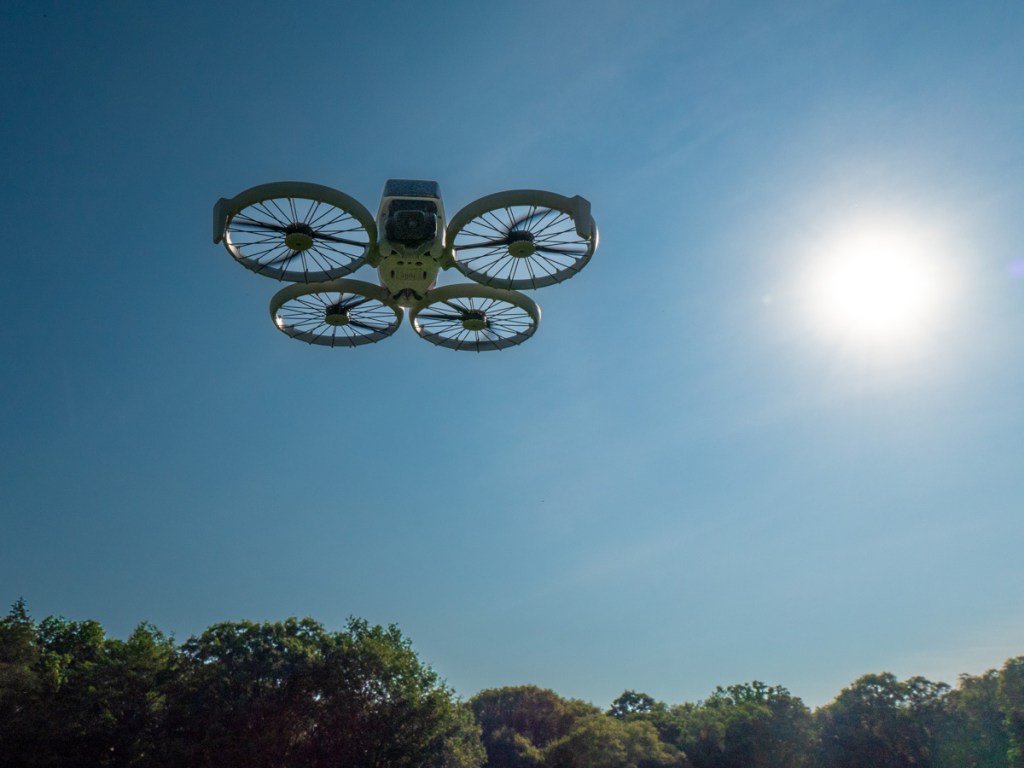
I’ve always been fascinated with drone videography. Over the years, I’ve watched the technology mature away from the professional video market and extend into prosumer and then squarely into the consumer market. And all along, I’ve wanted to buy a video drone for my personal projects. But I’m not a drone pilot. I knew the flying part would be a challenge.

I felt that way, because years back, I tried flying a couple toy drones around the house, with disastrous results. I couldn’t imagine buying a more expensive camera drone to crash in the great outdoors.

Still, I wanted one.

The ability to generate cinematic shots from the sky is a compelling proposition for anyone who has a passion for photography and videography. 

Your Drone Can Fly Itself
Then DJI began building “subject tracking” autonomous flying skills into entry-level drones. First with the DJI Neo (135 grams) and then with the DJI Flip (under 249 grams). With this auto-pilot superpower (called QuickShots), these drones can visually lock onto you and record a variety of programmed flying maneuvers around your body. No human flying skills required. 

So, you can leave the flying part entirely to the drone? Interesting.

Granted, these intelligent shooting modes are limited ways to fly any drone, but it’s certainly a start. Sure, you’ve got to know your preflight steps and provide your drone enough empty space to maneuver in without obstacles. Otherwise, crashes are still possible (more on this later). 

Of course you can still fly these ‘smart’ drones manually, but the QuickShots feature offers an enticing onramp for any drone novice.

Look Ma, No Hands!
Is this cheating? Not actually flying a drone, but giving up the stick to code?

Well, my primary goal is to get the shot I envision. The flying part is more of a means to an end. I see a drone as a gimbal-stabilized camera that flies…not a flying drone with a camera. But of course, I know the two are entirely connected.If DJI can give me training wheels to help get me started, I say that’s a great idea.
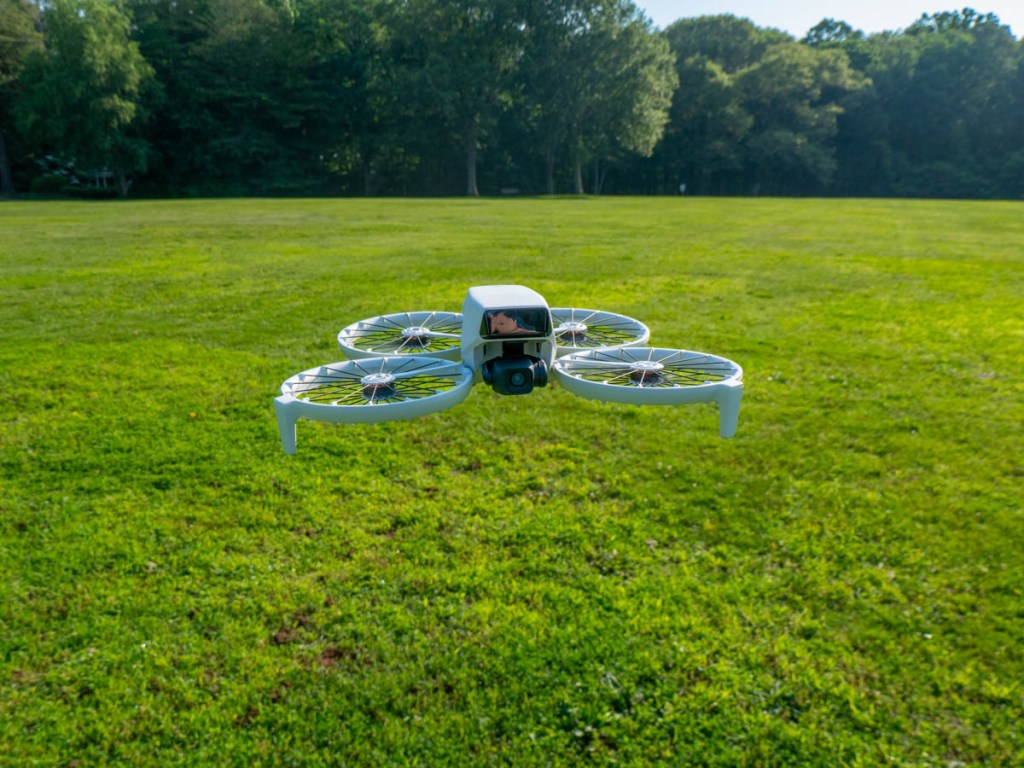
So, I took the leap and bought myself a DJI Flip. I chose the upgraded ‘Fly More Combo’ package with 2 extra batteries and the nicer remote controller (RC 2) with its own built-in screen. 

Sub $1,000 Price Point
You can spend as “little” as $439 plus tax on the DJI Flip when paired with the more basic RC-N3 remote controller that uses your smartphone as your flight screen. The Fly More Combo package cost $779. But when you add in a micro-SD card and the 2-year protection plan, plus tax… it creeps closer to $1,000.

Still, that’s not a bad price point considering what drones cost a few years ago.

The DJI Neo is even less expensive… It starts at $199 plus tax.

But the Flip is more advanced with longer fly times and a better camera sensor. It can record 4K/60fps video and slow motion at 4K/100fps.

It’s also got foldable full-coverage propeller guards for added flying protection.

The Flip can snap photos too, but for me it’s all about the video.

Flip Flying 101 = QuickShots
After my DJI Flip arrived, my first step was to learn the preprogrammed flying maneuvers using the DJI Fly app, which I downloaded to my iPhone. You can also activate these short QuickShots directly on the drone by simply togging through button settings. (no phone required).

Another superpower is the Flip can take off and land on your outstretched hand. (Yes, your hand is the take-off pad!)

It’s a nifty trick and greatly simplifies the complexities of take-off and landing.

Shouldn’t Everyone Have a Drone?
I imagine the population of drone owners is relatively steady these days. (If you had a specific need for a drone, you’ve likely bought one by now.) The barrier to entry for new customers like me has been the inability to fly. (Plus, it’s an expensive investment, especially if you think you’re going to crash it.) So, it’s a smart business decision to build auto-piloting skills into entry-level drones to attract video enthusiasts.
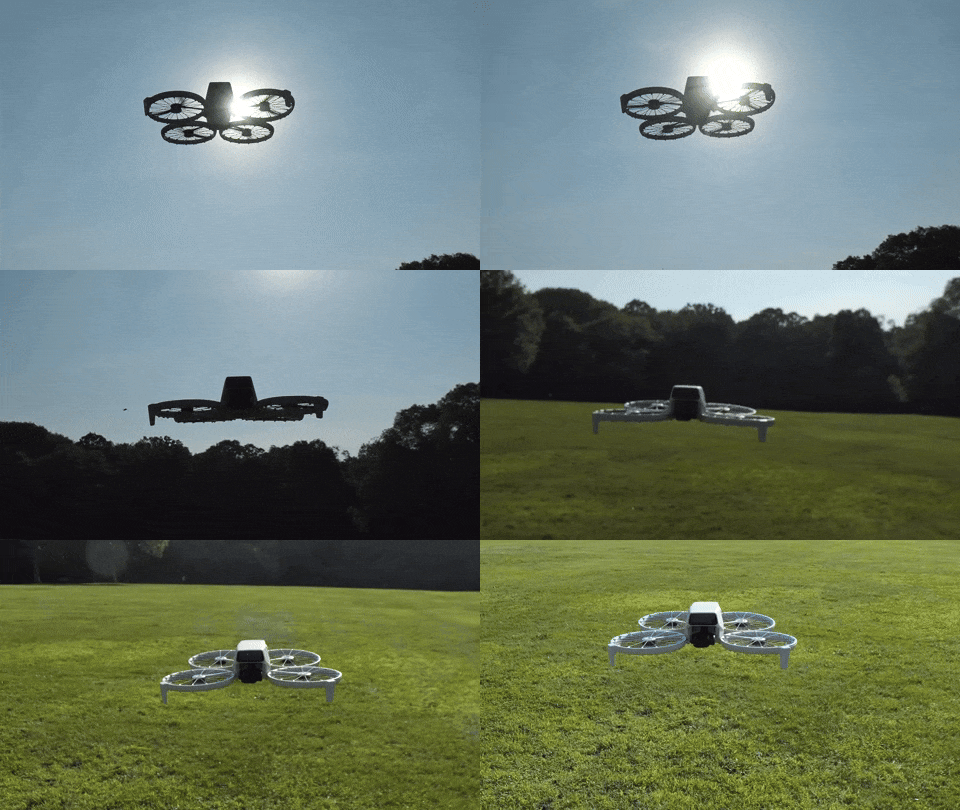
Yes, I think this is a whole new market for DJI, and I’m pleased to be a part of it.

Examples of QuickShots
Sure, I’ll invest the time to learn to manually fly my DJI Flip using the RC 2 remote controller. 

In fact, I’ve quickly figured out how to access the QuickShots’ menu on the RC 2. And I generated these nifty shots in the park on an early test flight.
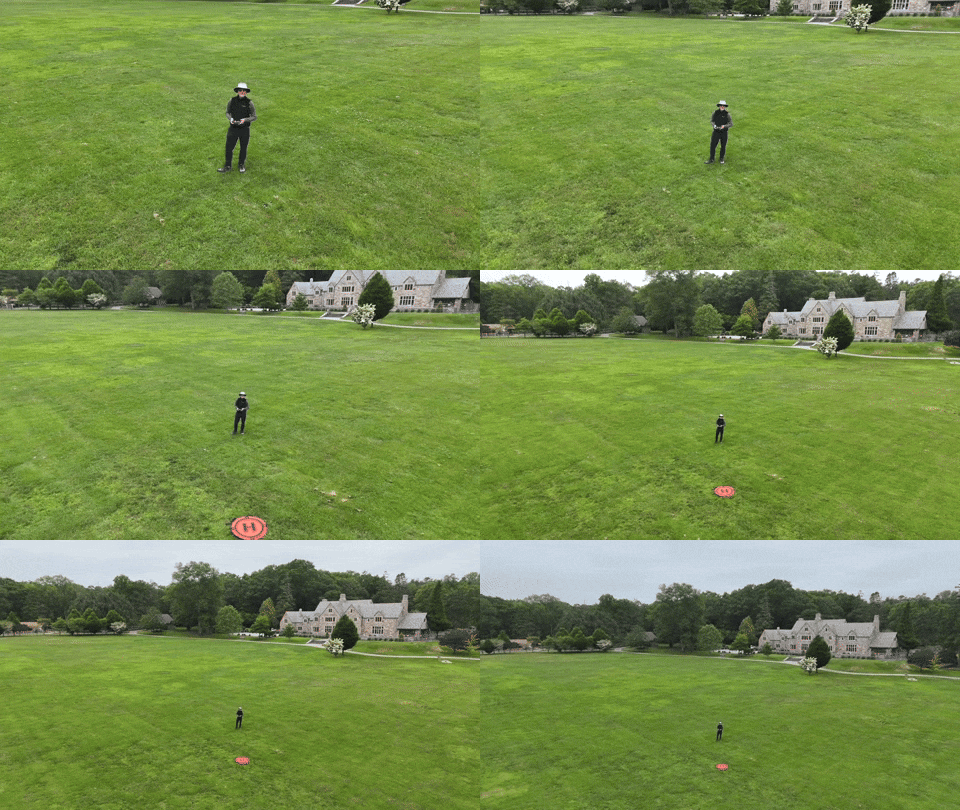
This ‘dronie’ video is a great closer for any number of video ideas.
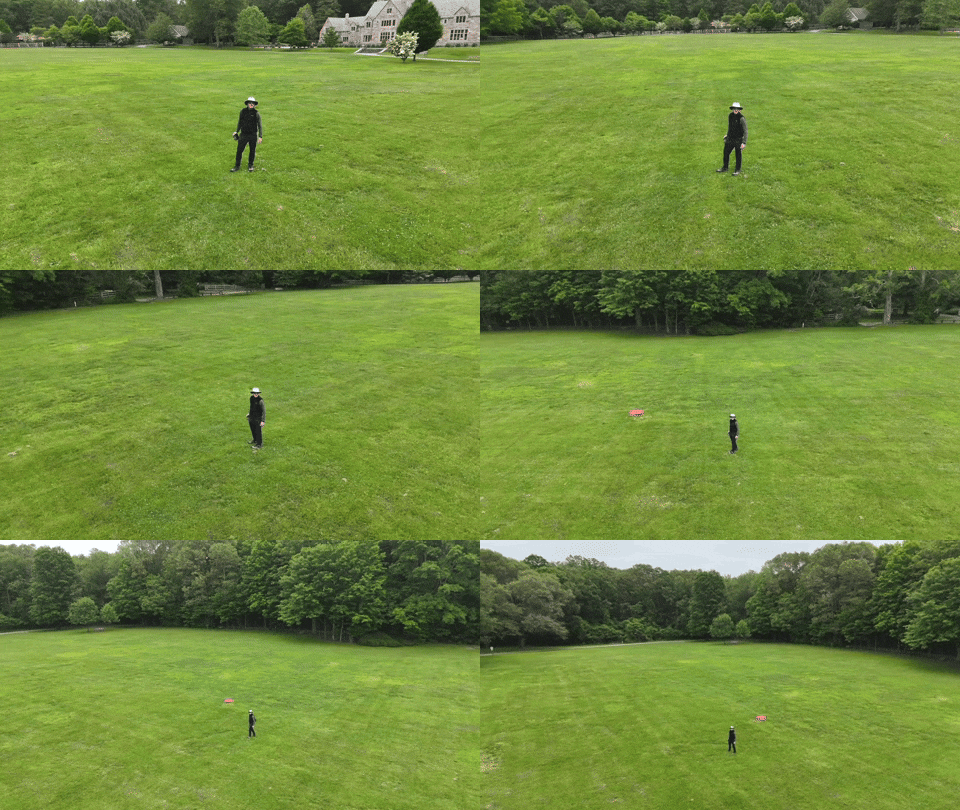
I just need a mountain background to fully realize this “Sound of Music” moment.

Auto Braking System
Happily, my Flip has a front and bottom-facing infrared sensing system, which enables the drone to auto land and prevents it from flying directly into obstacles. But it’s not a 360-degree obstacle avoidance system like other DJI drones have. 

So, crashes are completely possible. (Of course, I’ve purchased the 2-year protection plan.)

Practice Makes Progress
I know that mastering any new hobby or passion takes time. So, I’ll try not to rush it (or crash it).

Just being able to generate some nifty (though preprogrammed) cinematic shots with the DJI Fly app on my iPhone and the remote controller has been enough to instantly make this novice a functioning camera drone operator.

I couldn’t be more pleased.

Why It’s Time to Refresh your Digital Clones 

Have you updated your personal online brand lately? It’s also probably time to replace your photos that the world can see. Here’s why.

“Life moves pretty fast. If you don’t stop and look around once in a while, you could miss it.” This quote from the fictional Ferris in the 1986 movie “Ferris Bueller’s Day Off” was spot on. And it applies in so many ways today.

It’s hard enough keeping up. It’s easy to forget or neglect your virtual self. Yes, like it or not, we’ve all created multiple online beacons that represent our lives.

Unless you’re focusing enough time to curate your online presence and stay active on social media, your virtual identity can easily start to fall behind your actual existence.

This divergence of realities can create a time warp of sorts where you will start to simultaneously exist in two separate decades.

Pro tip: Everyone should follow one timeline.

Do You Exist?
It’s always important to keep your personal online brand fresh and accurate. That’s healthy in any number of ways.

I’ve said it before that you really don’t exist if you can’t be found online.

  • Your professional self must have a strong and updated LinkedIn presence.
  • Your personal self should engage in some social media activity, if only to avoid missing out on everything your family and friends are regularly sharing.

Today, we’re all effectively micro media outlets, broadcasting our lives out to the world. It’s unavoidable. Sure, you can debate that statement, if you want. (I’m sure there were people in 1920 who insisted that they didn’t need a landline telephone.)

Even if you don’t feel you have a specific need to update your online identity today, it’s always out there working for you. So, you should keep it current.

Post a Recent Photo of Yourself
Have you updated your LinkedIn photo lately? Has it been more than five years? Maybe a decade? Perhaps… never?

Yes, then it’s definitely time to change it out. Look we’re all getting older, and we do look different. That’s not a bad thing. It’s reality. It’s life.

Embrace your reality. It’s all you have.

But that doesn’t mean you can’t maximize your reality. So, use a new great photo you love. (It doesn’t have to be professionally shot.)

And I suggest you pick a photo of yourself that’s warm and welcoming. It’s effectively your greeting card to the world.

Smile!
I’ve occasionally come across LinkedIn profile pics without smiles, and I’m always confused by that choice. Why would someone actually want to look unfriendly?

Other times, I see photos that are poorly lit or badly framed. Then, there’s the example where the person is clearly part of a group pic (awkwardly cropped in).

I don’t want to be judgmental, but I don’t get it. We all have smartphones with cameras. If someone isn’t around to snap a new photo for you, a selfie can work just fine. (Just make sure you stand in front of a window to ensure you’re brightly lit.)

Time to Update your Digital Clones
I get it. You’re busy. We’re all busy. You might feel it’s not critical today how people ‘experience’ you online.

But I would say you can’t wait until the day it’s suddenly important again. Then, it’s too late. You can never really know the true impact of actively maintaining your personal brand online across the years.

I believe it’s always beneficial to promote your own story. And to check out how well you’re doing, simply Google yourself.

No, this digital snapshot of your life will never be perfect. You can’t create total digital clones (well, not yet),

But it is a partial view of the real you.

So, give your online personal brand what it needs to best represent you.
Today… and always.

How to Organize Vacation Photos to Tell a Complete Story

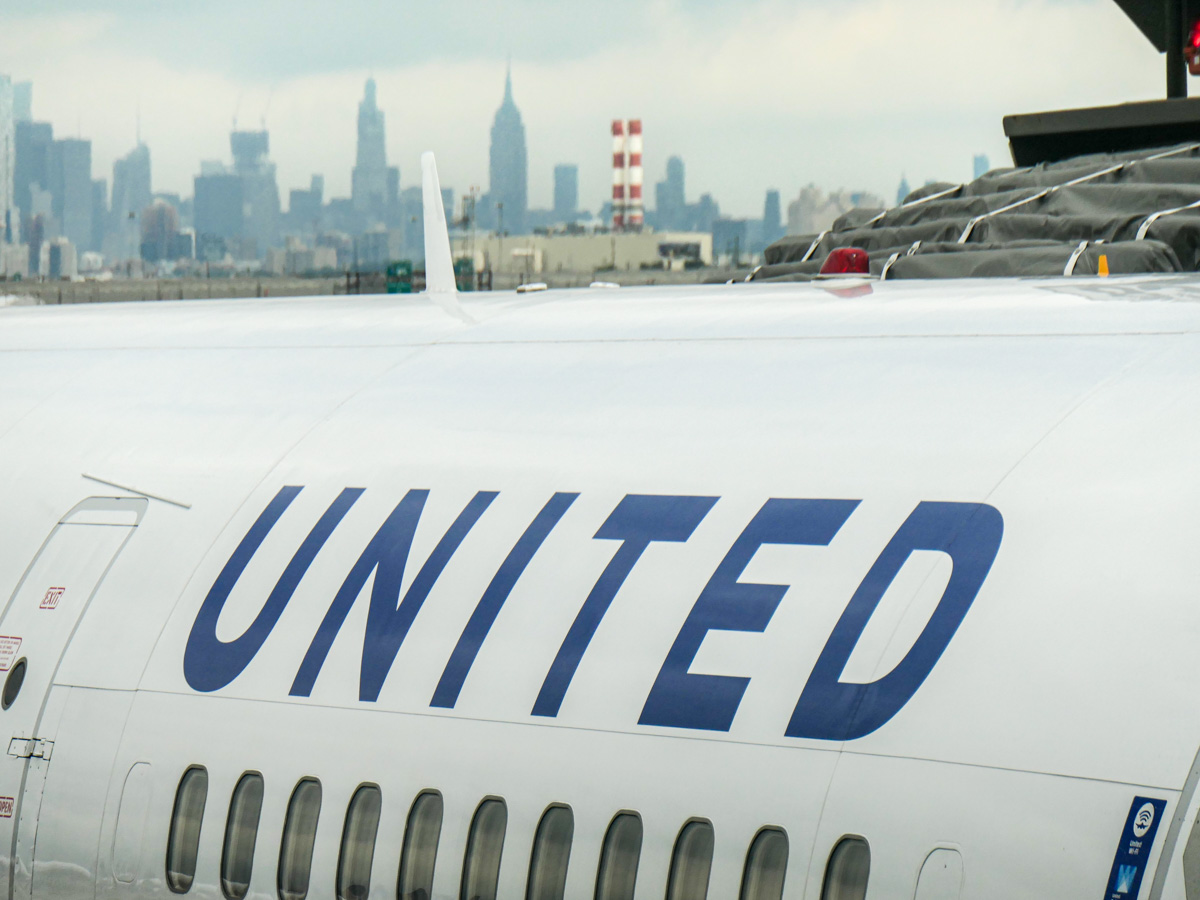
This is the start of our recent trip to Alaska. Here’s why this type of ‘reference photo’ is so important when you want to curate a complete visual story of your vacation.

After a family vacation, I always like to go through my photos and pick out the very best ones. Actually… the best few. (And that’s usually harder to do than you might think.) They’re the ones that really tell the story. And I’m talking under 40-50 pictures.

If you’ve tried a similar exercise, you know what a challenge this can be. Sure, creating a photo book with hundreds of your vacation photos doesn’t require you to choose from all your darlings. But if you’re going to simply show off your photos from your phone to family and friends, their eyes will quickly glaze over after only a dozen of your finger flips.

You’ve got to keep your presentation short. And you should choose the pics that go well together and represent the total arc your trip.

Ideally, they should also visually represent the key information about your travels. Sure, you can audibly fill in the details through a little voice-over support as you share your pictures in the moment. But I think the best collections of family travel photography don’t require that. The photos should stand on their own.

The 3 Categories of Vacation Photos

To create the best collection of vacation photos, you’ll need to take and include three types of shots.

#1 – The Money Shots
It’s obvious that you’ll want to show off your ‘money shots.’ These are your best photos of the ‘place’ you’ve visited. Whether it’s the natural beauty of the wild or a famous urban landscape, those are the photos that anchor your entire trip.

#2 – Your Selfies
And then we all know to snap some selfies along the way (or ask a friendly tourist to take a posed shot of you and your family). You’ve got to include a few of those shots in your collection, right? That’s what makes it your trip.

#3 – Reference Shots
This third category isn’t intuitive, and you’re not going to realize you really need them until you try to put your collection together. I call them reference shots. Think of them as the thread that stitches your whole photo story together. In many ways they’re like an establishing shot in a movie.

These shots provide the context you’ll want for your other photos.

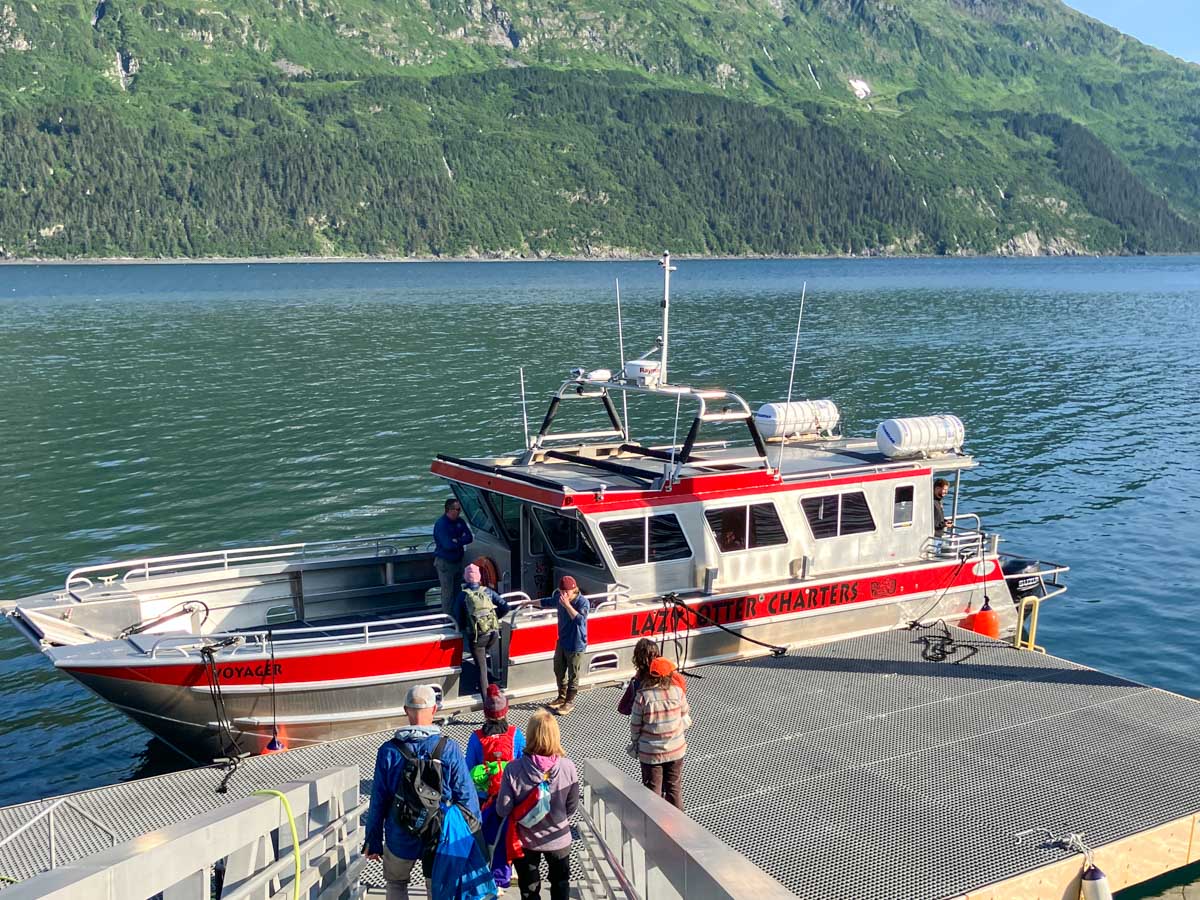
The Boat
For example, on my family’s recent vacation to Alaska, we went on an amazing day cruise on Prince William Sound to get up close and personal with a few glaciers. It was incredible. So sure, I got tons of shots of the glaciers and some shots of my family posing in front of the glaciers. But I almost forgot to get a shot of the boat we were on.
The boat was really a big part of the story… We were on Prince William Sound… and cruised right up to a glacier… and there we are… on this boat. It’s so important to complete the visual sentence.

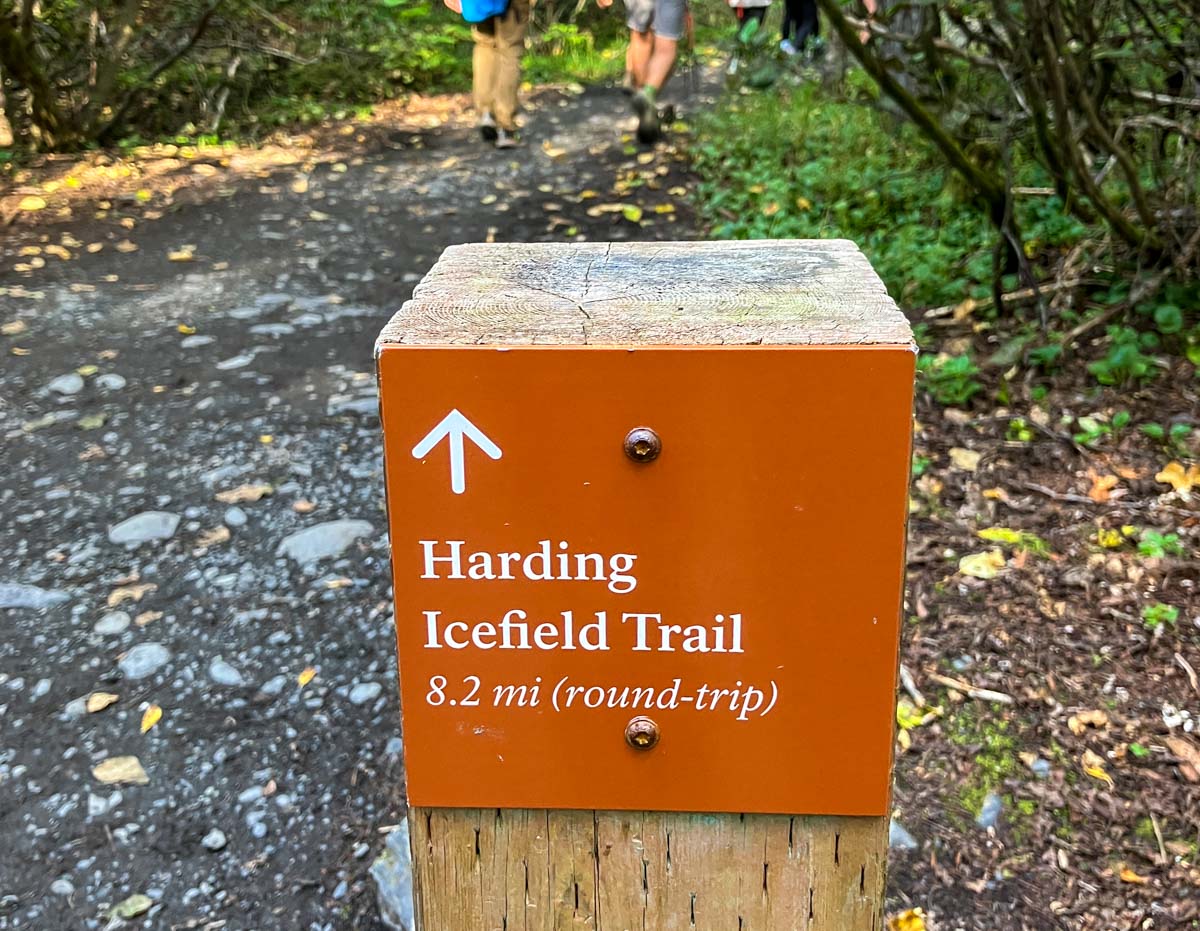
The Trailhead Marker
Another example: We took the hike of a lifetime right next to Exit Glacier in Kenai Fjords National Park up the Harding Icefield Trail.
The money shots were a couple hours away up the trail, but I intentionally dragged my feet at the beginning of our hike to let everyone in our Backroads group walk ahead of me as I shot the trailhead marker that contained the key details.

The Name of the Place
Ideally, it’s great to find a shot that includes the actual name of your location. That’s so helpful, especially as an opening shot for your visual story.
I found my ‘Alaska’ shot spontaneously as we were biking the Bird to Gird path along the Turnagain Arm. Suddenly an Alaska Railroad train roared by. I braked, grabbed my camera from my belly bag and snapped my photo!

Set Up your Visual Story
These reference shots are easy to forget. But they’re the glue to help group together all your other photos and represent a complete story.

In the same way that any written story has a beginning, middle and end, so should your collection of vacation photos.

Whether you think of them as ‘reference’ or ‘set up’ or ‘establishing’ shots, just a few of them can serve this need exceptionally well. You just have to be mindful to find them along the way.

Don’t Dilly Dally
And if your traveling companions glance at you quizzically the next time you take an extra few beats to snap one of these shots, just remember the value they represent.

Even through you might then have to hoof it to catch up to the rest of your group (guilty), it’s worth it.

Just don’t take too long. Otherwise you’ll risk falling too far behind your own story!