At Home with Tech

Unlock the power of all your technology and learn how to master your photography, computers and smartphone.

Tag: photos

My Life in 10 Seconds

We snap birthday pictures to celebrate the passage of time. So why not string together all of those birthday photos to create a visual story of your ongoing life? And then how about creating a fast video sequence that captures it all in 10 seconds? Would that actually work? I decided to find out…

I had this crazy idea a few decades back that I would pose for a photo on every birthday and hold up my fingers to identify each new age I was sporting. And then at some point, I would stitch together all of these pictures into a blistering fast video montage.

Decades of my life to date in 10 seconds. Whoa! How cool is that?!
Well, it’s my birthday. And this year, I’ve decided to give it a go…

Are you ready? Here it is…

Barrett's Birthdays
So, first off… while collecting my photos for this sequence, I realized that I didn’t have access to many of my pictures from before Y2K. The ones I could locate were hidden in buried photo albums and photo boxes… in the attic… in the basement. Many more are still in my father’s apartment in New York City.

And if you think I’ve complained about digital photo organization, my jaw has been hanging open at the disarray of my analog-only photo prints.
(I switched to digital photography in 2000.)

Sure, my mom created some great photo albums when I was a kid, but I haven’t yet digitized most of those pics.
(That’s going to be quite the project!)

All this said, I feel somewhat satisfied that I was able to pull together all of my birthday pictures from 30 years old on and a few from my earlier years.

And I’ve come to the realization…
…that my little visual opus is actually not as interesting as I had anticipated.

Birthdays are for the Moment
Experiencing birthdays can be exhilarating, because they’re your special day. I remember how important those early parties that my parents threw for me felt. Even the birthdays I’ve had as an adult have been lots of fun.

But looking at this montage just doesn’t capture any of that energy.

Perhaps once I get all of the years together… Version 2 may take on a more time-travel-like quality. But the reality is many of my birthdays took place at home. Cozy, but hardly revealing of anything more.

At best, you get you see my aging process. And that I can count on my fingers.
(Actually in some years, I reversed the numbers on my hands.)

This sequence doesn’t tell the story of my life.
At all.

What’s the Background?
I thought a bit and realized that the missing ingredient is context. Each of these pics only represent me at the same moment year after year, but they don’t say much else.

A series of the photos that captures my various ‘adventures’ should reveal multiple chapters in a larger story.
(Where am I? What am I doing?)

So, I turned to my Adobe Lightroom photo library and poked around to pull together a separate set of pictures from my adult years, and this is what I came up with…
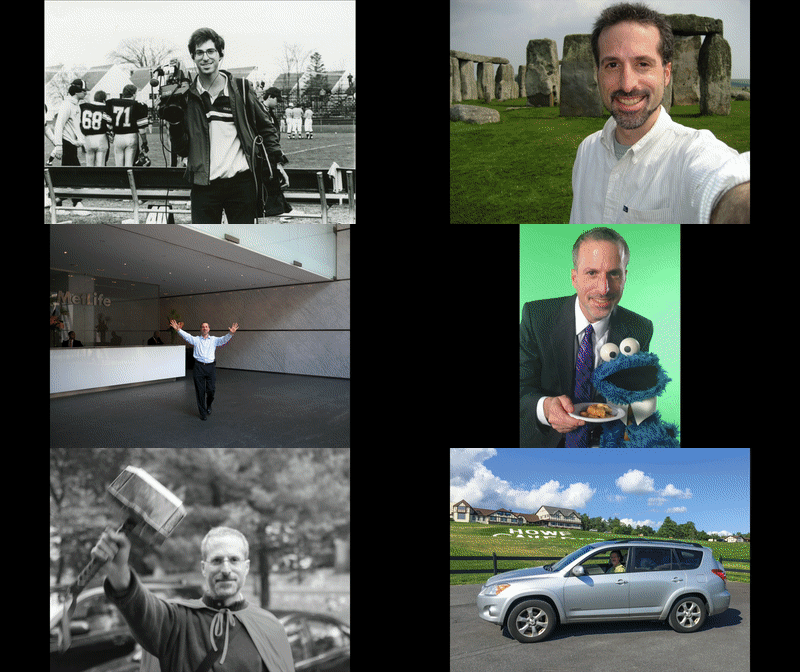
Barrett over the years
Well, this certainly provides a lot more visual depth, but which photos to choose can become a mind-boggling process, even if you had organized access to every photo ever taken of you.

And the time it takes to intentionally pick only a few from the hundreds of choices…
To do this thoroughly, it could take someone a whole lot of time to do.
(So, let’s regard this as an early draft.)

But before moving forward to properly complete this multi-decade project, I still felt the design was not complete. There was something else missing.

It’s Not Only About You
Anyone’s life is defined by the people around them. You need to include your own personal community to build out your visual story with any sense of authenticity!

So, I went back again to Lightroom and pulled together a third set of photos that didn’t really focus on me, but on some of the people in my life…
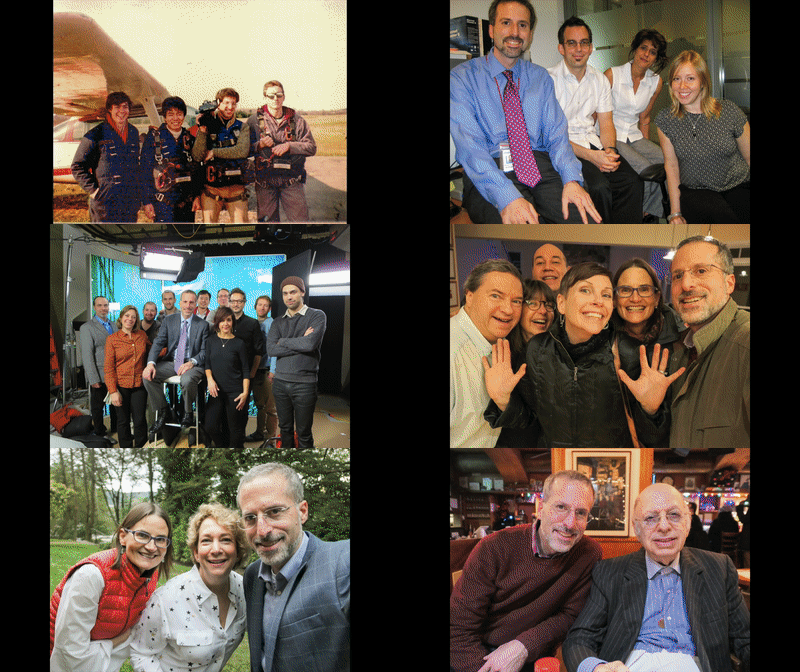
Family and Friends
I know it’s mostly a blur with way too many faces to focus on.

At best this version provides just a feeling. An impression of a life to date. Of the many folks who’ve been on the journey with me at different points in time.
(And this version is absolutely incomplete with lots of missing family and friends)

But I think this third design has the most potential…

Which one do you like the best?
(Perhaps a combination of all three?)

Look Back Before Looking Forward
So clearly, I still have more work to do on my “life in photos” project.

But you might be asking yourself why you should also commit to such a complex archival endeavor.

Well, first off… I think a photo sequence housed in video or animated GIF form (especially if it’s slowed down a bit) can be an amazing way to organize and share your most important pictures.
(My 10-second exercise can easily be adapted into a more leisurely pace.)

If you want to find a way to tell your story, this is absolutely one method to use!
And if you’re not sure about your story, this can be a great process to figure it out.

The truth is anyone’s story is constantly evolving, and a little context is always helpful. And this type of project forces you to evaluate your journey on an ongoing basis.
(Or at least every year)

I think it’s always important as you look forward to take some time to look back.
You might remember a few things… a few people… a few moments.

It can help remind you who you really are.
…Who you’ve always been
And who you will be…

And isn’t that the best birthday present you can give to yourself?
Two Reasons Why You’re Failing as the Family Photographer

It’s not difficult to snap a picture. In fact, it’s never been easier. But if you don’t follow a photo library management plan, you’ll quickly be in a world of hurt. I’ve got seven steps that should help make your day…

No matter how hard I try, I feel like I’m fighting a losing battle as the family photographer. Sound familiar? The good news is you’re probably doing just fine taking the pictures.
(I snap a few winners here and there.)

The problem is what comes after…

Sure, you can quickly flip a photo or two out to your world from your smartphone, but if you’re like me, I like to bring my photos home for review, grading and improvements.

I have a five-point numbering system when I go through my pictures in
Adobe Lightroom:

5 = Great
4 = Good
3 = Okay
2 = Not very good
1 = Terrible

I immediately throw the 1’s and 2’s into the trash, because they’re the stinkers. But then I hold onto everything else. But after years of following this practice, I’ve discovered a severe flaw.

Only Keep Your Best Photos
My plan has allowed me to retain pictures that I just don’t need. More importantly, the sheer mass of accumulating photos clogs up my computer’s hard drive, and they simply take too long to catalog.

The 5’s are the only ones I should be focusing on.
(Sometimes, I also highlight a few of the 5’s as ‘extra special’ by making them a ‘pick.’)

If I’ve nailed the shot as a 5, why would I need to save a version of it as a 3 or 4?

New rule:
When you’re done cataloging all of your 5’s, go through everything else with the intent of deleting them. All of them!

Question why you need to save your 3’s and 4’s.
(Really)

There are No Shortcuts
For me, the underlying problem in my faulty photo management process is committing enough time to do the job right.

That means taking the time to correctly ID your 5’s on the first round of review.

And at the back end, you’ve got to do the ‘clean up’ phase and not leave around a lot of useless 3’s and 4’s you’ll never use again.

Because years will go by, and you’ll realize you’re holding onto way too many pictures.
(Like thousands of them)

Sure, I know I’m a big supporter of taking ‘multiple’ shots of a particular moment to ensure you actually get what you want. But that means you need to choose the best one and then delete everything else!

You Must Find the Time
Second new rule:
This all takes discipline and a daily commitment of thirty minutes of digital photo management.

I know that can be hard to fit in to a busy schedule. So I try to carve out the time first thing after I wake up in the morning with my cup of Joe.
(Yes, you probably need to set your alarm earlier to generate these precious minutes. I do.)

Without this regimen, your system will break down in a number of ways:

  • If you don’t share your photos quickly, their value drops off over time.
    (Who wants to see last year’s photos? Your family and friends want yesterday’s pictures!)
  • Your computer’s hard drive will fill up. Or you’ll have to shell out for cloud storage.
  • You’re never going to create those photo books, as that’s usually the last step in a photo organization plan.

Keep It Simple
I just finished up a few days of ‘staycation’ expecting I would be able to catch up on all of this. Guess what?
Not possible.

If you’re months behind, the only solution is to chip away it.

Thirty minutes.
Every day.

Delete all of your 3’s and most of your 4’s.

Remember, you only need a handful of pictures to tell a story.
Less is more.

You’ve just got to take the time to figure out which ones they are…

Time.

Seven Steps to Success
So let’s review my updated rules for effective digital photo library management:

  1. Don’t let your pictures languish on your camera’s memory card or computer.
  2. Stop grading a group of photos on a five-point scale. Find your 5’s. And that’s it. Really everything else should be deleted.
  3. Proceed with the ‘tweaking phase’ to improve your remaining ‘best photos.’
    (Cropping, color balance, exposure)
  4. Then, go find the four or five best 5’s. Those are your ‘uber 5’s.’ Share those. Family and friends rarely want to see more.
  5. Email your photos to your family and friends within the week!
  6. Don’t forget to copy your 5’s into the appropriate ‘theme’ albums or collections you’ve set up.
  7. Commit half an hour every day to your life-long photo management project as the family photographer.

Thirty minutes.
Every day.
Promise me.

Now, promise yourself.

It’s not a snap, but it’s the answer.

Eight Ways to Face Your Digital Mess

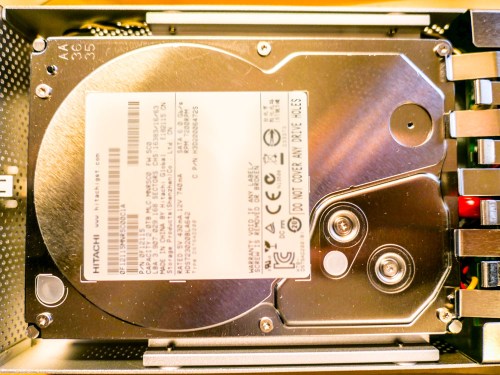
hitachi-hard-drive

Click on your computer’s hard drive and select ‘Get Info.’ If the percentage for remaining space shocks or worries you… (Other negative emotions also apply) Read on!

Is two terabytes enough space to house the digital contents of your family life? (That’s the size of my iMac’s hard drive.) Well, I certainly thought so. I mean… how much space do you really need to capture and archive the important moments?

The truth is your final archived files for posterity probably shouldn’t take up terabytes of space. (How much media do you really want to carry forward into future decades…?)

The real problem is housing all of your raw content that you’re regularly capturing… and then just letting it pile up, because other priorities tend to get in the way of your little personal archiving plan.

The Digital Math Doesn’t Lie
For me, that constant digital flow of incoming family-related media looks something like this:

  • Weekly family photos that document the day to day: 25 pics x 4MB each = 100MB
  • Three video clips a week averaging 90 seconds each: 3 x 400MB = 1.2GB
  • And let’s throw in one larger ‘event’ a month that generates 50 more pics (200MB)
  • Plus, four vacation zones each year that bring in 250 photos and 10 video clips each. (5GB)

Let’s tally that up…
Roughly, we’re talking about taking in 75GB of photos and videos each year… and that’s without even trying.

You can imagine if you add in a few more one-off events and other kinds of files that you’ll also acquire throughout a year, that number can easily jump to 100GB.

But even at that rate, it would take you twenty years to fill up a 2TB hard drive.

What Happened?
But last week, I realized my iMac was almost out of hard drive space.
(Yes, this disturbing moment shouldn’t come as a complete surprise to anyone ‘at home with tech,’ but that’s another story.)

So what was taking up all of that space?!

Before I allowed myself to descend into a ‘digi-tizzy,’ I realized that I am indeed working on my second decade of digital media collection.
(I’ve owned iMacs since 2004.)

Still, twelve years in should only have pushed me to about 60% of my current hard drive’s capacity.
(Also, photo and video file sizes weren’t nearly as large back then in our pre-HD days.)

But the truth is I’ve captured a whole lot more video than my above equation entirely accounts for.
(One example is a family history video project I’ve been doing with my dad over the past few years. He tells great stories, but he certainly takes his time.)

So now, I’ve got to finally deal with it!!!

Time to Help Out Your Computer’s Overstuffed Hard Drive
Sure, I can consider upgrading my computer and simply getting a bigger internal hard drive. But that’s not really the fix. That’s just ignoring the larger problem…

You can offload much of your media inventory to external drives.
(In fact, that’s a best practice anyway when editing video.)

But without an organized plan, that’s not going to be much help when you rediscover the drives a decade later, and you’re confronted with hundreds of unlabeled files.
(Assuming the drives even boots up)

Much like my philosophy when it comes to sharing your photos quickly, you should be regularly going through your video files to organize/edit/share.

But today it’s not about what you should be doing… it’s about what you must do! You may want to check… because much like me, your computer’s hard drive may already be just out of space…

It’s time to do some file organizing/deleting/moving…

Eight Ways to Reclaim Hard Drive Space

#1
Review Your Biggest Files First
You’ll move the needle fastest if you can move/delete some really huge files. So begin your file search there. Addressing those offenders first will have the greatest impact on freeing up hard drive space.
(Obvious, though always worth mentioning!)

#2
Don’t Ignore Your Videos. They Can Sink You!
Pay attention to all of those videos you’ve been capturing with your smartphone and camera. Video files are HUGE! You should label them and regularly move them to an external drive.
(Actually… two drives. Media always needs to live in at least two locations for back up.)

I’m especially partial to drives made by G-Technology.
I’m currently using the G-Drive Mobile USB 3.0 to house my raw family video files.

#3
Clean Up Your Email
Your email can be sucking up a whole lot of space.
(How many messages from long ago are you still hanging on to? I’m embarrassed to reveal my number.)
And lose all of those damn unread marketing messages from companies you willingly gave your email address to.
(And to some you didn’t)

#4
Find and Move Those Emailed Photos
Don’t forget your family and friends are sending you photos too. Don’t let those pics languish, lost in your hundreds of disorganized email messages.
(Thousands?)

#5
Delete the Photos that aren’t ‘Great’
Face it. Most of your photos stink.
(All right… mine do.)

But that’s my secret to success. I take lots of photos and hope that one in a collection is ‘the one.’

So especially if you have a ‘best version’ of a photo sequence… you need to delete the rest!

#6
Reorganize Your Folder Structure
Go back and review all of those folders you’ve created over the years. You’ll be surprised to discover what you left behind, forgotten and just don’t need anymore.

#7
Delete Old Software
Enough said.

#8
Make the Time
You may be asking yourself, “Who’s got time for all of this?”
Exactly.
(I certainly don’t.)

My response: “You don’t have a choice.”

I’m happy to report my computer is on its way to recovery. But it’s going to take some time to fully complete my hard drive review.

The trick is to keep going…every week.
A little at a time…

Clean Up Your Digital Sock Drawer
If these tips feel like I’m telling you to simply clean up your house… you’re right. It is, in fact… your digital house. And life is going to mess it up just like everywhere else.

You’ve got take some time to tidy up every so often.
(And it’s really much bigger than just organizing your sock drawer!)

People don’t move to a bigger house simply because they’ve got too much stuff.
(Do they?)

So you’re left with living in the boundaries of the digital space you’ve got…
…Or one day, you’ll discover that you won’t be able to open the front door.

You can avoid that day if you start right now…