
What Tech Should You Pack in Your Emergency Go Bag?
I’ve always tried to pay attention to home safety topics like fire prevention. So far, so good. But you never know where your blind spots might be. Recently, my wife and I had a complementary review of our house’s smoke detectors by two members of our regional Red Cross.
They found a couple gaps and opportunities, which I quickly addressed the following week. While smoke detection and fire avoidance were the key themes to our discussion, they also talked about being ready to immediately evacuate in the event of an emergency.
And they brought up the important topic of having a ‘go bag’ packed and ready to take if the situation prevented returning home for a period.
Go Bags and the Cloud
Of course, there are different types of emergencies ranging from a stove fire to an extended power outage or natural disaster that could force you to leave your home. A go bag, also called a bug-out bag should contain items to help you get through this evacuation period.
While emergency supplies are the priority, the Red Cross team also suggested we might want to think about taking important or irreplaceable documents and photos should our house burn down. (gulp)
They helpfully suggested that I could upload some of that to the cloud to mitigate the risk.
As I nodded in agreement, my brain began to spin.
Are You Ready?
Backing up my important photos to the cloud is a fundamental file maintenance practice I’ve been following for years. But was I ready for this kind of moment? Plus, was this just tip-of-the-iceberg thinking?
I asked myself if I was really prepared to handle a big emergency, leave my home and perhaps not return for a long time.
I don’t think I am. No, not really.
So, it was time to begin closing that gap.
Mountain Bike Duffel Bag
I started by first getting a dedicated go bag to fill up. After doing some research, I decided I liked the structure of a mountain bike duffel bag.
These duffel bags have lots of pockets for organization and easier access than a standard knapsack.
I ended up buying one made by Wildhorn.
Important Tech to Pack
Next, came the packing part. Of course, safety and survival come first. And while I’ve brushed up on which emergency and medical supplies I should include in my go bag, I’m admittedly still a student in this space. So, I’ll leave it to the experts to offer their recommendations.
That said, you’ll likely want to also take along some tech. You might find yourself partially off the grid, but that doesn’t mean you have to cut yourself off without the right tools.
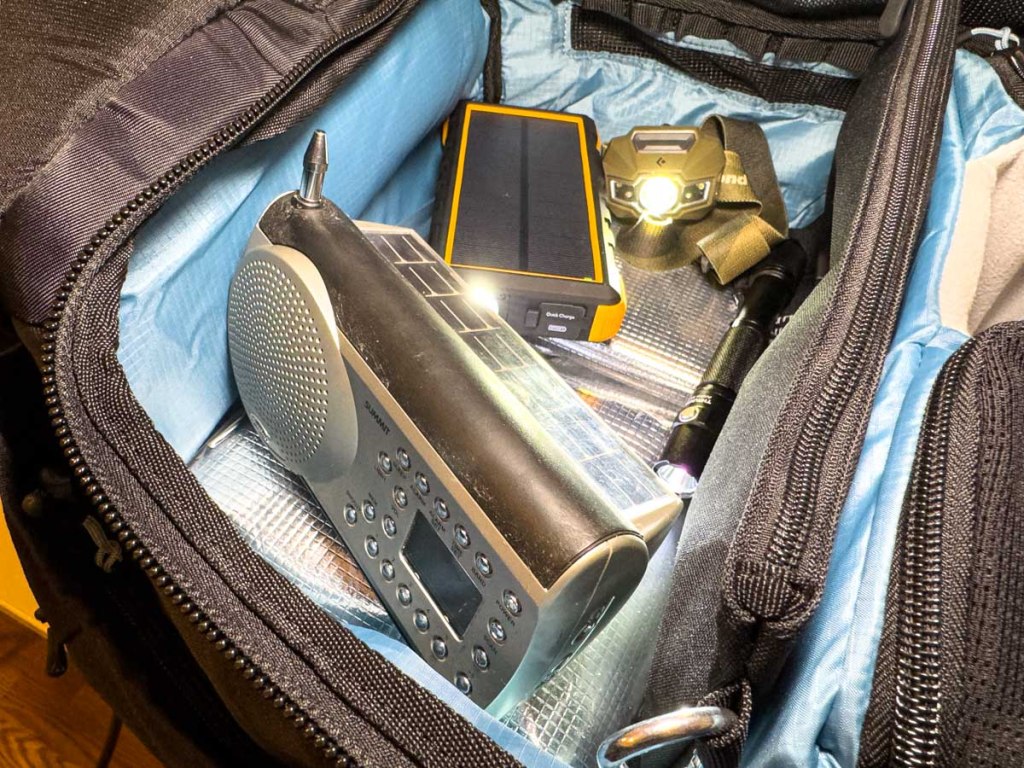
Here’s my tech list that you might want to consider for your own go bag:
- Portable power bank(s) to keep your phone and other tech going
(A solar-charging model is optimal.) - Charging cables
- Wall charger with USB ports should you be able to plug into power
- Portable power strip
- Solar or crank-powered radio
- Analog watch that can keep ticking more than 24 hours without recharging
(My Apple Watch wouldn’t be up to this task.) - A portable hard drive with important files
- And of course, a rechargeable flashlight and headlamp
Just Like a Camping Trip?
While I was creating this packing list, I began to realize that the process felt a lot like packing for just another trip, but one that you hope you’ll never go on.
Another, more positive take is this is like prepping for your next camping trip. (There’s a fair amount of crossover.)
On the one hand, you may already have some of this gear at home. But it’s probably best to purchase a duplicate set and then dedicate this ‘emergency’ tech to a permanently packed go bag that you wouldn’t borrow from under normal circumstances.
Get Organized
So now that my go bag is packed, I’ve set it aside and hope that I’ll never have to use it. (It’s like spending money on insurance.) One ongoing detail will be to make sure battery power remains charged up.
Yes, completing this project has provided me a little peace of mind.
But I also know I have more work to do on a variety of fronts. There are many chapters in the book of Organizing your Life.
How prepared are you?


 At Home with Tech