At Home with Tech

Unlock the power of all your technology and learn how to master your photography, computers and smartphone.

Tag: SiriusXM

How I Listen to SiriusXM at Home
The sounds of your SiriusXM Satellite Radio subscription don’t have to be silenced, because you’re stuck at home. Here’s how I moved my SiriusXM stations from my car to my Sonos speakers…

I’m not driving nearly as much these days, because I’m fortunate to be able to work at home during these challenging times. While I don’t miss all of that traffic on I-95, I must admit that I actually do miss the visceral experience of driving.

  • That sensation of movement
  • Acceleration
  • Controlling the machine

I also miss listening to my SiriusXM Satellite Radio stations while driving
my Toyota RAV4.

I always considered my satellite radio subscription a luxury. But I rationalized its relatively expensive cost through daily use. When my car began hanging out next to my garage as a new norm, my SiriusXM value equation disintegrated.

Bringing SiriusXM Home
But of course, SiriusXM does offer the opportunity to stream its channels in your home. So, I decided it was time to do exactly that. But I didn’t want to spend more money on additional hardware.

The good news is there are a variety of ways to bring your SiriusXM subscription to your existing devices. The most direct approach is to listen on your computer, or through SiriusXM’s smartphone app.

Instead, my preference was to connect via my Wi-Fi speakers. (You may recall that I’ve been enjoying my Sonos devices.)

So here’s how I connected my SiriusXM stations to my Sonos wireless speakers at home.

SiriusXM on Sonos Play:1
First, I brought my SiriusXM world into my iPhone’s Sonos app, which controls my older Play:1 Sonos speakers. (They’re not voice-enabled.)

Here’s how to do that:

  • Open your Sonos app
  • Tap ‘Settings’ on the bottom right
  • Under ‘Music & Content’ tap ‘Add a Service’
  • Search and choose ‘SiriusXM’
  • Log in

You’re done!

SiriusXM on Sonos One Using Alexa
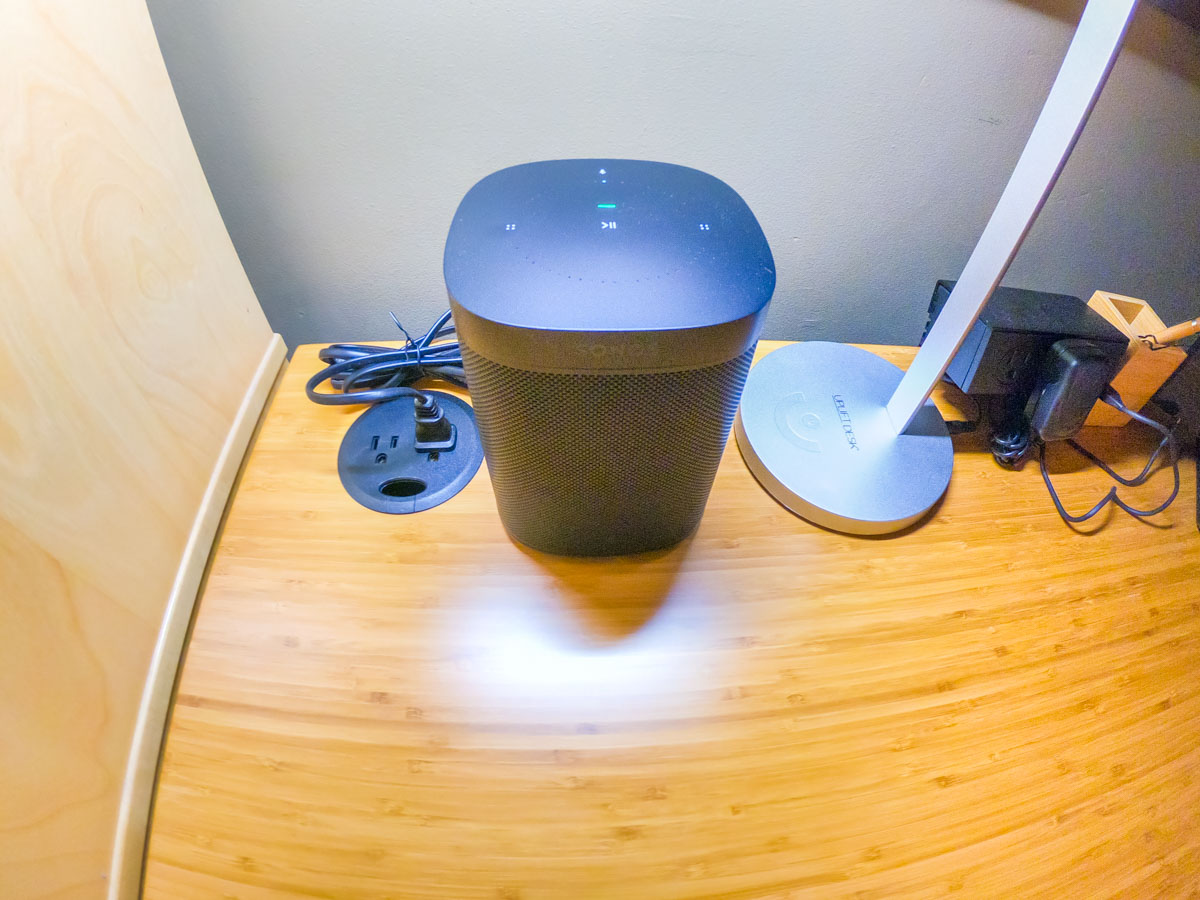
Next, I focused on connecting my Alexa-enabled Sonos One smart speaker.

To empower Alexa to play SiriusXM via voice command, you have to ‘enable the skill’ and link to your SiriusXM account.

Alexa sent me easy instructions via my Alexa iOS app.
(She’s so helpful.)

Keeping Up with the Times
While researching this little audio project, I realized there are actually numerous ways to bring SiriusXM into other devices in your home, including Apple TV, Google Nest speakers and Roku.

The SiriusXM value equation can easily be restored. It’s just about adjusting your mindset that SiriusXM is not only for car use.

That said, do I actually need satellite radio at home? There are already plenty of ways to stream other radio and music sources.

(pause)

Well, I hope that one day in the not too distant future, I’ll be spending at least a little more time in my car. Until then, I feel so much better knowing that I’m not burning money by entirely ignoring my SiriusXM subscription.

Control Restored
As I write this, I’ve got the sounds of SiriusXM gently playing in the background on my Sonos One speaker. Alexa awaits my next voice request for a station change.

I’m at home. And now, so is my SiriusXM subscription.

One more component in my life I’ve got back under control.

I’ll take it.

How to Get the Most Out of SiriusXM

Once you get over the sticker shock of what satellite radio costs in your car, then guess what…? You should consider spending even more…

Once you get over the sticker shock of what satellite radio costs in your car, then guess what…? You should consider spending even more…

I entered the pricey world of SiriusXM satellite radio a couple years ago, when I bought my Toyotoa RAV4 and realized its radio was SiriusXM capable. I curiously activated the free, several-month trial subscription, which of course hooked me.
(SiriusXM is way cool!)

And when the time came to pony up some real dough, I accepted the tempting offer for a discounted first year. ($111 for the XM Select plan) But the following year, the price went up to $204. (The non-discounted rate)

And last month, I shelled out $217.89 for another twelve months.

Gulp.
Isn’t that a lot of money each year to listen to the radio?

I know… a lot of you will remind me that the coverage and content is nothing like what old-school radio stations offer today, and that’s true.

Not to mention, I often enjoy taking advantage of the audio feed from CNN while I’m driving to work in the morning.

So where’s the problem?

Well, even though I absolutely love my SiriusXM feed, I’m still trying to come to terms with the fundamental idea for paying to listen to the radio.

Discovering Story Pirates
Another concern is my SiriusXM world is only available in my car. Sure, I know I can purchase a standalone SiriusXM-capable radio for my house, but I haven’t wanted to balloon my subscription plan further.
(I just got done pruning my commitment to cable TV!)

But I ran into a little problem with my current SiriusXM strategy, when my six year old became a fan of ‘Kids Place Live’ (channel 78). It’s a really great station for children with plenty of fun music and talk shows, including ‘Story Pirates,’ my son’s favorite segment.

Story Pirates is a series of short radio plays (musical sketch comedy) based on stories submitted by young children across the country. I’ve recently realized that Story Pirates is also part of a larger non-profit educational effort that includes writing workshops and interactive performances in more than 275 schools and community centers nationally.
(Plus, there are performances in New York City on Broadway on many Saturdays.)

An alternate way I’ve been serving up these wonderful episodes for my son is through downloadable free podcasts on my iPhone. I can do that anywhere, since it’s not directly connected to the Kids Place Live SiriusXM feed.

I simply connect my iPhone to my trusty Logitech UE Mobile Boombox.
(Bluetooth portable speaker)
And it’s showtime!

So, it’s all great, right? Well, yes and no…

Activate the App
I’ve been thinking how nice it would be to bring in the larger Kids Place Live feed into our home.

And that brought me back to the larger limitation of my current SiriusXM car bubble…

And then one day last week while driving to work enjoying a little SiriusXM goodness, I happened to listen to a promo, and I picked up on the phrase, “…listen on the SiriusXM app.”

There’s an app?

An app I can stream SiriusXM on?

An app I can stream SiriusXM on at home?

Whoah!
Where has Rip-Von Lester been hiding?

But there’s a catch…

There’s a Price to Pay
You need to subscribe to the most expensive ‘All Access’ plan to be able to use the app as well as access ‘Internet Listening.’

And what plan was I on…?
One step down…. ‘XM Select.’

D’oh!!

And how much more does it cost to either purchase ‘Streaming Add-On’ or simply upgrade to Sirius All Access?

Four bucks a month.

So that’s another $48 a year.
And that would bring my annual SiriusXM cost to over $265.
(Sigh)

Pay for What You Use
For me, the issue isn’t really the extra fifty bucks. It’s whether I getting value out of the new spend.

As you may know, I’ve been paying attention to that question lately and reallocating where my media consumption dollars have been going:

Is the extra four bucks a month worth it to extend the reach of my SiriusXM?
If not for me… then for my son?

Well, if I’m going to put that way…

To Be Continued
Plus, It’s really only a dollar more or so a week. I think I can handle that.

But I must admit, I’ve still got some mixed feelings. The key to whether this is a good spend is how we end up using SiriusXM at home.

If it unlocks the full potential of this product, then it’s money well spent.
(Otherwise…)

So let’s get started…