At Home with Tech

Unlock the power of all your technology and learn how to master your photography, computers and smartphone.

Tag: travel

4 Helpful Tech Packing Hacks for Vacation
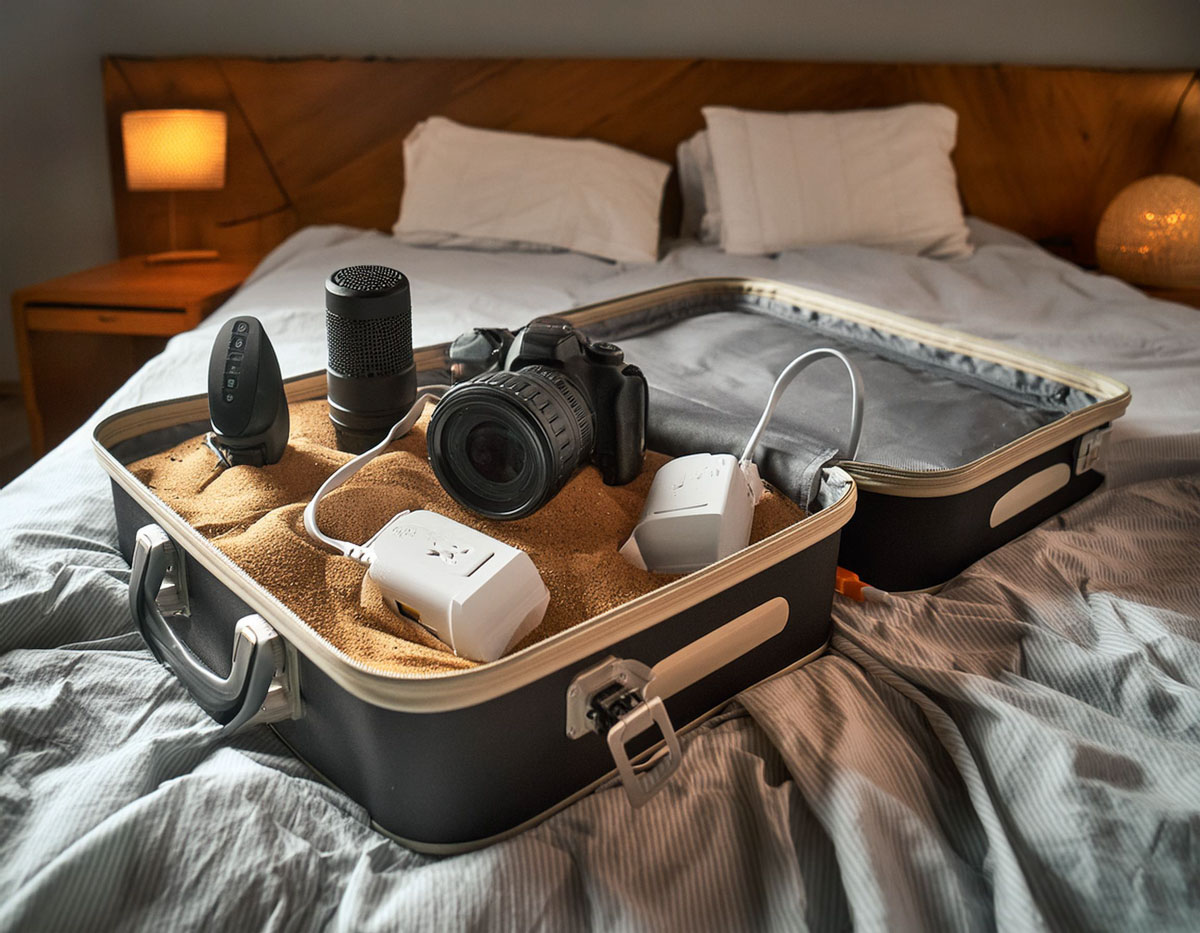
Here are a few ways to help ensure your tech stays safe, organized and fully functional throughout your trip for a more seamless travel experience.

Taking all your tech with you on vacation comes with inevitable risk. But if you’re committed to your decision, you should take these few extra steps while packing to help ensure both your gear’s safety and maximize its functionality during your trip.

Set up a Charging Station
Many hotel rooms don’t have enough convenient outlets or USB ports to charge all your gear. Instead of spreading your tech around the room to tether to the few available outlets, it’s much better to centralize and create an organized charging station of your own.

The trick is to bring your own mini power strip. Make sure it has a long cord so you can snake it from a wall plug to a table or dresser where you can construct your charging station for your hungry tech.

Yes, it may seem counterintuitive to weigh down your luggage with a power strip, but there are a variety of travel-worthy models out there that are relatively light.

Believe me… It’s a game changer.

Bring a Dedicated Camera Bag
If you’re a photographer with a larger-profile camera and lenses, you don’t want to throw all that delicate gear randomly into a piece of luggage. You need a dedicated bag to properly protect it.

A few years back, my family and I took a vacation to New Orleans, and I purchased a Peak Design Everyday Backpack 30L for my camera gear. I carried it onboard the plane with me. Its dimensions are right on the edge of being too big, but I did successfully squeeze it under the seat in front of mine. That said, it would have easily fit in the overhead bin, but I already had my suitcase there. (My family and I had challenged ourselves to not check any luggage on that trip.)

My Peak Design backpack performed absolutely great during our time in The Big Easy. It even housed my little Manfrotto travel tripod.

Pack your Apple TV
If you‘d like your hotel room television to have the same streaming options as your home TV, packing your little Apple TV puck could be your solution. Just connect it to the hotel’s Wi-Fi and the TV’s HDMI cable. (You may need to bring your own HDMI cable.)

This type of MacGyvering works best with less advanced hotel Wi-Fi systems that don’t require signing in with anything more than a password. If you need to first navigate through a hotel’s web portal to sign in, your Apple TV won’t activate.

If it all works, it’s a nifty trick.

Stash a Portable Bluetooth Speaker
Sure, you can play your tunes from your smartphone’s speaker, but it you want to really bathe yourself in the goodness of your playlists, you’ll need to bring along a dedicated portable Bluetooth speaker.

They’re so small these days. Why not throw one in your bag?

Travel Ready
By incorporating these simple packing hacks into your vacation-planning routine, you can ensure that your tech remains safer, organized, and fully functional throughout your trip. From setting up an efficient charging station to protecting your camera gear and enjoying your favorite media, these strategies can enhance your vacation experience and keep your tech running smoothly.

Happy travels!

How to Keep Track of your Tech while Traveling

If you sometimes worry about losing your gear on the road, you’re not alone. Here are five ways to help lower those odds.

My family and I have happily returned to vacation travel across this past year. We started in February with a little skiing at Bousquet Mountain in Massachusetts, then visited New Orleans over spring break, relaxed in Maine in June and of course, we just got back from our great trip to the Southwest and Grand Canyon.

And while it’s not too complicated to throw some clothes in a bag and board a plane, it is important to remember that bringing your tech along requires more attention if you want it all to come back with you.

If you misplace a shirt, that’s probably not deal breaker. A missing piece of gear can really ruin your day.

What are the Odds Some of Your Tech Won’t Make It Back?
Let’s face it. Losing your gear on the road is surprisingly easy to do. There are plenty of ways to inadvertently part with your expensive gadgets and their accessories.

  • Chargers and Power Cables
    How many times have you left behind your smartphone charger or laptop power cable plugged into the desk in your hotel room
  • Lens Cap
    And if your DSLR’s lens cap is not tethered to your camera’s lens, it’s constantly pulling a Houdini, right?

You Won’t Lose It If You Don’t Have It
Much like over packing clothing for a trip, we also have a tendency to travel with too many gadgets. (I surely do.) So, one solution is simply to leave the tech behind that you can do without.

  • Don’t take that laptop if a tablet will do.
  • Don’t take the tablet if your smartphone can handle the job.

Sure, many hotel rooms are now equipped with mini safes. And laptops are small enough these days to jam into these tiny vaults. But then you’ve got to remember to clear out the safe before you leave.
(And no matter what, isn’t it always a rush?)

Maybe you won’t forget the laptop, but what’s hidden behind it might get missed with a hurried exit.

Five Ways to Hold onto Your Tech on the Road

But if you absolutely must bring it, here are five tips to help you increase the odds you’ll come home with all your precious tech gear and accessories.

1. Use the Right Carry-On Bag
Keep your tech with you at all times. Assume an 800-pound gorilla will be jumping on your stowed luggage.

So bring a carry-on bag with distinct compartments and keep each piece of tech in its designated position. Then take a moment to memorize where everything belongs.

That way, you’ll be able to quickly scan if all your digital tools are in their right place.

2. Have Power in a Pinch
It’s always nice to bring a little backup power in your bag while you’re going about your day. That way, you don’t have to worry about where you’ll be juicing up your smartphone next.

More importantly, that also means you don’t need to spontaneously set up a portable charging station at the nearest outlet. And you don’t need to pull out unnecessary gear while looking for your charging plugs. Exposing all of your items in public is never a good idea.

These days you can store a power stick that’s not much larger than a pack of gum.

It’s worth it.

3. Keep Your Pockets Light at Security
When going through airport security, it’s always such a fire drill to get everything back on your body before rushing to the gate.

I always feel a sense of dread as all of my pocketed gear disappears down the conveyor belt in bins to be scanned. Yes, I’ve always gotten it all back, but you never know about the next time.

Reposition as much digital paraphernalia as you can into your carry-on bag.

4. Watch Your Laptop Like a Hawk After the X-ray Machine
I’m not talking so much about someone stealing your laptop from its bin while you’re putting your shoes back on. I’m referring to simply protecting it from being harmed.

During a work trip years ago, I watched in horror as a bin holding a laptop rolled out of the X-ray machine conveyer belt. It got squeezed by a bin jam ahead of it, and then it veered off the rollers, dumping the laptop onto the cold, unforgiving cement surface below.

No, the poor laptop didn’t bust into multiple pieces,
but I’m not so sure how solid its guts were after that kind of spill.

Try to position your laptop bin so it comes out of the X-ray machine soon after you’ve walked past your own X-ray body scan experience. That way you’ll be close by to rescue your laptop if a bin jam becomes imminent.

5. ID Your Gear
Sometimes, no matter what you do, fate still intervenes.
So when you end up losing a gadget like your tablet or eBook-reader on a plane,
in your hotel room, or after a lunch at a restaurant… what do you do then?

Well, you’d better leave a trail for someone to find you.
(Like simply taping a business card inside your new iPad case)

If your gear is in lockdown mode, there’s no way for anyone to know it’s yours.
Sure they can do some sleuthing based on your reserved plane seat or hotel room record, but would you want to leave your gadget’s future in the hands of an Inspector Clouseau?

Pay Attention!
It all comes down to spending the time to pack your gear properly, keeping it with you as much as possible and having a plan when the unexpected happens.

Alternately, just don’t take it. Sometimes, less is more.

Good luck!

Pro Packing Tips for your Vacation Tech

Joining this Colgate University reunion torchlight ceremony with hundreds of other alumni after a two-year delay was especially meaningful. Packing my tech for this weekend trip took a bit longer than I expected. If it’s been a while since your last vacation, you might also need a refresher on packing your gear. Here are my top tips…

Going on vacation again with my family after more than two years into this pandemic has been amazing. Our recent New Orleans trip and drive to our college reunion weekend both felt like the good old days.

But my packing powers were a bit rusty. Sure, I brought the right clothes (mostly), but when it came to certain peripheral supports for my tech, I didn’t score 100%.

If you feel you could also benefit from a few reminders, here are my pro packing tips for your tech.

Remember to Take a Small Power Strip
It’s rare to find enough plugs in your room to charge your tech when you’re on vacation. I find it especially helpful to set up a charging station using a small power strip with a short extension cord. (Plus, it’s so easy to pack.)

The mini power strip also keeps all of your charging cables in one place and reduces the chance that you’ll leave anything behind.

Carry a Peak Design Backpack as a Personal Item on your Flight
If you’re planning on flying with your camera and travel tripod, and you want to pack it into a bag that will fit under the plane seat in front of you (as a personal item), you’d better pull out a tape measure and start measuring dimensions. No matter what, it’s going to be tight!

For our New Orleans vacation, I bought a Peak Design V2 30L Everyday Backpack. It just barely squeezed in on board both flights, but it did! (phew)

And then this knapsack was the perfect travel companion on my back as we walked about New Orleans.

Pack a Thermos with Tomorrow Morning’s Coffee
I’m an early riser and always like to have my first cup of coffee as soon as I get up. If you’ve driven somewhere where breakfast doesn’t start for another hour or two, you might be out of luck finding an immediate cup of Joe. But not if you already have your coffee with you!

I brewed a pot of Peet’s Major Dickenson’s coffee right before we drove to our Colgate reunion, poured it into my hi-tech Yeti thermos and then packed it in the car. Early, the next morning, I unscrewed the top of the thermos, lifted it to my face and was delighted to still sense faint warmth. No, my coffee wasn’t at all hot anymore, but it was absolutely fine for this need.

Use your Apple Watch as a Silent Wake-Up Alarm
If you’re thinking of ditching your Apple Watch on your next family trip, don’t!

Whenever my family is sleeping in the same room on vacation, I don’t want to wake everyone up with my early alarm on my iPhone. That’s when I continue to wear my Apple Watch during the overnight hours. Its silent, vibration-only morning alarm is perfect for this purpose. A little haptic action on my wrist is all I need to start my day.

One thing… I normally charge up my Apple Watch at night. So if that doesn’t happen, I have to remember to immediately do it before breakfast.

Bring your Apple TV
If you want your hotel room TV to mirror the streaming options on your home TV, packing your little Apple TV puck just might do the trick. Just connect your Apple TV to the hotel’s Wi-Fi and the TV’s HDMI cable.

I’ve found this kind of MacGyver maneuver works best with less advanced hotel Wi-Fi systems that don’t require signing in with anything more than a password. If you’ve got to first navigate through a hotel web portal to sign in, the Apple TV will get stuck.

Write Down your Streaming Apps’ Passwords
If you don’t end up taking your streaming puck on vacation, you might be surprised to find one already connected to your hotel room TV. (That’s what we found in our New Orleans B&B.) If that’s the case, all you have to do is sign into your streaming accounts. Of course, you’ll need your passwords for that!

And when you’re packing up to leave, don’t forget to sign out of your streaming apps!

Travel Back to the Future
Going on vacation again can be a big step towards returning to the normal patterns of life. And if playing with your tech is part of your vacation fun, then I say bring it and enjoy!