At Home with Tech

Unlock the power of all your technology and learn how to master your photography, computers and smartphone.

Tag: Working from home

How 3 Computer Screens can Enhance your Work at Home

If you’re struggling to manage multiple windows on your computer screen while working from home, then it’s time to get yourself more screen real estate. It’s okay to admit it. Six monitors might be too many, but here’s what I did to get to three.

How many programs or apps do you juggle on your computer screen during your work day? Several Microsoft Word docs? Perhaps a Google Slides deck? Emails? Multiple web pages? Texting program? If you’re a creative, maybe you’ve also got Adobe Premiere or After Effects running. Where can you possibly put all that? Sure, you can minimize and hide windows, but you know… out of sight… out of mind.

It’s a constant struggle to keep your desktop organized and quickly find what you need. And you can never see everything simultaneously. You’d need a massive screen for that.

Well, of course they make larger screens for your computer. And if paired with a laptop, you also get the extra benefit of having a second screen. But some people keep their laptop closed and just use their external monitor. I think that’s a missed opportunity.

Stop Looking through a Pinhole
I know. Lots of folks do just fine using their tiny 13” laptop screen. Heck, 15” laptop screens are considered massive by comparison. But I know I’m not alone in feeling even that’s not enough room to do your work if you spend most of your day on a computer.

An office environment can often accommodate for this need with multi-screen stations you can easily plug into. But if you’re working from home, you’re usually on your own to figure it out.

Well, I’ve got a bold message to share: It’s really time to stop struggling.

Stop ‘making do’ with your tiny laptop uncomfortably crammed in the corner of your home. Why not reprioritize your existence and acknowledge your reality? It’s not temporary anymore.

So go ahead and redesign your space to set up a larger monitor for your laptop. If you’ve already got one monitor, consider buying a second one!

Yes, you really need it! It’s okay to admit that you do.

And let me tell you, when you allow your field of computer-screen vision to spread out more, it’s like putting on glasses for the first time…. Simply glorious.

Adding a 24” Screen to a 27” Monitor on my Standing Desk
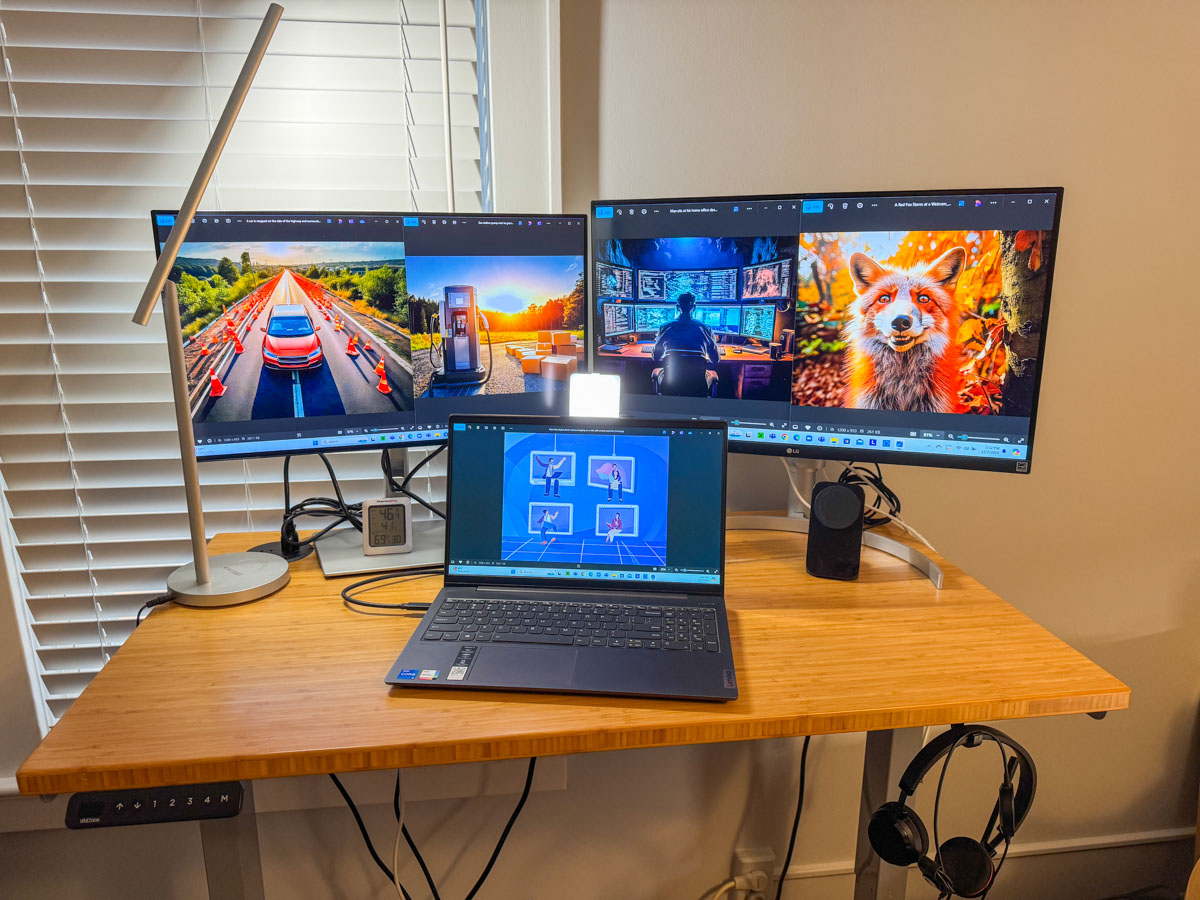
I’ve been using a 27” LG monitor for the past few years with my laptop. They sit on my 42” wide standing desk in my home office. But I finally decided it just wasn’t enough. I really wanted a three-screen setup.

My standing desk is positioned in front of a window across from a separate V-shaped desk that houses my personal Mac Studio and a 32” HP ‘Z’ monitor.

Years ago, I chose to separate my work and play spaces in my home office. Perhaps that’s unnecessary, but it feels right for me. So, on the days when I work from home, my commute is a simple 150° swivel of my chair, and I’ve arrived.

No, I didn’t have a ton of extra room on my standing desk, certainly not enough for another 27” monitor. But I believed I could squeeze in a 24” monitor to help me gain additional screen real estate.

I knew it wouldn’t look pretty. I wouldn’t win any home-office feng shui awards. It would be a “Matrix”- like clutter vs. an airy starship design. And that’s okay. You go with what you’ve got.

So, with holiday sales swirling about, I finally allowed myself the freedom to buy a second additional screen for my laptop.

My New 24” Dell Monitor
I went with a 24” Dell UltraSharp USB-C Hub Monitor (U2424HE). The ‘hub’ functionality made it easier to tether to my existing set up without having to buy a separate hub device.

The USB-C connection to my laptop also feeds power to my laptop, which is a nice bonus, reducing cable clutter.

The IT Guy Finds a Challenge
The setup mostly was plug and play, but you really must know where to plug everything in. There were no directions in the box. (The quick setup sheet didn’t talk about multi-screens.)

I eventually found the 116-page manual online. The PDF was crammed with every possible detail. It described 14 connection options, each pin designation for the RJ45 plug and the emergency steps to take if you have to quickly dump the warp core (Trekkie joke). I scoured though this manual nobody ever wants to read and finally found page 55.

MST on Page 55
It’s titled, “Connecting the Monitor for USB Type-C Multi-Stream Transport (MST) Function.” (MST? Are we supposed to know that acronym?)

In short, page 55 told me to connect the Dell to my laptop with the USB-C cable and then tether the two monitors with the DisplayPort (DP) cable. (easy)

And then it simply worked. All my screens began to glow, and so did I. But please take note that you really do need to bring your inner IT Guy for this.

The Power of 3 Monitors
I think the irony and the truth behind this story is my secret desire to ultimately surround myself with 360° screens. Well, I’m on my way…

For now, I’ve got my laptop screen, my 27” LG and my adorably mismatched 24” Dell. Everything fits. And the extra monitor really makes a big difference. (Barrett is happy.)
Here’s my upgraded standing desk setup with my personal laptop displaying Adobe Firefly images I’ve created for my blog.

Maybe one day, a less expensive next-generation Apple Vision Pro will transport me into a more evolved virtual workspace environment and better serve my needs.

For now, all that matters is I’ve successfully expanded my access and visual connection to the many details constantly flowing through my computer.

More clarity through working smarter. I highly recommend it.

How to Master your Zoom Meetings to Increase your Impact at Work

Your webcam can be the most important tool to help you maximize your success at your job. Here’s how to sharpen your pencils for your next remote meeting.

The beginning of the new school year has always held that ‘fresh start’ feel for me. Sure, it’s been a few decades, but now I’m experiencing that vicariously through our son, who’s already in high school. (I just can’t believe it.) During these weeks, I also love the early hints of the cool, crisp feel of New England’s fall season.

It’s all stimuli that activates a deeply encoded message in my brain I learned as a child: “Summer’s over. Now, it’s time to get to work.”

Well, it’s not like I haven’t been working hard over these summer months. Sure, I took some vacation time with the family. (First to Cape Porpoise, Maine. And then to the North Fork of Long Island.) But now… the ramp-up to the end of the calendar year is undeniable.

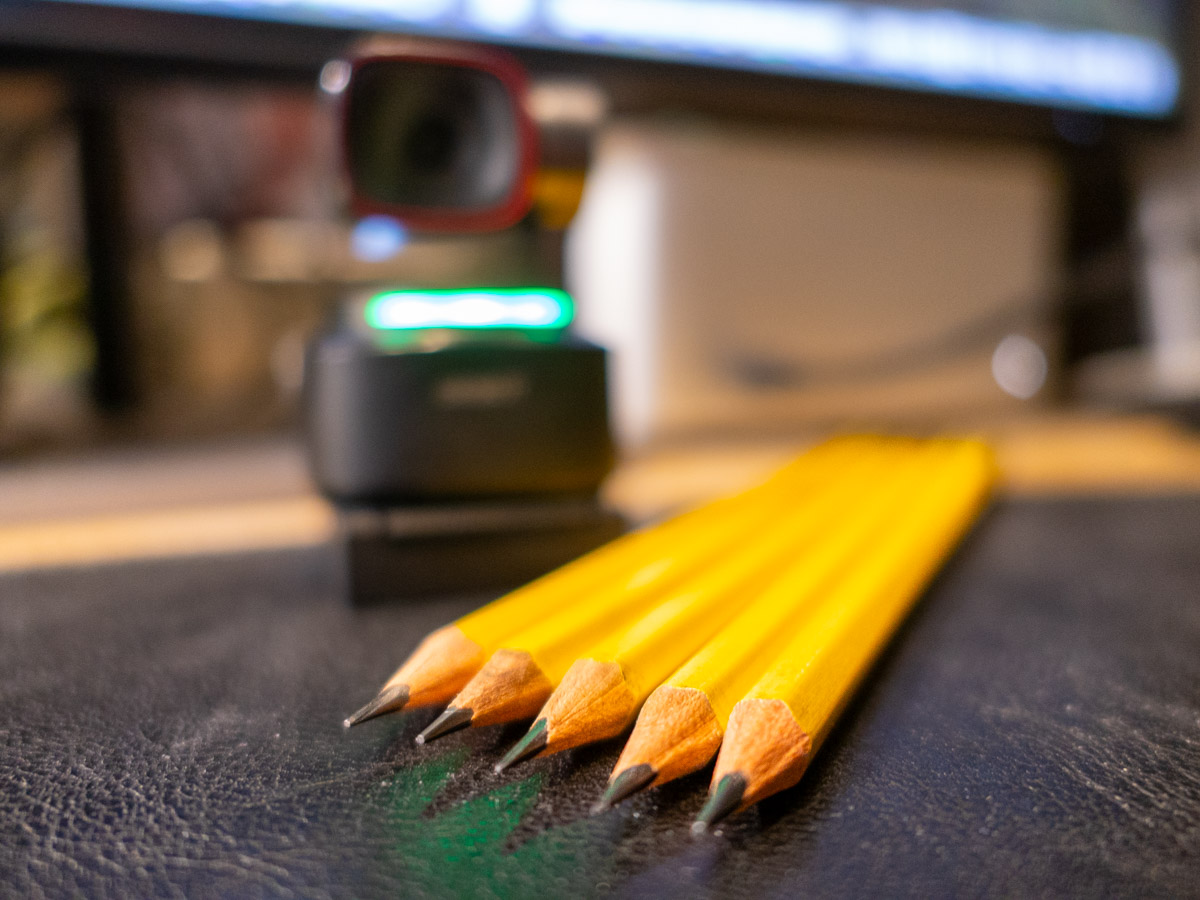
Winter’s coming. You’d better sharpen your pencils.

Remote Meetings are Important
If you’ve been working from home more during this post-pandemic reality, one way to dust off your lunch box is to tighten up how you show up during your remote meetings on Zoom or Teams. These moments are critical tethers to your work community.

I know we’ve been at this for a few years, but I’ve noticed that some Zoom best-practices haven’t yet become second nature for many of us.

So, here are a few reminders. They will help you master the opportunity to maximize your impact at your job.

You’ve Got to Show Up for your Close Up
If you want to play an active role during a remote meeting, you really need to turn your webcam on. Visual communication is everything.

Sure, your voice is important, but offering all your important visual cues is the best way to connect with everyone else. That’s how to master those moments.

Follow Video Production Best Practices
I know by now you understand the basics of good video production and how they directly correlate to a strong webcam shot.

  • Be sure to have a front-facing light source. (The light from a window works great as long as the sun isn’t directly shining through.)
  • Your webcam should be positioned close to the same level as your face vs. pointing towards the ceiling and looking up your nose. (Yes, that may mean propping your laptop up on a few hardcover books.)
  • Frame your shot to fill the screen with your full head and shoulders. Pointing your webcam too high to just reveal your eyes and the top of your head is silly. (Only showing this incomplete body fragment at the very bottom of your screen is worse than not using your webcam at all.)

Put on a Clean Shirt
Look, I get it. It’s so much easier to keep your pajamas on all day. You may feel that nobody really needs to ‘see’ you. If you’re successfully doing your work, what’s the problem?

The concern is the risk to you slowing devolving into some kind of disconnected ‘chat-bot.’ You’re a human being! That’s supposed to carry some advantages. So, you should really consider showing up as one as much as possible.

Pay for Faster Internet
This has been a tough pill for me to swallow, but your standard internet plan may not offer enough speed for you to properly stream yourself into your Zoom meetings. How many times have you seen others freeze up or their audio feed begin to stutter? That’s because their internet speed is too slow.

It’s happened to me, even though on paper, my internet plan was plenty fast enough. So, I ended up doubling it to a ludicrous speed to fix the problem. What else can you do? (I currently pay for 500 Mbps.)

If you want to show up for your close up, yes… you may have to spend more to do it. I suppose that’s the price you pay for not having to show up in person at the office.

Don’t Disappear
I think success in any career requires staying connected with others. Connection used to be primarily based on in-person interactions. As we drift further away from those norms, I think it’s really easy to eventually disappear in plain sight.

So yes, this is a friendly reminder… and a word of caution. As your new school year begins, remember the importance of your webcam and don’t forget to hang out with your friends.

They really want to SEE you.

Don’t Miss this Important Part of an Effective Work Email

How well you write an email is only half the equation. If you rush it, you may miss this path to success.

The commute-to-work model is a shattered construct. Many of us corporate folks now stay home and remotely dance to our own beat with more flexible schedules. With remote work, the workday can be redesigned into countless versions of our 24 x 7 existence.

That’s flexibility. That’s freedom. That’s evolution!

Are You Awake?
But your unique schedule can fall outside of normal business hours and may not always align with your colleagues. If you need to communicate, what are you supposed to do?

You’re certainly not going to call them and wake them up. (And who makes phone calls anymore?)

We all know the standard solution is an email. When your recipients are back online, they’ll read it then. What’s the problem?

The Road to a ‘Perfect’ Connection
Once upon a time, our species chained itself to clunky desktop computers in the office. If you walked away, you were disconnected from the collective. Then, laptops showed up, and suddenly you could be connected from different locations. Eventually, work email made it to mobile devices, and you were entirely free to work from anywhere there was a cell signal.

Staying connected couldn’t be easier.

I often like to refer to the evil Borg characters on “Star Trek: The Next Generation.” They had bad skin, and they weren’t friendly. But their hive-mind collective kept them constantly updated and in-the-know. It was the ultimate connection. Nobody was left out, and everyone was on the same page.

It was the perfect workplace utopia. And of course, the ultimate nightmare for the human race.

Are We Ever Entirely Offline?
I must admit… in another universe, there’s a version of me who is Borg. That’s because I often feel the pull of what I call the ‘email siren song.’

  • Do I have my work email on my iPhone? Of course.
  • Will my emails also show up on my Apple Watch? Yup.
  • If I’m wearing my AirPods, does Siri whisper my updates to me? Uh huh.

Maybe I’m already partially Borg. My technological enhancements are simply more elegant (courtesy of Apple).

I know I’m not unique. There are many who are also Borg-leaning… always connected… quick to respond to an email no matter where or when they are.

Happily, there are still plenty of humans playing by more reasonable rules set by our circadian rhythms. These ‘rebels’ in our ever-increasing ‘Matrix’ society are savvy, and they do just fine setting reasonable limits. (It’s working smarter… not harder… right?)

Email Siren Song
Don’t worry. I’m not truly Borg. And I don’t aspire to be a controlling alpha Borg queen. (I don’t typically communicate with my collective after normal business hours.)

And though I’m aware of inbound communications (unless I’m sleeping) I usually won’t respond. Unless there’s a fire raging, I don’t reach out.

But yes, I still listen to the email siren song.

Disclaimers may not Matter
Sometimes, I see an email late at night. At the bottom, there’s a disclaimer that admits the sender is working outside of normal business hours and doesn’t expect others to respond until the sun has risen.

But it’s too late. I’ve read the email. And if there are multiple recipients, the discussion may then start to move forward, regardless of the sender’s disclaimer.

Navigating these complexities can be hard. There are no easy answers. But here’s a great way to minimize the problem:

Schedule your After-Hours Emails to Deliver the Next Day
If you need to catch up on email at night, do the work, but delay when your email goes out.

If it’s not urgent, I recommend you simply hit that ‘delay’ email tab and schedule your emails to ‘send’ the next business morning.

I highly recommend it.

Put your Smartphone to Sleep!
Unfortunately, not everyone follows this best practice. So, you may need to protect yourself from overnight emails while you’re snoring. And to do that, schedule your phone to go to sleep along with you.

Even if your phone is set to silent mode, its ‘buzzing’ can wake you up in the middle of the night.

That’s happened to me on more than a few occasions. I finally went into my iPhone’s settings to really shut it down while I was getting some shut-eye.

Your Emails are Ambassadors
Every touch point in your life contributes to who you are and how you are seen. It’s part of your personal brand.

You should consider that each email you send is an ambassador that represents you and your brand.

How well you write your emails is certainly important, but when they show up can have an even greater impact… and not always in a good way.

Often, successful communication is about timing. Always ask yourself this question: “When will your email be most effective?”

So be mindful to the when.

Don’t rush it.