At Home with Tech

Unlock the power of all your technology and learn how to master your photography, computers and smartphone.

Tag: Working from home

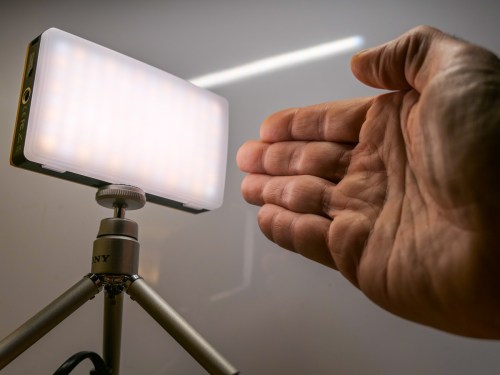
Let your Hands Do the Talking on your Next Zoom

Now’s the ideal time to add your hands into your Zoom conversations. Here’s why.

If you like using your hands when you talk, communicating on Zoom and other video conferencing platforms is the perfect place to apply your style. In fact, this digital ecosystem is an ideal space to apply your non-verbal communications techniques.

I’ve talked before about the importance of using non-verbal face cues during Zoom meetings to generate maximum engagement, but your hands can also play a powerful role in effective Zoom communications.

Unleash the Power of your Hands
Any number of gestures that might feel forced or unnatural during an in-person meeting can work really nicely in the Zoom universe.

  • Giving a thumbs up
  • Raising your index finger to make a point
  • Using one hand to represent an idea or thing
  • Holding up both hands to punctuate an “either/or” explanation
  • Moving a stretched hand diagonally upward to demonstrate success
  • Waving goodbye to make a solid Zoom exit instead of just disappearing

Welcome to the Stage
Your hand gestures can either stand alone or join your spoken words to provide emphasis. You’re essentially following the same rule book as when presenting on a stage.

You may not feel like you’re walking on stage every time you join a Zoom, and many people don’t. But you shouldn’t make the same mistake.

If all the world’s a stage, then so is every Zoom.

And Zoom can be such a hands-friendly place because the medium effectively makes you a presenter every time you talk.

We are Children of TV News
This may seem counterintuitive. You’re probably more focused on Zoom draining your mojo, because you’re feeling unnaturally cramped into a tiny on-screen box.

But that box is a not-so-distant cousin to the all-mighty television screen. And for decades, we’ve been conditioned to apply significance to a singular face that’s talking at you based on the norms of TV news.

Sure, today the market is clearly oversaturated with countless YouTubers in little boxes. And your own circle of contacts might curate an additional few dozen mini faces to regularly stare at.

Open Hailing Frequencies
You may end up feeling like an anonymous face projecting yourself to an often faceless audience. How much of an impact can you really have on a pandemic-numbed and Zoom-fatigued population?

It may be difficult to believe, but for every second that you’re visible on a Zoom, you have the power to move the needle.

Using your hands properly will make you even more effective.

Amplify your Moment
To take advantage of this opportunity, you don’t need to be the official ‘presenter’ who owns the digital floor for an extended period. If you say just one sentence, your viewers will see you as the presenter in that particular moment.

The floor is yours. Use it!

And it doesn’t matter if you’re a little thumbnail image in Gallery View. Then, the movement of your hands can carry even more weight. That’s because your small image makes you more difficult to read. Your non-verbal face cues might be invisible. But a solid hand gesture is hard to miss.

Get your Hands in the Shot
I’m sure you know the importance of setting up your webcam shot to properly display your face. Now you’ve got to make sure there’s room in your Zoom box for your hands to show up.

The trick here is to reduce all of the extra headroom space you probably have in your shot. (That’s the extra area between the top of your head and the top of your shot.) Instead, you want your webcam to show off more of your midsection. That’s the area where your hands live as they rest on your desk.

This technical adjustment is usually easy to make by simply tilting your webcam. That redirects your shot down to just above your desk. Just be sure your shot is wide enough. You don’t want your webcam to cut off your head!

Practice Assertive Communications
After spending so much time on Zoom meetings, everyone should feel like they’re able to successfully contribute to the conversation. And as in any environment, you’ve got to effectively assert yourself.

Yes, that can be especially difficult to do when restricted to a Zoom box. So it’s important to use every technique at your disposal.

Sometimes the answer is to just let your hands do the talking!

Nature, Technology, and the New Year

This photomosaic is my homage to the opposing elements that have helped to maintain my balance throughout the pandemic.

I don’t usually think of nature and technology as being cut from the same cosmic cloth. But together, they’ve done so much to help me endure all of the disconnection caused by the pandemic. Over the past year, I’ve found it remarkable to see how much these opposite elements have been able to fuel both the spirit as well as some simple daily essentials.

For me, there’s been a huge need to rebuild connection points that have been shattered throughout all of the disruptions.

Too Much Zoom?
I don’t have to tell you how much Zoom and other video conference platforms have helped to maintain face-to-face communication throughout all parts of our lives.

But unrestricted by life’s former patterns, our computers have also beckoned for our extended attention without regard to former boundaries. Zoom fatigue was the term we gave to the resulting drain on our life force.

Choosing to break away from the digital siren’s glow and step outside for a simple walk has been critical to maintaining sanity. Doing a nature walk is even better. For me, it’s been a great way to refresh and remember what’s really important in life.

Back to the Future
Leaning on both nature and technology helped me to keep it together in 2020. It’s about maintaining balance. And for me, I did that by better balancing my time between the two.

There were also ways to positively engage with both simultaneously. I found that snapping more nature photos and time-lapse sunrise videos was a joyous connective tether.

As we look to a better 2021, we should continue to weave together the impact of these two contrary forces. Eventually, there will be a next new normal after the pandemic ends. That life should continue to reflect our healthier balance with both technology and nature. (That’s my New Year’s resolution.)

And if your harmony isn’t quite there yet, now’s a great time to get started!

I wish you a safe and healthy 2021.

Cancel your Deal with Zoom’s Virtual Background Devil

Fabricating the illusion of a faux background for your Zoom calls may seem like a good idea, until you realize what you’re giving up. Here’s why it may be a bad deal.

I once believed the goal for Zoom backgrounds was to try to mimic a uniform environment, like walking into an average conference room. Or even better… attempt to mimic that clean, all-white background that Apple is famous for.

That would be so much better than revealing the cluttered background of my home office.

The Lure of Using Fake Zoom Backgrounds
So, I bought white and green pop-up screens and tried squeezing them into the space behind my desk.

But most of us don’t live in an empty 30’x30’ TV studio where this type of staging is easier to pull off.

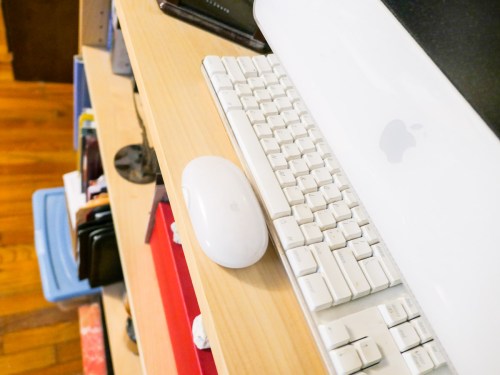
I eventually succumbed to the reality that using a big enough green screen to pull off a full-shot chroma key during my iMac’s Zooms rendered my home office unusable. There just wasn’t enough space!

The only reasonable choice was to use the standard Zoom keying option that doesn’t take advantage of a green-screen background. And though it’s pretty amazing that Zoom can pull a key at all without using a green screen, the trick just doesn’t work as well.

As a result, you can almost always tell when someone is using a virtual background on Zoom. You can see that eerie black glow around someone’s head. And there’s that sudden, momentary disappearance of a hand. You’re not really fooling anyone when using a digital background. By now, I think we’ve all gotten used to that fake Zoom look.

Some of us even flaunt it when they place nature shots or outer space behind them. Yes, it’s a neat trick… once or twice, but eventually you need to come back to earth. I think you should have an image behind you that doesn’t make you look like you’re in a video game.

In Search of the Almost Real
I experimented with using photos of other rooms in my house as my Zoom background in the attempt to maintain some sense of visual authenticity that’s true to my real environment. I eventually landed on a reasonable shot of my living room.

Yes, you could still tell I was using a virtual background, but at least I wasn’t hanging out in someone else’s home!

Offer More of Your True World
While using a photo of my living room did meet my bar for authenticity, I still felt restricted Zooming in a virtual space. Ultimately, I just wasn’t comfortable. The tradeoff wasn’t worth it.

So I cleaned up the clutter of my home office the best I could and turned off my virtual background.

Yes, I went cold turkey on virtual backgrounds. And you know what? It’s felt so much better. The shot represents more of my true life, warts and all.

So here’s a radical suggestion:

  • Even if you believe your space is a disaster and unfit for your video conference viewers, if you do some preproduction staging, I think you can create a look that you’ll be comfortable with.

Unless you’re stuck Zooming in your bathroom, there’s probably a corner in your home that you can make work. Yes, any number of disturbances from your life may be only a few feet away. And we all want to minimize visual and audio interference that may prevent us from communicating clearly.

That’s different than trying to hide from your own environment.

By now, everyone expects visual imperfections on Zooms. The opportunity is to turn your world’s imperfections into an authentic experience. And that can ultimately be such a refreshing change up for your viewers.

Maximize your Reality Instead of Fabricating an Illusion
Showing it like it is means you’re sharing a more personal experience. And I think your Zoom viewers will really appreciate that.

Unclick the virtual box and stop the illusion. You don’t have to hide anymore.

It feels wonderful.