At Home with Tech

Unlock the power of all your technology and learn how to master your photography, computers and smartphone.

Tag: Zoom

How to Master your Zoom Meetings to Increase your Impact at Work
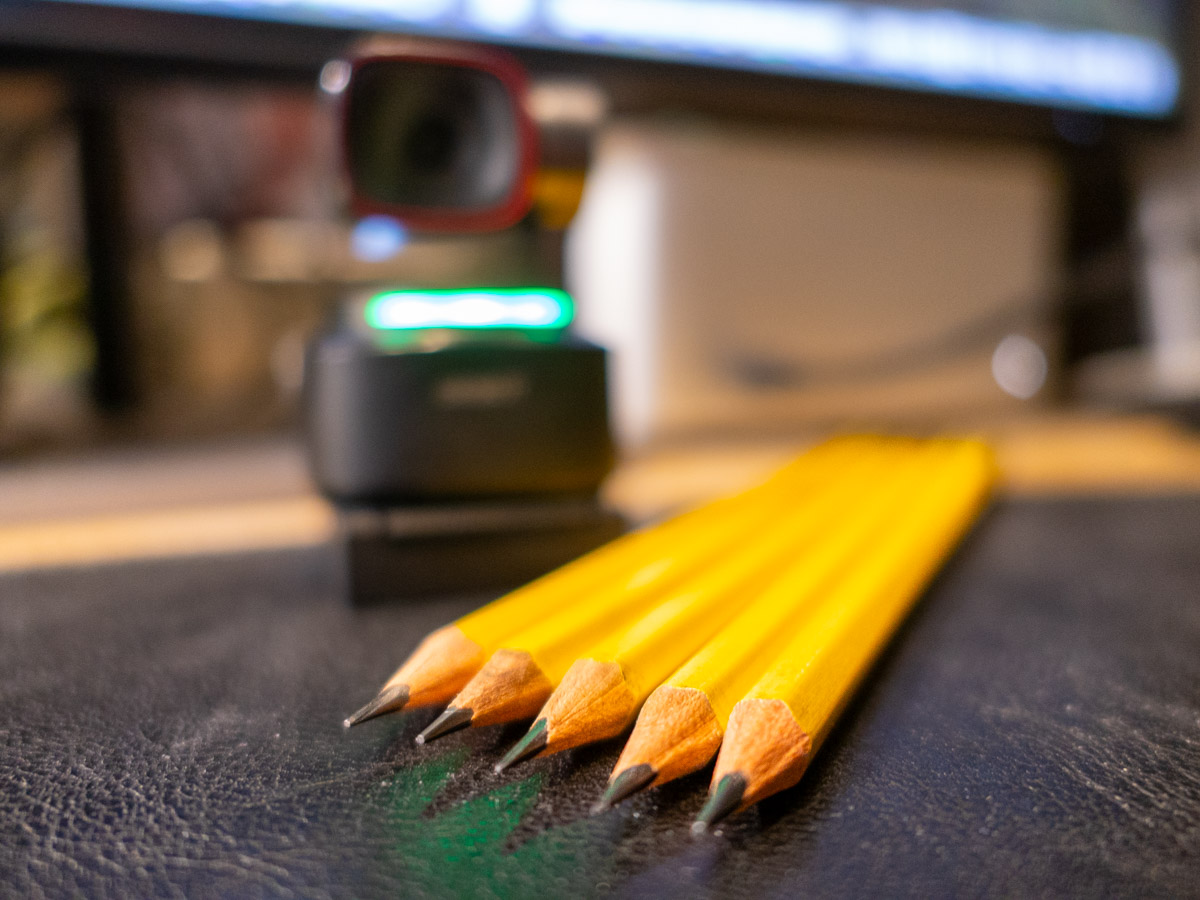
Your webcam can be the most important tool to help you maximize your success at your job. Here’s how to sharpen your pencils for your next remote meeting.

The beginning of the new school year has always held that ‘fresh start’ feel for me. Sure, it’s been a few decades, but now I’m experiencing that vicariously through our son, who’s already in high school. (I just can’t believe it.) During these weeks, I also love the early hints of the cool, crisp feel of New England’s fall season.

It’s all stimuli that activates a deeply encoded message in my brain I learned as a child: “Summer’s over. Now, it’s time to get to work.”

Well, it’s not like I haven’t been working hard over these summer months. Sure, I took some vacation time with the family. (First to Cape Porpoise, Maine. And then to the North Fork of Long Island.) But now… the ramp-up to the end of the calendar year is undeniable.

Winter’s coming. You’d better sharpen your pencils.

Remote Meetings are Important
If you’ve been working from home more during this post-pandemic reality, one way to dust off your lunch box is to tighten up how you show up during your remote meetings on Zoom or Teams. These moments are critical tethers to your work community.

I know we’ve been at this for a few years, but I’ve noticed that some Zoom best-practices haven’t yet become second nature for many of us.

So, here are a few reminders. They will help you master the opportunity to maximize your impact at your job.

You’ve Got to Show Up for your Close Up
If you want to play an active role during a remote meeting, you really need to turn your webcam on. Visual communication is everything.

Sure, your voice is important, but offering all your important visual cues is the best way to connect with everyone else. That’s how to master those moments.

Follow Video Production Best Practices
I know by now you understand the basics of good video production and how they directly correlate to a strong webcam shot.

  • Be sure to have a front-facing light source. (The light from a window works great as long as the sun isn’t directly shining through.)
  • Your webcam should be positioned close to the same level as your face vs. pointing towards the ceiling and looking up your nose. (Yes, that may mean propping your laptop up on a few hardcover books.)
  • Frame your shot to fill the screen with your full head and shoulders. Pointing your webcam too high to just reveal your eyes and the top of your head is silly. (Only showing this incomplete body fragment at the very bottom of your screen is worse than not using your webcam at all.)

Put on a Clean Shirt
Look, I get it. It’s so much easier to keep your pajamas on all day. You may feel that nobody really needs to ‘see’ you. If you’re successfully doing your work, what’s the problem?

The concern is the risk to you slowing devolving into some kind of disconnected ‘chat-bot.’ You’re a human being! That’s supposed to carry some advantages. So, you should really consider showing up as one as much as possible.

Pay for Faster Internet
This has been a tough pill for me to swallow, but your standard internet plan may not offer enough speed for you to properly stream yourself into your Zoom meetings. How many times have you seen others freeze up or their audio feed begin to stutter? That’s because their internet speed is too slow.

It’s happened to me, even though on paper, my internet plan was plenty fast enough. So, I ended up doubling it to a ludicrous speed to fix the problem. What else can you do? (I currently pay for 500 Mbps.)

If you want to show up for your close up, yes… you may have to spend more to do it. I suppose that’s the price you pay for not having to show up in person at the office.

Don’t Disappear
I think success in any career requires staying connected with others. Connection used to be primarily based on in-person interactions. As we drift further away from those norms, I think it’s really easy to eventually disappear in plain sight.

So yes, this is a friendly reminder… and a word of caution. As your new school year begins, remember the importance of your webcam and don’t forget to hang out with your friends.

They really want to SEE you.
How to Improve your Zoom Background at Home

Making sure you’re properly lit in your Zoom shot isn’t always enough. What about the supporting cast in your webcam’s view?

It’s clear we’re at a point where participating in Zoom meetings is a permanent part of home life and a necessary tool to communicate with our world. So, it’s important to create a ‘remote video communications’ home set-up that really works for you and your viewers.

I hope most of us are beyond the chaotic experience of working from home and participating in meetings all day. During those early pandemic months, simply finding a quiet spot to open up your laptop for a Zoom, Skype or Teams meeting was a challenge.

How your shot looked understandably may not have been your priority.

Keeping it Real
But as we’ve settled into our new routines, many of us have improved our Zoom look.

I’m sure you know the basics by now:

  • Make sure you’ve got enough light on your face.
  • Don’t sit with a window behind you.
  • Position your webcam perpendicular to your eyes, not looking up your nose.
  • Declutter your background.

I know many folks are fond of using virtual backgrounds. While that’s okay, I like to keep my shot as authentic as possible.

I’ve tried digital and blurred backgrounds, but I always felt like I was in a science fiction movie.

Can you See my Robots?
So, even though my home office is hardly an ideal space to create the perfect video shot for my Zoom meetings, I’ve continued to tinker with my background throughout these many months.

Recently, I moved the furniture around in my home office, and to a certain extent I’ve created something of a blank canvas to work with.

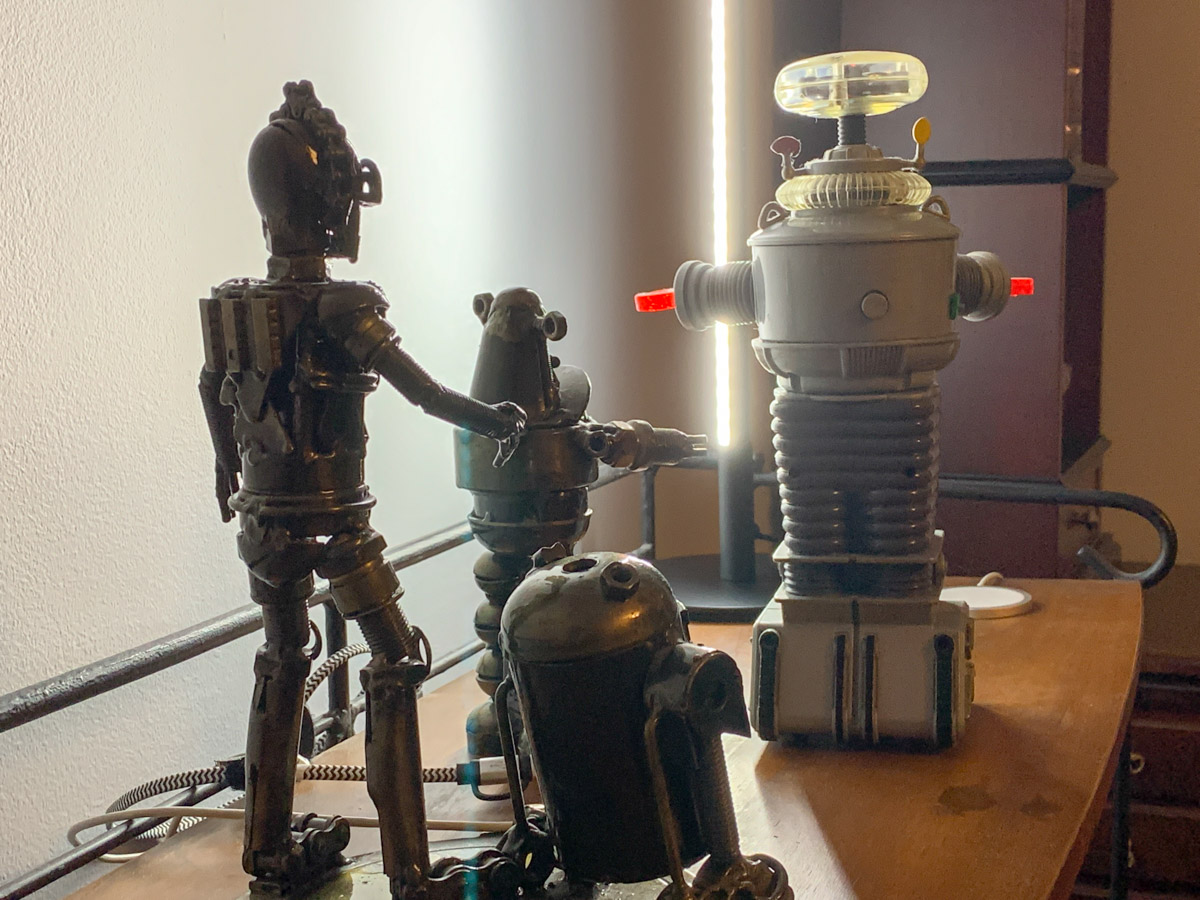
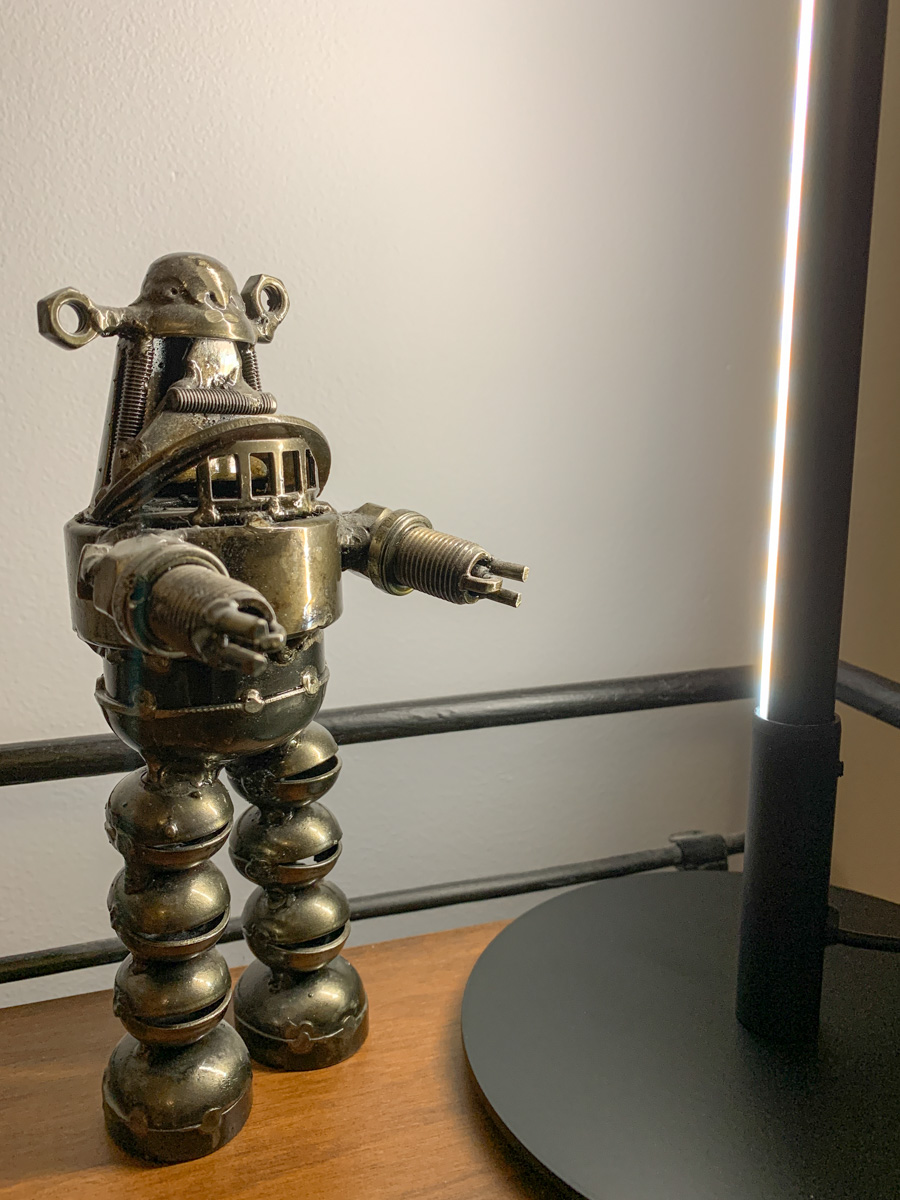
I repositioned a short bookshelf into my Zoom background, and I used the top shelf to display a few robot statues I’ve collected over the years. (R2D2, C3PO, Robby the Robot and Robot from the original “Lost in Space”)

They’re also nice ice breakers as people sometimes ask about them when they spot my metal robots in my Zoom shot.

The only problem is my robots looked like shadows in my background. That’s because my back wall didn’t have a lot of light hitting it.

Time to Add More Light
Like any professional studio TV set, you’ve got to properly light your entire space, and that includes the background. Otherwise your environment will look drab, no matter what it contains.

And webcams are usually happier if your lighting is more even throughout the entire shot. That means you’ll look better and not over exposed.

So, I needed to figure out how to throw more light on that back wall and my little robot display.

Vertical LED Table Lamp
There are any number of ways to do that. A floor lamp next to the bookshelf would be an easy solution. That said, I didn’t want to clutter my background (or my home office). Instead, I looked for a lighting solution with a smaller footprint: some sort of lamp that could sit on the end of the book shelf just outside of my Zoom frame.

I found a small vertical LED table lamp made by Edishine on Amazon.
It was the perfect solution. It added the background fill light I needed without overwhelming my shelf. The lamp’s cold, minimalistic look also blended nicely with my little metal companions.

Think of it more like an under-cabinet lighting solution, but designed as a self-standing vertical glow.

Now, my robots are easy to spot in my Zoom background. Plus the extra light also helps my back wall pop.

Zoom-Optimized Rooms
If you want to really show up for your close up during Zoom meetings from home, you’ve got to do more than light your face and wear a nice shirt. Your environment is an extension of you, and it’s important to give it the same attention as you set up your webcam shot.

That means your whole room (or at least the part people see) needs enough light.

I know we don’t live in TV studios (well, most of us don’t). But I think it’s fair to say that when you think about how to decorate your living spaces moving forward, it’s not crazy to plan for the creation of Zoom-optimized rooms.

It’s not science fiction. Yes, reality has caught up.

We’re Living in a Vertical Video World

If you’ve been fighting back against the vertical video revolution, it’s time to jump into the pool. The water’s warm. Here’s how I found peace with this disruption.

I recently had an epiphany about the growing trend of vertical video disrupting the fundamentals of video production. My mini “ah ha” happened during a Zoom interview recording at work, when one person’s Zoom feed was accidentally locked in a vertical position. More on that story in a moment…

But regarding the general battle between horizontal and vertical video… It’s already over.

The smartphone has effectively killed horizontal video. We’re just living through the transition. Yes, it’s going to take some years, but it’s time to acknowledge the truth.

And that’s been really hard for me to do.

The First Time
Ten years ago, I was producing a corporate video shoot inside a multimedia brand center. My business client walked up to me ten minutes before the interview was scheduled to begin and asked if we could shoot the video vertically. She thought the background of our video shot would look more compelling if seen vertically.

I looked closely for any sign that this wasn’t actually a serious suggestion. The moment felt like those western movies right before the gunslingers do their shoot out. I squinted my eyes, tapped into my inner Clint Eastwood and waited for what felt like minutes before I responded.

“Vertical?”

“Yes.”

It was a serious request.

Vertical Alignment is Coming
So, I explained that we couldn’t reset the shot in time, as our interviewee had already arrived. And I dodged the bullet.

But I remember feeling unsettled that the horizontal foundation of all video was so casually being challenged.

That was a decade ago. A lot has changed. The truth is my client was just slightly ahead of her time.

I have not forgotten this story, and it has been a reminder to me that creative winds and video boundaries are constantly evolving. That’s life. Everything changes.

Vertical TV Sets in your Home?
Today, vertical video is everywhere, primarily fueled by the social media apps on our smartphones. Vertical is natural. Vertical is comfortable in your hand. Vertical is accessible in every way, except on standard horizontal TV monitors.

But if you look around, there are plenty of vertical video monitors in public spaces.

It’s just a matter of time, until they show up in your home…

No More Rules
I know I’m fighting a losing battle whenever I try to correct someone who’s shooting a smartphone video vertically. Sure, I still work in a horizontal medium, though (here it comes) not exclusively.

Yes, today I am creating vertical video too. (There, I’ve come out and said it.)

And the transition to vertical video is only accelerating.

The iPhone has a Vertical Lock
So, back to my more recent story directing the remote interview via the Zoom feed. The interviewee was using her iPhone, which was fine. (The image quality was actually superior to the other three webcam Zoom shots in the conversation.) But for some unknown reason, the phone’s camera was locked in the vertical orientation. I asked her to turn her iPhone ninety degrees and then immediately back again. No dice.

I was stumped. I turned to the other crew members in our TV control room and asked for suggestions.

“Turn off the vertical lock!”

What? The iPhone has a vertical lock? (I had forgotten.)

I pulled out my iPhone and was quickly reschooled on this iOS feature.

That was indeed the solution for our remote interviewee, and her Zoom interview proceeded on horizontally.

Tap the Portrait Orientation Lock
After the interview, I looked again at my iPhone. I swiped down from the top right corner to access my Control Center screen.

It’s the “Portrait Orientation Lock” button. (The icon is a little lock surrounded by a circular arrow.)

If it’s activated, your iPhone screen and apps won’t rotate horizontally when you hold your iPhone horizontally.

Your phone’s screen is then effectively locked into a vertical orientation.

Huh.

You might wonder why that feature is even there. Clearly, there’s a need to prevent horizontal anything!

And after doing some research, I am reminded that this frustrating feature is not that new. Apple has been satisfying the vertical preference for quite some time. In fact, I first discovered this way back in 2018.

A Vertical Matrix?
Yes, you and I are clearly living a vertical video world, though admittedly with any number of horizontal holdouts.

This feels a bit like my own Matrix story. You’re welcome to join if you feel similarly inclined. (There are plenty of pods to house all of us.)

But guess what? I wouldn’t place all bets on vertical video. Oh no. The truth is video can no longer be restricted to any dimension. It’s not horizontal, and it’s not vertical. Sometimes, it’s square (of course).

Maybe video will evolve into the circular. Perhaps oblong? Who knows… Trapezoidal?

The days of vertical video as the mainstream will surely be numbered.

But I’m getting ahead of myself.

Learn to Love Vertical Video
For now, I’m simply happy to say that I’ve successfully discarded my horizontal bias. I have made my peace with vertical video.

I am comfortable working on digital canvases that orient both vertically and horizontally.

Barrett has evolved.