At Home with Tech

Unlock the power of all your technology and learn how to master your photography, computers and smartphone.

Tag: Zoom best practices

How to Improve your Zoom Background at Home

Making sure you’re properly lit in your Zoom shot isn’t always enough. What about the supporting cast in your webcam’s view?

It’s clear we’re at a point where participating in Zoom meetings is a permanent part of home life and a necessary tool to communicate with our world. So, it’s important to create a ‘remote video communications’ home set-up that really works for you and your viewers.

I hope most of us are beyond the chaotic experience of working from home and participating in meetings all day. During those early pandemic months, simply finding a quiet spot to open up your laptop for a Zoom, Skype or Teams meeting was a challenge.

How your shot looked understandably may not have been your priority.

Keeping it Real
But as we’ve settled into our new routines, many of us have improved our Zoom look.

I’m sure you know the basics by now:

  • Make sure you’ve got enough light on your face.
  • Don’t sit with a window behind you.
  • Position your webcam perpendicular to your eyes, not looking up your nose.
  • Declutter your background.

I know many folks are fond of using virtual backgrounds. While that’s okay, I like to keep my shot as authentic as possible.

I’ve tried digital and blurred backgrounds, but I always felt like I was in a science fiction movie.

Can you See my Robots?
So, even though my home office is hardly an ideal space to create the perfect video shot for my Zoom meetings, I’ve continued to tinker with my background throughout these many months.

Recently, I moved the furniture around in my home office, and to a certain extent I’ve created something of a blank canvas to work with.

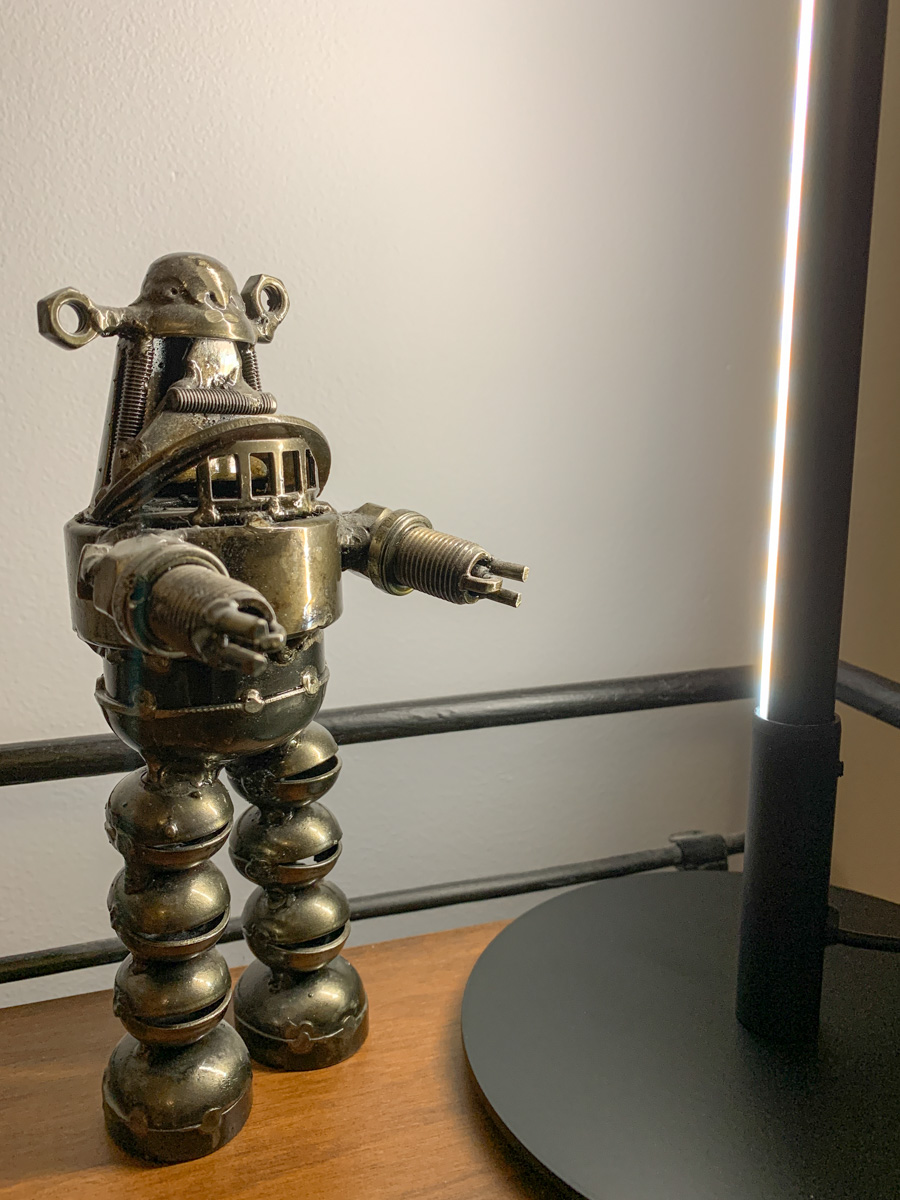
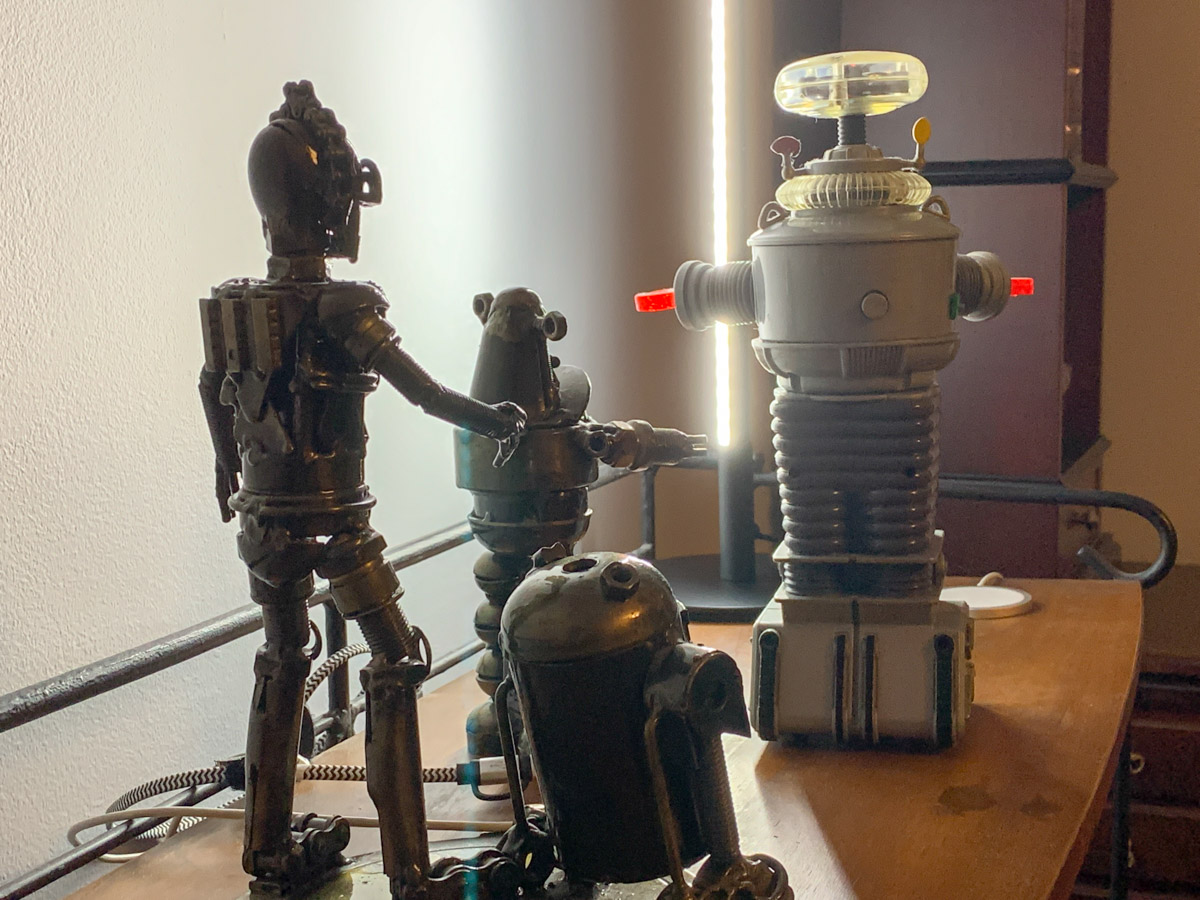
I repositioned a short bookshelf into my Zoom background, and I used the top shelf to display a few robot statues I’ve collected over the years. (R2D2, C3PO, Robby the Robot and Robot from the original “Lost in Space”)

They’re also nice ice breakers as people sometimes ask about them when they spot my metal robots in my Zoom shot.

The only problem is my robots looked like shadows in my background. That’s because my back wall didn’t have a lot of light hitting it.

Time to Add More Light
Like any professional studio TV set, you’ve got to properly light your entire space, and that includes the background. Otherwise your environment will look drab, no matter what it contains.

And webcams are usually happier if your lighting is more even throughout the entire shot. That means you’ll look better and not over exposed.

So, I needed to figure out how to throw more light on that back wall and my little robot display.

Vertical LED Table Lamp
There are any number of ways to do that. A floor lamp next to the bookshelf would be an easy solution. That said, I didn’t want to clutter my background (or my home office). Instead, I looked for a lighting solution with a smaller footprint: some sort of lamp that could sit on the end of the book shelf just outside of my Zoom frame.

I found a small vertical LED table lamp made by Edishine on Amazon.
It was the perfect solution. It added the background fill light I needed without overwhelming my shelf. The lamp’s cold, minimalistic look also blended nicely with my little metal companions.

Think of it more like an under-cabinet lighting solution, but designed as a self-standing vertical glow.

Now, my robots are easy to spot in my Zoom background. Plus the extra light also helps my back wall pop.

Zoom-Optimized Rooms
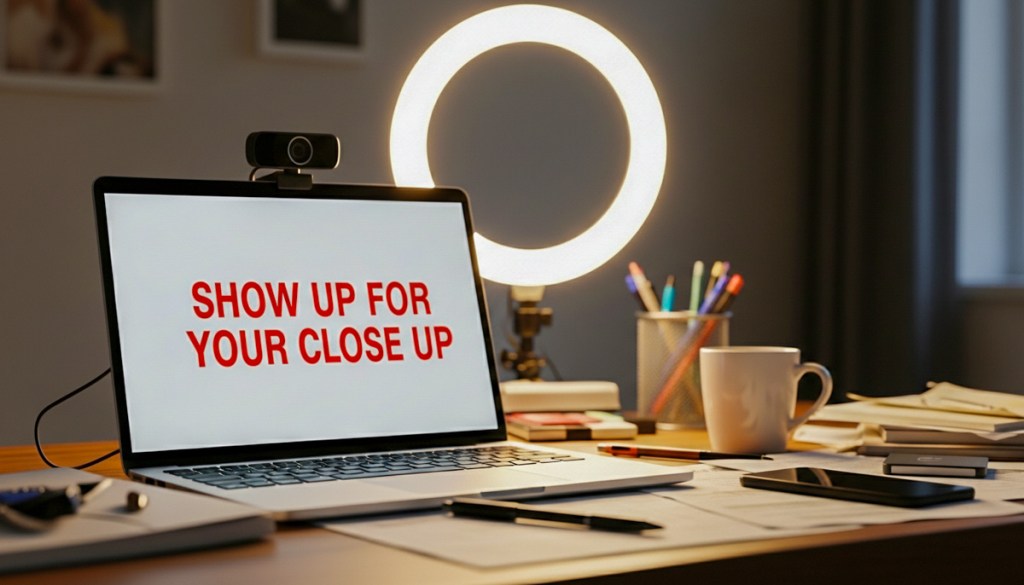
If you want to really show up for your close up during Zoom meetings from home, you’ve got to do more than light your face and wear a nice shirt. Your environment is an extension of you, and it’s important to give it the same attention as you set up your webcam shot.

That means your whole room (or at least the part people see) needs enough light.

I know we don’t live in TV studios (well, most of us don’t). But I think it’s fair to say that when you think about how to decorate your living spaces moving forward, it’s not crazy to plan for the creation of Zoom-optimized rooms.

It’s not science fiction. Yes, reality has caught up.

5 Easy Ways to Upgrade your Zoom Video

If you want to look and sound better during your next Zoom meeting, don’t forget these simple best practices to present yourself in the best possible light.

It’s been over two years since Zoom saved us from pandemic isolation. Sort of. Yes, Zoom and other video conferencing platforms have been lifelines to our outside world over these many months. As life is evolving to a new normal, ‘hybrid’ is now clearly a part of that equation. That means the need to Zoom isn’t going away.

As remarkable as Zoom has been, I think everyone is exhausted. We’re cranky. We may know how to do a good Zoom. But we don’t want to. No. We don’t want to make that extra effort. Not anymore.

If you can hear my voice on Zoom, that’s enough. You don’t need to see me. And if for some reason I forget to turn off my camera, don’t expect much. If only half of my head is in the shot, that’s more than enough. If my bright window is dominating the image and obscuring my face, get used to it. It’s still me. Besides what I have to say is all that matters.

Is this perspective resonating right now? If so, I get it. You’re sick of having to show up for your close up. You didn’t sign up for this.

I know.

But let me offer this gentle reminder…

Zoom can Help You Stay Connected
Practicing good Zoom etiquette is worth it. If you want to show up in your life, then you do want to show up for your close up. It matters. If you want a seat at the table, then you’ve got to show up at the virtual table.

Turn on your webcam and follow these five best practices:

1.
Illuminate your Face
You should be facing the window… not the other way around. Please want to actually see you. Not your silhouette.

2.
Turn Off your Ceiling Light
You may think your ceiling light fixture is helping. It probably isn’t. Not if it’s directly over your head. That’s because it’s shining light down on top of you instead of in front of your face. That creates incredibly unflattering shadows. I don’t think you’re trying to audition for the next zombie movie. So turn off that ceiling light and flick on your desk lamp instead.

3.
Elevate your Webcam
Your webcam should never look up at your chin. If your shot features your ceiling, you need to raise your camera to a more perpendicular angle with your face. Simply elevate your laptop with a few books.

4.
Reduce the Headroom in your Shot
Headroom is the amount of space between the top of your head and the top of your Zoom box. I can almost guarantee that you’ve got too much headroom. There should only be a little gap. Please, tilt down your webcam. Your viewers want to see more of you, not more of your wall.

5.
Wear your Headset or Earbuds
Sure, your computer’s onboard microphone will work, but it’s too far away from your mouth to provide crisp audio. Instead, the audio has that far-away feel. That’s because the microphone is far away. Your headset mic sounds so much better. Please wear it. If you’re concerned about how your headset looks on you, then wear your earbuds or AirPods. The audio sounds that much better. Really.

Don’t Forget to Smile
Life presents unexpected twists and turns. It can be really rough. The headlines are getting any easier to consume. I know it’s sometimes hard to pull it together. But your Zooms don’t have to reflect the imbalance you may feel.

If you take a little extra effort to follow these video-conference best practices, you can better present your best self.

And if you’re doing that, I expect you’ll feel better too.

The Best Way to Improve your Audio for your Next Zoom Meeting

As much as computers are designed today to handle many multimedia needs without added accessories, headsets aren’t really optional when you join a video conference.

When I coach people on how to improve their Zoom feeds, most of the time I focus on their webcam shots. I think by now most folks know the visual rules to create a good video-conference look, even if they still choose to ignore them.

And let’s face it, it’s a pain to set up your webcam properly with the right lighting and angle. I know that. And I get it when so many people choose to simply turn off their webcams. Why do all that work to create a professional-looking shot when you don’t have to?

Stop Hiding
Now, of course I feel you absolutely should turn on your webcam. If you’re not projecting your own visual, you’re not truly showing up. You’re just a disembodied voice. Granted, adding yourself to a sea of tiny faces in a stack of little boxes on the computer screen may not fit your definition of being ‘present.’ But it’s what the technology offers. Maybe in the future, we’ll be able to digitize our bodies into 3D holograms. (Then, you’ll really need to dress up again!)

The Importance of Clear Audio
Whether you choose to hide in the Zoom shadows or not, you do need to be heard. That much is not up for debate. And if you sound like you’re in an echo chamber or in a distant hallway, you’re simply not going to be an effective participant in your virtual meetings.

Ultimately, how you sound is more important than anything else. And that can be difficult to track on an ongoing basis. (You can always see your webcam shot, but unless you actively test your audio signal in your settings, you wouldn’t otherwise know.)

How to Improve your Sound
The simple rule you should follow to project clear audio is to always wear a headset or earbuds. Sure, you can rely on your onboard computer microphone, but that’s going to offer a more muffled and distant quality to your voice. So, wear your headset!

And you’ve got to make sure over time that your computer continues to recognize your headset and not default back to its own microphone. (Set-it-and-forget-it is a recipe for “I can’t hear you very well!”)

Headsets have become Invisible
And if you’ve taken the important step to turn on your webcam, you can’t then play the vanity card and leave your headsets behind. Sure, you can choose to wear wireless earbuds like AirPods, which minimize the hardware you’ve got attached to your head. But I think by now, everyone is used to seeing people wearing headsets on Zooms, even when formally presenting to an audience. Hey, TV sportscasters have been doing it for decades. It’s not dorky. It’s fine.

No, headsets aren’t really invisible, but they’re entirely expected under the circumstances.

Can You Hear Me?
If you don’t want to fully show up to your Zoom meetings by not turning on your webcam, that’s your choice. But if you’re projecting bad audio, you just can’t play in the Zoom sandbox with others.

So, please wear your computer headset!