At Home with Tech

Unlock the power of all your technology and learn how to master your photography, computers and smartphone.

Tag: Zoom

The Best Way to Improve your Audio for your Next Zoom Meeting

As much as computers are designed today to handle many multimedia needs without added accessories, headsets aren’t really optional when you join a video conference.

When I coach people on how to improve their Zoom feeds, most of the time I focus on their webcam shots. I think by now most folks know the visual rules to create a good video-conference look, even if they still choose to ignore them.

And let’s face it, it’s a pain to set up your webcam properly with the right lighting and angle. I know that. And I get it when so many people choose to simply turn off their webcams. Why do all that work to create a professional-looking shot when you don’t have to?

Stop Hiding
Now, of course I feel you absolutely should turn on your webcam. If you’re not projecting your own visual, you’re not truly showing up. You’re just a disembodied voice. Granted, adding yourself to a sea of tiny faces in a stack of little boxes on the computer screen may not fit your definition of being ‘present.’ But it’s what the technology offers. Maybe in the future, we’ll be able to digitize our bodies into 3D holograms. (Then, you’ll really need to dress up again!)

The Importance of Clear Audio
Whether you choose to hide in the Zoom shadows or not, you do need to be heard. That much is not up for debate. And if you sound like you’re in an echo chamber or in a distant hallway, you’re simply not going to be an effective participant in your virtual meetings.

Ultimately, how you sound is more important than anything else. And that can be difficult to track on an ongoing basis. (You can always see your webcam shot, but unless you actively test your audio signal in your settings, you wouldn’t otherwise know.)

How to Improve your Sound
The simple rule you should follow to project clear audio is to always wear a headset or earbuds. Sure, you can rely on your onboard computer microphone, but that’s going to offer a more muffled and distant quality to your voice. So, wear your headset!

And you’ve got to make sure over time that your computer continues to recognize your headset and not default back to its own microphone. (Set-it-and-forget-it is a recipe for “I can’t hear you very well!”)

Headsets have become Invisible
And if you’ve taken the important step to turn on your webcam, you can’t then play the vanity card and leave your headsets behind. Sure, you can choose to wear wireless earbuds like AirPods, which minimize the hardware you’ve got attached to your head. But I think by now, everyone is used to seeing people wearing headsets on Zooms, even when formally presenting to an audience. Hey, TV sportscasters have been doing it for decades. It’s not dorky. It’s fine.

No, headsets aren’t really invisible, but they’re entirely expected under the circumstances.

Can You Hear Me?
If you don’t want to fully show up to your Zoom meetings by not turning on your webcam, that’s your choice. But if you’re projecting bad audio, you just can’t play in the Zoom sandbox with others.

So, please wear your computer headset!

How to Permanently Elevate your Laptop to Create a Better Zoom Shot

Do you suffer from ‘ceiling shot syndrome’ when using your laptop for video conference meetings? This solution will fix the problem.

If you’re Zooming all day from your laptop on your desk, your computer’s little webcam is probably looking up at you during your video conference meetings. That’s not good, because it’s an unflattering shot. The telltale sign of your up-angle live stream is when your viewers can see your ceiling behind your head instead of a wall.

I like to refer to that unfortunate webcam positioning as ‘ceiling shot syndrome.’

One way to fix the problem is to pile some books under your laptop to help elevate your webcam. Then, it will be able to point at you more horizontally. But that unstable solution is hardly a permanent fix.

It may be time to create a consistent and steady platform for your laptop’s webcam to see you at eye level.

Levitate your Laptop with a Desk Stand
Of course, a standing desk can do the trick. But if your laptop is stuck on a standard desktop, you need another way to bring your laptop up a foot or so.

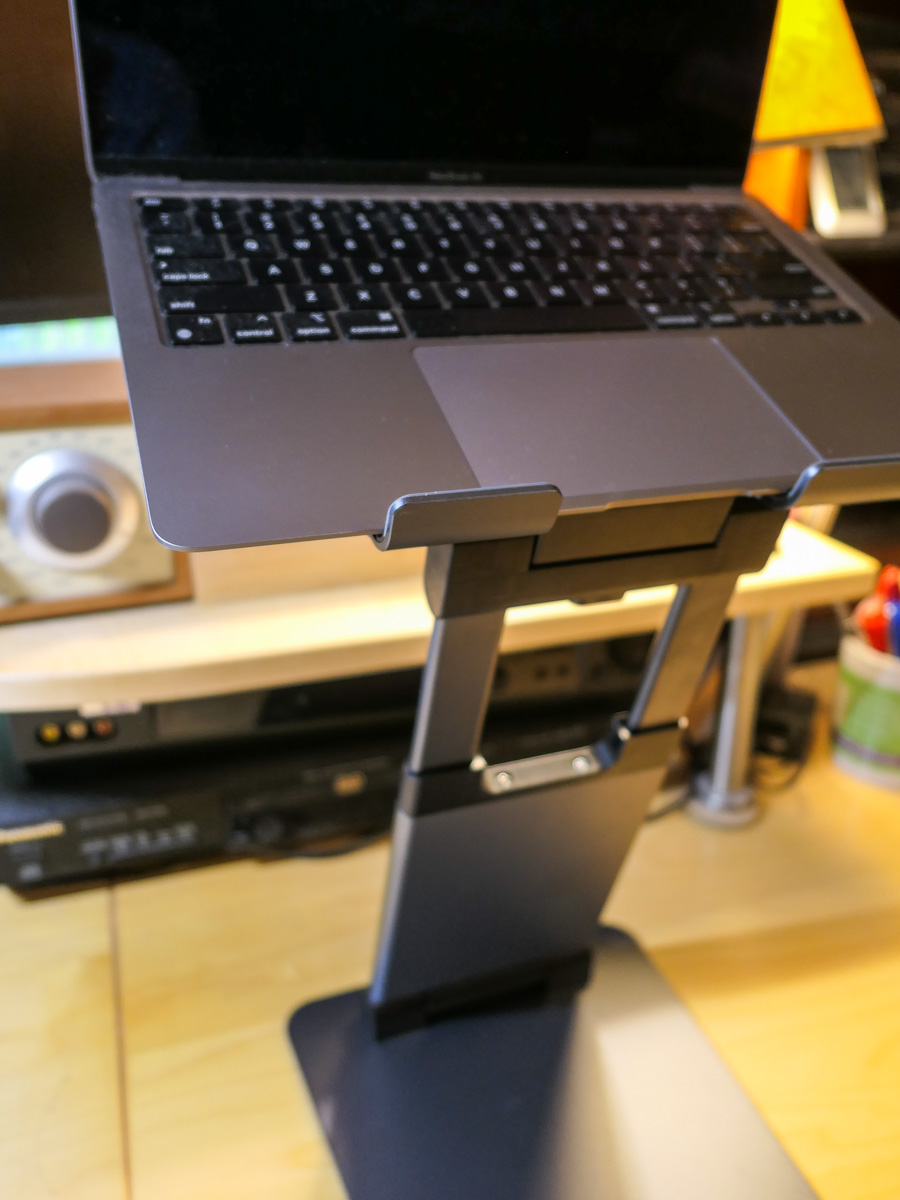
The solution is to add an adjustable-height laptop desk stand to your home office equation.

It’s important to find a stand that will reposition your laptop’s webcam high enough to meet your face. So, get a ruler and measure from your desk’s surface up.

In my own research, I found three choices that provide more height than most stands out there:

The Right Design
All three have a similar Z-frame design with a relatively compact base, a tilt-forward surface and an expandable mid-section. I like this design, because it gives you flexibility on how high you can position your laptop. And it doesn’t make a massive footprint on your desk.

Plus, it’s nice that they all can fold up for portability and storage.

They all have received really good reviews. So how do you choose? Well, I simply went with the lowest price.

It’s the Nulaxy.

Click.

Say Goodbye to Ceiling Shot Syndrome
Over the past fifteen months, I’ve been using an old printer stand that I’ve had for years. Its sturdy but clunky design appears inspired by 1940s technology. The bigger problem was that it was only able to elevate my laptop a mere six inches.

So, my printer stand was never quite able to succeed in its new mission. And though it gave my laptop some height, I still suffered from ceiling shot syndrome. (Yes, I admit it.)

My Nulaxy will be a big improvement, as the stand will more than double my laptop’s elevation.

It’s always important to be able to look at someone eye to eye… and on a level plane. With the right stand for your laptop, it’s much easier to do that during your Zoom meetings.

The Struggle Between Good and Good Enough on Zoom

Showing up properly for your next meeting requires a different set of tools and attitude in this Zoom-centric reality. Here’s why it matters.

Over the past year, the Zoom revolution has put the spotlight on home video production to handle content creation for any number of needs including work, web and broadcast.

If you want to create a quality video feed using something less than professional video gear, it’s been demonstrated that you can do that. It takes some cash, though not a boatload of money, compared to what professional gear costs.

You may need to invest in:

  • A good webcam
  • A desktop tripod
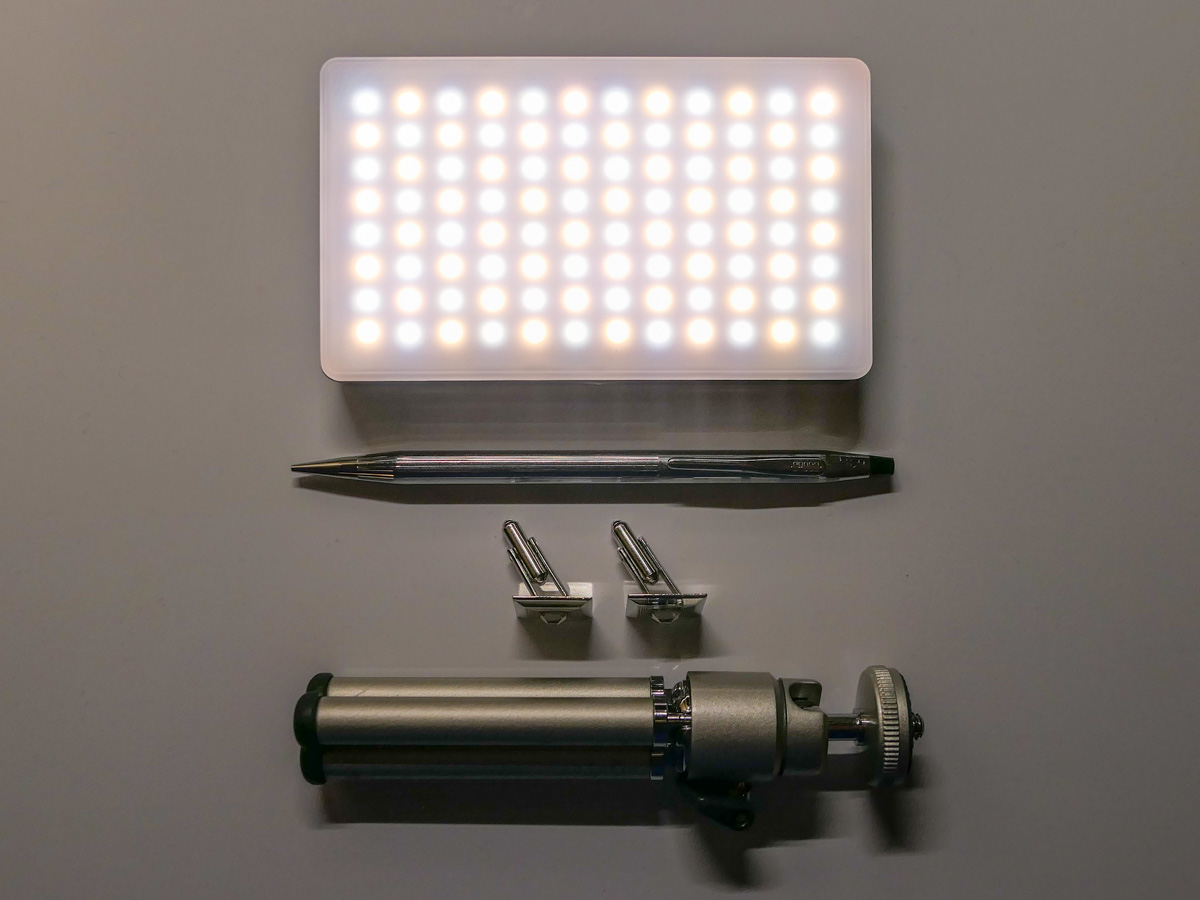
  • Lighting that’s soft on your face
  • A decent microphone

Then, make sure you’ve got a real background that’s interesting, but not cluttered. (I’m less excited these days about virtual backgrounds.) And now you’re probably ready to create some decent looking video content.

No, it’s not going to be the same quality as what thousands of dollars of gear can do for you, but it’s not terrible either.

Unnecessary Effort?
But to generate a video and audio feed that’s good, you’ve also got to put in some effort. It’s not only about the gear you’re using. And there’s the rub.

It takes time to set it all up and maximize your shot.

It’s clearly a different level of commitment than opening your laptop and clicking on Zoom (or other video conference apps).

A simple click is still going to get a video and audio signal out to your viewers. And I bet a lot of people would say that’s good enough.

Good enough.

If good enough works for you, why spend money and unnecessary time to make it better?

The Allure of a One-Click Solution
I think that everyone should always try to look their best, both in person and in a virtual environment. Presenting yourself to your world is a life-long task. But I think when using Zoom, that can be a difficult sell.

Sure, if you’re hosting a webinar or doing a live shot for a media company, you probably understand that your video and audio feed should be the best possible.

But I imagine there are countless Zoom moments when people feel it’s not particularly important to do anything more than the bare minimum. Why not just open your laptop and simply click and start your video stream?

It’s good enough.

Why Deal with the Mess?
Whether using your desktop, laptop, tablet or smartphone, technology has given us the ability to do the impossible. Generating a live video feed once took lots of people and expensive production gear to accomplish the same feat through a TV station’s full resources.

Professional video production often looks like a mad scientist’s lab with cables and power cords running askew and bright lights dangling from the ceiling.

You can also create a mess if you’re trying to improve your Zoom game at home when adding in your extra gear. Simple isn’t exactly the way to describe the experience.

On the other hand, simplicity, speed and dare I say… elegance is what comes to mind when you just lift up your laptop screen without any additional video prep, and you’re instantly ready to activate your next Zoom.

That’s hard to beat and a great reason for good enough.

Zoom is Now a Part of Life
In most Zoom situations, why should anyone feel the need to do more? (Heck, even activating your video feed is an step that so many opt out of.)

I like to say you’ve got to show up for your close up. But it’s really more about simply showing up.

This is your life. Like it or not, Zoom is now a necessary part of it.

We are a social species. To be most effective when communicating, people really need to see you. And a terrible representation of your image that barely looks like you isn’t enough. It can say you’re dialing it in. Or worse… You don’t care.

That’s why good enough isn’t good enough.

It’s Time to Shine
Face it. Your life is being televised now.

So put on your Zoom shirt. Set up your Zoom shot. And do your best to fully inhabit your little Zoom box.

Then reach out and connect.

Good.