
Is There a Wireless Charging Stand for iPhone SE?
by Barrett
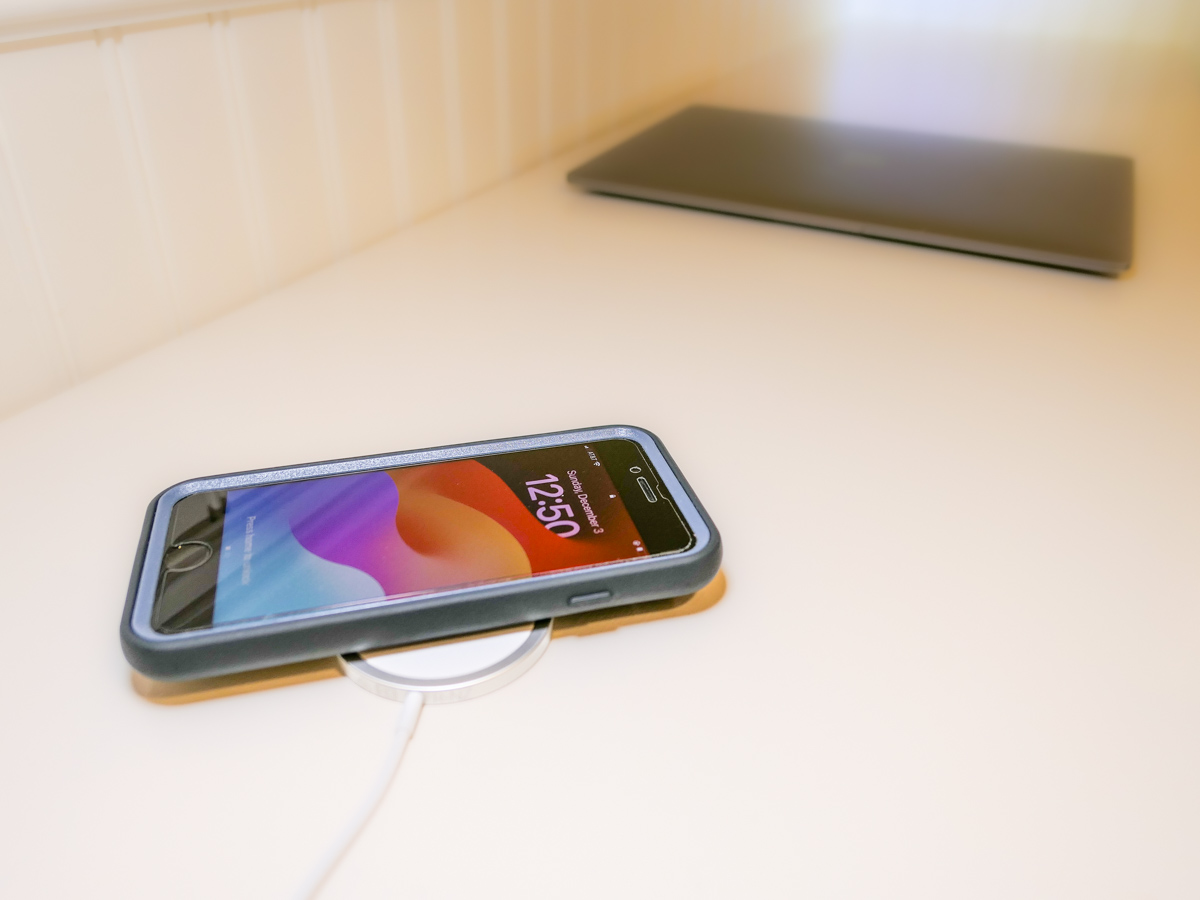
Even though iPhone SE isn’t built with MagSafe magnets, you can still charge it wirelessly. But it won’t stick to a charging pad. Thus begins my journey for a workable solution.
By now, it shouldn’t be this hard to figure out how to charge up all your gear. But if you’re like my family, you’ve got different versions of the same device (like iPhones) running simultaneously. So, over the years, I’ve collected various chargers that could keep powering newer tech. That’s good, right?
But the charging equation is complicated now that the tech industry sells much of its gear with the ‘bring your own charger’ sales strategy. Then, you’re forced to figure out how to power your new device. You need to immediately run through the compatibility equation with your existing power blocks.
Yesterday’s chargers may not be strong enough to handle today’s power-thirsty tech. And in a family where the kids are likely using older gear than the adults, every charger won’t work across the board.
And the complexity doesn’t stop there. There’s fast-charging technology and wireless-charging to also consider.
Wow. Do you also feel it’s hard keeping up?
Barrett’s Recent iPhone Purchases
Some months back, I had a little kayaking mishap, and my old iPhone XS Max drowned only weeks before iPhone 15s came out.
So, I decided to buy myself a new iPhone SE to hold me over with the plan to later gift it to our 13-year-old son.
For that period, I stuck with the standard Apple 20W USB-C Power Adapter and lightning cable. But when I ordered my new iPhone 15 Pro Max, of course I quickly upgraded to Apple’s MagSafe wireless circular charging pad.
No Click-and-Stick for the SE
When I had a moment to stop fixating on my new flagship iPhone, I turned my attention back to the scrappy but still totally capable new SE. I wondered whether it couldn’t also charge wirelessly. (Yes, I was totally enamored with the belated joy of wireless charging.)
Unfortunately, the basic iPhone SE doesn’t contain the magnets for MagSafe functionality. But yes, it actually can wirelessly charge if placed properly on top of a Qi charger.
That last detail didn’t thrill me. Without that magnetic ‘click-and-stick,’ you can easily miss the charging connection lock by a few millimeters and end up in the morning with a smartphone that’s not ready for the day.
Stand vs. Pad
But I figured if I could find a solution where the iPhone SE fit more snugly into place, like on a stand vs a pad, that could be a better system for charging success.
Unfortunately, Apple does not sell a wireless charging stand without a MagSafe connection requiring iPhone levitation. So, I had to turn to other manufacturers…
Fortunately, I found two brands I trust that offered what I needed.
Anker 313 PowerWave Wireless Charger Stand
Anker makes a Qi-certified, tilted stand that an iPhone SE can safely lean on without relying on MagSafe.
- Anker 313 PowerWave Wireless Charger Stand (Qi Certified)
- Comes with 3ft Micro USB cable
- $14.39 from Amazon
The stand is boxed with a Micro USB to USB-A cable that connects to a USB-A wall charger. But it doesn’t come with the charger. You’ve got to provide that separately.
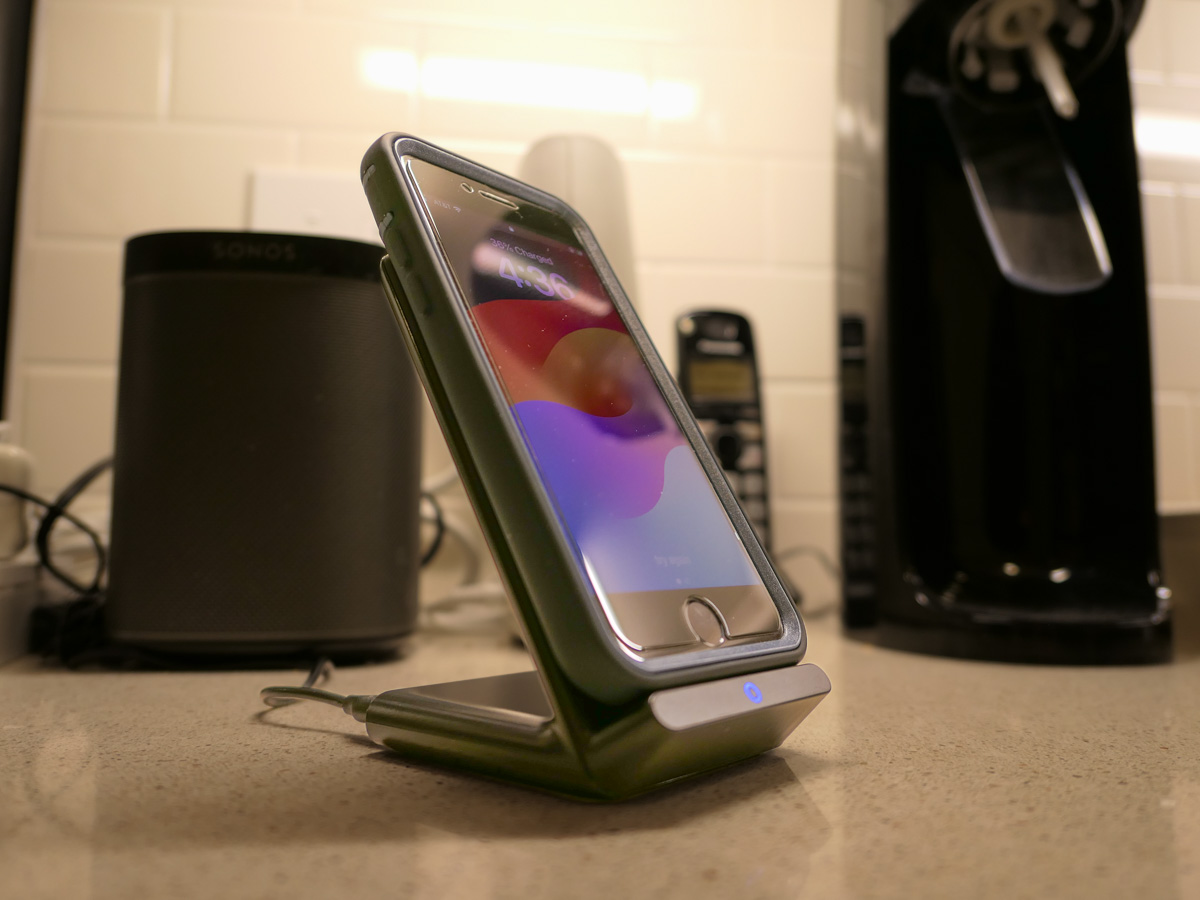 Anker states that you can’t use one of your old Apple 5V/1A stock chargers (the original tiny white block). Not powerful enough. You need a minimum of 5V/2A output. An iPad charger will work if you believe in sharing one charger for different devices. (What could go wrong with that plan?)
So, I knew I also needed a new power block.
Anker PowerPort+ 1 with Quick Charge 3.0
I read the fine print on the Anker stand’s power requirements to maximize its capabilities. My mind started to melt.
I immediately searched for a shortcut and landed on Anker’s only small USB-A charger. (All of their other models are USB-C.)
- Anker PowerPort+ 1 with Quick Charge 3.0
- 18W 3Amp USB-A Wall Charger
- It’s got a little more oomph than the 313 Anker stand requires, but that’s okay.
- $15.99 from Amazon
With both stand and charger, the Anker price is $30.38.
Belkin Boost Charge Wireless Charging Stand
Belkin offers an all-in-one solution, which you may feel is more elegant that my MacGyvered Frankenstein Anker plan.
You don’t have to figure out which charger block to buy. A Belkin charger comes packaged with the stand (which is similar to the Anker model, though more rounded).
- Belkin Boost Charge Wireless Charging Stand 15W
- Comes with QuickCharge 3.0 24W charger power supply and USB-C- USB-A Cable
- $44.99 from Amazon
I Bought the Anker Wireless Charging Package
I think both the Anker and Belkin options are solid choices. That said, the Anker stand and charger is only 30 bucks vs $45 for the Belkin option.
Based on this pricing differential, I went with Anker.
Click.
Fast-Charging is Always Helpful
All I really wanted was an overnight wireless charging solution for our iPhone SE. And now we’ve got that.
But as it turned out, I’ve also put in place a fast-charging solution with the Anker 313 Stand and PowerPort Quick Charger for any number of our current and future devices.
As much as I prefer the overnight charging rule for our son, what could possibly go wrong with that rigid strategy combined with the complexities of busy family life?
We all sometimes need a little quick boost of power in the morning.
And so do our devices.
Discover more from At Home with Tech
Subscribe to get the latest posts sent to your email.
 At Home with Tech