At Home with Tech

Unlock the power of all your technology and learn how to master your photography, computers and smartphone.

Which Bulb Should You Buy for a Porch Light?
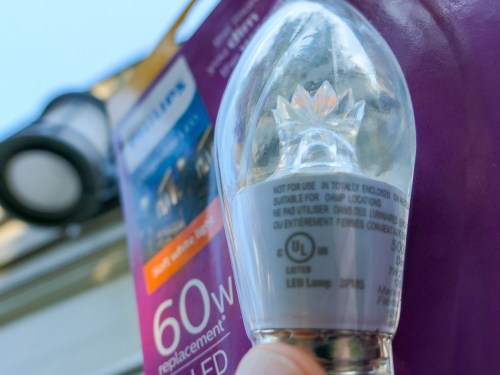
If you’re not sure which light bulb you should be using in your outside porch light, you’re not alone. Here’s the story of my journey to a solution…

My house has an porch-light fixture above my front door. The long, cylindrical fixture’s bottom is technically open to the outside elements, but the bulb is protected.

You can spot the bulb if you look deep into the fixture after you ring my doorbell. If I take my time getting to the door, and if you’re a tech geek like me, you might wonder what kind of light bulb I use. Funny you should ask…

Every six months or so for the past ten years, the bulb has burnt out, and I have to replace it. Each time, I’ve found myself faced with the dread of not exactly knowing which one I should be using. And that has usually led me to a moment of self-reflection and uncertainty about my place in the universe.

Because I’ve come this far in life, and I can’t quite figure out what it takes to screw in the proper light bulb. It blew out again last week. So I decided it was finally time to figure this out…

How Many Words Does it Take to Screw In a Light Bulb?
First off, it’s not like I’ve been entirely oblivious in my past attempts to choose the correct bulb. Previously, I’ve used GE outdoor incandescent postlights with bent tips. I’ve assumed that because they’ve carried the name ‘postlight’ they’re designed to weather the outside elements as long as they’re protected from rain. They’ve operated just fine, even though they must get a little damp now and again.
(I hope I’ve not been tempting fate.)

Unfortunately, I can’t find these GE bulbs anymore on Amazon. Plus, they’ve always been difficult to unscrew, because my fixture is so long and I can barely get my fingers in far enough to get a grip on the bulb. So, I’ve always wanted to find a bulb that’s a little taller.

And did I really mention the word ‘incandescent” earlier? What an embarrassment.
Yes, you’re right… I should have found an LED replacement by now.

Amazon Stumbles
So I went back to Amazon and began searching for ‘LED Postlight’ and ‘Porch Light’ bulbs.

Strangely, nothing popped up that talked about outside use or all weather construction.

Frustrated with my inability to use Amazon for immediate gratification on a Saturday morning, I invited my fourth grader to go with me on a light-bulb adventure to our local The Home Depot. And we drove off…

The Value of One-to-One Human Interaction
You can easily find hundreds of conflicting product opinions online for just about anything you’re looking for. Call me old-fashioned, but I still value the opportunity to walk into The Home Depot, find someone wearing an orange smock and ask my question. Over the years, I’ve usually received great advice at The Home Depot. And this time was no different…

I found my expert hovering in the lighting section and told him my story. I held up my burnt-out incandescent bulb and waited for his response.

He stared into space for just a moment and then directed me to a ‘Philips F15 Postlight dimmable LED’ that costs $4.47.

Illuminating
The packaging displayed a picture of a glowing outside lamp post. The fine print said “Do not use where directly exposed to water. Only install in operating environments between -4 degrees and +113 degrees Fahrenheit.”

I figured I was covered…

So, I bought the 7-watt LED, and my son and I drove home. When I installed it, the bulb was much easier to grip, and it powered up just fine. So, what more is there to talk about…?
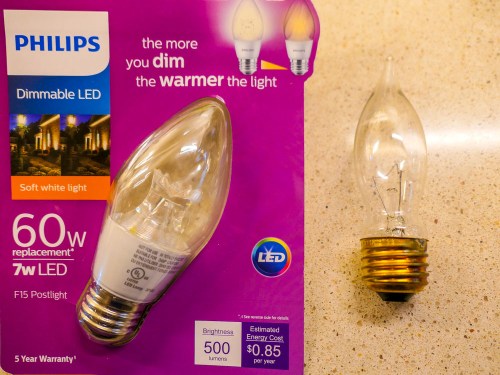
Well, I wondered why I couldn’t find this Philips LED on Amazon. So jumped back online and typed in “Philips F15 Postlight.”

And there it was…
Philips LED Dimmable F15 Soft White Light Bulb

But the description didn’t promote it as a ’Postlight.’
And the technical details listed “Indoor use only.”

Still, there was that same photo on the packaging with the outdoor light post.

And in the user reviews, several talked about successfully using this bulb as their porch light.

The Fine Print
So what should we make of all of this?

I’m detecting a certain industry ‘hedge’ when it comes to screwing in light bulbs outdoors. No, my Philips LED doesn’t have a “use at your own risk outside” warning label. In fact, on the base of the bulb, the fine print said, “suitable for damp locations.”

So what’s the problem?

Well, Philips still seemingly prefers that you use its ‘postlight’ indoors.

But lamp posts live outside. And so does my porch light.

This Philips LED model number is #9290011822.
I’ll let you know how it goes…

My Favorite Feature in iOS 13

If you hate spam robocalls as much as I do, you’ll be happy to learn Apple has provided a better defense in iOS 13…

I expect this iOS 13 tweak is not on top of anyone else’s list, but it’s quickly become a game changer for me when using my iPhone.

First, some background…
Earlier this year, I activated the ‘Do Not Disturb’ setting on my iPhone in an attempt to stop spam robocallers from interrupting my life.
(This setting still allowed calls from my ‘contacts’ to get through.)

But the big problem I found with this setting was there were still plenty of times when my iPhone was not in its Do Not Disturb mode, because I was using it. And whenever my iPhone was on, it was no longer locked down.
(I had decided not to engage the Do Not Disturb… ‘Always’ mode, because that was too restrictive. I’d never see any incoming texts!)

So of course, those moments when my iPhone was awake presented a crack in its defenses…

Invariably, I would be interrupted by a robocall when I was using an app on my iPhone. And I couldn’t just decline the rogue call for fear that any manual response would somehow trigger even more unwanted calls in the future. So, I’d sit there for twenty seconds while the call rang out. And then I’d continue along, having lost twenty seconds I’d never get back.

That stinks, right?

Silence Unknown Callers
I imagine this annoying problem has also happened to enough iOS designers at Apple over the past year. And so they’ve created a better defense for it in iOS 13.

It’s a setting called ‘Silence Unknown Callers,’ and here’s how you turn it on…

  • Tap Settings
  • Tap Phone
  • Slide on Silence Unknown Callers

Apple describes this setting as “Calls from unknown numbers will be silenced, sent to voicemail, and displayed on the Recents list. Incoming calls will continue to ring from people in your contacts, recent outgoing calls, and Siri Suggestions.”

So, the huge change here is when a call from an unknown number comes in while you’re using your iPhone, the call doesn’t take over your device other than a momentary drop down notification about the unknown call.

More ‘Good’ Calls Get Through
With this feature in place, I no longer needed to keep the draconian ‘Do Not Disturb’ mode on.

The ‘Silence Unknown Callers’ setting is much more flexible, because it lets through numbers that you’ve used before but may not yet be listed in your contacts.
(So, if you make a one-off phone call but also expect a return call, now your iPhone won’t immediately send it to voice mail.)

Hailing Frequencies are Open
Of course, the real solution to handling spam robocalls is not how to best avoid them, but how to stop them from happening in the first place!

But until then, I’m pleased that Apple has helped me keep my generally ‘silenced’ iPhone more available to receiving legitimate calls from my own little universe.

It just takes sliding on the right setting!

Why Memories May Demand Intense Colors in your Autumn Photos

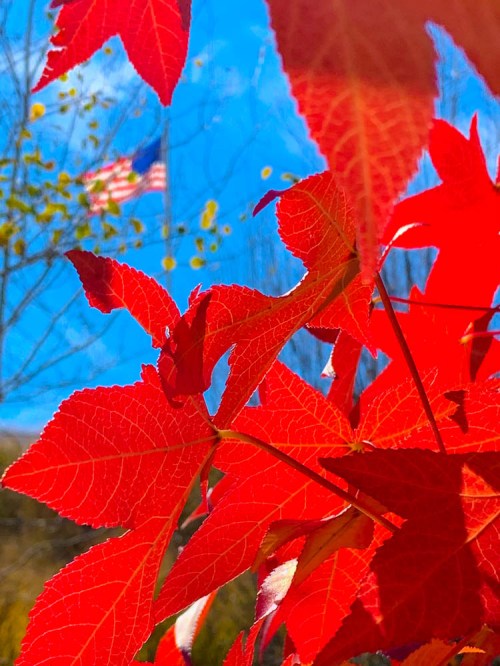
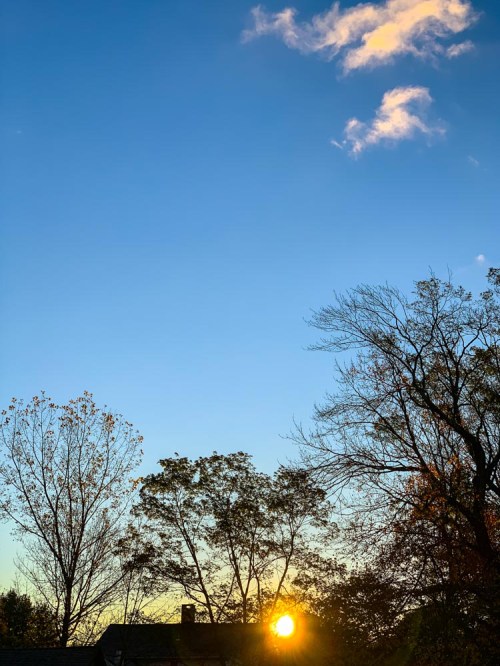
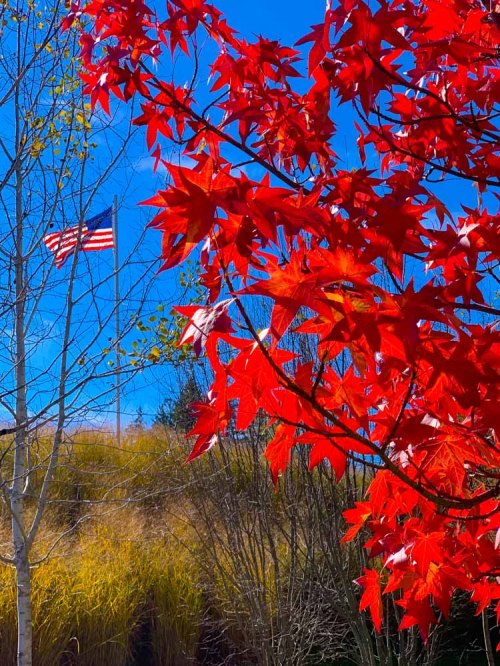
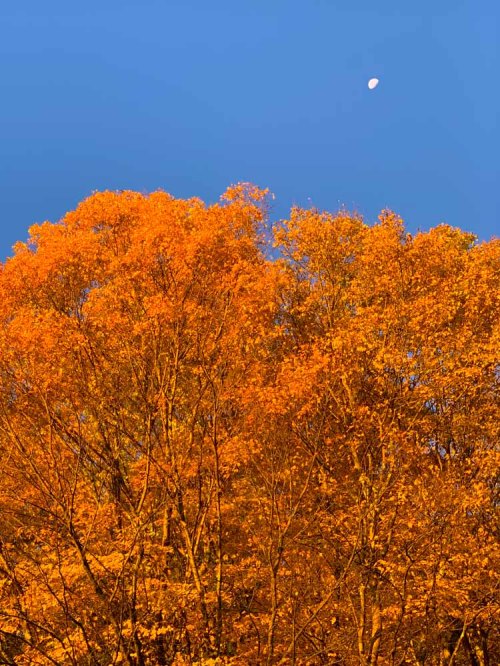
After I snapped a few pictures of the fall foliage in New England, I found myself unconsciously pushing the colors to the max when I edited these photos. I think I may know why…

There’s something intoxicating about my memories from autumns long gone. I feel in one way or another, they’re connected to the intense colors that surround the fall season in New England. I was up in Litchfield County in Connecticut this past weekend, and I was surrounded by all of the peak foliage. And as I drove, I felt transported back in time to my high school years as a young student at the Hotchkiss School in Lakeville, CT.

The color of the leaves. The sunlight poring through them. The brisk fall air. It was a reality-bending experience.

And of course, I snapped a few nature pictures with my iPhone XS Max in an attempt to capture that feeling.

But when I reviewed my photos later, they lacked the truly deep colors and dreamlike quality that my mind had created to reflect that time in my life.

As I worked through the photos in Adobe Lightroom, I found myself unconsciously pushing the color index. I made the reds of the leaves redder, and the blue fall sky even bluer. I wasn’t happy until the colors almost began dripping off of my computer screen.

I created a series of images that I don’t think you’d actually find anywhere in New England today, but they still feel entirely real to me. The forced colors connected me back to another time in my life that clearly still speaks to me today.

Using Color to Connect to your Past
What is reality anyway? The present may be easier to quantify, but the past is always in flux, because of how we remember… or choose to remember it.

Memory has its own set of rules, and today… I simply followed that direction without really understanding it.

And if that means pushing the colors to an intensity beyond nature’s capability, then I’ve given myself permission to do exactly that.

If you ever experience a similar impulse, I highly recommend you give it a try…