At Home with Tech

Unlock the power of all your technology and learn how to master your photography, computers and smartphone.

Should You Store Your Batteries in the Fridge?
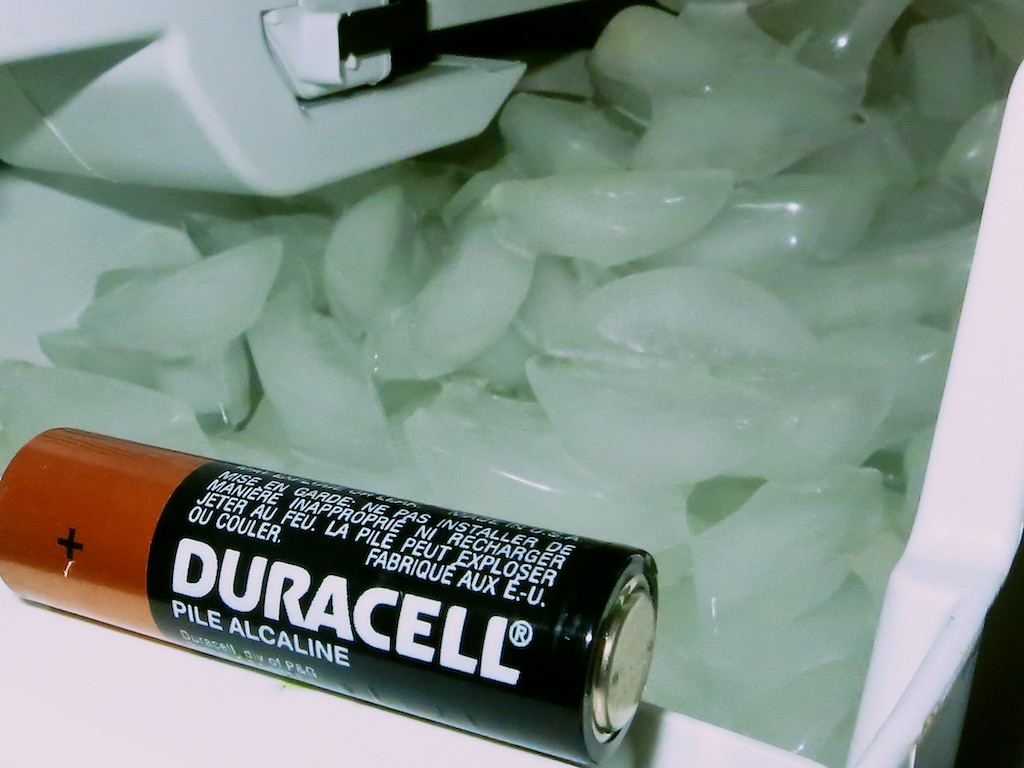
Why do people pop their spare batteries in the refrigerator or freezer?  The myth is the cold helps keep them fresh.  Fact or fiction…?

Why do people pop their spare batteries in the refrigerator or freezer? The myth is the cold helps keep them fresh. Fact or fiction…?

I was at a friend’s party last weekend, and he offered me a beer. He opened up his garage refrigerator to reveal his selection of brews.
(I was in the mood for an IPA.)

But before I could spot my bottle of suds, I noticed several AA battery packages hanging out in one of the empty produce drawers.
(Garage or basement fridges rarely house ‘real’ food. But they do provide safe haven for guys’ beer bottles.)

The sight of these batteries sparked a flashback, and I found myself staring into the refrigerator of my childhood. In this 1970’s GE fridge, my parents kept all of our fresh batteries.

It was common knowledge in the Lester household that the cold in the refrigerator ensured our batteries could be stored longer without losing their charge.

As an adult, I later reversed that theory as poppycock, because we all know that a car battery has a harder time starting an engine during a deep freeze.
(right?)

But now decades later, I again find myself staring at more batteries in a fridge.
So I decide to do a little research and review the facts…

Cold Can Damage Your Batteries
Question: Does the cold really preserve the charge in a battery?

According to howtogeek.com, a battery has a certain rate of self-discharge, and colder temperatures actually slow this rate. However, today’s alkaline batteries lose only about 1% of their charge per month. So it’s not a big deal to begin with.

The more important issue is your fridge can introduce moisture onto your batteries. And that can be damaging.

So the whole idea of ‘freezing your battery’ to keep it fresh can do more harm than good.

The Energizer Bunny agrees with this line of thought…
Energizer.com has a whole Q&A page on this issue, saying that either cold or hot temperatures will shorten storage life for today’s batteries. But if you keep your unused alkaline batteries at room temperature, you’ll get a shelf life of 5-10 years.

Case closed, right?
Not necessarily…

Cold Can Extend Shelf Life
Lifehacker.com begs to differ. This writer points to the fact that certain kinds of batteries, like rechargeable NiMH models, self-discharge much faster than alkaline batteries. So chilling them down makes it worth it.

Wisegeek.org agrees with this counter argument, but points out you’ve got to warm up your batteries, before popping them into your electronics.

Again, it’s the moisture-factor that’s the big problem.

Reality Check
So where does this all this leave us?

  • Officially, you shouldn’t put your batteries in your refrigerator.
  • Scientifically speaking though, there is some benefit to doing exactly that.
  • Practically speaking, there’s a real risk that you’ll damage your batteries in your fridge, because of moisture concerns.

But if you keep your batteries sealed in an air-tight bag or packaging in your refrigerator, that should protect them from moisture.

Proceed with Caution
So what should you do?
Well, as with many parts of life, there’s no bulletproof instruction manual.
It’s your choice.

For the record, I will not be storing my batteries in my refrigerator like my parents did.

But just as importantly, this all makes me wonder if my parents’ late 20th century batteries had a higher self-discharge rate than today’s more advanced models. If so, that would have tipped the cost/benefit equation back then and explained where all this battery/refrigerator mumbo jumbo came from.

So maybe my parents weren’t wrong after all?

Hmmm… Another mystery from my childhood explained.
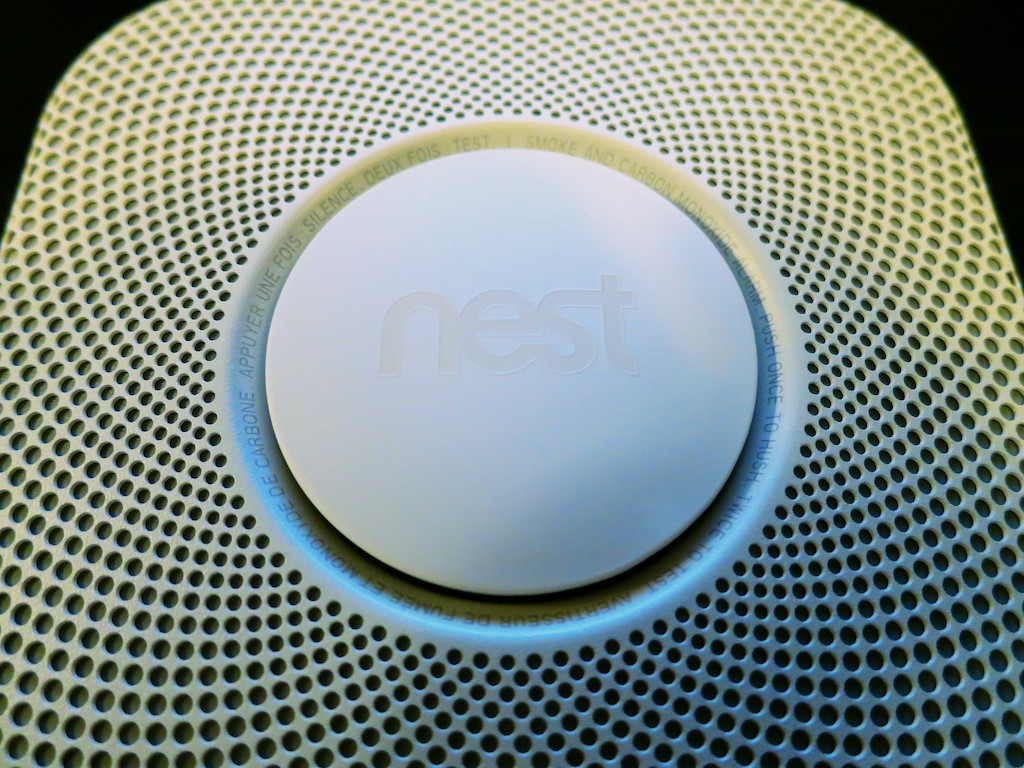
Is Nest Protect Worth It?

Stop being angry with your smoke and CO detector and consider getting a Nest Protect. But it’s a costly upgrade…

Stop being angry with your smoke and CO detector and consider getting a Nest Protect. But it’s a costly upgrade…

I came home from work on Thursday to learn there was a sudden breakdown in my house’s smoke alarm and carbon monoxide-sensing infrastructure. Apparently, the 9-volt battery powering the CO detector in my son’s room decided to suddenly quit, causing the tiny unit to emit a piercing ‘chirp.’

In an attempt to stop the deafening repetition, the smoke detector on the ceiling outside my son’s room was incorrectly identified as the culprit.

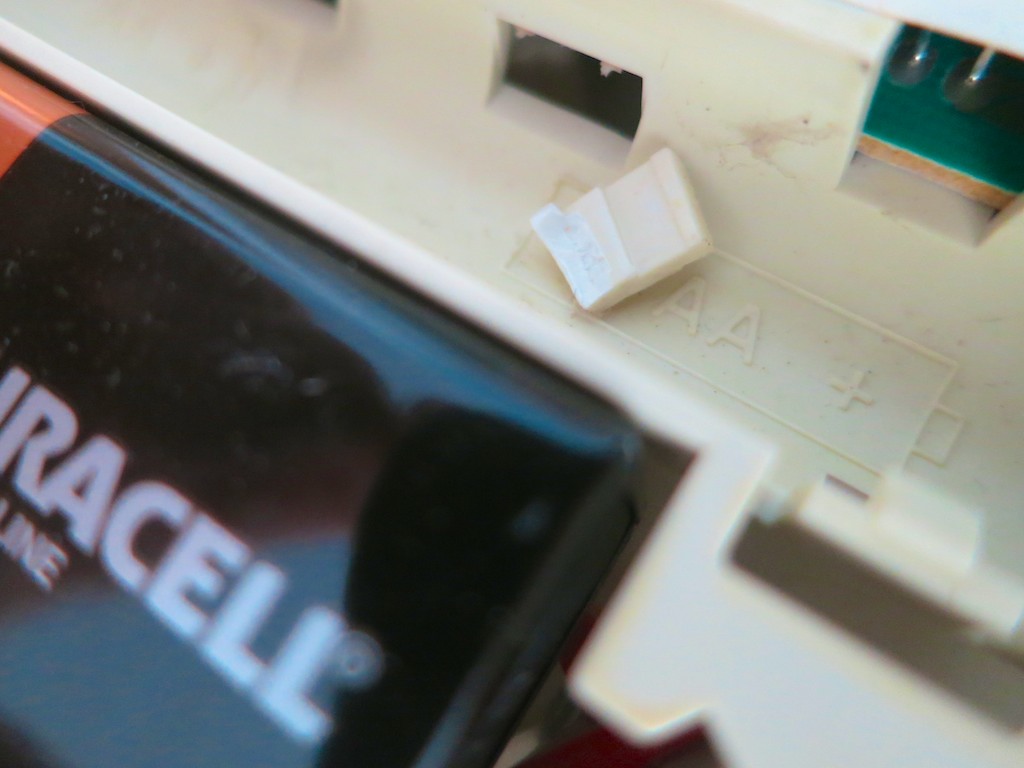
And let me simply say… in all the confusion, ‘someone’ broke the smoke detector away from its plastic circular mount.
(Names have been removed to protect the ‘innocent.’)

Broken Smoke Detector Tab


When it became clear that the wounded disc wasn’t the correct target, the CO detector’s horn was properly identified as the disruptor.
(Its dying battery securely jammed inside)

What’s a family to do when good home tech goes bad, threatening your child’s night-time rituals on the way to bed?

The next morning, as soon as my four-year-old son woke up, he ran downstairs to tell me what had happened.
“Mama put it somewhere where we would never hear it.”

It was banished to the garage.

Time to Make Some Lemonade
Of course, my wife had already relayed the ‘incident’ to me the night before.

And how did I feel about all of this?
(I’m not particularly known for my flexible attitude on home-tech malfunctions.)

I should have been sad.
Annoyed.
The essential order of my little kingdom compromised by a bad battery.
But I wasn’t.

I was thrilled.

I had been waiting for this particular moment for life to throw a few lemons at me.  Looking for a reason to replace this smoke detector that had actually been taunting me for years.
(Whenever I’d cook a steak in the kitchen below, the slightest whiff would set it off.)

But a typical battery-driven smoke detector rarely stops working. Sometimes, it just annoys you… till you find a reason to throw it away.
(Usually because one of the delicate plastic latches breaks away when you’re pulling it down)

Now I had my excuse.
An excuse to buy a Nest Protect.

Thank you, family!

Hello, Nest Protect!
Nest Protect is a relatively expensive smoke and CO detector and alarm created by the makers of the Nest Learning Thermostat.
(now owned by Google)

But this $119 smart device is exceptionally cool!

  • You can purchase either a long-life, battery-powered unit or the wired 120V version, which also uses batteries for back up.
  • The six included L91 batteries are supposed to power the device for ‘years.’
  • It’s Wi-Fi enabled.
  • That means it can communicate with the Nest Thermostat in your home.
    If there’s a CO problem, the Nest Thermostat will automatically turn off your furnace.
    And Nest Protect senses your presence, which improves the Auto-Away feature of the Nest Thermostat. Sometimes mine forgets I’m home when I’m typing away in my office.
    (The wired Nest Protect is a better for this, because it gives the thermostat immediate feedback.)
  • Nest Protect talks to you in lieu of those vague chirps and explains if there’s smoke or carbon monoxide present and which room the problem exists in.
    (If you own multiple units)
  • It also uses circular color cues on its face to communicate.
    (green, white, orange and red)
  • It momentarily glows green when you turn your lights out at night, indicating all is well.
    (How civilized)
  • It can evaluate the ‘situation’ and give you a friendly ‘heads up’ notification or a full-on ‘Emergency!’
    (complete with loud horn)
  • Nest Protect lights your way at night by glowing white as you walk by it.
    (This feature can also be turned off if you like.)
  • You can keep track of it from anywhere with the Nest Mobile app, and it will send your smartphone a message if there’s a problem.

Welcome Home
Did I mention that $99 is rather expensive, regardless how cutting-edge Nest Protect is?

By comparison, Kidde makes a $33 device that senses both smoke and CO.
But Nest Protect does buy you a whole new level of connection.
(Plus, I had a Best Buy gift card I needed to use…)

A year and a half ago, you may recall I purchased my Nest Learning Thermostat.
Overall, I’ve been satisfied.
(That said, there have been a couple of glitches recently, but I’m sticking with my Nest. In fact, I’m doubling down…)

It was time to add onto my Nest ecosystem…
I hurried over to Best Buy and eagerly brought my new Nest Protect home.

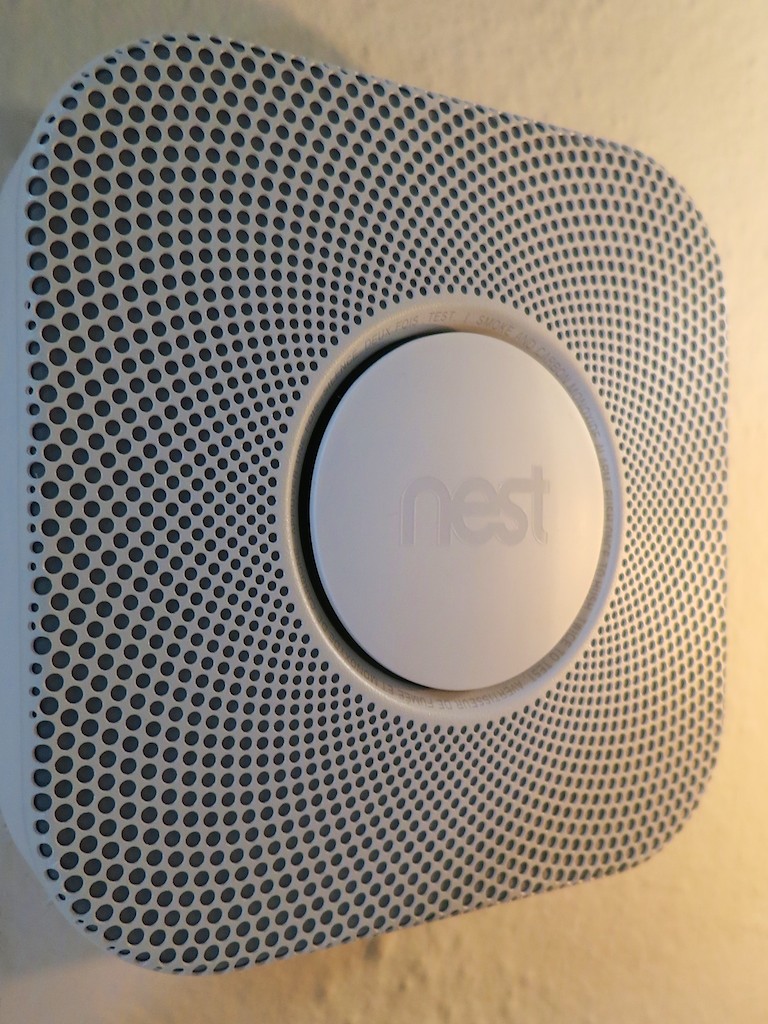
My Installed Nest Protect


Installing it was a snap!
A few pointers:

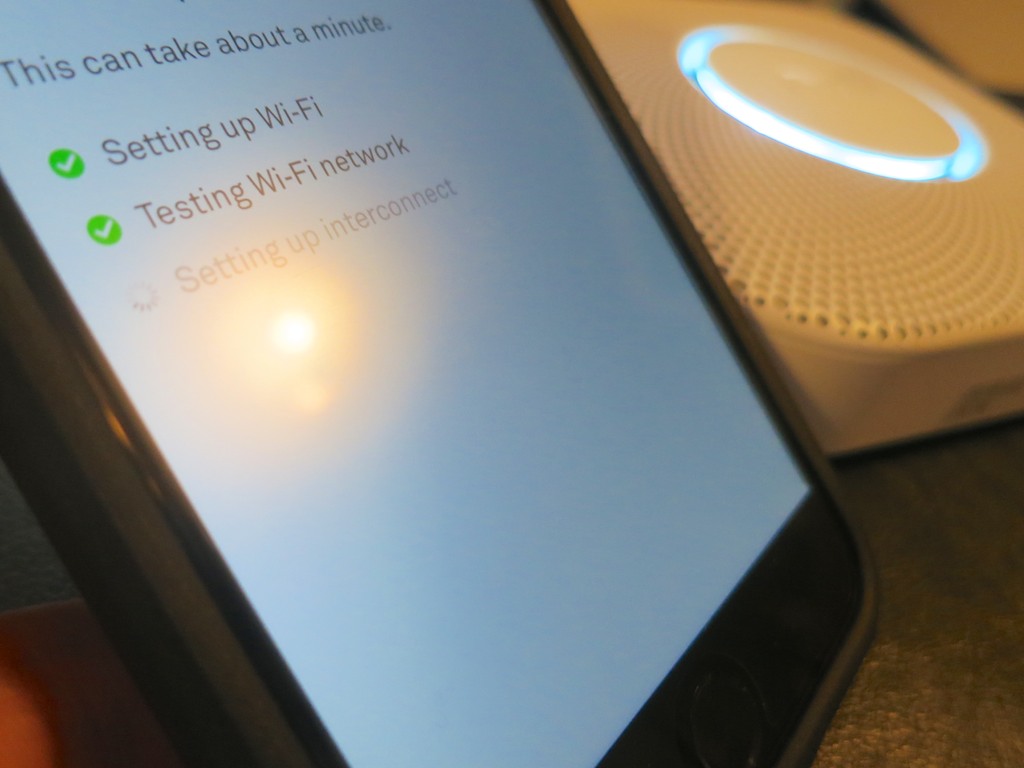
  • You can only set up your Nest Protect with an iPhone, iPad or Android device.
  • You’ll first need to download the free Nest Mobile app.
  • You’ll be scanning the QR code on the back of the Nest with your phone.
    (cool)
  • And then temporarily connecting the two together via Wi-Fi.
    (Yes, the Nest emits its own tiny Wi-Fi bubble for this particular occasion.)
  • Finally, you’ll be connecting the Nest Connect to your home’s Wi-Fi network.

Setting Up Nest Protect


I was done with the activation process in five minutes. The installation on my upstairs ceiling simply involved unscrewing my old smoke detector’s mounting plate and screwing in the Nest’s mount.

WARNING:
As nifty as the Nest Protect is, its plastic mount works on the same principal as any smoke detector. It has plastic tabs to grip the unit. If you twist the Nest Protect on with too much force, you can break the tabs off. Just be careful…

Nothing Lasts Forever
One other cautionary note:
In the small print at the end of the manual, which you don’t need to read, you’ll discover that Nest Protect only lasts for seven years.
(I don’t think any smoke/CO detector is designed to work forever.)

Much like a “Blade Runner” replicant, this particular tech will self terminate.
(It’s supposed to give you two-week’s notice.)

I’m sure I’ll prefer a little more warning…
Maybe, I’ll set myself a calendar reminder for 2022.

Impulse Purchase?
So to summarize:
A 9-volt battery goes south. And the next day, I buy a Nest Protect.
I know… it doesn’t make complete sense.
But I was looking for an excuse to try out a Nest Protect, and I found it.

That said, I’ve got several other old-school smoke detectors around the house, and now, I’ll need to consider whether I should continue with my Nest Protect upgrade program.

It is all worth it?

I’d like to think my home is a bit safer.
It sure feels a little more fun to live in…

And isn’t that what living at home with tech should be all about?

Click.

Counting Coins for Free

It’s time to redeem all your extra change and find a self-serve, coin-counting machine. The trick is to find one that does it without taking a bite out of your loot!

It’s time to redeem all your extra change and find a self-serve, coin-counting machine. The trick is to find one that does it without taking a bite out of your loot!

How much spare change do you have at home? Ten bucks? Fifty? More?
For me, this has been a growing problem for years…

You collect all these extra coins every week, and there’s simply no use for them. How many more quarters do you really need?
And dimes, nickels and pennies? Forget about it!
Useless!!

But in its totality, it’s not exactly valueless…

You’re probably thinking, why not just cash in all your extra coins at the local bank?
Well, who’s got the time to roll up 1,400 pennies?
So it all sits.

Year after year…
Growing in piles.
Filling up jars.
Expanding everywhere!

And you don’t exactly want to throw it all away.
(Isn’t that technically illegal?)

Then, someone finally came up with a consumer-tech solution and changed the game with a coin-counting machine that you can easily toss your spare change into.

Voilà!

Now the only catch is businesses that now offer this convenience, also tend to charge a hefty service fee.

And that doesn’t feel quite right.
(Though few services in life come for free)

And so your change continues to weigh you down.
Until one day a free option emerges…

Free Coin Counter!
On a whim, I called my bank last week and asked if there was a coin counter at my local branch. No dice. But the manager on the phone told me the bank down the street had one.

Really?

So I called up the competition and asked about their little self-serve machine.
Yup. And here comes the really good news:

  • You don’t have to have an account there to use it. Plus, they don’t charge a fee or a percentage of the overall haul.

What? A free coin counter?!

You heard me correctly.

And the name of this game-changing bank?
People’s United Bank

It’s a regional bank headquartered in Bridgeport, CT with more than 400 branches throughout New England.

So I eagerly loaded up my car with what felt like twenty-five pounds of currency and headed off to make my long-overdue deposit.

Cha-Ching!
When I arrived, I made a beeline for the standalone machine.

I set down my aging loot and started pouring change into the little conveyor belt that feeds the counter inside the unit.

And then the fun really began…
I watched the digital display as the dollar count continued to grow.
(It was better than Vegas!)

As I waited, I was offered a free cup of coffee and an opportunity to open up a new CD account.
You can’t fault the marketing attempt to ‘up-sell’ me.
(A free coin-counter business strategy can’t be entirely altruistic…)

About twenty minutes later, I was done.
And the grand total to cash in my useless pile of change?

Three Hundred Seventy Five Dollars


Sweet!

Begin Your Search
This smart marketing tactic from this bank chain is certainly a differentiator.

I wondered if every People’s United Bank branch sports a coin counter, but in fact there isn’t one everywhere. The easiest way to find out is to look up the branch online on peoplesunitedbank.com and go to the ‘Branches and ATMs’ page.

The services for each branch is listed… including ‘coin counter.’

(For those folks who don’t live near a coin-counter branch, does anyone know of other banks elsewhere that offer this service?)

Don’t Dismiss Your Piggy Bank
I can’t tell you how good it felt to rid myself of decades of unused coins. And I walked out a little wealthier and wide open to our evolving cashless society.

Of course, I immediately began considering all the ways to put this ‘found’ money to work on my home tech front:

Wow…
These moments are also sobering reminders that consumer tech is not a cheap hobby.

Where’s my piggy bank?
I think I’m going to need to find a little more change!