At Home with Tech

Unlock the power of all your technology and learn how to master your photography, computers and smartphone.

Joe and the End of Your World
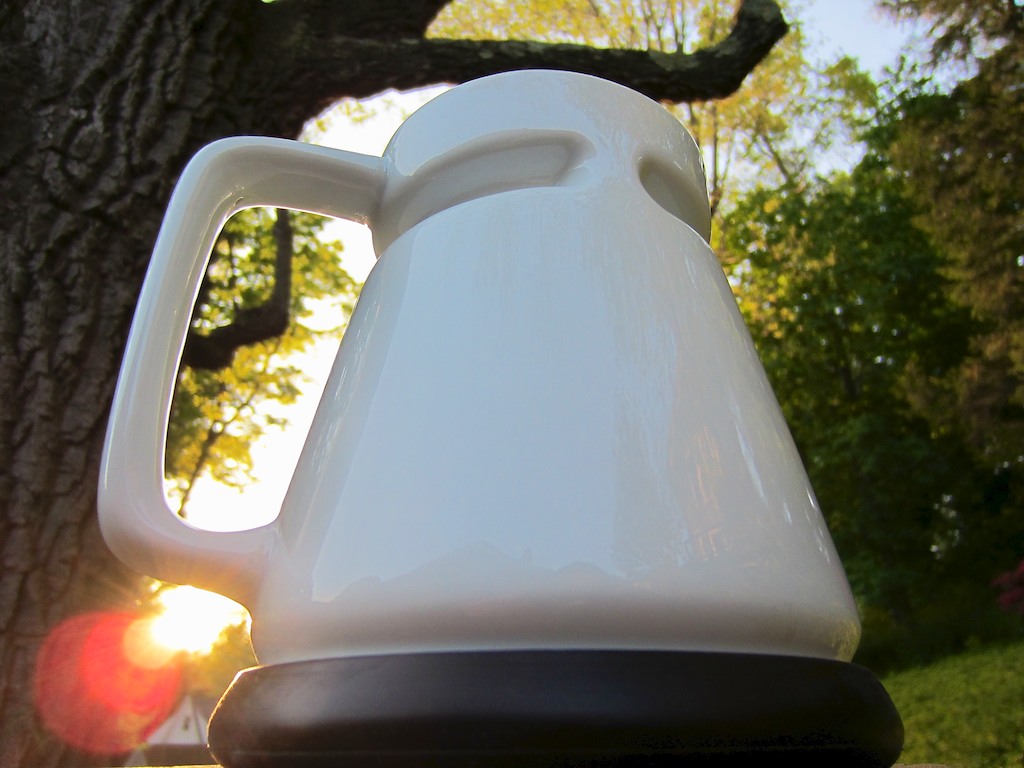
Will this cup of Joe greet your next sunrise or doom your computer to a gloppy death?

How important is all the content on your computer?
If you lost it tomorrow, how much would it hurt?

  • All your family photos
  • Your home movies
  • Music collection
  • Every word you’ve written over the past ten years

Gone.

That would be bad.

The Terminator is Real
Like it or not, we live in an age where much of your life is stored on a small metallic box on your desk. Whether it’s a laptop, desktop or all-in-one, an ever-increasing amount of what’s important to you lives there.

Unfortunately, it is inevitable that your digital life will be in crisis… sooner or later.
Eventually, all hard drives fail. Period.
You need to protect your content and back it up.

Fortunately there are a variety of strategies to do just that with external drives and Cloud storage.

You must fight against that unexpected doom you know is waiting out there.
Thankfully, you have a good chance to prevent your personal digital apocalypse.

And if the unthinkable were to happen, at least you could take some comfort in the belief that it was not your fault. Blame would lie elsewhere. Your conscience would be clear.

But how would you feel if you caused it all?
What if you were your own digital Terminator?
Last week I had a glimpse of that.

There is a quiet evil that often lurks quite close to your computer.
It’s name is-
Coffee

Every morning I happily sit down at my desk with my cup of Joe.
I’ve been doing this for as long as I can remember. And yes, we all know that spilling java on your computer is a catastrophe. Motherboards don’t react well to any fluid, let alone coffee. If the circuitry survives the moisture after the drying out stage, the dried gloppy residue would surely seal the deal.

So I’m careful. Very careful.
Still…

Judgement Day
Last Tuesday at 6:31am, the unthinkable happened.

My right hand moved too quickly to pick up a piece of paper and clipped my travel mug. It was a glancing blow, but it was enough.

The mug was recently filled with freshly brewed French roast mixed with a little hazelnut blend I like to throw in for some flavor zing.

And like a movie scene in slow motion, I watched my mug tip over, and its black digital death start to spread across my desk like a tidal wave.

Ahead of the creeping wake were my old laptop, my new iMac, and my backup external hard drives.

Time was short, and I had to act quickly.
At best, paper towels from the kitchen were fifteen seconds away, round trip.

As I sprinted, I heard myself muttering, “No, no, no, NO!”
I knew my rescue mission would not return in time.

But I had to try.

Sixteen seconds later, I layered my desk with a complete paper towel roll, soaking up the evil goo.
I plunged targeted crunched-up Bounty balls into the empty spaces in front of my sacred back up drives.
A gauntlet… a final line that I hoped would hold.

An Unlikely Ally
My desk was particularly cluttered that day with scattered note pads and folders, representing my ongoing reliance on my old analog ways.
All of the paper was now soaked and mutated brown.

I quickly removed the engorged paper towel strips to get a clear view on whether my brew had reached my precious hardware.

With just fractions of an inch to spare, remarkably, the coffee had been successfully repelled on all critical fronts.

But I wasn’t the hero.
Remember, my rescue mission had arrived too late.

What saved my digital life?
My analog life.

All that disorganized paper on my desk. The coffee spent too much time doing its destruction there. The delay allowed my rescue mission to arrive in time.

All that outdated paper. Mostly useless in today’s digital world.
Imagine how angry and bitter it must have been feeling.

And yet, it willingly gave up its existence for the greater digital good.
(Sniff. Sob.)

Anyway…
I’m just very lucky.

Wake up and Smell the Coffee
So moving forward, no more morning coffee at my desk anymore, right?
Are you crazy?!

What I did do is go to Amazon and buy a pear-shaped desk coffee mug with a much lower center of gravity that is designed not to tip over.

I still highly recommend it.

Do I still tempt fate? Maybe.
But like having a good digital back up plan…
at least now, I’ve got an upgraded no-spill strategy.

Our cat sits close by and purrs at me.
Eight more lives.

My computer should be so lucky…

Hope I never have to write about this ever again.
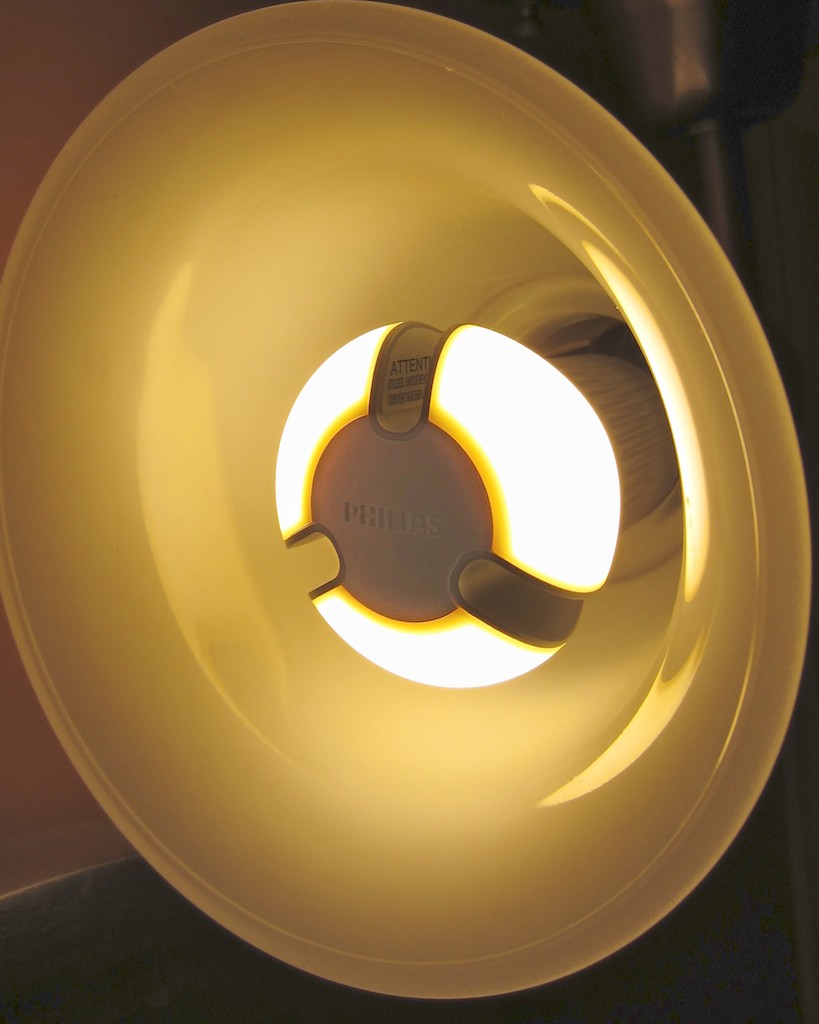
Loving the Loser Light Bulb

Lighting my house with yesterday’s LED tech that doesn’t cut it anymore. I’m okay with that- for the next 22 years.

I was in Home Depot last week, and I couldn’t help but walk through the lighting department to peek at the wonder LED bulb-
The Philips L Prize ‘A bulb’.
And yep, there it was for $49.95.
It was positioned in the back corner in its own display, almost as an after thought. And as I expected, I saw a few tumbleweeds passing by.

$49.95 is, of course, a steep price.

But front and center in the lighting isle was a separate LED bulb display with another Philips LED lamp, that walks and talks just like the L Prize bulb.

This one is called an AmbientLED.
Same 60-watt replacement.
12.5 watts.
Same design.
33% lower efficiency than the cutting edge L Prize bulb.
Lasts for 22.8 years, instead of 27 years.

Big whoop.
A bulb that will last till the year 2035 is efficient enough for me.

And the punch line?
The price after the boldly advertised $10 discount… $14.97.

The future had arrived and was already steeply discounted.

So I picked one up to try out in one of our lamp fixtures at home.
And my assessment?
Brilliant.

So why all the big fuss about the ‘A bulb,’ when Philips already has their AmbientLED out there at a much better price?

The L Prize lamp is more efficient, and its newer tech is supposed to provide a warmer light.
And it’s made in Wisconsin.
(My AmbientLED is from China.)

Look, you just don’t need the Lexus of light bulbs.
I think the runner up model is the place to start.
And in this economy, shopping for price is a reality most Americans still have to grapple with.

It’s simply time to start buying LED replacement bulbs. They’re good for the environment. They’re more expensive, but they save you money over the long run. And very soon, you’ll have to make the switch, because many incandescent bulbs are being phased out.

So the headline here is not a scary one. It’s pretty reasonable.
You get to keep your lights on, but you’ve got to upgrade.

That’s called innovation.
Like it or not, you need to keep up.

Anyone else out there made the switch yet?

Parental Omniscience for only $24.95

This is Doggie, my son’s favorite lovey. Doggie is with my old Canon Elph 960 (yes that’s scotch tape holding it together) and its Eye-Fi card, which wirelessly uploads photos of my son to my iPhone. Recently, my boy’s photo stream stopped flowing. Doggie was sad. He asked Dada for help.

I know what it feels like to be Thor and cast out.
I had everything just the way I liked it, and I was happily ruling my own universe.

By that I mean I’d been using the magic of the Eye-Fi wireless memory card for the past two years to open up a personal portal into my son’s daily adventures.  While I was away at work.

Allow me to explain.

Eye-Fi Magic
The Eye-Fi card is a wireless memory card you put in your camera, just like any other card. The difference is Eye-Fi also has Wi-Fi built into it.
(That makes it twice as expensive.)

But for the price, you get the power of the Cloud. After you take a picture, your camera doesn’t need to be tethered to your computer to upload. Instead, Eye-Fi immediately sends your photos to your computer’s hard drive and the Web wirelessly and effortlessly.

So after a fun photo session of my son sucking down applesauce, my camera’s battery provides the 4 gig Eye-Fi card the power to chat with my MobileMe online photo gallery I created with iPhoto. Apple also has a great app called Gallery, which perfectly displays all of my son’s photos on my iPhone.

I could see all…
It was a beautiful thing.

And the piece de resistance?
My Eye-Fi account would then email or text me whenever new photos had been uploaded.

Say I was away at a boring meeting, wondering what my little boy was up to.
I’d hear the text ping go off, whip out my iPhone, and show my colleagues photos of my son’s latest milestone taken minutes earlier. Pretty cool!

This trick did wear out its public welcome, but it has been invaluable for me.
It seemed like magic two years ago, but with everything going Cloud based these days, it’s just another mortal tool to make your digital life a little easier.

Dark Clouds
But one day, a storm approached.
And I was cast out. I looked up, and I saw iCloud everywhere.
I would need to learn the ways of mere mortals.

We know MobileMe’s days are numbered.
But I think Apple has already begun pulling the plug.
A couple of months back, my Gallery app started crashing.
And then it never opened again.

Coincidence? I think not.
I needed to find a replacement and fast!

Join the Party
I have to admit; I’m a little phobic about putting unfiltered photos up on giant social websites like Facebook. (even if they are posted as private)
I’ve enjoyed the cozy feeling of presumed privacy with my obscure MobileMe photo albums. Being a part of the huge digital social universe feels a wee visible for my boy’s little photo stream.

This is not to be confused with Apple’s Photo Stream service. I’ll soon press the button to join with iCloud, but I’m not sure Apple’s Photo Stream will be a total replacement for the distribution of my son’s pics either. Remember I’ve got a very targeted way I want these particular photos organized and remotely served up to me and my wife.

You know, I don’t think I’ve really got a choice.
Either I play in the pond with the millions of other online photo sharers.
Or I will just see my son the old fashion way… in person.

So I decided it was time to join the party and hope that only my wife and I would show up.

I did some research and of course there are a crushing number of online photo sharing options. After some fact crunching, I came up with two leading contenders: SmugMug and Flickr.

SmugMug?
I know SmugMug has a loyal fan base, and this service been around for a while.
(I’m always happy to let someone else kick the tires.)
The annual membership is $40.
And there’s the Smugview iPhone app for $2.99. All good.
I was 30 seconds away from pulling the trigger, but then I remembered I already had my toe in the digital water with Flickr.

D’uh! Flickr!!
You might feel this is the obvious choice. And I guess it is. I just needed to go through the exercise. I already have my Flickr account replacing my former MobileMe photo-sharing activity with family and friends. And I’ve upgraded to the annual $24.95 Flickr Pro subscription to better handle photos above the 200-picture limit in their basic (free) account.

Flickr also has its free iPhone app. And I know I can create private Flickr albums.
Let’s do it!
So I got to work.

  • On my iMac, I directed Eye-Fi to upload to Flickr with my normal user login info.
  • Downloaded the Flickr iPhone app. Signed in the exact same way.
  • Tweaked the settings to uber private.
  • Took a test picture of my wife reading Goodnight Moon to our son.
  • Opened up the Flickr app on my iPhone a minute later.

BAM! There it was!
And the email announcing the upload showed up a few minutes after that.

Q.E.D.
(Quite easily done)

The uploaded photos are organized into new Flickr albums (sets) each day.
Eye-Fi also simultaneously sends the pics to iPhoto for archiving.
(The only complaint I have is Eye-Fi doesn’t connect directly to Aperture, my preferred photo management/editing program.)

Back in Business
So there you have it. I’m omniscient again, knowing the business of my lad’s daily adventures while I’m off storming the castle during the week.

Flickr has done the job. Yahoo!

That said, if any of you have other solutions you’d like to share, I’m all ears.
I’m only $25 in. I could be convinced to try the next best thing…