At Home with Tech

Unlock the power of all your technology and learn how to master your photography, computers and smartphone.

Category: Tech Fixes

Roses Are Red. Violets Are Blue. My Tech Needs to Know… What Are You Up To?

Are your smartphones humming together? These days, a couple can maintain healthy communication with a little support from their home tech.

Are your smartphones humming together? These days, a couple can maintain healthy communication with a little support from their home tech.

Allow me to state the obvious:
Good communication is key to any relationship.

But that also goes for digital communication.
And if you’re in a committed relationship, you’d better be sharing some of your data!

The Sit-Down
My wife’s MacBook Pro laptop and my iMac weren’t really talking to each other.
Not acting like they were part of our family unit.

It was like they didn’t even know the other one existed!
My wife and I were maintaining separate digital calendars.
We couldn’t even share a document or photo without first emailing it or using the Cloud.

And all this was making our digital lives together relatively uncoordinated.

I immediately realized this was all so unnecessary.
The technology solutions to alleviate these problems have existed for years.

My face brightened, and I suddenly started to channel my son’s favorite cartoon, “Bob the Builder.”

I proclaimed,
“Can we fix it? Yes we can!”

Four Tech Tips Everybody’s Already Using

Before I go any further, I feel compelled to disclaim that nothing that follows is either new or cutting edge.

You’d probably be embarrassed to admit you haven’t been working these tips.

But if you decide to read on, I won’t say anything!
(You don’t ever have to admit this was helpful…)

1. Create a Shared Calendar on your iPhone
I apologize if this shocks you, but I am about to describe how my wife and I have been coordinating our family’s schedule for the past three years since our little boy was born.

At dinner, we take out our iPhones and open up our calendar apps for the upcoming week.
We discuss our upcoming family events to ensure we’re both on the same page.
Each of us then adds in the requisite events into our personal calendars.

Tap, tap, tap.
Tap, tap, tap, tap.
Tap, tap, tap, tap, delete, delete, tap, tap.

(This can really ruin dessert.)

While this antiquated process facilitates a nice conversation about what’s going on in our busy lives, it’s totally unnecessary from a calendar-syncing perspective.

To upgrade this analog technique, all you need to do is simply create a new family ‘shared calendar’ and then invite your partner to join it via email.

When you create a new event for the family, the key difference is making sure you assign it to this new calendar category.

Once she accepts your invitation to the shared calendar, the new event will immediately populate in her own calendar.

And she can do the same for your calendar!

Remember, you can view multiple calendars together on one screen.

Perfect two-way flow of scheduling your lives together!
Total compatibility!!

Another great feature is you don’t have to change or give up anything about your existing calendar.

This is all additive.

So let’s say you’re also maintaining your work schedule in your calendar.
Those events stay just with your calendar and won’t be shared.

Brilliant!

But remember, I didn’t just tell you this.
And I didn’t just activate this feature for my own family yesterday before breakfast.
(But my wife did give me a huge smile.)

Let’s move on…

2. File Sharing between Apple Computers
So my wife has asked the IT Guy on more than one occasion why we can’t ‘share’ some of our docs, so we can both contribute to and edit them.

Well, of course you can.

The easiest way you can give someone access to a file on your Mac is to simply drop it into your Public Folder.
(everyone’s got one)

You can also assign different levels of access to your Public Folder:

  • Read Only (open a file)
  • Write Only (add a file)
  • Read and Write
  • No Access

So sure, I could simply give my wife the full set of keys to my Public Folder.
But that didn’t really feel like a personal-enough arrangement.
(nor that private)

Not that there are other co-habitants on our network who can take a peek at these files in my Public Folder.
(not that I know of!)

But I wanted to create a shared folder that was specifically designated for access by my wife’s computer.

How romantic!

3. Create a Sharing-Only User
You can make any existing folder on your Mac available to someone else working on another computer on your network.
They can access the contents of that folder, but that’s it.
(No pulling a Borg on you and assimilating everything else!)

You just have to create a new ‘sharing only’ user profile:

From System Preferences, create a new sharing-only user via either

  • Users and Groups or
  • Sharing

Then, in ‘Users and Groups’ assign a password for your special guest to access the specific folder(s).

Finally, return to ‘Sharing’ in System Preferences and choose that special shared folder by clicking on the ‘+’ and selecting that folder.

Q.E.D.
(quite easily done)

I presented our new ‘only for your eyes’ folder to my wife this morning.
And there was much rejoicing!

But I will absolutely deny to the rest of the world I ever mentioned this.
(I’ve erased all the evidence, but don’t forget to clear the cache on your browser. You can’t be too careful!)

4.  AirDrop
This little trick is staring right at you every time you open up a new finder window.
It’s got a little parachute icon in front of it.

So if you want to transfer a file to your wife’s computer, please don’t ever admit you would put it on a flash drive and walk it over.

That is worse than scratching your nails down a ten-mile-long blackboard.
(super-shudder)

(And emailing it isn’t much better!)

Instead, all you have to do is make sure both computers have AirDrop running on your Wi-Fi network.
Then just drag and drop the file onto the other computer’s icon in AirDrop.

Once she accepts the transfer request message, the file downloads just like that!

So as long as you have a relatively new Mac that supports AirDrop,
it really couldn’t get any easier!

Plausible Deniability
All these little tricks are so easy to activate.

Take it from me!
It always feels great to be better connected to your pumpkin-angel!

Oh yes, one more thing…

This post will self-destruct in 10 seconds.
Have a nice day.

Does Your High Speed Internet Plan Need a Little Boost?

Those blinking lights on your broadband modem are a soothing reminder your home Internet service is up and running. Whether you’ve got enough bandwidth to handle your family’s needs is another question entirely!

Those blinking lights on your broadband modem are a soothing reminder your home Internet service is up and running. Whether you’ve got enough bandwidth to handle your family’s needs is another question entirely!

SCENE 1:
Fade up from black to a moving star field.
In the distance, we see the ship.
Dissolve to a wide shot of the bridge.
The door whisks open.

Captain Barrett walks in.
He does a quick survey.
All the glowing lights seem to be blinking correctly.
He sits down in the captain’s chair and…

Stop!!!

This is the kind of daydreaming that happens when you’re counting the days until you can finally get to see Star Trek Into Darkness.

Let’s try this again…

I walk into my home office, pet my cat Filbert, who’s always waiting for me, and then sit down in my black swivel chair from IKEA.

Boot up my trusty iMac.
Look at my Optimum Online broadband modem.
Everything seems fine.
I begin happily typing away.

They say ignorance is bliss…

We Need More Dilithium Crystals!
My wife enters our office and walks up behind me.
I sense a disturbance in the Force.
(oops, wrong universe)
(but with J.J. Abrams at the helm of both franchises, does that really matter anymore?)

My Jedi Master speaks.
(Actually, Yoga)
“Hey, how fast is our Internet connection?”

I look up.
(I should know the answer.)

“I’m not really sure. But it seems to be working okay, right?”
(inferior response)

“The IT guy at work says we need at least 30 Mbps download speed.”
(megabits per second)

My wife’s job sometimes requires her to use powerful web publishing tools early in the morning or late at night from home.
So our Internet bandwidth download speeds have to be beefy enough for her software to work.

So I quickly go to speedtest.net to double check.

It’s clocks in at only 18 Mbps.

Red Alert!!

The IT guy is in the doghouse.
(and I’m not talking about the friendly IT expert at work!)

Upgrading Optimum Online
So I call Cablevision’s Optimum Online tech support to complain about our obviously slow Internet connection.

My complaint is short lived, because I quickly find out our current Internet plan is only designed to provide a download speed of 15 Mbps.

Cablevision was actually exceeding its service level commitment.
Shame on them!

So now what?

Was there a higher level of service I could buy?
(of course)

It’s Optimum Online Boost Plus, and for $14.95 more a month, you get up to 50 Mbps for downloads.
And the upload speed improves from 2 Mbps to 8 Mbps.
(Upload speeds are always designed to be slower.)

This tier also comes with web hosting features and additional mailboxes, but for now, the pure, raw speed was all I cared about.

So I gave the order and made it so.
(translation: I upgraded to the new Warp Factor 8 plan.)

Problem solved?
Yes…
Though I have to admit, I was cranky to be shelling out even more to Cablevision as a triple play customer.
(TV, Internet and phone)

The Internet piece alone was $49.95/month.
(with $5 multi-product discount)
(New customers get the first year for $29.95.)

Now, I’m dropping $65/month for my faster Internet connection.

I’ll remind myself that’s the price of a cup of coffee a day and move on…
(and who doesn’t need their cup of Joe?!)

One Size Doesn’t Fit All
So I had restored my family’s tech harmony, but my Optimum upgrade got me thinking about my family’s growing Internet needs…

Once upon a time, one broadband plan was enough…set it and forget it.
15 Mbps?
Sounded good to me.
I thought we were covered.
And I never thought of us as heavy data users…

  • Stream a movie on Apple TV
  • Maybe a little Netflix on my Roku box
  • Some Bob the Builder cartoons on my laptop in the mornings for my three- year-old on Hulu Plus

But the explosion of streaming, online gaming, and social media for all of us has created an ever-growing demand on the broadband pipe.

The Internet Innovation Alliance, a coalition of business and non-profit organizations, has put together a fun little video the kids might enjoy that demonstrates this Internet data explosion.

The Relative Size of Internet Data

So you can see how it makes sense that high speed Internet service tiering would necessarily evolve to keep pace.

Have I Got a Deal for You!
The good news is every service provider is ready to sell you higher data speeds at home to accommodate your growing bandwidth needs.

  • Comcast’s Xfinity Internet service gives you up to 20 Mbps
    Their upgraded Extreme 50 service offers you up to 50 Mbps
  • Time Warner Cable has a whopping six Internet plans ranging from an itty-bitty 1 Mbps to their ‘Ultimate’ plan with 50Mbps
  • Then, there’s AT&T’s High Speed DSL(Digital Subscriber Line)
    Their U-verse High Speed Internet has 5 plans ranging from 3-24 Mbps.
  • Verizon’s Fiber FiOS plans range from
    15 Mbps to 300 Mbps download (Quantum)
    (and 5-65 Mbps upload!)
    That’s crazy fast!
    (and expensive…over $200/month!)
  • And not to be totally outdone, Cablevision has it’s own ‘Uber’ plan:
    Optimum Online Ultra
    Up to 101 Mbps

How Much Bandwidth Do You Really Need?
So how much speed is fast enough?
The bad news is there is no simple answer.

It’s all about what you’re doing online and then doing the math.

  • Apple TV – 8 Mbps for a 1080p HD movie stream
  • Netflix – 5 Mbps for 720p HD viewing
    and 7 Mbps for their ‘Super HD quality’ (1080p)
  • Hulu Plus – 3 Mbps for HD viewing
    (Basic Hulu doesn’t offer HD)
  • Skype Video- 1.5Mbps

It starts to add up pretty quickly!

Is 15 Mbps Enough?
You’re probably saying to yourself, “I can only do so much damage on my own!”
So 15 Mbps should cover it, right?

That’s true if you’re the only one online.

Families quickly turn the equation upside down, because the real data drain occurs when the usage is ‘cumulative.’

Ask Big Brother
Our government happens to agree with this simple logic.
Yes, believe it or not, the United States of America has an official opinion about all of this!
Keeping up with the times, The FCC has published its own
Broadband Service Consumer’s Guide.

Here are a few of its key points:

  • 1-2 Mbps is enough for email, web surfing and basic streaming video
    (whatever ‘basic’ streaming means)
  • 6-15 Mbps is enough to add either HD streaming, video conferencing, or online gaming
  • More than 15 Mbps is needed if you go with two of the above three data hungry activities
  • Basic web browsing doesn’t improve much after 10Mbps

Fascinating
So it all boils down to this:

  • If you’re on your own, 15 Mbps will probably cover you.
  • If you’ve got company at home, simultaneously sucking from your broadband spigot, it’s time to upgrade!

Or shall we say, you’ll need a little ‘boost.’

You may continue to dream about the day you’ll cut your cable cord, but your high speed Internet is already securely hardwired into your life.

It’s not going anywhere…

Resistance is futile.

I’ve Got the Power: Buying the Right Portable Generator

Worried about how to power your personal Skynet, Matrix or HAL during a blackout? Time to flip a switch and generate some watts!

Worried about how to power your personal Skynet, Matrix or HAL during a blackout? Time to flip a switch and generate some watts!

Power.

Lately, I’ve been obsessed with power.
No, not the megalomaniac kind.

The type that powers your personal tech.

Feed Me!!
My tech is always hungry.

I’ve got my handy Anker portable charger for my portable tech when I’m on the road.

I’ve got multiple UPS battery backups for my home office gear.

I always feel a dull ache whenever I watch my toddler play with my arsenal of flashlights. Another emergency light source draining away…

I own multiple rechargeable batteries, and I always throw a twenty pack of AA’s into my cart whenever I’m at Staples.

I read Facebook with envy when I see one of my friends installing solar panels on his roof.

What’s going on that I crave so much reserve power to keep the digital wheels turning?

It’s like worrying about never having enough to eat…
I’m always feeling like the orphaned Oliver.

“Please sir, may I have some more?”

Like it or not, AC and DC energy is the food to sustain your digital life.

It’s Gettin’… It’s Gettin’
It’s Gettin’ Kinda Hectic!
Certainly last fall’s Hurricane Sandy was a huge wake up call.
It decimated the Northeast and knocked out power for weeks.

Mother nature reminded us how fragile our power grid can be.

Get a Portable Generator!
When Sandy blew by, my house went dark for the better part of a week.
The inside temperature dropped into the low forties.

But I was lucky.
My family and I escaped and stayed over with friends who own a portable generator.
It kept their house fully operational.

Sure, there was heat and hot water.
But I quickly turned my attention elsewhere-

  • Internet access- Check.
  • Charging stations for portable devices- All you can eat.
  • TV- Yup!

It was like living in an alternate reality bubble.

The only clue we weren’t in Kansas anymore was the hum of the portable generator sitting in the driveway.

By the end of that week, it was crystal clear what I needed to protect the House of Lester…

It’s taken me five months to follow up on that decision, but I’ve finally taken the first step.

Ring. Ring…
Mr. Electrician, I have a job for you!
So before you can actually use a portable generator to power your house,
you need to do some electrical work.
(which is why it’s not a good idea to delay making the call until
The Weather Channel starts tracking the next planet-killing storm)

There’s the right way and the wrong way to handle the electrical challenge…

Option 1: Reverse the Polarity in Your Warp Drive Engine
Certain intrepid souls with some electrical skills have been known to do their own electrical jury-rigging.
It’s called ‘backfeeding,’ which refers to connecting power from the generator directly back into a house outlet.

This is extremely dangerous, and the web is filled with warnings about how you can electrocute yourself and others down your power grid.

I’m generally not into death and mayhem. And I don’t fancy myself an electrical MacGyver. So I passed on the backfeeding idea.

Option 2- Manual Transfer Switch
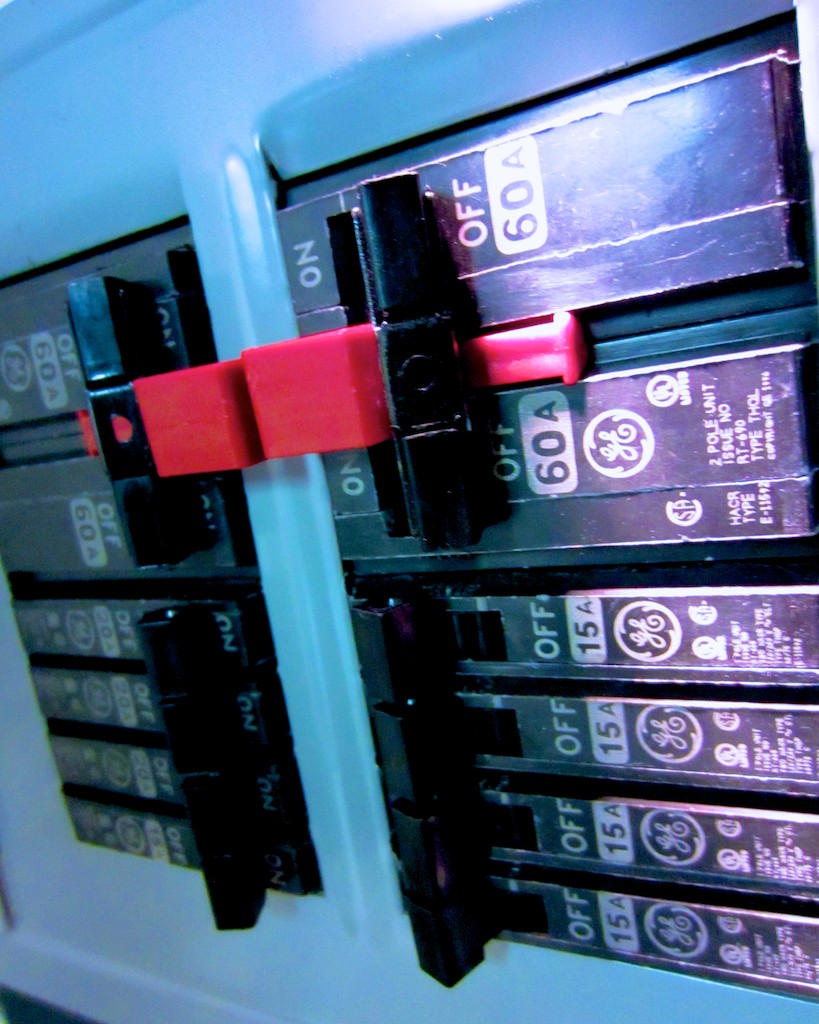
Hire an electrician to properly install a manual transfer switch next to your house’s electrical panel.
And that’s what I just did last week!

This additional power panel allows you to safely use and switch between your power sources.

My electrician also ran a weather resistant 30-amp plug to the outside of my house for the generator.
(Safety tip: The portable generator can’t be positioned too close to your house or you’ll risk carbon monoxide poisoning. That would be bad, especially after you went to all that effort not to blow things up.)

The whole shebang is not inexpensive.
I spent over $1,000, doing it the right way with my electrician.
But you do what you’ve got to do.
(The idea is to survive the power outage, right?)

So my house is finally ready for action.
Time to buy the portable generator!

How Much Power Do You Need?
Some portable generators are beefier than others, and yes, you pay more for the extra watts.
How much do you really need?
5,000-6000 watts should be sufficient to handle most of your home’s basic needs.
(My friend’s generator offers a healthy 6,000 running watts.)

Sure, you can permanently install a permanent home standby generator in your backyard, but that kind of project comes at a much higher price point.

Which Brand?
Of course, there are lots of brands to choose between.
Consumer Reports likes Troy-Bilt, Honda and Generac.
My electrician let me know he’s also partial to the Generac line of generators.
So I focused on that company.

Fuel?
There are two main fuel source options to choose between…

Gas
The portable generator market today is flooded with gas generators.
Yet, everyone I’ve talked with agrees gas generators have several major drawbacks.

  1. When the power goes out, lots of gas stations close
  2. The remaining gas stations have long lines
  3. You’ve got to store many gallons in your house to keep the generator going.
  4. Gas is flammable
  5. Gas goes bad quickly

Sign me up?
Not so fast…

Liquid Propane
Yes, it’s like what you use to run your gas grill.
There aren’t many LP portable generators out there, but my informal survey suggests they’re the superior choice.

  1. Easier to store propane tanks long term
  2. LP generators are more energy efficient
  3. It’s safer

My friend is a strong liquid propane proponent and he quickly convinced me of the wisdom of LP.

Thank you, Sensei.

Which Liquid Propane Portable Generator?
You can buy my friend’s Sportsman GEN7000LP portable generator on Amazon for $1,000.
It’s clearly a solid choice.
(6,000 running watts. 7,000 surge watts.)

But after doing my own due diligence, I like the brand-new Generac LP5500.

Generac talks about its ‘breakthrough’ research bringing propane generators to the market.

In 2011, they successfully experimented with their small LP generator (LP3250).
Now they’ve built a larger version, the new LP5500 (model #6001), which will start shipping in the next few weeks.

The Brand New Generac LP5500 Propane Powered Portable Generator

The brand new Generac LP5500 propane powered portable generator is here!

It offers 5,500 running watts and 6,850 starting/surge watts.
The going price around the web is $800.

It’s a relatively small unit with room in the back to hold your LP tank. It has two cushy wheels for easy transport, and it’s powerful enough to play in the big leagues with its competition.

Consumer Reports recently posted a video report from the 2013 Home Show featuring the introduction of the LP5500.
Their video provides a great visual overview of this model.

So even though I normally like to wait to read multiple customer reviews before making a decision, I’ve already got a gut feeling that this yet-to-be-released generator is the one for me.

Where to Buy It?
Again, as of this post, the LP5500 isn’t in stores yet, but websites are already selling it as a backordered item. They suggest they’ll have it sometime in April.

The next super storm could be around the corner, so I’m feeling it’s a wise choice to pull the trigger now and get in line for this one.

My electrician suggested buying from an online company called Norwall.
But they’re not listing my Generac yet.
Bummer.

Another online retailer, Electric Generators Direct has it listed and backordered for amost a month.
I called them to check them out, and the representative I spoke with seemed very nice.
But I don’t know the company.
Next…

Amazon’s got it.
But the page lists a shipping ETA from 1-3 months.
Pass!

Then I noticed this week Home Depot has the LP5500 on its website.
(but not in stores)
Backordered only for another week.
Ships 3-6 days after that.

Everyone knows Home Depot!
BINGO!!

The Right Choice?
So I’m planning on doing the deal with Home Depot.
But before I buy my orange Generac, I thought I’d first share my own research through this post and ask if anyone out there wants to challenge my decision on the LP5500.

Really, it’s less of a decision than an educated guess.

I should also mention a major reason I’m not taking the proven path by going with my friend’s larger Sportsman is I’m simply looking for a more compact unit to store.

Slave to My Machines
So now, I’m moonlighting as my own power company to ensure the survival of my tech beyond a regional or global blackout.

I feel like I’ve entered “The Matrix.”

Maybe I should just connect the plug into the back of my skull to feed my electronics, like in the movie.
No, that won’t work. Not enough juice…
(need a bigger brain)

That’s why the entire human race had to be enslaved to power the endless whims of technology.

Things are much different in real life…
(really?)

I wish you a successful and safe journey in your search for your own watts!

Soon I’ll be able to scream at the top of my lungs…
“I’ve Got the Power!!”